Business Intelligence
tableau alternatives modern BI tools warehouse native
Warehouse-native BI tools replace extract-based analytics to deliver real-time, governed insights directly from cloud data warehouses.
Modern BI tools are moving away from outdated architectures like Tableau's reliance on data extracts. Today’s businesses demand warehouse-native BI platforms that directly connect to cloud data warehouses like Snowflake, BigQuery, and Amazon Redshift. These tools deliver real-time insights, maintain data security, and eliminate the need for duplicating data.
Here are 10 Tableau alternatives that align with modern data workflows:
Querio: Direct SQL queries with plain-English inputs, robust governance, and SOC 2 compliance.
Power BI: Strong Microsoft integration, DirectQuery mode for real-time insights.
Looker: Code-first approach with LookML for centralized metric definitions.
Looker Studio: Simple, free tool for quick reporting, with limited governance.
Sigma Computing: Spreadsheet-like interface with live data querying.
Omni: Combines AI-driven analytics with a layered semantic framework.
Domo: All-in-one platform with federated querying and cloud integrations.
Qlik: Associative analytics engine for flexible data exploration.
Metabase: Open-source, user-friendly BI tool with natural language queries.
Definite: End-to-end BI platform offering managed lakehouse solutions.
Quick Comparison
Tool | Warehouse Connectivity | AI Features | Governance | Deployment |
|---|---|---|---|---|
Querio | Native to major platforms | Transparent SQL generation | Cloud or self-hosted | |
Power BI | DirectQuery, Azure focus | Copilot for natural language | Row-level security | SaaS or on-premises |
Looker | LookML for live queries | AI via Vertex AI | Git-backed semantic models | Google-hosted |
Looker Studio | Basic connectors | Lightweight AI | Minimal governance | Free SaaS |
Sigma | Live warehouse queries | AI-powered narratives | dbt Semantic Layer support | SaaS only |
Omni | dbt-inspired models | AI-assisted modeling | Git-backed YAML metrics | Cloud SaaS |
Domo | Federated/cloud options | Domo.AI for ML workflows | Platform-level security | Multi-tenant SaaS |
Qlik | In-memory/direct query | Associative AI | Centralized catalog | SaaS or client-managed |
Metabase | Direct SQL queries | Natural language and AI tools | Basic governance features | Open-source or SaaS |
Definite | Native and lakehouse | AI analyst for data apps | Metrics-as-code in YAML | Private cloud |
Modern businesses need tools that integrate seamlessly with their existing data infrastructure while delivering real-time, governed insights. Querio and other warehouse-native solutions lead the way in meeting these demands.
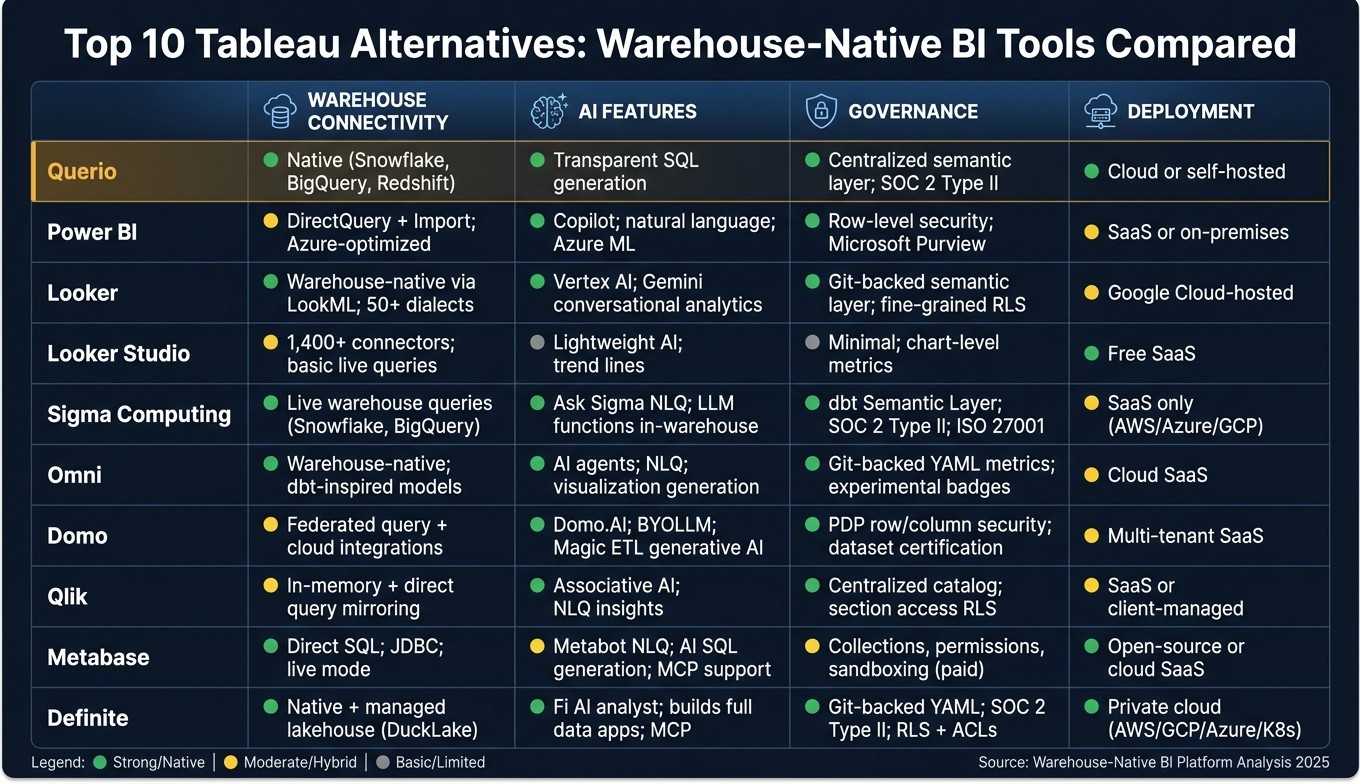
Top 10 Tableau Alternatives: Warehouse-Native BI Tools Compared
Explore 7 Tableau Alternatives for Data Visualization and Analysis
1. Querio
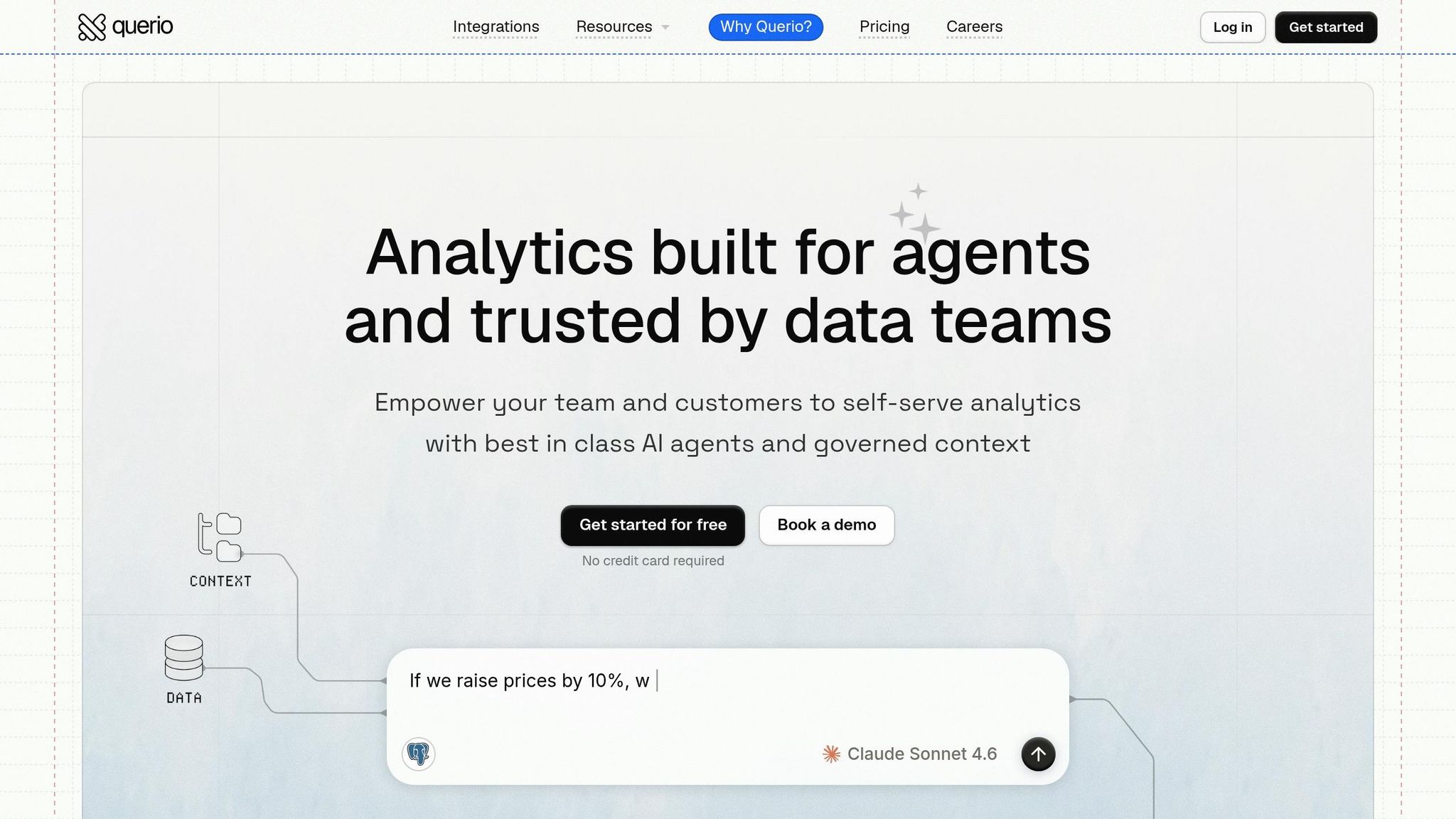
Querio is designed as a warehouse-native analytics platform, built to work directly with live data. Unlike older systems that rely on extracted data, Querio queries data in real time - no duplicates, no outdated snapshots, and no separate processing engine.
Warehouse Connectivity
Querio integrates seamlessly with the data warehouses many U.S. teams already trust, such as Snowflake, Google BigQuery, Amazon Redshift, ClickHouse, and PostgreSQL. Connections are encrypted and read-only, ensuring your data stays secure. By pushing filters, joins, and aggregations directly to the warehouse engine, Querio’s performance depends on your warehouse's capacity rather than being limited by BI server hardware. This design also enables smooth and efficient natural language querying.
AI and Automation
With Querio, business users can simply type questions in plain English - like "What was the U.S. retail revenue by state in Q1 2025?" - and the platform automatically converts these into native SQL queries. Users can inspect the generated SQL code, offering transparency into the logic behind the results. The AI also suggests metrics and chart types based on user behavior, referencing only pre-approved fields and tables from the semantic layer. This ensures non-technical users stay within defined boundaries while exploring data.
Governance and Semantic Layer
Querio’s semantic layer simplifies and centralizes business logic. Metrics like "Gross Revenue" or dimensions like "U.S. Region" are defined once by the data team and reused across dashboards, ad hoc queries, and AI-driven answers. Updates to these definitions automatically apply everywhere, eliminating inconsistencies caused by manually recreated calculations.
Security is a priority. Querio enforces row-level and column-level security policies through the semantic layer, regardless of how metrics are accessed. It also supports single sign-on with popular identity providers and maintains query activity audit logs, meeting compliance standards like SOC 2 and HIPAA for U.S. organizations.
Delivery and Deployment
Thanks to its warehouse-native architecture, Querio provides real-time insights with flexible deployment options. Teams can choose between a SaaS platform or a self-hosted setup for stricter data residency needs. Governed metrics can be embedded via APIs or iframes, and scheduled reports integrate directly with tools like Slack, Microsoft Teams, and email. Every report reflects live warehouse data, eliminating the need for manual data refreshes.
2. Power BI

Let’s take a closer look at Power BI, Microsoft’s leading business intelligence platform, and how it approaches warehouse connectivity and analytics. Power BI seamlessly integrates with other Microsoft services like Azure, Microsoft 365, and Fabric.
Warehouse Connectivity
Power BI supports two main connection modes: Import for smaller datasets and DirectQuery for handling real-time queries on larger datasets. Additionally, its Direct Lake mode (available through Fabric) allows reading parquet files directly from OneLake. This offers in-memory performance without duplicating data, which can save time and resources. Authentication is managed through OAuth and Microsoft Entra ID, while private network connections require the use of an on-premises gateway.
AI and Automation
Power BI’s Copilot feature brings AI into the mix, enabling users to ask questions in plain language. It can even auto-generate DAX formulas, though it's worth noting that around 20% of these suggestions may need some manual tweaking.
Governance and Semantic Layer
Power BI’s semantic models play a key role in centralizing business logic. These models define metrics and hierarchies that ensure consistency across reports. They strike a balance between enterprise-wide standards and team-level flexibility by offering both enterprise and departmental models. Security is robust, with features like Row-Level Security, Object-Level Security, and precise SQL controls through Fabric Data Warehouse. For lifecycle management, Git integration is also available.
Microsoft highlights the importance of these semantic models, stating:
"Power BI semantic models are the authoritative source of truth for ad-hoc analysis and reporting across countless organizations." [2]
Delivery and Deployment
Power BI offers flexible deployment options, whether through the cloud (via Fabric) or on-premises using Report Server. Reports can be shared through the Power BI Service, embedded APIs, or even scheduled email distributions. Pricing begins at approximately $0.36 per hour [3], with additional per-user costs for full enterprise-level deployments.
3. Looker
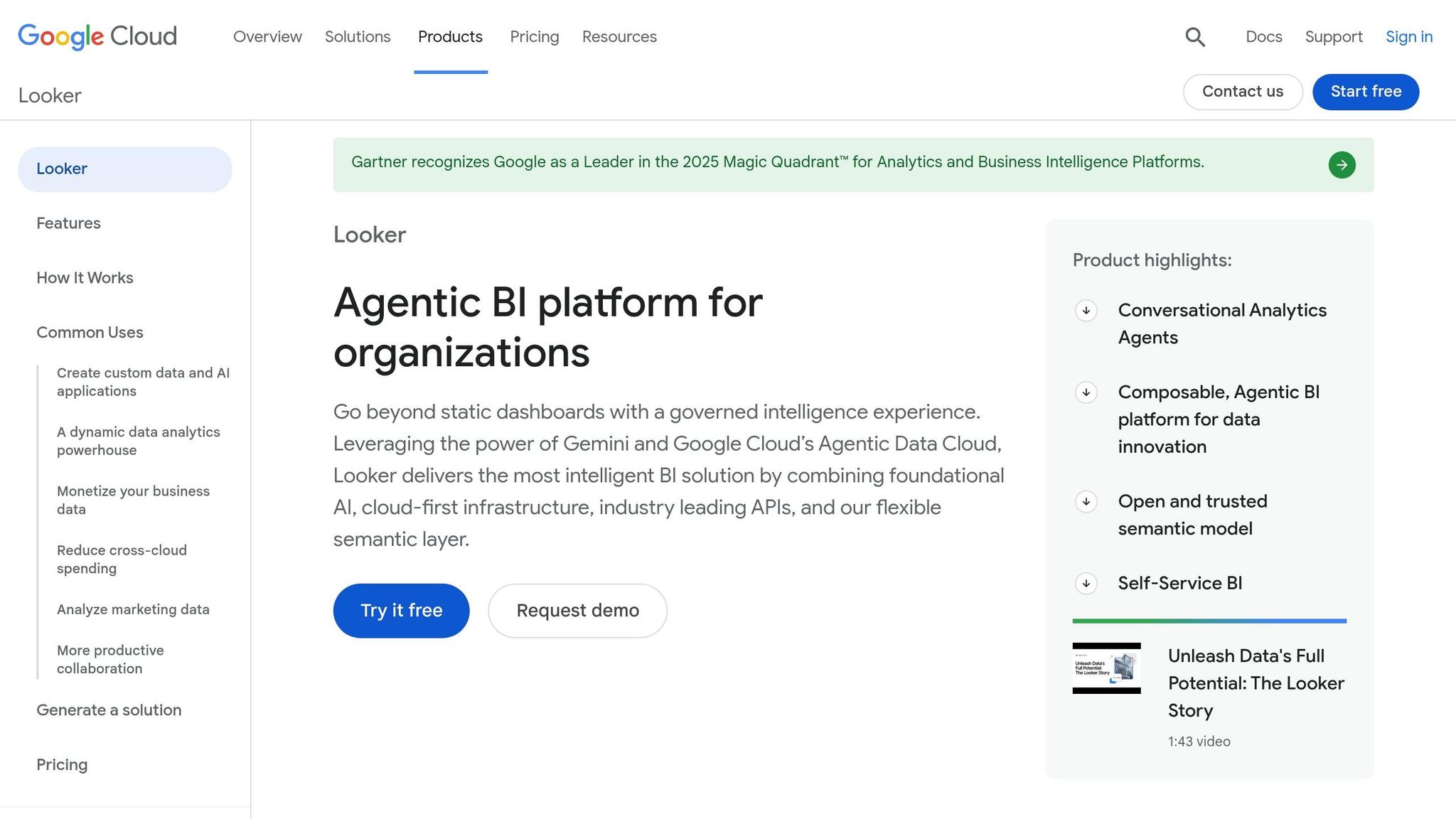
Looker, now part of Google Cloud, takes a code-first approach to business intelligence. At its core is LookML, a lightweight modeling language that defines dimensions, metrics, and calculations in one central place. Every user action - whether it's through Looker's interface, an embedded dashboard, or even a third-party tool - gets translated into optimized SQL queries tailored to the connected data warehouse [4][6].
Warehouse Connectivity
Looker queries your data warehouse in real time, ensuring results are always up-to-date. It supports over 50 SQL dialects [5], including popular options like BigQuery, Snowflake, Amazon Redshift, Databricks, and Trino. These SQL dialects are divided into two categories: Supported (fully tested, with Looker addressing any issues) and Integration (partial support, with limited guarantees for fixes). For Google Cloud users, Looker’s integration with BigQuery is particularly strong, enabling lightning-fast queries through the BigQuery BI Engine and offering seamless authentication via Application Default Credentials (ADC) [4][8].
Looker’s Open SQL Interface allows tools like Tableau and ThoughtSpot to connect directly to LookML models using JDBC. This feature essentially transforms your semantic layer into a virtual database, enabling other tools to query it with standard SQL. This is especially helpful for organizations using multiple BI tools but aiming to maintain consistent metric definitions. However, this interface comes with limitations: it only supports SELECT queries and doesn’t handle operations like JOIN, window functions, or subqueries directly. These must be defined within LookML [6][7].
Governance and Semantic Layer
The LookML semantic layer acts as a unified source of truth for the entire organization, ensuring consistent metrics across all users. It’s backed by strong security measures, including OAuth, API keys, and encrypted data traffic [6][11][12].
Looker also incorporates Gemini AI capabilities, such as a LookML Assistant that generates modeling code from natural language prompts and a Conversational Analytics interface that lets users interact with their data verbally. Both features rely on LookML to deliver accurate results. Combined, these tools enhance flexibility while maintaining essential BI features like rigorous data governance [11].
Delivery and Deployment
Looker offers two deployment options: as a fully managed service on Google Cloud (Google Cloud Core) or as a self-hosted installation (Looker Original). Additionally, Looker Studio Pro, previously a standalone product, is now included at no extra cost for licensed Looker users [11]. For those with simpler needs, the free version of Looker Studio remains available, along with a Standard free plan for experimenting with dashboards and LookML modeling [10].
One drawback to keep in mind is the setup time. Building LookML models can take weeks or even months, which might be challenging for smaller teams without dedicated data engineering resources.
4. Looker Studio
Looker Studio is Google's free BI tool tailored for creating reports quickly and efficiently. Unlike Looker, which requires LookML expertise and engineering support, Looker Studio allows users to produce reports in just minutes. Here's a closer look at its features, connectivity options, AI capabilities, and deployment methods.
Warehouse Connectivity
Looker Studio offers connections to over 1,400 data sources, including BigQuery, Amazon Redshift, and PostgreSQL, through prebuilt connectors. Additionally, it supports more than 1,300 community-built connectors for linking to other databases and applications [9].
BigQuery: Uses the BI Engine for fast query responses.
Amazon Redshift and PostgreSQL: Support up to 150,000 rows of data and limit custom SQL queries to a 3–5 minute timeout [13][14][15].
This wide range of connectors ensures that users can access and analyze data from a variety of platforms seamlessly.
AI and Automation
Looker Studio integrates AI capabilities for advanced analytics. Technical users can develop specialized agents within BigQuery to enable conversational analytics. These agents can then be shared with business users, allowing them to explore data using natural language queries directly in the reporting interface [9].
"Seamlessly integrate AI agents into your team's existing workflows. Technical users can build specialized agents in BigQuery and share them with business users for conversations directly in Data Studio, enabling natural language data exploration for everyone." - Google Cloud [9]
This functionality bridges the gap between technical and non-technical users, making data exploration more accessible to everyone.
Governance and Semantic Layer
Looker Studio lacks a native semantic layer, meaning metrics are defined at the chart level. However, connecting it to Looker's LookML layer allows for governed metrics and consistent business logic [16].
For security, Looker Studio ensures that when using the Looker connector, each viewer must authenticate with their own credentials, disabling the use of the owner's credentials. Additionally, the public preview of the connector disables custom metrics to prevent the creation of unregulated definitions [16][17].
Delivery and Deployment
Reports can be shared via email, Google Groups, or public links. For those needing more robust features, Looker Studio Pro offers team workspaces, enhanced security, and direct Google Cloud support.
Looker Studio Pro is priced at $9 per user per project per month and includes advanced features like Customer-Managed Encryption Keys (CMEK) and IAM-based permission management [9].
Feature | Looker Studio (Free) | Looker Studio Pro |
|---|---|---|
Core Visualization | ✓ | ✓ |
Connectors | 1,400+ sources | 1,400+ sources |
Support | Community-based | Google Cloud technical support |
Security | Standard | Enterprise-grade (CMEK, IAM) |
Content Management | Individual assets | Team workspaces & project-level admin |
5. Sigma Computing
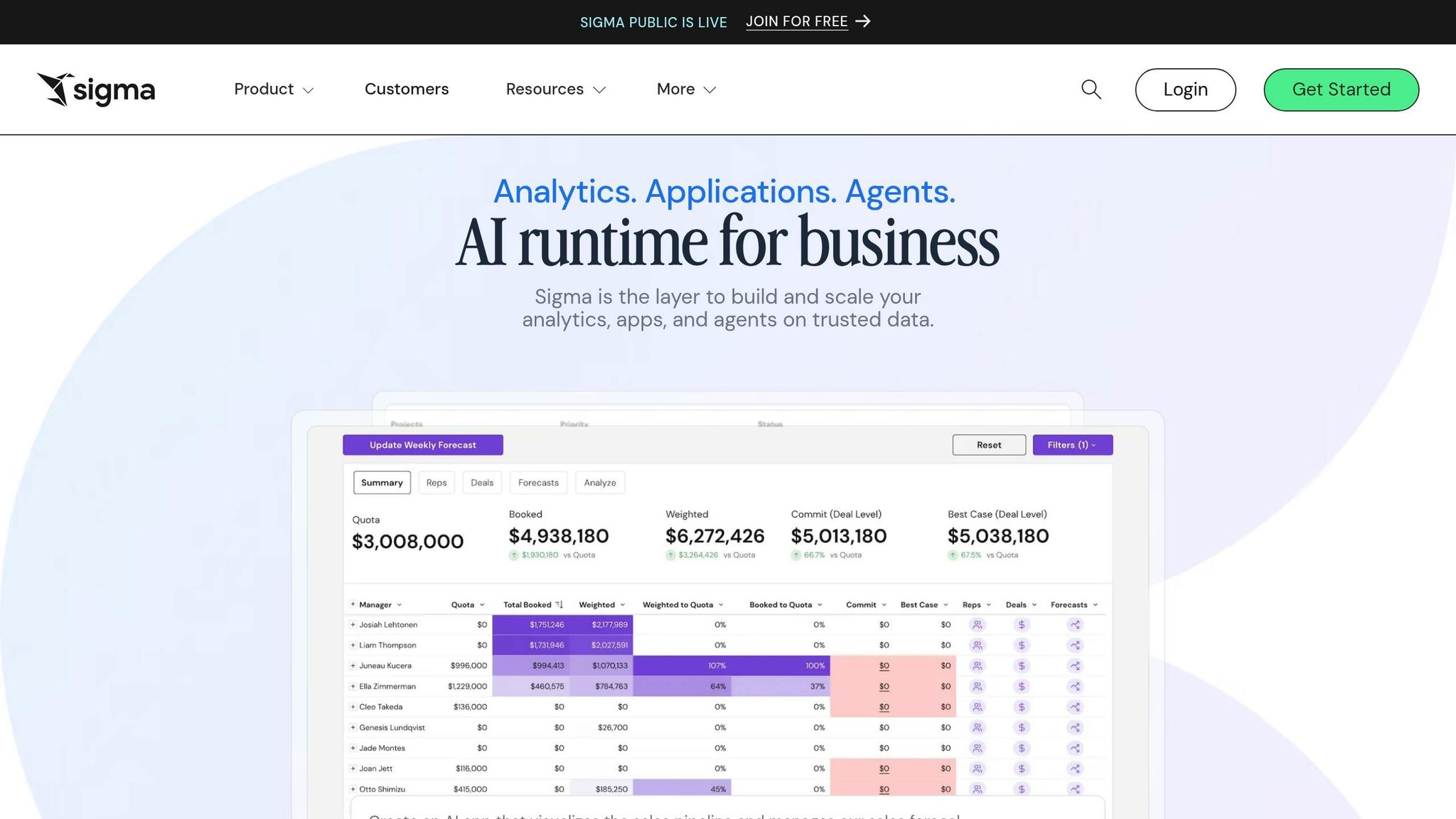
Sigma Computing takes a spreadsheet-first approach to business intelligence, connecting directly to your cloud data warehouse. Its interface allows users to perform actions like filtering, pivoting, and creating formulas, which are instantly translated into SQL and executed in real-time.
Warehouse Connectivity
Sigma integrates seamlessly with top cloud data warehouses, including Snowflake, Google BigQuery, Amazon Redshift, Databricks, PostgreSQL, AlloyDB, MySQL, and Starburst Galaxy. Since all data remains within the warehouse, there's no risk of outdated extracts or scattered files. The platform can handle billions of rows of live data, bypassing the row limitations of traditional spreadsheets and tools reliant on extracts [18].
AI and Automation
With its Ask Sigma feature, users can query data in plain English and interact with it directly in workbooks. Large language model (LLM)-powered functions allow tasks like sentiment analysis, text summarization, translation, and JSON extraction - all handled without requiring any coding skills. Importantly, all AI processing is executed in the cloud data warehouse, ensuring that row-level security and permissions are consistently applied.
Governance and Semantic Layer
Sigma's Data Models enable teams to define metrics, business logic, and joins once, ensuring consistency across all workbooks and AI applications. This centralized approach eliminates "metric drift", so metrics like revenue or active user counts remain consistent. Additionally, Sigma integrates with the dbt Semantic Layer, allowing organizations to use standardized metrics already established in their data transformation processes. The platform also meets stringent compliance requirements, including SOC 2 Type II, ISO/IEC 27001, GDPR, and CCPA certifications.
This governance model delivers measurable results. For instance, Duolingo achieved a 91% active user adoption rate and supported over 300 concurrent A/B tests by enabling quick dashboard creation within a structured framework [18]. Similarly, DoorDash successfully onboarded over 30,000 users while maintaining a collaborative and secure data environment [18].
Delivery and Deployment
Designed with modern security in mind, Sigma operates as a SaaS solution deployed on AWS, Azure, or GCP. It also supports private connectivity options to avoid public internet traffic. Features like Input Tables let users write data - such as budgets, forecasts, or comments - directly back to the warehouse, enabling real-time planning. For those embedding analytics, Sigma offers a React SDK and white-labeling options.
"I think the biggest value driver for Sigma is that you're not using specialized Python developers to analyze billion row records anymore. You're just adding an Excel user." - Han Zhang, Senior Vice President, Blackstone [18]
6. Omni
Omni stands out among modern BI platforms by combining a warehouse-native architecture with a semantic layer vs. traditional data models framework and specialized AI agents. This approach balances the precision of data engineering with the accessibility business users need. Backed by a Series C funding round that valued the company at $1.5 billion, Omni continues to push the boundaries of BI innovation [24].
Warehouse Connectivity
Omni connects directly to popular data warehouses like Snowflake, Google BigQuery, Amazon Redshift, Databricks, and others, including MySQL and Postgres [19]. Queries are executed directly against the warehouse, supported by an intelligent caching system that blends in-database and in-memory computation. Security is reinforced through options like SSH tunnels and PrivateLink [21].
AI and Automation
Omni's AI agents streamline tasks like handling conversational queries, creating visualizations, generating dashboards, and building data models - all from natural language inputs [24]. These AI features integrate seamlessly with Omni’s semantic layer, ensuring outputs are consistent and reliable, thanks to verified metric definitions.
"Our big lesson with AI is that it's about control. When you constrain it and give it context, like Omni's semantic layer does, you get predictable, reliable results that drive action." - Data Team Case Study, Omni Analytics [20]
In May 2026, Juliette Duizabo, Head of Data at Photoroom, used Omni's AI and MCP (Model Context Protocol) server to empower over 100 team members to access data insights in seconds. This setup extends functionality by allowing external AI tools like ChatGPT and Claude to query governed data directly through Omni's semantic layer [20].
Governance and Semantic Layer
Omni uses a three-tier modeling setup:
Schema Model: Mirrors the database structure.
Shared Model: Defines organization-wide metrics.
Workbook Models: Supports ad hoc exploration, allowing analysts to prototype metrics.
Experimental metrics are clearly marked with yellow badges, distinguishing them from verified ones. Omni also integrates with dbt, enabling teams to surface model changes and even author dbt models directly within the platform [19]. For core metrics like Gross Revenue, Omni works alongside the dbt Semantic Layer to maintain consistency across tools, while adding BI-specific metadata like drill paths and color mapping [22].
Delivery and Deployment
Omni is entirely web-based, offering features like scheduled report delivery via email or Slack, secure iframe embedding, and SSO support [23]. Its Branch Mode allows data teams to adjust AI contexts and refine model definitions without disrupting production workflows. As of May 2026, BambooHR incorporated Omni’s analytics into its platform, enabling users to quickly create custom reports and dashboards without leaving the BambooHR environment.
"Our customers can build custom reports and dashboards in minutes without ever leaving the BambooHR platform." - Product Team Case Study, Omni Analytics [20]
7. Domo
Domo is a comprehensive data platform that handles everything from ingestion and transformation to visualization and action, going beyond just generating queries.
Warehouse Connectivity
Domo offers two main ways to connect with external data sources: federated querying and cloud integrations.
Federated querying sends queries directly to the source without duplicating data. This method works particularly well for on-premise systems using Domo's Workbench agent.
Cloud integrations provide native read/write connections with support for Magic ETL and faster alerts, updating as frequently as every 15 minutes.
For on-premise systems, federated querying is ideal, while cloud integrations are better suited for scenarios requiring native writeback capabilities.
AI and Automation
Domo.AI brings natural language exploration, supports custom machine learning models, and accommodates BYOLLM (Bring Your Own Large Language Model). It also enables teams to create autonomous AI agents for tasks like data integration and analysis.
With Magic ETL, Domo’s visual pipeline builder, teams can now use generative AI tiles to process unstructured files - such as PDFs or images - from sources like Amazon S3 or Google Drive. These files are automatically converted into structured data. For advanced users, Jupyter Workspaces allow seamless work in Python or R without leaving the platform.
Governance and Semantic Layer
Domo’s governance features ensure data security and trustworthiness. Key tools include:
Personalized Data Permissions (PDP) for row- and column-level security.
Dataset Certification to mark trusted data sources.
Visual Data Lineage to simplify troubleshooting.
Sandbox environments for version-controlled development.
Delivery and Deployment
As a cloud-native platform, Domo delivers insights through dashboards, scheduled reports, and proactive alerts via email, mobile, or Slack. Its rETL (reverse ETL) feature allows enriched data to be sent back into systems like Salesforce or Workday. Additionally, tools like Beast Modes and Variables enable real-time metric creation and interactive analysis.
This all-encompassing approach highlights why Domo stands out among modern, warehouse-native BI tools.
8. Qlik
Qlik takes a different route in the world of warehouse-native BI platforms by focusing heavily on associative analytics. Its associative analytics engine keeps data relationships intact, allowing users to explore freely without being tied to a fixed query path. This flexibility makes Qlik a strong choice for analysts who need to uncover hidden relationships in their data.
Warehouse Connectivity
Qlik offers two key methods for working with data: direct querying and in-memory processing. With its mirroring feature, Qlik enables direct querying of cloud data warehouses like Snowflake and Databricks without duplicating data. This approach ensures that the entire organization operates from a consistent, unified source of data.
AI and Automation
Qlik brings natural language interfaces for querying and AI-assisted insights to the table, making it easier for non-technical users to get the answers they need without diving into SQL. These AI tools are seamlessly integrated into Qlik’s platform, creating a user-friendly experience while maintaining compatibility with its strong governance framework.
Governance and Semantic Layer
Governance is one of Qlik's standout features. Its centralized data catalog tracks the lineage of information from its source to the final dashboard, giving users clarity about data origins. Validation tools automatically compare metadata from data marts and source storage, flagging any inconsistencies. For teams using lakehouse architectures, Qlik provides a unified management layer for Iceberg-based tables, addressing data quality, compliance, and lineage issues. Security is tightly managed through roles, permissions, and features like Snowflake secure views, which protect sensitive data fields effectively.
9. Metabase
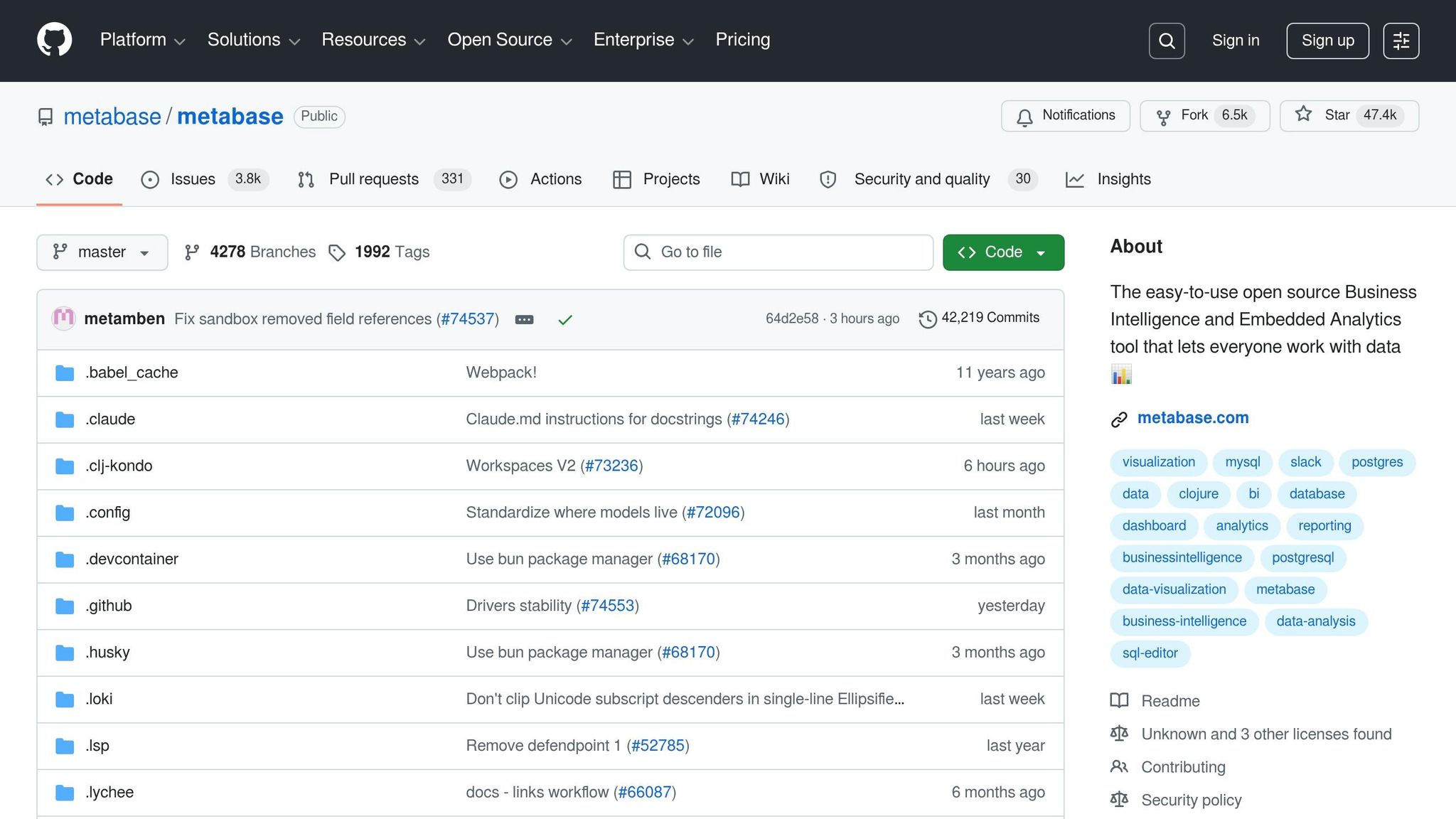
Metabase is an open-source BI tool that stands out for its ease of use and accessibility. It's ideal for teams looking to quickly gain insights from their data without needing advanced SQL skills.
Warehouse Connectivity
Metabase connects directly to your data warehouse using JDBC drivers and supports secure connections with SSH tunnels and SSL [25][26]. It integrates with various data sources, including distributed query engines like Presto, Starburst, and Vertica, as well as databases such as MongoDB, SQLite, and SparkSQL [25]. Once connected, it performs a syncing and scanning process to map your schema and identify field signatures. This process powers its no-code query builder, making it easier for users to explore their data [25][26].
AI and Automation
Metabase incorporates AI features across all its editions. Its Metabot tool allows users to run natural language queries and generates charts automatically. Additionally, the AI SQL/Python Generation feature translates plain English into working code. For enhanced AI capabilities, the platform integrates with external AI agents like Claude and Cursor through its MCP Server. Pro and Enterprise plans offer an extra layer with AI Semantic Search, enabling meaning-based data discovery [29].
Governance and Semantic Layer
Metabase’s governance features are managed through its Data Studio. Here, administrators can set up canonical metrics, transform raw tables into analytics-ready models, and centralize business logic [27]. A handy feature allows admins to create a single dashboard and route its queries to different databases based on user attributes, which is especially useful for multi-tenant environments or setups where each customer has a dedicated database [29]. The platform also keeps a version history for the last 15 versions of questions, dashboards, and models, offering a basic audit trail [28]. These tools enhance its user-friendly querying and deployment options.
Delivery and Deployment
Metabase provides multiple deployment options. Users can choose Metabase Cloud or self-host the platform via Docker or a JAR file [27]. The tool is available as a free Open Source edition under an AGPL license, with Pro and Enterprise tiers offering advanced features like AI Semantic Search and the Security Center (available in version 55+ for self-hosted setups) [27][29]. Paid plans also include development instances at a flat fee, making it easier for teams to test configurations [29].
10. Definite
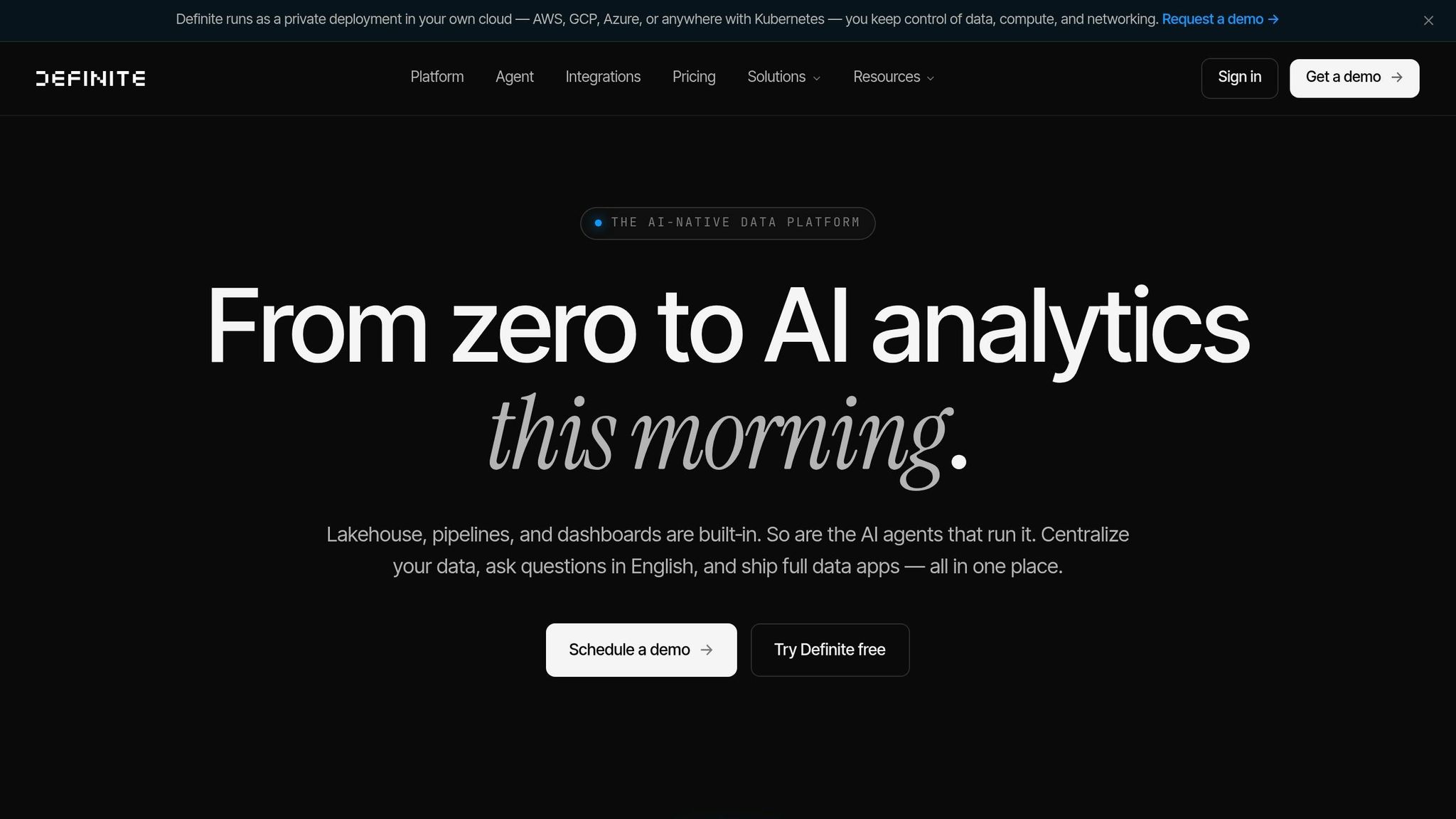
Definite is an all-in-one platform that streamlines the entire BI stack - covering ETL, storage, modeling, and analytics. Here's a breakdown of its standout features in connectivity, AI capabilities, governance, and deployment.
Warehouse Connectivity
Definite integrates seamlessly with popular data warehouses like Snowflake, BigQuery, and Redshift, as well as databases such as Postgres, MySQL, and MongoDB. For teams that don't have a warehouse, it offers a managed lakehouse solution called 'DuckLake,' built on Apache Iceberg and DuckDB, costing about $0.023 per GB. The platform also includes over 500 pre-built connectors for SaaS tools like Salesforce, Stripe, and HubSpot, along with native log-based Change Data Capture (CDC) for real-time syncing [31].
AI and Automation
Definite's AI analyst, Fi, takes automation to the next level. Instead of just creating single charts from natural language prompts, Fi builds complete data apps with customizable components [31]. It can write and debug SQL automatically and even allows users to tweak individual dashboard elements without impacting the rest of the report. Additionally, Definite supports MCP, enabling external AI tools like Claude and Cursor to directly interact with your warehouse schema [31].
"Most BI solutions require entire data teams to build warehouses and pipelines. With Definite, we were up and running in one day." - Aditya Sarkar, Co-Founder at Lean [32]
Governance and Semantic Layer
Definite simplifies metric management by letting you define key metrics once in versioned, Git-backed YAML files. This ensures uniformity across dashboards, AI-generated insights, and embedded apps [31]. The platform also prioritizes enterprise-grade security, offering embedded analytics security features like row-level security (RLS), access control lists (ACLs), audit trails, and ACID transactions. For added peace of mind, the Enterprise tier includes SOC 2 Type II certification and SSO/SAML support [30].
Delivery and Deployment
Definite operates within your private cloud - whether on AWS, GCP, Azure, or Kubernetes - so your data remains under your control [31]. It offers flexible pricing options, starting with a free Growth tier (2 users and 2 connectors). The Platform tier costs $250 per month, granting unlimited users and access to over 500 connectors, while the Enterprise tier offers custom pricing. The credit-based model ensures you only pay for what you use, including queries, connectors, and AI agent time [30].
Pros and Cons
Each tool in this list has its own strengths and trade-offs. The best choice depends on your data warehouse architectures, team size, and the level of governance you need. The table below breaks down how these tools align with a warehouse-native approach, showing why Querio stands out for delivering transparent, real-time analytics.
Tool | Warehouse Connectivity | AI Features | Governance | Deployment |
|---|---|---|---|---|
Querio | Native connectivity with major platforms | AI agents generate transparent SQL/Python outputs | Centralized shared context layer; SOC 2 Type II; role-based access | Cloud or self-hosted; SSO support |
Power BI | Hybrid; strong DirectQuery for Azure/Synapse, some use imports | Advanced (Copilot, Smart Narrative, Azure ML integration) | Row-level security, Microsoft Purview, workspace governance | Multi-tenant SaaS; on-prem option available |
Looker | Warehouse-native via LookML; optimized for top platforms | Vertex AI integration; natural language query tools | Centralized semantic layer; fine-grained row-level security; Git-backed | Google Cloud-hosted; on-prem querying capable |
Looker Studio | Direct connectors to BigQuery and others | Basic trend lines and forecasting | Lightweight governance tied to the data source | Free SaaS; Google Cloud-aligned |
Sigma Computing | Explicitly warehouse-native; live Snowflake and BigQuery queries | AI for query generation and narratives | Warehouse-first security; row-level security via warehouse roles | Cloud SaaS only |
Omni | Warehouse-native; dbt-inspired semantic layer | AI-assisted modeling with metric suggestions | Git-backed, metrics-as-code approach | Cloud SaaS |
Domo | Hybrid; often replicates data, though live connect is available | Domo.AI for forecasting and ML workflows | Platform-level roles and permissions; risk of data silos | Multi-tenant SaaS; closed platform |
Qlik | Primarily in-memory/import-based; some direct query options | Associative AI that uncovers relationships | Mature governance with section access for row-level security | SaaS and client-managed options |
Metabase | Direct SQL queries with live mode available | Natural language question builder; lighter AI features | Collections, permissions, and sandboxing in paid plans; lighter semantic layer | Open-source or cloud SaaS |
Definite | Warehouse-native; supports major platforms | AI-analyst features for building data apps | Metrics-as-code in Git-backed YAML; SOC 2 Type II; row-level security | Private cloud (AWS, GCP, Azure, Kubernetes) |
Querio's full transparency and real-time insights set it apart. Unlike many tools that rely on data extracts, Querio ensures SQL transparency, making every insight traceable and verifiable. Its live querying eliminates latency, a feature that tools like Looker, Sigma, Omni, and Definite also support, though these alternatives often require more specialized management of their governance layers.
For smaller teams, platforms like Looker Studio and Metabase offer simpler AI capabilities, but they may fall short for advanced analytical needs. Tools such as Power BI, Looker, and Definite excel in governance and compliance, making them strong options for regulated industries. Querio, however, combines this governance strength with unmatched reliability through its integrated shared context layer. For U.S.-based teams in sectors like healthcare or finance, compliance with SOC 2 Type II is critical - a standard met by Querio, Looker, Power BI, and Definite. Meanwhile, Qlik's history in these sectors highlights its reliability, though its reliance on in-memory processing may not align with all modern data strategies. Open-source options like Metabase provide flexibility but often require additional configuration to meet enterprise standards.
Conclusion
Modern data workflows increasingly require direct and reliable connections to data warehouses. The trend toward warehouse-native analytics is gaining momentum, with Gartner predicting that by 2025, over 80% of organizations will have moved their analytics and data workloads to the cloud [1]. This shift makes seamless warehouse connectivity a standard necessity rather than an extra perk.
Querio is designed with this evolution in mind. Whether you're just starting to expand analytics access or managing intricate, enterprise-wide data governance, Querio meets your needs without forcing you to overhaul your existing infrastructure. It offers AI-driven, governed analytics that let business users ask questions in plain English and receive instant, SQL-based insights - no matter the scale.
Features like Querio's shared context layer, transparent code output, SOC 2 Type II compliance, and live warehouse connectivity aren't just add-ons - they form the core of the platform. This sets it apart from tools that treat AI as a secondary feature rather than the primary interface.
With Querio, your data warehouse investment works harder, providing live, governed analytics that deliver trusted, real-time answers to every team member - all while reducing the burden on your data engineering team.
FAQs
What makes a BI tool “warehouse-native”?
A BI tool is described as warehouse-native when it connects directly to data warehouses using secure, read-only credentials. It works with live data, eliminating the need for duplication or ETL processes. These tools are built to integrate seamlessly with cloud data platforms, delivering real-time insights, effortless scalability, and top-notch performance for modern analytics workflows.
How can we avoid data extracts but still keep dashboards fast?
Connecting directly to your data warehouse with live, secure, read-only connections ensures your dashboards stay fast and efficient. This method allows for real-time data queries, removing the need for data extracts. By doing so, you avoid delays, outdated snapshots, and duplication, resulting in smoother and more reliable performance.
What should we check for governance and compliance in a BI tool?
When evaluating a BI tool for governance and compliance, prioritize features that enhance security and accountability. Role-based access controls (RBAC) allow you to manage who can access specific data, while data masking protects sensitive information by obscuring it from unauthorized users. Audit logging is another critical feature, enabling you to monitor and track all activity within the system.
A semantic layer is also worth considering. It helps ensure consistent metrics and definitions across teams, reducing errors and misinterpretations. Additionally, the tool should comply with key standards like SOC 2, GDPR, HIPAA, and CCPA. Look for capabilities such as data encryption and detailed audit logs to uphold regulatory requirements and maintain data integrity.
Related Blog Posts