The guide
Switching to Querio
From scattered notebooks, BI tools, and rogue AI experiments to one AI-native analytics platform: a guide to evaluating, piloting, and migrating to Querio.
Why data teams switch to Querio

What's Querio?
Querio is the AI analytics platform for your whole team. It is a single workspace where data teams run deep analysis in reactive Python notebooks, business users (and your customers) ask questions in plain English, and a shared, versioned context layer keeps every AI-generated answer transparent, governed, and consistent across the company.
Three principles sit underneath everything Querio does:
- 01Every answer is real, inspectable code (SQL or Python) not a black box.
- 02A versioned context layer means the same logic powers your team, your customers, and your agents.
- 03Querio meets people where they already work: a notebook, a board, your product, Slack, or any MCP client.
Why data teams are looking for a change
The pressure to make every team "AI-native" lands hardest on the data team. Stakeholders want answers in seconds, leadership wants dashboards by Friday, and now everyone has a personal LLM that can produce credible-looking analysis from a screenshot. The classic stack was not built for any of this.
Three patterns come up over and over when teams describe why they are looking for something new:

BI fatigue and broken self-serve
Hundreds of dashboards, filter sprawl, and an "ask the data team" Slack channel that never empties.
Insight gets stuck in flight
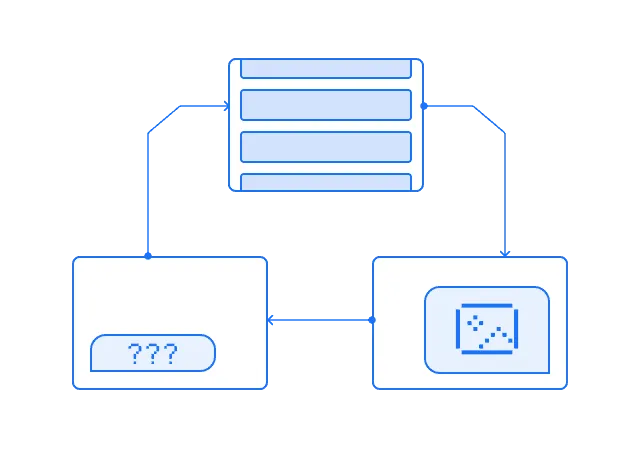
Analysis happens in Jupyter, dbt, BI and a local SQL editor, but what ships is a screenshot in Slack or a slide.

Unsanctioned AI everywhere
Business users paste CSVs into ChatGPT. Analysts run coding agents over the warehouse.
The net effect is that the data team spends its time refereeing instead of leading. The strategic role the team is supposed to play disappears into a queue of ad-hoc requests and AI-output cleanup.
Why data teams love Querio
Querio reorganizes data work around a shared context layer and gives every team (technical or not) an interface that fits how they think. The impact compounds quickly: more questions get answered, appetite for insight grows, and the data team's surface area expands rather than shrinks.
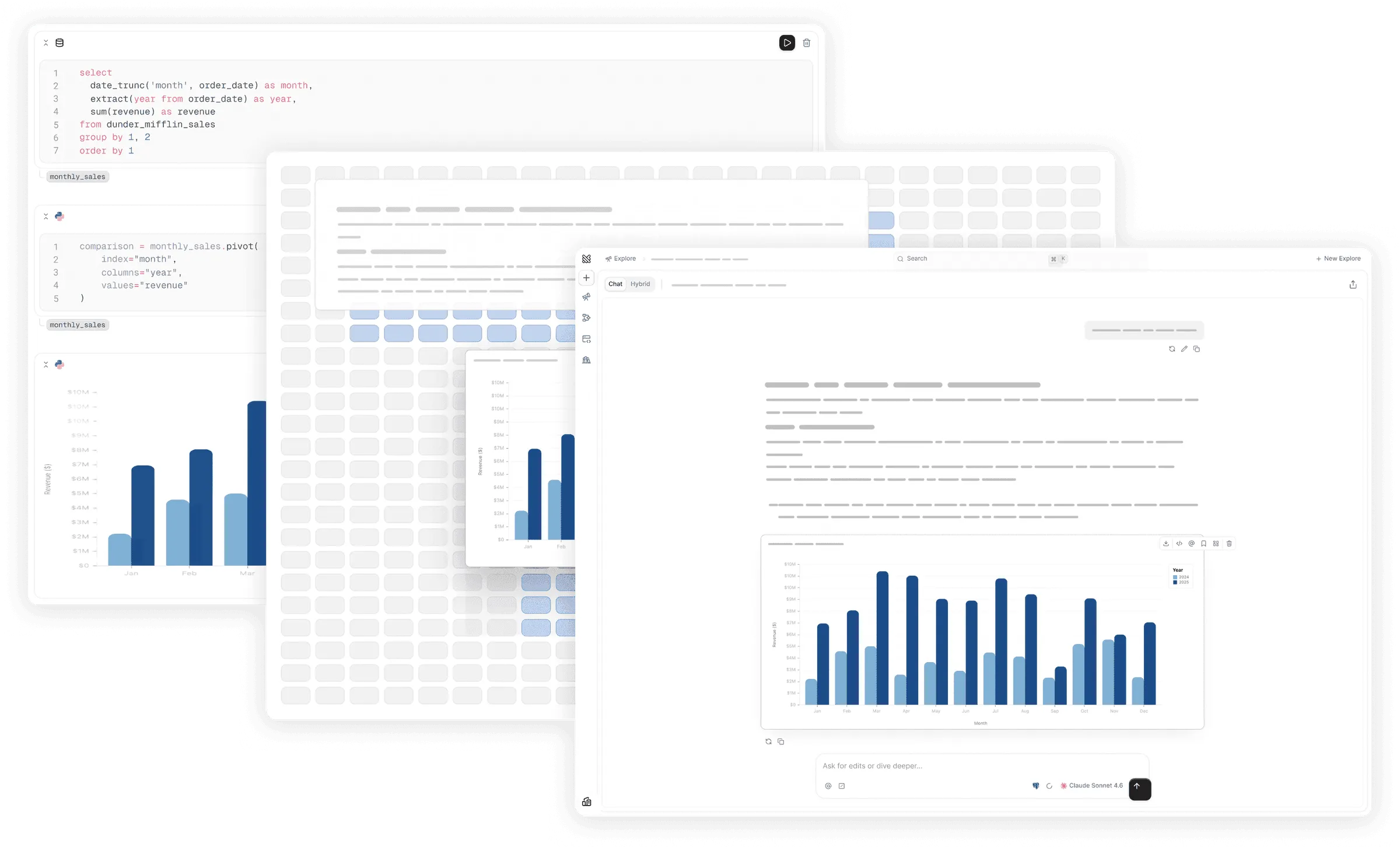
One platform, three surfaces
Explore is plain-language analytics for anyone in the company. Notebook is a reactive Python notebook for deep analysis. Boards are publishable, refreshable reports. All three run on the same context, so every answer is correct each time.
Every answer is code you can read
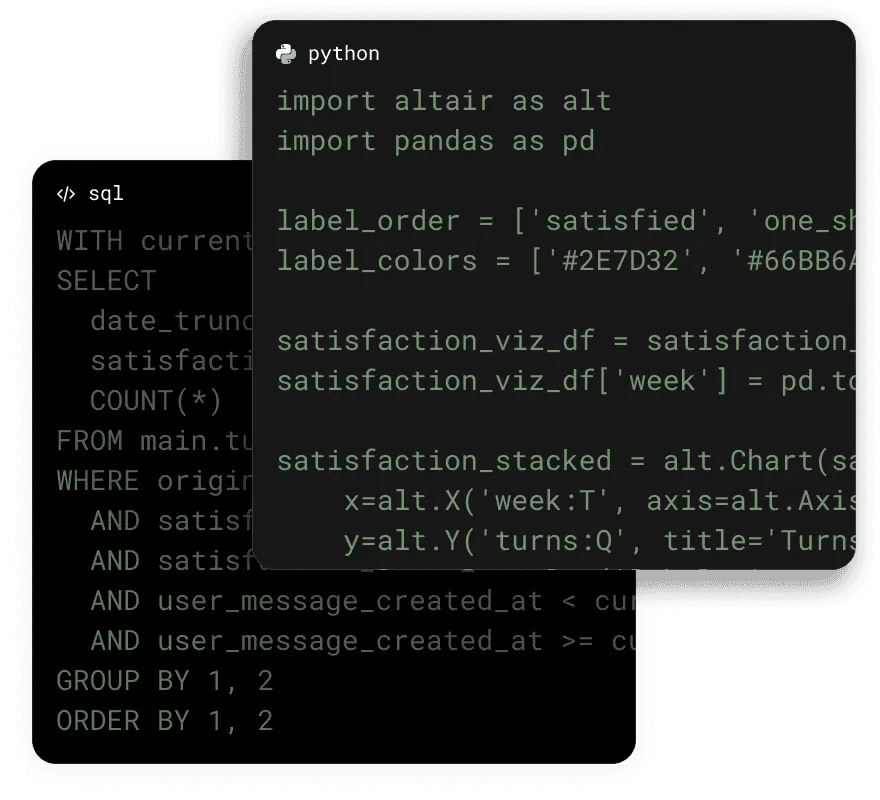
Querio is a glass box. Every AI-generated result is real SQL or Python. You can open the cell, see the join, change the filter, and re-run. No regenerating from scratch, no guessing what the agent did.
Reactive notebooks built for agents
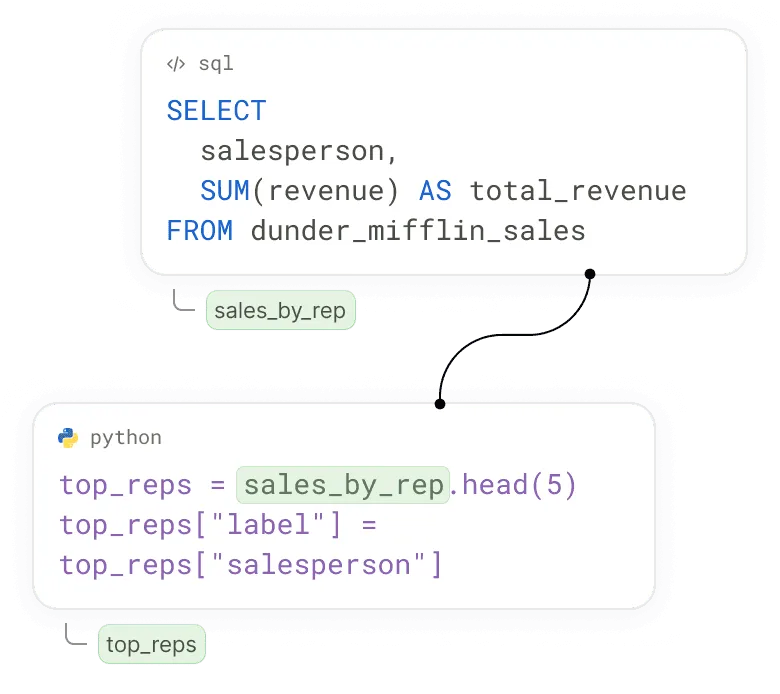
Jupyter is a great IDE for humans and a poor one for AI; order-dependent state and no real way to reason about dataflow. Querio’s notebooks are built for AI. Cells recompute automatically when their dependencies change. The same notebook can become a board, an embedded view, an MCP endpoint, or a scheduled job.

A context layer that learns over time
Context is where Querio stores everything the AI needs to be reliable: catalog metadata, business metrics, joins, semantic rules, and team-specific skills. It is versioned, file-based, and self-healing. As your team works, accepted answers feed back into context and accuracy compounds.
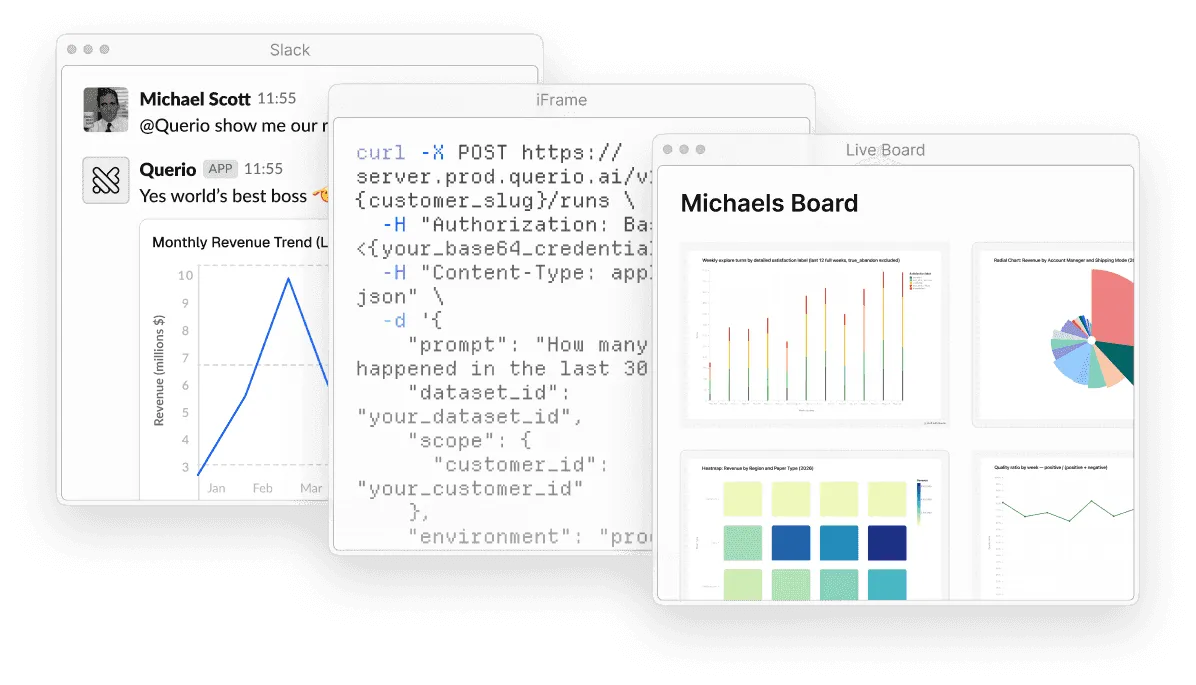
Meets users where they already are
The same logic can be exposed as an iFrame, an API, an MCP server, in our app, or a Slack conversation. Customer-facing analytics run on the same context as your internal team. Boards live on a URL and can be embedded anywhere. Define a metric once and use it with Querio everywhere.
Common objections (and why teams switch anyway)
We're already experimenting with Claude
Our stakeholders are used to pixel-perfect dashboards.
We don’t need one more tool in our stack.
We need spreadsheet-level flexibility for self-serve.
Our current setup isn’t perfect, but it works.
Our data is too messy for AI.
How to pilot Querio

What is a Querio Pilot?
We know this is a new way of working, so we've designed the best pilot in the industry. A Querio pilot is a structured, hands-on experience of what AI analytics looks like inside your business.
A typical pilot runs two to three weeks and is scoped around:
The key questions
Your stakeholders need to answer (e.g., "How is X performing?", "What changed last quarter?", "Where should we focus?").

The expected outputs
A diagnostic deep dive, a recurring metric, a customer-facing dashboard, an analyst-led investigation, or a parametrized app.

The data required
The tables, models, or sources that power each of those use cases.

How it works
Querio pilots include a dedicated technical team member, like an engineer or even our CTO, in a shared Slack/Teams channel for live support throughout. Smaller deployments can run self-serve from a free trial.
For pilots with dedicated support, the rhythm typically looks like:
- 01Kickoff and scopingAlign on goals, success metrics, and the two to four use cases you will evaluate against.
- 02Connect and curateConnect your warehouse and add a starter layer of context — endorse a handful of tables, sync existing dbt models if you have them, write a few clear business rules.
- 03Build and exploreThe data team works in Notebook with the agent, drafts a board or two, and gets a feel for the workflow.
- 04Open it upBusiness stakeholders use Explore against the curated context. They ask real questions. They get real answers. They ask more.
- 05Review and decideWalk through outcomes against your original criteria, then plan the rollout if it is a yes.
What success looks like
A successful pilot gives both data teams and business users first-hand experience of working inside Querio: building, exploring, and collaborating with agents. By the end you should be able to answer four questions for yourself.
- Can the data team move faster?Notebook should make deep analytical work meaningfully quicker, typically several times faster, with full transparency over what the agent ran and why.
- Can business users actually self-serve?Can business users actually self-serve?
- Is governance in place?Admins should be comfortable that role-based access, audit, and observability meet enterprise standards.
- Does context get better over time?Accuracy should improve as your team uses the product, not stay flat or drift down. You should be able to point to specific examples by the end of the pilot.
Why teams enjoy running pilots with Querio
Every Querio pilot is an actual product experience. Your team works in the workspace they would use in production: creating analyses, collaborating with the agent, and sharing results with stakeholders. Our team guides you through it, but you get to feel both sides of the workflow: what it is like to build in Querio, and what it is like to interact with Querio's agent.
It is the most direct way to understand agentic analytics: you see the speed, the depth, and the limits of the agents on your own data, not a demo dataset.
$120K
saved annually on hiring needs
"Honestly, it's amazing because it's taking 20-30% off my daily energy or focus. I never thought one tool could save me so much time."
 Co-Founder @JeddoGeorge
10h
saved per business employee
“Querio was one of the clearest ROI decisions we’ve ever made. I immediately started saving 7-10 hours a week on my critical workflows. We’ve only just begun to discover what decisions direct access to our data will bring.”
 Guilia, Co-Founder @Zim
$200K+
saved annually by replacing Looker and deferring data hires
"Querio's impact on our operational efficiency has been profound. We saved over $200K annually and drastically reduced our reliance on data analysts."
 Enver, Co-Founder @Growdash
Getting started today
Pick the path that matches how you want to evaluate:

Start a free trial
Set up in minutes. The right starting point for self-guided exploration and lightweight workflows before you involve a broader team.
Contact sales for a guided pilot
The right path when you are running a formal evaluation, involving multiple teams, and want a structured engagement to make sure everything is set up correctly from day one.
Migrating to Querio

Set up for AI analytics
Migrating to Querio isn’t about rebuilding dashboards, it’s about preparing your data and team for a new way of working. Two ideas are worth holding onto as you plan.
Context is important, but don’t overthink it.
Semantic models, metadata, and clear business logic are the connective tissue that helps agents understand your data and produce trustworthy answers. But context is not a prerequisite — it is something you build up as you go. Querio lets you observe agent behavior and improve context in response. Start using it on day one and tighten the context layer in the places where the agent gets things wrong.
AI analytics breaks the traditional boundaries of data work.
Agents rewrite the old assumptions about who can do what with data. Across the company, more people will be capable of working with data than ever before — but adoption depends on exposure. Champion the early wins, share concrete examples in Slack and in meetings, and let curiosity do the rest.
What migration looks like
We help you move from your old way of working to Querio and do the effort with you. We know migrating can feel like a mountain to climb, but we've worked hard to make it seamless. Here's what typically happens/
- 01Curate your dataIdentify trusted tables, add metadata, and write context rules that codify the business definitions and joins that have lived in your team’s head for too long.
- 02Rebuild what mattersTwenty percent of your dashboards drive eighty percent of your decisions. Rebuild that twenty percent inside Querio as interactive boards or imported notebooks. Leave the rest where they are until someone misses them.
- 03Enable your teamRun short, audience-specific working sessions: one for business users who will live in Chat, one for analysts and data-savvy PMs building in Hybrid, one for admins owning context and governance. Thirty minutes per audience is usually enough to unlock momentum.
Think through your migration
Use these short, opinionated guides to picture what your rollout actually looks like:
Security and compliance overview
SOC 2 Type II, role-based access, SSO, and a firm policy that customer data is never used to train models. Share this with your security team early so it is not a blocker later.
Admin quickstart
Connect data sources, set up roles and SSO, and prepare your workspace for rollout.
Setting up context
Endorse trusted sources, add metadata, write rules. Start simple and layer in context as you go.
Explore quickstart
Launch plain-language self-serve for business users safely, with full visibility into what is being asked and how it is being answered.