Business Intelligence
Best ThoughtSpot Alternatives (2026)
Compare top ThoughtSpot alternatives for live warehouse analytics, governance, AI transparency, and best fits for mid-market SaaS teams.

If you want the short answer: the top ThoughtSpot alternatives in 2026 are Querio, Tableau, Power BI, Looker, Sigma, Hex, and Mode.
I’d narrow the choice like this:
- Querio for live warehouse self-serve with visible SQL/Python
- Tableau for polished dashboards
- Power BI for Microsoft-heavy teams and lower seat cost
- Looker for strict metric control
- Sigma for spreadsheet-style analysis on live warehouse data
- Hex for SQL + Python notebook work
- Mode for analyst-led reporting and notebooks
ThoughtSpot still fits search-led BI. But this article shows where other tools can make more sense, especially if you care about:
- live queries vs. extracts
- shared metric definitions
- AI you can inspect
- fit for a 100–500-person B2B SaaS team
A few data points stand out right away:
- Power BI Pro is $14/user/month after the April 2025 price change
- ThoughtSpot is about $25–$50/user
- Looker Standard starts around $66,600/year
- Spotter Pro has a 25-query-per-user monthly AI cap
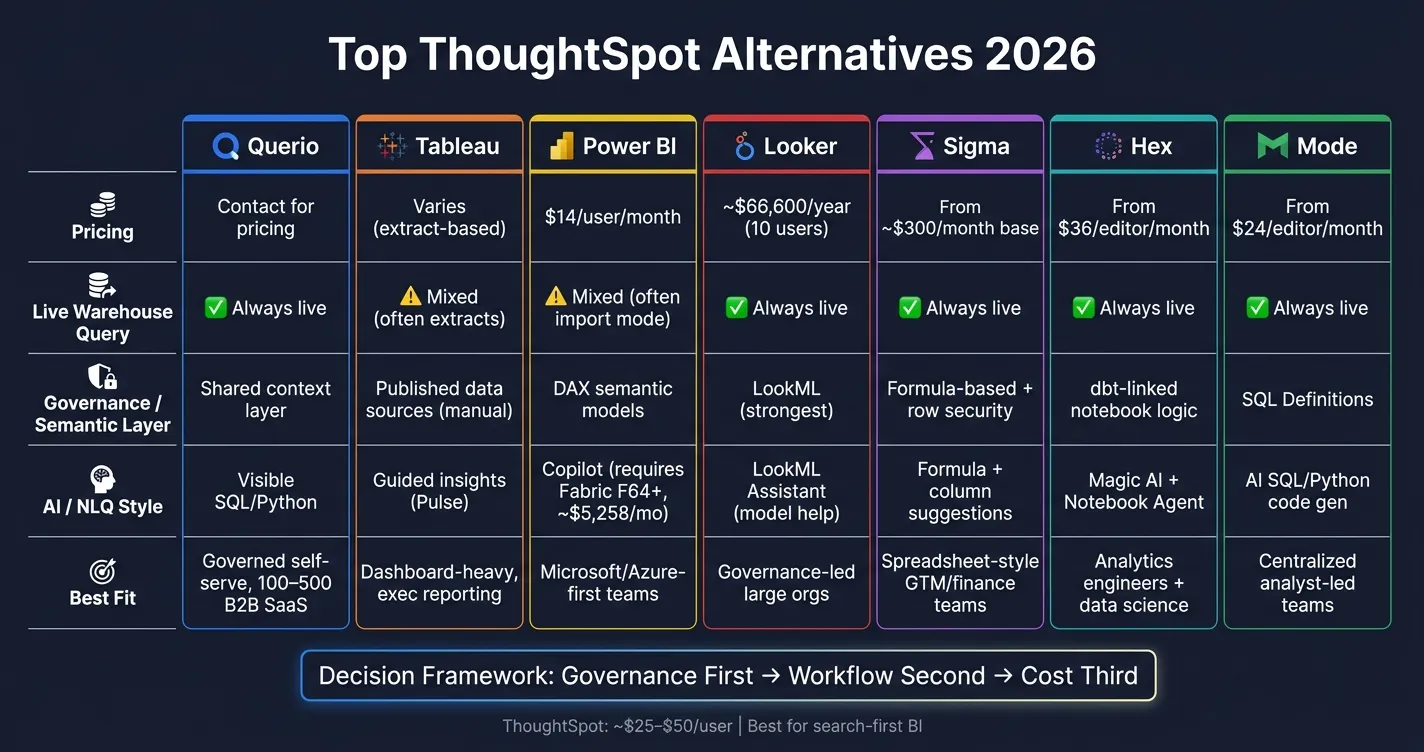
Quick Comparison
| Tool | Live warehouse | Metric control | AI/NLQ style | Best fit |
|---|---|---|---|---|
| Querio | Yes | Shared context layer | Visible SQL/Python | Governed self-serve |
| Tableau | Mixed; often uses extracts | Published data sources | Guided insights | Dashboard-heavy teams |
| Power BI | Yes in DirectQuery/Live Connection; often import-based | DAX semantic models | Copilot | Microsoft-first reporting |
| Looker | Yes | LookML | More for model help than broad NLQ | Governance-led teams |
| Sigma | Yes | Formula-based logic + row controls | Light AI help | Spreadsheet-led teams |
| Hex | Yes | dbt-linked notebook logic | AI for notebook work | Technical data teams |
| Mode | Yes | SQL Definitions | AI for SQL/Python help | Centralized analyst teams |
If I were choosing, I’d start with governance first, workflow second, cost third. That one filter cuts through most of the noise and gets you to the right shortlist fast.
1. Querio
Querio is a warehouse-native analytics workspace for teams that want self-serve analytics without giving up control or accuracy. It queries live warehouse data and returns SQL or Python that people can inspect, edit, and reuse instead of handing back black-box answers.
Warehouse-Native Architecture
Querio connects to Snowflake, BigQuery, Amazon Redshift, ClickHouse, MotherDuck, and PostgreSQL using encrypted, read-only credentials. There are no extracts and no duplicated data, so the analysis stays in your warehouse. You connect the warehouse, set up the context layer, and start querying live data.
Governed Metrics and Semantic Layer
Querio’s shared context layer lets data teams define joins, metrics, and business terms once, then use them again across ad hoc analysis, notebooks, dashboards, and AI answers. That helps everyone work from one version of the truth as more people start using the platform.
AI and Natural-Language Analytics
Users can ask questions in plain English and get back SQL or Python they can inspect, change, and run again. That matters more than it might seem at first. If a number looks off, you can check the logic instead of guessing what happened behind the scenes.
Editable notebooks also make deeper analysis easier, and upstream logic changes carry through to downstream work.
Best Fit by Team and Workflow
Querio is a strong fit for 100–500-employee B2B SaaS teams with a live data warehouse and a mix of technical and non-technical users. It works best when business users need accurate answers without writing SQL, while data teams still want full visibility into how those answers were produced.
The next platform profiles cover different tradeoffs in dashboarding, semantic modeling, and collaboration.
2. Tableau
Tableau stands out when a team wants polished dashboards and flexible visual analysis. The tradeoff is pretty clear: it shines on presentation, but it usually brings more work behind the scenes. For teams leaving ThoughtSpot, Tableau tends to make more sense when polished dashboards matter more than search-first self-serve exploration.
Warehouse-Native Architecture
Tableau supports live queries to Snowflake, BigQuery, Redshift, and Postgres. But in practice, it often leans on Hyper extracts to keep performance in a good place. That can mean data gets copied outside the warehouse, which adds upkeep and another moving part to manage.
Governed Metrics and Semantic Layer
Published data sources in Tableau Server or Tableau Cloud can support governance, but they need steady upkeep and don't sync natively with dbt's semantic layer. If your team relies on centrally defined KPIs, that can make lineage and consistency tougher to track across tools.
AI and Natural-Language Analytics
Tableau is adding AI-driven features through Tableau Next and Tableau Pulse, with Tableau Pulse reaching general availability by May 2026.[7] These features tend to fit best in Salesforce-heavy setups. In plain English, Tableau is stronger at guided insight delivery than at inspectable, warehouse-native ad hoc analysis.
Best Fit by Team and Workflow
Tableau is a strong match for visualization-heavy teams and organizations that care most about executive reporting and external-facing dashboards, not ad hoc self-serve analytics. Its large user community also helps with hiring and onboarding.
That said, teams that need governed self-serve analytics for enterprise teams, without leaning on external prep tools, may feel the operational overhead pretty quickly. If the goal is less data prep and more governed self-serve analysis, the next platform profile brings a different set of tradeoffs.
3. Microsoft Power BI
Power BI works best for teams that already live in the Microsoft world and care most about enterprise reporting, controlled metrics, and lower seat cost. It’s a stronger match for standardized reporting inside Microsoft-heavy companies than for teams that want live, inspectable analysis straight from the warehouse. Pricing is also part of the appeal: at $14/user/month after the April 2025 increase from $10, it costs less than ThoughtSpot’s $25–$50/user range.[1]
Warehouse-Native Architecture
Power BI is only warehouse-native in DirectQuery and Live Connection mode.[3] By default, it uses Import mode, which copies data from the warehouse into Microsoft’s internal VertiPaq engine.[1]
That default matters. Import mode can make dashboards feel fast, but it also brings extra moving parts: duplicated data, scheduled refresh jobs, and some lag between what’s in the warehouse and what users see. DirectQuery and Live Connection avoid those issues, but the usual Power BI setup still leans on imported data.
Governed Metrics and Semantic Layer
Power BI handles governance through semantic models built in DAX. That setup gives business users controlled metrics, but it also asks teams to do more setup work up front and stay disciplined in how they model data.[1][3]
Microsoft Fabric adds more control through:
- Entra ID
- role-based access controls
- auditing
Those features help centralize access and oversight across the stack.[2][3]
### AI Analytics Solutions and Natural-Language Analytics
Power BI’s AI layer is Copilot, but there’s a catch. It requires Microsoft Fabric F64+ capacity, which runs at about $5,258/month.[1]
So while Copilot is part of the story, access depends a lot on your Microsoft setup. Region and tier limits also apply, which means not every team can just switch it on and start using it.
Best Fit by Team and Workflow
Power BI makes the most sense for 100–500-employee B2B SaaS teams already using Azure and Microsoft 365, especially when Power BI Pro comes bundled in at no added seat cost.[1] It tends to fit Excel-heavy, Microsoft-first teams that want centralized reporting and are comfortable taking on DAX modeling.
There’s also a practical wrinkle: Power BI Desktop authoring is Windows-only, so Mac-first teams can run into friction.[1][2] And if a team wants governed self-serve analytics without a lot of setup work, the DAX layer can feel like a hurdle. Teams looking for less modeling overhead and more warehouse-native self-serve may want a platform built around that from the start.
4. Looker
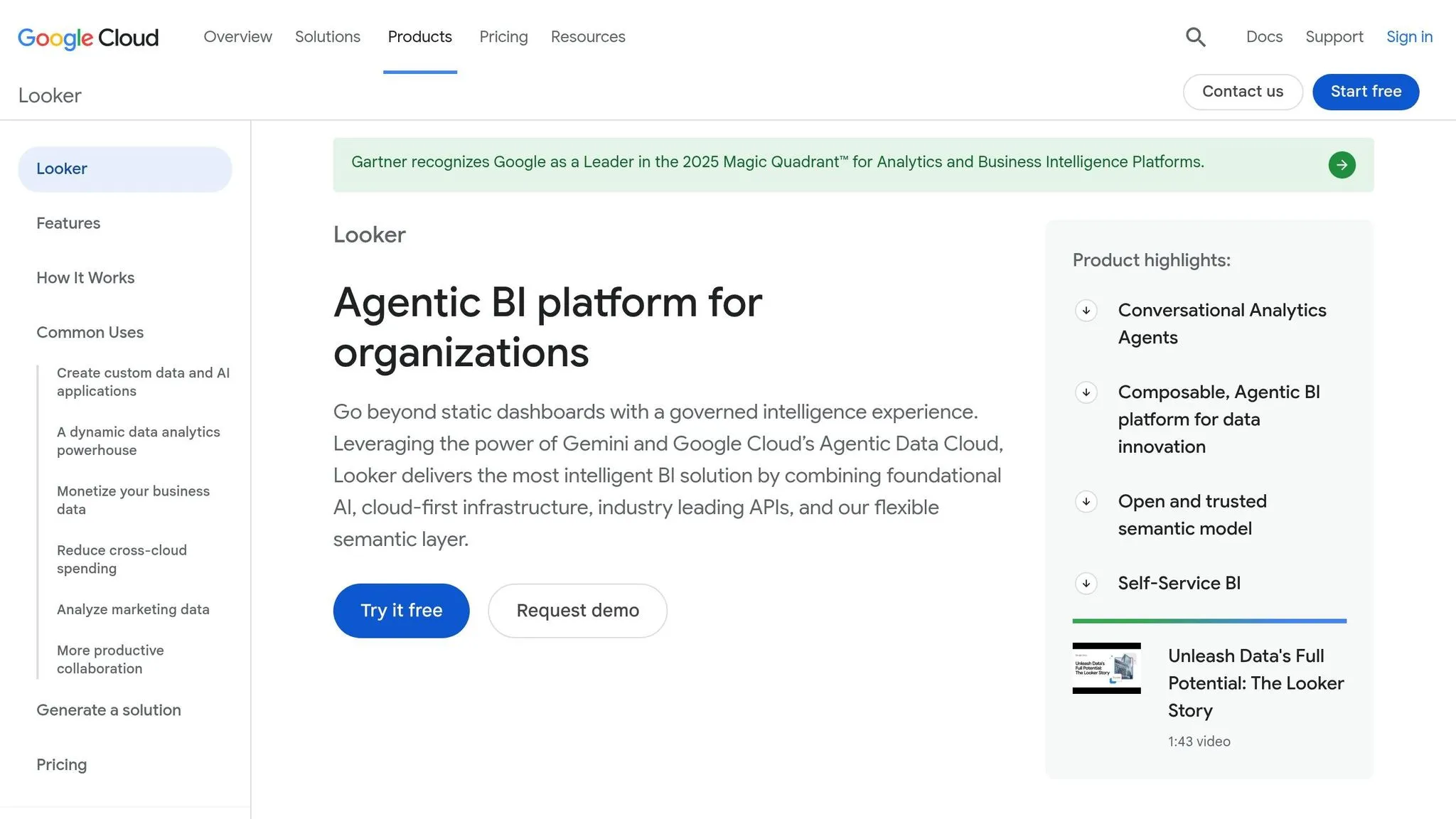
For teams that care most about governed definitions and consistent reporting, Looker takes a different path. It’s built for governed metrics first and ad hoc analysis second. In practice, that means the data team defines metrics up front, and business users query those shared definitions.
Warehouse-Native Architecture
Looker queries Snowflake, BigQuery, Redshift, and Postgres directly, with no extracts or sync delays [2][9]. That helps keep dashboards current.
The tradeoff is the setup work. Analysts need to build the LookML semantic layer before business users can depend on the model. So while the live connection is a big plus, the bar to get started is higher than with tools that lean more on plug-and-play setup.
Governed Metrics and Semantic Layer
LookML is widely used for centralized metric definitions and consistency. Once the model is in place, every department works from the same definitions. That can cut down on the classic “why doesn’t my number match yours?” problem.
But there’s no way around the learning curve. Teams without dedicated analytics engineering support will have a hard time getting value from Looker fast. If no one owns the model, things can stall.
AI and natural language analytics and self-service dashboards
Looker’s AI layer is Gemini in Looker, which includes a LookML Assistant to help analysts write and maintain the semantic model. That makes Gemini more useful for model upkeep than for broad self-serve question answering.
So yes, it can help analysts manage LookML. But it doesn’t give end users a ThoughtSpot-style natural-language search layer. That’s an important distinction if your team wants people outside data to type questions and get answers on their own.
Best Fit by Team and Workflow
Looker fits large organizations with recurring metric disputes, especially Google Cloud and BigQuery teams [2][9]. It makes more sense when a company is willing to invest in governance, modeling, and shared definitions across departments.
For 100–500-employee SaaS teams without analytics engineering support, it’s a tougher sell. The learning curve is steep, and the pricing sits firmly in enterprise territory. The Standard edition starts at about $66,600/year for 10 Standard Users and 2 Developers, with additional Developer Pro seats at about $1,665 per user per year and additional Standard Users at about $799 per user per year [9].
That pricing and setup model make Looker a strong match for governance-heavy teams. Teams that want faster, analyst-led workflows will likely lean toward the next platform.
5. Sigma
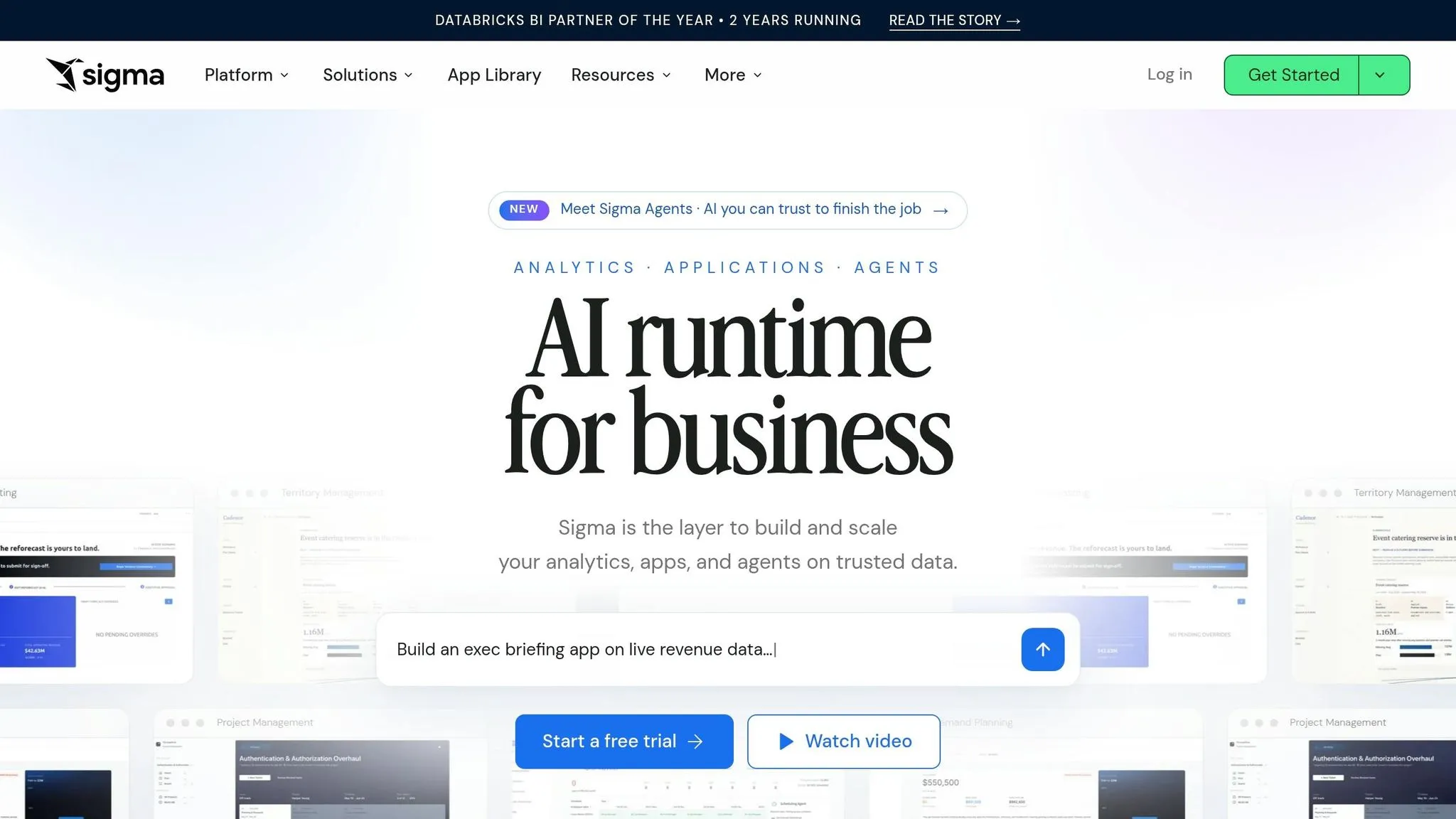
Sigma is a spreadsheet-native BI tool built for teams that want live warehouse analytics in a grid that feels familiar. Instead of leading with search-first exploration, it leans into Excel-style analysis right on top of Snowflake, BigQuery, Databricks, or Redshift. If you're looking at Sigma as a ThoughtSpot replacement, the big draw is simple: it works best when spreadsheet comfort matters more than search-led discovery.
Warehouse-Native Architecture
Sigma uses a warehouse-pushdown model, which means every query runs directly against Snowflake, BigQuery, Databricks, or Redshift. Speed depends on how well the warehouse is set up, and costs move with warehouse usage. So the main tradeoff isn't data movement. It's keeping tight control over metrics.
Sigma also supports native writeback via input tables, so users can send data changes back to the warehouse straight from a dashboard [1].
Governed Metrics and Semantic Layer
Sigma supports user attribute-based row-level security, which helps control who sees what [1]. But metric logic often sits inside formulas, so consistency depends a lot on how carefully those formulas are managed. For teams that need strict KPI consistency across departments, the data team still needs to own shared definitions and keep them tight.
AI and Natural-Language Analytics
Sigma's AI is more limited here. The platform includes an assistant for formula help and column suggestions, which can save analysts time [1]. But it doesn't act like a full NLQ layer built for business users who want to ask questions in plain English and get answers back.
Best Fit by Team and Workflow
For B2B SaaS teams with 100 to 500 employees, Sigma tends to fit finance and operations groups that want warehouse-scale data inside a spreadsheet-style workflow. It's also a strong pick for embedded analytics tools, with white-labeling, multi-tenancy, and usage-based pricing for embedded analytics [1] [3].
Pricing starts at about $300/month as a base, with added seat costs by tier [1].
Sigma makes sense for teams that want spreadsheet familiarity and treat the warehouse as the source of truth. Teams that want more of a notebook-style workflow should look at Hex next.
6. Hex
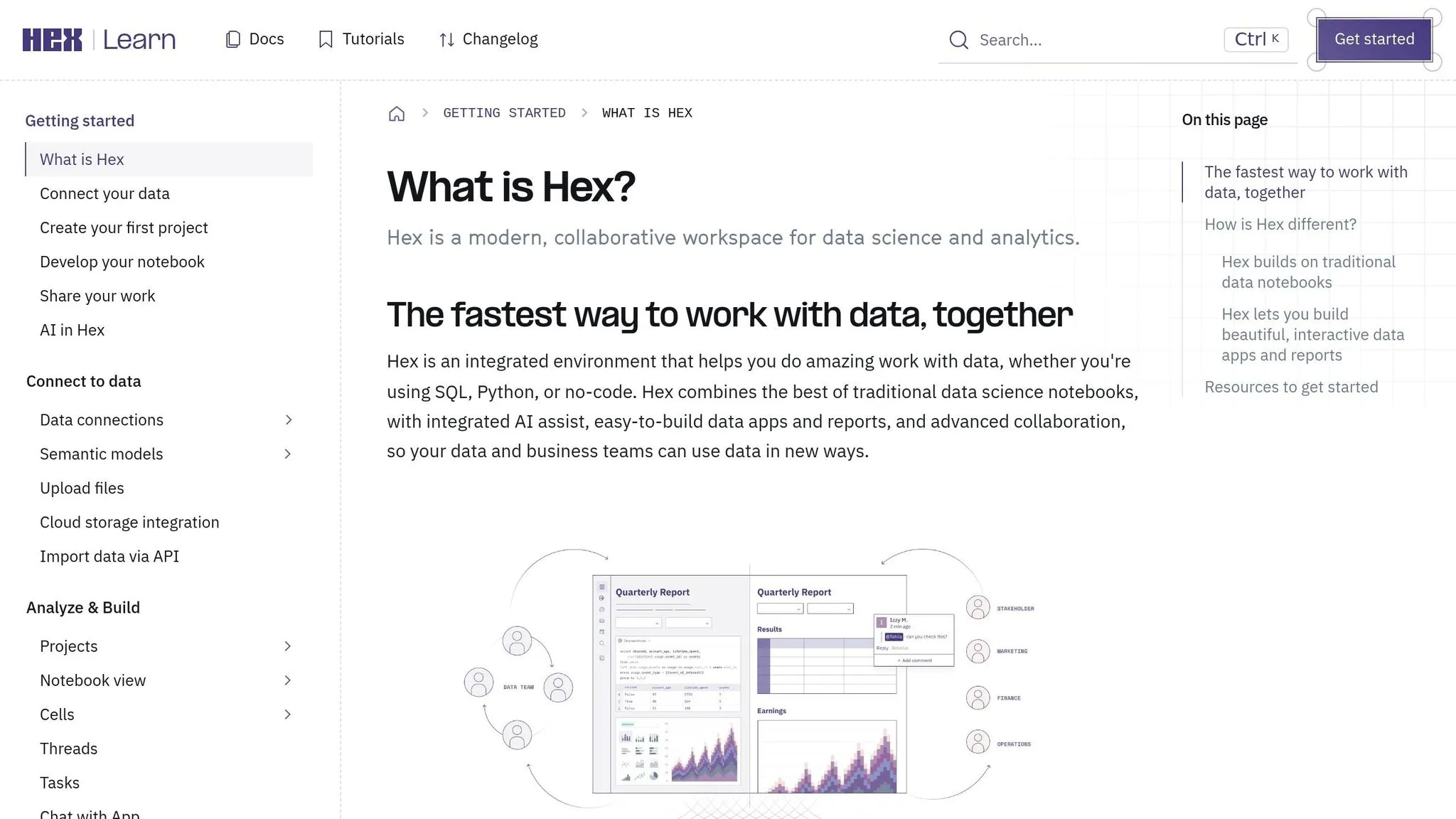
Hex is a notebook-first BI platform built for teams that work in SQL and Python together. That setup tends to click with companies that already use dbt to model data.
Warehouse-Native Architecture
Hex runs live queries straight against your warehouse, including Snowflake, BigQuery, Redshift, and Postgres, without data extracts or duplicate storage [1]. In plain English, your team works from the source instead of moving data into yet another layer.
It also supports writeback through Python and SQL actions. So it’s not just for reading data - you can trigger changes and workflows from inside the platform too.
Governed Metrics and Semantic Layer
Hex’s semantic layer for SaaS ties into dbt models. On the Team tier ($75/editor/month), the semantic model agent connects straight to your existing dbt models, which helps keep KPI definitions aligned without rebuilding logic inside the BI tool [9].
That’s a big deal for teams that have already put time into dbt. Instead of copying business logic into a second system and hoping both versions stay in sync, you keep that logic closer to where it already lives.
There is a tradeoff, though. Metric governance for non-technical users is still developing, and notebook output is harder to turn into governed self-serve assets for business users. If your audience is mostly analysts and data folks, that may be fine. If your audience is a large go-to-market or finance team, it can feel a bit less polished.
AI and Natural-Language Analytics
Hex includes Magic AI, a Notebook Agent, and Hex Threads for text-to-answer workflows [1][5]. Those features help technical teams move faster, especially when they’re already comfortable working inside notebooks.
The NLQ layer is still less developed than ThoughtSpot's Spotter for business users who want to ask plain-English questions without touching code [4][5]. So while Hex does offer AI help, it shines more in technical analysis than broad self-serve use across a company.
Best Fit by Team and Workflow
Hex has a 4.5/5 rating on G2 from 393 reviews and gets praise for real-time collaboration and SQL/Python workflows [9]. Paid plans start at about $36/editor/month, with a free Community tier and a Team tier at $75/editor/month [9].
Hex fits best at B2B SaaS companies where analytics engineers and data teams lead the work. If your team shares notebook-based analysis with internal stakeholders and already runs dbt, Hex is a strong match. If your main goal is dashboard-first self-serve, the next platform goes in a different direction.
7. Mode
Mode works best for analyst-led SQL and Python workflows on live warehouse data.
Warehouse-Native Architecture
Mode is a warehouse-native platform built for SQL and Python. It runs live queries straight against Snowflake, BigQuery, Redshift, and Postgres [1][5].
ThoughtSpot acquired Mode Analytics in July 2023 for $200 million. As of 2026, that integration still isn't finished, which adds some product-roadmap risk to the picture [1][9].
Governed Metrics and Semantic Layer
Mode's governance is lighter than what you'd get from a full semantic layer.
Its SQL-based Definitions let teams centralize reusable business logic. That helps keep notebook metrics in sync, but it still comes with manual upkeep.
AI and Natural-Language Analytics
Mode includes AI-assisted features like Notebook Agent and code generation tools that help analysts write SQL and Python faster [1].
Those features are handy for technical users. But there's a tradeoff: Mode is stronger for analysts than for plain-English self-serve.
Best Fit by Team and Workflow
Mode fits centralized analytics and product teams that use SQL and Python for analysis, then share results through dashboards [5][3].
In practice, it's at its best when analysts run the workflow and business users consume the output, instead of asking open-ended questions in natural language.
Pricing starts at about $24 per editor per month for the Pro tier. There's also a free Community tier, plus quote-based Enterprise pricing [1][3].
Next, compare the platforms on architecture, governance, AI, and tradeoffs.
Head-to-Head Comparison: Architecture, Governance, AI, and Tradeoffs
The big 2026 tradeoff comes down to live query vs. extract. Live tools keep answers current in Snowflake, BigQuery, Redshift, or Postgres. Extract-based tools cut warehouse load after the first sync, but you give up some freshness in return.
Use the comparison below to line up each platform with your governance model, AI workflow, and your team’s level of maturity.
Governance and AI Transparency
Here’s the fastest way to see the differences that matter most.
| Platform | Governance / semantic layer | Analysis style | Best fit |
|---|---|---|---|
| Querio | Shared context layer for joins, metrics, and business definitions | Inspectable SQL and Python, reactive notebooks, dashboards, embedded analytics | Governed self-serve on live warehouse data |
| Tableau | Published data sources with manual upkeep | Visual dashboards and executive reporting | Visualization-heavy teams and external-facing dashboards |
| Looker | LookML centralized governance | Model-driven BI with centralized definitions | Teams that want consistent metrics across the org |
| Power BI | DAX measures + Microsoft Purview | Report-centric BI governance | Teams standardizing on Microsoft reporting |
| Sigma | Row-level security via user attributes and formula-based logic | Spreadsheet-native analytics | Non-technical GTM teams |
| Hex | Notebook-based logic with editable code cells | Code-first notebooks with AI assistance | Analyst teams that want visible code |
| Mode | SQL-based Definitions for reusable business logic | Analyst-led SQL and Python workflows | Centralized analytics teams sharing results through dashboards |
| ThoughtSpot | Requires upfront semantic modeling | Natural-language querying | Search-first analytics |
Querio keeps live queries inspectable, with editable SQL and Python. Looker stands out for centralized governance. Sigma makes logic easy to follow through formulas. Hex places AI output into editable code cells. ThoughtSpot is strongest for search, but it gives teams less visibility when they need to inspect how an answer was put together.
Practical Team Fit
If your team wants governed self-serve analytics, Querio is a strong fit. The same shared context layer supports ad hoc queries, notebooks, dashboards, and embedded self-serve analytics through APIs and iframes.
The next section turns these tradeoffs into clear pros and cons for each platform.
Pros and Cons by Platform
This summary turns the earlier architecture and governance comparison into a fast buyer checklist. The table below boils the main tradeoffs down to a few things that usually matter most: governance, AI transparency, workflow fit, and architecture.
Read it as a shortcut to the right workflow, not just a stack of features.
| Platform | Pros vs. ThoughtSpot | Cons vs. ThoughtSpot | Best For |
|---|---|---|---|
| Querio | Live warehouse connections with inspectable SQL or Python; shared context keeps metrics consistent | Less suited to search-first workflows | Governed self-serve on live warehouse data |
| Looker | Strong governed metrics through LookML [6][1] | High technical barrier; LookML and SQL expertise required to maintain [2][6] | Large orgs needing centralized metric governance |
| Tableau | Best for polished dashboards and visual exploration [2][6] | Semantic governance requires manual upkeep [6][1] | Analyst-led exploration and executive reporting |
| Power BI | Best for Microsoft 365/Azure shops with low-cost seat pricing [2][1] | Import mode is still common; DAX and Windows-only authoring add complexity; Copilot requires Fabric F64+ [3][1][5] | Microsoft-centric teams standardizing on M365 |
| Sigma | Native writeback lets users update warehouse data from dashboards [1] | Formula-based logic needs tight governance | Teams wanting warehouse-native operational analysis with writeback |
| Hex | Collaborative SQL/Python notebooks for technical data teams [5][4] | Self-service for non-technical users is still maturing | Analytics engineering and data science teams |
| Mode | Strong SQL-first workflow with integrated notebooks [3][8] | Less intuitive for non-technical business users [3] | Centralized analytics and product teams |
If you're narrowing a shortlist, start with your biggest constraint:
- Governance: Look hardest at Querio, Looker, and Sigma
- Cost: Power BI tends to stand out for Microsoft-heavy teams
- Workflow fit: Tableau, Hex, and Mode each lean toward very different working styles
That last part matters more than people think. A tool can look great on paper and still be a bad fit if the day-to-day workflow feels clunky for your team.
The conclusion below turns these tradeoffs into a final recommendation by team type and use case.
Conclusion
The best ThoughtSpot replacement comes down to how your team works day to day.
Choose Querio for governed self-serve on a live warehouse, Looker for centralized metric control, Tableau for polished dashboards, Power BI for Microsoft-first reporting, Sigma for spreadsheet-style analysis, Hex for notebook-first teams, and Mode for SQL-led analytics.
Here’s a simple shortlist by main use case:
| If your priority is… | Look at… |
|---|---|
| Tight KPI consistency across teams | Looker or Querio |
| Visual polish and executive dashboards | Tableau |
| Microsoft 365 / Azure cost efficiency | Power BI |
| Warehouse-native analysis with writeback | Sigma |
| SQL/Python notebooks for technical teams | Hex |
| SQL-first centralized analytics | Mode |
| Non-technical self-serve without extracts | Querio |
Use the table above to line up each platform with the workflow it handles best.
For U.S.-based mid-market B2B SaaS teams - usually 100–500 employees running Snowflake, BigQuery, or Redshift - two things matter most: how well the tool works on a live warehouse and whether it keeps metrics consistent across teams. That issue shows up fast when different teams report different KPI numbers because they’re using different definitions. If finance, RevOps, and product each have their own version of the truth, a centralized semantic layer makes a lot of sense.
After that, the choice gets simpler: governance first, workflow second, cost third.
For 100–500-person B2B SaaS teams, adoption often matters more than feature count. If your data team spends most of its time in SQL and Python, a notebook-native setup will usually fit better. If your business users are more comfortable in spreadsheet-style tools, go with the interface they’ll open on their own, without pulling in an analyst every time.
The best replacement is the one your team will trust and use on a steady basis.