Business Intelligence
AI Analytics platforms 2026: 13 tools compared
Compare 13 AI analytics platforms by features, governance, integrations, and pricing to find the right tool for data-driven decisions.
AI analytics platforms in 2026 are transforming how businesses make decisions. These tools now go beyond visualizing data - they analyze trends, identify causes, and even recommend actions. With AI-augmented analytics, companies are making decisions up to 3x faster than those relying on older dashboards. This article compares 13 leading platforms based on features like natural language queries, root cause analysis, integrations, and pricing.
Key Takeaways:
- Microsoft Power BI: Budget-friendly ($10–$20/month), strong Microsoft integration, but limited in-depth analysis.
- Tableau with Einstein Discovery: Advanced predictive modeling, tight Salesforce integration, higher cost ($70–$115/month).
- Google Looker: AI-driven insights, BigQuery integration, starts at $36,000/year.
- ThoughtSpot: Search-based analytics, user-friendly for non-technical users, starting at $25/month.
- Salesforce Einstein Analytics: Best for Salesforce users, advanced CRM insights, starting at $140/month.
- Qlik Sense: Flexible data exploration, great for complex datasets, $30–$72.50/month.
- SAS Viya: Scalable for large operations, custom enterprise pricing.
- IBM Cognos Analytics: Governance-focused, starts at $7.88/month.
- Domo: Mobile-friendly, real-time alerts, averages $134,000/year.
- Sisense: Embedded analytics for SaaS products, starts at $10,000/year.
- Databricks: Unified AI and data engineering, consumption-based pricing.
- Snowflake Cortex: AI-native SQL tools, token-based pricing.
- Querio: SQL/Python transparency, free plan; Core $2,499/month.
Quick Comparison:
| Platform | Key Feature | Pricing (Starting) | Best For |
|---|---|---|---|
| Microsoft Power BI | Natural language Q&A | $10–$20/month | Microsoft ecosystem users |
| Tableau | Predictive analytics | $70–$115/month | Salesforce users |
| Google Looker | Semantic layer, AI insights | $36,000/year | BigQuery users |
| ThoughtSpot | Search-based analytics | $25/month | Non-technical teams |
| Salesforce Einstein | CRM insights | $140/month | Salesforce-centric organizations |
| Qlik Sense | Associative analytics engine | $30–$72.50/month | Complex datasets |
| SAS Viya | Large-scale AI | Custom pricing | Enterprise-level data science |
| IBM Cognos | Governance, reporting agents | $7.88/month | High-compliance industries |
| Domo | Mobile-first, real-time alerts | $134,000/year | Dynamic data operations |
| Sisense | Embedded analytics | $10,000/year | SaaS product teams |
| Databricks | Unified data and AI | Consumption-based | Data engineering-heavy teams |
| Snowflake Cortex | SQL-native AI tools | Token-based pricing | Secure AI within data warehouses |
| Querio | SQL/Python transparency | Free plan; Core $2,499/mo | Fast, self-service analytics |
These platforms cater to diverse needs, from budget-conscious teams to enterprises seeking advanced AI tools. Whether you're focused on CRM, predictive models, or embedded analytics, there's a solution tailored to your goals.
::: @figure 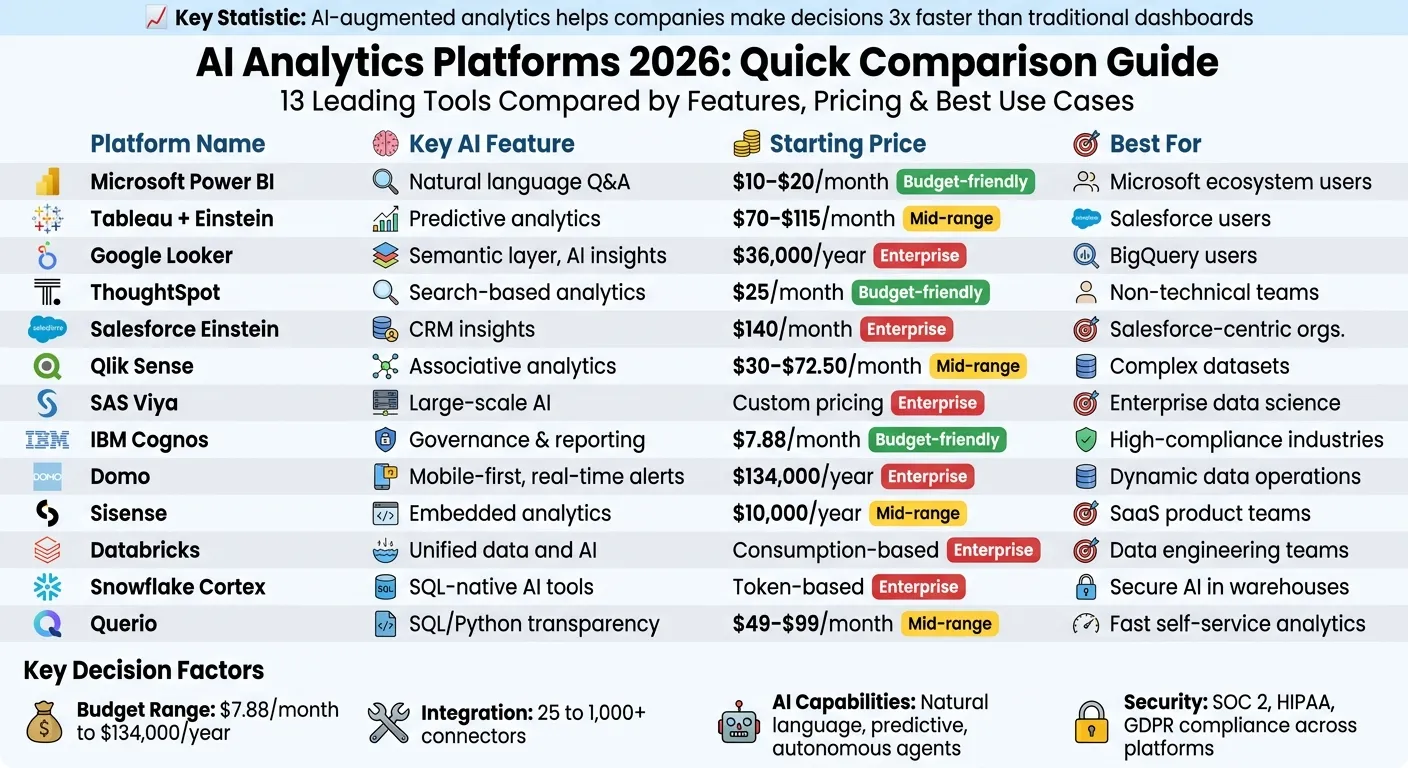 {AI Analytics Platforms 2026: Feature and Pricing Comparison Chart}
:::
{AI Analytics Platforms 2026: Feature and Pricing Comparison Chart}
:::
What are Best AI Analytics Tools and Strategies for 2026?
::: @iframe https://www.youtube.com/embed/BQSPLf7z2pw :::
sbb-itb-284a532
1. Querio
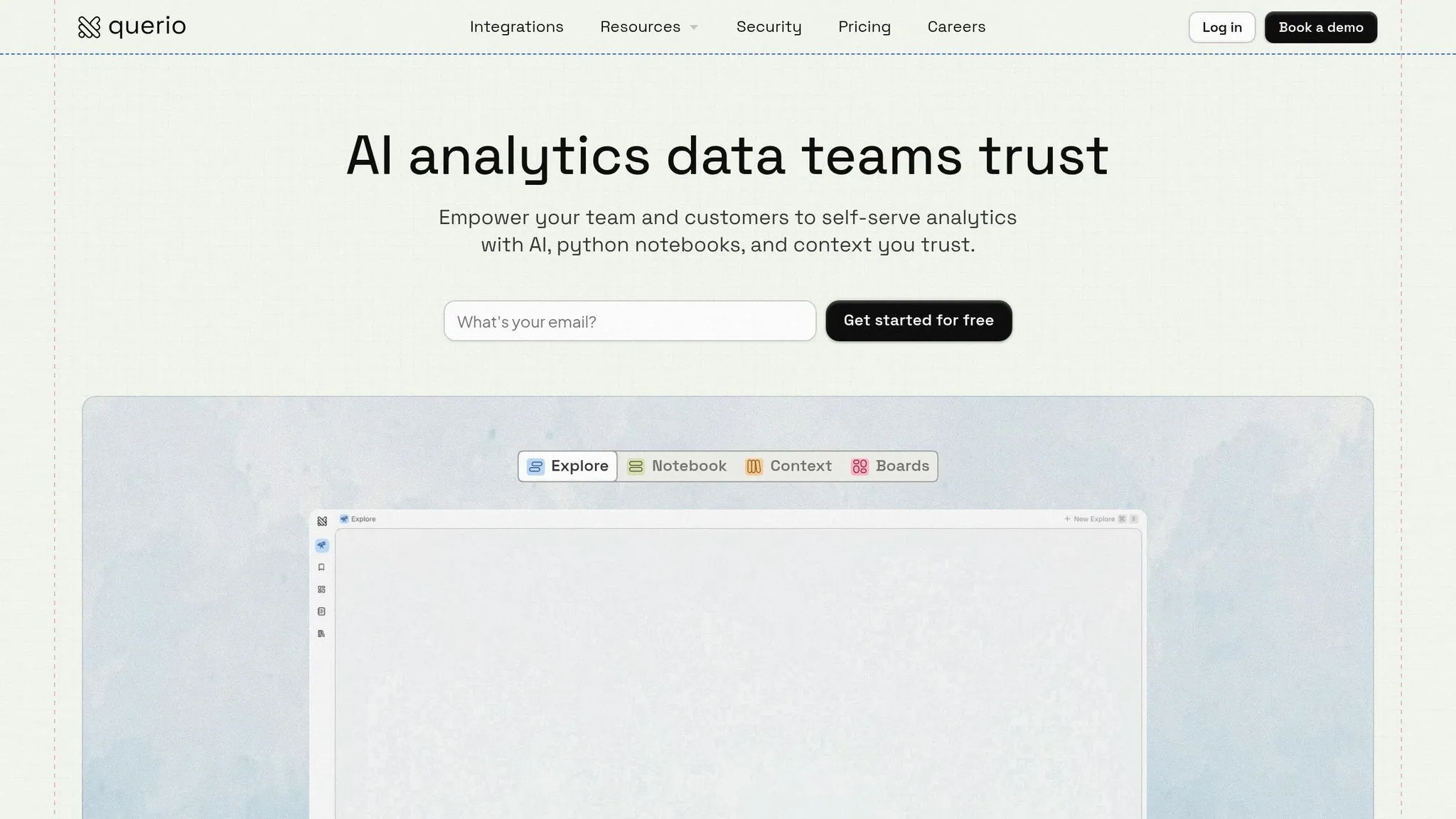
Querio is an AI analytics workspace that connects directly to your existing data warehouse, transforming plain-English questions into SQL and Python code. What sets it apart is its ability to produce outputs that are transparent and verifiable - every result is tied to your actual data. This allows teams to cut down analytics processes that once took weeks into just minutes, making it especially useful for organizations that need quick, AI self-serve analytics without compromising accuracy [6].
AI Features
Querio's AI agents are designed to handle natural language queries while generating real SQL and Python code that you can review. For example, if you ask, "What caused the Q1 sales drop in the Midwest?", you’ll not only get visualizations but also the underlying SQL and Python scripts. Its reactive notebook feature ensures that any logic changes automatically update results, dashboards, and embedded use cases to maintain consistency. According to Gartner, tools like Querio could reduce analysis time by up to 80% by 2026 [7].
The platform also includes advanced features like automated anomaly detection and predictive forecasting powered by machine learning. In one retail case study, Querio flagged supply chain issues, leading to a 25% improvement in inventory efficiency [7][8].
Data Integration
Querio connects to over 100 data sources, including popular platforms like Snowflake, BigQuery, Amazon Redshift, ClickHouse, PostgreSQL, MySQL, MariaDB, and Microsoft SQL Server. These connections use encrypted, read-only credentials and avoid duplicating data by running queries directly against your live warehouse. For real-time performance, the platform supports streaming from Kafka and Pub/Sub, enabling sub-second query speeds. This functionality proved critical for a financial firm syncing live transaction data across multiple ERP systems [7][10]. Setup is straightforward, thanks to no-code connectors secured with API keys and OAuth, aligning with US compliance standards such as SOC 2.
Governance and Security
Querio prioritizes security with SOC 2 Type II compliance, incorporating features like row-level security (RLS), audit logs, data masking, and role-based access controls. It integrates seamlessly with SSO systems like Okta and Azure AD. Data is encrypted both at rest (using AES-256) and in transit (via TLS 1.3), meeting GDPR, CCPA, and HIPAA standards. A shared context layer allows data teams to define joins, metrics, and business terms once, ensuring consistent application across all analyses. One healthcare organization used this feature alongside RLS to safeguard PHI during audits, achieving full compliance with zero violations [8][10]. Forrester highlights Querio’s zero-trust architecture as a strong measure to reduce breach risks in enterprise settings [9].
Pricing Model
Querio offers a Free plan with unlimited users, unlimited data connections and 500 AI credits a month, ideal for testing and proof-of-concept projects. The Core plan is $2,499 per month (or $25,000 a year billed annually) and includes 10,000 AI credits a month, SSO, API access and unlimited automations. For larger teams, Enterprise pricing is custom and comes with a custom AI credit allowance, single-tenant hosting and a custom SLA. There is no per-seat pricing on any plan.
2. Microsoft Power BI
Microsoft Power BI has evolved into a robust analytics platform powered by AI, earning recognition as a Gartner Magic Quadrant leader for an impressive 16 years straight [14]. Leveraging Azure OpenAI, its Copilot feature simplifies complex tasks like generating multi-page reports from plain English, crafting intricate DAX formulas, and creating narrative summaries. For example, a retail company in 2026 cut report generation time by 25% using these tools [15]. Its AI-driven visuals include Key Influencers for identifying metric drivers, Decomposition Trees for root cause analysis, and Anomaly Detection for spotting time-series deviations with detailed statistical insights [11]. These capabilities highlight its growing AI strengths.
AI Features
Power BI's AI toolkit is designed to meet 2026's growing need for actionable insights. Copilot supports prompt inputs of up to 10,000 characters [13]. The Q&A feature allows users to ask natural language questions like "What drove Q1 revenue growth?" and instantly generates visualizations. AutoML in Dataflows enables no-code predictive modeling, while integration with Azure Cognitive Services adds sentiment analysis and image tagging to its repertoire [11]. Additionally, as of March 2026, the new Translytical Task Flows feature allows users to directly update records and trigger workflows from within reports [12].
Data Integration
Power BI connects seamlessly to over 200 native data sources, including Snowflake, AWS Redshift, Google BigQuery, Salesforce, and Microsoft's ecosystem [16]. Its DirectLake mode in Microsoft Fabric reads data directly from OneLake parquet files, eliminating the need for traditional imports and ensuring real-time data freshness with excellent performance [16]. Power Query, which uses the M language, offers a familiar tool for Excel users, making it easier for analysts to transition their skills. Organizations can also leverage Power BI embedding to deliver these insights directly within custom applications. For local data, the on-premises gateway secures connections, while Dataflows enable reusable ETL logic in the cloud [16].
A Forrester study revealed that Power BI achieved a 366% ROI over three years, reducing report creation time from 5 hours to just 4 minutes [17].
These extensive integrations are backed by strong security measures to protect data.
Governance and Security
Power BI incorporates advanced governance tools, including Microsoft Purview for complete data lineage tracking and sensitivity classification. Labels from Microsoft 365 automatically flow into Power BI reports, marking them as Confidential, Internal, or Public [16]. Row-Level Security (RLS) ensures data access is restricted by user identity, while Object-Level Security (OLS) hides specific tables or columns. The platform also benefits from Azure AD's security features, such as multi-factor authentication and conditional access policies [16]. Administrators have control over AI feature activation at the tenant level, with all actions logged and exportable to SIEM systems for auditing [11].
FM Logistics reported saving the workload equivalent of 10 full-time employees annually thanks to Power BI's automated reporting capabilities [17].
Pricing Model
Power BI offers flexible pricing options to suit different needs. Power BI Pro is available for $10 to $14 per user per month, providing basic self-service BI and integration with Microsoft 365 [11]. For $20 per month, Premium Per User (PPU) adds advanced AI features, AutoML, and support for larger datasets [11]. Enterprise deployments can opt for Fabric Capacity, starting at $4,995 per month, which includes unlimited free viewers for hosted reports. However, full Copilot functionality requires the F64+ tier [16]. For organizations with 1,000 users, Power BI’s licensing model offers considerable cost savings [16], helping businesses of all sizes make faster, data-driven decisions.
3. Tableau with Einstein Discovery
Tableau has taken a major step forward by integrating Einstein Discovery, a machine learning platform designed for business users that doesn't require any coding skills. Users can set goals - like increasing sales or reducing customer wait times - and the platform automatically identifies patterns and creates predictive models to support these objectives [18]. This integration embraces the trend toward autonomous insight tools, reshaping how predictive analytics enhance decision-making. The Tableau Agent (formerly known as Einstein Copilot) acts as a conversational assistant, letting users build visualizations or perform calculations simply by using natural language [19][20]. Meanwhile, Tableau Pulse keeps users informed by proactively monitoring data, flagging anomalies, and explaining changes in metrics - all without the need to constantly check dashboards [19][20]. Together, these features make it easier to combine visualization and predictive analytics into everyday workflows.
AI Features
Einstein Discovery brings predictions directly into Tableau’s calculation engine, enabling analysts to create calculated fields that interact with machine learning models and deliver real-time results [18]. This platform supports both predictive tasks, like forecasting revenue or customer churn, and prescriptive tasks, such as running what-if scenarios and offering actionable business recommendations [20]. The Bulk Scoring feature in Prep Builder simplifies workflows by embedding machine learning predictions and insights directly into datasets during the preparation phase [18]. Additionally, dashboard extensions enhance visualizations by including explanations and actionable suggestions to improve outcomes [18].
Data Integration
Tableau Prep leverages AI to suggest data cleaning steps, identify quality issues, and recommend joins, speeding up dashboard creation by two to three times. More recent versions integrate with Salesforce Data Cloud, with MuleSoft ensuring unified security and governance, creating a consistent semantic layer [1][19][22]. The newly added Tableau Semantics introduces a governed semantic layer that serves as a single source for metric definitions, ensuring consistency across users and AI agents [1]. However, while Tableau excels at handling structured tabular data, it struggles with unstructured formats like non-tabular PDFs or images [23]. These streamlined data processes strengthen security and ensure consistent metric definitions.
Governance and Security
The Einstein Trust Layer safeguards sensitive data by enforcing a zero-data retention policy and using pattern-based masking to conceal private information. Additionally, Data 360 maintains audit trails of all interactions for compliance purposes [24]. Dynamic grounding combines Tableau data with prompts while maintaining role-based access controls and field-level security [24]. Thanks to its reliance on Salesforce’s security protocols, Tableau AI achieved a perfect 10/10 safety rating in professional reviews conducted in 2026 [19]. For optimal compliance, organizations are encouraged to monitor Einstein Audit and Feedback Data regularly to refine prompt templates [24].
Pricing Model
Tableau+ subscriptions start at $70 per user per month for a Creator license with AI capabilities, while Enterprise Creator licenses are priced around $115 per user per month. Explorer and Viewer licenses are available at $42 and $15 per user per month, respectively [1][19][21][5][25]. Some advanced features, like full agentic capabilities, may require additional credits for Agentforce and Salesforce Data Cloud [1]. While Tableau is known for its high-quality visualizations and seamless Salesforce integration, its total cost of ownership remains on the higher side, especially with AI features often tied to costly Tableau+ upgrades [19][25].
4. Google Analytics 4 and Looker
Google's analytics tools have transitioned into a unified AI-powered business intelligence (BI) solution, blending the user-friendly visualization features of Looker Studio with the enterprise-level governance of Looker. This combination aligns with a growing focus on actionable and conversational insights. The Gemini in Looker suite offers tools like Conversational Analytics for natural language queries, a Visualization Assistant for automated chart creation, and a Formula Assistant to instantly generate calculated fields. Additionally, the LookML Code Assistant simplifies semantic modeling by using AI to define dimensions and measures, while the Code Interpreter preview feature allows users to perform forecasting and anomaly detection without needing Python expertise [26].
"Looker adds AI-fueled visual, conversational data exploration, continuous integration" – Peter Bailis, VP Engineering at Google Cloud [26]
This approach shifts analytics from rigid dashboards to conversational tools like "Ask a Question" interfaces powered by large language models, creating a more dynamic, AI-driven analytics experience.
AI Features
The integration of AI enhances both the accessibility and speed of analytics within Google's ecosystem. Developers can use the Conversational Analytics API to embed natural language query capabilities and custom BI agents into external apps, broadening Gemini's functionality beyond its core platform [26]. Looker also streamlines reporting with automated slide generation, which creates presentation decks complete with text summaries of data insights [26]. For organizations monitoring AI-driven traffic, GA4 AI Attribution tracks referrals from AI search engines like Perplexity and ChatGPT through source segmentation and BigQuery exports [29]. Looker's semantic layer plays a key role in reducing generative AI data errors by 66%, thanks to centralized governance and version control, ensuring consistent metrics across all queries [33][5].
Data Integration
Looker Studio supports 25 native Google connectors and more than 800 third-party connectors, enabling live queries without duplicating data [27][31]. It integrates seamlessly with GA4, Google Ads, Search Console, and BigQuery, allowing for quick deployment of marketing dashboards. However, Looker Studio has some limitations, such as supporting only five data sources per blend and imposing a 6-minute query time limit, which can complicate more complex analyses [31]. For heavy reporting tasks, exporting GA4 data to BigQuery can help avoid "quota exceeded" errors, as Looker Studio lacks built-in ETL tools for analytics requiring more than three joins [31]. Despite these constraints, the platform prioritizes secure and efficient data integration.
Governance and Security
Looker's LookML semantic layer ensures consistent metrics by defining them in code, creating a single source of truth. This reduces bottlenecks and delivers insights 2–3 times faster [33]. The platform has earned a 98/100 governance rating, setting a high standard for metric consistency [28]. GA4 automatically anonymizes IP addresses to comply with privacy regulations like CCPA. For IPv4 addresses, the last octet is zeroed out (e.g., 89.123.45.67 becomes 89.123.45.0), while IPv6 addresses have the last 80 bits anonymized [32]. Looker also integrates with Google Cloud IAM and SSO for enterprise-grade authentication, while GA4’s data retention settings (2 or 14 months) align with data minimization practices.
Pricing Model
Google Analytics 4 and Looker Studio are free for standard use, but Looker Studio Pro is priced at $9 per user, per Google Cloud project, per month [30][31]. The full Looker enterprise platform ranges from $150 to $200 per user per month, with annual contracts starting at $36,000 per year for small teams and exceeding $360,000 per year for larger organizations [33][5]. Partner connectors typically cost between $20 and $50 per month, though high-data-volume connectors can reach $500 per month [27][30][31]. While the free tier allows unlimited report creation, upgrading to Pro ensures organizational ownership of assets.
5. ThoughtSpot
ThoughtSpot is a search-first analytics platform that allows business users to query data using natural language, similar to typing into a search engine. It earned a consensus score of 8.29/10 from 384 verified reviews in 2026. Users highlighted its ability to reduce reliance on technical teams, enabling business users to independently handle about 60% of queries without needing SQL expertise [34]. In 2026, ThoughtSpot unveiled SpotterViz, which can generate full dashboards directly from raw data, and SpotterModel, an AI agent designed for automated semantic modeling. The platform also lets organizations choose their preferred LLM provider, offering flexibility [34][35].
"ThoughtSpot has significantly reduced our 'data request' backlog. Business users are now self-serving about 60% of their own queries without needing SQL help." – BIManager_Global, G2 [34]
This emphasis on natural language querying and automation highlights ThoughtSpot's advanced AI tools, seamless data integrations, strong governance measures, and adaptable pricing structure.
AI Features
ThoughtSpot's AI tools, including the Spotter AI Agent and the SpotIQ engine, are designed to detect trends, anomalies, and hidden patterns automatically. These features help uncover insights while reducing dependence on technical teams.
"SpotIQ is the standout feature for us. It automatically surfaces insights and anomalies that we would have missed manually. It's like having an extra analyst on the team." – InsightSeeker, Capterra [34]
For advanced users, the Analyst Studio supports SQL, R, and Python for complex data modeling. Meanwhile, the Spotter Coach feature allows administrators to manage synonyms and refine AI accuracy through feedback. To protect sensitive information, ThoughtSpot avoids storing prompts or retraining models based on user queries, ensuring data security [34][35].
Data Integration
ThoughtSpot connects directly to cloud data warehouses like Snowflake, Databricks, Amazon Redshift, and Google BigQuery. Its live-query architecture eliminates the need to move or copy data, reducing exposure risks while ensuring access to up-to-date information [34]. The platform uses the ThoughtSpot Modeling Language (TML) to map business terms to underlying data structures, enabling accurate natural language queries [34].
For example, integration with Snowflake consistently delivers sub-second response times, even when working with massive datasets. ThoughtSpot also integrates with tools like dbt for data transformation, Fivetran for ingestion, and Alation for cataloging. Additionally, its Visual Embed SDK and REST API make it easy to embed analytics into customer-facing apps. These capabilities ensure secure and efficient analytics.
Governance and Security
ThoughtSpot prioritizes security with features like Row-Level Security (RLS) and Column-Level Security (CLS), along with Single Sign-On (SSO) options through SAML, OAuth, and OIDC. Its governed semantic layer ensures consistent metric definitions and business logic across teams, reducing discrepancies in reporting [34].
| Certification Category | Standards & Frameworks |
|---|---|
| Security Audits | SOC 1, SOC 2, SOC 3, ISO 27001, CSA STAR |
| Privacy Regulations | GDPR, CCPA, HIPAA |
| Data Privacy Frameworks | EU-US Data Privacy Framework, Swiss-US Data Privacy Framework, UK Extension |
The platform also offers encryption for data at rest and in transit, data isolation, multi-tenant support, and deployment options like VPN or VPC. Its live-query design further minimizes data exposure by directly connecting to cloud warehouses rather than replicating data [34].
Pricing Model
ThoughtSpot provides five pricing tiers to suit different needs.
- Essentials: Starts at $25 per user per month (billed annually) for 5–50 users, supporting up to 25 million rows of data.
- Pro (User-based): Costs $50 per user per month (billed annually) for 25–1,000 users, handling up to 250 million rows. It includes the Spotter AI Agent with 25 queries per user per month [34].
- Pro (Usage-based): Offers a pay-as-you-go option at $0.10 per query, ideal for organizations with variable workloads.
- Enterprise: Custom pricing for unlimited users and data, including full compliance certifications.
- Developer (Embedded): Free for one year, supporting up to 10 users and 25 million rows, making it perfect for testing purposes [34].
This tiered pricing approach allows businesses of all sizes to access ThoughtSpot's powerful tools and insights, driving smarter, faster decisions.
6. Salesforce Einstein Analytics
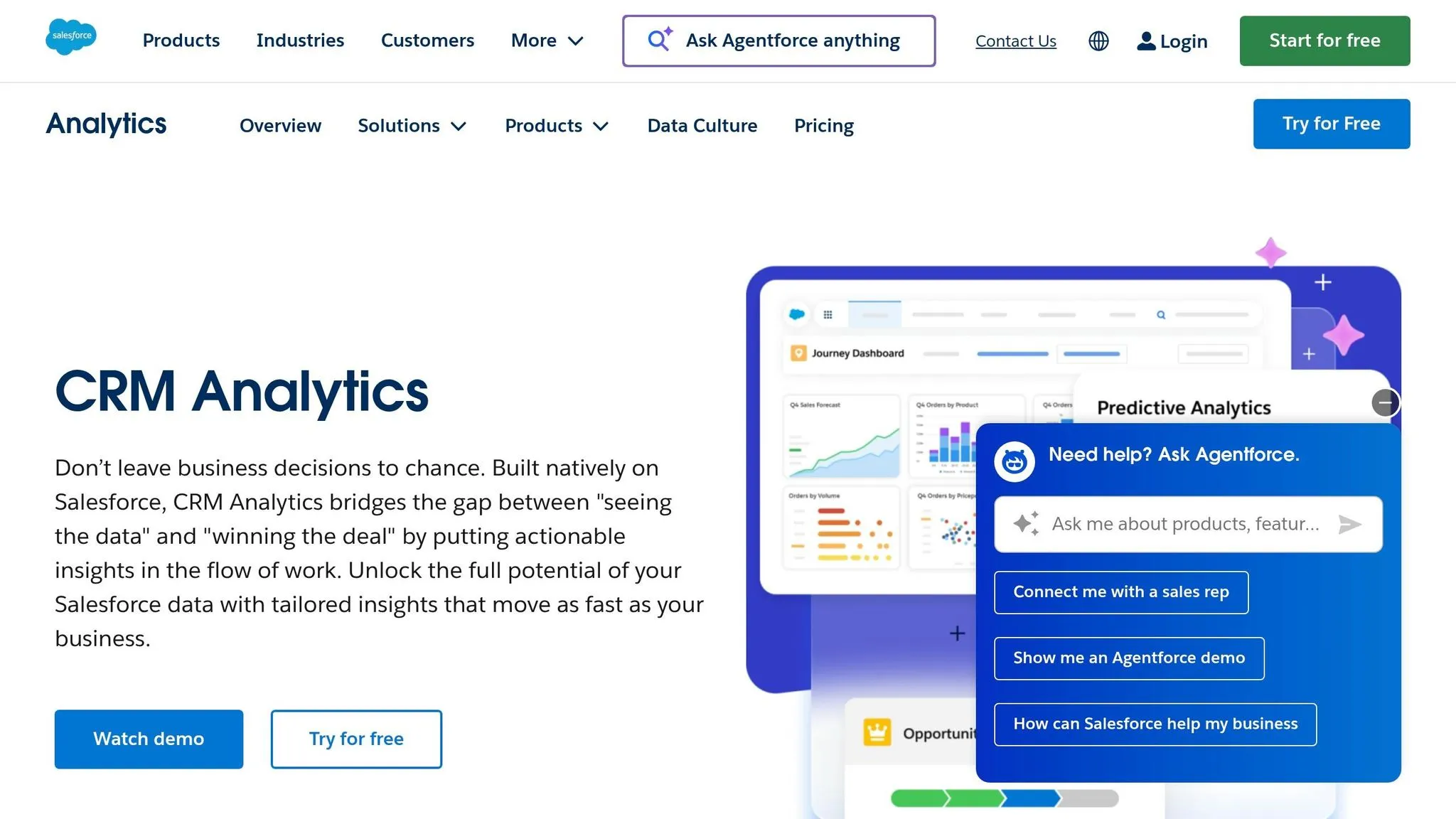
Salesforce Einstein Analytics, now branded as CRM Analytics, is tailored for organizations deeply connected to the Salesforce ecosystem. Known for its maturity and seamless integration, it processes over 11 trillion LLM tokens, with users reporting a 20% boost in sales productivity and an average ROI of 371% [38][41]. Its standout feature? Effortless native integration with Salesforce Sales, Service, and Marketing Clouds - no complex ETL processes required for CRM data analysis [41][42].
"To prepare for client meetings, advisors had to reference up to 26 different systems. It would take 3–4 hours to prepare for the meeting. Now, all the information advisors need is right there at the click of a button."
– Greg Beltzer, Head of Technology, RBC Wealth Management – U.S. [42]
Einstein Analytics is evolving with the introduction of autonomous AI through Agentforce, enabling AI agents to handle multi-step business tasks like lead qualification or service case resolution [38][39][40]. While it offers powerful features, the platform's high total cost of ownership and vendor lock-in are notable concerns. It holds a 4.3/5 rating on G2, praised for support quality but criticized for its steep learning curve [41].
AI Features
Einstein Analytics is powered by tools like Einstein Copilot and Agentforce, built on the Atlas Reasoning Engine. These tools enable conversational queries, content generation, and autonomous task execution without constant human input [37][38][39][40]. Analysts predict that by 2026, 40% of enterprise applications will feature task-specific AI agents [39].
Key AI capabilities include:
- Einstein Discovery: Automatically identifies patterns and provides predictive recommendations from large datasets [41].
- Einstein Prediction Builder: A no-code tool for creating custom machine learning models to predict outcomes like customer churn or payment delays [37][41].
- Predictive Intelligence: Includes automated lead and opportunity scoring to focus on high-value prospects [37][41].
- Einstein Trust Layer: Protects proprietary data by ensuring it isn’t used to train external language models, using techniques like dynamic grounding and data masking [37][38].
"Moving from AI assistants that suggest to AI agents that execute independently is a fundamental architectural change - not just a feature update."
– Sasi Mohan, MBA [40]
Administrators can customize AI actions using tools like Copilot Studio, which includes Prompt Builder and Skills Builder. The My Trust Center dashboard, launched in beta in early 2026, allows monitoring of agent performance, grounding accuracy, and ethical safeguards [39][40]. These features reflect the shift toward autonomous analytics, delivering faster, actionable CRM insights.
Data Integration
Einstein Analytics integrates seamlessly with Salesforce Sales, Service, and Marketing Clouds, enabling users to analyze CRM data within their workflows without ETL processes [41][42]. The platform also includes pre-built connectors for ERPs, data warehouses like Snowflake and Google BigQuery, and other external systems [41][42]. For more complex environments, Salesforce uses MuleSoft to securely connect any data source, enabling real-time analysis through zero-copy data federation [40][41][42]. Additionally, data can flow bidirectionally between Salesforce Data Cloud and major data lakes or warehouses without ETL [42].
Governance and Security
Einstein Analytics prioritizes compliance and security, holding certifications such as SOC 2 Type II, ISO 27001, and HIPAA BAA for healthcare customers [41]. It is FedRAMP authorized for Government Cloud editions and uses AES-256 encryption for data at rest and TLS 1.3 for data in transit [41].
| Security Feature | Implementation |
|---|---|
| Encryption | AES-256 (At Rest), TLS 1.3 (In Transit) |
| Compliance | SOC 2, GDPR, HIPAA BAA, FedRAMP |
| Access Control | MFA, SSO/SAML, RBAC, Field-Level Security |
| Audit Logging | Event Log File, Real-Time Event Monitoring |
| AI Trust Layer | Einstein/Agentforce Trust Layer |
Access controls include multi-factor authentication (MFA), SSO/SAML, role-based access control (RBAC), and field-level security [41]. Monitoring tools like event log files, real-time event monitoring, and a 6-month setup audit trail enhance visibility. The Einstein Trust Layer ensures sensitive data is protected during AI analysis and complies with governance policies [41]. Data residency options are available for the U.S., EU, Australia, Canada, and Japan.
Pricing Model
Einstein Analytics is positioned as a premium solution for enterprises. CRM Analytics starts at $140 per user per month (billed annually), which includes access to the Data Platform and Analytics Studio [41]. Sales Cloud Einstein is an add-on priced at $50 per user per month, requiring an Enterprise Edition base license at $165 per user per month [41][43]. Revenue Intelligence is available for $220 per user per month, bundling CRM Analytics Plus [41]. For autonomous AI capabilities, Agentforce for Sales costs approximately $125 per user per month, while the premium Agentforce 1 tier is priced at $550 per user per month for large-scale operations [41][43]. Einstein Relationship Insights ranges from $50 (Starter) to $150 (Growth) per user per month for automated research features [41].
"Einstein Analytics is best suited for Salesforce centric organizations that wish to leverage the power of AI for predictive CRM insights."
– Maxim Manylov, Web3 Engineer & Serial Founder [41]
While the platform offers advanced CRM capabilities, its pricing reflects its enterprise focus [41][43].
7. Qlik Sense
Qlik Sense stands out with its advanced data processing tools, particularly its Associative Analytics Engine, which loads data in-memory to uncover all possible relationships within datasets [44]. Unlike traditional query-based tools that follow rigid paths, this engine allows for a more flexible exploration of data, even highlighting gaps where associations are missing [44]. Impressively, the platform can process over 40 million records in about one minute and holds a solid 4.4/5 rating on G2, based on 1,428 reviews [44].
"Qlik Sense delivers data exploration with its associative analytics engine, processing 40M+ records in under a minute."
– AI:PRODUCTIVITY [44]
One real-world example comes from an automotive manufacturer that reported a 12% boost in production efficiency and a 25% reduction in scrap costs, leading to a 165% ROI over 30 months [44]. Additionally, a Forrester Total Economic Impact study revealed that Qlik Cloud Analytics delivered an impressive 209% ROI over three years, with organizations saving $700,000 annually by retiring older systems [44].
AI Features
Qlik Sense integrates cutting-edge AI tools to support faster and smarter decision-making. Its Qlik Answers feature acts as a generative AI assistant, enabling users to query data in natural language, while the Insight Advisor automatically generates analyses [44]. The AI Splits feature within the Decomposition Tree pinpoints and ranks factors influencing data trends, helping users uncover insights 35% faster [44]. In June 2026, the platform introduced Intelligent ML Optimization, which includes advanced features like class balance oversampling for machine learning models [44]. However, Qlik Sense does have a steeper learning curve compared to Power BI, as it requires familiarity with QlikScript and its associative model [44].
Data Integration
Qlik Sense excels in data integration, offering over 100 native connectors to platforms such as SAP, Salesforce, AWS, Azure, GCP, Snowflake, and Databricks [44]. Users have rated its ETL capabilities with an 86% satisfaction score [44]. The platform supports native regular expressions (regex) in load scripts and can directly process JSON files without requiring a REST connector, making it well-suited for IoT and web app data [44]. Its multi-cloud functionality across AWS, Azure, and GCP, combined with Cloud Amplifier for live querying in distributed environments, ensures seamless data integration [44].
Governance and Security
Qlik Sense meets high standards for security and compliance, adhering to SOC 2 Type II, HIPAA, GDPR, and ISO 27001 requirements [44]. Its Data Catalog provides full lineage tracking for enhanced data visibility, and the platform has been rated 10/10 for scalability in enterprise environments [44]. Features like event-driven automation and real-time alerting ensure immediate action when data changes, supporting robust governance measures [44].
Pricing Model
Qlik Sense offers a range of pricing plans to accommodate various needs. The Business Tier costs $30 per user per month (billed annually) and is ideal for team collaboration and self-service analytics. The Standard Tier is priced at $825 per month, including 20 full-user licenses on a capacity-based model. For larger organizations, the Premium Tier costs $2,700 per month and includes 20 full-user licenses along with 10,000 basic-user licenses for report viewing. Custom pricing is available for Enterprise SaaS deployments, typically featuring Professional licenses at $72.50 per user per month and Analyzer licenses at $41.25 per user per month [44]. While these options are pricier compared to Power BI's $10–$14 per month entry plans, Qlik Sense is tailored for businesses seeking more in-depth, actionable insights [44].
8. SAS Viya
SAS Viya is a high-powered analytics platform designed for large-scale operations, built with speed and scalability in mind. It trains AI models 30 times faster than many competitors and is trusted by 90% of the Fortune 100 companies [46]. In 2026, SAS Viya earned a performance and usability score of about 9/10, receiving a "Top Rated" status with scores ranging from 90-99 [45]. Additionally, it has been recognized as a Leader in the Gartner Magic Quadrant for Data Science and Machine Learning Platforms for eight consecutive years [46].
"SAS is one of the few providers to focus on operationalization of decisions as well as models, accelerating business value through process optimization."
– Gartner® Magic Quadrant™ for Data Science and Machine Learning Platforms, 2024 [46]
Real-World Use Cases
SAS Viya’s impact on operational efficiency is evident in several success stories:
- Volvo Trucks North America: Leveraged SAS Viya to analyze millions of sensor-generated records in real-time, resulting in a 70% reduction in diagnostic time and a 25% decrease in repair time [46].
- DB Insurance: Enhanced fraud detection accuracy by 99%, analyzing connections across 10 million customers and claims in real-time [46].
- Aksigorta: Cut the time to uncover organized fraud cases from six months to just 30 seconds, boosting fraud detection rates by 66% [46].
AI Features
SAS Viya comes with a range of advanced AI tools, including the SAS Viya Copilot, an AI assistant that supports users in generating code and building analytical models through Microsoft Foundry services [47]. Key features include:
- AI tools like AutoML
- Computer vision
- Advanced forecasting
- Optimization capabilities
Users can choose between visual drag-and-drop tools or coding environments, with support for Python, R, Java, and Lua via REST APIs [46]. The platform also prioritizes "Trustworthy AI" with built-in tools for bias detection, fairness testing, and explainability, helping ensure compliance with regulatory standards [46]. Users have reported being 4.6 times more productive when using SAS Viya to streamline complex AI workflows [46].
Data Integration
SAS Viya offers seamless, cloud-native access to data from any source and can be deployed across AWS, Azure, GCP, or on-premises environments [46]. Its open-source compatibility allows developers to work in their preferred programming languages while benefiting from SAS analytics for faster operationalization [46]. The platform also helps organizations cut cloud operating costs by up to 86% [46]. To assess potential benefits, businesses can use the SAS Viya Value Calculator to estimate ROI and productivity gains before committing to a contract [46].
Governance and Security
The platform includes robust governance features such as data lineage tracking, auditability, and model management to ensure transparency and data integrity [46]. Built-in tools for bias detection, fairness testing, and explainability help organizations maintain compliance with regulatory standards [48]. SAS Viya integrates intelligence directly into workflows, enabling automated decisions based on business rules and real-time event detection [48]. Flexible deployment options allow companies to maintain control over data residency and infrastructure [48]. However, some users have noted that mastering advanced features can involve a steep learning curve, and integrating the platform with existing enterprise systems may require significant effort [45].
Pricing Model
SAS Viya operates on a custom enterprise pricing model, which varies based on deployment scale, number of users, and selected modules. A 14-day free trial is available for testing [46]. Advanced capabilities are often reserved for higher pricing tiers [45]. Organizations are encouraged to use the SAS Viya Value Calculator to project ROI before making a purchase [48].
9. IBM Watson Analytics and Cognos
IBM Watson Analytics and Cognos bring efficiency and precision to AI-powered analytics by automating reporting and ensuring robust data governance. IBM Cognos Analytics 12.1.2 introduces Reporting Agents, which turn manual reporting tasks into automated workflows while maintaining strict governance protocols [49]. Recognized as a Leader in the IDC MarketScape 2025 for Business Intelligence, the platform excels in AI-driven capabilities, governance, and reporting [49]. Its natural language AI Assistant allows users to query data in plain English and gain actionable insights through conversational interactions [49].
AI Features
The AI Assistant makes analytics accessible for users without technical expertise. Real-world examples highlight its impact:
- ULMA Packaging achieved an 86% improvement in reporting speed and accuracy.
- The UK Ministry of Defence unified four legacy systems to serve 190,000 personnel.
- Mohegan Sun saved one hour daily per supervisor by streamlining processes [49].
"IBM Cognos is more stable than Tableau and Power BI because of its framework manager concept that allows us to import metadata and store it." – Rawen Lawrence, Senior Project Manager, BD [51]
The platform supports hybrid deployment options, including on-premises, cloud-hosted, and containerized setups via IBM Cloud Pak for Data. It integrates seamlessly with major cloud platforms, as demonstrated by Elkjøp, which successfully onboarded 3,000 users - from store employees to executives - onto its cloud-based Cognos system [49].
Governance and Security
IBM Cognos ensures centralized governance with features like audit trails, detailed access controls, and role-based dashboards. These measures safeguard data across hybrid environments [50]. Certified data models enable compliance-ready reporting, while metadata security is managed through the Framework Manager [50][51]. Organizations requiring full control over their data can opt for on-premises deployments, offering complete oversight of their infrastructure [50].
Pricing Model
IBM Cognos offers flexible pricing to suit different needs:
- Standard Plan: Starts at $7.88 per user per month and includes dashboards, the AI Assistant, and mobile app access [49].
- Premium Plan: Priced at $31.43 per user per month, this tier adds features like report creation, scheduling, data exploration, and Reporting Agents [49].
- Enterprise Options: Custom pricing is available for on-premises, dedicated cloud hosting, or IBM Cloud Pak for Data deployments [49].
10. Domo
Domo is a comprehensive platform that combines data integration, transformation, and AI-driven analytics. One of its standout features is Agent Catalyst, a no-code tool that lets users create autonomous AI agents. These agents can monitor data continuously and trigger workflows - like generating purchase orders or notifying teams - without requiring manual intervention. Setting up these agents for tasks like staff optimization or SWOT analysis takes about 30 minutes [53].
AI Features
Domo's AI capabilities are designed to simplify and enhance data interaction. The AI Chat interface allows users to query datasets in plain language, delivering instant visualizations paired with narrative insights. Magic Transform brings AI into the data pipeline, enabling predictive tasks such as classification and forecasting. It also supports custom logic through Python and R scripting. Additionally, FileSets with Retrieval-Augmented Generation process unstructured data like documents, images, and audio, ensuring AI outputs remain aligned with approved company information.
A 2024 study by Nucleus Research highlighted Domo's impressive impact, reporting an average ROI of 536% and a payback period of just 8.4 months. Organizations using Domo saw a 35% reduction in data analyst workloads and a 40% increase in decision-making speed, thanks to its real-time insights and self-service tools [52].
"We eliminated $120K in annual licensing fees for legacy tools and reduced our analytics team headcount needs by 2 FTEs" [52].
Domo's predictive and automated features are further enhanced by its extensive connector library, which simplifies data operations.
Data Integration
Domo stands out for its seamless data integration capabilities. The platform includes over 1,000 pre-built connectors for enterprise systems like Salesforce and SAP, cloud warehouses such as Snowflake and Databricks, and various specialized industry tools. Many users can link 15 or more data sources in under two hours, cutting down on the need for custom ETL development [53]. Unlike many competitors that rely on batch processing, Domo also supports native real-time streaming, enabling faster and more dynamic data workflows [52].
Pricing Model
In mid-2023, Domo shifted to a credit-based pricing model. Costs now depend on factors like data volume, refresh frequency, and API calls, rather than the number of users. Based on 84 contracts, the average annual cost is around $134,000. The Standard Tier, priced between $20,000 and $50,000 per year, includes 1,000+ connectors and essential AI features. The Enterprise Tier, ranging from $50,000 to over $100,000 annually, adds features like Agent Catalyst, advanced AI/ML tools, and white-label embedding [52]. This flexible pricing structure reflects Domo's emphasis on delivering measurable returns through real-time insights.
11. Sisense
Sisense is known for delivering fast insights and integrated analytics, making it a strong option for embedded analytics tools in 2026. Designed for organizations that embed analytics into their products, Sisense serves over 2,000 companies, including Verizon, Philips, and Nasdaq. Its API-first approach enables seamless white-labeled integration, while its in-chip processing technology handles complex, multi-cloud datasets with speeds up to 10x faster than traditional methods [59].
AI Features
The Sisense Intelligence Suite revolves around "Assistant", an AI partner that uses natural language to handle analytics tasks from start to finish [54][57]. A major innovation in 2026 is the Model Context Protocol (MCP), which allows external AI tools like ChatGPT to securely access governed Sisense models and generate charts using natural language commands [54][56]. Users can either rely on Sisense's managed LLM service or integrate their own LLM for these features [54].
The platform also includes a Narrative feature that creates plain-language summaries of charts and widgets, making insights easy to understand [54]. Predictive analytics tools, such as forecasting, trend analysis, and automated anomaly detection, are built-in [57][59].
"Sisense's AI capabilities allow us to quickly translate complex data into clear insights, identify trends and gaps, and make decisions faster during clinical trials - all while managing risk." – Tanya du Plessis, Chief Data Strategist at Bioforum [54]
These AI tools enhance Sisense's analytics capabilities, offering organizations powerful tools for data-driven decision-making.
Data Integration
Sisense supports over 400 native connectors for cloud, on-premise, and third-party applications [55]. Teams can choose between live data warehouse connections or cached data models, providing flexibility in accessing and working with data [55]. One organization successfully migrated its core functions to Sisense in under 90 days [60]. Additionally, the Compose SDK empowers developers to embed conversational AI features directly into applications using frameworks like React, Angular, or Vue [54][55]. This level of integration ensures all data streams contribute to a unified and efficient analytics experience.
Governance and Security
Sisense adheres to strict security standards, holding SOC 2 Type II, ISO 27001, and ISO 27701 certifications [55]. The platform offers governed conversational analytics, enabling users to explore data through natural language while maintaining tight administrative control over data access and definitions [61][55]. In 2026, Sisense added email-based two-factor authentication for non-SSO users, further strengthening compliance with HIPAA and GDPR [56].
"We went from custom application development to the ability to rapidly change something on the dashboard and then publish it again in real-time within the production environment - without sacrificing any of the security." – Devin Vyain, Senior Solutions Architect at Barrios [61]
Pricing Model
Sisense introduced "Launch" and "Grow" subscription tiers in 2026 to cater to smaller teams and product-driven growth [58]. Pricing for software and SaaS developers starts between $10,000 and $25,000 annually [62]. Enterprise deployments are custom-quoted based on factors like data volume, deployment size, and required features [59]. For evaluation, the platform offers a 7-day or 14-day full-featured free trial [54][59]. Enterprise-level pricing is estimated at $75,000, reflecting Sisense's positioning as a premium solution [60].
12. Databricks
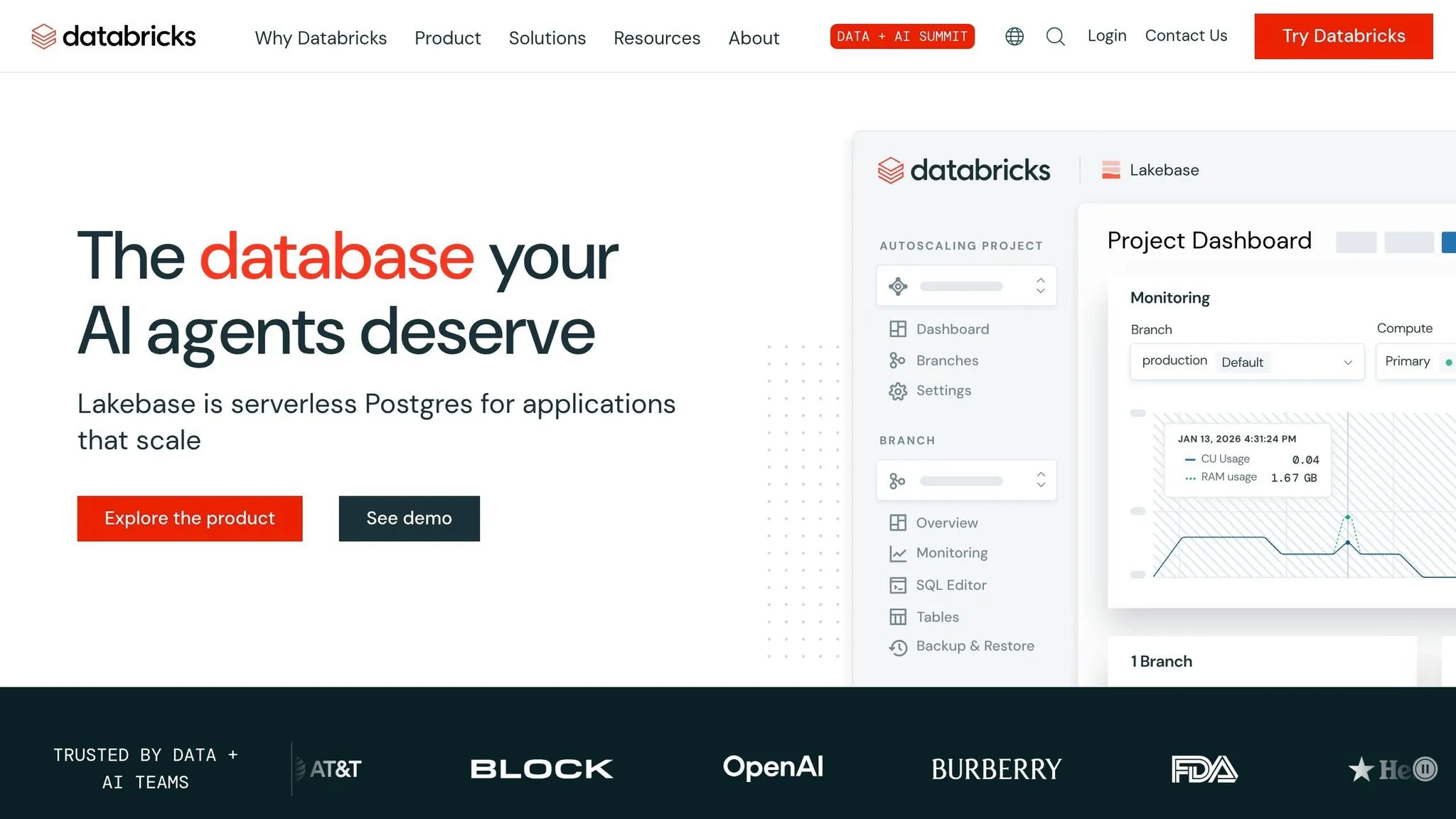
Databricks is a unified platform designed for data engineering, machine learning, and business intelligence, all built on a Lakehouse architecture. It integrates seamlessly with cloud storage solutions like AWS S3, Azure Data Lake, and Google Cloud Storage. Trusted by over 20,000 organizations - including more than 60% of the Fortune 500 - Databricks allows teams to work directly with raw data in the cloud. Companies using the platform have reported impressive results, including a 417% to 482% return on investment (ROI) over three years. Teams have also seen a 70% reduction in data pipeline development time and a 40% faster deployment of machine learning models [64][65][67]. These efficiencies set the stage for advanced AI capabilities that streamline data analysis and visualization.
AI Features
Databricks offers innovative AI tools, including the AI/BI Genie, which translates natural language queries into ready-to-use, chart-friendly answers [63][65]. In 2026, the platform introduced Genie Research, an autonomous tool that dives deep into data to answer complex questions, such as identifying customer churn drivers [63]. Another standout feature is Agentic Dashboard Authoring, which lets users create entire dashboards - complete with datasets, visualizations, and layouts - using just a single natural language prompt [63].
For example, Experian used Databricks Mosaic AI to customize a Llama 8B model, creating "Latte", a generative AI-powered email automation chatbot. Latte now autonomously handles over 35% of customer emails, cutting response times from 86 hours to just 8 hours and boosting customer satisfaction scores by 8% [64]. Similarly, Mastercard leverages Databricks for real-time fraud detection and AI-assisted customer support, seamlessly integrating human oversight with AI agents while maintaining strict governance [64].
Beyond AI, Databricks stands out for its powerful data integration and performance optimization capabilities.
Data Integration
Databricks employs Delta Lake 4.0 with "Liquid Clustering", which automatically organizes data for consistently fast query performance [67]. The Photon engine further enhances speed, delivering up to 12x faster query performance compared to traditional Spark [5][66]. Operating natively across Azure, AWS, and Google Cloud, Databricks is a strong choice for enterprises pursuing multi-cloud strategies [67][68]. Recent additions like Lakeflow and Lakebase, introduced in 2026, automate data ingestion and streamline resource allocation. These features reduce the need for manual configuration, setting Databricks apart from platforms that require extensive tuning by engineers [67].
Governance and Security
Databricks ensures robust governance through its Unity Catalog, which centralizes control over data, ML models, notebooks, features, dashboards, and AI agents within a single framework [69][70]. It uses both attribute-based access controls (ABAC) and role-based access control (RBAC) to manage permissions across files and tables [66][69]. Automated lineage tracking provides transparency by showing the origins and usage of data throughout the AI lifecycle, which is crucial for regulatory compliance [65][69]. The platform supports major compliance standards, such as HIPAA for healthcare, and integrates with tools like Microsoft Purview [65]. Businesses with strong AI governance practices reportedly deploy up to 12x more AI projects, making Databricks a reliable choice for secure and compliant data management [69][70].
Pricing Model
Databricks introduced a Community Edition in 2026, offering 15GB of RAM and single-node clusters for free, making it ideal for learning and small-scale proof-of-concept projects [5][66]. The Standard tier was discontinued in October 2026, with Premium now serving as the entry-level option for production workloads [5][66]. Pricing is based on a consumption model, with rates ranging from $0.15 to $0.50 per DBU for Jobs Compute, $0.40 to $0.75 for All-Purpose Compute, and $0.22 to $0.88 for SQL Compute. Customers can save up to 37% with 1–3 year commitments [5][66]. Databricks holds a 4.5/5 rating on AI:PRODUCTIVITY, praised for its high ROI and integrated architecture, though users often mention a steep learning curve and challenges with cost forecasting [5][66]. This flexible pricing approach aligns with Databricks' focus on delivering measurable value.
13. Snowflake Cortex
Snowflake Cortex brings advanced AI tools directly into the Snowflake AI Data Cloud, allowing teams to run machine learning and large language models (LLMs) without needing to export data. This approach minimizes both security risks and latency issues. Cortex uses a consumption-based pricing model through Snowflake credits. For smaller models like Llama 3.1 8B, costs range from 0.1 to 0.5 credits per million tokens. Larger models, such as Mistral Large, require 3.0 to 10.0+ credits per million tokens. This pricing structure makes Cortex significantly more cost-effective - up to 40 times cheaper - than many third-party API options [73].
AI Features
Snowflake Cortex includes SQL-native functions, making it easy for analysts to leverage AI without needing advanced coding skills. These functions include:
- COMPLETE: For generating text.
- SUMMARIZE: For condensing lengthy documents.
- TRANSLATE: For multilingual tasks.
- EXTRACT_ANSWER: For pinpointing specific information in unstructured data.
For structured analytics, Cortex offers machine learning capabilities like sentiment analysis, time-series forecasting, and anomaly detection - all accessible through standard SQL workflows [71][73]. Document AI features include PARSE_DOCUMENT, which uses OCR for PDFs and images, and CLASSIFY_TEXT, which automates content categorization.
Additionally, Cortex Agents, available as of late 2025, can coordinate multiple AI agents to automate complex analytical workflows. Gartner predicts that by the end of 2026, 40% of enterprise applications will incorporate task-specific AI agents [1]. All these features integrate directly into Snowflake’s processing environment, ensuring a seamless experience.
Data Integration
Cortex functions run within the Snowflake engine, keeping data securely within the warehouse. Snowpark further expands this capability, enabling in-engine processing with Python, Java, and Scala to simplify ETL and machine learning workflows [71][74]. The Snowflake Marketplace adds value by offering access to over 2,000 live datasets from third-party providers, which can be queried alongside internal data without duplicating files [75].
To optimize costs, teams can implement response caching for frequently used LLM queries, cutting redundant processing expenses by up to 40%. The CORTEX_FUNCTIONS_USAGE_HISTORY view provides detailed tracking of token usage and credit spending by model and function [71][73].
Governance and Security
Snowflake Cortex ensures that all generative AI workloads stay within Snowflake's secure environment. This is a significant advantage, especially since 43% of organizations have paused AI projects due to governance concerns and unreliable data [76]. AI Observability tools monitor metrics such as accuracy, latency, usage, and cost. Accuracy rates for AI data analyst tools generally range between 50% and 89%, depending on query complexity [76].
Cortex also incorporates Semantic Views, which use YAML-based definitions to standardize key metrics across an organization, ensuring consistency [76][1]. Pricing for Cortex Analyst is fixed at 6.7 credits per 100 successful natural language queries, while Cortex Search entails a one-time indexing cost of about 0.05 credits per million tokens and ongoing serving costs of around 6.3 credits per GB of index per month [73]. This comprehensive security and governance framework supports Cortex’s transparent and efficient pricing model.
Pricing Model
Cortex uses a token-based pricing approach rather than traditional compute credits [73]. Choosing the right model size can significantly influence costs. For example, smaller models like Llama 3.1 8B are ideal for tasks like sentiment analysis or simple classifications, potentially reducing costs by up to 80% compared to larger, premium models [71][73]. User feedback is positive, with performance and usability scoring an average of 9/10. However, some reviewers mention a steep learning curve for advanced features and concerns about vendor lock-in [72].
Strengths and Weaknesses
This overview is designed to help decision-makers pinpoint the analytics platform that best aligns with their needs. Each platform comes with its own set of trade-offs in areas like AI capabilities, integration, governance, and cost.
Microsoft Power BI stands out for its natural language Q&A and automated report generation, especially within the Microsoft 365 ecosystem. It commands 30–36% of the global BI market [1]. However, it falls short in areas like multi-turn reasoning and automated root cause analysis [1][21].
When comparing platforms, the trade-offs between cost, functionality, and integration become clear. ThoughtSpot, for instance, excels in search-driven analytics with its SpotIQ feature, which automatically identifies anomalies. However, it demands clean, structured data to perform effectively [1][36]. On the other hand, Tableau with Einstein Discovery offers robust predictive modeling but comes with a high total cost [3][5]. Google Analytics 4 and Looker shine with their seamless BigQuery integration via LookML's centralized semantic layer, but Looker has a steep starting price of $36,000 annually for up to 10 users [3].
Salesforce Einstein Analytics integrates seamlessly into CRM workflows but is primarily tailored for sales and service applications. Meanwhile, Qlik Sense provides advanced multi-source data exploration through its associative engine and over 100 native connectors [3]. SAS Viya and IBM Watson Analytics deliver powerful statistical modeling but come with enterprise-level pricing and complexity. Domo, known for its mobile-friendly interface, offers real-time predictive alerts and over 1,000 connectors, though its AI features lag behind those of search-focused platforms [1][21][3].
Sisense focuses on embedded analytics for SaaS products, with Fusion AI delivering insights, but it underperforms for standalone internal dashboards [21]. Databricks AI/BI Genie offers scalability for large datasets and full code transparency, boasting an ROI of 417–482% and reducing data pipeline development time by 70% [5]. However, its "Space" feature is limited to 25 tables and lacks autonomous reasoning capabilities [1][77]. Snowflake Cortex supports SQL-based AI functions directly within the warehouse, using consumption-based pricing. Smaller models cost 0.1 to 0.5 credits per million tokens, while larger models range from 3.0 to 10.0+ credits [73]. That said, its built-in visualization options are minimal [1][36].
"GenAI 'levels the playing field' because all vendors integrate the same underlying LLMs... What separates platforms is what they do beyond the LLM: the deterministic analytical depth" – Boris Evelson [2]
In enterprise analytics teams, manual root cause investigations typically take 3-5 business days per question [1]. This highlights the importance of platforms that can automate deeper analysis, transforming what used to take days into actionable insights within minutes. The most effective platforms go beyond just delivering data - they provide the analytical depth needed to make swift, informed business decisions.
Conclusion
Selecting the ideal AI analytics platform in 2026 boils down to matching your organization's unique needs with the right trade-offs. As highlighted earlier, no single platform can cover every requirement - especially when 73% of organizations report using at least three different BI tools [2].
For businesses deeply embedded in Microsoft's ecosystem, Power BI stands out as a budget-friendly option. With pricing between $10 and $14 per user per month, it integrates effortlessly with Azure and Office 365 [3]. On the other hand, if ensuring governance and metric consistency is critical, Looker offers its LookML semantic layer, which can cut errors in generative AI queries by 66% [5]. However, this precision comes at a cost, with enterprise plans starting at approximately $36,000 annually for up to 10 users [3].
For large-scale data science needs, platforms like Databricks and Snowflake Cortex deliver top-notch performance paired with robust governance. Meanwhile, organizations requiring embedded analytics for SaaS products will find Sisense to be purpose-built for such applications [21].
"The hardest part of choosing... isn't finding capable software... The challenge is committing to the organizational change required to actually use data for decisions." – AI Productivity Guide [3]
The shift from traditional BI to AI analytics is a recurring theme throughout these recommendations. The transition from reactive dashboards to proactive decision intelligence is gaining momentum. By 2027, organizations leveraging AI-augmented analytics are expected to make decisions three times faster than those sticking with traditional BI methods [4]. Gartner also forecasts that 40% of enterprise applications will feature task-specific AI agents by the end of 2026, compared to under 5% in 2025 [1].
The platforms that lead in 2026 won't just present data - they'll actively identify anomalies, investigate root causes, and deliver actionable insights directly into tools like Slack or Teams. This evolution promises to dramatically speed up decision-making processes [1]. The rise of autonomous insight engines signals a transformative era for BI, where having the right tool can fundamentally change how decisions are made.
FAQs
::: faq
How do I choose the right AI analytics platform for my team?
To choose the best AI analytics platform, start by identifying your team’s specific needs. Look for tools that excel in data handling capacity, integration capabilities, and user-friendliness. Opt for platforms that cover the entire process - from connecting data sources to creating visualizations - and match your team’s technical skill level. It's also crucial to ensure the platform delivers clear, transparent outputs and works smoothly with your current tools, helping you make quicker, well-informed decisions. :::
::: faq
What security and compliance features matter most for AI analytics?
AI analytics platforms need to prioritize security and compliance to maintain trust and meet regulatory requirements. Key features include:
-
Data governance tools: These tools help manage and protect data through centralized metric definitions, data lineage tracking, and audit trails. They ensure platforms align with standards like SOC 2 and HIPAA, which are crucial for safeguarding sensitive information.
-
Row-level security: This feature allows platforms to control data access based on user roles, ensuring that individuals can only view the information they are authorized to see.
-
Detailed audit logs: Comprehensive logs are essential for compliance reporting. They help verify data integrity and demonstrate adherence to regulatory requirements, making them indispensable for AI-powered insights.
By integrating these features, platforms can ensure secure and compliant handling of data while delivering reliable analytics. :::
::: faq
What’s the best way to estimate total cost and ROI before buying?
To figure out the total cost and potential ROI, take a close look at the platform’s pricing model and total cost of ownership. This includes factors like licensing fees, integration expenses, and ongoing maintenance. It's also important to evaluate how well the platform can drive measurable business results.
Try running it with your data to gauge its accuracy, ease of use, and how well it automates workflows. Additionally, reviewing case studies and benchmarks can help you confirm if the platform fits your budget while ensuring you get the most out of your data investment. :::