Business Intelligence
Top 15 Data Analytics Tools You Should Be Using in 2026
AI-first analytics have matured—these 15 tools define real-time insights, predictive models, and enterprise-ready governance in 2026.

Data analytics in 2026 is more advanced than ever, driven by AI tools that simplify complex processes and deliver actionable insights quickly. With the global data analytics market growing rapidly, businesses are turning to AI-powered platforms for real-time insights, predictive analytics, and better decision-making. Here's a quick look at 15 tools that stand out:
- Querio: Transforms plain English queries into SQL/Python for instant insights.
- Microsoft Power BI: Combines AI visuals, AutoML, and real-time data processing.
- Tableau: Offers conversational AI and predictive modeling with Einstein Discovery.
- Qlik Sense: Uses AI to uncover hidden data relationships and automate insights.
- Sisense: Simplifies workflows with natural language analytics and predictive tools.
- Looker: Provides conversational analytics and in-database processing.
- ThoughtSpot: Features industry-specific AI agents and real-time alerts.
- Domo: Centralizes AI tools for seamless workflow integration.
- Tinybird: Delivers instant analytics with sub-second data freshness.
- IBM Cognos Analytics: Automates complex analytics with AI-driven insights.
- DataRobot: Streamlines machine learning workflows with AutoML.
- Fabi.ai: Combines SQL, Python, and no-code tools for collaborative analytics.
- BlazeSQL: Runs live queries on production data with no duplication.
- Julius AI: Handles advanced statistical tasks and integrates with Slack.
- Zing Data: Simplifies analytics with AI-powered tools for quick insights.
These tools excel in AI-driven capabilities, real-time data processing, seamless integration with modern platforms, and enterprise-grade security. Choosing the right data analytics tools depends on your team's needs and existing systems.
Quick Tip: Test any tool with your data for 2–4 weeks to ensure it fits your workflow and delivers the desired results.
::: @figure 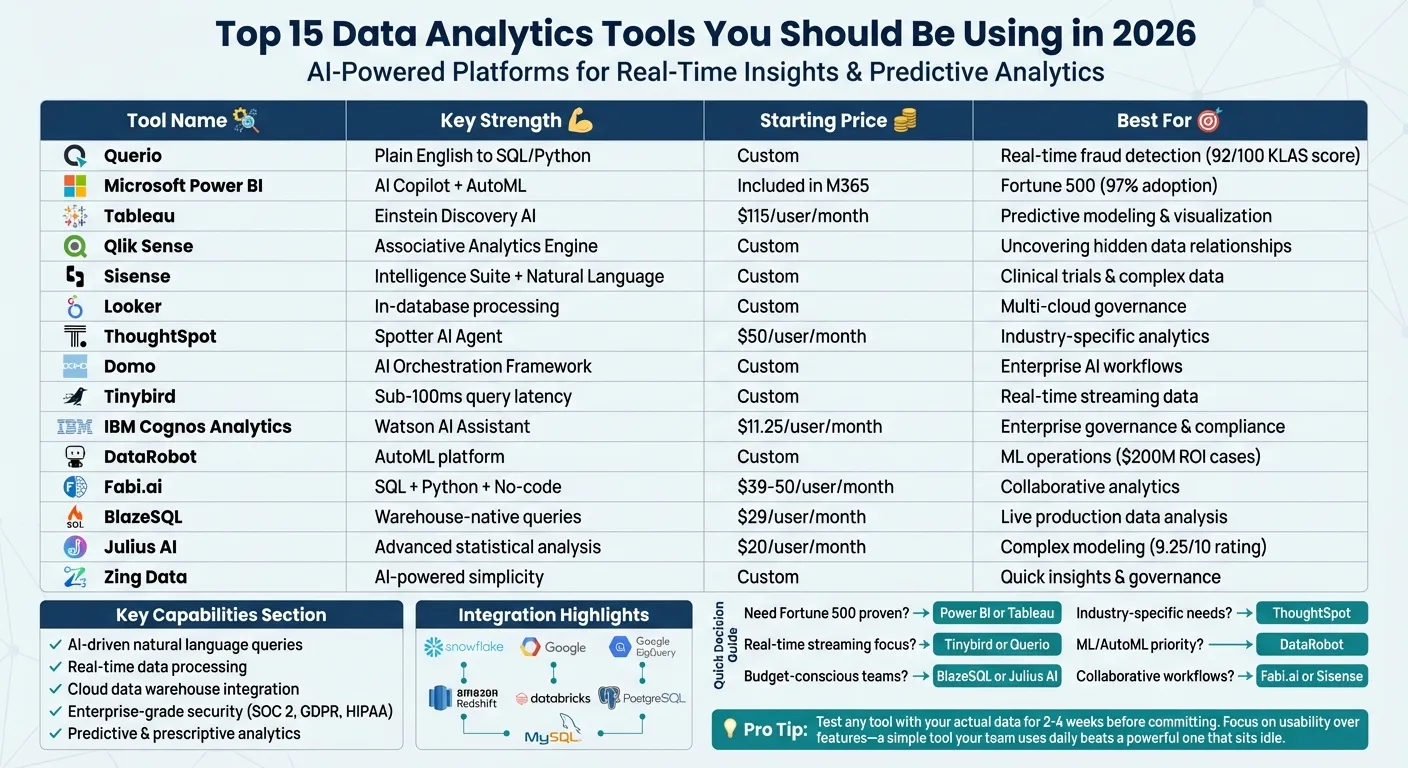 {Top 15 Data Analytics Tools Comparison 2026: Features, Pricing, and Key Capabilities}
:::
{Top 15 Data Analytics Tools Comparison 2026: Features, Pricing, and Key Capabilities}
:::
Best AI Tools Every Data Analyst Should Know in 2026
::: @iframe https://www.youtube.com/embed/jQuD-as6ckE :::
sbb-itb-284a532
1. Querio
Querio changes how users interact with data warehouses by allowing them to ask questions in plain English. The platform then provides accurate answers generated from real SQL and Python code, ensuring full transparency for every result.
AI-driven analytics capabilities
Querio uses AI to make analytics more intuitive and efficient. Its AI agents convert natural language queries into executable SQL and Python, delivering insights and visualizations almost instantly. For example, in a 2026 fintech project, Querio helped identify fraud patterns in real time using Snowflake-integrated transaction data. This reduced false positives by 40% and saved $2 million annually [3]. Benchmarks from early 2026 showed that analysis times decreased by up to 80% [3]. In another case, a manufacturing client used Querio to predict supply chain disruptions with 95% accuracy [3].
Real-time data processing and insights
Querio processes streaming data at lightning speed - handling up to one million events per second in under a second [4]. Retail case studies highlight how live dashboards helped teams respond to issues in minutes instead of hours. For instance, instant alerts on metrics like revenue drops allowed businesses to quickly address flash sales or inventory problems.
Integration with modern data warehouses and platforms
The platform integrates seamlessly with Snowflake, BigQuery, Amazon Redshift, ClickHouse, and PostgreSQL through zero-ETL connectors. These bidirectional syncs enable analysts to work with massive datasets without needing custom scripts. Querio also supports hybrid workflows by connecting to live data through encrypted, read-only channels, avoiding data duplication. This integration is paired with strong security measures to ensure reliability.
Governance and security features for enterprise use
Querio meets enterprise security needs with SOC 2 Type II compliance, role-based access control (RBAC), and end-to-end encryption. Features like data lineage tracking, audit logs, and PII masking ensure compliance with regulations such as GDPR and CCPA. In a healthcare case study, Querio's masking capabilities helped prevent data leaks during AI model training [5]. These security features reinforce Querio's focus on transparency and secure analytics. Notably, in the 2026 KLAS Research rankings, Querio scored 92 out of 100 for AI-driven platforms, receiving high marks for its ease of use among health IT professionals [5].
2. Microsoft Power BI
Microsoft Power BI is a comprehensive analytics platform that combines AI-powered insights with strong security measures. Its AI-driven Copilot feature simplifies tasks like report creation, DAX computations, and summarizing data in plain language [6].
AI-driven analytics capabilities
Power BI comes equipped with built-in AI visuals, such as:
- Key Influencers: Identifies factors impacting specific metrics.
- Decomposition Trees: Helps with root cause analysis.
- Anomaly Detection: Useful for analyzing time-series data.
Additionally, its AutoML tools allow users to build and train machine learning models directly within Power BI Dataflows - no coding required. These AI-powered data preparation features can significantly cut down on data cleaning time, reducing it by 40–60% in enterprise settings [6]. Together, these features support real-time insights and faster decision-making.
Real-time data processing and insights
With the Direct Lake storage mode, users can perform high-performance analytics directly on OneLake data, eliminating the need for traditional data refreshes [7]. Meanwhile, Translytical Task Flows let users take immediate actions - like updating records or triggering workflows in external systems such as Teams - directly from within reports [8]. For instance, Lumen utilized automated tasks to save 10,000 manual hours [10].
Integration with modern data warehouses and platforms
Power BI seamlessly integrates with Microsoft Fabric and OneLake, creating a unified data environment [9]. It also offers native connections to Azure Machine Learning and Cognitive Services, enabling advanced predictive modeling and text analytics [6]. Abercrombie & Fitch Co. leveraged Power BI to speed up their data-driven decision-making processes [10].
Governance and security features for enterprise use
Power BI enforces strict security measures, including user authentication via Microsoft Entra ID and support for role-based security in BI platforms. It also provides Row-Level, Column-Level, and Object-Level Security [11]. Data is encrypted at rest using Microsoft-managed keys, with Premium users having the option to implement Bring Your Own Key (BYOK) encryption [12]. Additionally, integration with Microsoft Purview allows for automated data discovery, lineage tracking, and the application of sensitivity labels that remain intact even after data export [13]. It's no surprise that over 97% of Fortune 500 companies rely on Power BI for their analytics needs [11].
3. Tableau
Tableau takes data visualization to the next level by integrating AI-powered analytics into its platform. With features like the Tableau Agent (previously known as Einstein Copilot), users can interact with their data in plain language, making it easier to create visualizations, perform calculations, and prepare data on the fly. This conversational AI assistant simplifies data exploration and empowers users to dive into analytics without needing advanced technical skills [14].
AI-Driven Analytics Capabilities
Tableau introduces three specialized AI assistants through its Next Agents lineup:
- Data Pro: Focused on streamlining data preparation.
- Concierge: Designed for intuitive data exploration.
- Inspector: Provides intelligent alerting to keep users informed.
Additionally, Einstein Discovery brings predictive modeling and "what-if" scenario analysis directly into dashboards. This feature allows businesses to forecast outcomes like customer churn or revenue trends with ease. According to projections, by 2026, 40% of enterprise applications will include task-specific AI agents, a significant leap from under 5% in 2025 [14][15].
"Tableau AI analytics in 2026 transforms Tableau from a visualization tool into an intelligent analytics companion." – Nerd Level Tech [14]
Real-Time Data Processing and Insights
Tableau Pulse offers real-time monitoring of key metrics, instantly alerting users when data deviates from expected patterns. With minute-level grouping and filtering, users can uncover intraday trends and identify peak performance periods. The platform also supports high-precision forecasting across various visualization styles, such as bar charts, donut charts, and text-based displays [16].
Integration with Modern Data Warehouses and Platforms
Tableau provides seamless integration with leading cloud data warehouses like Snowflake, Databricks, Google BigQuery, and Amazon Redshift. Its Starburst Galaxy connector uses JWT authentication to accelerate connections, while the Hyper-as-a-Service update improves scalability by separating processing pods [15][16].
Governance and Security for Enterprise Use
Tableau ensures enterprise-grade governance and security with features like Tableau Semantics, which standardizes metrics and business terminology. Permission-Aware AI ensures insights are shared only with users who have the appropriate access rights, whether on Tableau Cloud or Server. Administrators can also implement IP Filtering Self-Service to restrict access to approved IP ranges. These measures highlight Tableau's focus on secure and efficient decision-making for businesses.
For enterprise users, Tableau+ (Enterprise Creator) is available at $115 per user per month, which includes advanced AI features and Data Cloud credits [14][15][16].
4. Qlik Sense
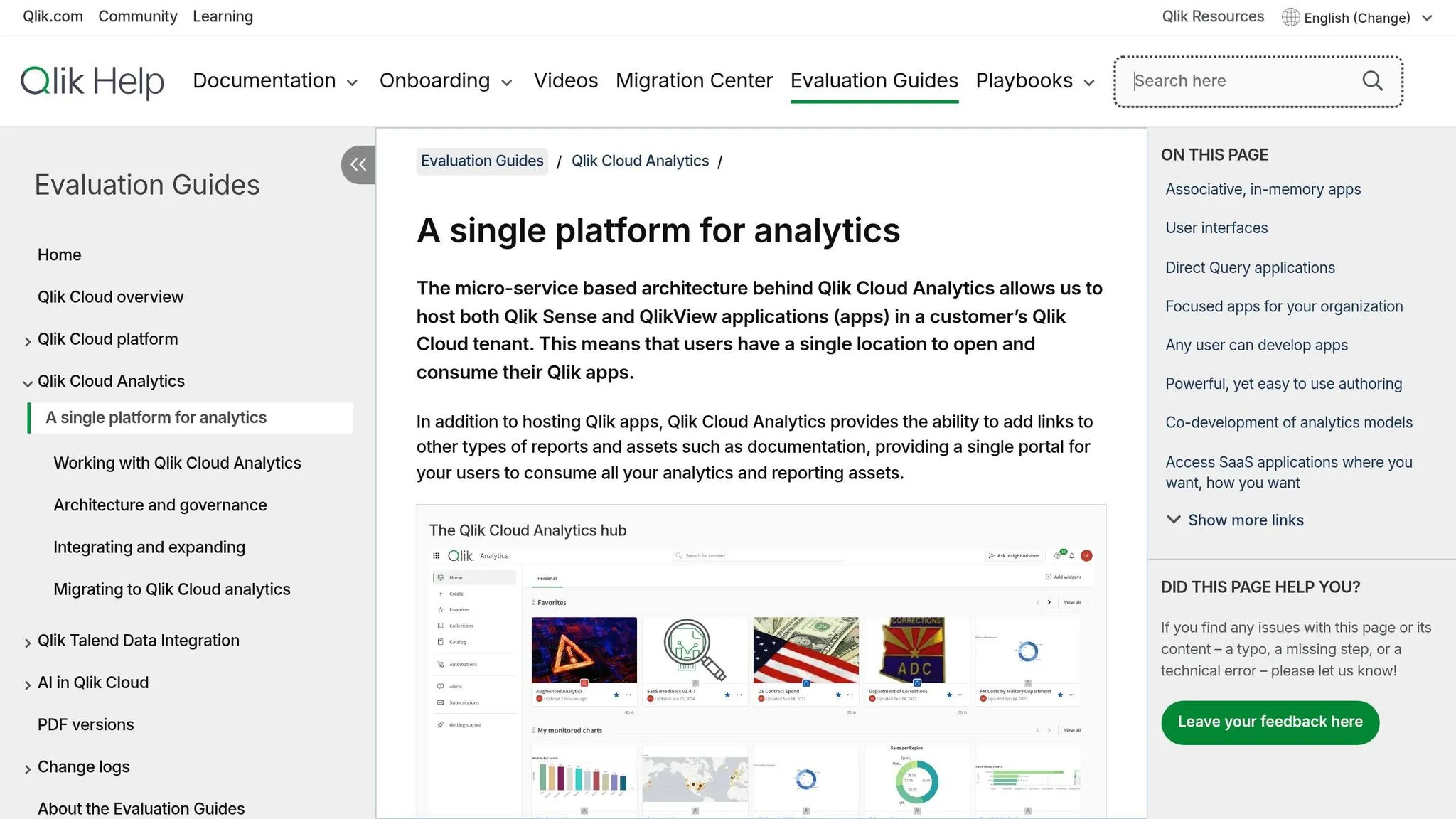
Qlik Sense's Associative Analytics Engine is designed to index all data relationships, uncovering connections that traditional SQL queries might miss. This method helps identify "blind spots" in your data, making it easier to discover patterns you may not have anticipated. These core features lay the groundwork for advanced AI tools that integrate seamlessly with real-time data while maintaining strict governance.
AI-Driven Analytics Capabilities
The platform includes the Insight Advisor, which offers automated insights and supports natural language interaction for conversational analytics for real-time insights. With Qlik AutoML, users can build predictive models and conduct what-if analyses without needing to write code. The 2026 update introduces Qlik Answers, a generative AI tool powered by Amazon Bedrock. This tool provides instant responses from unstructured data and supports autonomous AI workflows using open-standard protocols like MCP.
Real-Time Data Processing and Insights
Qlik uses streaming Change Data Capture (CDC) to move data from legacy systems like SAP or Oracle into cloud warehouses in real time. Features like Direct Query and partial reloads ensure that even large datasets are updated instantly. Its Active Intelligence strategy integrates real-time data pipelines with automated alerts and action-triggering workflows through Application Automation. This includes "reverse ETL" capabilities, sending actionable insights back into operational tools such as Salesforce.
Governance and Security Features for Enterprise Use
Qlik Predict now incorporates bias detection, helping to identify and address unfair patterns before implementation. The MCP Server allows secure access to third-party AI tools under strict governance protocols. Additionally, the updated Direct Access Gateway (v1.7.11) strengthens security with enforced checks and encrypted logs, ensuring safe and reliable troubleshooting [17].
5. Sisense
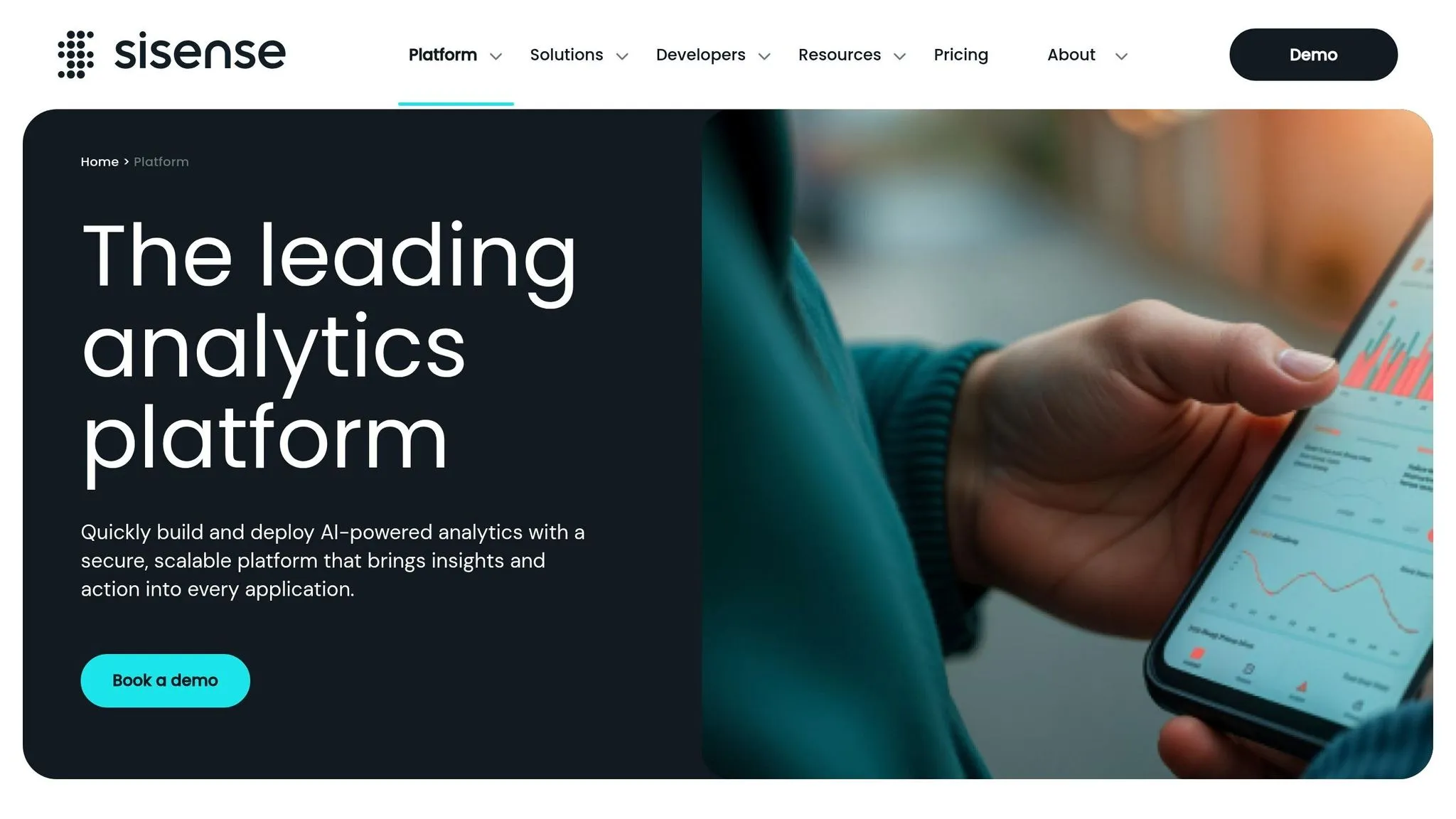
Sisense takes analytics to the next level with its Intelligence Suite, which includes tools like the Assistant for natural language analytics and self-service dashboards for plain-language summaries. These features allow users to create models, generate visualizations, and refine dashboards without needing SQL knowledge or data science expertise [19][21]. This shift makes analytics more active and actionable, as CEO Ariel Katz explains:
"These advancements allow our customers to expand the capabilities of their current tools and embrace agentic analytics" [21].
AI-Driven Analytics Capabilities
Sisense’s Intelligence Suite is packed with AI-powered tools designed to simplify analytics workflows. One standout feature is the Model Context Protocol (MCP) Server, launched in early 2026. It enables external AI agents like ChatGPT or Claude to securely interact with Sisense’s governed data models and initiate analytical processes [19][22]. Another key offering is the Managed LLM Service, which is set to roll out in Spring 2026 and provides a full solution for deploying analytics powered by large language models (LLMs) [21][22]. On top of that, Sisense includes predictive analytics tools to help users forecast trends, detect anomalies, and prepare for future scenarios [20].
Real-Time Data Processing and Insights
Sisense excels in handling real-time data with its Live Models, which query data sources directly without the need for caching, and Hybrid Models, which combine historical data from high-performance ElastiCubes with live connections on a single dashboard [23][24]. ElastiCubes are specifically designed to process large, complex datasets quickly and efficiently [24]. Tanya du Plessis, Chief Data Strategist at Bioforum, highlights the platform’s impact:
"Sisense's AI capabilities allow us to quickly translate complex data into clear insights, identify trends and gaps, and make decisions faster during clinical trials" [19].
Integration with Modern Data Warehouses and Platforms
Sisense connects seamlessly to over 400 cloud warehouses, databases, and SaaS applications through both live and cached connections [18][25]. Its API-first, cloud-native design makes it easy to embed analytics into existing systems. The Compose SDK offers developers the tools to integrate conversational analytics into applications built with frameworks like React, Angular, or Vue [19]. In early 2026, Sisense also introduced a system that allows real-time updates to dashboards, eliminating the need for custom application development. Devin Vyain, Senior Solutions Architect, shared:
"We went from custom application development to the ability to rapidly change something on the dashboard and then publish it again in real-time within the production environment - without sacrificing any of the security" [20].
Governance and Security Features for Enterprise Use
The 2026.1 release brought email-based two-factor authentication (2FA) for non-SSO users, ensuring compliance with GDPR, HIPAA, and SOC 2 requirements [22]. Sisense also holds SOC 2 Type II, ISO 27001, and ISO 27701 certifications and boasts 24 patents for its analytics technology [18][21]. Features like Outer Joins Control improve data governance by allowing precise joins at the data layer, addressing integrity gaps [22]. Additionally, Primary Dashboard Filters simplify the experience for less technical users by automatically updating widgets to show relevant data [22].
6. Looker
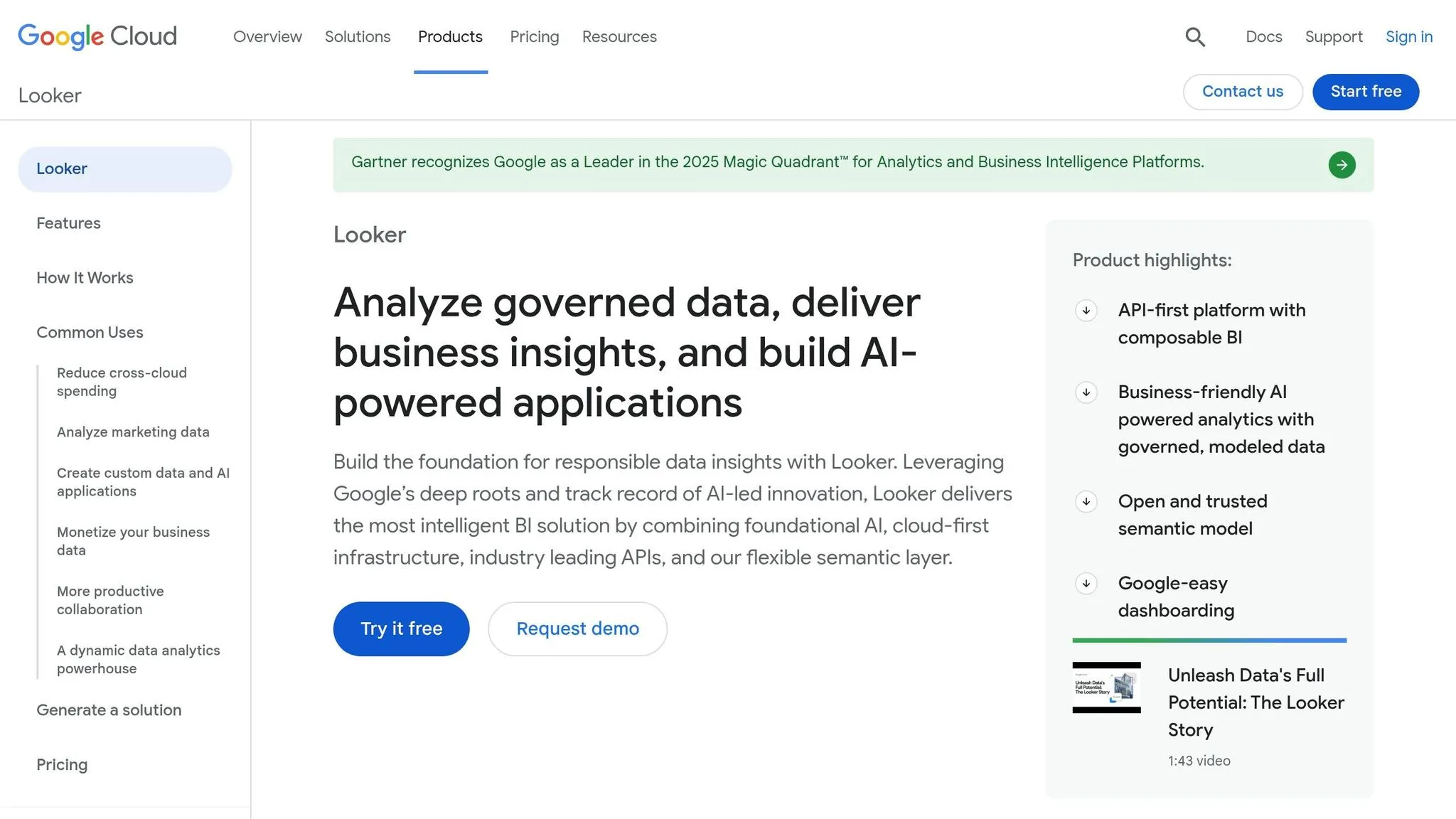
Looker's Gemini suite brings AI-powered analytics directly into your data warehouse, transforming natural language queries into actionable insights. With its Conversational Analytics, users can ask questions in plain English - no SQL needed - and get clear answers. For advanced tasks like forecasting or anomaly detection, the Code Interpreter converts those queries into Python code. The LookML Assistant simplifies development by creating data models from straightforward descriptions, while the Visualization Assistant removes the hassle of editing JSON configurations for chart building. Executives can also take advantage of Automated Slide Generation, which turns reports into summaries and Google Slides presentations in seconds.
AI-Driven Analytics Capabilities
Looker's Conversational Analytics API allows developers to embed natural language query capabilities into external apps, creating custom BI agents that pull insights from unified data sources. This setup minimizes errors in AI-generated queries by 66% compared to unstructured data access [27]. With over 72% of companies now using AI for at least one business function, Looker’s tools are shifting analytics from static data requests to dynamic, self-service platforms where non-technical users can explore insights on their own [2]. This approach enhances accessibility while maintaining accuracy, all supported by Looker's robust architecture.
Integration with Modern Data Warehouses and Platforms
Looker’s AI suite operates entirely in-database, keeping your data where it is [26][25]. It connects seamlessly to platforms like Google BigQuery, Snowflake, and Amazon Redshift, and supports modern lakehouse architectures that blend data lakes and warehouses [2][27]. Unlike tools that move or duplicate data, Looker queries everything in place, ensuring a single source of truth through its LookML semantic layer. This framework, version-controlled through Git, guarantees consistent business logic across all AI-generated insights [27]. Additionally, Looker supports multi-cloud environments, enabling organizations to manage data across various providers without sacrificing governance or flexibility. This in-database model aligns perfectly with Looker’s strong security and compliance features.
Governance and Security Features for Enterprise Use
Looker complements its analytics and integration strengths with enterprise-grade governance and security measures. It uses AES-256 encryption for data at rest and TLS 1.2+ for data in transit, alongside robust authentication options like Google Cloud IAM, SAML, LDAP, OpenID Connect, and Two-Factor Authentication [28]. Role-based access controls allow administrators to set detailed permissions, while row-level security ensures users only see data relevant to them, filtered by attributes like email addresses [29][30]. Looker also integrates with VPC Service Controls and offers SSH tunneling for secure database connections [28]. Audit logs monitor activity and flag suspicious authentication attempts [28][29]. Considering poor data quality costs businesses an average of $12.9 million annually, Looker’s governance tools help organizations maintain trust in their data and meet compliance standards for SOC, ISO, and HIPAA certifications [31][28].
7. ThoughtSpot
ThoughtSpot's Spotter AI Agent acts as a conversational analyst, always ready to provide insights without requiring SQL knowledge [35][2]. The platform also introduced Spotter for Industries, delivering specialized agents for sectors like healthcare, retail, financial services, and manufacturing. These agents are designed to handle industry-specific terminology, data structures, and compliance needs [32]. CEO Ketan Karkhanis explained:
"Industry solutions don't talk SQL, they talk industry language and industry vernacular. We're giving our customers a faster path to going live with industry solutions" [32].
The platform's Spotter Semantics feature organizes fragmented data into a governed business framework, ensuring that natural language queries produce accurate and understandable results [32]. Below, we explore ThoughtSpot's strengths in AI, real-time processing, integration, and governance.
AI-Driven Analytics Capabilities
ThoughtSpot's SpotIQ tool identifies hidden patterns in data, while Agentic Data Prep profiles datasets and creates SQL queries using natural language. These features have increased workforce access to reliable insights by 53%, with 95% of AI leaders expressing high confidence in these insights [33][34][35]. Anjali Kumari, VP of Product Management at ThoughtSpot, noted:
"With a native spreadsheet interface and AI agent for data prep, we aren't just improving productivity, we are giving every analyst the power to build the trusted data foundation required for the age of AI" [33].
Real-Time Data Processing and Insights
ThoughtSpot processes live data from cloud warehouses like Snowflake, Databricks, and Amazon Redshift, providing responses within seconds, even for large datasets [35]. The SpotCache feature, launched in February 2026, creates data snapshots that enable unlimited AI-driven queries at fixed cloud costs [33]. This has helped reduce data request backlogs by about 60% as business teams adopt self-service queries [35]. Additionally, AI-powered alerts continuously track KPIs, identifying anomalies and emerging trends proactively [35].
Integration with Modern Data Warehouses and Platforms
ThoughtSpot is designed for multi-cloud environments, seamlessly integrating with platforms like Snowflake, Databricks, Amazon Redshift, Google BigQuery, and Azure Synapse Analytics [35][2]. Its Spotter Connectors unify data from various systems to deliver comprehensive insights [32]. The Model Context Protocol (MCP) Server connects AI agents directly to analytics workflows [35]. It also works with ELT tools like Fivetran and integrates with business applications such as Salesforce, ServiceNow, Slack, and Microsoft Teams [35].
Governance and Security Features for Enterprise Use
ThoughtSpot emphasizes secure, AI-driven business intelligence with its AI Trust Framework, ensuring no data is retained, insights are traceable, and users can bring their own large language models (LLMs) [32]. The platform offers strong security features, including row-level security and data isolation, and support for multi-tenant organizations. It holds certifications for SOC 1/2/3, ISO 27001, HIPAA, GDPR, and CCPA compliance [35]. Pricing for the Pro tier starts at $50 per user per month (billed annually), which includes the Spotter AI Agent with 25 queries per user each month and support for up to 250 million rows. Alternatively, a usage-based option is available at $0.10 per query [35].
8. Domo
Domo continues to push the boundaries of AI-driven analytics by turning abstract AI concepts into practical business tools. In 2026, the company introduced its AI Orchestration Framework, a centralized hub that includes an AI Library, an AI Agent Builder, and AI Toolkits. This framework allows organizations to create and manage AI agents seamlessly within their daily workflows. The AI Agent Builder is particularly useful, enabling users to design conversational agents or automated workflows tailored for roles like financial analysts and operations managers. Marcus Wilkins, Lead Data Scientist at InformData, highlights its impact:
"Domo is the foundation for how we're making AI actionable for business intelligence across our organization... The result is a system where insights can be trusted, reused, and applied consistently across teams" [36].
Another standout feature is the Domo MCP Server, a universal connector built on the Model Context Protocol. This tool allows external AI platforms - such as Claude, Gemini, and ChatGPT - to securely interact with data, trigger workflows, and generate dashboards. By integrating AI into your analytics workflow, Domo ensures strict governance while fostering collaboration. Josh James, Founder and CEO of Domo, underscores this approach:
"AI doesn't become valuable when a model gets smarter. It becomes valuable when it's connected to your business and becomes a system of action" [36].
Domo’s focus on integrating AI into the workforce reflects the growing trend of specialized agents enhancing team productivity with targeted analytics.
9. Tinybird
Real-time data processing and insights
Tinybird specializes in delivering real-time analytics by making streaming data instantly queryable - within milliseconds. The platform captures data as soon as it’s generated from sources like Kafka or webhooks, ensuring sub-second data freshness. This eliminates the delays associated with traditional batch refresh cycles, enabling AI models and business applications to operate with up-to-the-minute information [37][38].
What sets Tinybird apart is its ability to handle queries at lightning speed. It achieves sub-100ms query latency even when working with billions of rows and handling thousands of concurrent queries [37][39]. Powered by ClickHouse, a columnar OLAP database, the platform automates tasks like layout optimization, index tuning, and managing materialized views. This level of performance not only powers real-time dashboards but also strengthens the functionality of data-driven applications across various industries.
Integration with modern data warehouses and platforms
Tinybird’s real-time capabilities extend to seamless integration with modern data environments. Acting as a high-performance BI layer, it bridges data sources and visualization tools to deliver consistent metrics across multiple applications. The platform offers plug-and-play connectors for systems like Apache Kafka, Amazon S3, Google Cloud Storage, and Change Data Capture from databases [37][39]. With just one click, any SQL query written in Tinybird can be published as an authenticated HTTP endpoint. This allows BI tools like Microsoft Power BI and Tableau to access real-time data without querying the warehouse directly [37].
Tinybird uses SQL-based pipes to transform and materialize data, ensuring consistent business metrics across dashboards, internal tools, and customer-facing portals [37]. As the company explains:
"Tinybird doesn't replace your BI visualization tool - it provides the high-performance serving layer that makes real-time and embedded BI platforms possible" [37].
10. IBM Cognos Analytics
AI-driven analytics capabilities
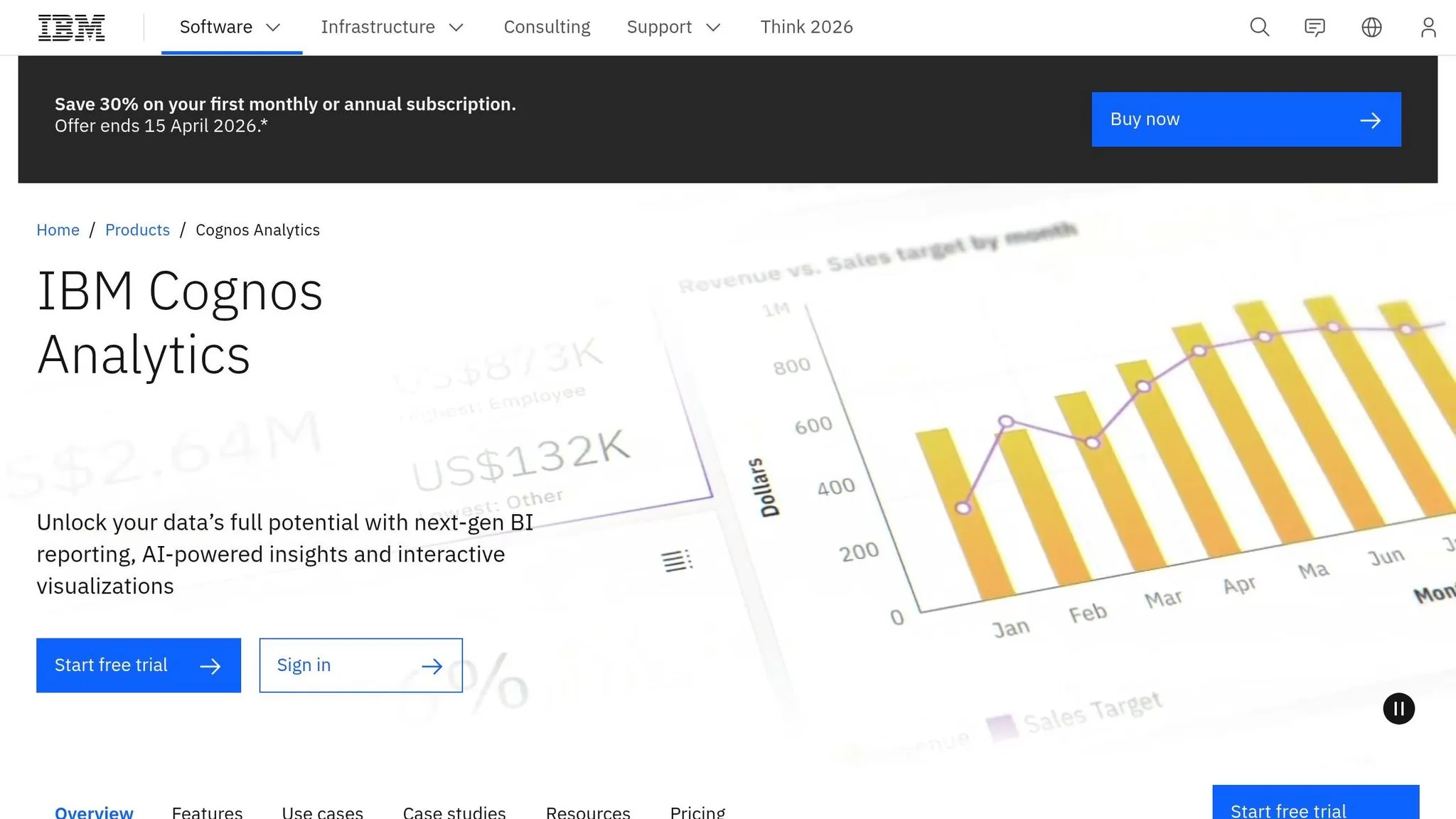
IBM Cognos Analytics leverages IBM Watson to bring automation and intelligence into the analytics process. Its AI Assistant allows users to ask questions in plain English, generating visualizations without needing SQL expertise. This makes even the most complex datasets more approachable for decision-makers across various departments. The platform doesn't just present data; it identifies the key factors behind business metrics and provides narrative explanations, turning raw spreadsheets into actionable insights. For organizations looking to stay ahead, Cognos also includes predictive analytics tools to help forecast trends and plan effectively. As Spencer Lanoue, a Product Growth Expert, puts it:
"Cognos Analytics is the premier choice for large organizations that prioritize data governance, security, and scalability above all else." [42]
This AI-centered design ensures the platform integrates smoothly with modern data ecosystems.
Integration with modern data warehouses and platforms
Cognos offers seamless connections to leading cloud data warehouses such as Snowflake, Google BigQuery, and Amazon Redshift through its built-in connectors. It also integrates with on-premises systems like SAP BW, giving organizations flexibility in managing their data. Whether deployed on IBM Cloud, AWS, Azure, on-premises, or in hybrid setups, Cognos allows businesses to maintain control over data residency and legacy systems. A centralized metadata layer ensures a consistent "single source of truth", which is invaluable when dealing with data dispersed across various environments. Plus, the platform is designed to handle enterprise-wide use cases, scaling efficiently to support thousands of users simultaneously [42].
Governance and security features for enterprise use
Cognos excels in enterprise-grade governance and security. It offers detailed security controls, including row-level security and role-based access, so IT teams can manage who sees what data [42]. The system also tracks data lineage and performs impact analyses, making it easier to maintain compliance. Cognos meets stringent security standards, including SOC 1, SOC 2, ISO 27001, HIPAA, and GDPR [40]. Pricing starts at $11.25 per user per month for the Standard Plan, $44.90 for the Premium Plan, and large-scale deployments begin at approximately $50,000 [41] [42]. Industries like finance, healthcare, and government benefit from Cognos's robust audit trails and comprehensive compliance reporting [42].
11. DataRobot
AI-driven analytics capabilities
DataRobot is all about simplifying machine learning (ML) workflows while delivering actionable insights. It automates the entire ML pipeline - from data preparation and feature engineering to model selection and ranking. With its AutoML approach, users can create predictive models for tasks like churn forecasting or demand planning without needing to write a single line of code[43]. The platform supports a variety of data types, including text, images, geospatial data, and time-series information[43].
One of its standout features is prescriptive analytics. Not only does it predict outcomes, but it also provides reusable "what-if" analysis templates. These allow business users to explore different decision-making scenarios easily. Transparency is another key focus, with tools like Shapley values and LIME providing model explainability. Integrated bias detection tools further enhance trust in its outputs[43]. Diego J. Bodas, Director of Advanced Analytics at MAPFRE ESPAÑA, highlights its simplicity:
"For data scientists, it's only a push of a button to move models into production."[43]
DataRobot has proven its value across industries. For example, a global energy company reported a $200 million ROI from over 600 AI use cases, while a top 5 global bank achieved $70 million in ROI through more than 40 applications across its organization[44].
Integration with modern data warehouses and platforms
DataRobot integrates with over 1,000 data sources, including Snowflake, Amazon S3, SAP, and other major cloud data warehouses. This eliminates the need for multiple AI tools - replacing up to 50 fragmented solutions with a single, unified platform. This streamlining reduces complexity and enhances efficiency[45]. DataRobot is also the only fully certified AI partner for the SAP ecosystem and has been co-engineered with NVIDIA Enterprise AI for optimized performance[44].
Venkatesh Sekar, Enterprise Architect for AI/ML at NetApp, shared how the platform simplifies processes:
"The platform made it easy to bring together data across Snowflake, SQL, and S3 - and helped us automate and accelerate the entire forecasting process."[44]
Governance and security features for enterprise use
DataRobot ensures robust governance and security for enterprise users. It tracks every AI asset and enforces compliance with customizable approval workflows and role-based access controls. Automated audit documentation and real-time monitoring help identify and address behavioral issues before they escalate. Unified authentication safeguards sensitive data and APIs.
The platform offers flexible deployment options, whether on-premises, hybrid, or multi-cloud, to meet a variety of security requirements. It has been consistently recognized as a leader in the Gartner Magic Quadrant for Data Science and Machine Learning Platforms and the IDC MarketScape for AI Governance and ML Operations[44]. Pricing is customized for each organization, with no publicly available standard pricing[3].
12. Fabi.ai
AI-driven analytics capabilities
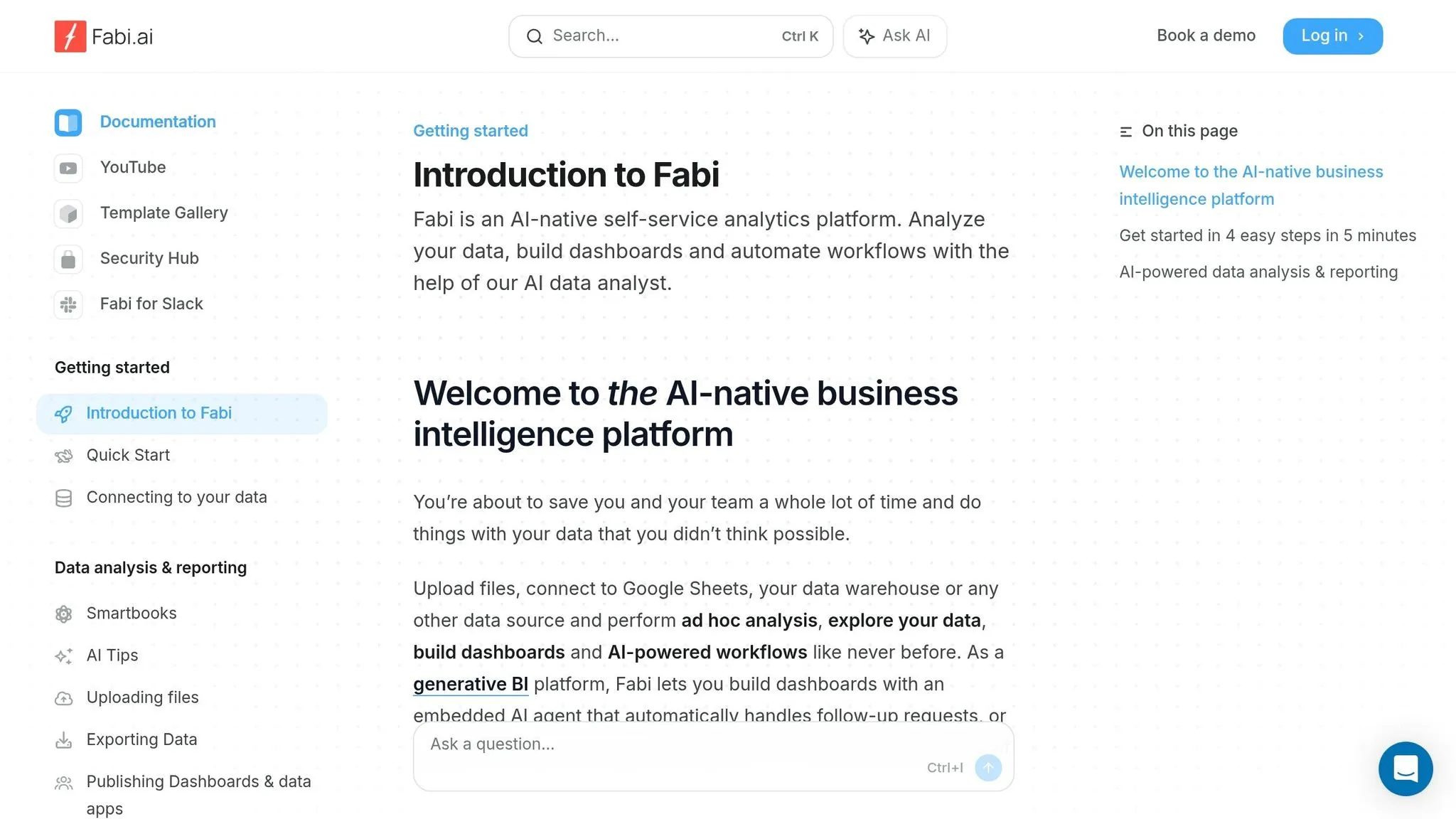
Fabi.ai brings AI-powered analytics to the table through its AI Analyst Agent, which transforms natural language questions into SQL or Python code. This eliminates the need for manual coding - just ask your question in plain English, and the platform generates working queries for you. It also takes care of automated data cleaning and offers proactive anomaly detection to catch potential issues early on [46].
What sets Fabi.ai apart is its commitment to code transparency. It allows users to view the generated SQL or Python code, making it easy for technical users to verify and audit the logic. The platform’s Smartbooks combine SQL, Python, and no-code tools into one collaborative workspace, making it accessible for both technical and non-technical users. Plus, its integration capabilities ensure a smooth connection with a variety of data sources.
Integration with modern data warehouses and platforms
Fabi.ai integrates effortlessly with leading data warehouses and business tools. It connects directly to platforms like Snowflake, Google BigQuery, Amazon Redshift, Databricks, MotherDuck, and ClickHouse. It also supports transactional databases such as MySQL and PostgreSQL, as well as real-time platforms like RisingWave. Using modular workflow units, the platform can pull, process, and deliver data to destinations like Google Sheets, Slack, or email.
Its reach extends beyond data warehouses. Fabi.ai integrates with business tools like Salesforce, HubSpot, Stripe, PostHog, Google Analytics, and Airtable. It also works with dbt Labs, enabling teams to use existing semantic layers and predefined metrics for consistent analysis. Pricing starts with a free tier that includes 25 AI requests per month and 5 Smartbooks. Paid plans range from $39 to $50 per seat per month, with custom pricing available for enterprise needs [46].
13. BlazeSQL
AI-driven analytics capabilities
BlazeSQL simplifies data analysis by transforming natural language questions into SQL to create detailed dashboards and visualizations. You can ask questions in plain English and instantly receive graphs and charts - no SQL knowledge required. For those who want more control, the platform provides transparent SQL generation, allowing users to view and edit the queries to ensure accuracy or make adjustments.
One of BlazeSQL's standout features is its warehouse-native design. It runs queries directly on live production data, bypassing the need for file uploads or data duplication. This eliminates common restrictions like 100MB file size limits and the hassle of manual uploads that general-purpose AI tools often require[48]. By leveraging live data, BlazeSQL ensures a smooth and efficient experience while handling millions of rows without requiring data migration.
Integration with modern data warehouses and platforms
BlazeSQL doesn’t just excel at analytics - it also shines in connectivity. It supports over 10 native connectors, including popular platforms like Snowflake, Google BigQuery, Amazon Redshift, Databricks, PostgreSQL, MySQL, and Oracle[47]. The setup process is quick, taking less than a minute, and the platform maintains a direct connection to your data warehouse. This approach eliminates the need for data replication, enhancing security and compliance.
Pricing starts at $29 per user per month for Pro plans, making it a great option for teams looking for self-service analytics and quick, actionable insights[49].
14. Julius AI
AI-driven analytics capabilities
Julius AI empowers analysts to explore and interpret data using natural language. It transforms plain questions into detailed statistical analyses and visualizations. With an impressive 9.25/10 rating from over 2,500 verified reviews [51], the platform supports tasks like regression analysis, hypothesis testing, and multi-step workflows - all without requiring any coding expertise. Its Advanced Reasoning mode, available on the Plus tier and higher, handles complex analytical tasks typically reserved for senior analysts. Users frequently highlight its advanced modeling features as a standout benefit [51]. Every analysis runs in a secure Python environment with dedicated RAM ranging from 2GB to 64GB, ensuring smooth performance even when working with large-scale datasets.
Integration with modern data warehouses and platforms
Julius AI goes beyond analytics by offering seamless connections to popular data platforms. It features native integrations with major data warehouses like Snowflake, BigQuery, Databricks, PostgreSQL, MySQL, and SQL Server. It also supports Google Sheets and direct file uploads [50][51]. The platform’s semantic schema learning automatically detects relevant tables and relationships, avoiding unnecessary queries. Users can further refine this process by uploading data dictionaries or integrating DBT for additional context on metrics and columns. The Business tier, priced at $450 per month, includes database connections, three user seats, and collaboration tools. Additionally, a Slack Agent integration allows teams to tag @Julius in Slack channels for instant analyses [51]. All these features are underpinned by enterprise-grade security and governance measures.
Governance and security features for enterprise use
Julius AI adheres to strict security standards, including SOC 2 Type 2, TX-RAMP, GDPR, and CCPA compliance. It supports SSO/SAML integration with providers like Okta and Azure and offers granular role-based access controls. For organizations requiring extra security, private VPC deployment options and automated audit logs for all data queries are available. The platform’s sandboxed execution environment ensures complete data isolation for each user. This reliability has earned the trust of industry leaders such as Nvidia, Zapier, and Andreessen Horowitz. Pricing starts at $0 per month for the free tier (5 messages, 2GB RAM), $20 per month for the Plus tier, and custom pricing for enterprise plans with advanced security features [51].
15. Zing Data
Wrapping up our top 15, Zing Data brings a fresh approach to data analytics, combining simplicity with AI-powered tools to handle the growing complexities of modern data.
AI-driven analytics capabilities
Zing Data leverages AI to provide smarter insights, making decision-making faster and more effective. Its features are designed to simplify intricate data analysis, turning it into practical business data analytics that organizations can act on with confidence.
Integration with modern data warehouses and platforms
The platform is built to seamlessly integrate with current data platforms, keeping pace with the needs of today’s analytics professionals and ensuring smooth workflows.
Governance and security features for enterprise use
Zing Data is also designed to meet the stringent governance and security requirements of enterprise environments, making it suitable for industries with high regulatory standards.
Conclusion
The data analytics world in 2026 has evolved dramatically, moving away from static dashboards to embrace autonomous and conversational platforms. With the analytics market thriving and AI becoming a standard tool, selecting the right platform is more critical than ever [1][2].
The 15 tools highlighted in this guide share key features: smooth integration with modern data warehouses, advanced AI capabilities that go beyond basic reporting to deliver predictive and prescriptive insights, and governance features that ensure analytics remain reliable at scale. These elements emphasize the need for tools that align with your specific operational needs. The next step? Test these tools with real-world data to ensure they deliver on their promises.
"The best data analysis tools in 2025 aren't necessarily the most powerful or feature-rich - they're the ones that fit your team's skills, integrate with your existing systems, and actually get used daily." - Abhinav Pandey, Founder, Anomaly AI [1]
Before making a final decision, run a pilot program with your company's data for 2–4 weeks. Assess the total cost of ownership and verify the availability of native connectors to avoid complex integrations [1][2]. Above all, focus on usability over features - a straightforward tool your team actively uses is far more valuable than a sophisticated one that collects dust.
As analytics tools evolve from data copilots for analysts to autonomous agents, they need to do more than just speed up workflows. In 2026, the right tool will proactively surface insights, explain anomalies, and suggest actionable steps. Choose a platform that meets your current needs while preparing you for the future of analytics.
FAQs
::: faq
How do I choose the right data analytics tool for my team?
To choose the best data analytics tool for your team, start by assessing your specific needs, the technical expertise of your team, and your budget. Determine if you need features like dashboards, AI-powered insights, or a tool that's easy for non-technical users to navigate.
Look closely at factors like pricing, governance options, and advanced AI features such as predictive analytics or natural language querying. If possible, test several platforms to see how well they integrate with your existing workflows and systems. This hands-on approach can help you find the perfect fit. :::
::: faq
What should I test during a 2–4 week analytics tool pilot?
During a 2–4 week pilot program, take the time to assess how well the tool meets your data requirements and performs overall. Pay attention to these key areas:
- Data Integration: Verify that the tool works seamlessly with your existing systems.
- Usability: Evaluate how intuitive and user-friendly the interface is.
- Performance: Observe its speed and ability to handle scaling demands.
- Insights: Assess whether the insights provided are relevant and practical for your needs.
By focusing on these aspects, you’ll gain a clearer picture of whether the tool supports your objectives effectively. :::
::: faq
How can I keep AI analytics secure and compliant with PII?
To ensure the security of AI analytics and maintain compliance with regulations surrounding Personally Identifiable Information (PII), it's crucial to adopt robust data protection measures. This includes integrating PII redaction layers within your data pipelines. These layers work to identify and mask sensitive information before it reaches the processing stage.
Other key strategies include:
- Encryption: Protect data both in transit and at rest to prevent unauthorized access.
- Strict Access Controls: Limit who can access sensitive data, ensuring only authorized personnel handle it.
- Continuous Monitoring: Keep an eye on data activity to detect and respond to potential threats in real time.
Additionally, conducting regular audits is essential to ensure your processes align with regulations such as GDPR or CCPA. Leveraging AI-driven tools that automatically detect and redact PII can also strengthen security measures across various data sources. These tools add an extra layer of protection, helping to safeguard sensitive information effectively. :::