Business Intelligence
Top 7 MCP Servers for Snowflake, BigQuery & Postgres, Compared
Assess seven MCP server options for setup, access control, query safety, and production readiness.
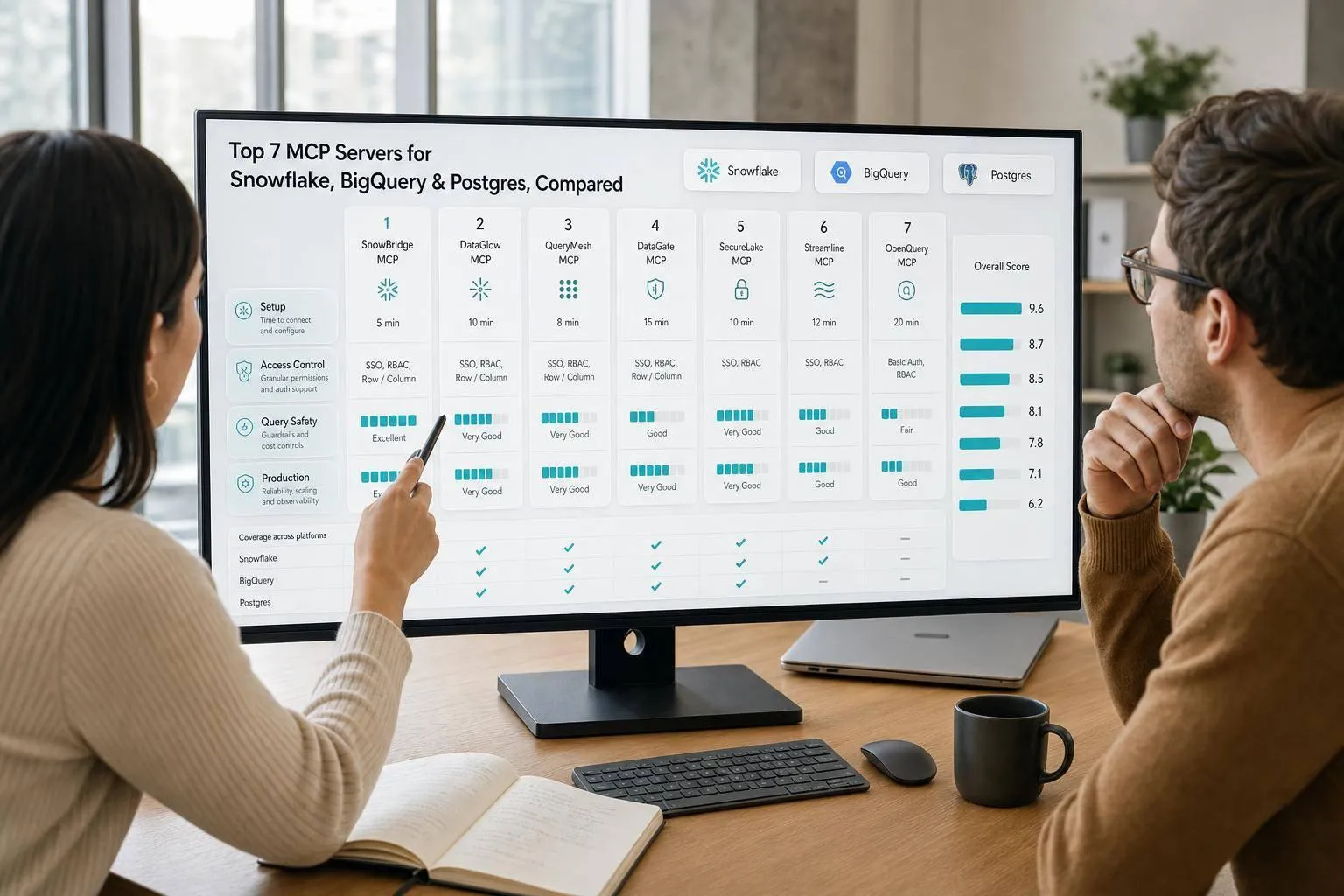
If I had to cut this down to one takeaway, it’s this: use the managed option for Snowflake and BigQuery when you want tighter controls, and use a Postgres server with read-only roles and logging when data access must stay inside your environment.
Here’s the short version:
- I looked at 7 MCP servers
- I compared them on setup time, access control, query safety, warehouse support, and production fit
- The main split is simple: fast setup vs. tighter control
- The biggest risk is not broken SQL - it’s SQL that runs and still gives the wrong answer
- Snowflake’s semantic layer reports 85%–90% natural-language query accuracy, which shows why metadata and approved query logic matter
The servers covered are:
- Snowflake Managed MCP Server
- Snowflake Labs OSS MCP Server
- Google BigQuery Remote MCP Server
- Community BigQuery MCP Server (Python)
- PgEdge Postgres MCP Server
- Postgres MCP Pro
- Postgres MCP Lite
If you just want the short answer:
- Snowflake: pick the managed Snowflake route for live, governed analytics
- BigQuery: pick Google’s remote server if your team already uses IAM and policy tags
- Postgres: pick PgEdge when you need read-only access and tighter network control
- Pilots and tests: use a lightweight community server
- Cross-team metric consistency: use MCP with a context or semantic layer, not raw schema access alone
MCP Servers: When They're Worth It and When You're Adding Middleware for Nothing
::: @iframe https://www.youtube.com/embed/sKpjjkK8vy4 :::
sbb-itb-284a532
Quick Comparison
::: @figure 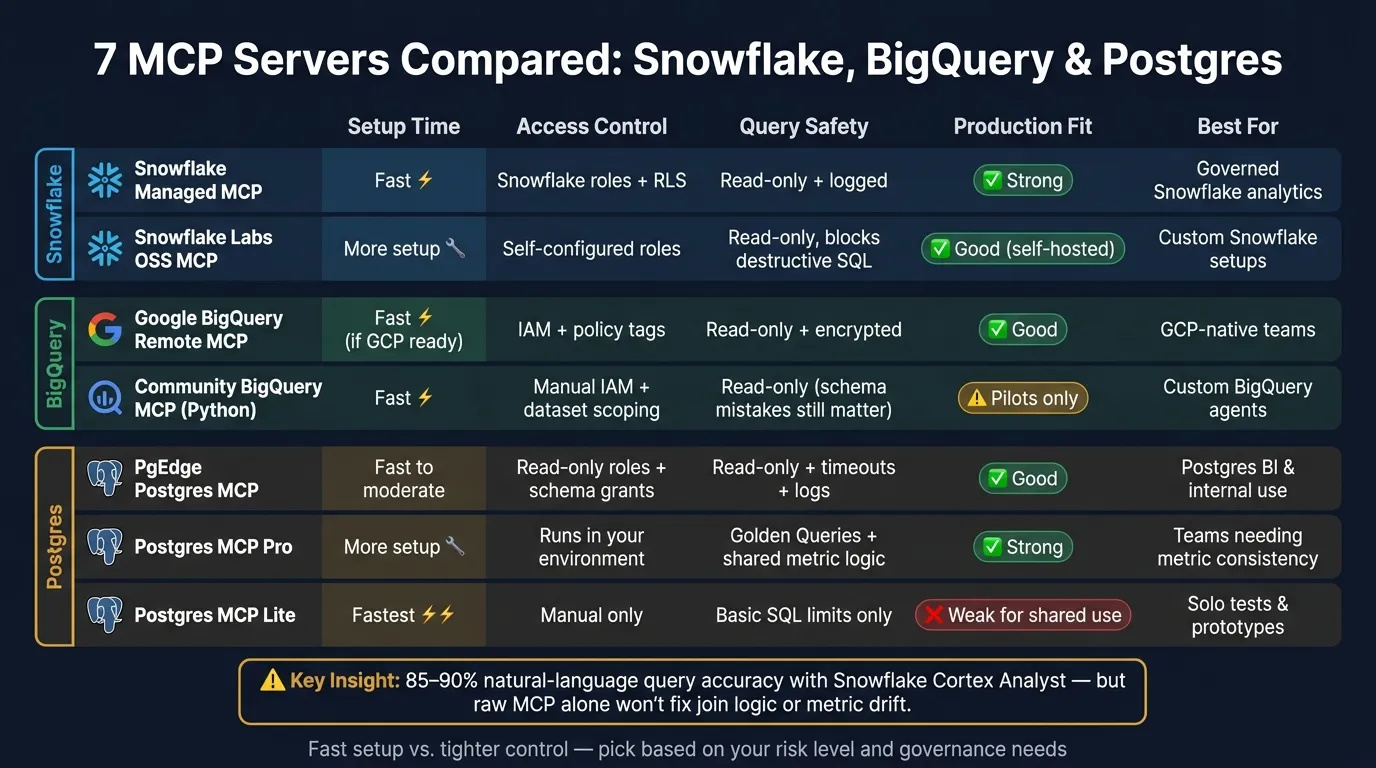 {7 MCP Servers for Snowflake, BigQuery & Postgres Compared}
:::
{7 MCP Servers for Snowflake, BigQuery & Postgres Compared}
:::
| Server | Setup | Access Control | Query Safety | Production Fit | Best For |
|---|---|---|---|---|---|
| Snowflake Managed MCP | Fast | Snowflake roles, RLS, native controls | Read-only, logged activity | Strong for Snowflake teams | Governed Snowflake analytics |
| Snowflake Labs OSS MCP | More setup | Self-configured roles and scopes | Read-only, blocks destructive SQL | Good if you host it yourself | Custom Snowflake setups |
| Google BigQuery Remote MCP | Fast if GCP is set up | IAM, service accounts, policy tags | Read-only, encrypted connections | Good for GCP teams | Managed BigQuery access |
| Community BigQuery MCP (Python) | Fast | Manual IAM and dataset scoping | Read-only, but schema mistakes still matter | Better for pilots | Custom BigQuery agents |
| PgEdge Postgres MCP | Fast to moderate | Read-only roles, schema grants | Read-only plus timeouts/logs | Good if Postgres controls already exist | Postgres BI and internal use |
| Postgres MCP Pro | More setup | Runs in your environment | Golden Queries and shared metric logic | Good for shared analytics | Teams that need metric consistency |
| Postgres MCP Lite | Fastest | Manual controls | Basic SQL limits only | Weak for shared use | One-person tests and prototypes |
My read: raw MCP helps with access, but it does not fix join logic or metric drift on its own. If you want answers people can trust across teams, you need more than a connector. You need approved joins, shared metrics, and logs.
That’s what this comparison is about: picking the right MCP server for your warehouse, your risk level, and how much setup work you want to take on.
1. Snowflake Managed MCP Server
Snowflake Managed MCP Server gives Snowflake users a native MCP endpoint without extra server overhead. It's a strong fit for governed BI teams that already run on Snowflake. The tradeoff is pretty clear: you get less setup than a self-hosted server, but you also give up some control compared with a fully custom deployment.
Setup Time
Setup is fast if your team is already in Snowflake. You configure the MCP endpoint, set up OAuth, and connect your AI client. That's it. There isn't a separate server to provision or maintain, which can save time for admin teams that already trust Snowflake's role model.
Auth & Permissions
Authentication runs through Snowflake's native controls and can be scoped to the roles, warehouses, and tables the assistant can access. Start with read-only access and keep the scope tight. Give the assistant access only to the tables and warehouses it needs. That role-based permission model helps cut down accidental access and makes enforcement easier to audit.
Query Safety
Keep the connection read-only and the first scope narrow. Snowflake also logs AI-generated activity alongside normal warehouse activity, which helps with audit and review. For analytics teams with strict controls, that makes day-to-day use much easier to manage.
Production Fit
This option lines up well with Snowflake governance features, including roles, warehouses, security policies, and Row-Level Security (RLS). It also gets better when queries are grounded in semantic views and approved metadata. Snowflake Cortex Analyst, a managed semantic tool, reports 85–90% accuracy on natural-language queries [1]. For teams that want native governance and semantic grounding without running extra infrastructure, this is often a better fit than open-source or self-hosted options.
2. Snowflake Labs OSS MCP Server
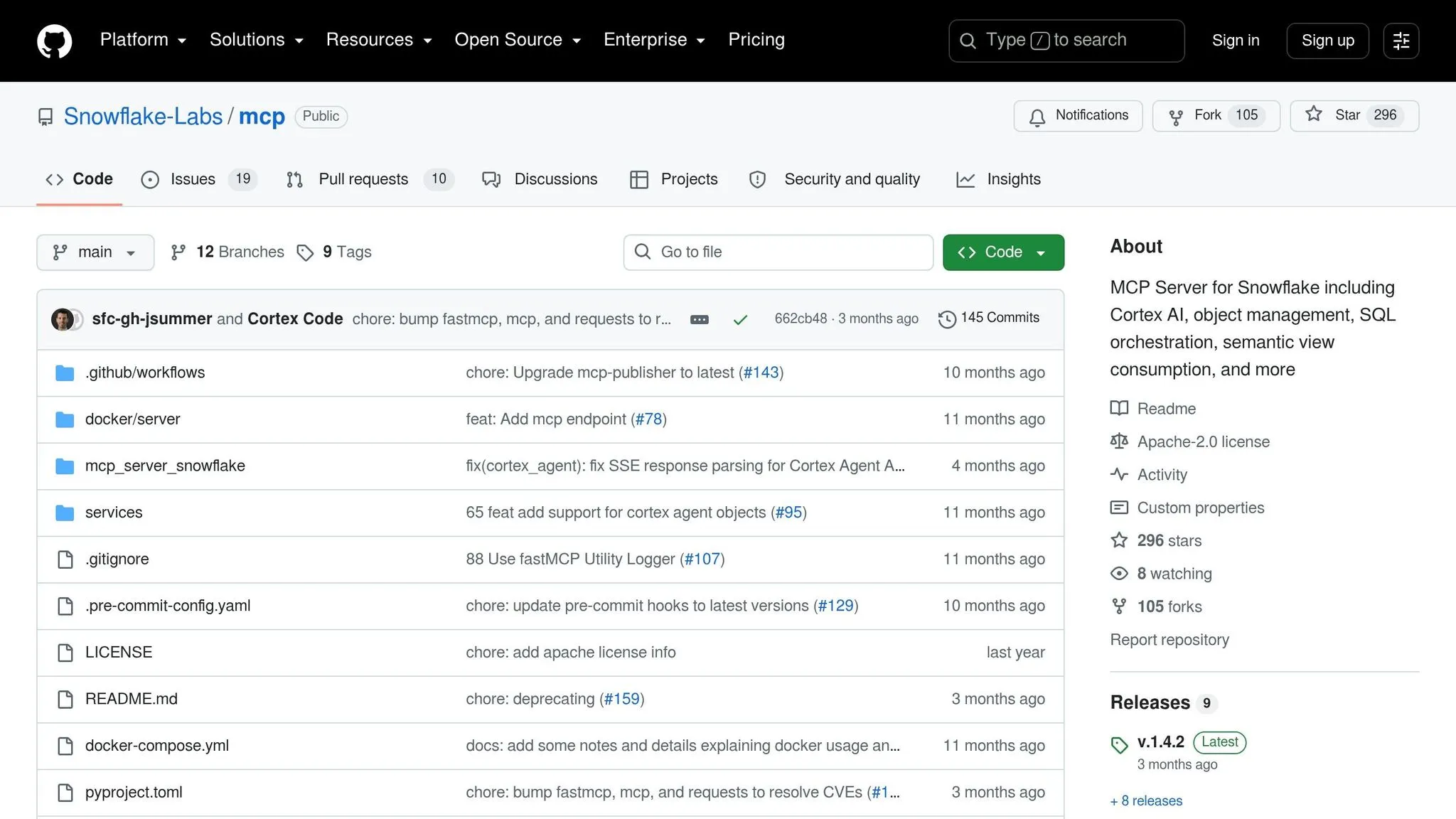
Snowflake Labs OSS MCP Server is the self-hosted Snowflake option for teams that want full control over deployment and configuration. You get that control, but you also take on the work that comes with running it yourself. In practice, the main tradeoffs are setup and access control.
Setup Time
Setup takes more effort than the managed option. Because you're self-hosting the server, you need to provision the infrastructure, manage a configuration file, and connect the MCP client to your Snowflake account [1].
Auth & Permissions
Authentication and permissions are also on you. Your team has to define roles, scopes, and connection limits itself [1].
Query Safety
The server defaults to read-only workflows, blocks destructive SQL, and supports row limits [1]. That's a solid starting point. But you'll still need to add your own logging and audit trail [1]. So if you're thinking about production use, observability is the main gap to plan for.
Production Fit
If your team needs a self-hosted layer instead of a turnkey product, this option fits well [1]. It can also connect to Postgres, which gives teams more room if they run mixed warehouse environments [1].
For organizations in regulated industries, self-hosting through a VPC or on-premises can make more sense. That deployment model may be the right fit for HIPAA, SOC 2, or strict data residency requirements [3].
3. Google BigQuery Remote MCP Server
BigQuery changes the governance model. Instead of leaning on warehouse-native roles, teams use Google Cloud IAM, policy tags, and service accounts. Google’s BigQuery Remote MCP Server gives AI assistants governed access to BigQuery datasets, which makes it a solid match for teams already working inside Google Cloud.
Setup Time
Setup is usually fast if your Google Cloud setup is already in place. The part that tends to slow things down is column-level security. You need to define policy tags and taxonomies first, then map those tags to the right columns [3].
If you also use row-level security, make sure the needed IAM permissions are ready ahead of time. For example, that can include bigquery.rowAccessPolicies.create.
Auth & Permissions
Use a service account with the smallest set of IAM roles needed for the job.
BigQuery Data Viewerfor read-only accessBigQuery Job Userfor query execution
That setup helps limit access while still letting the server run queries.
Query Safety
The server uses read-only, encrypted connections by default. That blocks destructive actions and keeps the data in BigQuery. In plain terms, the AI can query the data without getting broad control over the warehouse.
Your team should also make sure every query run by the MCP server is logged for compliance and security review [1][4].
Production Fit
This fits best for Google Cloud-native BI teams that already depend on IAM, policy tags, and BigQuery governance. The main production gaps are logging, audit review, and access controls.
That tradeoff matters most when a team wants governed self-serve analytics without handing AI broad warehouse access.
4. Community BigQuery MCP Server (Python)
The community Python BigQuery MCP server is the fastest self-hosted way to connect an MCP client to BigQuery. That speed comes with a catch: your team owns security, logging, and uptime. It’s the lighter self-hosted option compared with BigQuery’s managed route, so you get more control - but you also take on more day-to-day work.
Setup Time
Getting started is fast. Point the server to a service account, limit dataset access, and connect your client. After that, the harder part begins: setting up column-level policy tags, narrowing table access, and making sure logging is in place. Pick this route when speed matters more than managed oversight, but you still want BigQuery-specific access controls. [1][3]
Auth & Permissions
Use a service account with only the IAM permissions the server needs. Keep in mind that BigQuery row-level and column-level security are separate controls, so you still need to set those up on their own. [3]
Query Safety
Read-only access blocks destructive actions like DROP or DELETE. [1] But that’s not the main risk here. The bigger issue is valid SQL that gives the wrong answer because the model misreads how tables relate to each other.
That can happen with joins that look fine at a glance but don’t match the actual schema. Before using this server in production workflows, teams should check AI-written join logic against known-good queries.
Production Fit
This setup works well for fast internal pilots. For production analytics, though, you’ll need to add manual logging, row-level and column-level security. [1][3][4] It also helps to pair the server with dbt and warehouse logging before using it for governed BI. The tradeoff is simple: speed now, governance later.
5. PgEdge Postgres MCP Server
PgEdge Postgres MCP Server is a good fit for Postgres teams that want least-privileged AI access without handing over write permissions or broad database credentials. With BigQuery, you lean on IAM and policy tags. With Postgres MCP, the setup usually comes down to database roles, schema grants, and connection limits.
Setup Time
Connect the MCP client, then lock access down to only the schemas and tables the assistant needs.
Auth & Permissions
Use a dedicated read-only Postgres role. Grant it access only to the schemas the AI assistant needs. Store connection secrets in your current secrets manager and tie them to that read-only role.
Query Safety
Keep the server read-only so AI can't write to Postgres. In production, add query logs, statement timeouts, and connection limits. That baseline matters most when you're comparing simpler community servers with more complete Postgres deployments.
Production Fit
PgEdge works well for analytics Postgres deployments and AI-powered business intelligence workflows where teams already have governance, logging, and timeout controls in place. If your team runs Postgres as a live analytics store, the main question is simple: are governance and logging already there?
6. Postgres MCP Pro
Postgres MCP Pro goes past basic read-only access. It's built for Postgres teams that need shared metric definitions and governed access for multi-user analytics.
Setup Time
Setup usually takes longer than lighter Postgres MCP options. The main reason is the shared layer for table relationships, business metrics, and glossaries.
That extra structure pays off when multiple analysts need to use the same metric logic. Without it, one team’s “revenue” can end up looking a little different from another team’s. And that’s where reporting starts to go sideways.
Auth & Permissions
Postgres MCP Pro runs in your own infrastructure. That means organizations can keep sensitive data behind firewalls and inside their own security perimeter [2][4].
For teams with stricter data controls, that matters a lot. The data stays where the company wants it.
Query Safety
Once those definitions are set, the guardrails do a lot of the heavy lifting. The standout feature here is Golden Queries - pre-verified SQL segments maintained by technical teams - that reduce inconsistent SQL across teams [2].
So when a query calls for a messy join or a business rule with a lot of edge cases, the AI can reuse approved SQL instead of making something up from scratch [2]. In plain English: less guesswork, fewer odd outputs.
Production Fit
This is a good match for teams where many analysts need the same numbers from the same Postgres models. If your Postgres setup supports internal BI workflows where multiple analysts keep asking the same questions and expect the same answers, the Context Layer and Golden Queries help keep results aligned [1].
7. Postgres MCP Lite
Compared with Postgres MCP Pro, Lite cuts things down to the basics. It’s just a connector between an AI client and Postgres. There’s no semantic layer, no app layer, and no chat UI. That’s the tradeoff in plain English: faster setup, less visibility, less control.
Setup Time
This is the fastest option to get running. There’s no app layer or semantic model to set up.
That said, you still need to connect it to an MCP client like Claude on your own. [1]
Auth & Permissions
Access is manual here. There’s no built-in RBAC, so you have to control table and column visibility yourself and confirm read-only access before anyone uses it. [1]
Query Safety
Keep the tool set tight. In practice, that means sticking to:
list_tablesexecute_sql
You should also cap row counts and block destructive SQL such as DROP or DELETE. Lite has no governed semantic layer, and the agent queries the raw schema directly. So yes, a query can run without errors and still give you the wrong answer. [1]
Production Fit
Lite works well for quick prototypes and single-developer agent tests. It’s not a good fit for shared analytics.
The weak spots are hard to miss: no audit trail, no steady metric definitions, and no governed self-serve controls. That makes it a shaky base for production use. [1]
Use Lite as the speed-first baseline when you compare it with the more governed Postgres options below.
Pros and Cons of Each MCP Server
There’s no single MCP server that comes out on top in every situation. The best pick depends on what your BI team cares about most: fast setup, governance, deployment control, or production analytics. The table below trims the decision down to the tradeoffs that matter most across managed, self-hosted, and lightweight MCP servers.
| Server | Key Pros | Key Cons | Best-Fit Use Case |
|---|---|---|---|
| Snowflake Managed MCP (Cortex Analyst) | Native Snowflake governance; grounded in semantic views with roughly 85–90% natural-language query accuracy [1] | Snowflake-only; consumption-based credits can add up [1] | Enterprises already standardized on Snowflake that need production-grade AI access |
| Snowflake Labs OSS MCP | Free, open-source; no infrastructure to manage [1] | No chat interface; requires technical setup and ongoing maintenance [1] | Developers building custom AI agents against Snowflake |
| Google BigQuery Remote MCP | Native Google Cloud integration; fits teams already on BigQuery [1] | More vendor lock-in than open-source options [1] | Teams that want a managed BigQuery path |
| Community BigQuery MCP (Python) | Easy to customize for internal workflows [1] | Built for technical teams [1] | Technical teams building custom text-to-SQL agents |
| PgEdge Postgres MCP Server | Least-privileged read-only access with schema-scoped controls | Needs governance, logging, and read-only controls before production | Teams piloting a Postgres MCP |
| Postgres MCP Pro | Shared metrics and audit logs for governed analytics [1] | Higher flat-fee pricing than open-source alternatives [1] | Mid-size data teams that need governed self-serve analytics |
| Postgres MCP Lite | Fast, lightweight setup [1] | No audit trail, no metric definitions, and fewer database options [1] | Single-developer prototypes or quick agent tests |
The big split is pretty simple: faster setup with less control, or stronger governance with more production readiness. Use this table to narrow your options by comparing text-to-SQL tools, then move to the recommendation section to match the right server to your warehouse and deployment model.
Which MCP Server Should You Use?
Use Snowflake Cortex Analyst for Snowflake, Google Remote MCP for BigQuery, and PgEdge for Postgres when you need residency control. If you just want to test ideas fast, go with a lightweight community server. Those are the safest default picks when setup speed, access control, and production fit matter most.
But connectivity and consistency are NOT the same thing.
Raw MCP gives your assistant live access to the warehouse. That's useful. Still, it can misread schema, pick the wrong join, or drift on metric logic from one run to the next. A governed analytics layer fixes that by storing joins and metric definitions once, so each answer runs on the same logic. For B2B SaaS, healthcare, and finance teams, consistent metrics aren't optional. That's the governance answer to the same problem this article has been comparing: repeatable metrics on top of live warehouse access.
Use the matrix below to match your warehouse, governance needs, and deployment model.
| Your situation | Recommended path |
|---|---|
| Snowflake shop, need production AI access | Snowflake Cortex Analyst |
| BigQuery team, want a managed setup | Google Remote MCP |
| Postgres, need data residency control | PgEdge |
| Quick prototyping or MCP testing | Lightweight community server |
| Cross-team metric consistency | Querio with MCP + context layer |
Before a broad rollout, spot-check joins and metrics. The biggest production risk isn't a broken query. It's a clean query with the wrong answer.
FAQs
::: faq
How do I choose between managed and self-hosted MCP servers?
Choose managed hosting if you want to launch faster and cut down on ops work. Go self-hosted if you have stricter data residency or security needs and want MCP components running inside your own environment.
With Querio, the choice comes down to this: is a hosted secure connection enough, or do you need a self-hosted deployment? Either way, keep access read-only and tightly scoped. You should also enforce RBAC so query permissions stay consistent across users. :::
::: faq
What makes a read-only MCP server unsafe for analytics?
A read-only MCP server is not safe for analytics if the setup depends on read-only access by itself.
Why? Because read-only access doesn't stop an AI from writing the wrong SQL after misreading a schema. And when that happens, you get query failures, bad numbers, and reporting you can't trust.
A safer setup needs more than read-only permissions. It also needs granular table and column scoping, query logging, and a centralized semantic layer so metric definitions stay consistent.
Without those guardrails, the AI is still a black box that can make logical mistakes. :::
::: faq
When do I need a semantic or context layer with MCP?
You need a semantic or context layer when your AI assistant needs a consistent, reliable source of truth for metrics and business logic.
It sets joins, calculations, and metric definitions once, so every query follows the same standards. That helps prevent hallucinations, cut down on conflicting answers, and make AI-generated insights more trustworthy and audit-ready. :::