We ship fast
Always improving, adding features and functionality.
- Improvement
Scheduled explore syncs now store query results and reuse them between refreshes. Manual cell runs do not use the stored result.
- Improvement
MCP clients can now list available datasources and create, check, and continue Querio explores using programmatic access tokens.
- Bug fix
Conversation saves now remove invalid NUL characters from content before storing it.
- DesignBug fix
Layouts now update their grid container when cells are added, removed, or changed, so cell sizing and positioning stay in sync.
- New featureImprovement
-
Users can install
.skillpackages from Context > Skills by uploading or dragging files into the Skills folder. Installed packages can include supporting scripts, references, and assets. -
Routine deployments no longer restart the shared proxy, so active connections stay up while the application deploys.
-
Workspace admins can create scoped programmatic access tokens in Settings > API Access. Tokens are shown once and can be renamed, rotated, revoked, and tracked by last use.
-
- Improvement
-
Stopping an agent now also cancels any tool work it has already started, so it does not keep running after the agent has stopped.
-
Setup requests now return immediately while long-running notebook setup finishes in the background. The session becomes ready when that work completes, preventing a timeout from disconnecting users during setup.
-
The Explore composer stays unavailable until a new session has finished setup, preventing early messages from failing with “agent session is not ready.”
-
- New featureImprovement
-
The iframe-token dialog now lets users choose Chat or Hybrid mode, set an optional starting query and dimensions, then copy the generated embed code and URL.
-
SQL errors from supported databases now return the database error and source instead of a generic server failure.
-
Slack replies now scale back or omit detailed Steps blocks when they would exceed Slack’s payload limit, so the notebook result is still delivered.
-
Markdown notebook cells in Slack replies now keep their formatting instead of being converted to plain text.
-
Slack analysis replies now render supported bar and line charts as native Slack charts. Other chart types remain attached to the thread.
-
Slack workspace admins can select multiple data sources for Querio to use. Querio now responds in threads only when it is explicitly mentioned.
-
- New featureImprovement
-
Slack replies now include notebook output alongside the written answer and attach charts produced by the analysis. Long replies split safely across Slack messages.
-
Slack analysis replies now show result tables as native Slack tables, including sortable numeric values. Markdown versions of those tables are removed from the reply.
-
Slack analysis replies now show the completed analysis steps, including SQL, Python, visualisation and summary work, before the result.
-
- Bug fix
Knowledge Base files now keep their own on-disk identity when their displayed titles match. Editing one file no longer overwrites or hides another file with the same title.
- Improvement
Restores SQL execution for single-datasource explores that use the legacy engine syntax.
- Bug fix
-
Fixed Explore sessions so returning to an Explore reloads the current session state instead of showing stale data.
-
Fixed a race during notebook kernel startup that could leave an Explore stuck or fail to start. Kernel startup now waits for the process connection and readiness handshake, and cleans up safely if startup fails.
-
- Bug fixDesignImprovement
-
Fixed a self-hosted connection issue that could prevent users from opening conversations.
-
Fixed the workspace logo in Settings so it refreshes when switching between workspaces.
-
Embedded charts now use updated colours, typography, legends, heatmaps and donut styling, plus a themed chart header and border.
-
Notebook chart titles and containers return to Querio’s standard styling. Passport-specific header and card styling is removed from the notebook renderer.
-
Embedded iframe sessions now save automatically and let users choose from the workspace’s available models. The embed header no longer shows Save, Schedule, Share, or other full-Explore controls.
-
- ImprovementBug fix
-
Querio now uses Claude Sonnet 5 by default. The model picker now includes GPT 5.6 Terra and Sol and Gemini 3.5 Flash, while older models are migrated to their replacements.
-
Workspaces with a cancelled, unpaid, incomplete, or paused subscription can start a new checkout instead of being sent to the billing portal.
-
XLSX files are now listed in the upload dialog and can be selected in the file picker.
-
Fixed automation emails and Slack messages so metric charts that use text render in their PNG images.
-
- Improvement
Users can now choose which model an Explore uses and switch models between turns from the chat composer. Model changes are saved with the conversation so later turns continue with the selected model.
- Bug fixImprovementPerformance
-
Embedded conversations and follow-up turns now run properly in the agent runtime, update their status, and keep iframe access scoped to the right datasources.
-
Explore saving is now handled by the server, so autosave, manual save, and unsaved-change indicators are less likely to drift or lose notebook state.
-
Agent failures now show up in the conversation history, including embedded conversations, instead of disappearing into a toast or leaving users with no useful error.
-
Sharing and automation polish: the Share panel now copies the viewer link instead of the edit URL, Slack setup redirects behave properly, and Slack/email automations send the intended layout cells instead of extra scratch cells.
-
- Bug fixImprovement
-
Fixed a bug where file uploads would fail if another user was exploring data in the same workspace. Uploads are now stored as individual Parquet files behind the scenes, allowing multiple people to query and upload data concurrently without locking each other out.
-
Replaced legacy static secrets with short-lived session tokens for internal authentication between the webapp and the AI agent loop. This closes a potential security risk by securely verifying identities between backend services using signed JWTs.
-
Fixed a bug where some datasources were incorrectly hidden from non-admin members, preventing them from opening explores or managing permissions for those datasources.
-
- Improvement
- Users without access to a private conversation can now click a "Request access" button on the restricted access screen, which sends an email notification to the conversation owner asking them to share it.
- New feature
- Users can now restrict and manage access to individual datasources. By default, datasources remain accessible to everyone in the workspace, but adding specific users restricts access to only those users.
- IntegrationsBug fixNew feature
-
Users now receive an email notification when a teammate shares an Explore conversation with them.
-
Fixed a major performance issue where connecting to massive databases (like SAP HANA) would freeze the application and crash the browser tab. The catalog refresh button now also only updates the tables you've already added, rather than trying to pull the entire database again.
-
Users can now connect MongoDB Atlas as a data source and query their document collections using standard SQL, just like any other database.
-
- Design
-
The sharing panel for Explores has been redesigned. Users can now share an explore with multiple specific teammates at once, or quickly grant access to everyone in the workspace.
-
Added an empty state view for layouts, fixed the redirect after creating a new data source to point to the data sources list view, updated the placeholder copy for empty skills and extensions, and improved navigation between tabs in the workspace settings.
-
- Bug fixNew featureImprovement
-
Fixed an issue where data tables could get stuck in an infinite loading or saving loop when navigating pages or searching.
-
Improved load times for workspace logos by caching them properly instead of refetching on every load.
-
Added support for SAP HANA as a new database integration.
-
Added custom chart styling for Passport's embedded datasources so their embedded Querio charts match their own brand theme.
-
Explores are now private by default. You can share your explore and manage permissions (Viewer/Editor) with specific teammates from the new Workspace Share Panel.
-
- DesignBug fix
-
The dropdown widget no longer includes a "--" placeholder for "no selection", and instead defaults to selecting the first available option in the list.
-
Fixed a visual bug where scrollbars would rapidly appear and disappear (flicker) on certain charts when resizing the window or opening the sidebar.
-
- Improvement
-
Users can now see, view, and edit arbitrary files in their workspace from the sidebar under a new "Files" folder, even if they don't belong to standard categories like datasources or skills.
-
When adding schemas to the catalog, users can now expand each schema and select individual tables to pull in, rather than being forced to add the entire schema at once.
-
- IntegrationsBug fix
-
Added support for the new Claude Opus 4.8 model and removed the older Claude Opus 4.6 and 4.5 models. Users previously set to Opus 4.6 have been automatically migrated to Opus 4.7.
-
Claude Opus 4.8 is now available as a model option, and Claude Opus 4.6 has been removed. Any existing uses of Opus 4.6 have been migrated to Opus 4.7.
-
Fixed an issue where embedded Querio iframes were failing to load due to a permissions error.
-
- ImprovementDesign
-
Invited users now complete their own onboarding profile when joining a workspace. We've also streamlined the sign-up process by replacing "Workspace name" with "Company name", removing the redundant email field, and fixing an issue where mid-flow invitation emails displayed placeholder names.
-
Polished the Context tab by updating breadcrumbs, unifying icons, and improving the layout of the Datasources and Catalog views. We also restored the ability to select individual tables when adding a schema, instead of forcing the entire schema to be added.
-
- ImprovementNew featurePerformance
-
Users attempting to sign up with a personal Gmail account instead of a Google Workspace account will now see an error message and be blocked from signing up.
-
Visual and animation polish for the workspace sidebar, including smoother collapse animations, adjusted spacing, and updated icons in the user settings menu.
-
Users can now select multiple datasources for a conversation instead of being restricted to just one. The datasource selector has been updated to a multi-select menu, and users can now configure multiple default datasources in their settings.
-
Significant performance improvements for charts and explore notebooks, primarily by switching chart rendering from SVG to Canvas (which dramatically reduces DOM node count), optimising the grid engine to prevent unnecessary re-renders when resizing, and using React's
memoanduseMemoacross notebook cell components.
-
- ImprovementNew feature
Replaced the basic datasource dropdowns across the new explore page, workspace settings, and chat composer with a new smart selector design that includes usage indicators.
- Improvement
Users who hit a blocking sales touchpoint modal can now log out directly from that screen to switch accounts.
- SecurityImprovementNew feature
-
Frontend policy checks and gateway entitlements active.
-
Snowflake primary and foreign key handling fixed.
-
Trial workspace routing and logging patched.
-
Core infrastructure consolidated (new gateway service live, unified CI pipelines).
-
- Improvement
-
Stripe integration and Admin UI deployed.
-
File uploads now have a dedicated UI, 100MB limit, and automatic schema introspection.
-
- Bug fixImprovement
-
Users can now type
@in the composer to mention any workspace resource—including datasources, golden queries, skills, extensions, catalog tables, and cells. The mention tooltip also now supports fuzzy search and keyboard navigation. -
Fixed a visual bug where negative values in bar charts rendered with reversed rounded corners. Also prevented overlapping axis labels on dense charts and fixed an issue where multi-part chart layouts (like faceted charts) would fail to render.
-
- Improvement
We overhauled how layout and view modes work in Explore. "Layout" is now a primary view mode alongside Chat and Hybrid, making transitions between editing and viewing much smoother. This also fixes several bugs where having the AI agent create a layout would cause the UI to behave unpredictably or drop cells.
- Bug fixPerformance
-
When viewing an embedded conversation's details, the original POST request preview now displays the
tagsandtoolspayloads used to create it, making it easier to debug or reproduce API calls. -
Fixed a bug where embedded conversations displayed "Unknown" as their datasource. Also renamed the embedded "Files" tab to "Context" and fixed an issue where navigating the context file tree would unexpectedly return the user to the conversations tab.
-
- Bug fixImprovementPerformance
-
The chat input and cell actions now disable automatically if the session disconnects. Additionally, the AI agent can now detect when queries time out and will attempt to recover, new shortcuts have been added to the omnibar, and a bug in the datasource edit form was fixed.
-
Pagination controls in data tables have been moved to a sticky footer at the bottom of the table so they're always visible. The default page size was also increased to 30.
-
Fixed an issue where some users couldn't save their default datasource in the workspace settings. The setting also now correctly displays the human-readable datasource name instead of its internal ID.
-
Fixed an issue where the DuckDB
uploadsdatasource was showing duplicatemainschemas in the catalog. Also fixed a bug where removing theuploadsdatasource from the workspace did not properly delete its underlying DuckDB file. -
The "Share" button has been removed from the embedded iframe view, as sharing options (like copying a link) are not functional or applicable when Querio is embedded inside another application.
-
- Improvement
The maximum file size for data uploads is now limited to 4.5MB instead of 100MB.
- ImprovementUsability
Added a new Support tab to the workspace settings. Users can now start a live chat with the team directly inside the app, or request a private Slack Connect channel for ongoing support.
- Bug fixNew featurePerformance
-
Users can now reliably stop long-running queries and agent tasks. The interface now clearly shows when a process was interrupted instead of hanging or displaying a generic error.
-
Users can now use a variety of interactive UI elements inside Python cells, including date pickers, multi-select dropdowns, text inputs, number inputs, and radio buttons. These elements can be used to filter or parameterize downstream queries interactively.
-
When adding a new cell to a layout or board, it is now automatically placed at the bottom of the existing layout instead of overlapping content at the top.
-
The AI agent can now generate and use interactive UI components (like dropdowns, date pickers, and sliders) in the notebook to build dynamic reports.
-
- IntegrationsImprovement
-
Users setting up a Snowflake datasource will now see the required RSA public key and setup instructions directly within the connection form.
-
Additionally, connection string examples for MSSQL, Snowflake, and DuckDB have been updated for clarity, and documentation links now point directly to the specific database guide.
-
Replaced the text-based "Save changes" and "Cancel" buttons with streamlined icon buttons in the edit toolbar. Additionally, the "Remove layout" option has been moved out of the dropdown menu and is now directly accessible in the toolbar. Edits to the conversation title are now saved at the same time as notebook changes instead of auto-saving immediately.
-
When inviting a teammate who is already a member or already has a pending invite, the system will now politely re-send the invitation email or confirm their membership instead of showing an error.
-
- Integrations
The list of data sources you can connect to Querio expands. Read our docs, add it from Settings and start analyzing data.
- UsabilityImprovement
Catalog introspection now includes views and external tables. Making it easier to manage the agents' context.
- New feature
Type
/to see default skills and extensions or make your own. A faster way to trigger data workflows.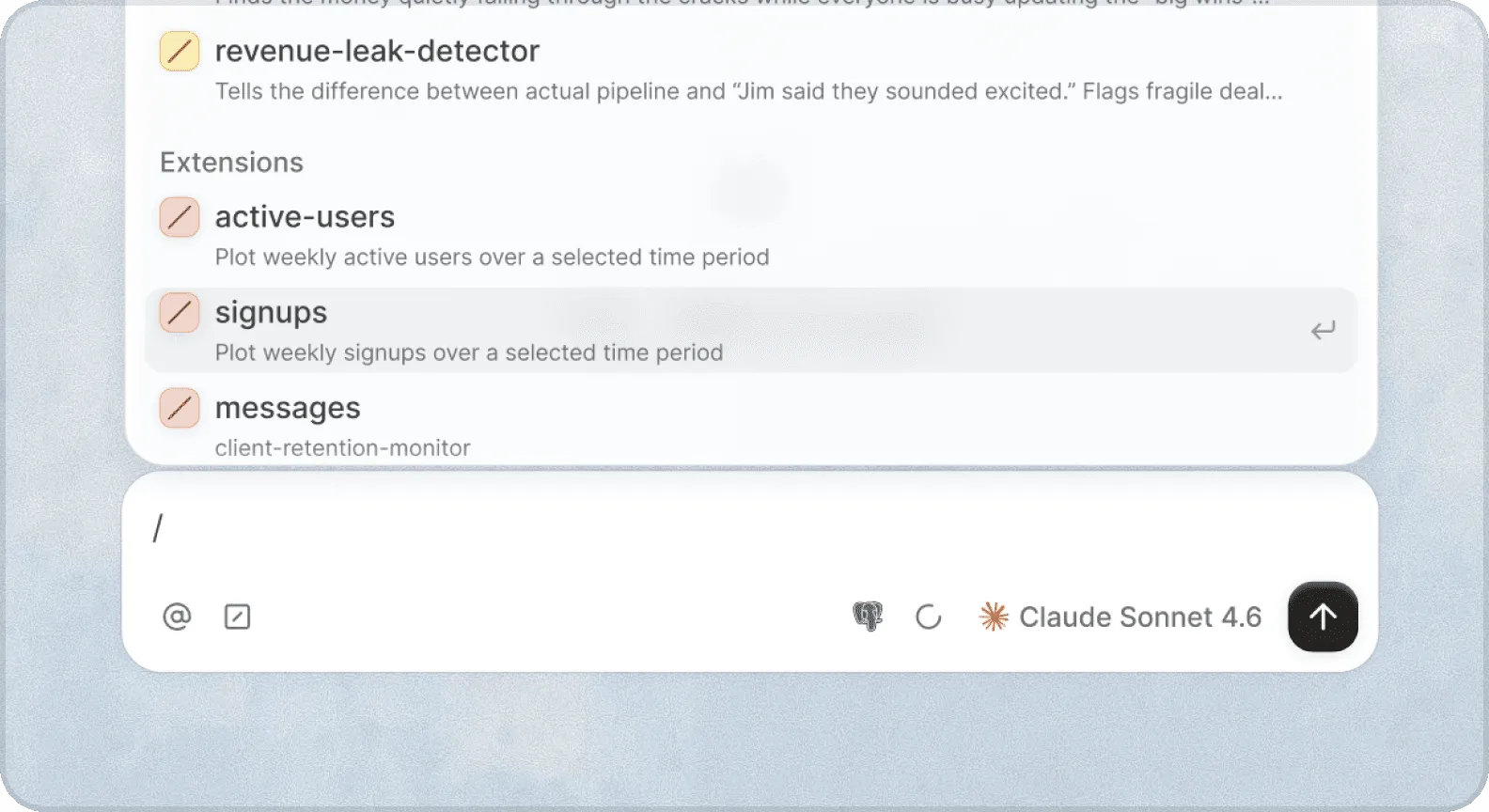
- New feature
Use for navigation, new explores, recent work, and docs search a keystroke away, from any page in Querio.

- New feature

Explore now has two modes. Chat for a conversational experience like ChatGPT, and Hybrid for deeper data work. Switch between them anytime, and set your default in Settings.
- Improvement
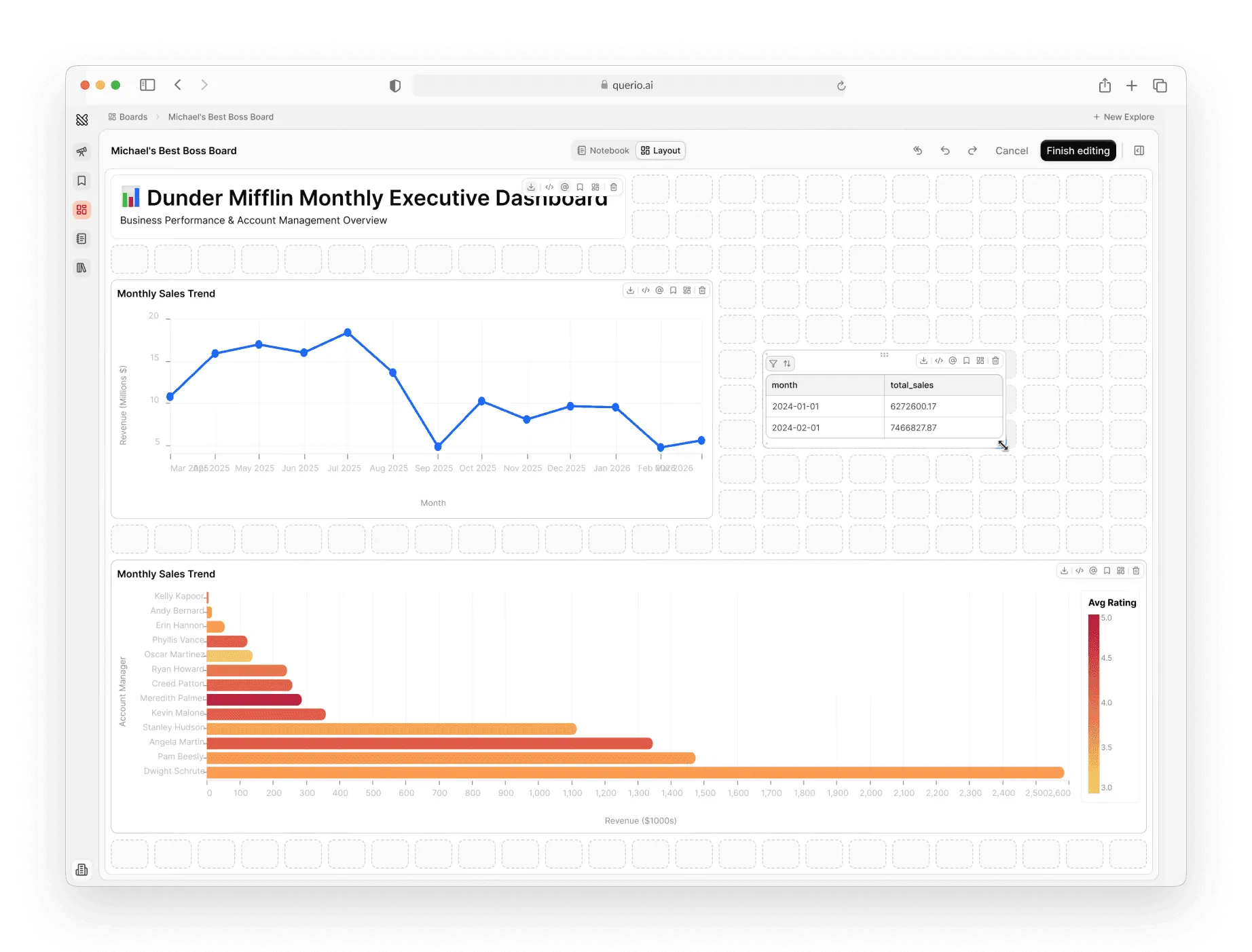
View mode keeps things clean for your audience, layout tools give builders control over the story.
- New featureImprovement
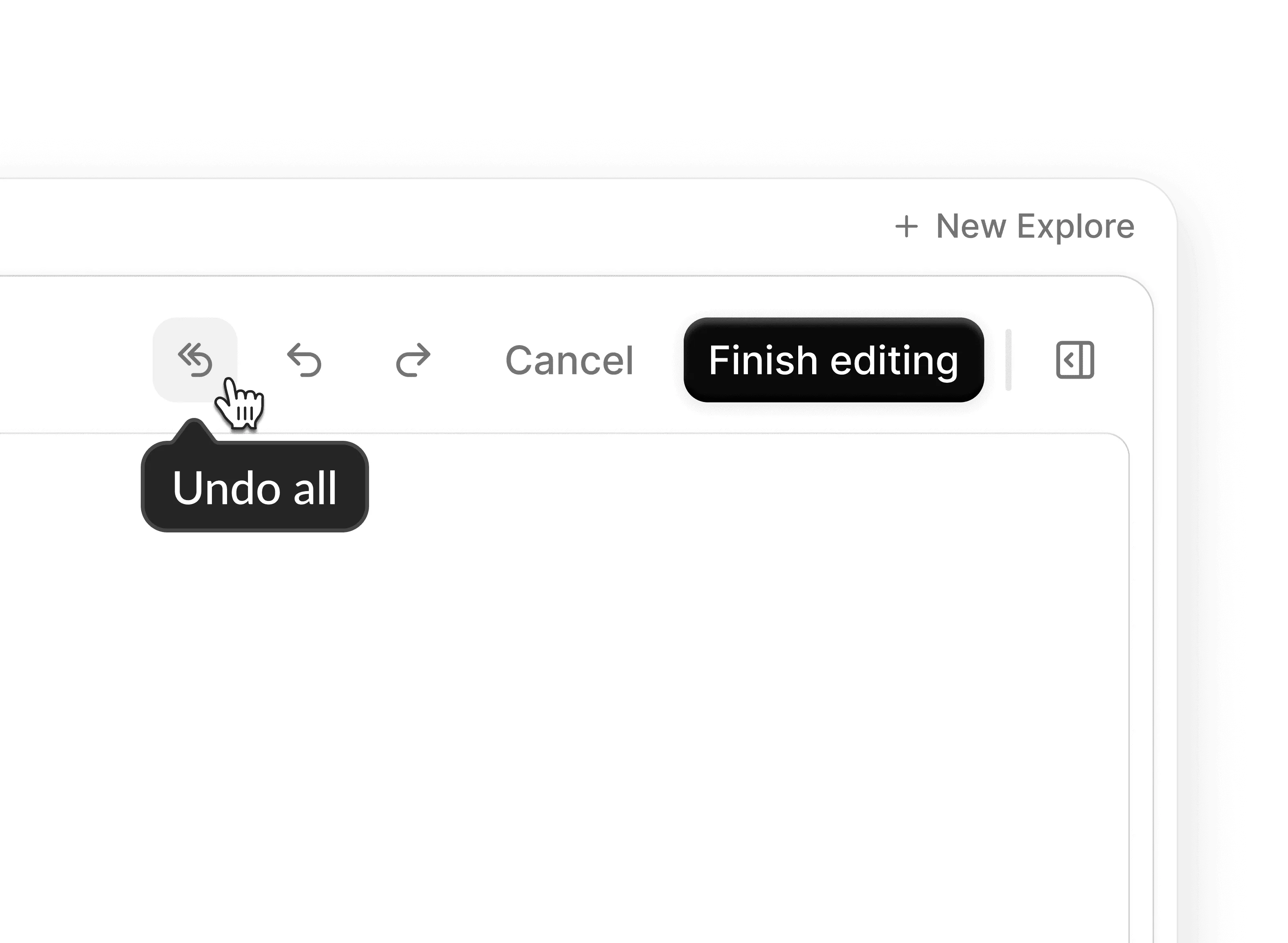
Undo and redo now work the way you'd expect. Smoother and more reliable across the board.
- Embedded
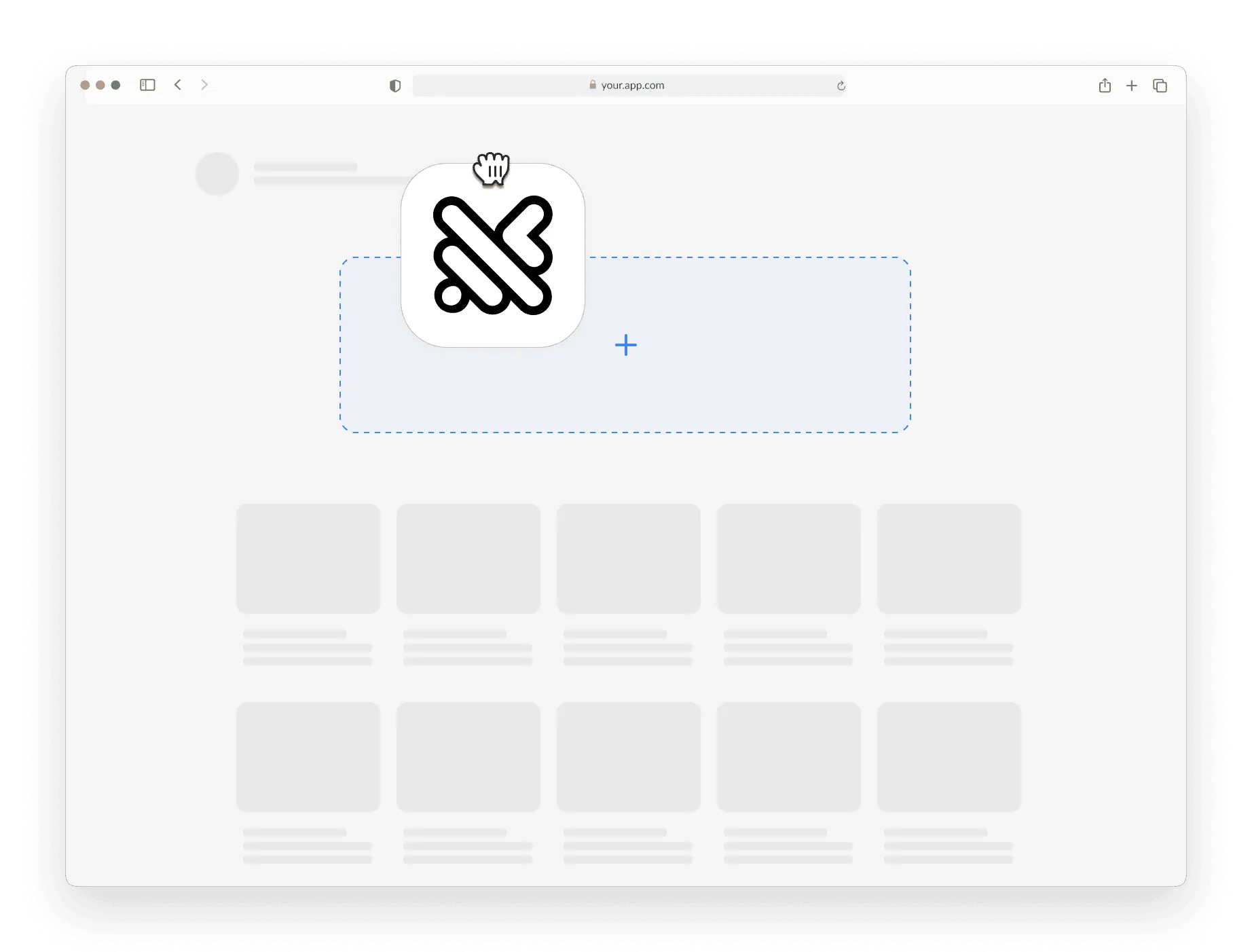
Drop a full Querio Explore into your product via iframe, or build your own UI on our new v2 API with multi-turn conversations.
- New feature
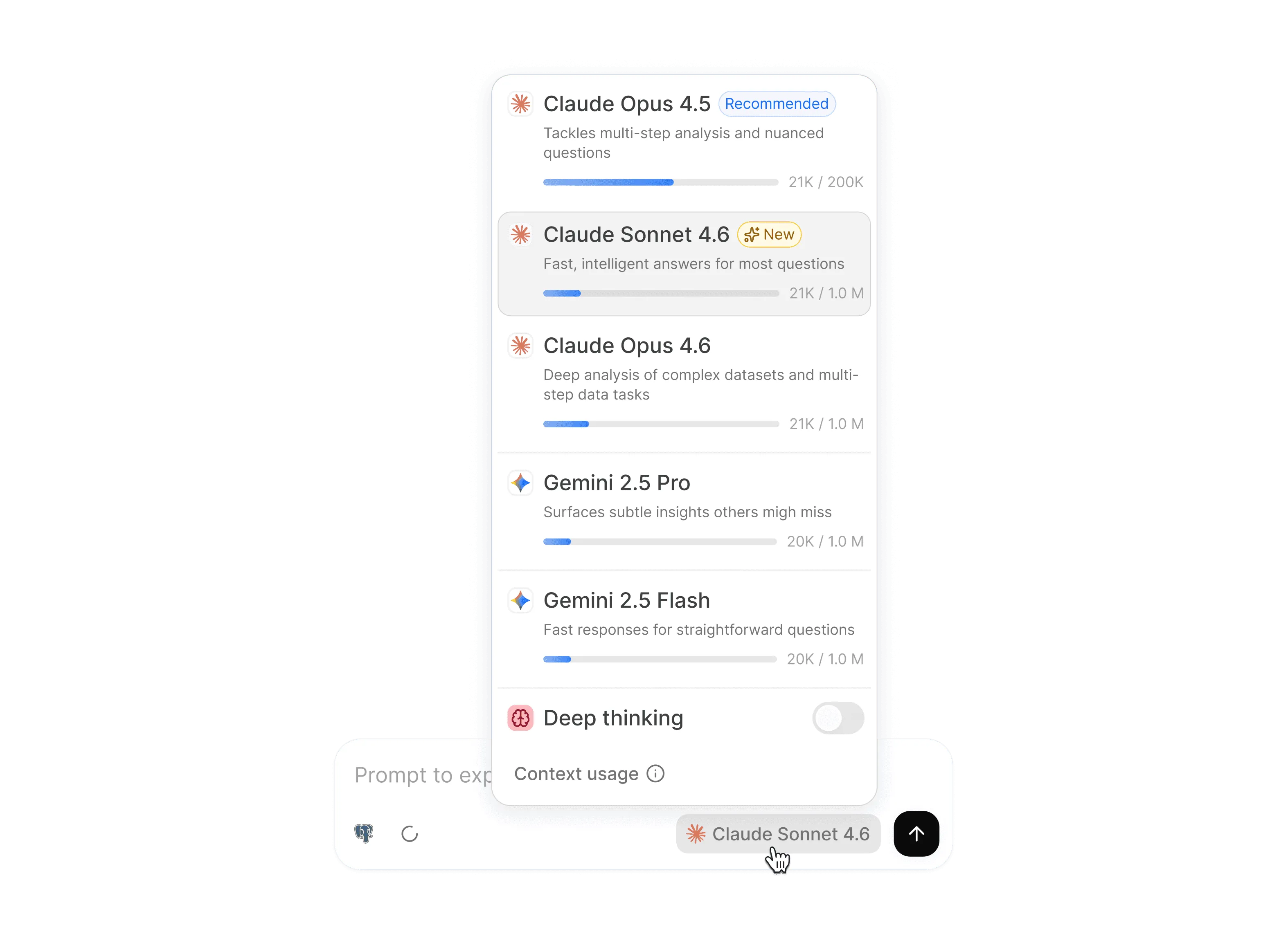
Opus and Sonnet 4.6, and the full Gemini suite, with live visibility into model availability.
- ImprovementUsability
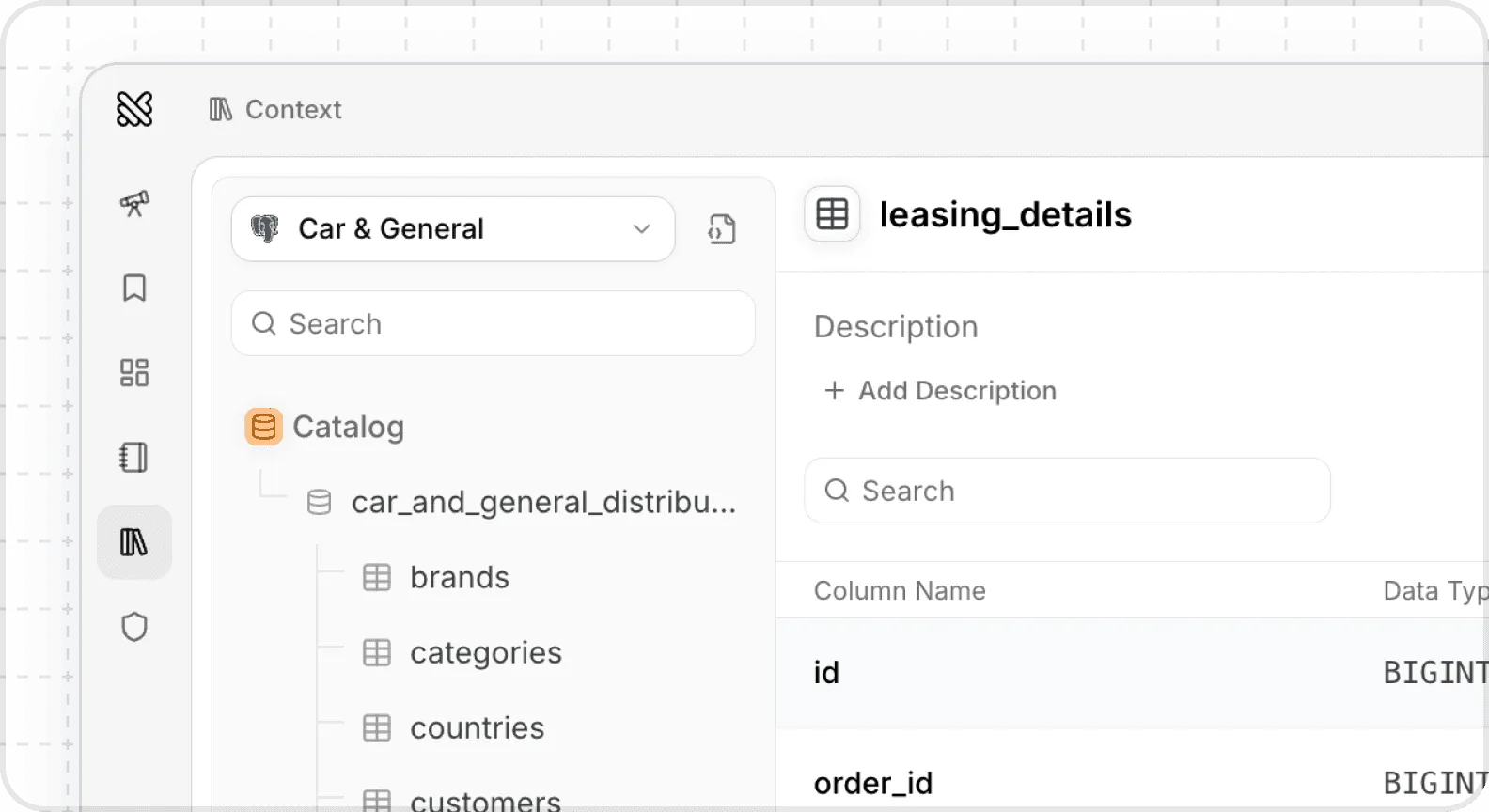
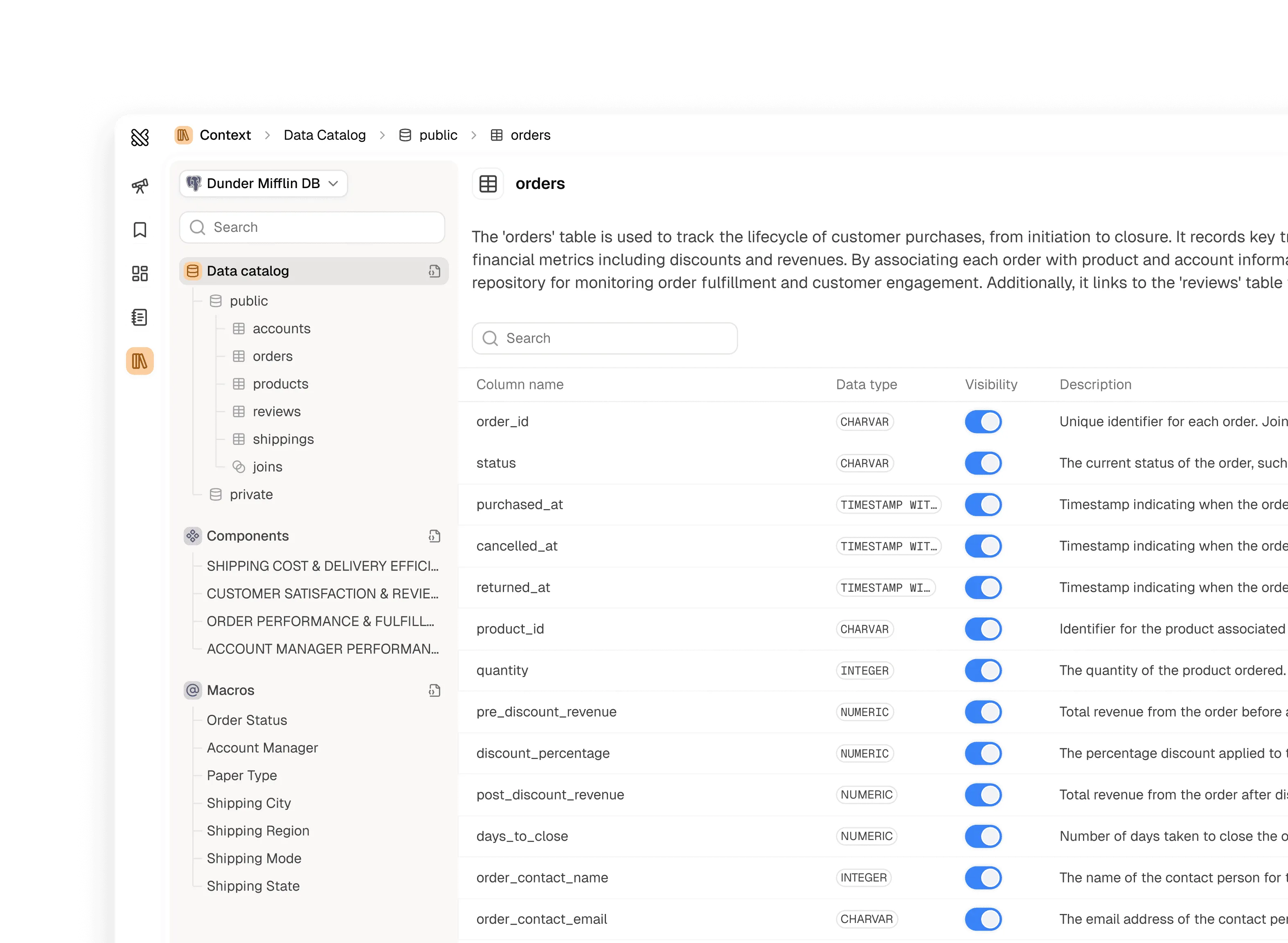
The Context tab (previously called the Knowledge Base) got an upgrade. Navigation is clearer, content is easier to find, and managing sources should now feel more intuitive and less cluttered.
-
Joins. You can now define joins explicitly to make sure Querio queries the way you prefer
-
Components. Metrics and examples now live in components
-
Add tables directly in your schemas. View any table in your schema and add to Querio in one click
-
Context usage. See how much context you’re using in every conversation
-
- New featureIntegrations
Modern teams need modern warehouses. We now support Motherduck and Clickhouse