Business Intelligence
Top 10 AI Tools for Embedded Analytics and Reporting
Compare 10 AI-powered embedded analytics tools—embedding methods, AI features, data sources, and governance—to find the right reporting solution.

Embedded analytics integrates data insights directly into applications, making it easier for teams to make informed decisions without switching tools. AI-driven platforms simplify this process by offering natural language querying, anomaly detection, and real-time insights. Below are 10 standout tools for embedding analytics into your workflows:
- Querio: Simplifies querying with plain English and live data visualizations. Directly connects to Snowflake, BigQuery, and Postgres with strong governance features.
- Power BI Embedded: Offers integration with Azure Machine Learning and OpenAI models. Supports interactive dashboards and predictive analytics.
- ThoughtSpot: Enables natural language queries and runs analytics within existing databases. Includes row-level security for data access control.
- Metabase: Open-source tool with no-code dashboards and SQL query support. Affordable for small businesses.
- Looker: Lets developers embed analytics via SDKs with customizable user experiences.
- Yellowfin BI: Provides action-based analytics with APIs for deep customization and multi-tenant support.
- Holistics Embed Portal: Focused on self-service analytics with quick iframe integration and reusable components.
- Wren AI: Replaces dashboards with a conversational interface that generates SQL queries and insights from natural language input.
- Klipfolio: Dashboard-centric tool with basic AI features and broad data integration options.
- Domo: Combines data visualization, natural language querying, and predictive analytics for enterprise workflows.
These tools vary in features like AI capabilities, data source compatibility, and governance. Choose based on your embedded analytics architecture, user accessibility, and compliance requirements.
Quick Comparison
| Tool | Embedding Methods | AI Features | Data Sources | Governance Features |
|---|---|---|---|---|
| Querio | Direct embedding, live connections | Natural language querying, anomaly detection | Snowflake, BigQuery, Postgres | SOC 2 compliance, semantic layer |
| Power BI | iFrames, APIs, SDK | Predictive analytics, ML integration | 100+ connectors | Row-level security, audit logs |
| ThoughtSpot | SDK, iFrames | AI-driven search, anomaly detection | Cloud warehouses, SaaS apps | Row-level security, multi-tenancy |
| Metabase | iFrames, full-app embedding | Basic AI, SQL-based querying | 20+ databases | Row-level security, audit logs |
| Looker | SDK, iFrames | Predictive modeling, anomaly detection | 60+ databases | Field-level security, audit logging |
| Yellowfin BI | APIs, iFrames | Automated insights, narratives | Major databases, cloud warehouses | Role-based access, activity logs |
| Holistics | iFrames | SQL-based modeling | SQL databases, cloud warehouses | Row-level permissions, audit trails |
| Wren AI | API-based | Text-to-SQL, natural language input | SQL databases, warehouses | Query validation, access controls |
| Klipfolio | iFrames, SDK | Basic alerts, formula-based AI | 100+ connectors | Data credentials, sharing controls |
| Domo | SDK, white-label options | Natural language querying, predictive AI | 1,000+ connectors | Row-level security, compliance |
Evaluate the tools based on your technical and business needs to find the right fit for embedding analytics into your applications.
AI-Powered Embedded Analytics
::: @iframe https://www.youtube.com/embed/HEwV9iV5LnE :::
1. Querio
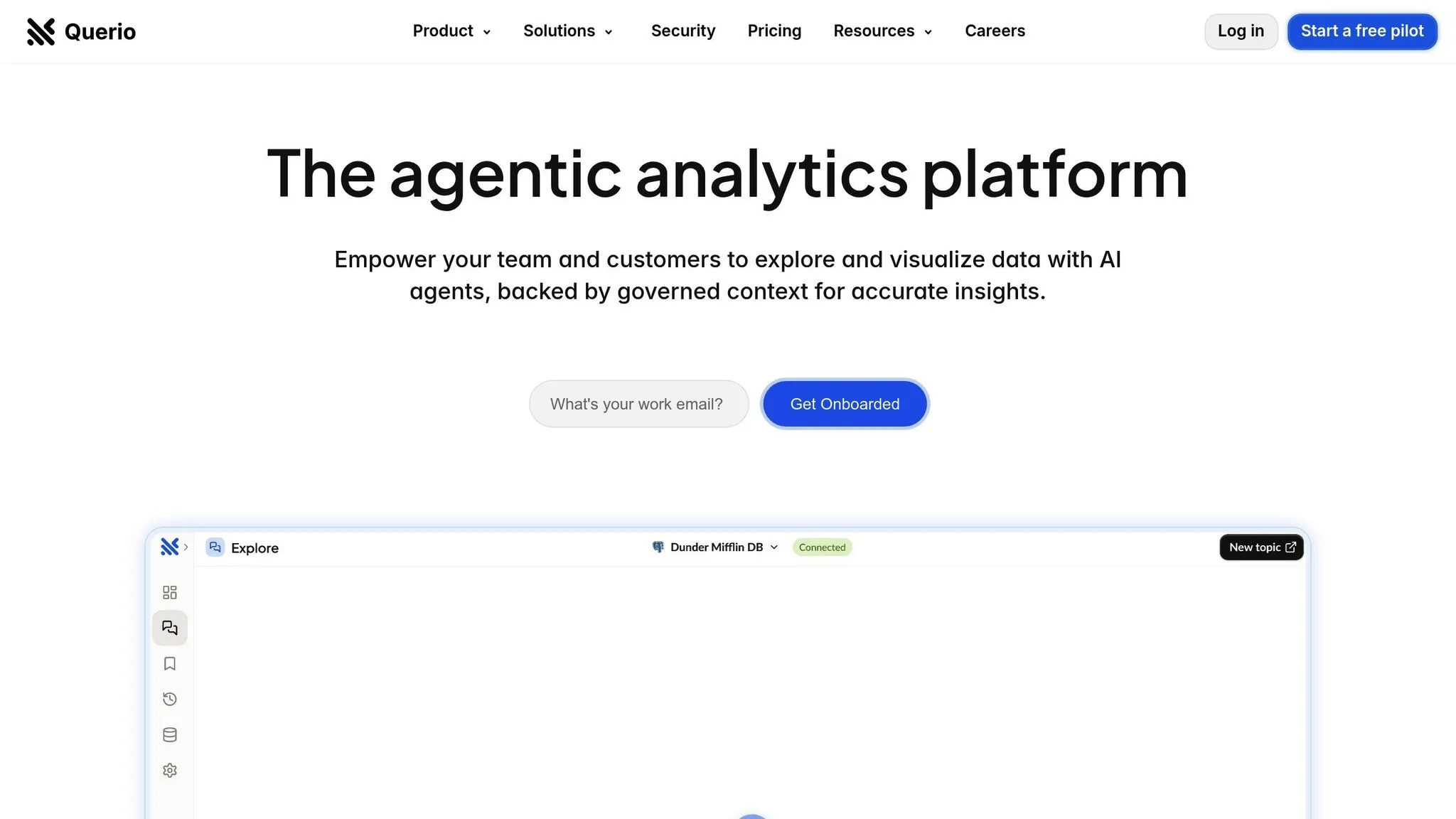
Querio is an AI-powered BI workspace designed for embedded analytics. It connects directly to your data warehouse - whether it's Snowflake, BigQuery, or Postgres - providing secure, real-time access to your data without duplicating it.
What sets Querio apart is its natural language interface, which allows users to ask questions about live data in plain English and receive clear, accurate charts within seconds. This eliminates the need for technical skills like SQL, making it accessible to everyone, from product managers to finance teams.
AI Capabilities
Querio leverages AI to handle natural language queries, instantly turning them into visualizations based on live data. It also includes a built-in Python notebook, enabling advanced analysis by combining SQL and Python - all without requiring users to write code.
For consistency, data teams can define critical elements - like table joins, business metrics, and glossary terms - through Querio's semantic layer. This ensures that business logic is applied uniformly across all queries.
Embedding Options
Querio's natural language querying and reporting tools can be embedded directly into your applications, providing users with instant access to live insights.
Data Source Compatibility
Querio connects live to Snowflake, BigQuery, and Postgres using encrypted credentials. By querying data directly, it avoids duplication and hidden costs, ensuring efficiency and security.
Governance Features
Querio is built with robust governance in mind. It’s SOC 2 Type II compliant and offers a 99.9% uptime SLA. The semantic layer enforces consistent business logic, while centralized governance and unlimited viewer licenses support scalable, self-service data exploration.
2. Power BI Embedded
Building on Querio's innovative approach, Power BI Embedded offers a powerful way to bring analytics directly into applications.
This tool, developed by Microsoft, allows businesses to seamlessly integrate interactive reports and dashboards into their platforms. With Power BI Embedded, organizations can provide rich data visualizations to users without the need for additional licensing.
What sets Power BI Embedded apart is its integration with Azure Machine Learning, Cognitive Services, and OpenAI models through Microsoft Fabric. This combination brings advanced AI capabilities, such as predictive analytics and automated insights, into the embedded reporting environment, making data-driven decisions faster and easier.
It also works effortlessly with a wide range of data sources, allowing businesses to consolidate and analyze multiple datasets with ease.
"My favorite feature is the crisp integration with the existing Microsoft tools I use for my projects and reports." - Verified G2 user
3. ThoughtSpot

ThoughtSpot takes embedded analytics to the next level by enabling users to query data using natural language directly within their applications. This makes advanced data analysis more approachable for non-technical users, who can simply type their questions and receive clear, visual answers.
What sets ThoughtSpot apart is its ability to run analytics directly within existing databases. This approach keeps data where it already resides, minimizing the need for extra resources while seamlessly integrating with existing ETL processes. On top of that, ThoughtSpot's AI features make data exploration even easier.
AI Capabilities
The platform's AI engine is designed to uncover insights automatically by identifying patterns in the data.
"ThoughtSpot's AI-driven highlights are a game-changer, providing valuable insights with minimal effort." - verified G2 user
Data Source Compatibility
ThoughtSpot supports Google Cloud Storage and integrates smoothly with cloud data warehouses. This allows organizations to expand their analytics capabilities without overhauling their existing infrastructure. However, it's worth noting that the platform has limited API functionality and specific constraints around real-time updates, which might necessitate adjustments to current ETL workflows.
Integration alone isn’t enough - governance plays a crucial role in ensuring secure and reliable analytics.
Governance Features
In embedded analytics, controlling data access and managing user permissions is essential. ThoughtSpot addresses this with row-level security, ensuring users only see the data they’re authorized to access. This is especially important when multiple departments or customers share the same application but require strict data separation.
For organizations serving multiple clients or internal units, the Enterprise pricing tier includes multi-tenant support. This feature allows you to deliver analytics to various groups from a single instance while maintaining strict data isolation. However, setting up multi-tenancy can be complex and requires significant configuration.
The platform is built for scalability, offering compatibility with cloud data warehouses and enterprise-grade SLA guarantees. Pricing starts at $95/user/month for the base platform, but keep in mind that total implementation costs, including setup and configuration, can be three to four times higher.
"Sometimes, more complex issues take longer to fix especially if they need engineering support." - verified G2 user
4. Metabase
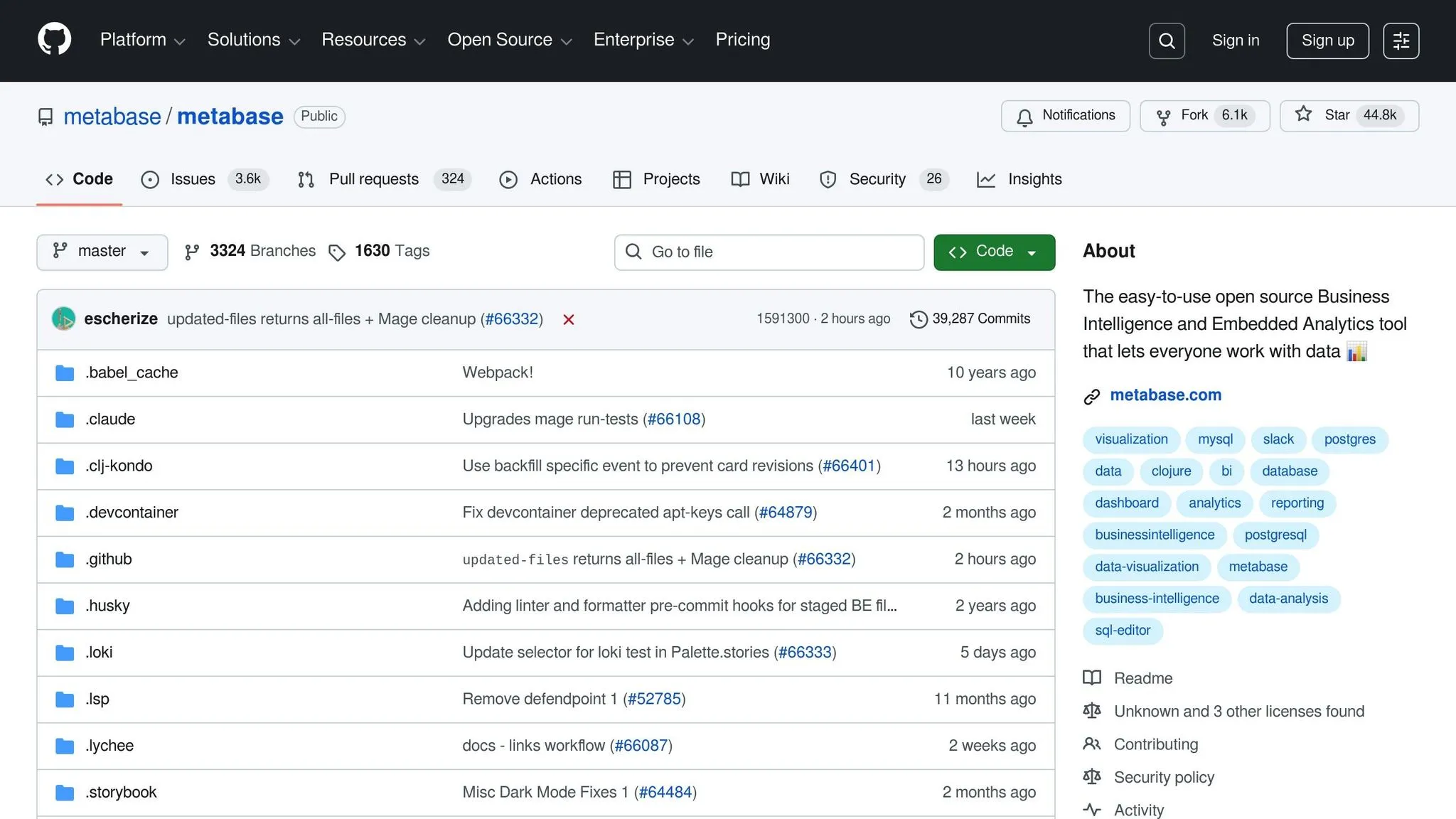
Metabase stands out as an open-source BI platforms that combines simplicity with affordability, making it a solid choice for small businesses and startups looking for embedded analytics solutions.
One of Metabase's key strengths is its user-friendly dashboard creation. Teams can easily design visualizations without needing technical skills, thanks to its no-code BI platforms. For those with more advanced needs, SQL-based queries are also supported, giving power users the flexibility to dive deeper into their data.
Embedding Options
Metabase offers two primary ways to embed analytics: iframes for quick and straightforward dashboard integration, and JavaScript for teams that require more customization.
Data Source Integration
Metabase connects effortlessly to a variety of databases and data warehouses. It supports standard SQL databases and integrates with modern cloud-based data storage solutions, enabling teams to query data directly from their existing systems.
Pricing and Hosting
Metabase provides a free, self-hosted open-source version for businesses on a budget. For those seeking additional features and support, the Pro plan starts at $500 per month.
5. Looker
Looker makes it easy for developers to add analytics directly into their applications using its secure embed SDK. This tool allows for seamless integration while giving developers full control over the presentation and embedded analytics UX.
6. Yellowfin BI
Yellowfin BI is tailored for software vendors and enterprises that need embedded reporting solutions. It doesn’t just display data - it encourages immediate action through its action-based analytics.
Embedding Methods
Yellowfin offers several ways to embed its tools into your applications. You can use iframes for quick dashboard integration, a JavaScript API for deeper customization, or web services APIs for programmatic access to reports and data. These APIs let you manage user authentication, control content delivery, and schedule data refreshes - all without requiring end users to interact directly with Yellowfin's interface. This flexibility makes it easier to deliver AI-driven insights where they’re needed most. This is a critical component when building a modern data layer for embedded analytics.
AI Capabilities
Once integrated, Yellowfin's AI turns raw data into insights you can act on. Its Assisted Insights feature automatically identifies patterns, outliers, and trends in your data. A natural language query tool translates plain-text questions into visualizations, while automated data storytelling highlights major metric changes and explains what’s driving them.
Data Source Compatibility
Yellowfin connects seamlessly with major databases like MySQL, PostgreSQL, SQL Server, Oracle, and Amazon Redshift, as well as cloud platforms such as Snowflake and Google BigQuery. Its data transformation layer allows you to blend data from multiple systems without migrating it. This means you can create unified reports that pull data from tools like your CRM, ERP, and marketing automation platforms - all in one place.
Governance Features
Yellowfin includes strong governance tools to ensure data security and compliance. Features like **row-level security and multi-tenancy let you control access based on user roles, while supporting multiple clients supports serving multiple clients from a single instance with complete data isolation and custom branding. Additionally, audit logging tracks how data is accessed, helping administrators monitor usage, spot potential security risks, and generate compliance reports with ease.
sbb-itb-284a532
7. Holistics Embed Portal

The Holistics Embed Portal is designed for teams that want self-service analytics without the hassle of building a full BI platform. It bundles dashboards and datasets into a compact BI application that integrates directly into your product. This allows your end-users to explore data and create reports without ever leaving your interface. It’s a practical solution for quick deployment, aligning well with the idea of seamless integration.
Embedding Methods
Holistics relies on iframe integration to embed a fully functional analytics portal within your application. While this method is straightforward, it’s crafted to keep engineering work to a minimum. Setup is quick - typically taking just 30–60 minutes - and comes with sample code for popular languages like Ruby, Python, NodeJS, PHP, and Elixir.
Although iframe integration is the only embedding method offered, the platform provides a range of development tools, including sandbox and preview environments, version control, and CI/CD deployment support. These tools let you test changes safely before going live, and you can roll out updates across development, staging, and production environments just like the rest of your codebase.
Another standout feature is the use of reusable analytics components, which allow you to deploy dashboards and datasets across multiple clients without duplicating efforts. This makes scaling your embedded analytics much easier as your customer base expands.
Data Source Compatibility
Holistics connects seamlessly to standard SQL databases and cloud data warehouses, such as PostgreSQL, MySQL, SQL Server, BigQuery, Redshift, and Snowflake. By using warehouse-native data analysis tools, it eliminates the need for moving or duplicating data. This keeps your data pipeline straightforward and reduces the infrastructure demands often associated with embedded analytics.
Governance Features
The platform includes row-level security to control what data users can access based on their role or organization. This feature is critical for multi-tenant applications, ensuring that users only see data relevant to them. Analysts can easily manage dashboards and datasets through an intuitive interface, reducing the need for constant involvement from engineering teams.
End-users aren’t left out either. They can interact with charts, apply filters, and even build custom dashboards directly within the embedded portal. This self-service capability takes routine reporting tasks off your support team’s plate, empowering users to find the answers they need on their own.
8. Wren AI
Wren AI stands out in the world of embedded analytics by ditching traditional dashboards in favor of a conversational interface. Instead of manually creating reports, users can simply type their questions in plain English, and the platform takes care of the rest - generating SQL queries, charts, and insights on the spot. This natural language approach makes analytics far more approachable, even for those without technical expertise. Let’s dive into how Wren AI simplifies analytics with its natural language processing uses in BI and seamless integration.
AI Capabilities
Wren AI transforms natural language input into SQL queries, streamlining the process of data analysis. For instance, if you ask, "What were our sales in the Northeast region last quarter?", the platform instantly crafts the necessary SQL query, runs it, and presents the results visually. It’s designed to handle different ways of phrasing questions, as long as the data model is clearly defined and governed properly.
Embedding Methods
Wren AI offers its natural language-to-SQL features and chart generation through an API. This API can be integrated into existing applications, allowing you to embed the functionality wherever it fits best - whether it’s a custom chat interface, specific workflows, or your current reporting pages. The API delivers both the SQL queries it generates and the resulting visualizations, giving developers the flexibility to ensure the interface matches their application’s design.
Data Source Compatibility
One of the strengths of Wren AI is its ability to connect directly to standard SQL databases and data warehouses. There’s no need for data migration or duplication - it works with your existing infrastructure. By mapping your database schema and defining table relationships, the AI can handle complex queries, including those involving multiple tables and intricate joins.
Governance Features
Wren AI is best suited for teams with strong data governance practices. It ensures users only access data they’re authorized to see, which is critical for maintaining security and accuracy. Having a well-organized data model is key here; unclear table relationships or definitions can lead to errors in query generation. For organizations where users prefer asking questions rather than building detailed reports, Wren AI offers a streamlined way to cut down on ad-hoc reporting requests while enhancing accessibility to data insights.
9. Klipfolio
Klipfolio stands out for its focus on dashboard-driven embedded analytics. However, the publicly available documentation offers only a glimpse into its AI capabilities, data integration options, and embedding processes and platforms. For a deeper understanding of how Klipfolio fits into an embedded analytics implementation, reaching out to the vendor directly is recommended. Up next, we’ll look at how Domo takes embedded analytics to the next level with its extensive feature set.
10. Domo
Domo is a business intelligence platform designed to integrate embedded analytics directly into enterprise workflows. It combines data visualization and reporting tools to enhance decision-making processes.
Embedding Methods
Domo offers various ways to embed analytics into your applications. Whether you need to integrate dashboards or reports, the platform provides flexible solutions tailored to fit your development requirements.
AI Capabilities
With AI-powered tools, Domo enables natural language querying and delivers automated insights. These features simplify data exploration and help uncover trends without extensive manual analysis.
Data Source Compatibility
Domo connects with a wide range of data sources, allowing you to centralize and consolidate information. This integration ensures role-based security, making it easier to manage and utilize your data effectively.
Governance Features
The platform includes robust tools for managing user access and tracking data usage. These governance features help maintain compliance and provide controlled, secure distribution of data based on user roles.
Feature Comparison Table
Compare embedded analytics tools based on their embedding methods, AI capabilities, data source compatibility, and governance features. The table below highlights key attributes of each tool to help you make an informed choice.
| Tool | Embedding Methods | AI Capabilities | Data Source Support | Governance Features |
|---|---|---|---|---|
| Querio | Direct live connections; embedded analytics for end users | Natural language querying; AI-powered Python notebooks; no hidden query fees | Snowflake, BigQuery, Postgres with encrypted read-only credentials | SOC 2 Type II compliance; semantic layer for joins, metrics, and glossary; unlimited viewers; 99.9% uptime SLA |
| Power BI Embedded | iFrame embedding; REST APIs; JavaScript SDK | Natural language Q&A; automated insights; predictive analytics with machine learning | 100+ native connectors including SQL Server, Azure, Oracle, SAP, and cloud services | Row-level security; workspace roles; sensitivity labels; audit logs; Azure Active Directory integration |
| ThoughtSpot | JavaScript SDK; REST APIs; iFrame with custom themes | AI-powered search with SpotIQ; natural language queries; anomaly detection | Cloud data warehouses, databases, spreadsheets, and SaaS applications | Role-based access control; data-level security; audit logs; certified content management |
| Metabase | Public embedding; full-app embedding; iFrame integration | Limited AI features; basic automated insights; SQL-based querying with visual tools | PostgreSQL, MySQL, MongoDB, BigQuery, Snowflake, Redshift, and 20+ databases | User groups and permissions; sandboxing for row-level security; audit logs in paid plans |
| Looker | Embedded dashboards and reports via iFrame; SSO integration; API access | Natural language queries; anomaly detection; predictive modeling with LookML | Native connections to 60+ databases including BigQuery, Snowflake, Redshift, MySQL, and custom APIs | Content access controls; model-level permissions; row and field-level security; audit logging |
| Yellowfin BI | JavaScript API; iFrame embedding; white-label options | Automated insights with Signals; natural language narratives; assisted insights | JDBC/ODBC connections to major databases; cloud data warehouses; flat files; REST APIs | Role-based access; data source security filters; content folders with permissions; activity monitoring |
| Holistics Embed Portal | White-label embedding; custom domain support; SSO integration | Limited AI features; SQL-based modeling; automated scheduling | PostgreSQL, MySQL, BigQuery, Redshift, Snowflake, SQL Server, and other SQL databases | Git-based version control; data modeling layer; row-level permissions; audit trails |
| Wren AI | API-based embedding; custom integration options | Text-to-SQL capabilities; natural language querying; semantic understanding of data | PostgreSQL, MySQL, BigQuery, Snowflake, and other SQL databases | Data modeling layer; query validation; user access controls; query logging |
| Klipfolio | iFrame embedding; JavaScript SDK; REST APIs | Basic automated alerts; limited natural language features; formula-based calculations | 100+ pre-built connectors for databases, cloud services, marketing platforms, and REST APIs | User roles and permissions; data source credentials management; dashboard sharing controls |
| Domo | Embedded dashboards and cards; JavaScript SDK; white-label options | Natural language querying; automated insights; predictive analytics with machine learning | 1,000+ connectors for databases, cloud platforms, SaaS applications, and custom APIs | Role-based access; row-level security; PDP (Personalized Data Permissions); compliance certifications |
Conclusion
When choosing the right tool from the options discussed earlier, it’s crucial to align your decision with your business needs and technical requirements. Each platform offers distinct advantages, from AI-driven natural language querying to enterprise-grade security and broad compatibility with various data sources.
Focus on factors like scalability, user-friendliness, and AI-powered features. For businesses aiming to support thousands of users without incurring per-user licensing fees, seek platforms that provide unlimited viewer access. If your team lacks dedicated data analysts, tools with natural language query capabilities can make data more accessible across your organization.
The embedding method you choose will shape both your implementation timeline and the user experience. Platforms offering JavaScript SDKs and REST APIs allow for greater customization, while iFrame embedding is ideal for quicker, simpler deployments. Additionally, if branding is a priority, white-label solutions ensure the analytics interface blends seamlessly with your product’s identity. Alongside this, consider data source compatibility and governance needs, as these will heavily influence your deployment strategy.
Data source compatibility plays a pivotal role in integration. Platforms with native connections to your existing data warehouse can save time and reduce maintenance efforts. Meanwhile, governance features should align with your industry’s regulatory requirements. For instance, healthcare and financial services demand stringent compliance measures and detailed access controls, while smaller teams may benefit from simpler permission structures.
As AI continues to reshape business intelligence, the divide between basic reporting tools and advanced analytics platforms will grow. Tools equipped with automated insights, anomaly detection, and predictive analytics empower organizations to shift from reactive to proactive decision-making. Investing in a robust platform now can help you avoid costly transitions down the road.
To make the best choice, evaluate each tool based on your current needs and future growth plans. Request demos tailored to your use cases, test embedding features with your development team, and ensure security measures meet your compliance standards. The ideal AI-powered embedded analytics solution should integrate seamlessly into your product, delivering meaningful, data-driven insights without complicating workflows.
FAQs
::: faq
How do AI tools improve embedded analytics in business applications?
AI tools bring a new level of efficiency to embedded analytics by offering real-time insights, customizable dashboards, and smooth integration with current workflows. These features empower businesses to make quicker, more precise decisions while streamlining their processes.
Many of these tools also come equipped with advanced features like predictive analytics and natural language querying. These capabilities simplify data analysis, making it easier for non-technical users to access and understand insights. By using these tools, businesses can uncover richer insights and make smarter, data-driven decisions. :::
::: faq
What should I look for when selecting an AI tool for embedded analytics and reporting?
When selecting an AI tool for embedded analytics and reporting, it’s crucial to align it with your business needs. Begin by evaluating your organization’s goals and the technical know-how of your team. Tools with customizable dashboards and easy integration into your current systems can make a significant difference in day-to-day usability.
You’ll also want to think about the complexity of your data sources, how well the tool can scale as your business grows, and whether it meets data security standards. Don’t overlook the budget - consider the total cost, including licensing, implementation, and ongoing maintenance. By focusing on these factors, you’ll be better equipped to choose a solution that enhances decision-making and supports your business intelligence goals. :::
::: faq
What’s the difference between using iFrames and SDKs for embedding analytics tools?
Embedding analytics tools can be done in a couple of ways, each with its own pros and cons. One of the simplest methods is using iFrames. This approach lets you embed pre-made dashboards or reports directly into your application with little effort. While convenient, iFrames come with limitations - they offer minimal customization and might not blend well with your app's design or provide a smooth user experience.
If you're looking for more control, SDKs (Software Development Kits) and APIs (Application Programming Interfaces) are the way to go. These tools let you create custom analytics solutions tailored to your app's workflows and interface. The trade-off? They demand more development time and a certain level of technical expertise. Deciding between these options boils down to your project's complexity, timeline, and how much customization you need. :::