Business Intelligence
Natural Language to SQL on the Lakehouse: Your Options in 2026
Trust NL2SQL by governed context and inspectable SQL—choose platform-native, semantic-layer, federated, or custom paths based on where your data lives.

Most NL2SQL tools still miss too often to trust on their own. Public benchmark error rates are still high at 52.8% and 66.1%, so I’d pick based less on demo polish and more on governed context, inspectable SQL, and where the data lives.
If I had to boil this down fast, here’s my take:
- Use a BI copilot if your metrics already live inside Looker, Power BI, ThoughtSpot, or Hex.
- Use a semantic-layer-led setup if you need one set of KPI definitions across raw warehouse data.
- Use Snowflake, Databricks, or BigQuery native AI if most of your stack sits in one platform.
- Use Trino-based tooling if your data is spread across systems and you can’t centralize it.
- Use a custom agent only if your team can build and maintain schema mapping, guardrails, and metric logic.
- Use Querio if you want a shared workspace with live warehouse access, governed context, and editable SQL/Python.
The main point: I wouldn’t judge these tools by top-line accuracy claims alone. I’d judge them by three things:
- Can I inspect the SQL?
- Does it use the same metric logic my team already trusts?
- Will it still work when schemas, joins, and access rules get messy?
Build and optimize a data lakehouse for unified data intelligence
::: @iframe https://www.youtube.com/embed/SiDnnbKsGNg :::
sbb-itb-284a532
Quick Comparison
::: @figure 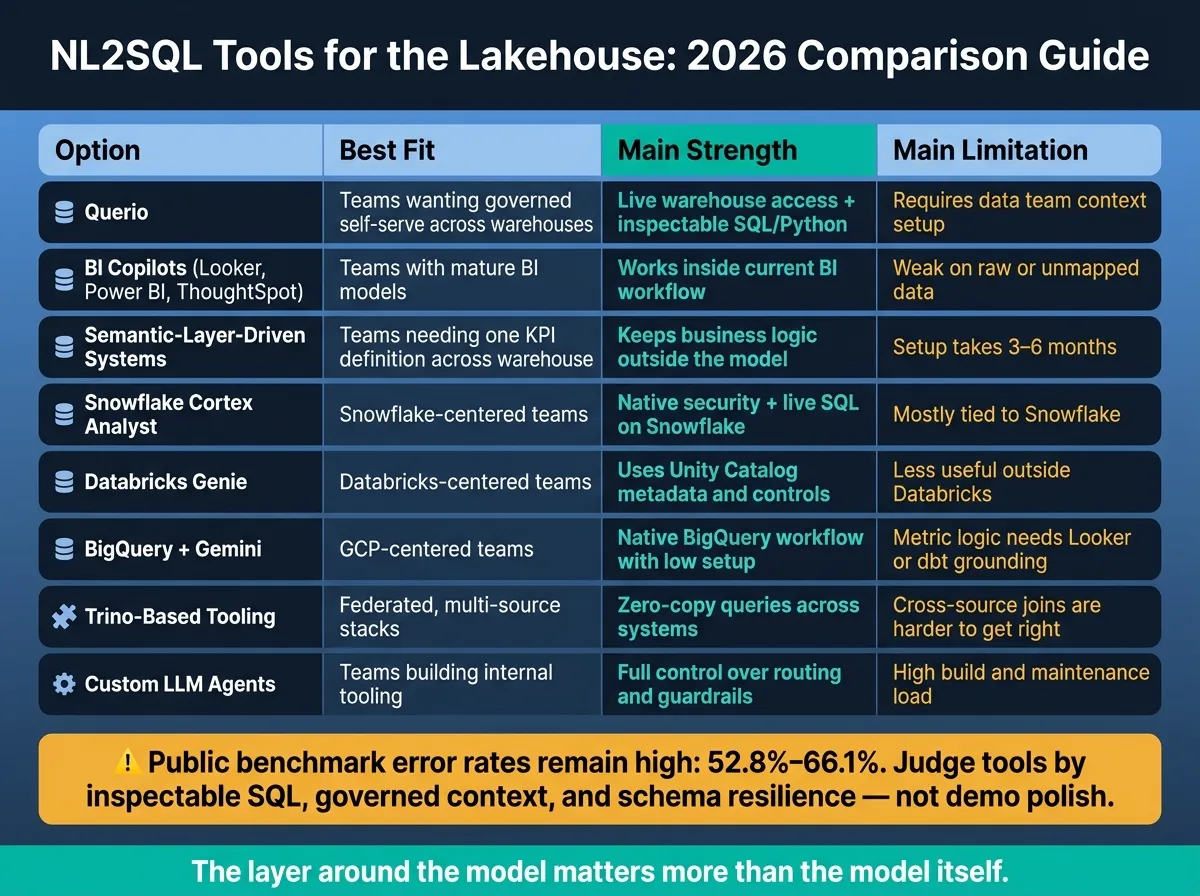 {NL2SQL Tools for the Lakehouse: 2026 Comparison Guide}
:::
{NL2SQL Tools for the Lakehouse: 2026 Comparison Guide}
:::
| Option | Best Fit | Main Strength | Main Limitation |
|---|---|---|---|
| Querio | Teams that want governed self-serve across warehouses | Live warehouse access plus inspectable SQL/Python | Needs context setup from the data team |
| BI copilots | Teams with mature BI models | Works inside current BI workflow | Weak on raw or unmapped data |
| Semantic-layer-driven systems | Teams that need one KPI definition across warehouse data | Keeps business logic outside the model | Setup can take 3–6 months |
| Snowflake Cortex Analyst | Snowflake-centered teams | Native security and live SQL on Snowflake | Mostly tied to Snowflake |
| Databricks Genie | Databricks-centered teams | Uses Unity Catalog metadata and controls | Less useful when data lives outside Databricks |
| BigQuery + Gemini | GCP-centered teams | Native BigQuery workflow with low setup | Metric logic still needs Looker or dbt grounding |
| Trino-based tooling | Federated, multi-source stacks | Zero-copy queries across systems | Cross-source joins are harder to get right |
| Custom LLM agents | Teams building internal tooling | Full control over routing and guardrails | High build and maintenance load |
So if you want the short answer, here it is: the safest path is the one that keeps business logic outside the model, shows the SQL, and stays close to your current data controls.
1. Querio
Querio is an analytics workspace that connects straight to your data warehouse and turns plain-English questions into real SQL and Python. That matters for one simple reason: you can inspect every answer. If something looks off, you can open the SQL or Python, edit it, and use it again instead of taking the result on faith.
Lakehouse fit
Querio connects live to Snowflake, BigQuery, Amazon Redshift, ClickHouse, PostgreSQL, and MotherDuck with encrypted, read-only credentials. There are no extracts and no copied data. It keeps a live, read-only link to the warehouse, so teams work against the source itself.
If your team runs dbt models on top of those platforms, Querio can pull that model logic into its Context Layer. In plain terms, the AI works from your business setup instead of guessing from raw column names. That live connection is most useful for teams that already rely on dbt and want the AI to use the same warehouse logic.
Metric governance
Querio handles governance through its Context Layer. Data teams set joins, metric formulas, and business terms once, and those same definitions carry across ad hoc questions, notebooks, dashboards, and AI-generated answers. That helps keep numbers from drifting depending on where someone asks the question.
Role-based access controls come from the warehouse itself, so permissions stay tied to the rules your team already uses.
SQL reliability
Of course, governance is only part of the story. People still need to check the output before they trust it.
Technical users can audit lineage, sources, and logic before trusting a result [3][5]. Large joins and complex queries still need analyst review before production use [2][3].
BI workflow fit
Once metrics and access are set, the next issue is day-to-day fit. Querio works best as a shared analytics workspace for recurring analysis and ad hoc requests, not as a one-person scratchpad.
Its notebook-style workspace lets analysts work through SQL and Python in one place, keep progress moving across sessions with Workspace Memory, and publish results as dashboards or scheduled reports [3]. For teams that are tired of ticket queues but still want governed self-serve access, that's where Querio tends to make the most sense.
2. BI Copilots in Analytics Tools
BI copilots in tools like Looker, ThoughtSpot, Hex, and Power BI are often the fastest path to natural-language-to-SQL because analysts already spend their time there. There’s no big behavior change. People can ask questions inside the tools they use every day.
That speed comes from working inside an existing semantic layer. And that same setup sets the limit on what these copilots can do.
Lakehouse fit
Many BI copilots connect to Snowflake, BigQuery, Databricks, and Redshift. But they tend to work best when warehouse data is already modeled in the BI layer.
For example:
- ThoughtSpot works against live warehouse connections and builds indexed data models on top.
- Looker is grounded in LookML.
- Power BI Copilot works within the Power BI Semantic Model.
If the data hasn’t already been modeled in that layer, coverage is limited. Put simply, the copilot can only work well with what the BI system already understands.
Metric governance
This is where BI copilots start to make a lot of sense. If metrics like ARR or Daily Active Users are already defined in LookML or a Power BI semantic model, the copilot can reuse them. But unmapped tables and raw warehouse data are still out of scope.
Google’s internal testing found that using Looker's semantic layer reduces data errors in generative AI queries by 66% compared to direct text-to-SQL [7]. That’s a strong case for grounding copilots in a semantic layer instead of letting them guess directly from raw tables.
SQL reliability
BI copilots are usually most dependable for descriptive, “what happened” questions. Think:
- MRR this month
- Signups last quarter
- Churn by segment
They have a harder time with diagnostic or multi-step questions like cohort retention or funnel drop-off analysis. In those cases, the model can produce SQL that looks right but uses the wrong logic [1]. That’s the trap. The answer can sound convincing while being off in ways that matter.
Benchmark accuracy can also fall apart on unfamiliar schemas, so vendor claims need context.
Human review still matters. AI can still assume joins, invent columns, or apply filters the wrong way, especially on wide enterprise schemas.
BI workflow fit
The biggest upside of embedded BI copilots is workflow fit. They show up where the work already happens.
ThoughtSpot Spotter shows up in Liveboards and Slack. Power BI Copilot lives inside Teams and Office 365. Hex Magic works directly inside notebooks.
For teams at 100–500-employee SaaS companies that are already standardized on one of these tools and are comfortable with governed models, that’s a big plus. The copilot sits right in the middle of the team’s daily workflow.
The trade-off is a hard boundary. Cross-source questions and raw warehouse queries often hit a ceiling.
When that ceiling becomes a problem, the next step is semantic-layer-driven natural-language-to-SQL.
3. Semantic-Layer-Driven NL2SQL Systems
When BI copilots run into the limits of tool-specific modeling, the next move is usually a dedicated semantic layer between the LLM and the warehouse.
Here’s the big shift: instead of leaning on whatever the BI tool already understands, these systems build - or connect to - a semantic layer that stores governed business definitions like revenue, retention, and approved joins. That makes them a strong match for teams with changing schemas, dbt-based metrics, and a need for governed answers across raw warehouse data.
Lakehouse fit
These systems usually connect straight to Snowflake, BigQuery, Databricks, and Redshift without copying data. They read current schema and metadata at query time instead of depending on static uploads. That matters a lot in lakehouse setups, where schemas can change often.
For Postgres or Trino-based stacks, open-source frameworks like WrenAI can run queries across multiple sources without copying data [4][3].
Once a system can read live warehouse metadata, the next test is simple: can it keep business logic consistent every time?
Metric governance
Because metric definitions live in the semantic layer - not in the LLM prompt - governed metrics like ARR, pipeline, and retention stay consistent across queries. In plain English, the logic sits in one place instead of being re-created on the fly.
Many newer systems compile dbt Cloud's Semantic Layer or MetricFlow definitions straight into their context, so data teams don’t have to rebuild logic they already maintain [6][5]. For a mid-sized deployment, expect 3–6 months to build the semantic model.
SQL reliability
Without semantic grounding, even strong models can drop from 92% on benchmark data to 28% on new enterprise schemas [4]. That gap shows why architecture matters more than model choice.
These systems still hit problems with fuzzy business terms. If “revenue” means transaction value to Finance but pipeline value to Sales, even a well-built semantic layer needs clear disambiguation rules. Complex multi-path joins are another known weak spot when the system doesn’t get explicit guidance.
BI workflow fit
Access control is one of the biggest strengths after deployment. Leading tools inherit warehouse-level RBAC and row access policies automatically [6][5].
For BI teams that want governed self-serve beyond a fixed dashboard layer, this approach is the strongest fit. And for analytics teams that need consistent answers across raw warehouse tables - not just pre-modeled BI data - the setup cost can make sense when governed self-serve is a top priority.
4. Snowflake Cortex Analyst and Semantic Views
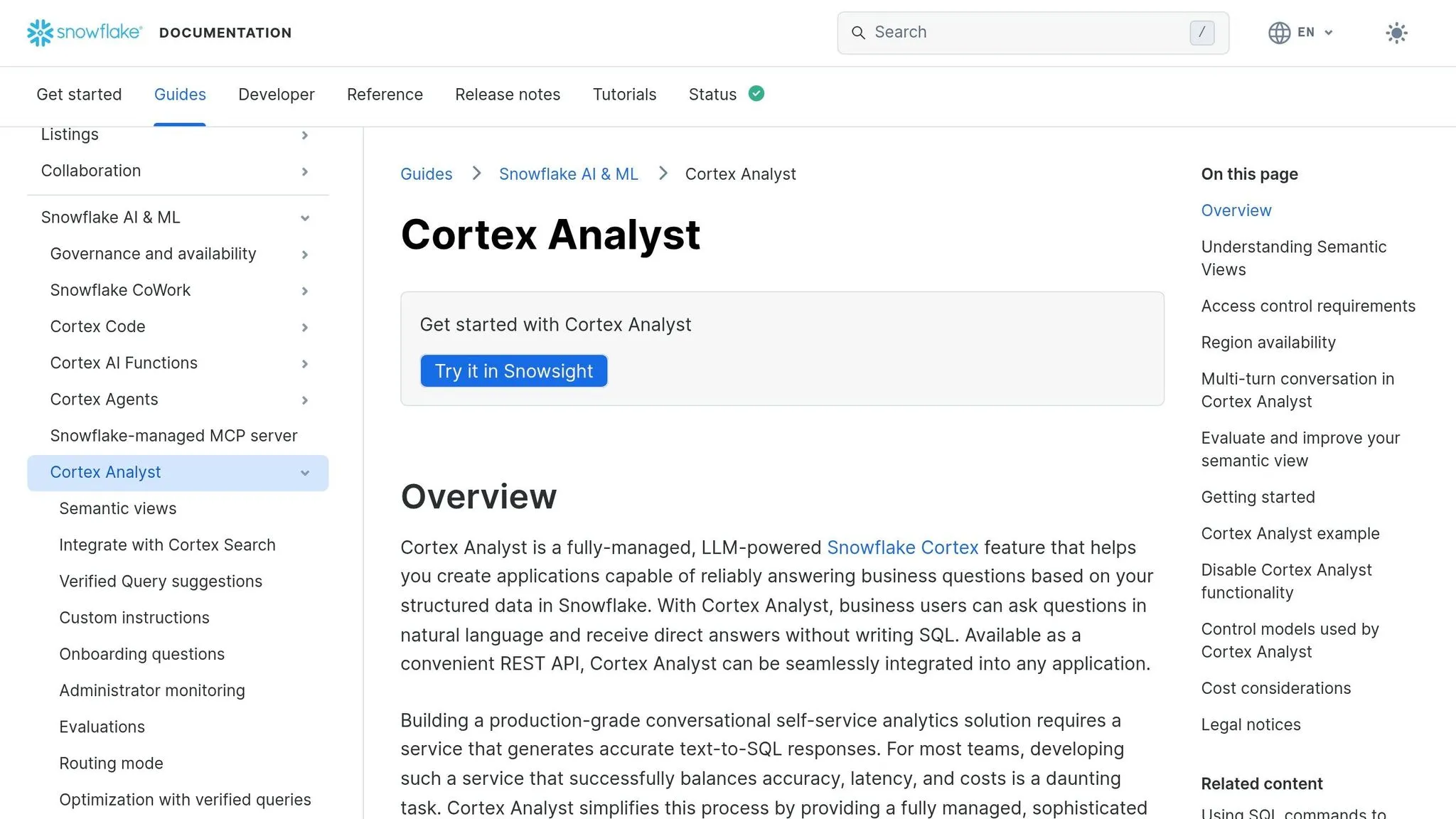
Cortex Analyst is the best Snowflake-native NL2SQL option when your lakehouse already sits in Snowflake and your main goal is governed SQL on live data. It’s a managed native AI feature inside the Snowflake platform, so it queries data where it already lives, moves no data, and inherits Snowflake security and RBAC.
Lakehouse fit
If your lakehouse also includes other systems, this route usually begins with centralizing data in Snowflake.
Metric governance
After the data is centralized in Snowflake, the next issue is consistency in business logic. Cortex Analyst uses Semantic Views in YAML to map business terms to tables, dimensions, facts, metrics, and relationships.
If your team already maintains dbt Semantic Layer or MetricFlow definitions, you can pair them with Cortex Analyst so metric logic stays aligned across generated SQL [6][5]. That said, the quality of that coverage still shapes how well the model does.
SQL reliability
When the semantic model is thorough, Cortex Analyst can hit 90%+ SQL accuracy on real-world use cases [4]. But there’s no magic here: gaps in the YAML usually turn into gaps in accuracy. Analysts should still check joins, logic, and row counts before anything goes into production [5].
BI workflow fit
The main interface is API-first and conversational, which makes sense for embedded analytics and internal tools. The SQL it generates is fully inspectable, and that goes a long way with analyst trust. Teams standardizing on Databricks often choose a different native route, which the next section covers.
5. Databricks AI/SQL Assistants on Unity Catalog
Databricks Genie is Databricks' native NL2SQL feature, grounded in Unity Catalog metadata and governance [4]. If your team already runs its lakehouse in Databricks, Genie gives people a way to ask questions in plain English without adding a separate analytics layer.
Lakehouse fit
Genie works best when your data already lives in Databricks. Unity Catalog supplies the table metadata, lineage, and access controls the assistant uses to find the right tables and columns [4][5]. That tight link matters. It means Genie isn't guessing in the dark; it's working from the structure your team already uses.
The catch is pretty simple: if your data is split across several systems, you'll usually need to move more of it into Databricks first. That can increase lock-in risk [4]. At that point, the issue isn't just whether Genie can connect to the data. It's whether your metrics mean the same thing everywhere.
Metric governance
Unity Catalog handles metadata, lineage, RLS, and CLS, but it doesn't define business metrics like Revenue, Churn, or Daily Active Users [4][5]. And that's where teams often hit a wall. A tool can know what a table is called, but that doesn't mean it knows how your company defines Revenue.
Teams that pair Genie with dbt Semantic Layer or MetricFlow definitions tend to get more consistent results, because the business logic lives in one place instead of being re-inferred every time someone asks a question [5]. When those definitions are in place, the next test is how well the assistant translates them into the right joins and filters.
SQL reliability
Genie is usually more reliable than a generic LLM wrapper because it is grounded in the actual data model, column names, and table relationships defined in Unity Catalog [8]. That gives it a better shot at producing SQL that matches how the warehouse is set up.
Even so, analyst review still matters, especially for sequence-based SaaS queries like funnels and conversion windows [1]. Those are the kinds of questions where small SQL mistakes can quietly skew the answer.
BI workflow fit
Genie makes the most sense for teams that are already deep in the Databricks ecosystem and want NL2SQL without bringing in another vendor. Unity Catalog governance is native and automatic, which cuts down access-control setup work [4][5].
The tradeoff is reach. If important data and metric definitions live outside Databricks, Genie becomes less useful. This is why many teams focus on building a modern data layer that can unify metrics across different platforms. In other words, it's a strong fit for a Databricks-centered stack, but a weaker one when the stack stretches far beyond it.
6. BigQuery Native AI-Assisted SQL Workflows
Gemini in BigQuery is Google's native AI helper for SQL generation, query explanation, and exploratory analysis. If your team already works inside Google Cloud, BigQuery gives you a warehouse-first route that feels native and asks for very little setup.
Lakehouse fit
BigQuery's native AI works well with Google Cloud's connected-source setup and can query live data without copying it around. That works nicely when your data stack already sits in Google Cloud. But the picture gets weaker when major sources live somewhere else. This tends to matter most when BigQuery, Looker, and dbt already shape how the team handles reporting.
There’s one detail you don’t want to gloss over: Gemini LLM processing is a global service. So even if your BigQuery data stays in a specific U.S. region, the AI inference may run in another location. If your team has strict data residency rules, check that before turning these features on [5].
Metric governance
BigQuery gives teams solid access control through policy tags for column-level security and row-level security (RLS). Gemini inherits those controls out of the box, so it won’t show restricted columns to people who aren’t allowed to see them [5].
What it does not do is define business metrics on its own. Google notes that LLMs can misread domain-specific schemas. That’s where Looker LookML or the dbt Semantic Layer helps keep things steady. Without that grounding, Gemini can guess wrong about table relationships and KPI calculations [5][4].
That’s why metric definitions matter more than prompt quality. A polished prompt can’t fix a messy metric layer.
SQL reliability
BigQuery scored 76.13 on the BIRD benchmark for text-to-SQL accuracy across 12,751 question-SQL pairs [5]. That’s a solid result, but the bigger issue is silent failure. A query can run without errors and still follow the wrong logic. On a complex schema, one bad join can still spit out an answer that looks fine at first glance. That’s why generated SQL should be treated as a draft and reviewed by an analyst [2].
Once the SQL is grounded, the next issue is simpler: does it slide cleanly into the team’s day-to-day reporting flow?
BI workflow fit
The Google Cloud integration story is strong. Gemini connects naturally to Looker Conversational Analytics for visual answers, and results can move into Google Workspace tools like Sheets and Slides [5]. For Looker teams, the jump from question to shareable report is short.
The tradeoff is pretty clear. The most controlled version of this workflow depends on a semantic layer - whether that’s Looker or dbt - to keep metrics steady. Gemini works well for ad hoc analysis, but teams that need high-trust, repeatable BI will want that modeling layer in place.
7. Trino-Based NL2SQL via Partner Tooling
Trino is a federated query engine that lets you query live data across many systems without moving it first. In a lakehouse setup, that’s a big deal. You can query across Iceberg, Delta Lake, Hive, cloud warehouses, on-prem databases, and SaaS systems where the data already lives.
That said, natural-language-to-SQL on top of Trino usually relies on partner tooling. And the results can vary a lot based on how well that tool understands your schema, business meaning, and access rules. So if your team needs federation first, with governance added on top, Trino is often a strong match.
Lakehouse fit
The biggest draw here is zero-copy federation across live sources. You get to work across systems without pulling everything into one place.
But there’s a catch: cross-source joins can get shaky when the tool can’t line up distributed schemas cleanly. Tools like Promethium can connect to Trino and query data in place across distributed sources without requiring data migration or centralization [4]. Still, the more spread out and messy the schema is, the easier it is for the model to miss joins or apply the wrong filters.
Metric governance
If there’s no semantic layer, things can go sideways fast. One team’s “revenue” may not match another team’s “revenue,” and then the same question gives different answers depending on who asked it [4].
Partner tools that add a context hub help close that gap by mapping business terms to the right tables and columns. That work takes time, though. Expect about four weeks for context mapping, plus ongoing maintenance as business logic changes [4].
SQL reliability
This is usually the hardest part: schema linking.
Leading LLMs have reached at most 50% accuracy on enterprise schemas because of schema-linking errors [6]. That’s a blunt stat, and it explains why simple prompt-to-SQL setups often fall apart in production.
Tools that connect live to the Trino engine and read actual DDL at query time tend to do better than basic prompt-to-SQL tools. RAG-based setups that index schema, documentation, and past queries can push reliability higher too [3].
Analyst-visible SQL also matters a lot here. When people can inspect and edit the SQL, they can catch bad joins or missing filters before bad results make their way into production [2][3]. It’s a simple idea, but it saves headaches.
BI workflow fit
Trino-based NL2SQL works best for ad hoc analysis across distributed sources when centralizing data isn’t practical.
For executive self-serve, it can work - but only if the tool knows when to pause and ask for clarification instead of making a blind guess [2]. That’s the difference between a useful assistant and a confident mess.
Analyst handoff is usually a good fit when the system shows editable SQL. That gives analysts a chance to check joins, filters, and row counts before anything moves further downstream [2][3].
| Workflow | Suitability | What You Need |
|---|---|---|
| Ad hoc exploration | High | Federated access to distributed sources |
| Executive self-serve | Medium-High | Semantic layer + ambiguity detection |
| Analyst handoff | High | Editable SQL output |
Use this path when data can’t be centralized and governance needs to sit on top of a federated setup. If your team needs more orchestration and tighter control, the next option is a custom LLM-based lakehouse agent.
8. Custom LLM-Based Lakehouse Agents
Custom LLM-based lakehouse agents give you the most control over retrieval, guardrails, and query planning. But there’s no free lunch here. Every part you control is also a part you have to build, maintain, and debug.
This route makes sense when native warehouse features or semantic layers don’t cover your mix of sources or your business logic.
Lakehouse fit
Custom agents can federate across Snowflake, Databricks, BigQuery, Postgres, and on-prem systems. That’s the big draw.
What sets this apart from federated query tools is simple: your team owns the schema linking, retrieval, and guardrails instead of handing that job to the platform.
Metric governance
Once data access is in place, the harder part starts: keeping metric definitions steady across prompts.
Without a semantic layer, business terms drift fast. “Revenue,” “active customer,” or “pipeline” can start to mean slightly different things depending on the prompt, and that small gap can turn into a big reporting problem. To reduce that risk, ground the agent in dbt Semantic Layer, MetricFlow, or a maintained glossary. It should also inherit warehouse RBAC and row-level security.
An agent can return a plausible SQL result while still using the wrong logic. And if you can’t inspect the SQL, those failures are tough to catch before they land in a dashboard.
SQL reliability
Simple prompt-to-SQL wrappers tend to break on complex enterprise schemas. A better approach is to use RAG over DDL, documentation, and past queries.
That said, live DDL should come first. Static schema uploads go stale fast, especially in busy data environments where tables, columns, and joins change often. Live DDL beats static schema uploads for reliability.
BI workflow fit
Custom agents are a strong fit for teams with dedicated engineering resources and very specific needs that off-the-shelf tools can’t handle.
For most BI teams, though, the setup cost is steep. Expect 3 to 6 months to build out semantic modeling and business glossaries for a mid-sized environment [4].
Choose this path only if you have the engineering bandwidth and need custom guardrails, ambiguity handling, or multi-source orchestration. That tradeoff shows up most clearly in setup effort, governance depth, and analyst trust.
How These Options Compare
No single option wins in every case. The right pick depends on where your data lives, how much engineering time you can spare, and how much you care about stable metric definitions versus raw flexibility.
The big idea is simple: the layer around the model matters more than the model itself. That’s where things either stay clean and dependable or start to drift. The table below shows where each option does well, where it runs into trouble, and how much governance it tends to need.
| Option | Lakehouse Fit | Metric Governance | SQL Reliability | BI Workflow Fit |
|---|---|---|---|---|
| Querio | Strong (Snowflake, BigQuery, Redshift, ClickHouse, Postgres) | Strong (shared context layer, versioned logic) | High (inspectable, editable SQL) | Self-serve for analysts and non-technical users |
| BI Copilots (Looker, Tableau, Power BI) | Moderate (best on modeled data) | Excellent on pre-modeled metrics | High on modeled data, weaker on ad hoc questions | Dashboard-centric |
| Semantic-Layer-Driven Systems (WrenAI, dbt Semantic Layer, MetricFlow) | Good | High (explicit schema mapping) | High on mapped objects | Analyst-oriented |
| Snowflake Cortex Analyst | Excellent (single-platform) | Strong | High when Semantic Views are complete | Native Snowflake workflows |
| Databricks Genie | Excellent (single-platform) | Strong | Strong on Databricks-native data | Native Databricks workflows |
| BigQuery + Gemini | Excellent (single-platform) | Moderate | Solid on modeled BigQuery data | Native BigQuery workflows |
| Trino-based tooling | Strong (federated, multi-source) | Varies by partner | Moderate (cross-source joins are harder) | Cross-source exploration |
| Custom LLM Agents | Flexible (any source) | Weak without semantic grounding | Low without grounding | Engineering-heavy |
Three differences stand out.
Platform-native tools like Snowflake, Databricks, and BigQuery tend to work best inside their own ecosystems. That makes sense. When the data, permissions, and query engine all live in one place, things usually run more smoothly. But the moment you need to join across systems - say, Snowflake sales data with Postgres marketing data - they start to strain [4].
BI copilots are more dependable when teams already have pre-modeled metrics in place. If the question fits the dashboard logic, they can do a solid job. But once a user asks something outside that structure, the cracks start to show.
Custom agents sit at the other end of the spectrum. They give you the most freedom, which sounds great on paper. The tradeoff is setup cost, more engineering work, and weaker out-of-the-box governance.
For governed self-serve, it helps to keep a maintained layer between the LLM and the raw schema. The next section breaks these tradeoffs into pros, cons, and setup effort.
Pros, Cons, and Setup Effort by Option
The comparison of text-to-sql tools above lays out the tradeoffs. This table turns them into a fast decision guide.
| Option | Best For | Pros | Cons | Setup Effort |
|---|---|---|---|---|
| Querio | Governed self-serve across warehouses | Inspectable SQL/Python, shared context layer, live connections across Snowflake, BigQuery, Redshift, ClickHouse, and PostgreSQL | Requires the data team to maintain the context layer | Low–Medium |
| BI Copilots (Looker, Tableau, Power BI, ThoughtSpot) | Teams with mature, pre-modeled BI layers | Easy for non-technical users; leverages existing semantic models | Struggles with unmapped or ad hoc data; can come with higher licensing costs | Low |
| Snowflake Cortex Analyst | Snowflake-only shops | High accuracy with complete semantic models; inherits native security and row/column-level controls | Vendor lock-in; limited to data already in Snowflake | Medium |
| Databricks AI/SQL Assistants on Unity Catalog | Databricks-native data teams | Strong on Unity Catalog data; tight platform integration | Limited outside the Databricks ecosystem | Medium |
| BigQuery Native AI Workflows | GCP-centric organizations | Strong benchmark performance | LLM processing may occur outside your data region | Low–Medium |
| Semantic-Layer-Driven Systems (Looker, WrenAI) | Complex schemas needing high accuracy | Grounds AI in business logic; consistent metric definitions | High upfront modeling work; ongoing technical maintenance | High (3–6 months) [4] |
| Trino-Based Partner Tooling | Multi-cloud or federated environments | Zero-copy federation; queries data in place across sources | Requires complex orchestration and a unified context layer | Medium |
| Custom LLM Agents | Engineering teams building internal tools | Maximum flexibility; can support local or private models | High engineering overhead; requires significant maintenance and governance work | Low to start, high to maintain |
One point matters more than it may seem at first glance: reliable NL2SQL depends less on the model and more on governed context.
That’s the part many teams miss. A slick demo can look great, but trustworthy SQL usually comes from the system’s understanding of your metrics, table relationships, naming conventions, and access rules. Put simply, the real filter is how much governed context each option needs before the SQL is safe to use.
Conclusion
In 2026, the best NL2SQL setup for a lakehouse comes down to a pretty simple idea: pick the option that fits your data, your schema, and the level of trust users need before they act on an answer. That usually puts tools into three camps: platform-native, federated, and semantic-layer-led approaches.
If your team mostly lives inside one platform - Snowflake, Databricks, or BigQuery - the built-in AI features make a lot of sense. They run inside the platform’s current security model and keep data movement low. That’s a big plus. The downside is vendor lock-in, and day-to-day accuracy still depends a lot on how complete your semantic model and context layer are. Benchmarks can look better than production performance when semantic coverage has gaps.
Once data is spread across systems, the choice shifts. Federation starts to matter when data sits across multiple warehouses or clouds.
For B2B SaaS teams, the hard part isn’t just generating SQL. It’s governed self-serve. If you want governed self-serve analytics, choose the option that keeps business logic outside the model and gives users inspectable SQL, live warehouse connections, and steady KPI definitions.
At that point, the bigger issue isn’t the model by itself. It’s the system design around it: fit the option to your data layout, ground it in governed context, and make sure every answer stays inspectable.
FAQs
::: faq
How do I choose the right NL2SQL setup for my stack?
Choose based on your team size, how far your governance process has come, and whether you want a standalone interface or an analytics platform with this built in.
For governed, repeatable analytics, put the context layer first. If your team is deep in a single stack, a native option like Snowflake Cortex Analyst can make sense. If you want a governed workspace with SQL and Python you can inspect, look at Querio. If you want the most control and your team has the Python engineering muscle, Vanna AI is a strong fit.
One thing matters more than any demo: test these tools with actual business questions, not vendor benchmark results. :::
::: faq
When is inspectable SQL more important than benchmark accuracy?
Inspectable SQL matters a lot more when the goal is production-grade reliability, governance, and trust, not just ad hoc analysis. Benchmark scores can show that a model knows SQL syntax. But they don’t show whether it can handle proprietary business logic, messy schemas, or company-specific metric definitions.
In enterprise settings, inspectable, editable SQL gives data teams a clear way to check that a query is logically sound, auditable, and matched to internal definitions like revenue or churn. That kind of transparency helps cut silent errors and makes the results easier to trust. :::
::: faq
How much setup does governed NL2SQL usually require?
Setup depends on how much consistency you need and how good your metadata is. Simple tools can go live in days. More governed setups often take 3–6 months.
Most of that time goes into the semantic layer, business glossary, and metadata that keep metrics like revenue or churn consistent. Teams can start with the schema and then add a governed context layer over time. :::