Business Intelligence
Top 10 self-serve analytics tools in 2026
Analysis of top self-serve analytics platforms, comparing AI features, live data integration, governance, and pricing.

- Querio: AI-powered natural language queries, direct live data integration, and transparent code generation. Free plan; Core is $2,499/month, with no per-seat pricing.
- Tableau: Enhanced AI-driven querying with "Ask Data" and "Tableau Agent." Tiered pricing starts at $40/user/month.
- Microsoft Power BI: Seamlessly integrates with Microsoft 365. Offers conversational Q&A and Copilot for advanced AI features. Pricing starts at $14/user/month.
- Looker: Governed analytics with LookML semantic layer. Pricing starts around $140/user/month, focusing on enterprise users.
- ThoughtSpot: Search-first analytics with AI-driven insights and anomaly detection. Pricing starts at $25/user/month or $0.10/query.
- Qlik Sense: Associative analytics engine with strong governance and real-time updates. Custom enterprise pricing available.
- Zoho Analytics: AI-powered assistant "Ask Zia" for conversational analytics. Plans start at $24/month for small teams.
- Sisense: Combines live data integration with embedded analytics. Pricing starts at $1,000/month.
- Domo: Real-time data integration and team collaboration with custom enterprise pricing.
- Amazon QuickSight: Serverless BI with "Amazon Q" for natural language queries. Pricing starts at $9/user/month.
Quick Comparison
| Tool | AI Features | Real-Time Integration | Pricing |
|---|---|---|---|
| Querio | Natural language to SQL, transparent code | Direct live data connections | Free plan; Core $2,499/mo, no per-seat pricing |
| Tableau | Ask Data, Tableau Agent | 100+ connectors, live queries | $40–$75/user/month |
| Power BI | Copilot, Conversational Q&A | Azure ecosystem, DirectQuery | $14–$24/user/month |
| Looker | LookML, Gemini AI | Native SQL-based integration | $140–$200/user/month |
| ThoughtSpot | SpotIQ, Sage AI | Cloud warehouses, live queries | $25/user/month or $0.10/query |
| Qlik Sense | Insight Advisor, AutoML | 100+ connectors, CDC tech | Custom enterprise pricing |
| Zoho Analytics | Ask Zia, Explain Data | 500+ integrations, live connect | $24–$455/month |
| Sisense | Simply Ask, embedded AI | On-premise and cloud sources | $1,000+/month |
| Domo | Domo AI, real-time workflows | 1,000+ connectors | Custom enterprise pricing |
| Amazon QuickSight | Amazon Q, Scenario Analysis | AWS-native, SPICE engine | $9/user/month or capacity-based |
Bottom Line: Querio leads with its AI precision, ease of use, and flexible pricing, but each tool has strengths tailored to different business needs. Choose based on your team's requirements, data sources, and budget.
::: @figure 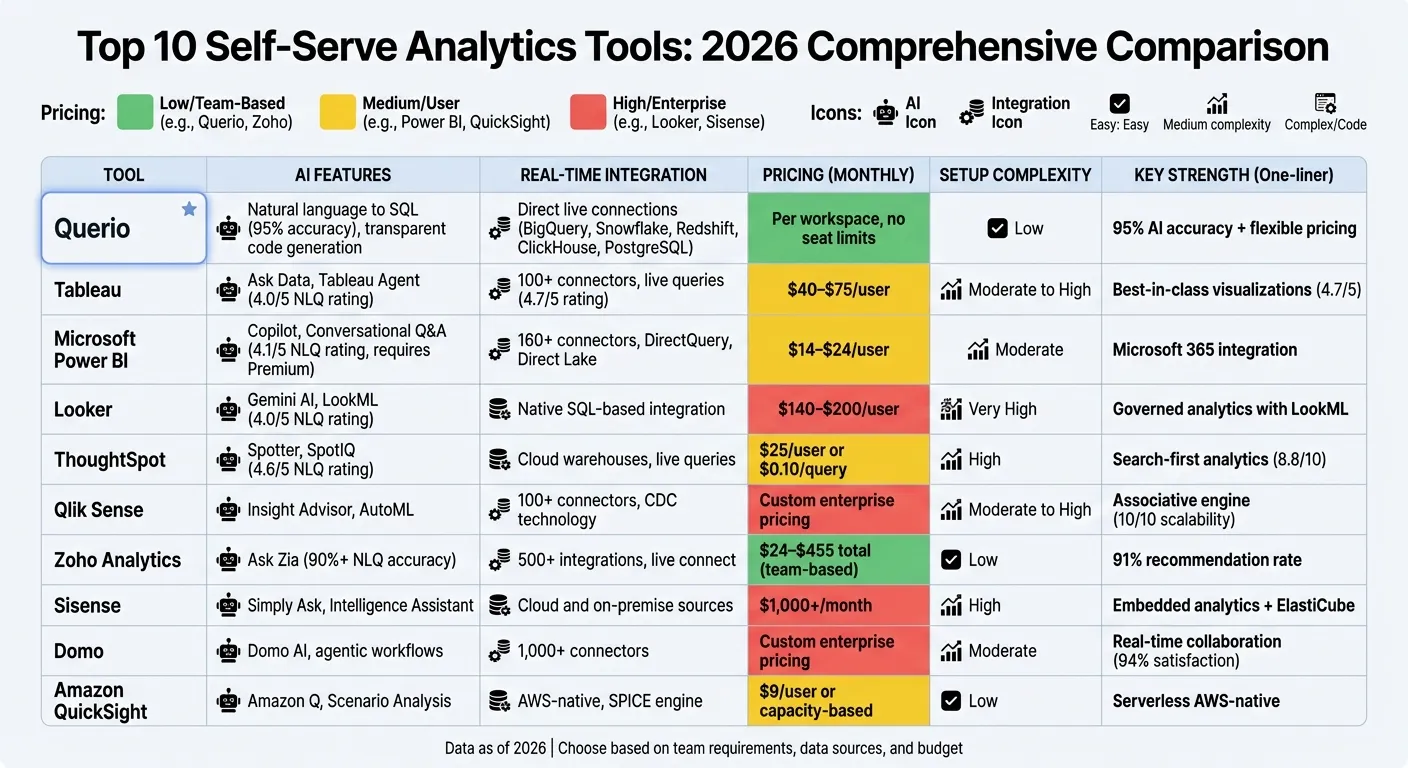 {Self-Serve Analytics Tools Comparison 2026: Features, Pricing & AI Capabilities}
:::
{Self-Serve Analytics Tools Comparison 2026: Features, Pricing & AI Capabilities}
:::
What every data leader needs to know about self-serve
::: @iframe https://www.youtube.com/embed/VX3zZcedme4 :::
sbb-itb-284a532
1. Querio
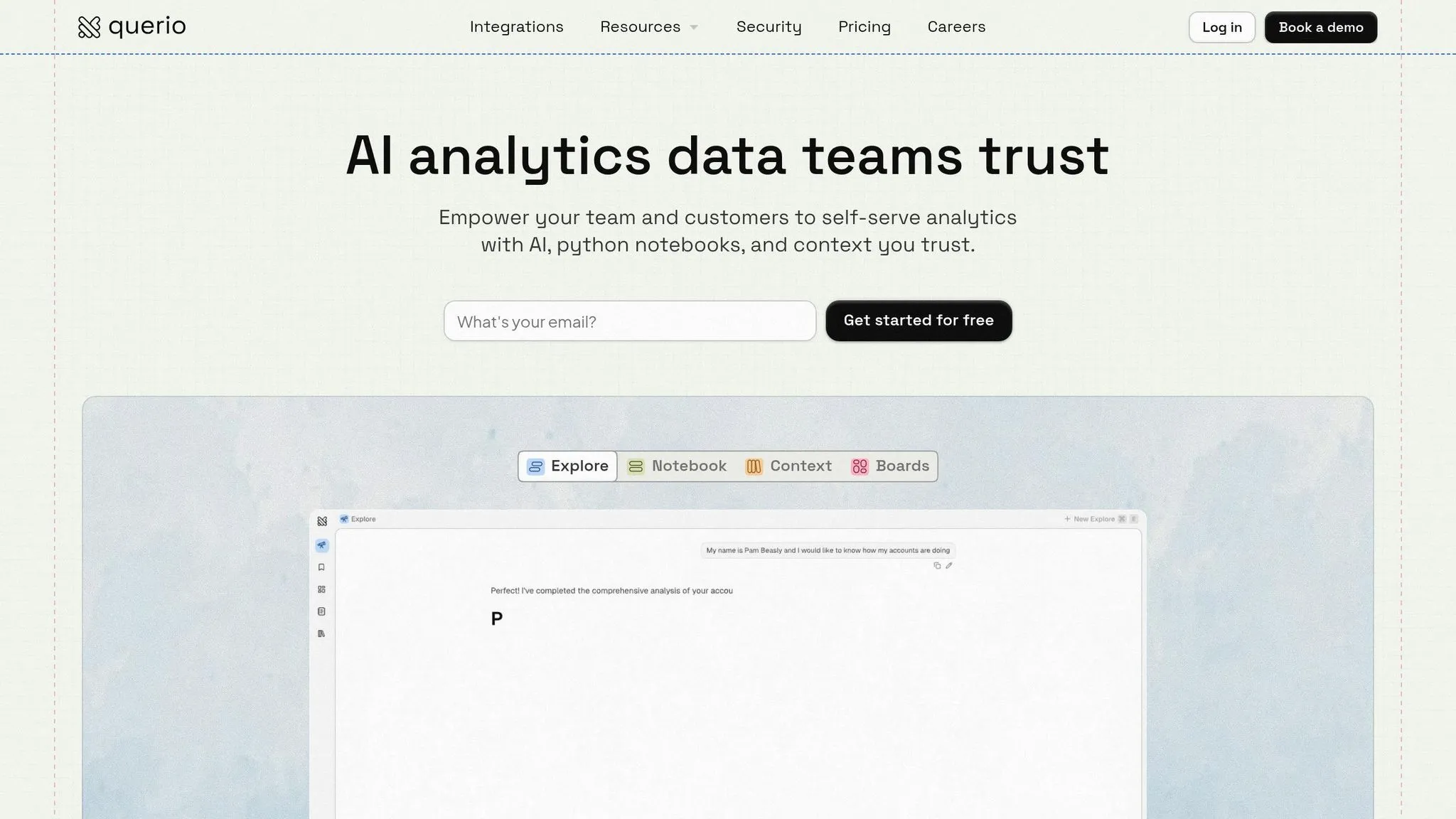
Querio is an AI-powered analytics workspace that connects directly to your existing data warehouse and allows users to make plain-English queries. Unlike traditional BI tools that require complex query languages or pre-built dashboards, Querio generates actual SQL and Python code for every query. This approach ensures that non-technical users can access insights easily, while data teams maintain full visibility and control over the underlying logic.
Here’s how Querio is reshaping self-serve analytics with its AI-driven features.
AI-Powered Natural Language Queries
Querio translates natural language questions into SQL and Python code that can be executed instantly. For example, you could ask, "What was our revenue last quarter by region?" and the platform would generate the query, execute it on your live data warehouse, and return results in seconds. What sets Querio apart is its inspectable code - technical teams can review the generated SQL or Python to verify its accuracy. This transparency eliminates the "black-box" issue that often undermines trust in AI tools.
Querio also integrates directly with live data sources, ensuring up-to-date results every time.
Seamless Live Data Integration
The platform connects to popular data warehouses like Snowflake, BigQuery, Amazon Redshift, ClickHouse, and PostgreSQL using encrypted, read-only credentials. Queries are executed directly against your live data, with zero latency. By avoiding data duplication, Querio simplifies infrastructure, reduces security risks, and ensures that all insights are based on the most current information available.
Consistent Metrics and Governance
Querio employs a centralized semantic layer to define metrics, joins, and business terminology. This ensures that terms like "Revenue" or "Active Customer" are consistent across all queries, dashboards, and embedded analytics. Any updates made by the data team are automatically reflected everywhere. With SOC 2 Type II certification, role-based access controls, and SSO integrations, Querio delivers enterprise-grade security without complicating access for users.
Flexible Pricing for Scalability
Querio eliminates the common cost barriers of analytics tools by offering unlimited users on every plan with no per-seat pricing, making it accessible to entire organizations. Teams can test it in their own workflows on the free plan, which includes 500 AI credits a month. Core is $2,499 a month (or $25,000 a year billed annually) with 10,000 AI credits a month. AI usage past the included credits is billed per credit, with usage alerts and spending caps.
Querio’s approach makes it easier for businesses to access real-time, reliable insights while removing technical and cost-related barriers.
2. Tableau
Tableau, widely recognized for its visual analytics, has embraced essential features of modern BI to make data exploration easier than ever. By 2026, the platform has expanded its offerings to empower non-technical teams to analyze data without needing to code or create intricate dashboards. Let's break down Tableau's advancements in AI-driven querying, integration, and pricing.
AI-Driven Natural Language Querying
Tableau's Ask Data feature allows users to type plain-English questions and receive visual answers. With the addition of Tableau Agent (formerly known as Einstein Copilot), users can now engage in conversational analysis and even generate visualizations on the fly. The platform also includes Explain Data, a tool designed to uncover patterns and anomalies in charts while offering statistical explanations for unexpected trends. In 2026, Tableau's natural language query accuracy scored 4.0 out of 5 [1]. To enhance precision, data administrators can define clear field aliases and organize data into logical hierarchies. These features make it easier for users to gain insights quickly, without needing technical expertise, reflecting a broader industry trend toward proactive analytics.
Live Data Warehouse Integration
Tableau continues to excel with its ability to connect to live data sources and create in-memory extracts, ensuring real-time accuracy and performance. Its visualization tools remain top-tier, earning a 4.7 out of 5 rating in 2026 [1]. Security and data integrity are prioritized through the Einstein Trust Layer, which ensures sensitive data isn't used to train public AI models. Additionally, Tableau Catalog helps users manage metadata effectively, ensuring they work with certified, high-quality data sources.
Scalability and Pricing Models
Tableau offers tiered pricing plans to suit different needs. The AI-enhanced Tableau+ Bundle is priced at $75 per user/month, while Tableau Next is available at $40 per user/month [1] [3]. These prices are higher compared to some competitors, whose entry-level plans start at $14 per user/month [3]. Accessing Tableau's advanced generative AI features usually requires the Tableau+ Bundle and may also depend on Salesforce integration for full functionality [1].
3. Microsoft Power BI
Microsoft Power BI has firmly established itself as a go-to analytics tool for organizations using Microsoft 365. By 2026, it has expanded its AI capabilities while remaining tightly integrated with tools like Excel, Teams, and SharePoint. With an impressive 8.8 out of 10 rating from enterprise users for its search-based and natural language processing features [4], Power BI appeals to businesses seeking advanced analytics within a familiar Microsoft ecosystem. These improvements solidify its reputation for delivering AI-powered insights with ease.
AI-Driven Natural Language Querying
One standout feature is Power BI's Conversational Q&A, which allows users to ask straightforward questions like, "What was total revenue by region last quarter?" The platform responds with visual insights and generates the corresponding DAX queries automatically [6]. This makes diving into data much simpler for team members who might not be skilled in complex formulas. On top of that, the Copilot integration takes things further by automating the creation of DAX formulas, speeding up the process of building reports - a feature many users find invaluable [4]. However, business leaders have rated the platform 7.2 out of 10 for ease of use [4], showing that while the AI tools are powerful, mastering advanced features still requires some effort.
Live Data Warehouse Integration
Power BI doesn’t stop at intuitive querying - it also excels in live data integration. With support for over 160 native data connectors as of 2026 [4], the platform can pull information from a vast range of sources. Its Direct Lake in OneLake mode combines the speed of imported data with the freshness of live updates, offering the best of both worlds. The TMDL View feature adds another layer of functionality by enabling browser-based, code-first modeling, which simplifies tasks like automation and bulk editing of semantic models [7]. Additionally, Translytical Task Flows let users update records and trigger workflows directly from a Power BI report, eliminating the need to switch between tools [7].
Scalability and Pricing Models
Power BI's pricing is designed to cater to a wide range of users, from small teams to large enterprises, with options for shared or dedicated capacities. However, shared capacities have faced criticism for performance issues, and the platform's flexibility can be limited in non-Microsoft environments [4]. For organizations already invested in Microsoft 365, the seamless integration is a major advantage. Those operating within more diverse tech ecosystems, however, may need to navigate some challenges.
4. Looker
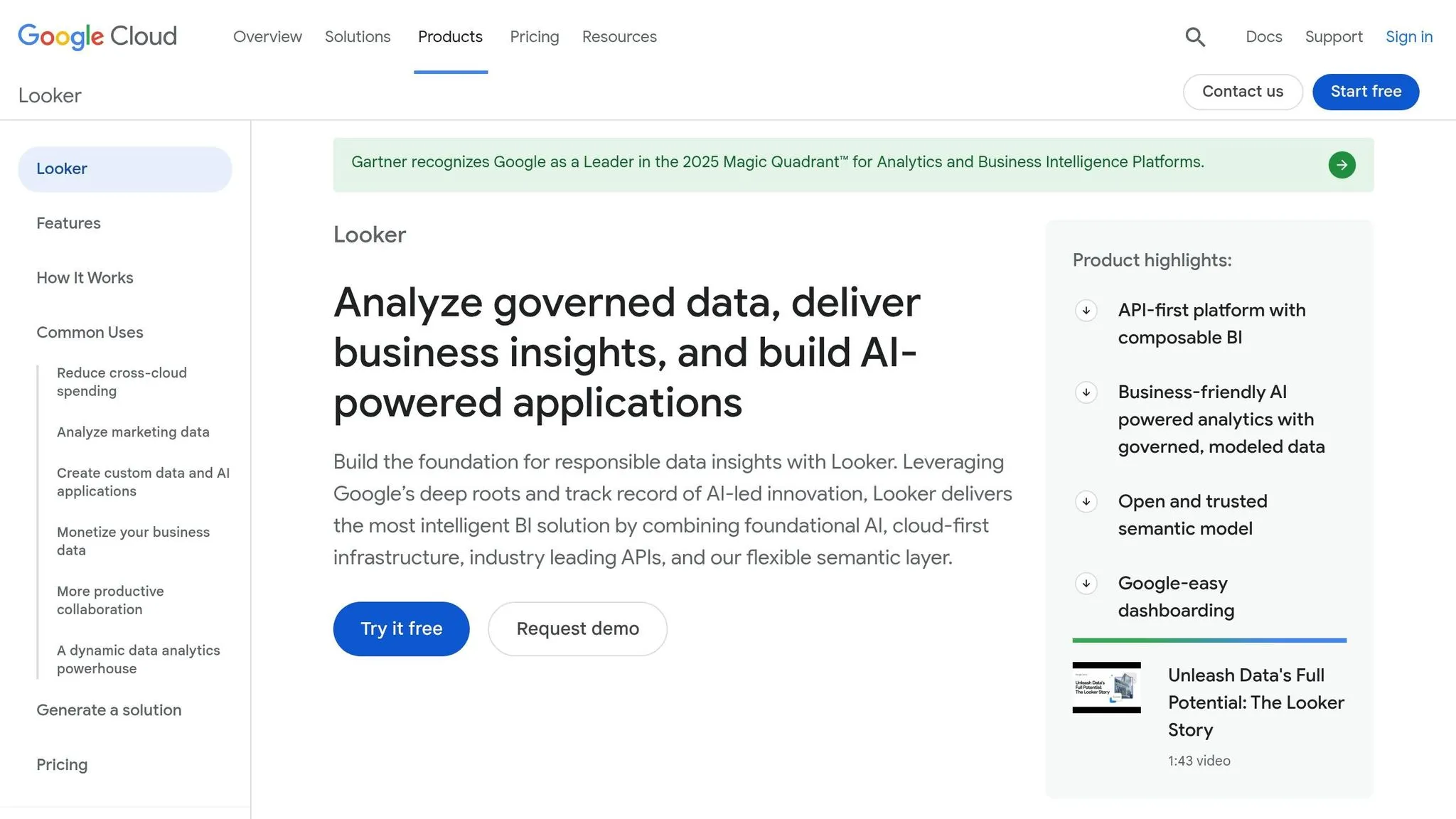
By 2026, Looker has solidified its place in the analytics world, earning a 4.4 out of 5 rating for its cloud-native enterprise features [9]. Unlike many self-service tools, Looker focuses on governed analytics through its LookML semantic layer - a code-based modeling language that standardizes metrics across all reports [1]. This structured foundation enables Looker's advanced AI-driven querying capabilities.
AI-Driven Natural Language Querying
Looker teams up with Gemini AI to deliver conversational analytics, letting users ask plain-English questions like, "Why did revenue drop last month?" [8][9]. The LookML semantic layer is key here, cutting AI data errors by 66% through centralized governance and version control [9]. While this AI-powered querying makes data exploration easier, its precision is tied to the LookML definitions, leading to a 4.0 out of 5 rating for accuracy [1].
Live Data Warehouse Integration
Looker uses an in-database architecture to query live data directly from warehouses like BigQuery, Snowflake, and Redshift. This ensures that analyses are always based on the latest data [1]. With this real-time approach, decision-makers can act on up-to-the-minute information. For example, an automotive company reported discovering insights 21 times faster by leveraging Looker's semantic layer. Additionally, Looker's shift toward agentic workflows - where AI agents interact with governed data warehouses - enhances its ability to provide reliable, explainable answers [2].
Governance and Consistency of Metrics
Looker's governance framework is one of its standout features, significantly reducing analysis time. The LookML semantic layer ensures consistency across global organizations by defining business metrics once and applying them across all reports. This approach eliminates issues like inconsistent data calculations and has been highlighted by users as a leader in reducing AI errors and maintaining metric uniformity [9]. Organizations using Looker have reported cutting analysis time by up to 50% when paired with data governance framework examples [1]. However, the reliance on LookML expertise can be a hurdle for non-technical users compared to platforms that offer more intuitive, drag-and-drop interfaces.
Scalability and Pricing Models
Looker's pricing structure reflects its focus on enterprise-level users. The Standard Plan starts at around $66,600 annually, with average costs nearing $83,665 per year [10]. Monthly per-user costs typically range between $140 and $200 [1], with maximum prices climbing as high as $1,770,000 depending on organizational needs [10]. Looker offers three main editions:
- Standard: Supports up to 50 users with 1,000 monthly query API calls.
- Enterprise: Features unlimited users, 100,000 API calls, and enhanced security.
- Embed: Provides external analytics with unlimited users and 500,000 API calls.
For businesses already invested in Google Cloud, Looker's seamless integration is a major plus. However, the platform's pricing and learning curve make it less ideal for smaller teams or those seeking a quick, no-code solution.
5. ThoughtSpot
ThoughtSpot has received an impressive 8.8 out of 10 rating from enterprise users in 2026, thanks to its search-first approach to analytics [4]. By allowing users to type questions in plain English and instantly receive visualizations, it simplifies data exploration. This approach is especially helpful for non-technical teams who need fast answers without relying on analysts. Below, we’ll dive into ThoughtSpot’s standout AI-powered features.
AI-Driven Natural Language Querying
ThoughtSpot’s Spotter leverages generative AI to transform everyday language into database queries. To further refine searches, Spotter Coach helps users clarify ambiguous questions by linking their input to specific data fields. In 2026, ThoughtSpot earned a 4.6 out of 5 rating for natural language query accuracy, outperforming competitors like Power BI (4.1) and Tableau (4.0) [1].
Adding to this, SpotIQ automatically uncovers patterns, trends, and anomalies, surfacing insights users might not even know to look for. For more advanced users, the Analyst Studio supports Python and R integrations, enabling data scientists to create complex models while keeping the interface intuitive for business users.
Live Data Warehouse Integration
Beyond its AI-powered querying, ThoughtSpot ensures insights are always based on up-to-date information. It connects directly to cloud data warehouses like Snowflake, BigQuery, and Redshift [1][5][11]. This real-time integration eliminates the need for precomputed extracts or cumbersome ETL processes, ensuring users work with live data. Thanks to this setup, business users can independently handle about 60% of their queries, reducing reliance on analysts and cutting operational costs.
Scalability and Pricing Models
ThoughtSpot offers flexible pricing, starting with the Team Edition at $25 per user per month, and a usage-based option beginning at $0.10 per query [1]. This tiered structure accommodates a range of needs, from small teams to large enterprises, making it particularly appealing to fintech and retail businesses that require quick, live data insights [1]. However, users caution that ThoughtSpot performs best with well-organized, clean data models. Poorly structured data can lead to inaccurate search results [11][4].
6. Qlik Sense
Qlik Sense has achieved a 4.4 out of 5 overall rating in 2026, earning a perfect 10 out of 10 for scalability in handling complex enterprise deployments. Its standout feature is the Associative Analytics Engine, which dynamically maps all data relationships. This allows users to explore datasets and uncover insights that traditional SQL-based tools might miss.
AI-Driven Natural Language Querying
Qlik Sense stands out with two AI-powered tools for natural language querying: Qlik Answers and Insight Advisor. Qlik Answers, powered by Amazon Bedrock, processes unstructured data using generative AI. Meanwhile, Insight Advisor employs natural language processing to provide conversational analytics. According to Forrester, these features enable users to uncover insights 35% faster than traditional methods. While the platform has a steeper learning curve, it’s capable of processing over 40 million records per minute [12].
Live Data Warehouse Integration
With support for over 100 data sources - including SAP, Salesforce, Databricks, and Snowflake - Qlik Sense uses Change Data Capture (CDC) technology to provide real-time updates from legacy systems like SAP or Oracle to modern cloud warehouses. Its reverse ETL functionality allows actionable insights to flow back into operational tools like Salesforce. For example, one sales team recovered $18,000 per week and achieved 100% ROI in under two weeks on a $30,000 investment [12].
Governance and Consistency of Metrics
For organizations focused on data governance, Qlik Sense includes Qlik Predict, which features built-in bias detection to identify unfair patterns before they affect models. Additionally, the Model Context Protocol (MCP) Server ensures secure third-party AI access through strict governance measures, while the Direct Access Gateway (v1.7.11) enhances security with encrypted logs and enforced checks. One automotive manufacturer saw a 12% boost in production efficiency and a 25% reduction in scrap costs, resulting in a 165% ROI over 30 months [12].
Scalability and Pricing Models
Qlik Sense offers pricing flexibility to suit different needs:
- Business Tier: $30 per user per month, billed annually.
- Standard Tier: $825 per month for 20 full users.
- Premium Tier: $2,700 per month for 20 full users and 10,000 basic users.
For enterprise setups, Professional licenses cost $72.50 per user per month, while Analyzer licenses are priced at $41.25 per user per month. A Forrester study highlighted that Qlik Cloud Analytics delivered a 209% ROI over three years, with organizations seeing a 30% reduction in BI analysis time [12].
These features solidify Qlik Sense's position as a leader in real-time, governed analytics, paving the way for an in-depth feature comparison.
7. Zoho Analytics
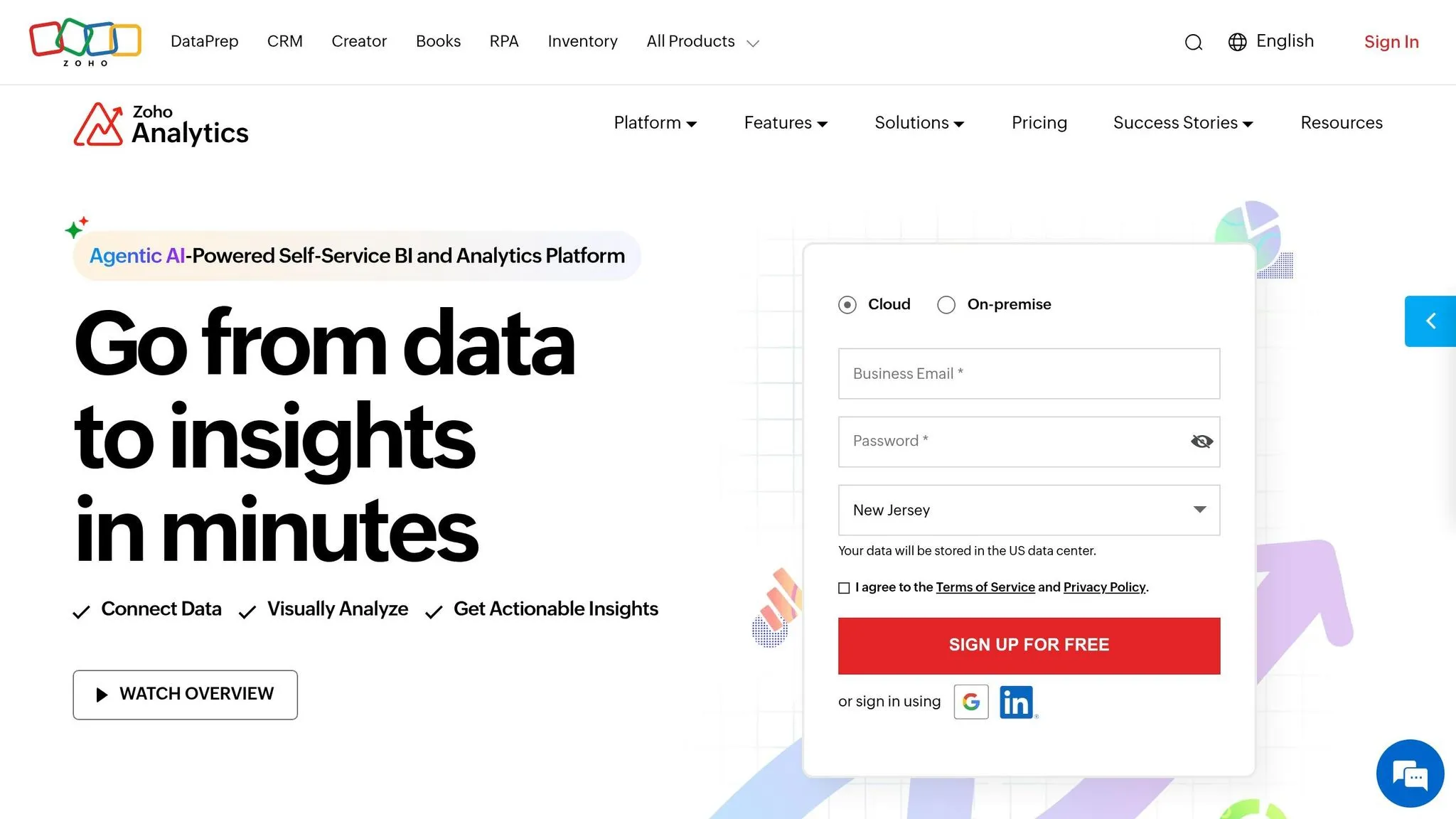
Zoho Analytics has a 91% user recommendation rate and serves over 22,000 customers with 4 million users worldwide as of 2026. The platform is quick to deploy, often within 1–3 days, and integrates seamlessly with over 500 native data connectors, including major cloud warehouses like Snowflake, BigQuery, and Redshift [13][15].
AI-Driven Natural Language Querying
The standout feature of Zoho Analytics is its AI-powered Ask Zia Agent, a conversational assistant that allows users to create KPIs, visualizations, and dashboards simply by typing in plain English or Spanish. Impressively, the platform maintains an NLQ (Natural Language Query) accuracy rate of over 90% [13]. John Sheldon, Business Intelligence Manager at Renu Energy Solutions, shares how this feature impacts his work:
"The Ask Zia and Zia Insights features significantly streamline performance tracking. I can ask for a specific agent name for their quarterly or monthly performance and get to see if their sales numbers are trending up or down... These insights give a clear picture of the performance of all our sales reps, and we had this discovery within minutes because of Zia Insights." [14]
In addition to Ask Zia, the Explain Data feature provides users with insights into any data point by explaining spikes or dips, while Zia Insights automatically generates narrative summaries to highlight trends and root causes. These tools simplify data exploration and make scaling operations more efficient.
Scalability and Pricing Models
Zoho Analytics’ flexible pricing options are designed to grow with your business. It offers a range of plans, including a free version, paid tiers, and optional add-ons for more users or larger datasets [16]. For example, the Standard plan costs $48 per month (billed annually), supports up to 1 million rows, and includes 5 users - ideal for small teams. Additional viewer seats are available for $4 per viewer per month, making it easy to expand access as needed.
| Plan | Price (Annual) | Users | Row Limit | Key Features |
|---|---|---|---|---|
| Basic | $24/month | 2 | 500,000 | 50+ connectors, unlimited workspaces |
| Standard | $48/month | 5 | 1 Million | Data snapshots, multiple admins |
| Premium | $115/month | 15 | 5 Million | Live Connect, Ask Zia, DataPrep |
| Enterprise | $455/month | 50 | 50 Million | 24/day data sync, 500 query tables |
For businesses with extensive data needs, the Dedicated Compute tier supports up to 500 million rows (roughly 500 GB of data) and is tailored for deployments starting at 50 users [16]. Eddie Shekari, Principal & CEO at Versa Creative, sums up the platform’s value:
"Zoho's BI platform is a consolidation of the capabilities of, say, 27 other companies into one unified product." [15]
8. Sisense
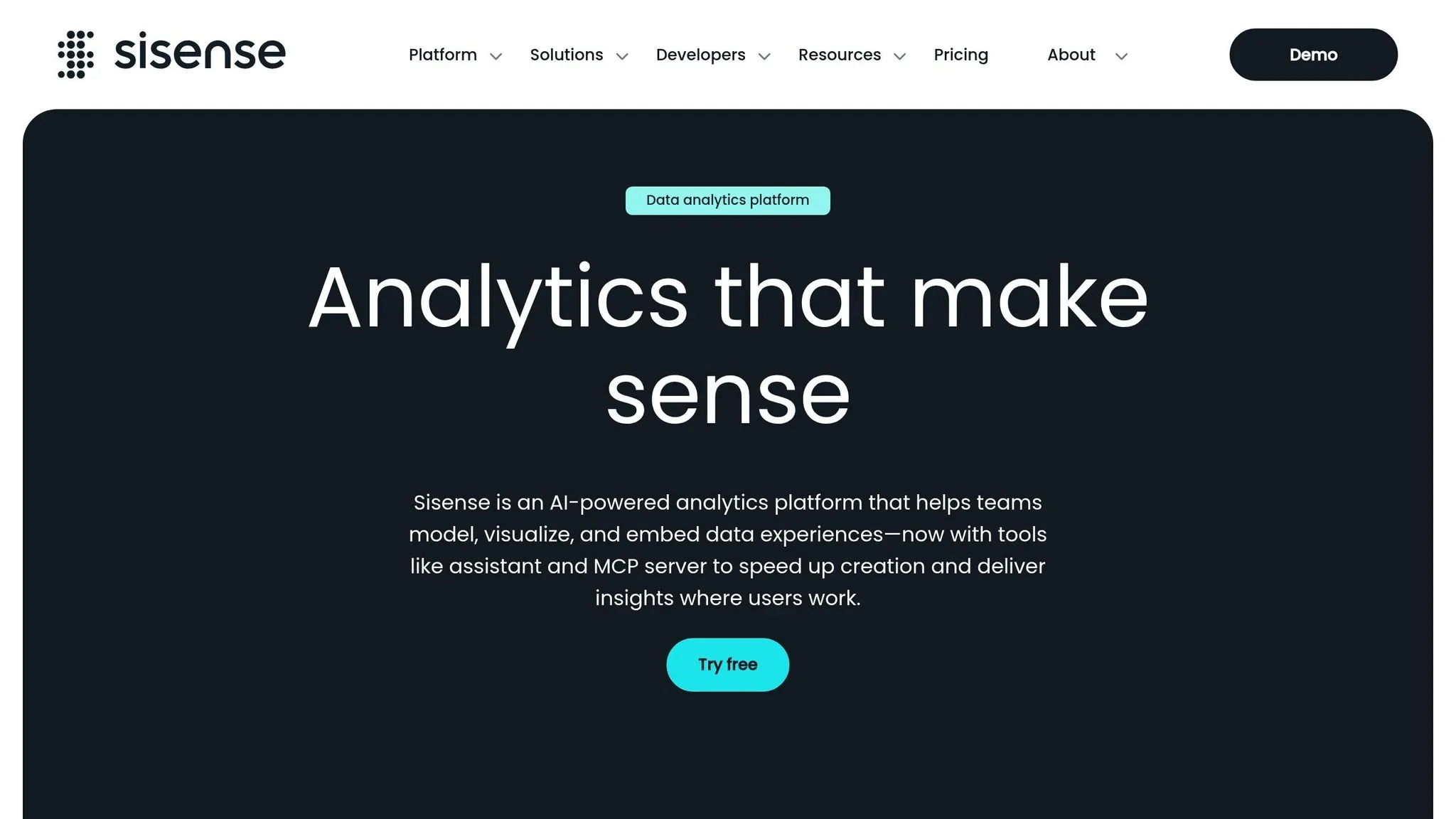
Sisense combines AI-powered querying with embedded analytics, making it a go-to solution for non-technical users seeking scalable analytics. Known for its ElastiCube technology, the platform consolidates data from multiple sources for faster queries and uses microservices to independently scale its components. With over 500 five-star reviews and a 4.2/5 rating on G2 as of 2026 (based on 1,040 reviews), Sisense has established itself as a reliable all-in-one analytics platform [23][24].
AI‑Driven Natural Language Querying
Sisense’s Intelligence Assistant lets users interact with data conversationally. Its Simply Ask feature allows users to type questions in plain English - like "What is my total revenue?" - and receive instant visualizations. This tool includes automatic suggestions, spellcheck, and synonym matching, making data analysis more intuitive [19].
The platform’s Model Context Protocol (MCP) Server enables integration with external AI tools like ChatGPT or Claude, allowing users to query data and generate charts directly within these tools [18][21]. Additionally, Sisense’s Knowledge Graph analyzes billions of usage events to deliver personalized recommendations and context-aware results [19][20].
Bill Janczak from Indiana Donor Network highlights the benefits:
"With Sisense NLQ, we're able to bring the power of analytics to the front lines of our business. As a result, I can focus on some of the more strategic and longer term data and analytics needs." [20]
These AI features are seamlessly integrated into Sisense’s broader architecture, enhancing its usability.
Live Data Warehouse Integration
Sisense supports live connections to cloud databases, on-premises systems, and SaaS applications, enabling real-time insights. The platform accommodates both structured and semi-structured data, including SQL and NoSQL databases and cloud storage platforms.
Devin Vyain from Barrios explains how this functionality transformed their workflow:
"We went from custom application development to the ability to rapidly change something on the dashboard and then publish it again in real‑time within the production environment - without sacrificing any of the security." [23]
In early 2026, Bioforum integrated Sisense's Intelligence Assistant into its BioGRID platform, allowing research teams to interact with clinical trial data more intuitively while maintaining compliance standards. Tanya du Plessis from Bioforum shared:
"With Sisense's AI capabilities, we are able to easily translate complex data, streamline interpretation (identifying gaps and trends in the data), and identify key impacts with speed that is changing the way we can react... during clinical trials." [23]
This live integration ensures real-time data access while upholding strong governance standards.
Governance and Consistency of Metrics
To promote clarity and prevent misinterpretation, Sisense introduced Primary Dashboard Filters in 2026. These filters align all dashboard settings to the user’s initial selection, reducing errors and empty results [1]. The platform also strengthened security by adding email-based two-factor authentication (2FA) for users not utilizing Single Sign-On (SSO) [1].
For consistent metric definitions, data teams can add aliases to the natural language query model, allowing users to work with familiar terms like "Market" instead of "Country" [19]. Additionally, designers can enable NLQ at the dashboard level, empowering users to perform ad-hoc analyses without technical assistance [19].
Scalability and Pricing Models
Sisense typically offers quote-based pricing, ranging from $25,000 to over $100,000 annually, depending on the number of users and data volume [22]. In 2026, the platform introduced monthly pricing options, starting at approximately $1,000 per month, offering flexibility for smaller teams and enterprises alike [24]. A 7-day free trial is available for teams to explore its embedded and self-service capabilities [18]. This pricing approach ensures Sisense can meet the needs of diverse organizations, from startups to large enterprises.
9. Domo
Domo is a cloud-based business intelligence (BI) platform that excels in real-time data integration and team collaboration. It provides users with instant access to the latest insights, enabling faster, more informed decision-making using modern data analysis tools. Rated with a SmartScore of 8.9/10 on FinancesOnline and achieving a 94% user satisfaction score, Domo is recognized for its ability to boost agile decision-making and improve business performance management through up-to-date data access [25]. Up next, let’s take a look at Amazon QuickSight and what it brings to the table.
10. Amazon QuickSight
Amazon QuickSight wraps up our top 10 list with a serverless business intelligence (BI) platform designed specifically for AWS. Serving over 100,000 customers worldwide, it eliminates infrastructure headaches while delivering analytics powered by AI tools like Amazon Q [27].
AI-driven natural language querying
With Amazon Q, QuickSight changes how non-technical users interact with data. Instead of relying on SQL queries or pre-built dashboards, users can simply ask questions in plain English using search based BI tools. The Multi-Visual Data Q&A feature takes this a step further by translating a single query into multiple visualizations, offering a more comprehensive view of the data [26].
One of its standout features is Scenario Analysis, which allows users to conduct advanced what-if analyses using natural language. AWS claims this capability helps users solve complex business problems up to 10 times faster than traditional spreadsheet methods [26]. On top of that, QuickSight automatically generates Executive Summaries, providing plain-language insights from dashboards, so users can quickly identify trends without digging through charts.
These tools set the stage for QuickSight's seamless real-time data integration.
Live data warehouse integration
QuickSight offers Direct Query support for platforms like Google BigQuery, Snowflake, and Starburst, enabling real-time analytics without moving data from its original source [26]. This zero-ETL (Extract, Transform, Load) approach ensures accuracy and reduces data handling overhead. Additionally, QuickSight's in-memory engine, SPICE, now supports joining datasets up to 20 GB during ingestion, enhancing its ability to handle larger data sets [26].
These features highlight QuickSight’s ability to deliver real-time insights, paving the way for its flexible pricing structure.
Scalability and pricing models
Thanks to its serverless design, QuickSight automatically scales to accommodate any number of users, eliminating the need for capacity planning [28]. Its SPICE engine handles datasets of up to 1 billion rows or 1 TB, ensuring fast performance even with thousands of concurrent users [36,37].
The platform’s pricing is designed to suit businesses of all sizes. Smaller teams can opt for the Standard Edition, priced at $9 per user per month (billed annually). For occasional users, the pay-per-session Reader model provides a cost-efficient option [36,38]. Larger enterprises can take advantage of capacity pricing, starting at $250 per month for 500 sessions or $20,000 annually for 50,000 sessions, offering predictable costs for organizations with extensive user bases [36,37]. Over a three-year period, companies can see up to an 80% reduction in BI costs compared to traditional solutions [27].
"QuickSight provides unified intelligence across all your enterprise data sources, and bridges the critical 'last-mile gap' between insights and action." - Amazon Web Services [27]
Feature Comparison Table
Looking at self-serve analytics tools, it's clear why Querio stands out. It offers advanced AI features, an easy onboarding process, and strong governance controls. The table below compares ten popular tools across five critical areas: AI capabilities, real-time integration, governance controls, setup complexity, and pricing structure.
One major differentiator is setup complexity. Querio, Zoho Analytics, and Amazon QuickSight offer smooth onboarding, while platforms like Looker and ThoughtSpot require significant upfront configuration. Looker's code-first approach ensures strong governance but demands technical expertise to implement [17]. Natural language processing (NLP) is now a baseline feature, but precision varies. ThoughtSpot scores a 4.6/5 for NLQ accuracy, while Querio leads the market with 95% accuracy in converting natural language to SQL [1,4]. For Power BI users, unlocking its full AI potential with Copilot requires Premium or Fabric licensing, which complicates its pricing model. This comparison not only highlights the diversity in features but also underscores why Querio is the top choice for practical use.
| Tool | AI Features | Real-Time Integration | Governance Controls | Setup Complexity | Pricing Structure |
|---|---|---|---|---|---|
| Querio | Advanced Agentic AI; 95% natural language-to-SQL accuracy; inspectable code | Direct connections to BigQuery, Snowflake, Redshift, ClickHouse, PostgreSQL, MySQL | Shared context layer; versioned logic; role-based access | Low | Free plan; Core $2,499/mo; no per-seat pricing |
| Tableau | Einstein AI (4.0 NLQ rating); Pulse alerts; predictive models | 100+ native connectors; live queries | Row-level security; certified data sources | Moderate to High | $15–$75 per user/month |
| Power BI | Copilot (4.1 NLQ rating; requires Premium/Fabric) | Azure ecosystem; DirectQuery | Row-level security; endorsement workflows | Moderate | Pro: $14 per user/month; Premium: $24 per user/month |
| Looker | LookML Assistant; governed metrics | Native support for BigQuery and other SQL databases | Strong semantic layer | Very High | $140–$200 per user/month |
| ThoughtSpot | Sage AI (4.6 NLQ rating); SpotIQ anomaly detection | Cloud warehouses; live queries | Worksheet-level governance | High | Starting at $25 per user/month or $0.10 per query |
| Qlik Sense | Insight Advisor; no-code AutoML | Associative engine; 100+ connectors | Section access; data lineage | Moderate to High | Custom enterprise pricing |
| Zoho Analytics | Zia AI assistant; automated insights | 250+ integrations; live connections | Role-based access; data masking | Low | Starting at $30/month for 2 users |
| Sisense | MCP Server (beta); embedded AI | Cloud and on-premise data sources | Multi-tenant architecture | High | Custom enterprise pricing |
| Domo | Domo AI; agentic workflows; mobile alerts | 1,000+ connectors; real-time data | Personalized data permissions | Moderate | Custom enterprise pricing |
| Amazon QuickSight | Amazon Q | AWS-native connections | Row-level security; dataset permissions | Low | Standard: $9 per user/month; capacity pricing from $250/month |
Governance is another area where differences are clear. Consistent, governed analytics is essential for reliable insights. As Omni Analytics puts it, "AI in BI is only trustworthy when it is grounded in a semantic layer" [29]. Querio and Looker excel here by centralizing business logic, ensuring AI-driven insights are built on consistent definitions. With Gartner forecasting that 40% of enterprise applications will include task-specific AI agents by 2026 [17], tools that combine autonomous AI with strong governance are set to lead. Across all dimensions, Querio delivers an efficient, secure, and scalable solution - making it the go-to choice for businesses aiming for top-tier analytics.
Conclusion
Selecting the right self-serve analytics tool in 2026 hinges on aligning the platform with your team's unique requirements. Begin by identifying your key user personas: executives often need real-time, mobile-friendly alerts, analysts look for in-depth visual storytelling, and business users benefit from natural language querying to simplify data exploration [3][4]. By tailoring these needs to Querio's features, organizations can gain faster, more actionable insights.
Adoption rates for analytics tools still hover around 25%, largely because companies often focus on features rather than their users' readiness to adopt the technology [1][17]. For instance, in 2025, Novo Nordisk cut its analytics cycle time by 88% by automating commercial workflows, while PepsiCo achieved a 12× faster root cause investigation by replacing manual processes with automated driver decomposition [17].
To ensure Querio meets your needs, test it with your real datasets and business questions to see how effectively it delivers accurate answers [5]. Also, consider the total cost of ownership, including implementation, training, and maintenance, when evaluating its long-term value [1][17]. With nearly half (47%) of data and analytics leaders citing data literacy as a major challenge, it's essential to choose tools that make data access easier, not harder [17].
The move toward agentic analytics underscores the need for tools like Querio to go beyond simple metrics reporting. Features such as automated root cause analysis and driver decomposition are becoming essential [17]. By 2026, 40% of enterprise applications are expected to integrate task-specific AI agents [3]. Querio's combination of autonomous investigation and strong governance - through its shared context layer and inspectable code - helps organizations transition from reactive reporting to proactive insights. This methodology empowers teams to act on data rather than just observe it.
Kick off your journey with a pilot team, track real usage patterns, and scale based on measurable gains in efficiency and insights using Querio.
FAQs
::: faq
How do I choose the right self-serve analytics tool for my team?
To pick the best self-serve analytics tool, weigh factors like AI features, user-friendliness, integration capabilities, scalability, and governance tools. Look for options that make it simple for non-technical users to interact with data through natural language queries and intuitive visualizations. Strong data governance is also key. Tailor your choice to your team's unique needs - whether that's product analytics or enterprise-level governance. Prioritize tools with smooth data connectivity and an architecture that can grow alongside your organization, ensuring they support informed decision-making as you scale. :::
::: faq
What data sources can Querio connect to without copying data?
Querio links directly to data warehouses such as Snowflake and BigQuery, giving you live access to your data without requiring duplication. This approach delivers real-time insights while safeguarding both data integrity and security. :::
::: faq
How does Querio keep AI answers accurate and governed?
Querio combines AI-driven queries with integrated governance tools to ensure answers are accurate and trustworthy. These features help maintain consistent data usage while providing users with reliable and actionable insights. :::