Business Intelligence
12 Best AI-Powered Data Analysis Tools for Non-Technical Users in 2026
Governed, warehouse-native AI tools are the only reliable way for non-technical teams to get accurate, repeatable insights.

AI-powered data analysis tools are making it easier for non-technical users to work with data. These tools allow you to ask questions in plain English, connect directly to data warehouses like Snowflake or BigQuery, and provide quick answers or visualizations. The best tools also prioritize governance, ensuring consistent and accurate results.
Here’s a quick look at the top tools for 2026:
- Querio: Combines natural language querying with editable SQL/Python, live data connections, and strong governance.
- ThoughtSpot: Search-driven analytics with AI assistance and live warehouse integration.
- Looker: Uses LookML for consistent metrics and offers real-time insights.
- Tableau: Known for its visual storytelling and AI-powered assistant for natural language queries.
- Power BI: Integrated with Microsoft 365, offering conversational insights and robust reporting.
- Qlik Sense: Provides dynamic data exploration with AI-assisted queries.
- Zoho Analytics: Features an AI assistant for queries and supports SMBs with simplified reporting.
- Google Looker Studio: Focused on interactive dashboards with live data connections.
- Hex: Collaborative workspace for SQL/Python with live warehouse access.
- Julius AI: Simplifies quick analysis on uploaded data files.
- ChatGPT for Data Analysis: Great for one-off questions but lacks governance and live data connections.
- Claude for Data Analysis: Translates plain English into SQL, with live data capabilities depending on implementation.
Quick Comparison
| Tool | Governance & Transparency | Live Data Connection | Natural Language Querying | Best For |
|---|---|---|---|---|
| Querio | High (editable SQL/Python) | Yes | Accurate and inspectable queries | Governed self-service analytics |
| ThoughtSpot | High (AI query plans) | Yes | Search-driven insights | Business leaders |
| Looker | High (LookML semantic layer) | Yes | Consistent metrics | Enterprise teams |
| Tableau | Moderate | Yes | Visual storytelling | Data visualization enthusiasts |
| Power BI | Moderate | Yes | Conversational insights | Microsoft ecosystem users |
| Qlik Sense | Moderate | Yes | Dynamic exploration | Analysts |
| Zoho Analytics | Moderate | Partial (scheduled syncs) | Conversational queries | SMBs |
| Google Looker Studio | Low | Yes | Limited | Google Workspace users |
| Hex | Moderate | Yes | SQL/Python-based analysis | Data teams |
| Julius AI | Low | No (file uploads only) | Simple queries | Ad-hoc users |
| ChatGPT | Low | No (file uploads only) | General reasoning | Quick, informal insights |
| Claude | Moderate (platform-dependent) | Yes | Multi-step reasoning | Exploratory analysis |
Choose a tool based on your data setup, governance needs, and user skill level. For enterprise-grade analytics with live data and strong governance, Querio, ThoughtSpot, and Looker stand out. For simpler tasks, tools like ChatGPT and Julius AI are good options but lack advanced features.
::: @figure 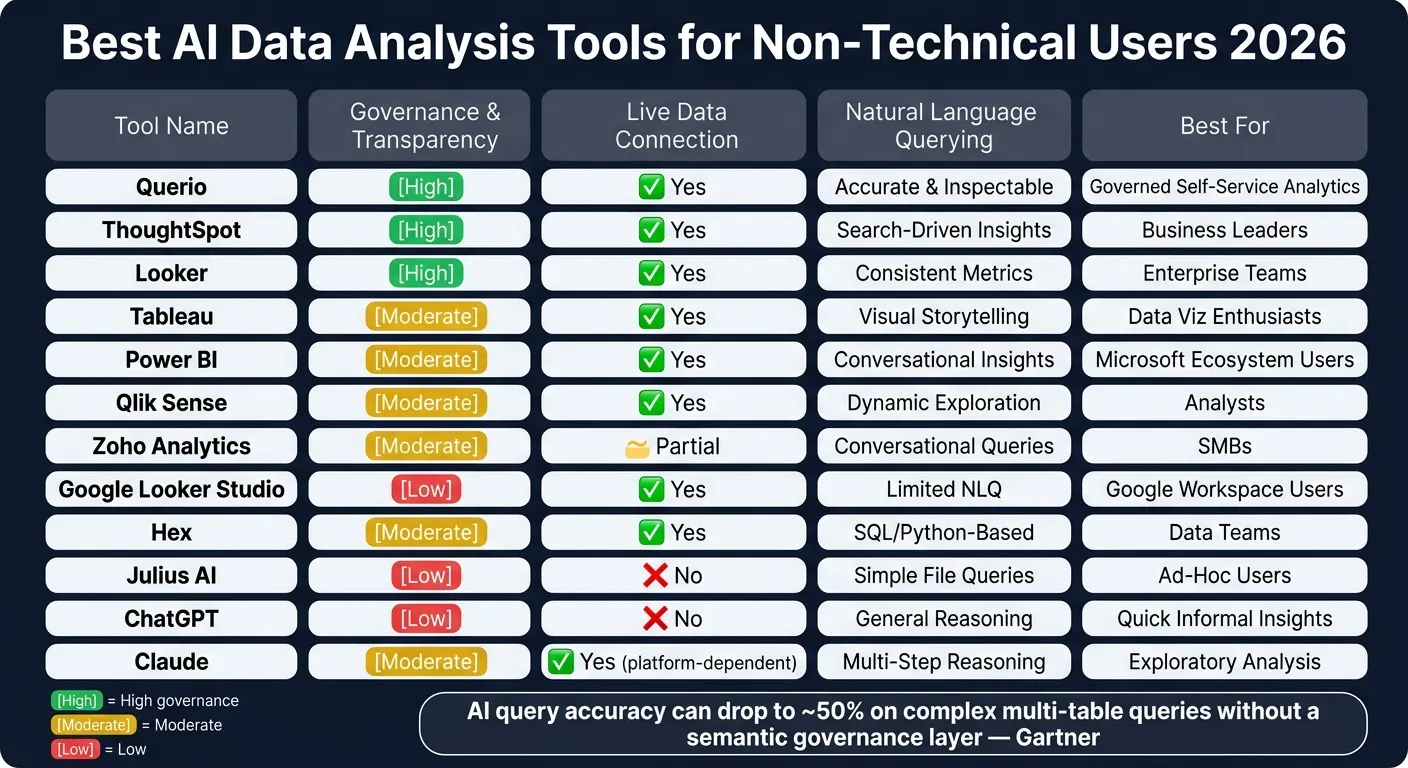 {Best AI Data Analysis Tools for Non-Technical Users 2026}
:::
{Best AI Data Analysis Tools for Non-Technical Users 2026}
:::
Best AI Tools Every Data Analyst Should Know in 2026
::: @iframe https://www.youtube.com/embed/jQuD-as6ckE :::
sbb-itb-284a532
1. Querio
Querio is an AI-powered workspace designed for self-service analytics, offering precision and control. It integrates directly with platforms like Snowflake, BigQuery, Redshift, ClickHouse, or Postgres, allowing users to ask data-related questions in plain English. Behind the scenes, it generates clear SQL and Python outputs.
Natural Language Querying
With Querio, users can input queries such as "What was our monthly recurring revenue by customer segment last quarter?" and quickly receive accurate, data-driven answers. Each result is linked to live warehouse data, and the SQL it generates is fully visible and editable. This level of transparency is crucial - if a result seems off, users or analysts can review and adjust the underlying logic immediately.
Governance and Transparency
Querio’s semantic and context layer ensures that metrics remain consistent across the board. Data teams can define key elements - like what qualifies as an "active customer", how churn is calculated, or which revenue fields to use - just once. These definitions are then applied universally across queries, dashboards, and AI-driven insights. This consistency eliminates the common problem of conflicting metrics caused by ad hoc spreadsheets or CSV exports.
Live Warehouse Connectivity
By connecting directly to live warehouse data using encrypted, read-only credentials, Querio eliminates the need for CSV exports, ETL processes, or data duplication. This ensures that every analysis reflects the most up-to-date data, avoiding reliance on outdated snapshots. This live connection also powers dynamic reporting and visualization tools seamlessly.
Visualization and Reporting Capabilities
Querio’s reactive notebooks allow analyses to automatically update whenever the underlying data or logic changes. Teams can create live dashboards and schedule reports that always reflect real-time data, sharing them across the organization without requiring any exports. For businesses needing customer-facing analytics, Querio also supports embedded self-serve analytics through APIs and iframes, leveraging the same governed logic already in place.
| Rollout Phase | Key Action | Goal |
|---|---|---|
| Phase 1: Setup | Connect warehouse & define context layer | Establish a single source of truth |
| Phase 2: Pilot | Roll out to one early-adopter team | Build internal proof of value |
| Phase 3: Enablement | Training & data literacy sessions | Empower non-technical users to query in plain English |
| Phase 4: Scale | Schedule reports & expand RBAC | Drive company-wide adoption and automated insights |
Querio pricing begins at $400/month for 10 users, with most plans accommodating unlimited users. A free trial with a money-back guarantee is also available.
2. ThoughtSpot
ThoughtSpot stands out as a platform designed for self-serve analytics, making it easier for business users to explore data without needing SQL expertise. By enabling users to generate insights using plain language, it simplifies data analysis and helps teams act on insights faster. ThoughtSpot connects directly to cloud data warehouses like Snowflake, BigQuery, and Redshift, leveraging search-driven analysis to make the process intuitive.
Natural Language Querying
At the heart of ThoughtSpot’s ease of use is its AI assistant, Spotter. The latest version, Spotter 3 (currently in early access), takes natural language querying to the next level. It goes beyond basic keyword matching, offering reasoning similar to what an analyst might provide. Spotter 3 also generates a clear and verifiable query plan, ensuring users understand how results are derived.
Governance and Transparency
To ensure consistency and reliability, ThoughtSpot incorporates a Worksheets layer. This layer acts as a governed abstraction over raw warehouse tables, allowing businesses to define metrics - like revenue or active users - once and reuse them across various reports. Essentially, it functions like a semantic layer, promoting consistency in data interpretation. However, the level of governance controls and integration with tools like dbt can vary depending on your configuration and subscription tier.
Live Warehouse Connectivity
One of ThoughtSpot’s key strengths is its live connection to data warehouses. Instead of relying on data exports or intermediate datasets, queries run directly against platforms like Snowflake, BigQuery, or Redshift. This ensures results are always up-to-date, avoiding the common issue of stale data seen in workflows that depend on CSV files. This live connection aligns perfectly with the modern need for accurate and accessible analytics.
Visualization and Reporting Capabilities
ThoughtSpot’s Pinboards - its version of dashboards - allow users to save and share AI-generated charts and tables across teams. The interface is tailored for non-technical users, making it easier to find answers within structured data. However, setting up the Worksheets layer does require some initial data engineering effort. Up next, we’ll dive into another tool that brings its own strengths to governed self-serve analytics.
3. Looker
Looker offers a platform for governed, AI-powered analytics, using its proprietary LookML to ensure consistent metrics and real-time connectivity to data warehouses. LookML serves as the backbone, defining metrics, business logic, and relationships in one place, so every user - technical or not - works from the same playbook. As Peter Bailis, VP of Engineering at Google Cloud, explains:
"Looker's LookML creates a single source of truth for all users, enabling intelligent insights and automated analysis powered by Google's AI."
Governance and Transparency
At the heart of Looker’s reliability is LookML, which ensures non-technical users get answers based on official company definitions rather than AI-generated assumptions. Governance features like Git-based version control and row-level security (RLS) are built in, safeguarding sensitive data automatically based on user permissions. Like Querio, Looker relies on a governed semantic layer to eliminate metric inconsistencies. This strong governance framework also supports Looker’s natural language assistant, guaranteeing that every query adheres to the company’s established business logic.
Natural Language Querying
With Looker Assistant, users can ask questions in plain English and receive accurate responses. Since the assistant relies on LookML-defined logic, it avoids the inaccuracies common with tools that query raw data directly. Users can seamlessly transition from a natural language query to building dashboards through drag-and-drop functionality, making it easy to turn questions into shareable insights.
Live Warehouse Connectivity
Looker connects directly to your data warehouse - whether it’s Snowflake, BigQuery, Redshift, or others - delivering real-time results without the need for data extracts or delays.
Visualization and Reporting Capabilities
Looker’s Gemini-powered tools enable users to create charts, perform custom calculations, and generate exportable text summaries. For teams presenting data, these automated summaries are ready for stakeholder review. Looker boasts a 4.5/5 rating from 927 reviews on Gartner Peer Insights, with 86% of users recommending it [2].
4. Tableau
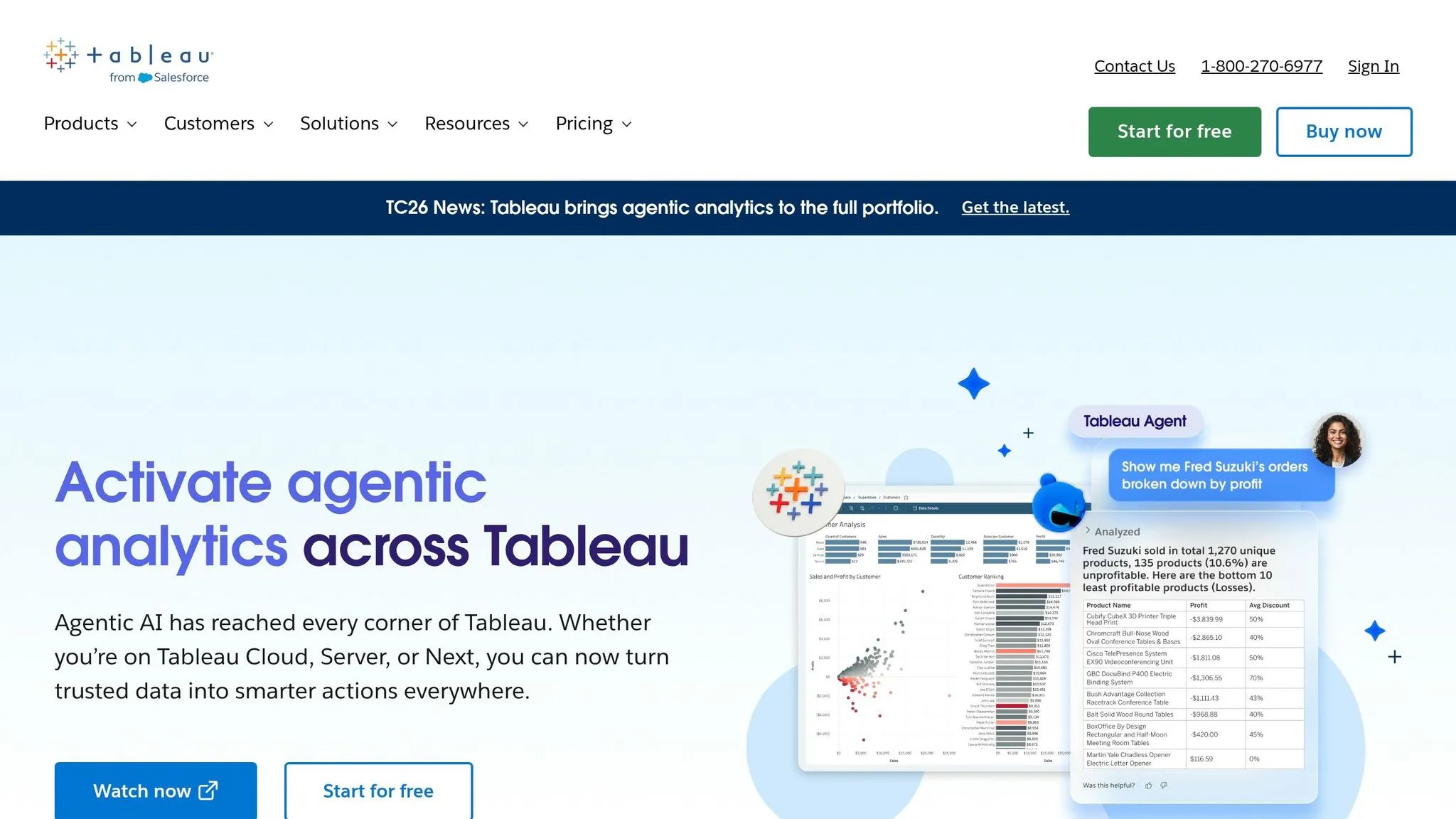
Tableau, a well-known data visualization tool, now incorporates AI to make data analysis more accessible, even for those without technical expertise. It boasts a 4.4/5 rating on Gartner Peer Insights from 4,157 reviews, with 82% of users recommending it [1][2]. Users frequently praise its ability to send proactive metric alerts, its seamless workflow integration, and its rich visualization options [1][2]. Let’s explore how its AI-powered features tackle common analytics challenges.
Natural Language Querying
With Tableau Agent, the platform’s conversational AI, users can ask questions in plain English and receive clear answers. For simple queries, Tableau Einstein (Copilot) achieves an impressive 83% accuracy on the first attempt. However, accuracy dips to 72% for more complex queries involving multi-join tables. While this makes it a reliable tool for straightforward inquiries, users dealing with intricate cross-table analyses might encounter some limitations.
In addition to simplifying queries, Tableau emphasizes maintaining data accuracy through strong governance features.
Governance and Transparency
Tableau's governance framework relies on Tableau Semantics and the Einstein Trust Layer. Together, these tools ensure consistent metric definitions and safeguard sensitive information. This structure allows non-technical users to confidently work with data while adhering to approved business rules, meeting today’s expectations for reliable and consistent analytics.
Live Warehouse Connectivity
Tableau supports direct connections to major data warehouses like Snowflake, BigQuery, and Redshift. This ensures users can access real-time insights and always work with the most current data.
Visualization and Reporting Capabilities
Tableau shines in its reporting features. Tableau Pulse provides proactive alerts about data changes, while Data Stories automatically generate narrative summaries. Its AI-powered tools can also reduce data cleaning time by 40%–60% [1]. Pricing for Tableau Cloud Creator starts at approximately $70 per user/month [1].
5. Power BI
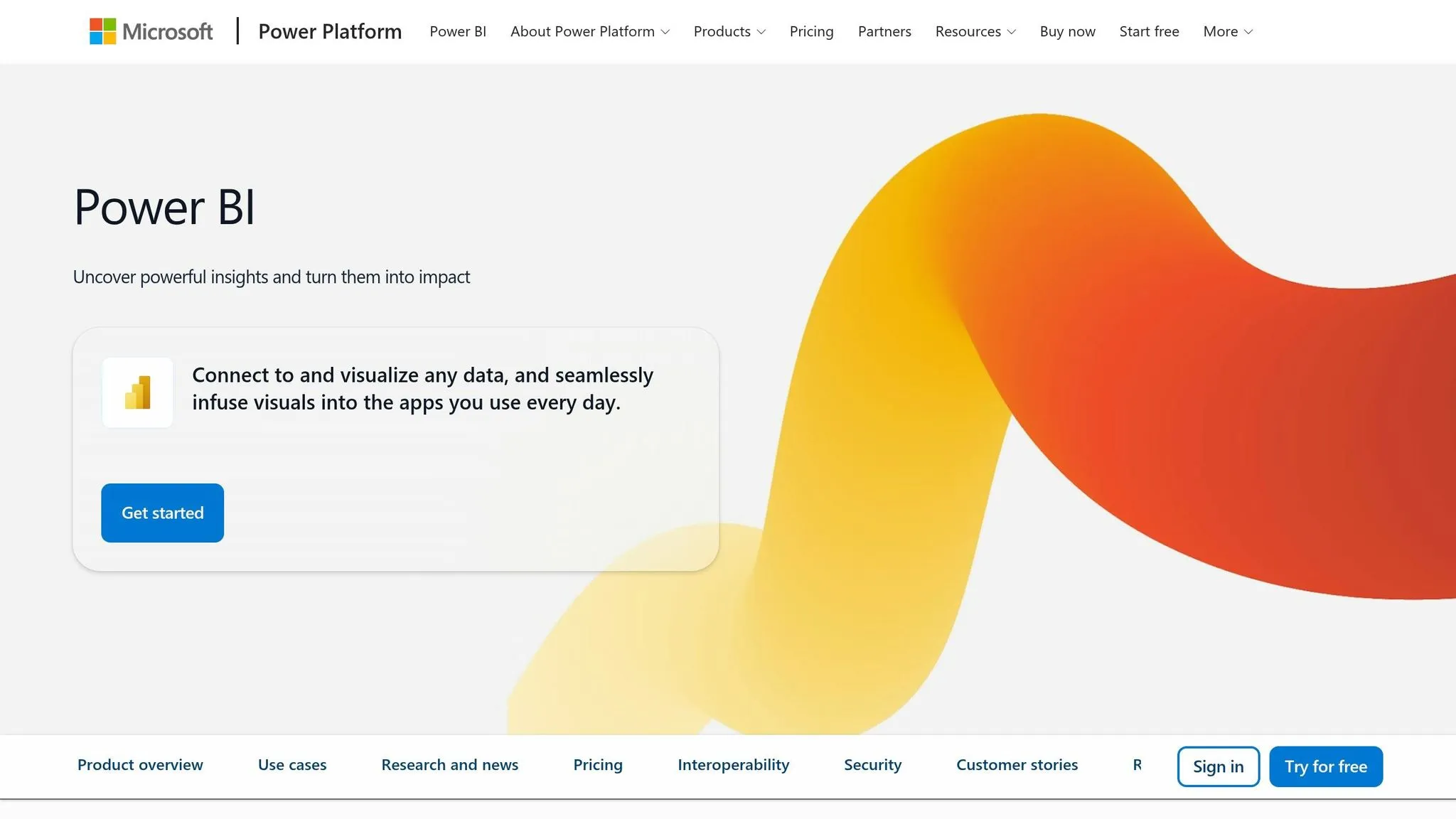
Microsoft's Power BI stands out as a widely used business intelligence platform, seamlessly integrated with Microsoft 365 and Azure. It benefits from deep connections with Microsoft's ecosystem and continues to evolve, especially after Tableau's advancements in AI, by enhancing its natural language and governance features.
Natural Language Querying
With Power BI's Q&A feature and Copilot, users can simply type questions in plain English to generate charts, reports, or even DAX measures instantly. This eliminates the tedious process of manual report creation, making it accessible for users without technical expertise.
Governance and Transparency
Power BI incorporates row-level security (RLS) to protect sensitive information. However, during the preview phase of Copilot, there is a potential for RLS to be bypassed. To address this, Microsoft recommends using Object-Level Security to ensure critical metrics remain protected.
Live Warehouse Connectivity
Power BI supports direct connections to major data warehouses like Azure Synapse, Snowflake, BigQuery, Redshift, and Postgres. It offers both import and DirectQuery modes. DirectQuery enables live data access without exporting, though it may result in slower performance with very large datasets compared to pre-aggregated imports.
Visualization and Reporting Capabilities
The platform boasts an extensive visualization library, including custom visuals available on AppSource. Features like Smart Narratives automatically generate text summaries, while Anomaly Detection identifies unusual trends, helping users uncover insights with minimal effort.
6. Qlik Sense
Qlik Sense stands out by using its Associative Engine to reveal connections within datasets in real time. Unlike traditional SQL-based tools that rely on linear joins, Qlik Sense lets you click on a data point to instantly highlight related values while dimming unrelated ones. This dynamic approach makes data exploration more intuitive and effective.
Governance and Transparency
To maintain consistency, Qlik Sense uses Master Items, a centralized library of approved dimensions, measures, and visualizations. By relying on this governed repository, teams can ensure their reports are based on standardized metrics, eliminating confusion caused by differing definitions across departments.
Natural Language Querying
With the Insight Advisor, users can ask questions in plain English and receive auto-generated charts in response using natural language data querying tools. Its ability to handle multi-turn conversations allows users to refine their queries step by step, making it easier for non-technical users to interact with data without needing specialized skills.
7. Zoho Analytics
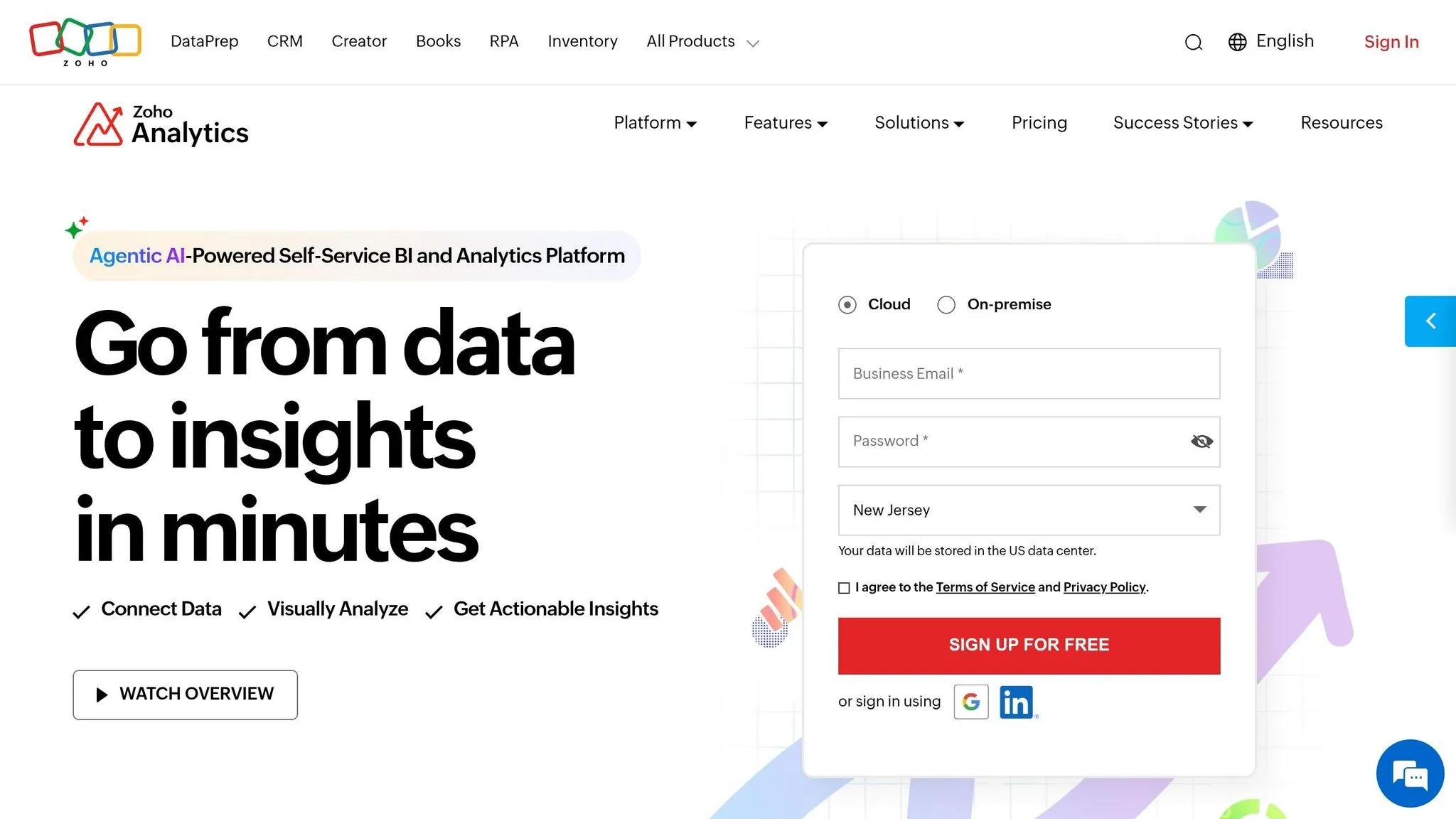
Zoho Analytics is a AI business intelligence platform built to make data analysis accessible for non-technical users. It minimizes the need for heavy IT involvement, giving users the tools to explore data through AI-driven features.
Natural Language Querying
One of the standout features is Ask Zia, Zoho's AI assistant. With it, you can type plain English questions - or even use voice input - and instantly get charts or reports based on your query. The assistant also supports conversational, multi-turn queries, so you can ask follow-up questions while keeping the context of your earlier ones. Additionally, Zia Insights generates narrative summaries of your data in simple language, making it easier for non-technical team members to grasp the main points.
Visualization and Reporting Capabilities
Zoho Analytics offers a drag-and-drop interface for creating charts, dashboards, and pivot tables, making visual analysis straightforward. Reports can be shared or embedded effortlessly, and scheduled email updates ensure everyone stays informed without needing to log in manually. This approach helps streamline team collaboration.
Live Warehouse Connectivity
While Zoho Analytics connects to cloud-based data sources, it primarily relies on data imports and scheduled syncs rather than direct, live queries from your data warehouse. For platforms like Snowflake, BigQuery, or Redshift, it uses scheduled refreshes to keep your data up to date.
8. Google Looker Studio
Google Looker Studio allows users without technical expertise to create interactive, real-time dashboards. By combining AI-driven insights with governed metrics and live warehouse connectivity, it offers a powerful platform for data visualization. It holds a 4.5/5 rating on Gartner Peer Insights, based on 817 reviews, with 86% of users recommending it [2]. Its architecture is designed to support strong governance and clear data practices, as detailed below.
Governance and Transparency
A key feature of Google Looker Studio is LookML, a semantic layer where data teams can define business logic, metrics, and relationships. This ensures consistent data metrics across the organization. A major benefit is its seamless integration with BigQuery, making it particularly effective for teams already using Google Cloud. While the platform simplifies analytics for non-technical users, setting up LookML requires a significant upfront engineering effort.
Live Warehouse Connectivity
Google Looker Studio connects directly to data warehouses like BigQuery, Snowflake, and Redshift. This direct connectivity allows for live queries, meaning dashboards always reflect the most current data without delays from importing.
Natural Language Querying
The platform includes Looker Assistant, powered by Gemini, which enables natural language querying. However, its accuracy depends heavily on the quality of the LookML configuration. Teams with well-maintained semantic layers will achieve better results, as the system relies on this foundation to interpret business context effectively.
Visualization and Reporting Capabilities
The drag-and-drop dashboard builder makes Google Looker Studio accessible to non-technical users. However, reviewers note that the initial setup requires skilled data engineering support. As one Gartner reviewer described it, "High Learning Curve But Delivers Great Insights" [2]. Once configured, the platform provides insights that many teams find worth the effort.
9. Hex
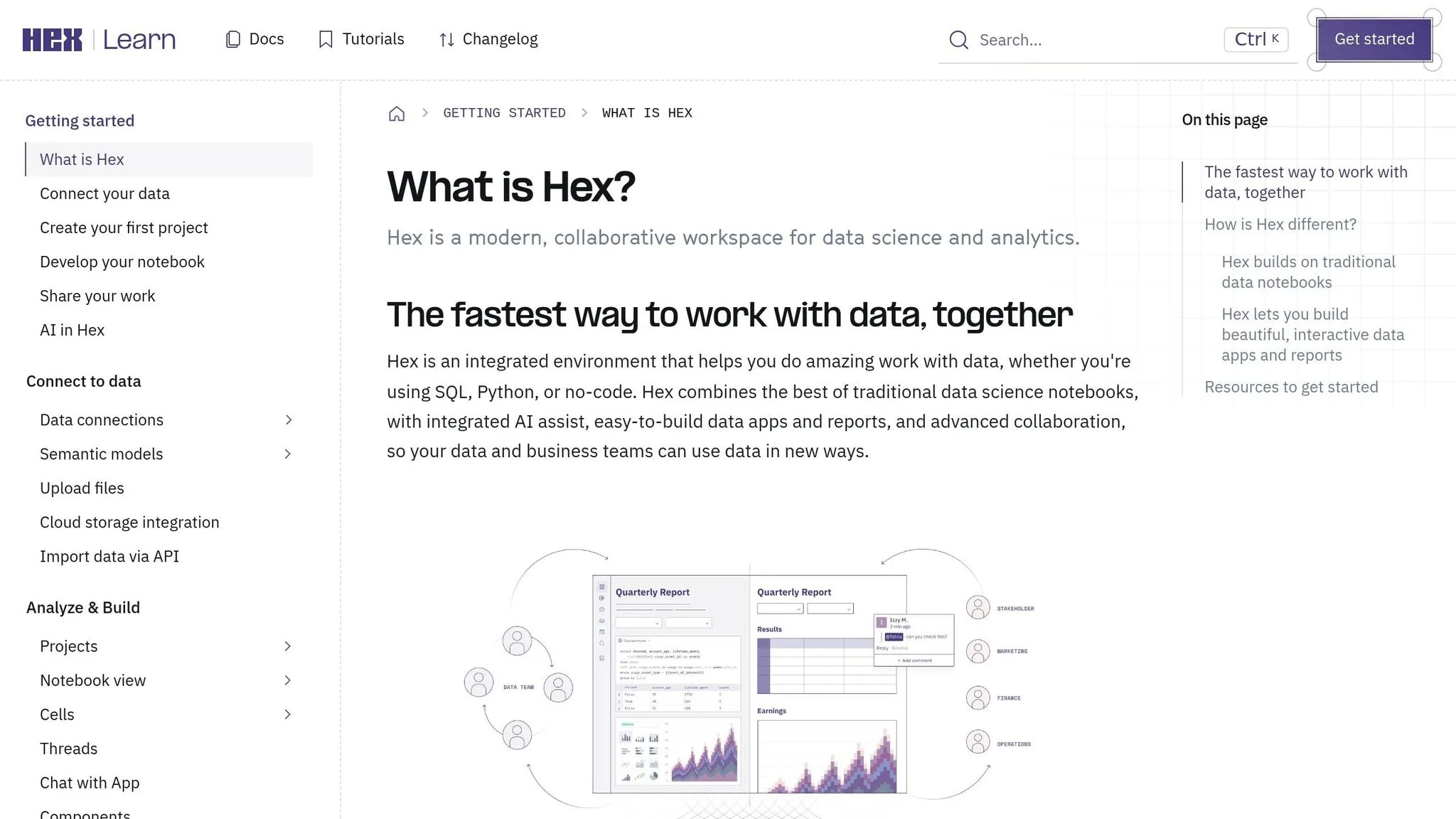
Hex is a collaborative platform designed for data teams, offering a workspace where SQL and Python queries are fully visible. This transparency helps teams understand and verify how data results are derived.
Governance and Transparency
With Hex, data teams gain the ability to inspect the exact SQL or Python code behind any analysis. This ensures clarity in how results are calculated. Additionally, Hex prioritizes security by providing live access to data in a controlled and secure manner.
Live Warehouse Connectivity
Hex integrates seamlessly with major data warehouses like Snowflake, BigQuery, Redshift, and Postgres. By using encrypted, read-only credentials, Hex allows teams to run queries directly within the warehouse, ensuring they always work with the most up-to-date data.
10. Julius AI
Julius AI brings a natural language interface for self-service analytics, offering quick insights through plain-English questions. It’s tailored for business users in fields like finance, marketing, and HR who need fast, code-free answers from their data.
Natural Language Querying
This tool focuses on ease of use. Users can either upload data or connect directly to a database, then simply type a question to get an answer. Responses often include charts or summaries, making it perfect for teams working with common file formats. This eliminates the complexity of traditional analysis, allowing for quick, on-the-spot insights.
Visualization and Reporting Capabilities
Julius AI turns queries into visual summaries and charts in no time. This feature simplifies the process of sharing findings with stakeholders, removing the need to manually create reports in other tools. It’s a straightforward way to keep everyone on the same page.
Live Data Connectivity
The platform supports both static file uploads and live data connections, offering flexibility for teams that need either snapshot views or real-time insights. However, for consistency, it’s crucial to align tools like Julius AI with governed, warehouse-native practices - an area where alternatives like Querio shine. By balancing accessibility and governance, Julius AI expands the options available to non-technical users while complementing more structured analytics workflows.
11. ChatGPT for Data Analysis
ChatGPT has become a popular choice for non-technical users looking to extract insights from their data without diving into code. By simply uploading a CSV or Excel file and asking questions in plain English, users can get summaries, charts, or even Python-generated analyses through a chat interface. OpenAI's enterprise report notes that 75% of workers using OpenAI enterprise tools report improvements in speed or quality [2]. While great for quick answers, ChatGPT's simplicity comes with a trade-off: it doesn't offer the same level of enterprise-grade governance as platforms like Querio.
Natural Language Querying
With ChatGPT, you can upload a CSV or Excel file and ask straightforward questions like, "What were our top five revenue sources last quarter?" The AI responds with an answer, often accompanied by a chart or summary. This ease of use eliminates technical barriers, making it a handy tool for professionals in fields like marketing, finance, or operations who need immediate insights without waiting on data teams.
Governance and Transparency
One major limitation is the lack of a strong governance framework. Unlike platforms with a built-in semantic layer, ChatGPT doesn't verify business logic in its responses. This can lead to inconsistent results, especially with complex queries involving multiple tables, where accuracy can drop to about 50% [2].
"AI query accuracy requires business context; natural language BI tools hallucinate and return inconsistent results without semantic governance." - Gartner Peer Review [2]
For data teams in B2B SaaS companies using tools like Snowflake, BigQuery, or Redshift, this lack of transparency and inspectable logic can be a significant drawback, particularly when metrics need to be reliable across the organization.
Live Warehouse Connectivity
ChatGPT primarily operates through CSV/Excel file uploads, meaning it doesn't directly connect to live data warehouses like Redshift, BigQuery, or Postgres. This workflow introduces a risk of working with outdated data, as it requires manual exports. Tools with live warehouse connections eliminate this issue, ensuring data stays current and reducing reliance on static snapshots.
Visualization and Reporting Capabilities
While ChatGPT can generate basic charts and Python scripts, it lacks the ability to produce persistent, governed reports. Its outputs are session-based, meaning they don't support recurring reports or cross-team dashboards. For teams that prioritize consistent insights and live data connections, platforms like Querio offer more structured and reliable analytics.
12. Claude for Data Analysis
Claude, developed by Anthropic, is an advanced language model designed to make data analysis more accessible, especially for non-technical users. It translates plain-English queries into SQL commands, allowing users to gain insights from structured data without writing a single line of code. Rather than being a standalone analytics tool, Claude typically operates in the background - turning natural language questions into SQL queries, searching internal documentation, and creating charts through iterative processes [3].
Natural Language Querying
Claude's ability to process natural language is a standout feature. It can handle complex, multi-part questions by breaking them into manageable steps. This includes generating SQL, retrieving schema context, and compiling a response. Some platforms powered by Claude even support autonomous discovery, where the AI independently forms hypotheses and runs 50–100+ SQL queries in a single session to uncover insights users might not have thought to explore [4]. This shifts the focus from simply answering questions to proactively uncovering valuable insights.
Governance and Transparency
Governance plays a big role in how Claude-based tools operate. To ensure consistent and accurate metrics, these tools often integrate with a semantic layer, such as LookML or MetricFlow. This ensures that metric definitions remain uniform across queries. Without this integration, accuracy can drop, particularly for complex queries involving multiple tables. Proper implementations also log each step of Claude's reasoning, providing a detailed audit trail for transparency [4].
Live Warehouse Connectivity
Claude can connect directly to live data warehouses like Snowflake, BigQuery, and Amazon Redshift [4]. This capability gives it an edge over tools limited to handling uploaded files. However, the effectiveness of this connectivity depends on the platform using Claude. Features like Row-Level Security (RLS) need to be enforced at the database level to ensure that user-specific access restrictions are respected [2]. This robust connection to live data enables Claude to deliver timely and precise insights.
Visualization and Reporting Capabilities
Platforms powered by Claude can automatically choose the best chart type - whether it's a bar, line, or scatter plot - based on the data returned [3]. These platforms also translate raw data into actionable recommendations [4]. However, like ChatGPT, Claude itself doesn't offer persistent dashboards or governed reporting features. For teams requiring repeatable, consistent reporting tied to live data, a dedicated analytics layer is still necessary to fill that gap.
Comparison Table
Here's a side-by-side look at some of the most popular AI data analysis tools. This table focuses on governance, live data connectivity, natural language query (NLQ) capabilities, and how each tool handles visualization and reporting tools. These factors can help you decide which tool fits your needs best.
AI data analysis tools generally achieve accuracy rates between 50% and 89%, with multi-table queries often landing on the lower end. This highlights the importance of robust governance and live warehouse connectivity for reliable results.
| Tool | Governance & Transparency | Live Warehouse Connectivity | Natural Language Querying | Visualization & Reporting | Best Use Case | Ideal User |
|---|---|---|---|---|---|---|
| Querio | ⭐ High - inspectable SQL/Python, shared semantic layer | Native (Snowflake, BigQuery, Redshift, ClickHouse, PostgreSQL) | Translates plain English into real, editable SQL/Python | Reactive notebooks, live dashboards, scheduled reports | Governed self-serve analytics for B2B SaaS data teams | Data leaders, analysts, non-technical business users |
| ThoughtSpot | High - Spotter AI with verifiable query plans | Direct warehouse integration | Search-driven NLQ; 4.6/5 rating from 398 reviews [2] | Interactive Liveboards updated in real-time | Search-driven insights for executives | Executives, general business users |
| Looker | High - LookML semantic layer, strong metric governance | Native (BigQuery-first, multi-source) | Moderate - NLQ supported but steep setup curve | Drag-and-drop dashboards, embedded analytics | Enterprise BI with strict metric consistency | Analysts, BI teams |
| Tableau | Low-Moderate - Tableau Agent reasoning is largely a black box | Native (cloud and on-premises) | Guided exploration via Tableau Agent; 83% first-attempt accuracy [1] | Best-in-class visual storytelling | Visual data storytelling for business stakeholders | Business stakeholders, analysts |
| Power BI | Moderate - Copilot prompts visible; potential RLS limitations in preview | Native (100+ sources, Microsoft ecosystem) | Copilot generates DAX-based report pages conversationally | Smart Narratives, paginated reports | Microsoft 365-integrated reporting | MS Office power users |
| Qlik Sense | Moderate - Associative engine with some AI explainability | Native (multi-source, cloud and on-prem) | AI-assisted NLQ via Qlik Answers | Interactive dashboards, associative exploration | Complex associative data exploration | Analysts, power users |
| Zoho Analytics | Moderate - AI assistant (Zia) with basic audit trails | Native (Zoho ecosystem + third-party connectors) | Zia handles conversational queries for common tasks | Auto-generated charts, dashboards, reports | SMB reporting within the Zoho ecosystem | SMB business users |
| Google Looker Studio | Low - minimal governance, no semantic layer; suited for quick exploration | Connector-based (Google ecosystem, limited third-party) | No native NLQ; relies on connected tool logic | Shareable visual reports, Google Data integration | Quick free reporting for Google Workspace users | Marketing, ops teams |
| Hex | Moderate - collaborative notebooks with version control | Native (Snowflake, BigQuery, Redshift, PostgreSQL) | AI-assisted SQL/Python generation in notebook cells | Notebook-based, shareable data apps | Collaborative analysis and data app building | Analysts, data scientists |
| Julius AI | Low - no governance layer; best for informal, one-off exploration | None (manual CSV/Excel uploads only) | Simple English queries on uploaded files | Basic auto-generated charts | Quick exploratory analysis on flat files | Non-technical individuals, ad-hoc users |
| ChatGPT | Low - no governance, no persistent data connection; suited for quick exploration | None (file uploads or plugins only) | Strong general reasoning; limited data-specific accuracy | Basic chart generation via Code Interpreter | Quick one-off data questions and exploration | Non-technical individuals |
| Claude | Low-Moderate - depends on platform implementation; best for exploratory use | Platform-dependent (Snowflake, BigQuery, Redshift when configured) | Strong multi-step reasoning; autonomous query generation | Auto-selects chart types; no persistent dashboards | Exploratory analysis within Claude-powered platforms | Non-technical users, developers |
"The effectiveness and trustworthiness of AI systems are intrinsically tied to the quality and governance of the data on which they are built." - Gartner [2]
This comparison makes it clear that tools like Querio, ThoughtSpot, and Looker are designed for enterprise-level reporting, offering robust governance and live connectivity. On the other hand, tools that rely on manual file uploads, such as Julius AI and ChatGPT, are better suited for quick, one-off tasks. For a deeper understanding of each tool’s strengths, refer to their detailed overviews.
Conclusion
AI data analysis tools aren’t one-size-fits-all; the best option depends on your team’s goals and where your data lives. What’s clear from this overview is that dependable, well-governed analytics are key to delivering quick and accurate business insights.
For teams focused on warehouse-native, self-serve analytics, Querio, ThoughtSpot, and Looker stand out. These tools ensure consistent metrics, transparent queries, and live data access. Querio, in particular, sets a high bar with its inspectable SQL/Python capabilities and direct warehouse connectivity, making it an excellent choice for governed analytics. If your team operates within the Microsoft ecosystem, Power BI with Copilot is a natural fit. Meanwhile, Tableau shines in creating compelling visual narratives, though its AI features can take time to master.
On the other hand, tools reliant on static file uploads aren’t ideal for teams needing repeatable, trustworthy insights from live data warehouses. While such tools might handle one-off questions, they fall short for governed analytics at scale. Before committing to any solution, test it with a real schema involving three or more table joins. Without a proper semantic context layer, AI accuracy on complex multi-table queries can drop to as low as 50% [2], which is a serious limitation when business decisions hinge on the results.
Ultimately, choose a tool that aligns with your workflow, data setup, and governance requirements - not just one with an appealing feature list.
FAQs
::: faq
How do I know the AI’s answers are correct?
Querio stands out by offering complete transparency and control. It allows you to inspect and edit the SQL or Python code behind every query, eliminating the mystery often associated with black-box systems. At its core, Querio operates on a governed semantic layer, where your data team sets consistent metrics and business rules. This approach removes any guesswork, ensures results stick to approved definitions, and fosters trust throughout your organization. :::
::: faq
Do these tools query Snowflake or BigQuery live?
Yes, tools like Querio and DecisionBox provide direct, live connections to data warehouses such as Snowflake and BigQuery. Instead of relying on extracts, ETL pipelines, or duplicate storage, these tools query data directly where it resides. This approach ensures you're working with the most up-to-date data while staying aligned with the security and governance policies of the warehouse. While platforms like Tableau also support live queries, they often recommend using extracts to improve performance. :::
::: faq
What should I test before rolling one out company-wide?
Before rolling out an AI-powered analytics tool across your organization, it's critical to confirm that it integrates seamlessly with your current data governance and security systems. Check whether the tool enforces row-level security policies, relies on a centralized semantic layer to maintain consistent metrics, and offers transparent, inspectable code for AI-generated insights. These precautions help ensure secure data access, consistent metrics, and outputs that your data team can thoroughly verify. :::