Business Intelligence
6 Best AI-Powered Data Analysis Tools for Non-Technical Users in 2026
Compare six AI analytics tools that let non-technical users run live, governed queries with transparent logic.

In 2026, AI-powered data analysis tools are enabling non-technical users to query and analyze data effortlessly, bypassing the need for coding or technical expertise. These tools connect directly to data warehouses like Snowflake, BigQuery, and Redshift, providing real-time insights with plain-English queries. They also focus on governance, ensuring consistent metrics and secure data access. Here's a quick look at the six tools transforming data analysis:
- Querio: Live data querying with a governed semantic layer and inspectable SQL/Python outputs. Free plan; Core $2,499/mo, with unlimited users on every plan.
- Microsoft Power BI with Copilot: Integrates with Microsoft 365, offering conversational prompts but limited transparency with AI-generated logic.
- Tableau with Einstein AI: Excels in visual storytelling but relies on data extracts over live connections, with limited logic visibility.
- Looker/Looker Studio: Offers a robust LookML semantic layer for consistent metrics but requires developer resources for maintenance.
- ThoughtSpot with Spotter AI: Search-driven tool providing real-time answers, ideal for quick insights with governance features.
- Julius AI: Simplifies exploratory analysis for small teams but lacks a semantic layer, making it less suitable for larger organizations.
Quick Comparison
| Tool | Key Strengths | Governance Strength | Transparency | Ideal For |
|---|---|---|---|---|
| Querio | Live data, inspectable SQL/Python | Strong | High | Teams needing governed self-serve analytics |
| Power BI with Copilot | Microsoft ecosystem integration | Moderate | Low | Microsoft-heavy tech stacks |
| Tableau with Einstein AI | Visual storytelling, alerts | Moderate | Low | Executive dashboards |
| Looker/Looker Studio | LookML semantic layer | Strong | High | BigQuery-centric teams |
| ThoughtSpot with Spotter AI | Search-driven insights | Moderate-Strong | Moderate-High | Quick, secure data exploration |
| Julius AI | Conversational interface | Weak | Moderate | Small teams or individual analysts |
For B2B SaaS companies, tools like Querio, Looker, and ThoughtSpot stand out for their ability to deliver consistent, real-time insights with strong governance. Your choice depends on your team's needs, technical resources, and current data infrastructure.
::: @figure 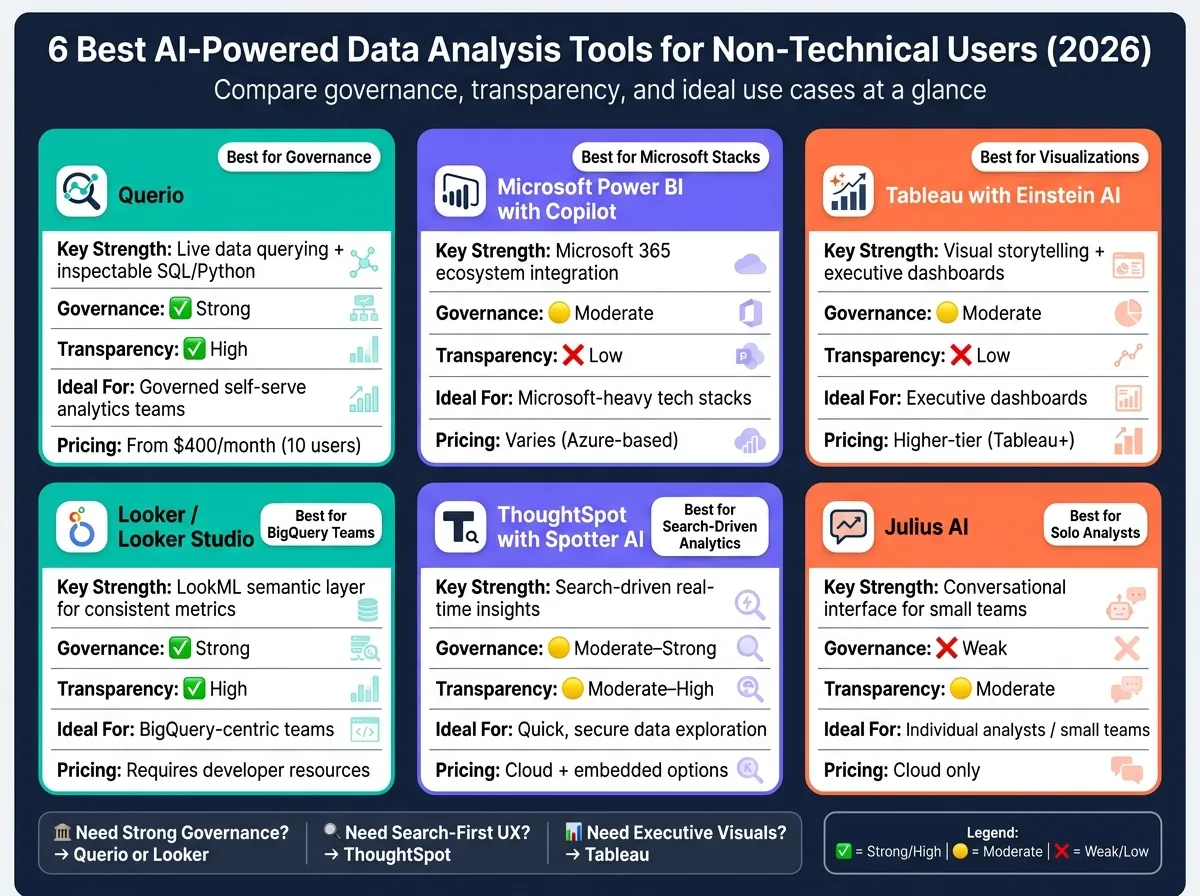 {6 Best AI Data Analysis Tools for Non-Technical Users (2026)}
:::
{6 Best AI Data Analysis Tools for Non-Technical Users (2026)}
:::
Best AI Tools Every Data Analyst Should Know in 2026
::: @iframe https://www.youtube.com/embed/jQuD-as6ckE :::
sbb-itb-284a532
How AI Is Changing Data Analysis for Non-Technical Users
For much of the past decade, getting insights from data often meant submitting a request to an analyst and then waiting - sometimes for days - for a response. But AI has completely changed that dynamic. Now, a marketing manager at a B2B SaaS company can simply type something like, "What was our MQL-to-SQL conversion rate last quarter?" and, within seconds, get a live answer pulled directly from platforms like Snowflake or BigQuery.
This shift isn’t just about speed. It’s also about accuracy and security. With AI, data is accessed directly from the warehouse using encrypted, read-only credentials. This eliminates the need for outdated methods like exporting CSV files or relying on stale data extracts. The result? Every answer reflects the most current, real-time data - no version control headaches, no inconsistencies.
Of course, granting non-technical users direct access to live data warehouses introduces challenges, especially around governance. This is where a semantic layer becomes essential. Think of it as the shared foundation for your business’s key metrics - whether it’s "MRR", "churn", or "active users." Data teams define these concepts once, and then every query, whether it’s from marketing, sales, or finance, pulls from that same consistent logic. This prevents those awkward moments when two teams present conflicting numbers in the same meeting.
Transparency is another critical piece. The best AI-powered analytics tools don’t just deliver answers - they also show their work. For example, they might display the SQL or Python code used to generate a result. This level of visibility builds trust. Non-technical users can see how their answers were derived, and analysts can review and refine those queries when needed. It’s this openness that separates reliable analytics tools from opaque, black-box solutions.
This evolution is redefining the role of analysts. Instead of being stuck creating one-off reports, analysts now act as governors of the system. They’re responsible for maintaining the semantic layer, validating the AI’s logic, and setting access controls. Meanwhile, AI takes care of repetitive tasks like running queries, allowing analysts to focus on ensuring the accuracy and scalability of the entire process. Together, these advancements are reshaping how businesses use data to make strategic decisions.
1. Querio
Querio is an analytics workspace built specifically for teams working with live data warehouses like Snowflake, BigQuery, Amazon Redshift, or PostgreSQL. Its standout feature? Non-technical users can simply type a question like, "What was our MRR by region last quarter?" and receive an accurate, live response in seconds. The tool pulls this data directly from the warehouse using encrypted, read-only credentials, ensuring both speed and security while maintaining consistent data governance.
One of Querio's key strengths is its semantic and governance layer. Data teams define critical business metrics - such as churn rate or customer lifetime value - once, and those definitions remain consistent across all queries, dashboards, and AI-generated answers. This eliminates discrepancies, so a sales leader and a finance director will always see the same numbers for the same metric. This approach ensures clarity and trust in the data.
Transparency is another area where Querio shines. Unlike many AI analytics tools that act as a "black box", Querio makes every answer fully traceable. The underlying SQL or Python code is always visible and editable, allowing non-technical users to understand how a result was generated, while analysts can tweak the logic as needed. This is especially important for B2B SaaS teams, where accurate data directly impacts revenue-related decisions.
The platform dramatically shortens the time it takes to get answers.
"What used to be weeks, now takes minutes!" - Jennifer Leidich, Co-Founder & CEO, Mercury [1]
For more advanced users, Querio offers reactive notebooks, which combine SQL querying with Python modeling. These notebooks allow step-by-step refinements to queries, and results update automatically whenever the logic or data changes - no need for manual refreshes or outdated exports. Natural language querying also reduces data request backlogs by up to 80%, delivering significant time savings and an average return of $3.70 for every $1 spent. With its reactive notebooks and scalable pricing - a free plan, Core at $2,499/month and unlimited users on every plan - Querio is designed to grow alongside your team.
2. Microsoft Power BI with Copilot
Microsoft Power BI with Copilot taps into the Microsoft 365 ecosystem, making it easier for non-technical users to create reports and visualizations using plain-English prompts. For B2B SaaS teams already using tools like Teams, Excel, and SharePoint, this integration keeps analytics in a familiar workspace, reducing the hassle of switching between platforms.
Power BI goes beyond Copilot with several essential features of modern business intelligence tools designed to simplify data analysis for users without technical expertise. The Q&A tool turns plain-English questions into visual charts, while Quick Insights highlights patterns and outliers in datasets. Smart Narratives generates text summaries that explain what a visual is showing, and Key Influencers pinpoints the main factors driving changes in specific metrics. These features make data analysis faster and more accessible, though they come with some trade-offs in terms of transparency.
One challenge with Power BI lies in logic transparency. The platform relies on DAX (Data Analysis Expressions), a proprietary formula language that most non-technical users can’t easily interpret or modify. When Copilot generates reports or calculations, the reasoning behind them isn’t always clear or easy to verify. For teams working in revenue-sensitive areas, this lack of visibility can pose a problem, as every number often needs to be checked and trusted.
Power BI also provides flexible data connectivity options, supporting both live connections and data extracts. However, many users still rely on scheduled refreshes from imported datasets instead of real-time queries to sources like Snowflake or BigQuery. Power BI’s dataset model offers a semantic layer where data teams can define shared metrics and hierarchies - helpful for governance but requiring technical expertise to set up and maintain.
| Feature | Functionality for Non-Technical Users |
|---|---|
| Copilot | Generates reports and DAX formulas using conversational prompts |
| Q&A Tool | Converts plain-English questions into visualizations instantly |
| Quick Insights | Detects patterns and outliers in datasets automatically |
| Smart Narratives | Creates text explanations for visual data |
| Key Influencers | Identifies key factors driving changes in metrics |
For organizations deeply invested in the Microsoft ecosystem, Power BI with Copilot is a compelling option. However, its reliance on AI-generated, proprietary logic can make auditing and governance more complex, especially for teams that need full confidence in their data.
3. Tableau with Einstein AI
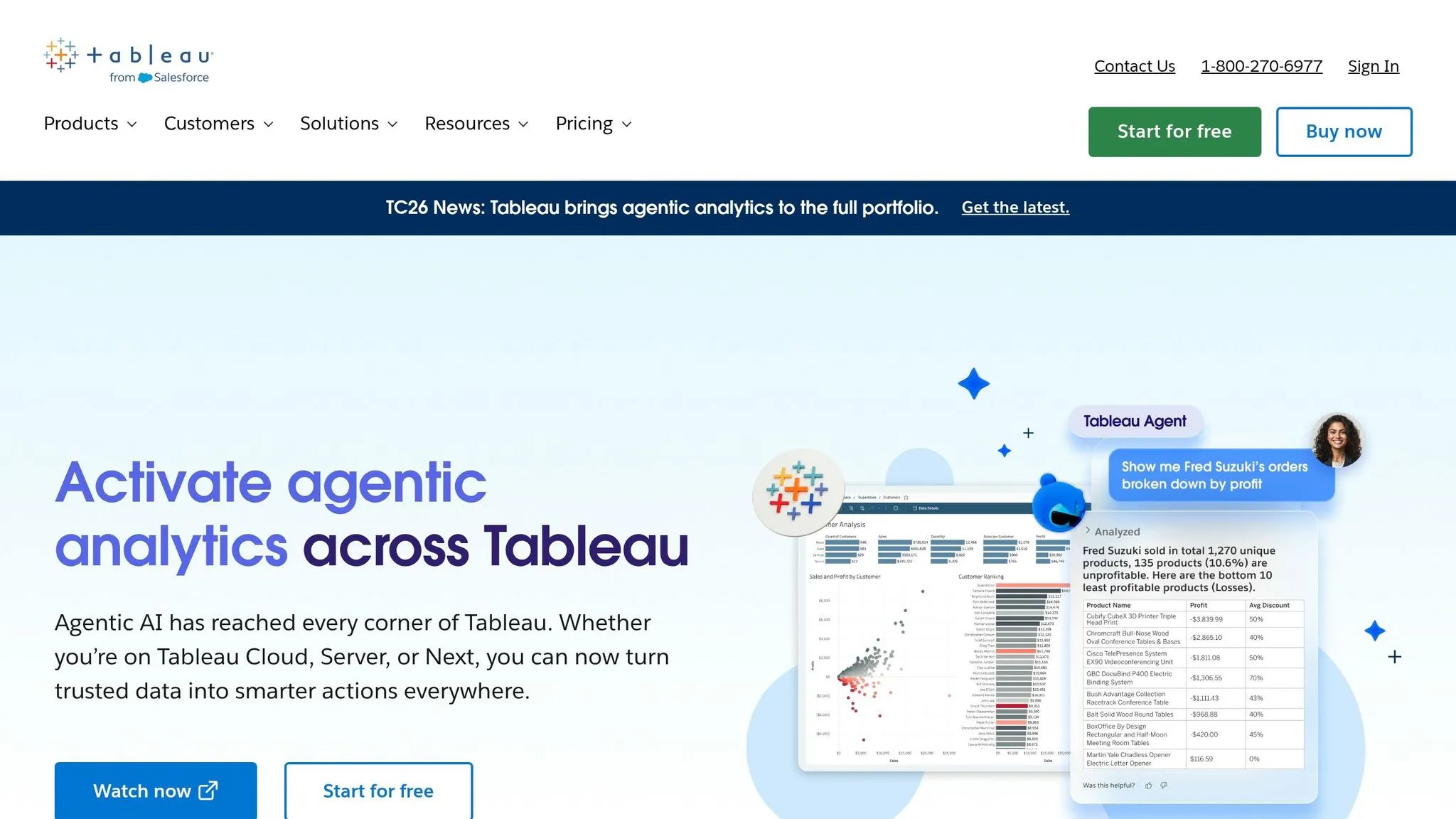
Tableau is well-known for its ability to create compelling visual stories, and the addition of its Einstein AI layer makes analysis even more user-friendly. With the Tableau Agent (previously called Tableau Assistant), users can type plain-English queries - like "show me sales by region for Q4" - and instantly get visualizations. On top of that, Tableau Pulse keeps teams updated by sending personalized metric notifications through Slack, email, or Microsoft Teams, eliminating the need to log into the platform for updates.
However, Tableau's reliance on .hyper extracts instead of live connections can make things tricky for teams that need real-time data. While Tableau does support live connections to popular data warehouses like Snowflake, BigQuery, and Redshift, it often recommends using .hyper extracts, which limits its ability to deliver real-time insights.
Another limitation lies in how Tableau Agent works. It converts user prompts into its proprietary visualization language, skipping raw SQL and hiding the intermediate steps. This lack of transparency can be a problem for teams that need clear audit trails or reusable semantic assets. On the governance side, the Einstein Trust Layer ensures data privacy by implementing features like PII masking and zero-data retention.
| Feature | Tableau with Einstein AI |
|---|---|
| Natural Language | Tableau Agent translates queries into proprietary visualization code |
| Proactive Insights | Tableau Pulse sends metric updates via Slack, email, or Teams |
| Warehouse Connectivity | Supports Snowflake, BigQuery, and Redshift; optimized for .hyper extracts |
| Logic Transparency | Limited - no visibility into intermediate logic or SQL |
| Governance | Einstein Trust Layer ensures PII masking and zero-data retention |
It's worth noting that AI-driven tools like Tableau Agent are only available in higher-tier plans, such as Tableau+. For organizations focused on creating polished dashboards for executives, Tableau remains a solid choice. However, alternatives like Querio take a different approach by offering inspectable SQL or Python outputs alongside live warehouse connections. This ensures full transparency and better governance, highlighting the value of live data solutions in modern analytics workflows.
4. Looker and Looker Studio with AI Features
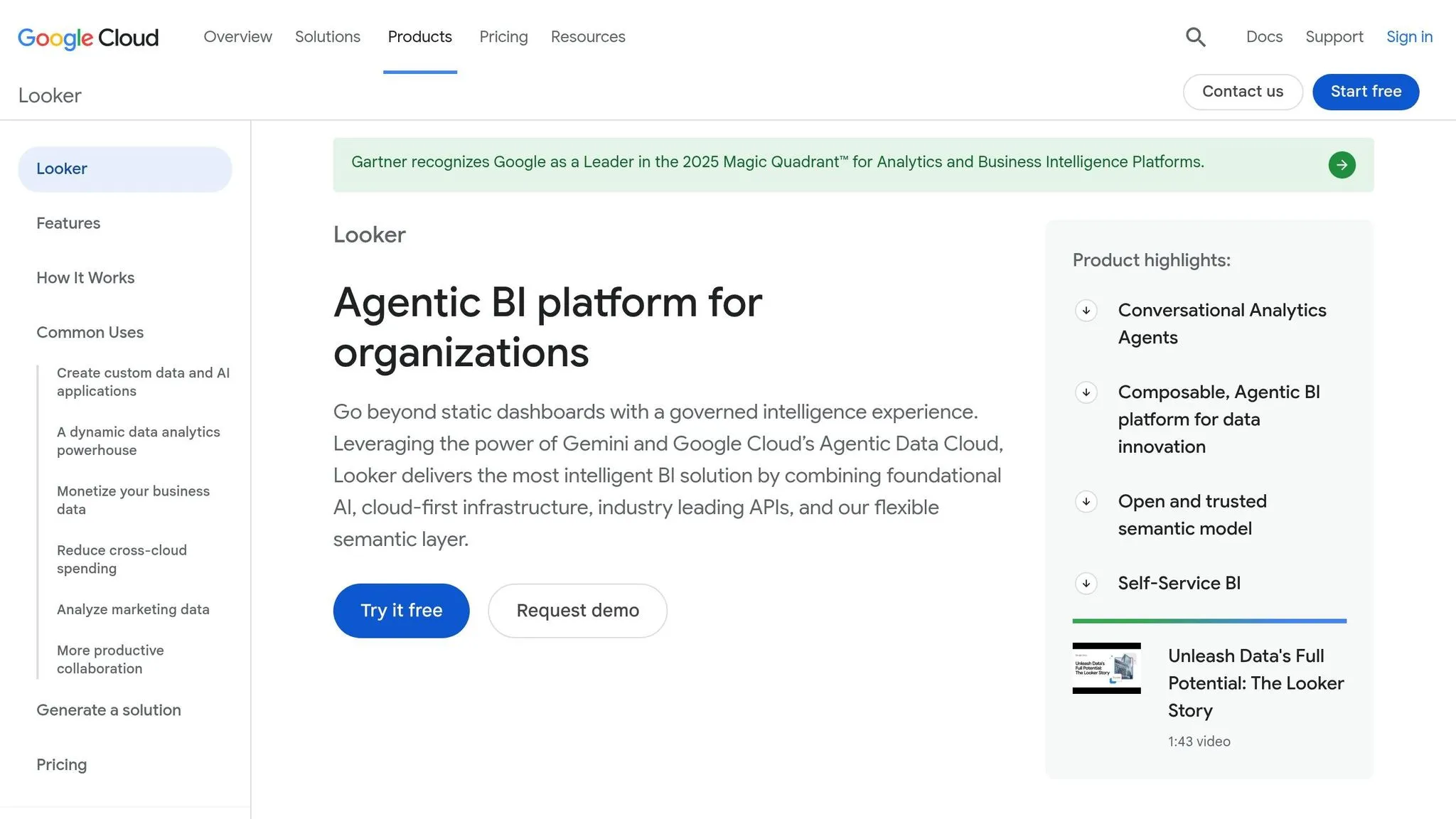
Looker, now integrated into Google Cloud, and its free counterpart, Looker Studio, are powerful tools for delivering real-time analytics by connecting directly to data warehouses like BigQuery, Snowflake, and Redshift.
One standout feature of Looker is its LookML semantic layer. This centralized model defines metrics, dimensions, and business logic in one place, ensuring consistency across teams. For instance, when a sales manager asks, “What’s our monthly recurring revenue?” they’ll get the same answer as the finance team because everyone is working from the same data model.
On the AI front, BigQuery’s Gemini feature allows users to interact with their data using natural language prompts. Instead of writing SQL, users can type plain-English queries to analyze, transform, and visualize data - even for complex tasks like joins or mathematical calculations. The best part? The SQL generated by Gemini is fully visible and editable, giving users transparency and control over their queries [2].
That said, Looker’s full potential, especially its LookML governance layer, requires dedicated setup and ongoing maintenance by data or analytics engineers. On the other hand, Looker Studio is free and more accessible but lacks the robust governance controls of Looker. Teams need to evaluate whether the investment in LookML aligns with their need for structured, self-serve analytics. This aligns with the increasing demand for well-governed, self-service analytics in today’s data-driven world.
Here’s a quick breakdown of the key features:
| Feature | Looker / Looker Studio with AI |
|---|---|
| Natural Language Querying | Gemini-powered prompts for SQL, joins, and transformations |
| Logic Transparency | AI-generated SQL is visible and editable in SQL nodes |
| Semantic Layer | LookML centralizes and governs metric definitions |
| Warehouse Connectivity | Direct connections to BigQuery, Snowflake, and Redshift - no need for CSV exports |
| Governance | Comprehensive in Looker; more limited in Looker Studio |
5. ThoughtSpot with Spotter AI
ThoughtSpot takes a search-first approach, enabling non-technical users to query their data warehouse by simply asking plain-English questions - no need for dashboards or SQL expertise. This is a key step when you build self-serve analytics for customers who need immediate access to data. From there, Spotter AI takes over to deliver the insights.
The platform integrates directly with Snowflake, Amazon Redshift, and Google BigQuery, providing real-time answers. For instance, you can instantly find out, "What were our top 10 accounts by revenue last quarter?"
Over time, ThoughtSpot has improved the transparency of its query process through three generations of Spotter, evolving from basic token-based searches to what it now calls "analyst-grade reasoning" in Spotter 3:
| Version | Query Logic | Transparency |
|---|---|---|
| Spotter Classic (v1) | Token search | Inspectable SQL |
| Spotter Agent (v2) | Explainable formulas | Explainable logic |
| Spotter 3 (Early Access) | Analyst-grade reasoning | Verifiable plan/reasoning |
Similar to the governed semantic layers found in other leading tools, ThoughtSpot includes an enterprise-grade governance layer. This ensures secure and consistent access to datasets, so every query is both reliable and protected. For organizations seeking fast, search-driven data exploration built on a secure semantic model, ThoughtSpot offers a compelling solution. Its combination of transparency and governance makes it a strong contender in the AI-driven analytics space.
6. Julius AI
Julius AI stands out with its conversational interface, designed to make data analysis accessible for non-technical users. By allowing users to upload files or connect data sources, it enables them to ask questions in plain English and get immediate answers.
The platform supports integrations with Google Sheets, Excel, CSV files, Google Drive, and various SQL databases like PostgreSQL, MySQL, and SQL Server. It also connects to cloud data warehouses such as Snowflake, BigQuery, and Redshift. However, many users still rely heavily on manual file uploads to get started.
One challenge with Julius AI is its lack of a governed semantic layer. This can lead to inconsistencies in metric definitions across analysts, resulting in conflicting interpretations of the data. While the platform does reveal the Python code behind its answers, users face limitations when it comes to editing or re-running the code, which restricts the ability to perform structured and repeatable analyses.
Julius AI is best suited for individual analysts or small teams working on quick, exploratory analyses with smaller datasets. However, for larger data teams requiring governed, scalable self-service analytics, its file-focused approach and limited governance can be a drawback. In these cases, platforms like Querio, with features like a governed semantic layer and live connections to data warehouses, provide more reliable and scalable self-service analytics.
Comparison Table
Each tool discussed here brings its own strengths to the table when it comes to AI-powered analytics. The summary below highlights how they compare across key dimensions that matter most for data teams in B2B SaaS companies.
| Tool | Deployment Model | Governance Strength | Supported Data Sources | Fit for B2B SaaS Teams |
|---|---|---|---|---|
| Querio | Cloud (self-hosted option available) | Strong - governed semantic/context layer, versioned logic, role-based access, SOC 2 Type II | Snowflake, BigQuery, Redshift, ClickHouse, MotherDuck, PostgreSQL, MySQL, SQL Server, MariaDB, MongoDB | High - live warehouse connections, inspectable SQL/Python, governed self-serve for non-technical users |
| Microsoft Power BI with Copilot | Cloud (Microsoft Azure) + on-premises (Premium) | Moderate - row-level security and workspace roles, but metric consistency depends on model discipline | Azure Synapse, Snowflake, BigQuery, Redshift, SQL Server, Excel, and 100+ connectors | Moderate - strong for Microsoft-heavy stacks; governance requires careful setup |
| Tableau with Einstein AI | Cloud + on-premises (Tableau Server) | Moderate - Tableau Catalog and Data Management add-on help, but add cost | Snowflake, BigQuery, Redshift, Postgres, SQL Server, Salesforce, and many others | Moderate - powerful visualizations, but self-serve governance needs dedicated admin effort |
| Looker / Looker Studio | Cloud (Google Cloud) | Strong - LookML semantic layer enforces consistent metric definitions centrally | BigQuery (native), Snowflake, Redshift, Postgres, MySQL, SQL Server, and others | High for BigQuery-centric teams - LookML governance is robust but requires developer resources to maintain |
| ThoughtSpot with Spotter AI | Cloud + software (embedded) | Moderate-Strong - SpotIQ and worksheet-level controls, but semantic layer is less flexible than LookML | Snowflake, BigQuery, Redshift, Databricks, SQL Server, and others | High for search-driven analytics - strong live query model, best when paired with a mature data warehouse |
| Julius AI | Cloud only | Weak - no governed semantic layer; metric definitions are not enforced across users | Snowflake, BigQuery, Redshift, PostgreSQL, MySQL, SQL Server, Google Sheets, Excel, CSV | Low for data teams - better suited for individual analysts doing quick, exploratory work |
This breakdown shows how each tool addresses the need for governed, real-time analytics tailored to B2B SaaS teams.
Two critical factors stand out: governance strength and live warehouse connectivity. Strong governance ensures that metric definitions remain consistent across users, while live warehouse connections provide fresh, reliable data. Querio and Looker excel in governance, with both platforms enforcing metric definitions directly. However, they differ in approach: Looker relies on LookML, which requires developer resources to maintain, while Querio’s context layer is designed for easier management by data teams.
For teams leveraging Snowflake, BigQuery, or Redshift, tools like Querio, Looker, and ThoughtSpot emerge as top contenders. Each offers robust, live self-serve analytics, but the best option will depend on your current tech stack, the engineering resources available for maintaining a semantic layer, and whether your users prioritize natural-language queries or more structured dashboards.
Conclusion
The six best AI-powered data analysis tools for non-technical users provide live data access, governed semantic layers, and user-friendly natural-language interfaces. These tools enable teams to gain reliable, real-time insights without needing technical expertise. For B2B SaaS companies utilizing platforms like Snowflake, BigQuery, or Redshift, adopting a warehouse-native, governed self-serve platform is crucial. Factors like governance, pricing, and self-serve capabilities should shape your decision-making process.
For teams relying on Snowflake, BigQuery, or Redshift and requiring consistent metrics, tools with a centralized semantic layer should top the list. Querio and Looker both excel in governance, though their approaches differ. Looker requires dedicated developer resources for LookML maintenance, while Querio's context layer allows data teams to manage it directly. For companies with diverse platform needs, the choice will depend on existing infrastructure and how much governance overhead they can handle.
When non-technical users need instant, plain-English insights, ThoughtSpot sets the standard. Tableau, on the other hand, shines for creating complex visual narratives and executive dashboards. Meanwhile, Julius AI is ideal for individual analysts conducting quick, exploratory work, but it’s less suited for team-wide governed analytics.
Pricing is another critical factor for long-term scalability. Per-user monthly licensing can become costly as teams grow, whereas flat-fee models with unlimited viewers offer a predictable and scalable approach for organizations with 100–500 users. Ensuring the cost structure aligns with your organization’s growth is essential for fostering broader data adoption.
Ultimately, if your data team is overwhelmed with ad-hoc requests from non-technical stakeholders who need trusted answers independently - without relying on CSV exports or waiting for dashboards - a warehouse-native, governed self-serve platform is the ideal solution. For teams prioritizing consistent metrics, inspectable SQL/Python, and reactive notebooks, a platform like Querio stands out as a powerful choice.