Business Intelligence
Top 6 AI-native BI tools in 2026T
Compare six AI-native BI platforms by features, governance, pricing, and best use cases to choose the right analytics solution.

AI-native business intelligence (BI) tools are transforming data analysis by combining natural language processing, real-time insights, and predictive capabilities. Unlike older systems that rely on manual SQL queries or static dashboards, these tools allow users to ask questions in plain language and get immediate, actionable insights. By integrating AI with strong governance, they ensure accuracy and consistency, even for non-technical teams. Here’s a quick look at the top six tools in 2026:
- Querio: Queries live data directly without duplication, offers inspectable SQL/Python, and ensures consistent metrics through a semantic layer. Pricing starts at $15/user/month.
- Basedash: Simplifies data exploration for startups and mid-sized teams with natural language queries and Slack integration.
- ThoughtSpot: Search-first platform for large enterprises, delivering insights in seconds with anomaly detection and role-based controls.
- Hex Magic: Notebook-focused tool for analysts, supporting SQL, Python, and real-time collaboration.
- Powerdrill Bloom: Visual-first tool with modular insights and a multi-agent system for streamlined data storytelling.
- Julius AI: Code-first platform for technical users, supporting Python, R, and SQL for precise analysis.
Quick Comparison
| Tool | Best For | Key Features | Starting Price |
|---|---|---|---|
| Querio | Real-time governed analytics | Live queries, semantic layer, inspectable code | $15/user/month |
| Basedash | Startups, mid-sized businesses | Natural language, Slack integration | Fixed monthly fee |
| ThoughtSpot | Large enterprises | Search-driven, anomaly detection | $25/user/month |
| Hex Magic | Analysts and data scientists | Notebook environment, SQL/Python support | $36/editor/month |
| Powerdrill Bloom | Teams needing visual insights | Modular cards, multi-agent system | $13.27/user/month |
| Julius AI | Technical users | Code-first, Python/R/SQL support | Free tier available |
These tools are shaping the future of BI by making data analysis faster, more accessible, and reliable. Choose based on your team’s needs - whether it’s real-time querying, visual storytelling, or advanced analytics for technical users.
::: @figure 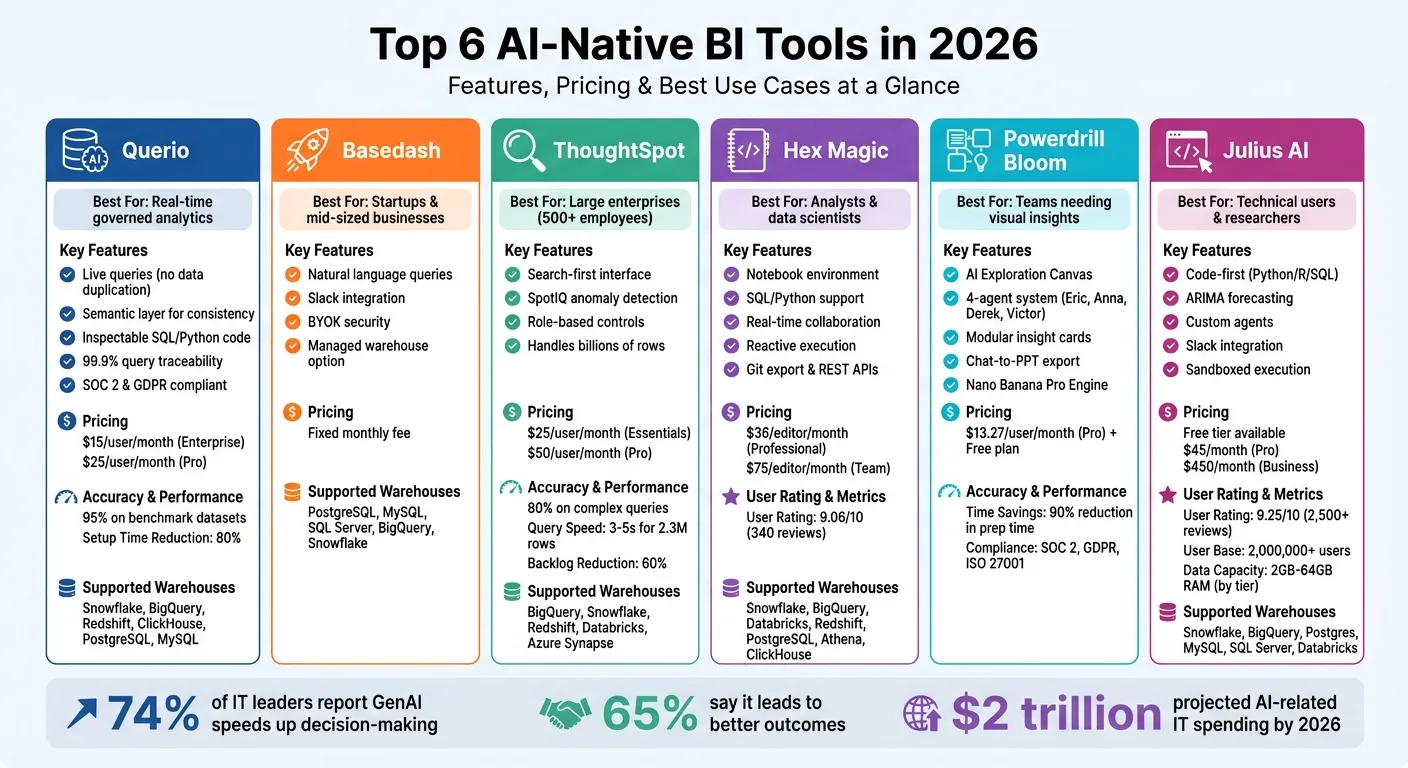 {Top 6 AI-Native BI Tools 2026: Features, Pricing & Best Use Cases Comparison}
:::
{Top 6 AI-Native BI Tools 2026: Features, Pricing & Best Use Cases Comparison}
:::
What is Basedash - AI Native BI Demo
::: @iframe https://www.youtube.com/embed/29b3oL9SiOE :::
sbb-itb-284a532
1. Querio
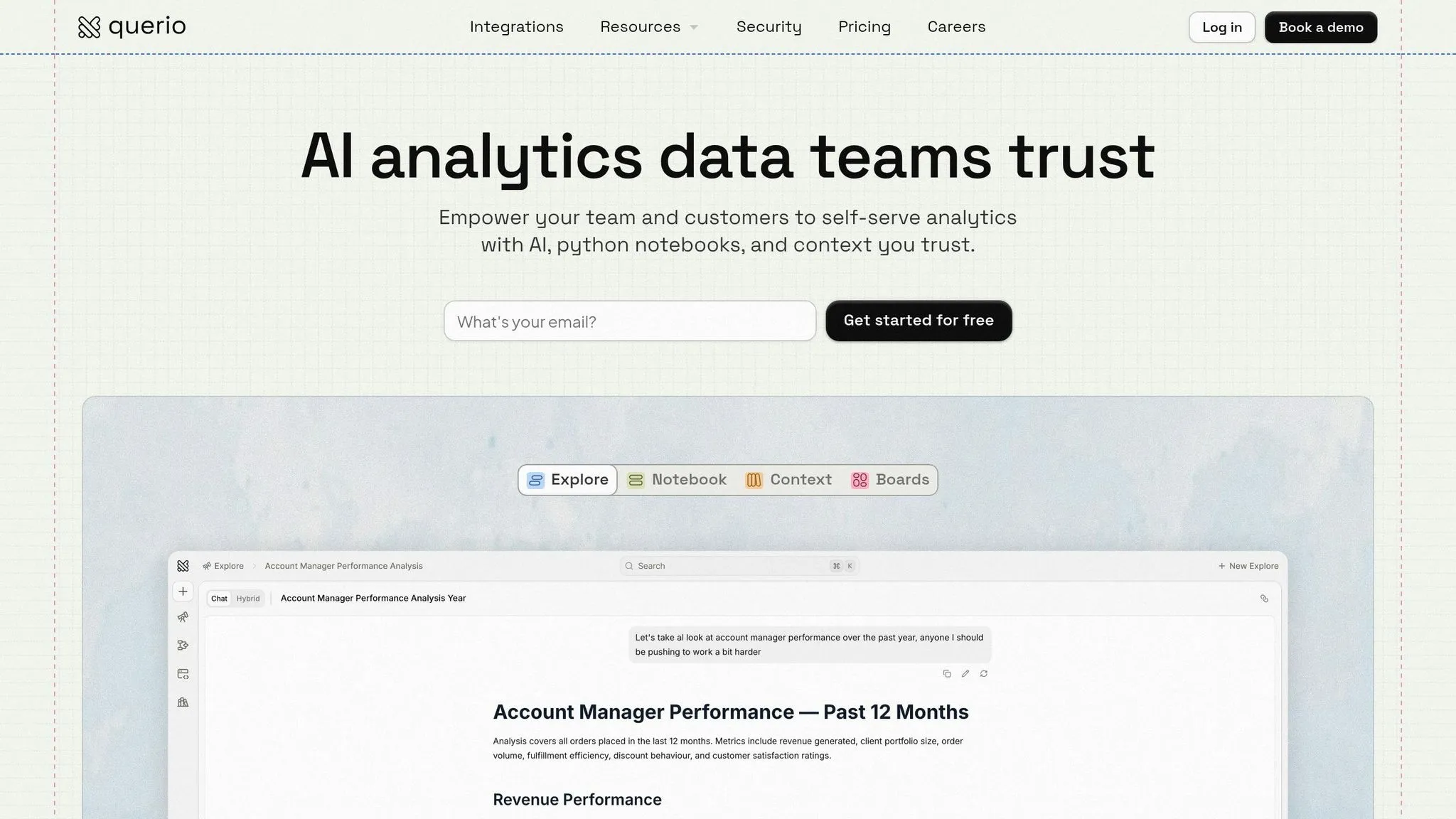
Querio connects seamlessly to your existing data warehouse - Snowflake, BigQuery, Redshift, ClickHouse, PostgreSQL, or MySQL - using encrypted, read-only credentials. There’s no need for ETL processes, data duplication, or delays from extracts. Analytics teams have reported cutting setup times by up to 80% compared to traditional BI platforms, with real-time queries running directly against live data.
This streamlined integration enables Querio to deliver faster, more efficient real-time analytics.
Warehouse Integration
Querio’s zero-copy architecture allows it to query data directly, providing lightning-fast responses - even when working with petabyte-scale datasets. By leveraging your existing compute resources, Querio ensures instant results. For example, a Fortune 500 e-commerce company integrated Querio with Snowflake and uncovered $2.5 million in hidden inventory inefficiencies using AI-generated insights. What once took days now takes just hours.
Governance and Inspectability
Every AI-generated answer in Querio is supported by inspectable SQL and Python code, giving analytics teams the ability to review, adjust, and validate logic before execution. This approach ensures 99.9% query traceability, which complies with SOC 2 and GDPR standards. The platform also features row-level security and a visual lineage tracker, offering a clear view of how the AI arrives at its conclusions. According to Forrester, this transparency reduces hallucination risks by 70%, thanks to human-in-the-loop validation.
AI-driven Insights Generation
Querio simplifies data exploration by allowing users to ask natural-language questions like "Show revenue trends by region with anomalies." The platform then generates visualizations and narratives with 95% accuracy based on benchmark datasets. One retail client reported achieving insights 40% faster. Querio’s shared context layer ensures consistency by letting data teams define business metrics - like MRR or churn - once, so the AI interprets these terms uniformly across all queries and departments.
Scalability for Analytics Teams
Querio is built to scale effortlessly, accommodating small teams or organizations with over 1,000 concurrent users. It offers auto-scaling compute and collaborative workspaces to meet growing demands. Pricing starts at $25/user/month for Pro (up to 50 users) or $15/user/month for Enterprise (unlimited users), billed annually in USD. A marketing agency successfully scaled analytics for 200 users without performance issues. Gartner’s 2026 Magic Quadrant recognized Querio as a Leader for AI BI, highlighting its "transparent AI governance" and awarding it a 4.8/5 rating.
2. Basedash
In the rapidly changing world of AI-powered business intelligence, Basedash stands out by making data processes more accessible and user-friendly. It uses natural language processing in BI to transform queries into clear, actionable insights.
Turning Queries into Insights
Basedash's AI engine is built to understand natural language and respond with visualizations and concise explanations. For instance, if you ask, "Which products performed best this quarter?", the platform processes your question and delivers insights that can guide your decisions. This streamlined approach makes it easier for teams to analyze data and act on it.
Flexible for Growing Teams
Whether you're a startup or a mid-sized business, Basedash adapts to your needs, making data exploration simpler and more effective for teams of all sizes.
3. ThoughtSpot
ThoughtSpot takes a search-first approach to business intelligence, making it simple for teams to explore data using natural language. Instead of sifting through complex dashboards, users can ask questions like "What caused the revenue drop last month?" and instantly get data-driven visualizations.
AI-Powered Insights
With its SpotIQ feature, ThoughtSpot automatically scans your data to uncover anomalies and trends[4]. Essentially, it acts as an always-on analyst, continuously monitoring your metrics. During testing, ThoughtSpot successfully answered 16 out of 20 complex queries with an 80% accuracy rate[2]. It’s also built to handle massive datasets, processing billions of rows and delivering responses in just 3–5 seconds for datasets containing 2.3 million rows[2].
"SpotIQ is the standout feature for us. It automatically surfaces insights and anomalies that we would have missed manually. It's like having an extra analyst on the team." - InsightSeeker, Capterra[4]
Transparency and Control
ThoughtSpot emphasizes transparency with its matching panel, which shows how your natural language queries are mapped to specific data columns and filters[5]. For administrators, the Spotter Coach tool helps refine AI-generated answers by curating synonyms and offering feedback to improve accuracy over time[5]. This commitment to clarity and control ensures ThoughtSpot meets the needs of enterprise environments while maintaining trust in its outputs.
Scalable for Large Teams
By enabling self-service queries, ThoughtSpot eases the workload on analytics teams, cutting data request backlogs by up to 60%[4]. The platform's SpotterModel automates the creation of semantic models, making it faster to roll out new analytics projects[5]. For large organizations with 5,000 employees, this self-service approach can eliminate over 200 ad-hoc query requests every week[6].
"ThoughtSpot has significantly reduced our 'data request' backlog. Business users are now self-serving about 60% of their own queries without needing SQL help." - BIManager_Global, G2[4]
ThoughtSpot offers flexible pricing, starting at $25 per user per month for the Essentials plan (ideal for 5–50 users and up to 25 million rows). For teams with bigger needs, Pro plans are available at $50 per user per month, or you can opt for a usage-based model at $0.10 per query[4]. With these options, ThoughtSpot makes it easy for teams to scale and tackle analytics challenges efficiently.
4. Hex Magic
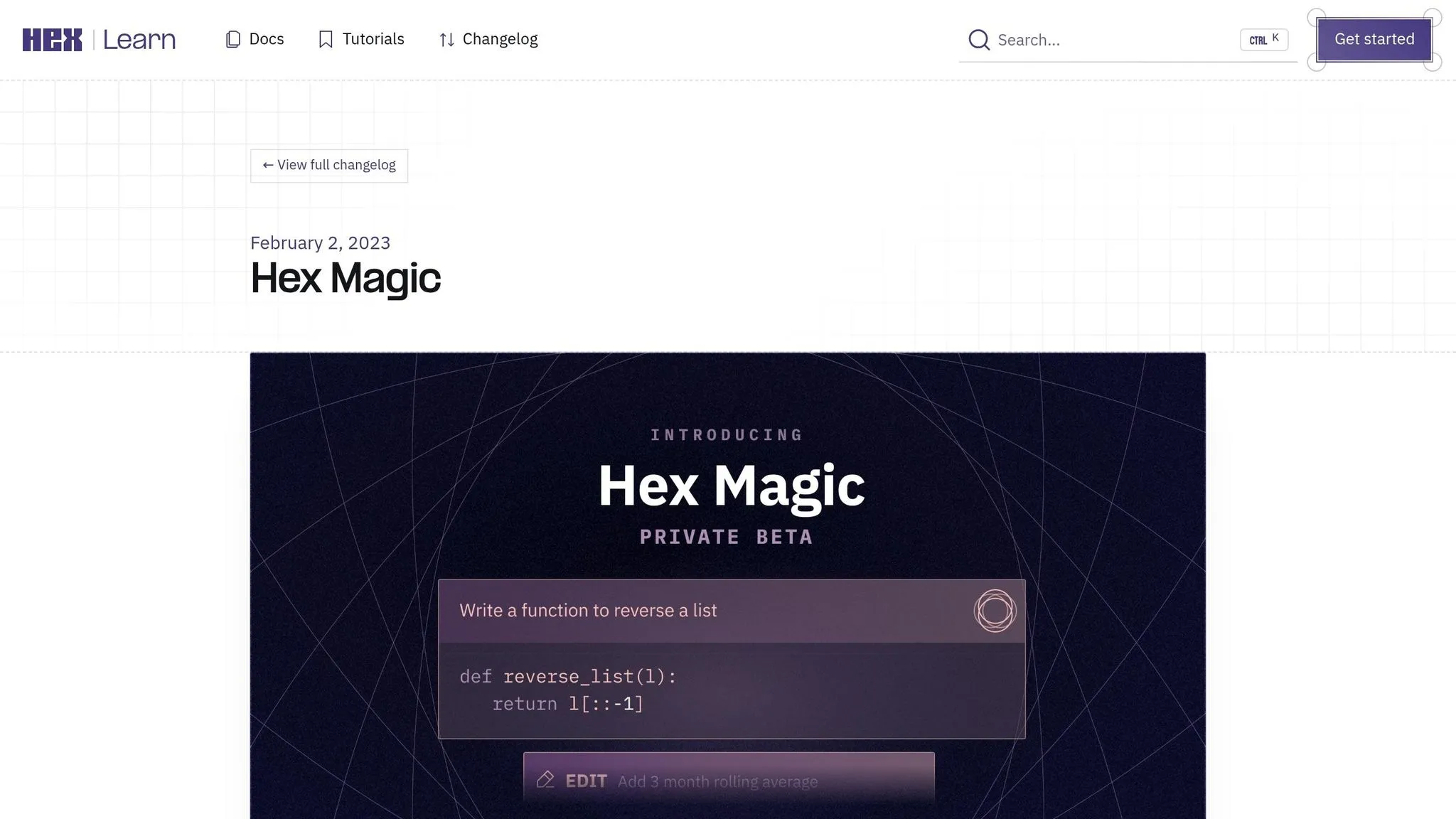
Hex Magic is shaping the future of AI-powered business intelligence by taking a notebook-first approach to analytics. This platform allows AI agents to generate SQL and Python code directly within collaborative environments, moving away from the traditional reliance on pre-built dashboards. Analysts can write queries, debug code, and create visualizations with AI assistance tailored to their data schema. With a consensus score of 9.06 out of 10 from 340 verified reviews, Hex Magic has earned high praise [7].
Warehouse Integration
Hex integrates seamlessly with major cloud data warehouses like Snowflake, BigQuery, Databricks, Redshift, PostgreSQL, Athena, and ClickHouse [7][8]. By using push-down query execution, it ensures all data processing happens within the warehouse itself, keeping compute costs manageable and maintaining a single source of truth [9]. However, when working with datasets larger than 1GB, users may experience slower in-browser performance. For such cases, Hex offers advanced compute profiles (GPU, XL) on a pay-as-you-go basis [7]. This robust connectivity underpins Hex Magic's AI-driven analytics capabilities.
AI-Driven Insights Generation
Hex’s Notebook Agent streamlines the analytics process by generating and debugging SQL and Python code in real-time, reducing the need to reference documentation. Sarah_Data, an analyst, shared her experience:
"The AI sidekick is actually useful for SQL. It understands my schema better than I expected and saves me from constant documentation lookups." [7]
Additionally, reactive execution automatically updates dependent cells whenever changes are made, ensuring analyses stay current. Hex’s documentation highlights the platform's transparency:
"every answer is explainable, editable, reusable, and grounded in the same shared context" [7]
Governance and Inspectability
Hex's Context Studio ensures governance by monitoring AI query processing and syncing with external semantic layers in business intelligence like dbt MetricFlow, Cube, and Snowflake Semantic Views. This feature helps maintain consistent reporting standards [10]. The platform also supports Trusted Data Endorsement, allowing teams to define business contexts and set AI workspace policies within notebooks [10]. For enterprise users, Hex provides features like audit logging, OIDC SSO, and the ability to route requests through customer-owned API keys (BYOK) [7][9].
Scalability for Analytics Teams
Hex is designed for collaboration, offering real-time multiplayer editing to enable analysts to work together seamlessly [7][9]. The platform supports unlimited projects and apps on its Team and Enterprise plans, and includes Git export and REST APIs for automation [10]. For non-technical users, the Explorer role (available as a per-seat add-on) extends controlled data access [10].
Pricing starts with a free Community plan (up to 5 notebooks). For advanced features, the Professional plan costs $36 per editor per month, the Team plan is $75 per editor per month, and custom pricing is available for Enterprise plans [7][9]. While the platform offers robust capabilities, some users have noted that pricing can increase quickly for smaller teams, and performance may lag when datasets exceed 1 million rows [7][9].
5. Powerdrill Bloom
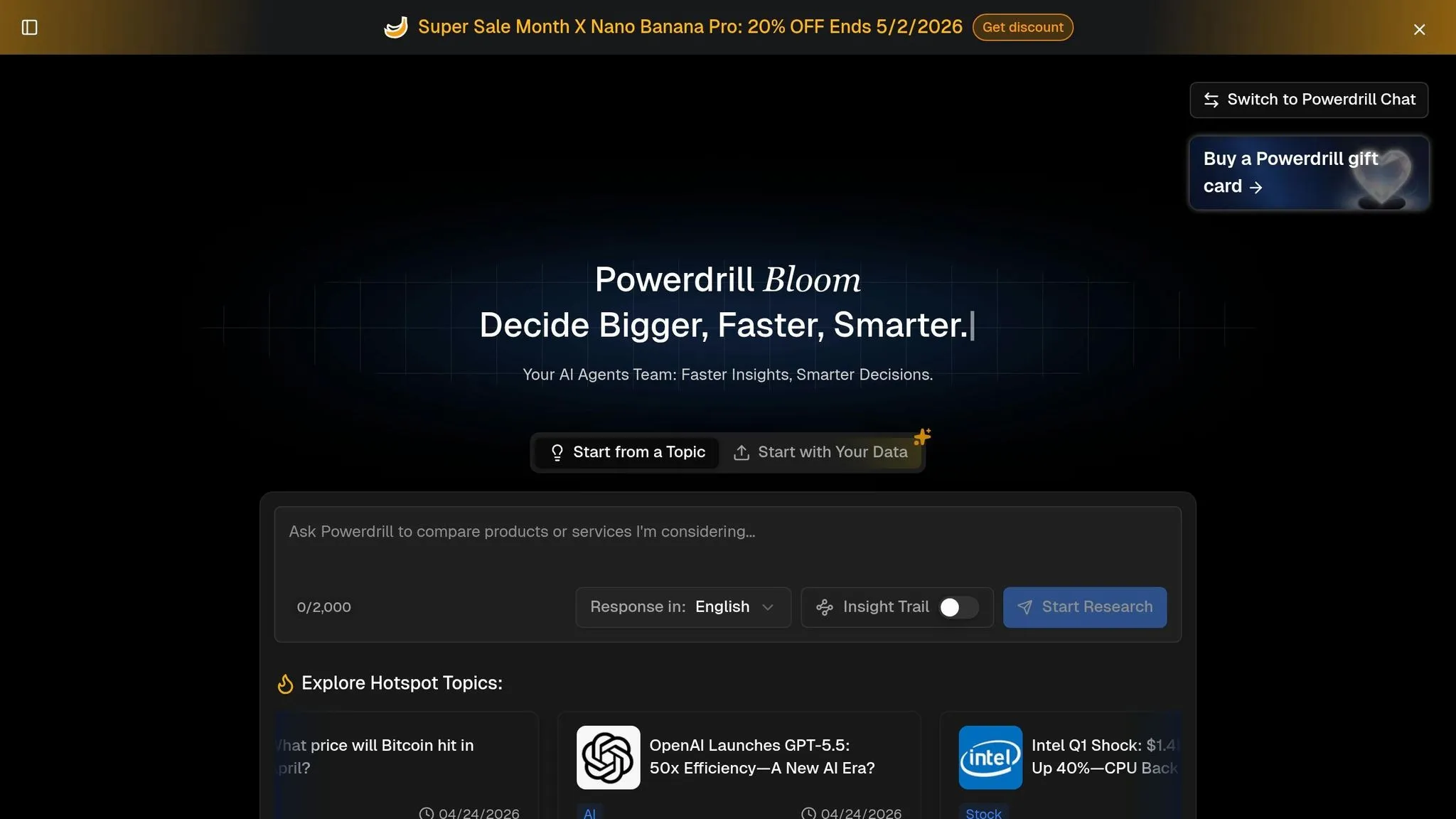
Powerdrill Bloom takes AI-driven data exploration to the next level with its interactive, visual interface. Its AI Exploration Canvas allows users to organize insights, charts, and follow-up questions into modular cards. These cards can be rearranged and grouped, making it easy to craft a compelling narrative from the data [11][12].
AI-Driven Insights Generation
At the heart of Bloom is a four-agent system that handles every stage of the data process. Each agent has a unique role:
- Eric (Data Engineer): Cleans and processes raw data.
- Anna (Data Analyst): Interprets user intent to guide analysis.
- Derek (Data Detective): Gathers external web data for added context.
- Victor (Data Verifier): Validates logic and flags inconsistencies [15][16].
This collaborative system allows smaller teams to achieve results that typically require much larger departments. As Michael, an analyst, put it:
"What elevates Powerdrill Bloom is its four-agent architecture... This multi-agent orchestration transforms plain-language business questions into sophisticated analytical outputs." [16]
The platform’s Nano Banana Pro Engine identifies the most effective chart types - like Sankey diagrams and heatmaps - and converts data into polished, presentation-ready slides. This feature can cut preparation time for data-driven storytelling by up to 90% [13][17][18]. For users without a dataset, the "Start from a topic" feature makes it easy to explore areas such as market trends or customer behavior [15].
While Bloom delivers insights quickly, it doesn’t compromise on reliability. The platform ensures data accuracy through robust checks and balances.
Governance and Inspectability
Bloom strikes a balance between ease of use and control with its transparent SQL auditing feature. Its NLP-to-SQL engine translates plain-language questions (e.g., "Why did sales drop in Q3?") into detailed SQL queries. Analysts can review and adjust these queries before finalizing reports [13][14]. Joy, a Data Analytics Reviewer, highlighted this feature, saying:
"Bloom represents the ideal middle ground... where business users can self-serve and analysts can maintain control." [14]
The Victor agent further ensures data accuracy by cross-checking calculations and verifying results against trusted web sources [12][15]. Additionally, the platform is compliant with SOC 2, GDPR, and ISO 27001 standards. Users have full control over their data, with the option to permanently delete exploration canvases and related files [11][13][15].
Scalability for Analytics Teams
Bloom’s design makes it accessible to a wide range of teams, even those without SQL or Python expertise. Marketing, sales, and HR teams can self-serve data insights without overloading core data teams [13][16][19]. Features like Dataset Sharing and Chat Sharing encourage collaboration across departments. The automated "Chat-to-PPT" tool converts canvas nodes into editable PowerPoint decks or Notion exports, simplifying reporting tasks [11][14][15].
The platform is tailored for modern BI needs, offering flexibility for smaller teams while maintaining data security. Pricing starts with a free plan that includes file uploads, insight exploration, and document export. The Pro subscription is available for $13.27 per month [14][15][18]. While Bloom excels in speed and accessibility, it’s less suited for massive petabyte-scale warehousing or heavily outdated on-premise systems [13][14].
6. Julius AI
Julius AI introduces a code-first approach to business intelligence, trusted by over 2,000,000 users, including teams from Nvidia, Zapier, and Andreessen Horowitz [20]. Unlike conversational AI tools that rely on approximations, Julius generates and executes actual Python, R, or SQL code within secure sandboxed environments. This gives technical users full visibility into every calculation, ensuring precision and control [40,42].
AI-Driven Insights Generation
Julius automates advanced tasks like ARIMA forecasting, linear regression, and customer churn prediction, handling even messy datasets of up to 300,000 rows for seasonality adjustments. This makes it a practical solution for tackling complex data challenges [40,42]. A user review highlights its effectiveness:
"Julius is like having a senior data analyst sitting right next to me. It handled my messy CSV perfectly." – DataVizPro, iOS App Store [20]
With a 9.25/10 consensus rating from over 2,500 verified reviews, users often praise Julius for its ability to convert spreadsheets into professional visualizations in seconds [20]. For teams needing tailored insights, custom agents can be trained on specific schemas and data dictionaries to enhance analytical precision. Additionally, its Slack integration enables teams to tag the Julius agent for instant data visualizations during discussions [20].
Warehouse Integration
Julius AI extends its capabilities with robust warehouse integrations. It connects natively to platforms like Snowflake, BigQuery, Postgres, MySQL, SQL Server, and Databricks, available through its Business tier at $450/month [40,41]. For databases with thousands of tables, Julius builds a semantic understanding of the schema over time, selecting only relevant tables to maintain optimal query performance [20]. Data handling capacity varies by plan, ranging from 2GB of RAM on the free tier to 64GB on enterprise plans [20].
Governance and Inspectability
Transparency and control are at the core of Julius AI, thanks to its governance-first approach. The platform complies with SOC 2 Type 2, TX-RAMP, GDPR, and CCPA standards, ensuring all code execution happens in isolated sandboxed environments [20]. Users can inspect and export the exact Python, R, or SQL logic behind any analysis using the "Code Export" feature. This ensures multi-step analyses are validated and minimizes the risk of misinterpreting data [40,42]. Enterprise customers gain additional tools like SSO/SAML, automated audit logging, and fine-grained role-based access control (RBAC) [20].
Scalability for Analytics Teams
Julius supports collaboration with team workspaces, allowing departments to share files, notebooks, threads, and data connections [20]. The Business tier includes three editor seats (extra seats cost $45/month), while the Enterprise tier offers private VPC deployment for multiple internal teams [20]. The free plan includes 5 messages and 2GB of RAM, while the Pro tier provides unlimited messages and 32GB of RAM for $45/month [20].
Feature Comparison Table
The table below compares key features, governance, pricing, and ideal use cases for several business intelligence tools, with a focus on how Querio simplifies and enhances analytics for teams.
| Tool | Supported Data Warehouses/Inputs | Governance & Security | Pricing Structure | Recommended Use Case |
|---|---|---|---|---|
| Querio | Major cloud data warehouses like BigQuery, Snowflake, Redshift, etc. | SOC 2 Type II, inspectable SQL/Python, semantic layer, SSO | Annual platform fee with unlimited seats | Non-technical teams needing governed, self-service analytics |
| Basedash | PostgreSQL, MySQL, SQL Server, BigQuery, Snowflake, managed warehouse | BYOK, semantic layer, Slack-native security | Fixed monthly subscription | Startups and mid-market businesses requiring Slack-integrated, fast BI |
| ThoughtSpot | BigQuery, Snowflake, Redshift, Databricks, Azure Synapse | Enterprise security, anomaly detection, role-based controls | Usage-based or enterprise contract | Large enterprises (500+ employees) needing search-driven analytics at scale |
| Hex Magic | Snowflake, BigQuery, Redshift, Databricks, PostgreSQL | Limited semantic governance, analyst-focused controls | Per-seat or enterprise pricing | Data scientists and analysts needing a notebook environment for deep investigations |
| Julius AI | File uploads (CSV, Excel) | Not specified | Monthly subscription | Individual researchers needing ad-hoc file analysis and forecasting |
Querio stands out for its broad support of relational databases and its ability to ensure consistent metric definitions through a robust semantic layer. This approach guarantees governed, self-service analytics tailored for non-technical users. For regulated industries, Basedash’s BYOK feature is a solid option, keeping AI inferences within your infrastructure. Meanwhile, Querio’s inspectable SQL/Python code further ensures metric consistency across outputs.
ThoughtSpot’s natural language query engine, tested in real-world scenarios, achieved an impressive 80% accuracy on first attempts[2]. It’s ideal for executives working with massive datasets. On the other hand, Hex Magic focuses on analyst productivity with its notebook-centric design but offers limited semantic governance.
Each tool serves specific needs: Querio democratizes analytics for broader teams, ThoughtSpot supports high-level executive decision-making, Hex Magic caters to technical analysts, Basedash fits fast-paced startup environments, and Julius AI is perfect for individual researchers handling file-based analysis. Choosing the right tool depends on your team’s unique priorities and workflows.
Conclusion
The move toward AI-native BI tools by 2026 marks a major evolution in how teams handle and interpret data. These tools seamlessly combine AI-driven analysis tools with strong governance and the flexibility to address growing analytics needs. According to research, 74% of IT and business leaders report that GenAI speeds up decision-making, while 65% say it leads to better outcomes [3].
Ensuring transparency and governance is key. Features like governed semantic layers and strict security protocols help prevent inconsistencies [1][3]. As the Omni AI BI Guide highlights:
The best AI-powered BI tool is the one that grounds AI in a semantic layer, enforces permissions automatically, and lets users inspect how answers were generated [1].
This emphasis on governance supports the rise of proactive intelligence. AI agents are increasingly taking on the role of continuously monitoring data, identifying anomalies, and uncovering trends - without requiring manual oversight [2][3]. With AI-related IT spending projected to surpass $2 trillion by 2026 [3], it’s critical to select tools that strike the right balance between automation and auditability to remain competitive.
FAQs
::: faq
What makes a BI tool “AI-native”?
An AI-native BI tool is crafted specifically to harness the power of large language models, transforming how users interact with data. These tools allow you to ask questions in plain, everyday language, making data queries feel natural and accessible. They also handle autonomous data analysis, breaking down complex information without requiring manual effort.
The result? A smooth, user-friendly experience that stands apart from older, static BI systems. The focus is on delivering smarter and faster workflows, perfectly aligning with the demands of modern business intelligence. :::
::: faq
How do I prevent AI answers from being wrong or inconsistent?
To get accurate and consistent AI answers, it's crucial to rely on tools built on well-regulated and transparent data and metrics. AI systems should align with your business context, clearly understand metric definitions, and respect access controls.
Opt for solutions that prioritize governance and enforce strict permission safeguards. When AI operates within a framework of strong governance, it minimizes risks like metric drift or incorrect outputs, delivering insights you can rely on for your business decisions. :::
::: faq
Will AI-native BI increase my data warehouse costs?
AI-powered BI tools can drive up data warehouse expenses because they rely on real-time data processing and integration. However, they also simplify workflows and reduce inefficiencies, which can help balance out some of these costs. Over time, their ability to improve data usage and enhance decision-making often makes the higher upfront costs worthwhile. :::