Business Intelligence
AI Data Analytics Tools Every Company Should Know
Modern AI analytics tools are replacing traditional BI by making governed, inspectable, real-time analysis available to all business teams.

Artificial intelligence has transformed how businesses handle data, making analysis faster and more accessible. Modern AI tools allow users to ask questions in plain English, automate tedious tasks, and deliver insights proactively. Companies like Bank of America and McLaren Racing have already achieved massive efficiency gains using these tools. Below are four key platforms reshaping data analytics:
- Querio: Simplifies querying with plain English, generates inspectable SQL/Python, and integrates with major data warehouses.
- Power BI with Copilot: Offers natural language queries and deep integration within the Microsoft ecosystem.
- ThoughtSpot Sage: Enables conversational data exploration and real-time insights directly within cloud warehouses.
- Sigma Computing: Combines spreadsheet-like usability with robust cloud data warehouse integration.
Each tool offers unique strengths, from governance features to scalability, helping businesses streamline workflows and make data-driven decisions and build a data culture.
Quick Comparison
| Feature | Querio | Power BI with Copilot | ThoughtSpot Sage | Sigma Computing |
|---|---|---|---|---|
| Query Method | Plain English + SQL | Plain English + DAX | Conversational | Spreadsheet-like |
| Integration | Major warehouses | Microsoft ecosystem | Cloud warehouses | Cloud warehouses |
| Governance | Strong governance | Microsoft Purview | Built-in security | Warehouse-native RBAC |
| Pricing Model | Per workspace | Per user + capacity | Per user | Per user |
Choosing the right tool depends on your organization’s needs, existing systems, and analytics goals. Dive deeper into each platform to find the best fit for your team.
::: @figure 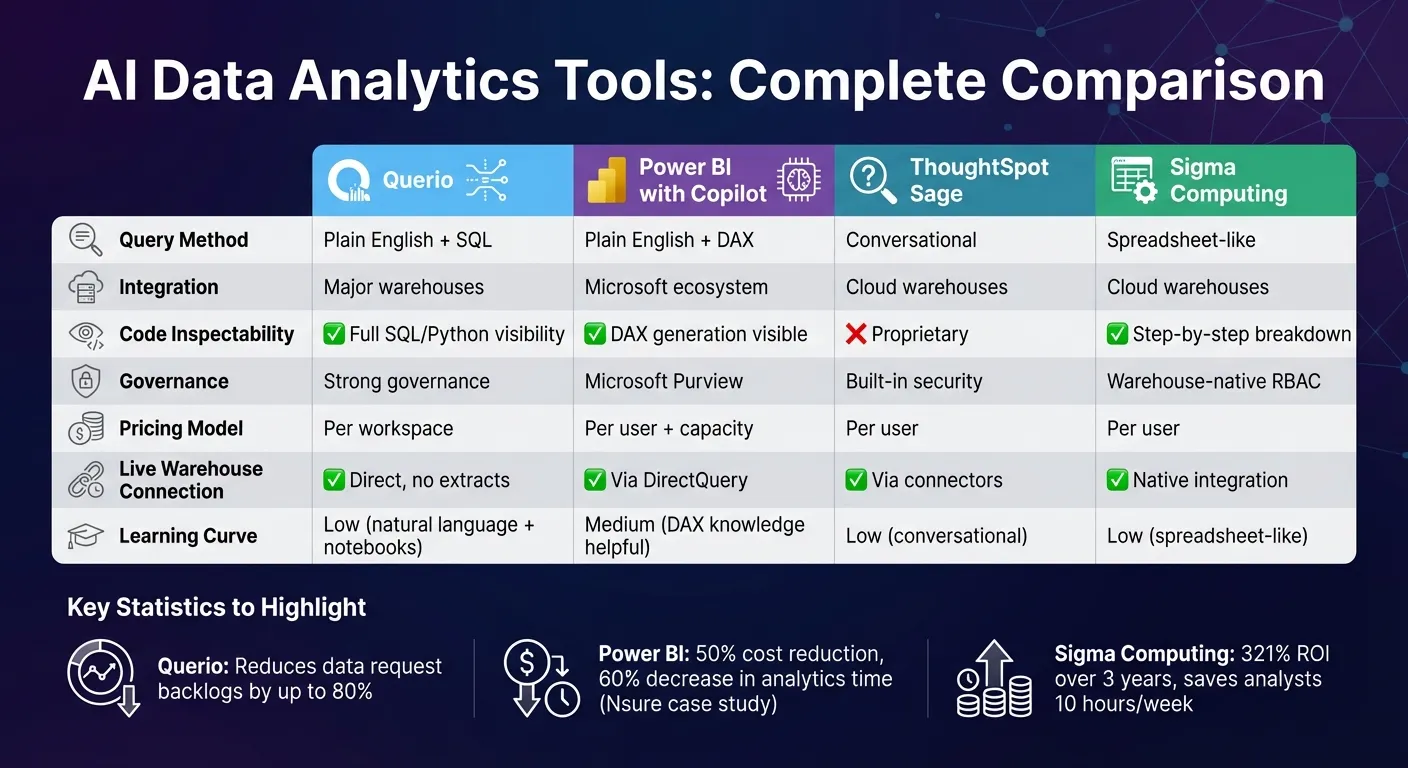 {AI Data Analytics Tools Comparison: Features, Pricing, and Integration}
:::
{AI Data Analytics Tools Comparison: Features, Pricing, and Integration}
:::
1. Querio
Natural Language Querying
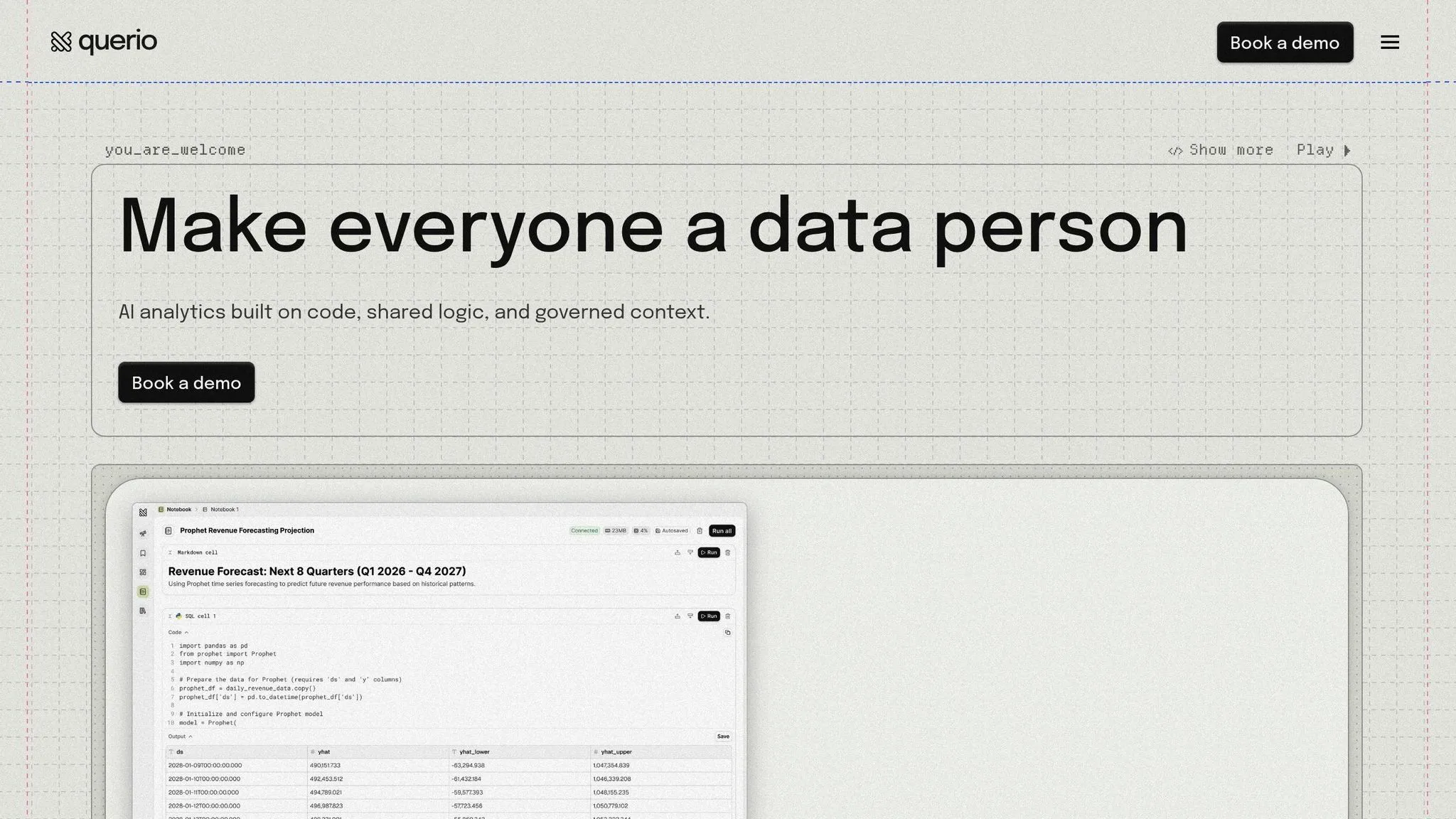
Querio changes the game for teams needing quick answers from their data. Instead of relying on technical know-how, anyone can ask questions in plain English, like, "What were our top-selling products last month?" The platform translates these queries into real SQL and Python code, running directly on your data warehouse. This ensures the answers are based on actual data, not AI assumptions. By offering this self-service option, Querio reduces data request backlogs for technical teams by up to 80% [1]. Analysts can then focus on more strategic tasks rather than routine data pulls. Plus, the process is fully transparent, so there’s no guesswork involved.
Code Inspectability
One standout feature of Querio is its transparency. The platform shows the SQL and Python code it generates, giving teams the ability to verify calculations and troubleshoot outputs. This not only ensures accuracy but also helps users learn from the AI-generated queries, turning it into a teaching tool rather than a black box.
Data Warehouse Integration
Querio seamlessly connects to popular data infrastructures like Snowflake, Google BigQuery, Amazon Redshift, ClickHouse, PostgreSQL, MySQL, and Microsoft SQL Server. It uses encrypted, read-only credentials to query live data, ensuring up-to-date results. By combining SQL and Python analysis in a single notebook-style environment, teams can create reports in nearly half the time compared to traditional methods [1]. Along with its smooth integration, Querio also prioritizes strong governance to uphold reliable data practices.
Governance Features
With Context Control, Querio centralizes critical definitions - like column names, key metrics, and table joins - so teams stay consistent when calculating metrics such as "revenue" or "active customers." It also tracks both AI and user activity, giving administrators better oversight of data access. Built to meet enterprise-grade security requirements, Querio complies with SOC2 Type II, GDPR, HIPAA, and CCPA standards, ensuring sensitive data is well-protected.
Scalability
As a company’s analytics needs expand, Querio grows with them. It empowers more team members to explore data independently without overloading specialized data teams. Businesses can try it out with a free pilot program, and its pricing model is workspace-based rather than tied to individual users, offering flexibility. Whether for startups or large enterprises, Querio ensures consistent logic across ad-hoc analysis, scheduled dashboards, and embedded analytics, making it a reliable choice for organizations of all sizes.
2. Power BI with Copilot
Natural Language Querying
Power BI with Copilot takes data interaction to a new level by allowing users to ask questions in plain English and receive instant visualizations or insights. Using your semantic model, Copilot can fetch or create visuals automatically, making analytics feel more conversational [4]. You’re not limited to a single report either - Copilot lets you query across any report or semantic model you have access to, even supporting iOS voice dictation for hands-free exploration [2][3]. For the best results, structured data with clear naming conventions and field descriptions is key [2]. This approach mirrors tools like Querio, which aim to make complex data queries simple for everyone.
Code Inspectability
One standout feature of Power BI with Copilot is its transparency. When you use natural language to make a query, Copilot generates detailed DAX code, explains the steps it took, and validates the code using a built-in parser [3][4]. This level of visibility not only helps you verify the accuracy of calculations but also offers an opportunity to learn from the AI’s methods and see how large language models are transforming data teams.
Data Warehouse Integration
Power BI with Copilot fits seamlessly into the Microsoft Fabric ecosystem, using OneLake as its unified data source. The Direct Lake mode allows you to query data in real time without needing to import or cache it, ensuring you’re always working with the latest information [8]. Additionally, Copilot for Data Warehouse (currently in preview) expands these capabilities beyond Power BI, integrating with other Fabric workloads like Data Warehouse and Data Engineering [2]. To access these features, you’ll need at least an F2 Fabric capacity or a Power BI Premium capacity of P1 or higher [2].
Governance Features
Power BI with Copilot includes robust governance tools to ensure data security and compliance. Admins can control access through tenant-level settings in the Fabric portal, restricting usage to specific security groups. Integration with Microsoft Purview ensures that data sensitivity and encryption are maintained [2][3][5][7]. The platform adheres strictly to Power BI’s permission models, including Row-Level Security (RLS), so users can only see data they’re authorized to access [7]. Importantly, Microsoft does not use customer data, prompts, or responses to train its foundation Large Language Models [6][7]. Harmful inputs are automatically filtered to maintain a secure environment [3][7].
Scalability
To use Copilot, you’ll need a paid Fabric capacity (F2 or higher) or Power BI Premium capacity (P1 or higher) [2]. For individual licenses, Power BI Pro costs $14.00 per user/month (billed annually), while Premium Per User is priced at $24.00 per user/month (also billed annually). However, these licenses still require the appropriate capacity to unlock Copilot features [5]. To manage workloads efficiently, the system employs a Fabric Copilot Capacity tracker. If the same prompt is submitted within a 24-hour window on an unchanged semantic model, Copilot provides a cached response to save resources [2].
3. ThoughtSpot Sage
Natural Language Querying
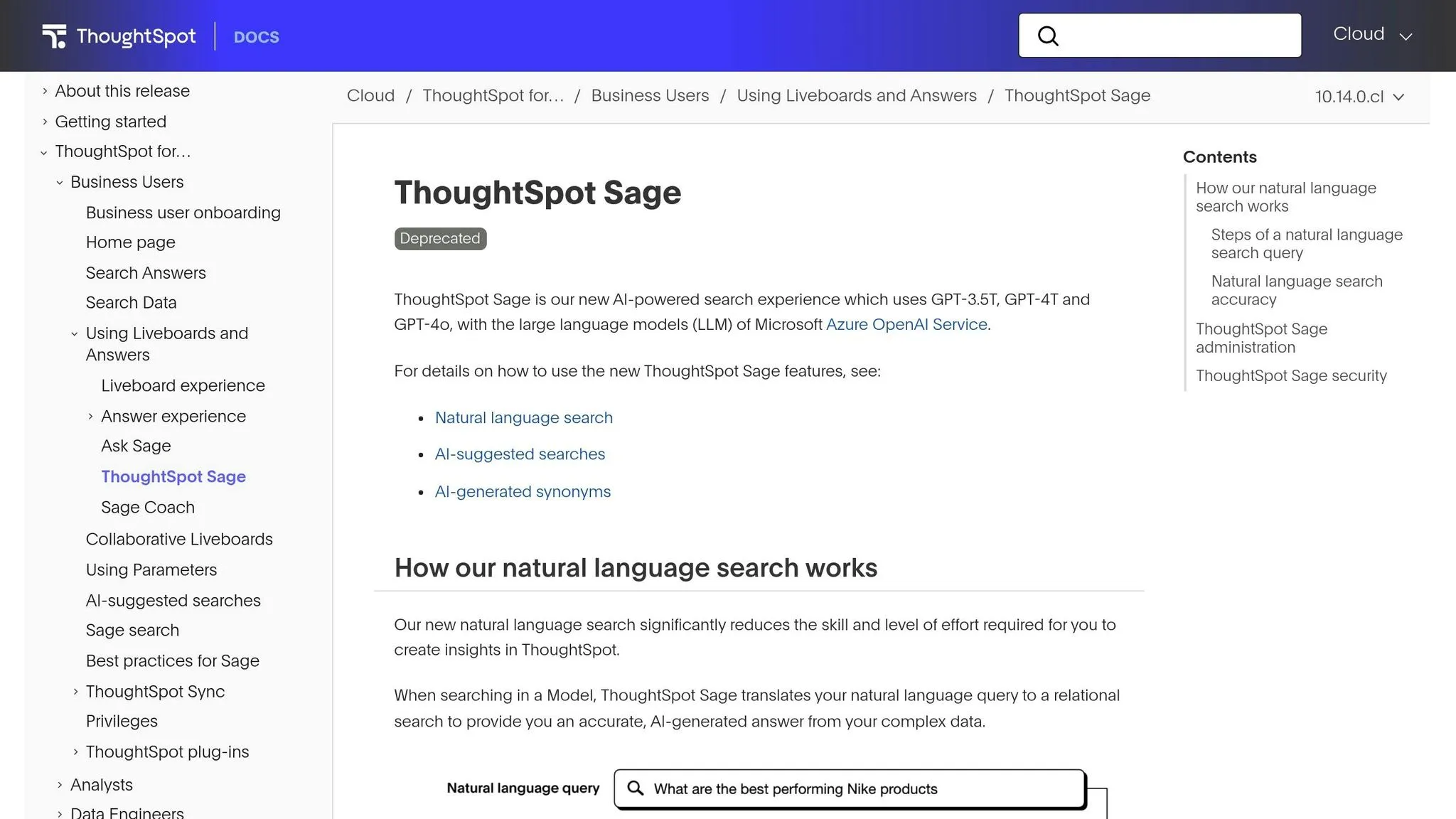
ThoughtSpot Sage adds AI-driven search capabilities to your data analytics, allowing business users to ask questions in plain English and receive instant insights. For example, marketing teams can type, "What were our top-performing campaigns last quarter?" while finance teams might ask, "Show me expense trends by department." The platform understands the intent behind these queries and instantly generates visualizations, eliminating the need for IT or data analysts. It also learns your company’s unique terminology, adapting to how your teams naturally describe data. This makes it easy to integrate into your existing cloud infrastructure without a steep learning curve.
Data Warehouse Integration
ThoughtSpot Sage seamlessly connects to major cloud data warehouses like Snowflake, Google BigQuery, and Amazon Redshift. By processing queries directly within these warehouses, it ensures real-time results without duplicating data. The platform leverages the computational power of your existing warehouse, keeping operations efficient and secure. Plus, since the data stays within your current infrastructure, governance remains straightforward, and your security measures stay intact.
Governance Features
The platform prioritizes security and compliance by respecting your data warehouse’s existing permissions and access controls. Users only see the data they’re authorized to access, thanks to row-level and column-level security settings. ThoughtSpot Sage also includes monitoring tools, allowing admins to track AI-generated queries and audit data access. This ensures compliance with both internal policies and external regulations. Additionally, the content certification feature enables data teams to mark trusted datasets and metrics, offering clear and approved insights everyone can rely on.
Scalability
As your data and user base grow, ThoughtSpot Sage scales effortlessly by relying on your existing cloud infrastructure. Queries are executed directly in your data warehouse, so performance depends on the capacity you’ve already set up, eliminating the need for separate analytics systems. Whether your organization has a handful of users or thousands, the platform efficiently handles concurrent queries without duplicating data, keeping operations cost-effective and streamlined.
4. Sigma Computing
Data Warehouse Integration
Sigma Computing connects directly to your cloud data warehouse as part of a modern analytics stack, eliminating the need for data extracts or duplication. By linking up with platforms like Snowflake, Databricks, Google BigQuery, and Amazon Redshift, your data stays secure and governed within its native environment. This setup allows Sigma to harness the warehouse's built-in security and performance features. Its Alpha Query Engine, combined with intelligent caching, helps cut down compute costs while delivering real-time speed. For instance, DoorDash managed to open up data access to 30,000 users without increasing infrastructure expenses[9]. This seamless integration is the backbone of Sigma's transparent and user-friendly code generation.
Code Inspectability
Sigma offers a detailed, step-by-step breakdown of results, enabling teams to tweak SQL or logic and validate AI-driven insights. It also includes custom AI functions like Prompt() for executing AI commands, Sentiment() for analyzing text sentiment, and MaskPII() for automatically concealing sensitive information. As Sigma Computing aptly describes it:
"Ask Sigma is the AI analyst that actually shows its work."[9]
Governance Features
Sigma builds on its technical capabilities with robust governance tools. It adopts row- and column-level security, as well as role-based access control, directly from your data warehouse through OAuth or RBAC. Administrators can manage AI access to specific schemas, tables, and columns while selecting their preferred LLM provider using personal keys. Additionally, Sigma provides detailed audit logs that track logins, permission updates, and AI prompts, alongside 12 pre-built dashboards for usage monitoring[10]. The platform meets rigorous compliance standards, holding certifications such as SOC 1, 2, and 3; HIPAA; GDPR; CCPA; and ISO 27001. For example, Florida Cancer Specialists reduced the time spent on medication inventory reporting from 2 hours to just 2 minutes, all while handling over 100 million healthcare data transactions monthly[9].
Scalability
Sigma’s multi-tier query engine processes trillions of records in real time by running queries directly in your browser through your existing data warehouse. As data volumes and user numbers grow, Sigma scales automatically, removing the need for additional analytics systems. Blackstone, for example, enabled over 700 finance professionals to analyze billion-row datasets using Sigma’s intuitive, spreadsheet-like interface - no coding skills required. The platform’s scalability also translates into measurable benefits, delivering a 321% ROI over three years and saving analysts an average of 10 hours per week[9]. As one Compliance Manager put it:
"Sigma is a remarkable tool that empowers business users, encourages responsible data governance, and supports data‑driven decision making through business process automation."[9]
With its ability to scale alongside your business, Sigma ensures your analytics capabilities grow without limits.
sbb-itb-284a532
Best AI Tools Every Data Analyst Should Know in 2026
::: @iframe https://www.youtube.com/embed/jQuD-as6ckE :::
Pros and Cons
Building on the detailed tool analyses above, let’s break down the strengths and trade-offs of each platform to help you make the best choice for your organization.
Each platform brings its own set of benefits and limitations to the table.
Power BI with Copilot is an excellent option for businesses already immersed in the Microsoft ecosystem. It seamlessly integrates with tools like Teams, Excel, and PowerPoint, making it a natural fit for Microsoft-heavy operations. For example, Nsure reported a 50% cost reduction and a 60% decrease in analytics time. However, access to all features depends on specific SKUs and capacity tiers, and Pro users might need to go through a trial period to unlock full functionality. While this deep integration is a strength, it can feel restrictive compared to more flexible platforms.
ThoughtSpot Sage focuses on simplifying analytics with its conversational search interface, making data exploration intuitive. However, its proprietary nature can lead to vendor lock-in, with migration costs potentially reaching up to 50% of the initial investment - a factor worth considering for long-term flexibility.
Sigma Computing eliminates the need for data duplication by directly connecting to cloud data warehouses. Its spreadsheet-like interface ensures ease of use, even for those without coding experience. On the downside, businesses without a cloud data warehouse may face additional setup expenses, which could be a barrier for some.
Querio takes a unique approach by combining live warehouse connections with fully inspectable AI-generated SQL and Python, ensuring accurate and governed insights. It also offers flexible workspace-based pricing without seat limits, making it a scalable option for growing teams. Additionally, its semantic layer helps maintain consistent metrics, a critical feature for organizations prioritizing data governance.
| Feature | Querio | Power BI with Copilot | ThoughtSpot Sage | Sigma Computing |
|---|---|---|---|---|
| Live Warehouse Connection | ✓ Direct, no extracts | ✓ Via DirectQuery | ✓ Via connectors | ✓ Native integration |
| AI Code Inspectability | ✓ Full SQL/Python visibility | ✓ DAX generation visible | ✗ Proprietary | ✓ Step-by-step breakdown |
| Pricing Model | Per workspace, no seat limits | Per user + capacity tiers | Per user | Per user |
| Microsoft 365 Integration | ✗ | ✓ Deep native integration | ✗ | ✗ |
| Governance Layer | ✓ Shared context & versioning | ✓ Microsoft Purview | ✓ Built-in | ✓ Warehouse-native RBAC |
| Learning Curve | Low (natural language + notebooks) | Medium (DAX knowledge helpful) | Low (conversational) | Low (spreadsheet-like) |
Key Takeaways
Your decision ultimately hinges on what matters most to your organization - whether it’s leveraging seamless integration within the Microsoft ecosystem, gaining transparency in AI operations, or prioritizing scalability and customization. For companies already committed to Microsoft tools, Power BI with Copilot offers unmatched native integration and proven ROI. On the other hand, businesses that value vendor-neutral analytics and inspectable AI might find Querio’s self-service approach to be the better fit. This comparison provides a solid foundation to help you choose the tool that aligns with your goals and operational needs.
Conclusion
Selecting the right AI data analytics tool hinges on your organization’s current needs and future aspirations. For small to medium-sized businesses already immersed in the Microsoft 365 ecosystem, Power BI with Copilot offers a seamless experience. Its familiar interface makes corporate reporting more straightforward and accessible.
As businesses grow and their analytics demands become more sophisticated, advanced platforms come into play. For teams fluent in SQL and managing intricate datasets, tools like Sigma Computing with its robust cloud integration, and ThoughtSpot Sage with its conversational search capabilities, deliver quick and actionable insights. This variety ensures that organizations can align their toolset with their unique growth paths.
One standout option is Querio, which focuses on transparency and governance. Its fully inspectable SQL and Python code, combined with flexible workspace-based pricing, makes it a strong contender for businesses prioritizing accountability and cost efficiency.
To make the most of these tools, it’s essential to define clear success metrics tied to your business objectives. Whether your goal is to predict customer churn, streamline supply chains, or cut down on manual reporting hours, measurable outcomes are crucial. With the average company pulling data from around 400 sources[11], prioritizing integration capabilities and ensuring data freshness will amplify the impact of your analytics strategy.
FAQs
::: faq
What should I consider when choosing an AI data analytics tool for my business?
To find the right AI data analytics tool for your business, start by pinpointing what you need most. Are you looking for predictive analytics, real-time visualization, or automated reporting? Once you’ve nailed down your priorities, choose a platform that fits those goals. For example, tools like Querio offer AI-powered natural language querying and advanced analysis features, making data insights accessible for everyone - whether they’re tech-savvy or not.
It’s also crucial to check compatibility. The tool should integrate smoothly with your existing databases and systems to keep operations efficient. Look for options that are easy to use and scalable, so your team can adopt them quickly, and the tool can grow with your business. Lastly, consider the cost. Make sure the solution fits your budget while providing enough value and flexibility to keep your organization competitive in today’s data-driven world. :::
::: faq
What governance features should you look for in AI analytics tools?
When choosing AI analytics tools, having strong governance features is a must to keep your data secure, transparent, and compliant with regulations. Here are some key aspects to focus on:
- Access controls: The tool should let you set user permissions, ensuring only the right people can view or make changes to sensitive information.
- Activity tracking: Built-in tracking and logging features are crucial for transparency. They also make audits or investigations smoother when necessary.
- Regulatory compliance: Tools that align with privacy laws like GDPR or CCPA are especially important if you’re working with personal or sensitive data.
- Data quality management: Look for features that catch anomalies, preserve data integrity, and provide accurate insights - these are essential for making sound decisions.
These features don’t just safeguard your data; they also build trust and improve the overall performance of your AI analytics system. :::
::: faq
How does using natural language queries improve data analytics?
Natural language queries transform data analytics by letting users ask questions in plain English - like, "What were our sales by region last quarter?" This removes the need for technical expertise, such as writing SQL, and provides quicker access to insights.
By making data interaction straightforward, it minimizes errors, simplifies workflows, and opens up analytics to team members without technical backgrounds. This broader accessibility enables organizations to act faster and make smarter decisions based on real-time data. In the end, natural language querying helps businesses tap into the full value of their data, saving time and boosting productivity. :::