Business Intelligence
The 8 Best Text-to-SQL Tools Ranked by Real Accuracy (2026)
Ranked review of 8 text-to-SQL tools focused on production accuracy, schema awareness, and governance for reliable analytics.

If you want the short answer: Querio ranks first, followed by Snowflake Cortex Analyst, Databricks Genie, ThoughtSpot Sage, Hex Magic AI, AI2SQL, Vanna AI / Wren AI, and generic LLMs like ChatGPT, Claude, and Gemini.
I looked at this ranking through the lens that matters most in production: does the SQL run, and do the results match the expected answer. That split matters because a query can execute and still be wrong.
Here’s the article in one view:
- #1 Querio: best fit for governed self-serve on live warehouses
- #2 Snowflake Cortex Analyst: strong pick for Snowflake-only teams, with 85%–90% accuracy when the semantic model is in place
- #3 Databricks Genie: best for Databricks-first teams with modeled data
- #4 ThoughtSpot Sage: good for search-based BI on pre-modeled data
- #5 Hex Magic AI: best for analyst notebook workflows with visible SQL/Python
- #6 AI2SQL: best for fast SQL drafting, not production analytics
- #7 Vanna AI / Wren AI: fits engineering teams building an internal assistant
- #8 Generic LLMs: useful for drafting and debugging, but weak without live schema context
What drives this text-to-SQL query tools comparison?
- Live warehouse access
- Metric and join context
- Support for messy schemas
- Governance controls
That’s the core pattern. Tools with warehouse context and a semantic layer tend to do better than prompt-only tools.
::: @figure 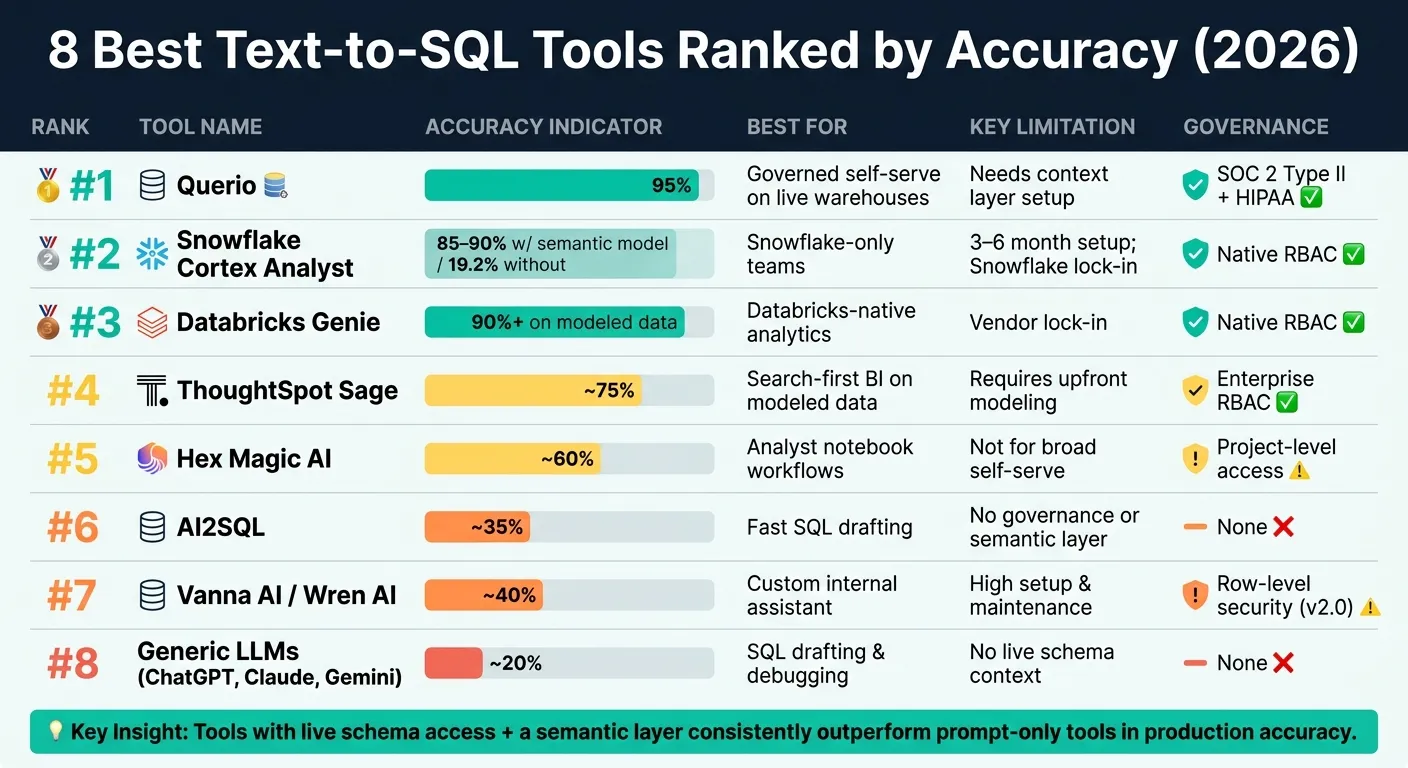 {8 Best Text-to-SQL Tools Ranked by Accuracy (2026)}
:::
{8 Best Text-to-SQL Tools Ranked by Accuracy (2026)}
:::
Quick Comparison
| Tool | Best For | Main Limitation | Key Accuracy Note |
|---|---|---|---|
| Querio | Governed self-serve on live warehouses | Needs setup for context layer | Ranked highest on execution and result match |
| Snowflake Cortex Analyst | Snowflake-first teams | Snowflake-only; setup can take 3–6 months | 85%–90% with semantic model; 19.2% without it |
| Databricks Genie | Databricks-native analytics | Vendor lock-in | Strong on modeled data; weaker on ad hoc raw schemas |
| ThoughtSpot Sage | Search-first BI | Needs upfront modeling | High on modeled data, lower on unmodeled data |
| Hex Magic AI | Notebook-led analysis | Less suited for broad business self-serve | Best when analysts review and edit generated code |
| AI2SQL | Fast SQL drafting | No governance or semantic layer | Fine for first drafts, weaker for final answers |
| Vanna AI / Wren AI | Custom internal assistant | High setup and maintenance | Depends on how well training stays in sync |
| Generic LLMs | SQL drafting and debugging | No live schema context by default | Can look right but fail or return wrong results |
If I had to reduce the whole article to one idea, it would be this: text-to-SQL accuracy drops fast when schema context and business definitions are missing. So if you need answers you can trust, I’d look first at tools that connect to live data and keep metric logic under control.
sbb-itb-284a532
1. Querio
Querio ranks first because it’s built for governed, warehouse-native analytics on complex schemas. It connects to live data in Snowflake, BigQuery, Redshift, and Postgres, and it’s aimed at teams that need the same answer across many users. That’s a big reason it scores well on both execution success and result match.
Execution Accuracy
Querio’s context layer keeps approved joins and metric definitions as SQL, Markdown, and Python in GitHub alongside dbt. In plain English, the model works from trusted definitions for terms like Revenue and Daily Active Users instead of guessing. Semantic-layer approaches improve accuracy on real business queries [3].
Semantic Correctness
Running a query is only part of the job. The metric definition also has to be right.
Querio lets the agent suggest updates, but only logged-in users can approve and commit them. That approval step helps keep answers consistent across surfaces.
Schema Complexity Handling
Querio is built for custom schemas, deep joins, and complex business logic. It can work through multi-table joins, nested logic, and dbt-modeled warehouses without pushing users to water down the question.
A semantic layer reduces AI-generated query errors [4]. That matters most when the query reflects the messiness of an actual warehouse, not a clean demo setup.
Governance and Reliability
Querio queries live warehouse data and returns inspectable SQL and Python in a reactive notebook. If the data isn’t there, it returns no answer instead of making one up.
For healthcare and finance teams, it supports SOC 2 Type II, HIPAA, BAAs, SSO, and role-based access controls. The governed setup does take configuration, so it’s not meant for casual ad hoc use. That makes Querio a strong fit for governed self-serve analytics on live data.
2. Snowflake Cortex Analyst
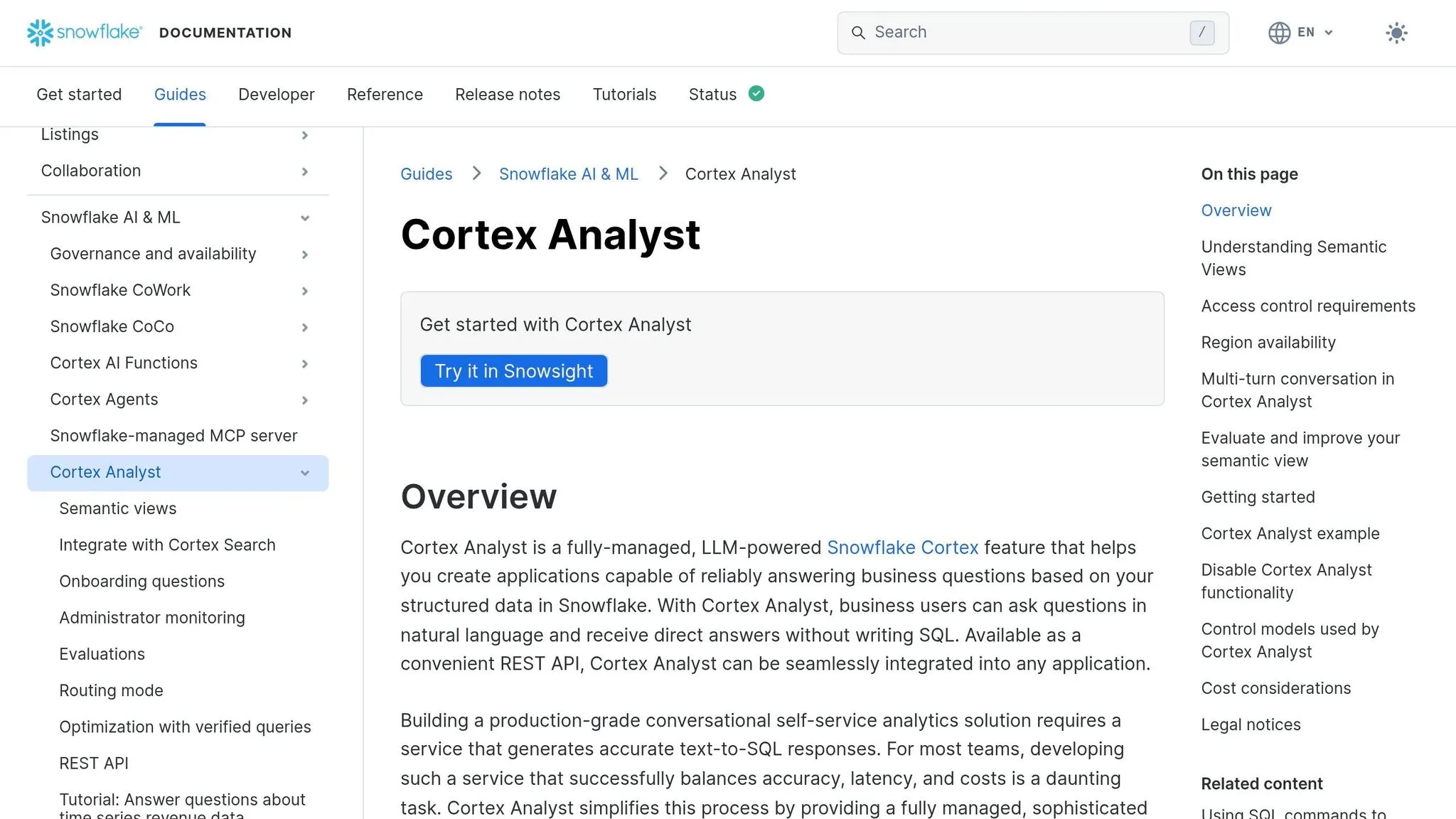
Snowflake Cortex Analyst is Snowflake’s native pick for teams that already keep their data in Snowflake. It fits best in Snowflake-only stacks. For Snowflake-first analytics teams, the big call is pretty simple: does the jump in accuracy make the extra work of building and maintaining a semantic model worth it?
Execution Accuracy
When the YAML semantic layer is built well - with synonyms, verified examples, glossaries, and metadata - Cortex Analyst can hit 85-90% accuracy on natural-language queries. Without that layer, accuracy can fall to 19.2% [3].
Semantic Correctness
When it’s set up the right way, the semantic model helps keep measures and follow-up questions tied to the same definitions [1]. That consistency is a big deal. But it comes with a cost: expect 3-6 months to build and maintain the semantic layer, glossaries, and metadata [1].
Schema Complexity Handling
Cortex Analyst can work with unmodeled fields, but only after you add them to the semantic YAML [1]. So it doesn’t just figure things out on its own. It also stays limited to Snowflake only [1].
Governance and Reliability
Queries run straight in Snowflake, with zero data movement, and use native RBAC and row-level security [3]. That’s a strong setup for teams that care a lot about control and keeping data in one place. The downside is lock-in: the semantic layer, governance, and AI query workflow all stay inside Snowflake [1].
That makes Cortex Analyst a strong fit for Snowflake-first teams that have the time and staff to keep the semantic layer in shape.
| Feature | Snowflake Cortex Analyst |
|---|---|
| Accuracy with semantic model | 85-90% [3] |
| Independent accuracy | 19.2% [3] |
| Governance | Native Snowflake RBAC/RLS [3] |
| Data movement | Zero [3] |
| Setup requirement | YAML semantic models; 3-6 months [1] |
| Warehouse support | Snowflake only [1] |
For teams that need support beyond a single warehouse, the next ranking shifts this trade-off.
3. Databricks Genie
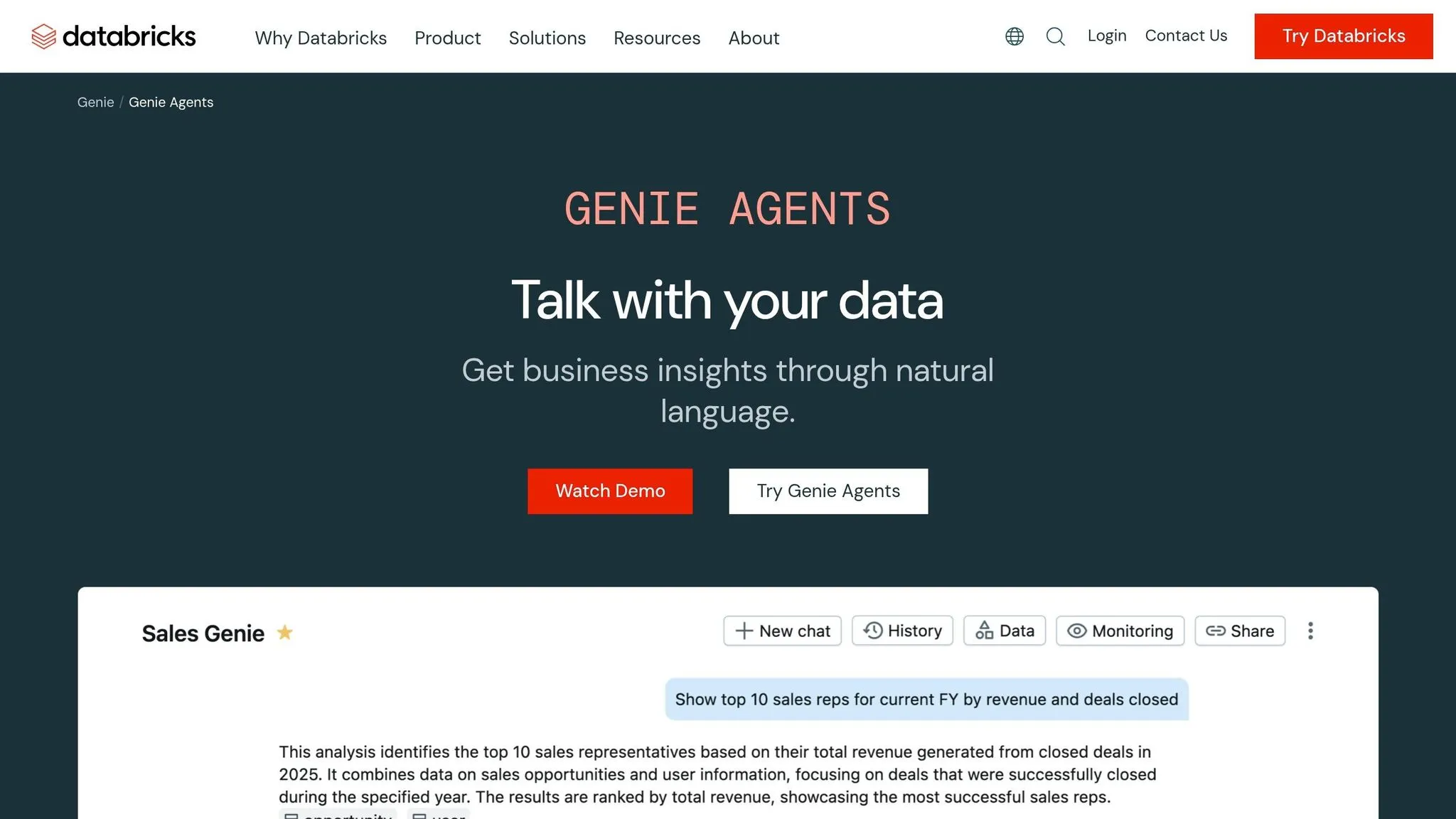
Databricks Genie comes in third for Databricks-first teams because it runs right inside the Lakehouse and does a good job when the data is modeled well. On this article’s execution-success and result-match criteria, it lands here for a simple reason: it works well inside Databricks, but it doesn’t stretch far beyond it (see how Databricks vs Querio compare on cross-platform flexibility).
Execution Accuracy
Genie supports the Databricks SQL dialect well, which helps keep syntax errors low. That’s especially true when the warehouse has clean models and clear structure.
Semantic Correctness
Genie does well with pre-modeled data, but it’s weaker when teams ask ad hoc questions against unmodeled schemas. Accuracy tends to slip when terms are ambiguous or schema docs are missing. That matters here because the ranking is based on result match, not just whether the SQL runs.
Schema Complexity Handling
Genie can work through large Databricks schemas, but multi-table joins with unclear keys still need a person to check the logic [3]. In plain English, a query can run without errors and still give you the wrong answer if the joins are off [3].
Governance and Reliability
Governance is handled through Databricks RBAC, row-level security, and column-level security [1]. That makes Genie a good fit for governed, warehouse-native use cases. The flip side is clear too: high vendor lock-in and no cross-platform querying [1].
| Feature | Databricks Genie |
|---|---|
| Execution accuracy with mature semantic models | 90%+ [1] |
| Pre-modeled data performance | Strong [1] |
| Ad hoc unmodeled data performance | Weaker [1] |
| Governance | Databricks RBAC, row-level and column-level security [1] |
| Warehouse scope | Databricks only [1] |
Genie makes sense for Databricks-native analytics. But if your team needs support across more than one warehouse, or wants BI work that isn’t tied so tightly to a single platform, the trade-off starts to look different.
4. ThoughtSpot Sage
ThoughtSpot Sage comes in fourth because it works best with modeled data. It leans on existing semantic models and worksheet definitions, so it’s a better match for teams that want governed BI built on top of a semantic layer, not open-ended query generation.
Accuracy on Modeled Data
Sage is dependable when the worksheet and joins are already set up. A centralized semantic model helps keep repeated KPI queries consistent, which matters when teams need the same answer every time. That said, it doesn’t create new logic on the fly [1].
Schema Complexity Handling
Sage connects to Snowflake, BigQuery, and Redshift, but it needs upfront modeling before it can deal with complex schemas. Multi-table joins work well when the join logic has already been defined in a worksheet. The tradeoff shows up when someone asks a question that needs dynamic joins across sources that haven’t been mapped ahead of time [1].
Governance and Reliability
Governance is one of Sage’s strong points. It supports rule-based row-level security and column-level security, and its use of a centralized semantic model helps keep metric definitions aligned across the organization [1]. Its Query Inspector also lets teams see what’s being run. For finance and sales teams that need governed self-service built on trusted metrics, Sage is a good fit.
| Feature | ThoughtSpot Sage |
|---|---|
| Accuracy on modeled data | High |
| Accuracy on unmodeled/raw data | Low |
| Metric consistency across repeated queries | High |
| Governance | Rule-based RLS; column-level security |
| Warehouse support | Snowflake, BigQuery, Redshift |
| Setup cost | High (requires upfront modeling) |
5. Hex Magic AI
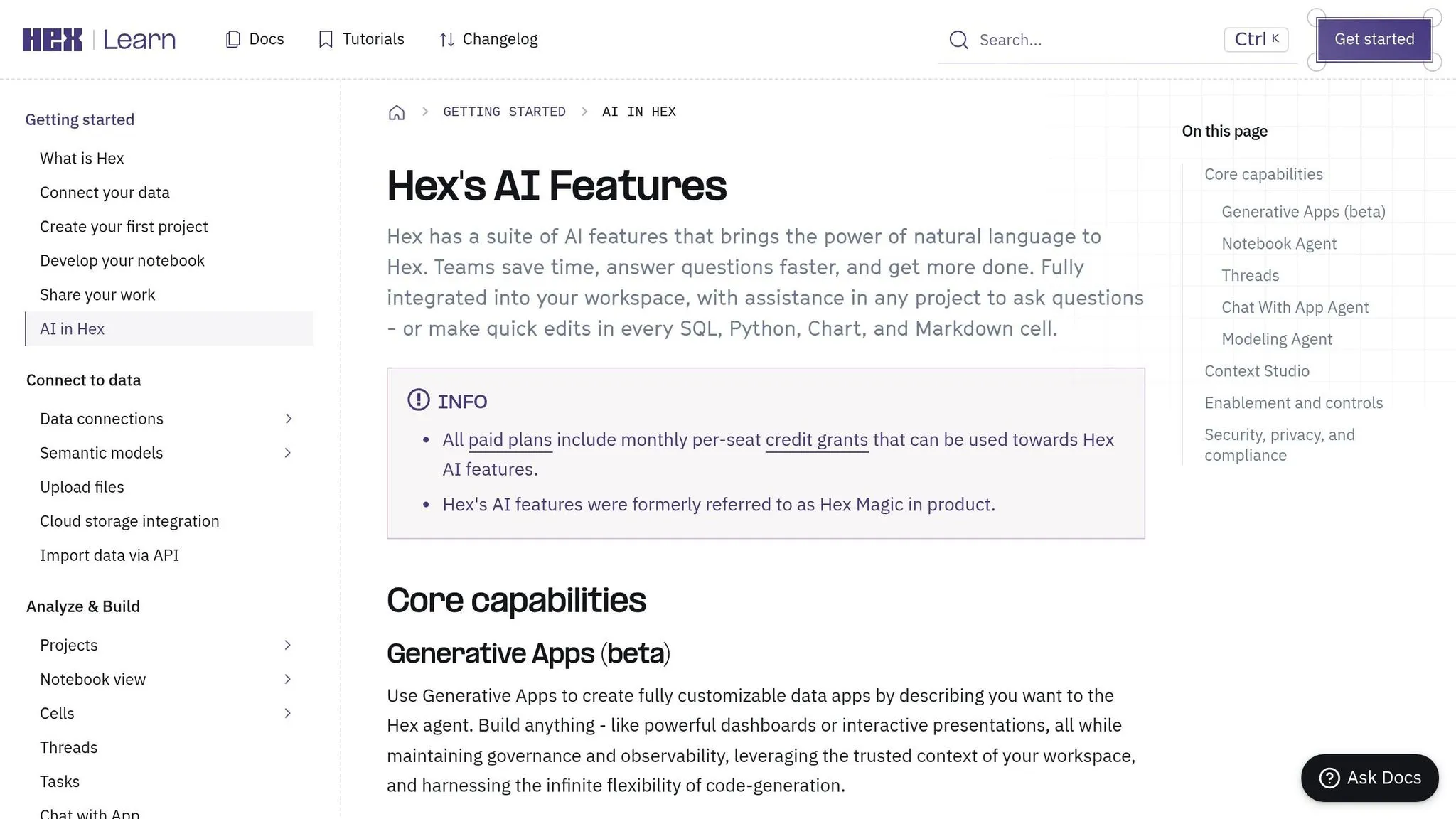
Hex Magic AI comes in at number five because it’s built for analysts who work inside Hex’s collaborative notebook setup. The product leans hard into a notebook-first workflow, which makes it a better fit for analyst-led work than broad self-serve business intelligence for business users.
With Hex, accuracy depends less on fully autonomous NL-to-SQL and more on whether analysts can inspect, edit, and validate the code that gets generated.
Execution Accuracy
Hex Magic AI generates SQL and Python right inside notebook cells, and the output is fully visible and editable. It tends to perform best when the schema is clearly named and well documented, since Hex uses a schema-first approach that leans on clean metadata and naming.
Semantic Correctness
Hex Magic AI can do a good job with exploratory questions, but semantic reliability depends on both model quality and documentation quality. Optional dbt integration can help teams that keep their models in good shape. If the documentation is inconsistent, metric reliability gets weaker.
Schema Complexity Handling
Hex Magic AI works best when tables and columns are easy to understand at a glance. As joins and model complexity grow, Hex needs more manual review.
Governance and Reliability
Governance in Hex is project-scoped, with warehouse-inherited permissions. SQL and Python cells are inspectable and editable, which gives analysts a clear view into what the system is doing. That notebook-first experience fits analyst-led workflows better than broad self-serve analytics for less technical teams.
That tradeoff shows up clearly in how Hex handles modeling, governance, and analyst review, similar to other text-to-SQL query tools.
| Feature | Hex Magic AI |
|---|---|
| Primary interface | Conversational, notebook-based |
| Schema approach | Schema-first (metadata/naming) |
| SQL transparency | Full - SQL/Python cells are editable |
| Governance | Project-scoped; warehouse-inherited permissions |
| dbt integration | Optional |
| Best use case | Analyst-led exploration in notebooks |
6. AI2SQL
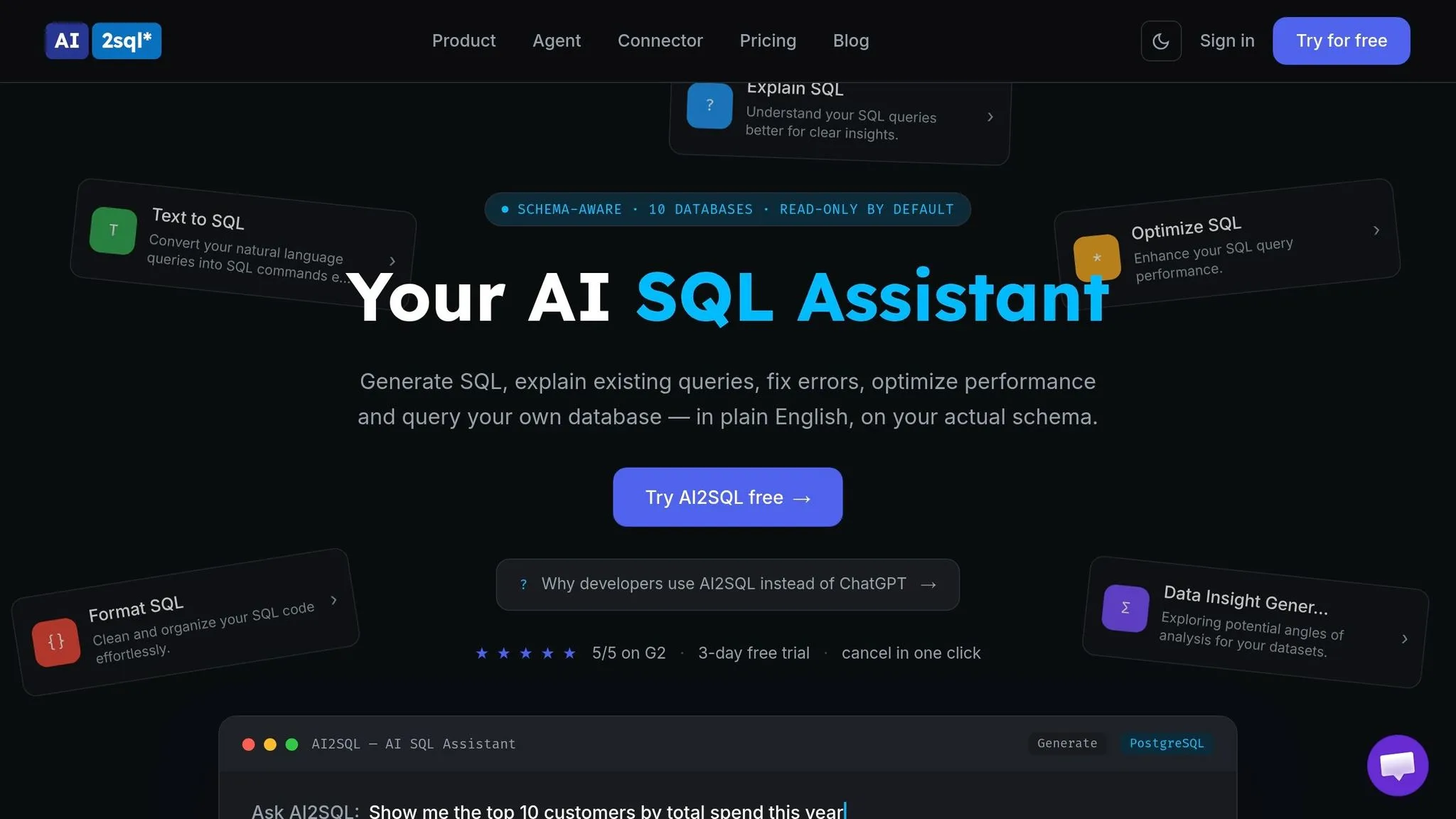
AI2SQL lands at number six because it does one job: help you write SQL fast. It isn't a full analytics platform, and it doesn't try to be. That's why it fits best for individual analysts or developers who want a quick first draft without much setup.
Execution Accuracy
AI2SQL supports several SQL dialects, including MySQL, PostgreSQL, Snowflake, Redshift, and BigQuery. That's a solid spread.
The catch is context. In many cases, AI2SQL depends on manually pasted schema details instead of a live warehouse connection. If that schema context is missing pieces or out of date, query accuracy can slip. So it's better for drafting queries than for producing final SQL you can trust in production right away.
Semantic Correctness
AI2SQL doesn't include a semantic or context layer. So there's no built-in spot to define business terms like active user or MRR, and no place to store dbt models.
That makes it a weaker option for analytics work where metric definitions need to stay consistent across teams and reports by building a semantic layer. If your team cares a lot about shared business logic, this gap matters.
Schema Complexity Handling
AI2SQL has the hardest time with complex multi-table joins. Without a live database connection or stored business logic, it has a tougher job working through table relationships in larger schemas.
In practice, that usually means more manual prompt edits, more schema re-pasting, and more checking along the way. For simple query drafting, that's fine. For messy warehouse setups, it can get tedious fast.
Governance and Reliability
AI2SQL doesn't offer governance features, RBAC, or collaboration tools. So it's better for quick SQL generation than for controlled, production-grade analytics.
Use it as a speed tool, not as the final source of truth. Before you ship a dashboard or report, manually check joins, filters, and row counts [2].
| Feature | AI2SQL |
|---|---|
| Primary interface | Browser extension and VS Code integration |
| Data connection | Manual schema paste, usually without a live warehouse connection |
| SQL transparency | Plain, editable SQL output |
| Governance | None |
| Semantic layer | None |
| Starting price | $9/month |
| Best use case | Individual query drafting and fast SQL prototyping |
7. Vanna AI / Wren AI
Vanna AI / Wren AI comes in seventh because its accuracy leans hard on how well you train it and how carefully you keep that training up to date. This is an open-source choice for technical teams that want to build their own workflow instead of buying a packaged tool. So it makes sense for teams building a custom analytics assistant, not for teams that want low-touch BI.
Execution Accuracy
Vanna pulls in schema, documentation, and past queries before it writes SQL. It can be trained on schema docs, dbt models, naming conventions, and golden query examples. That means accuracy gets better when the training set stays current, but it can slip when that material falls behind.
Semantic Correctness
One of Vanna’s strong points is that you can train it on your own business logic. That includes schema documentation, dbt models, naming conventions, and golden query examples. As a result, it tends to stay more grounded than a generic LLM.
But there’s a catch. That grounding only holds if your team keeps the training set aligned with how the warehouse is actually used. If the docs drift from reality, the model can drift too.
Schema Complexity Handling
When you’re dealing with complex multi-table schemas on Snowflake, BigQuery, Redshift, or Postgres, Vanna’s retrieval layer helps bring in the right schema and query context before generation.
Governance and Reliability
Vanna 2.0 added row-level security, which moves it closer to production use [3]. It also keeps database contents inside your own infrastructure. That matters a lot for healthcare and finance teams that have strict data residency rules.
This setup is best for teams that want a human in the loop before anything reaches production. The trade-off is simple: more setup, more review, and more hands-on work. That’s why it ranks below the warehouse-native tools listed above.
| Feature | Vanna AI / Wren AI |
|---|---|
| Primary interface | Python framework |
| Data connection | Live connection via Python to Snowflake, BigQuery, Redshift, or Postgres |
| Governance | Row-level security (v2.0) [3] |
| Semantic layer | Trained on schema, documentation, past queries, dbt models, naming conventions, and golden query examples |
| Setup effort | High; requires Python/API configuration [3] |
| Pricing | Free under the MIT license; Vanna Cloud Pro starts at approximately $50/user/month [3] |
| Best use case | Engineering teams building a custom internal analytics assistant |
8. Generic LLMs (ChatGPT, Claude, Gemini)
Generic LLMs rank last because they write SQL without live warehouse context. So they often miss table names, joins, and business definitions.
Execution Accuracy
They can do fine on standard benchmark splits. But once they hit an unseen warehouse schema, performance tends to fall fast. Without live context, these models often guess the wrong table or column mapping, which leads to SQL that looks right but breaks against actual data [3] [2].
That pattern matters. Benchmark scores may look good on paper, but warehouse accuracy is what counts when the query has to run in production.
Semantic Correctness
This is where direct LLM use creates the biggest production risk.
A query can be syntactically valid, run without errors, and still give you the wrong answer. Finance and Sales might each define "revenue" in a different way, and a generic LLM has no built-in way to know which one applies unless you provide governed business context [1].
Schema Complexity Handling
Generic LLMs can handle simple prompts with a single table fairly well. The trouble starts when the schema gets messy: multiple tables, vague naming, undocumented relationships, and hard joins. That’s where they tend to break down [3] [2].
Governance and Reliability
There’s no native governance layer here. RBAC and row-level security have to be added on their own [3] [1].
So yes, direct LLMs are useful for drafting queries. They can also help with debugging. But they’re not a good fit for governed self-serve analytics.
The practical role for ChatGPT, Claude, and Gemini is SQL drafting and debugging, not serving as the system of record. The next section shows how these trade-offs change across live warehouse tools.
| Feature | Generic LLMs (Direct) |
|---|---|
| Interface | Chat prompt |
| Connection | None by default; manual schema context required |
| Governance | None native |
| Semantic layer | None |
| Setup effort | Instant |
| Best use | SQL drafting and debugging for technical analysts |
How All 8 Tools Compare on Real Analytics Workloads
After looking at each tool on its own, it helps to step back and look at the pattern behind the rankings. These scores reflect live-workload performance on messy warehouse queries, where joins, metric definitions, and schema context often decide whether an answer is right or just looks right.
| Tool | Execution Accuracy | Semantic Correctness | Schema Complexity | Governance & Reliability |
|---|---|---|---|---|
| Querio | High | High | Strong | SOC 2 Type II |
| Snowflake Cortex Analyst | Very high (90%+) | High | Excellent | Native Snowflake RBAC |
| Databricks Genie | High | High | Excellent | Native Databricks permissions |
| ThoughtSpot Sage | High | High | Moderate | Enterprise RBAC |
| Hex Magic AI | Moderate | Moderate | Strong | Project-level access |
| AI2SQL | Low | Low | Basic | Minimal |
| Vanna AI / Wren AI | Moderate | Variable | Moderate | Row-level security |
| Generic LLMs | Low | Low | Weak | None |
Accuracy matters. But fit matters too. A tool can score well in one setup and still be the wrong pick for another team.
| Tool | Best-Fit Use Case |
|---|---|
| Querio | Mid-market governed self-serve |
| Snowflake Cortex Analyst | Snowflake-first enterprises |
| Databricks Genie | Databricks-native analytics |
| ThoughtSpot Sage | Search-first BI |
| Hex Magic AI | Notebook-led analysis |
| AI2SQL | Quick SQL drafting |
| Vanna AI / Wren AI | Custom internal assistant |
| Generic LLMs | SQL drafting and debugging |
The big pattern is pretty simple: tools with live schema access and a semantic or context layer tend to perform better in production [2]. That’s why Querio lands well for governed, warehouse-native self-serve teams. It combines live data, shared metric context, and inspectable SQL/Python, which gives teams more confidence in what they’re seeing. The next section breaks down the strengths and trade-offs behind each ranking.
Pros and Cons of Each Tool
This table shows why each tool ranks here and who should care. So it works as a decision guide, not just a recap.
| Tool | Key Pros | Key Cons | Best-Fit Buyer |
|---|---|---|---|
| Querio | Live warehouse connections to Snowflake, BigQuery, Redshift, and Postgres; inspectable SQL/Python; governed context layer; SOC 2 Type II + HIPAA | Requires time for the context layer to mature | 100–500 employee B2B SaaS, healthcare, and finance teams needing governed self-serve on a live warehouse |
| Snowflake Cortex Analyst | 90%+ accuracy with a comprehensive semantic model [1]; native Snowflake RBAC | Hard Snowflake lock-in; poor fit for multi-cloud or hybrid architectures [1] | Teams already standardized on Snowflake |
| Databricks Genie | Deep Databricks ecosystem integration; strong on internal data [1] | Migration cost and lock-in are real [1] | Organizations committed to Databricks |
| ThoughtSpot Sage | Strong search-first UX for non-technical users; works well with pre-modeled data | Struggles with ad-hoc exploration of unmodeled data sources [1] | Teams extending an existing BI investment to business users |
| Hex Magic AI | Notebook-based analysis workflow; fully inspectable SQL/Python cells | Less suited to governed org-wide self-serve analytics | Analyst-led teams doing exploratory, notebook-driven work |
| AI2SQL | Fast query drafting; no setup required | Minimal governance; struggles with ambiguous business terminology [1] [2] | Individuals drafting simple SQL - not production analytics |
| Vanna AI / Wren AI | Open-source and free to start; customizable internal assistant | Requires ongoing maintenance; Cloud Pro starts at about $50/user/month [3] | Teams with engineering capacity to build and maintain a custom internal tool |
| Generic LLMs | Strong reasoning for complex logic; useful for one-off query drafting [2] | No live schema access; hallucinations are common; no direct execution [3] [2] | Individual developers for non-sensitive, one-off query help [2] |
Two variables drive these rankings: live warehouse context and governance scope. The same two tests still matter most: does the SQL run, and does the answer match the warehouse truth?
The biggest split comes down to schema awareness. Tools that connect straight to your warehouse - and back that up with a semantic or context layer - tend to hold up far better in production. Tools that don’t usually break when faced with real warehouse queries. It’s a pretty simple filter: if the tool can’t see the shape of your data, it’s going to guess.
The other split is portability. Platform-native tools often give up flexibility in exchange for better accuracy inside their own stack. That can be a fair deal if all your data already sits in one place. But for mixed-stack teams, it can turn into a hard limit fast.
At the center of all this is one trade-off: live schema access plus governed context leads to better production accuracy. More often than not, those two factors explain the gap.
Conclusion
Across the ranked tools, the pattern was pretty clear: live warehouse context beat prompt-only generation. In practice, the best pick comes down to two things: where your warehouse lives and how much governance you need.
If your team runs on Snowflake, Snowflake Cortex Analyst is the best fit. It stays inside Snowflake, avoids data movement, and can reach roughly 85% to 90% accuracy when it’s grounded in a semantic model [1]. If your stack is built around Databricks, Databricks Genie is the native pick, though it expects your data to stay centralized there [1].
For modeled BI search, ThoughtSpot Sage is a strong choice. And generic LLMs like ChatGPT or Claude still have a place for one-off query logic. They’re just not built to act as live warehouse systems.
For governed self-serve on top of a live warehouse, Querio fits teams that want consistent metrics, inspectable SQL/Python, and direct connections to Snowflake, BigQuery, Redshift, and Postgres.
Production accuracy comes from three things working together:
- schema awareness
- semantic context
- governance
The best tool is the one that reads the warehouse the right way, keeps definitions intact, and stays within your controls.
The FAQ below answers the most common buyer questions about fit, accuracy, and governance.