Business Intelligence
Best MCP Servers for BI: 7 Options for Dashboards & Reporting
Compare 7 MCP servers for BI and choose by governance, semantic-layer support, permissions, and dashboard consistency.

If you want AI answers to match your dashboard, the server choice comes down to one thing: does it use governed metrics or raw schema?
I’d narrow the list this way: Querio and Looker are the best picks when metric consistency matters most, Power BI fits Microsoft-first reporting, BigQuery and Postgres fit direct data access, Hex fits analyst notebooks, and ThoughtSpot fits Liveboard-based self-serve BI.
Here’s the short version:
- Querio: best for governed warehouse reporting with inspectable SQL/Python
- BigQuery: best for direct warehouse Q&A in Google Cloud
- Power BI: best for report summaries inside the Microsoft stack
- ThoughtSpot: best for Liveboard questions and KPI checks
- Hex: best for analyst-led notebook reporting
- Looker: best for semantic-layer BI with LookML metrics
- Postgres servers: best for fast reporting from live PostgreSQL data
The article compares these 7 options on the points that matter most for BI:
- dashboard match
- permissions
- semantic layer support
- reporting workflow
- best-fit team
One plain fact matters here: a query can run with zero errors and still give the wrong number. That usually happens when the server can see tables, but not the business logic behind metrics, joins, and filters.
Official Power BI MCP - Quick Start Guide [Nov 2025]
::: @iframe https://www.youtube.com/embed/0ZRDTZm1iaI :::
sbb-itb-284a532
Quick Comparison
::: @figure 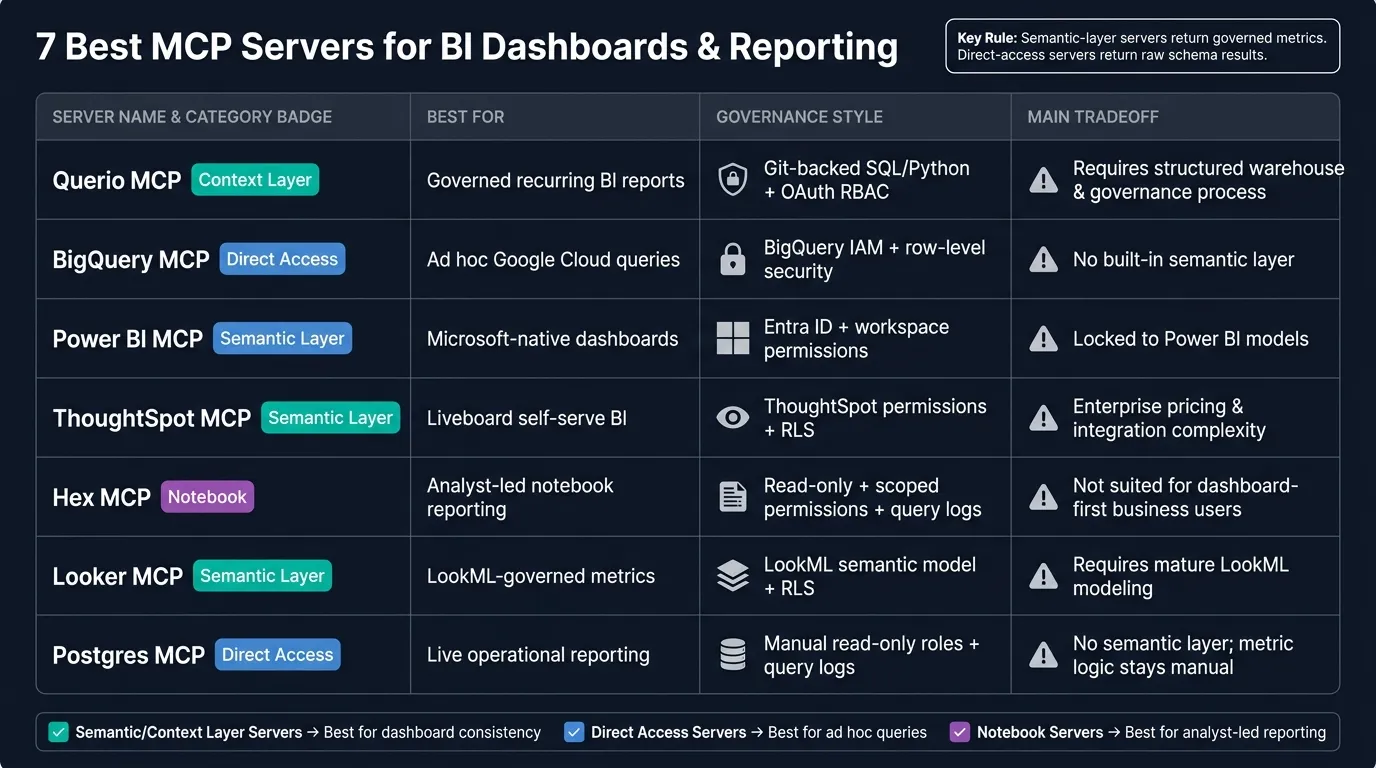 {7 Best MCP Servers for BI: Features & Governance Compared}
:::
{7 Best MCP Servers for BI: Features & Governance Compared}
:::
| Server | Best For | Governance Style | Main Tradeoff |
|---|---|---|---|
| Querio | Recurring BI reports and dashboard-aligned answers | Context layer with Git-backed SQL, Markdown, and Python plus inherited role-based security | Needs a warehouse and team process for shared definitions |
| BigQuery | Ad hoc analysis in Google Cloud | BigQuery IAM, row-level security, policy tags | No built-in semantic layer |
| Power BI | Dashboard Q&A in Microsoft environments | Entra ID, workspace permissions, row-level security | Stays tied to Power BI models |
| ThoughtSpot | Liveboard-driven self-serve BI | ThoughtSpot permissions and row-level security | Setup and cost can be heavier |
| Hex | Analyst-reviewed KPI notebooks | Read-only access, scoped permissions, query logs | Less suited to dashboard-first business users |
| Looker | Published metrics that need to match reports | LookML semantic model and row-level security | Depends on mature LookML modeling |
| Postgres servers | Live reporting from PostgreSQL | Manual controls like read-only roles and query logs | No semantic layer, so metric logic stays manual |
If I were choosing fast, I’d use a simple rule: pick a semantic-layer or context-layer server for dashboard consistency, and pick a direct-access server for one-off data questions. That’s the core split this article explains.
1. Querio MCP
Querio MCP connects Claude to live data in Snowflake, BigQuery, Redshift, Postgres, MySQL, and MongoDB.
Here’s the big idea: Querio keeps metric definitions, joins, and analysis logic in SQL, Markdown, and Python files synced to GitHub alongside dbt. The agent can suggest updates, but people still approve what gets added to the shared context. That guardrail helps keep definitions in sync across the Querio app, Slack, Teams, and MCP-compatible assistants.
On the access side, Querio uses OAuth-based permission inheritance, so agent queries stay within each user’s current RBAC and row-level security rules. It’s also SOC 2 Type II certified and HIPAA compliant, which makes it a strong match for finance and healthcare teams that need governed access.
For reporting, Querio gives teams three surfaces:
- Explore for plain-language questions
- Notebooks for interactive Python analysis
- Boards for live dashboards built from notebook logic
Boards can go through approval workflows, so only verified insights reach end users. And the answers aren’t a black box. Teams can inspect the full chain, with the actual SQL and Python visible for review. Querio also lets teams schedule recurring analysis and send findings to Slack or email.
That setup makes Querio strongest when dashboards, recurring analysis, and governed publishing all need to run on the same logic.
Querio MCP is a good fit for 100–500-employee B2B SaaS, healthcare, and finance teams that already have a real warehouse, need governed self-serve analytics, and want AI answers that are auditable and metric-consistent.
The tradeoff is pretty simple: if a team doesn’t have a structured warehouse, it won’t get the full value of Querio’s context layer.
The next option is built for teams that run on a different warehouse stack.
2. BigQuery MCP Server
BigQuery MCP Server gives AI assistants scoped access to BigQuery data for querying and exploration. It also inherits BigQuery security controls, including row-level security and policy-tag-based column access. That’s a big deal when analysts need governed access without leaving the warehouse.
In practice, BigQuery works well for ad hoc questions, report checks, and warehouse-native analysis without hand-writing SQL. It’s a nice fit when someone wants a fast answer and doesn’t want to dig through queries by hand.
The catch shows up when those answers need to stay consistent across recurring reports. A one-off query might look fine today, then drift later if people interpret fields in different ways.
That’s where pairing BigQuery MCP with Looker’s semantic layer helps. It cuts query mistakes compared with direct text-to-SQL because the AI works from governed metric definitions instead of the raw schema.[2] And that distinction matters more than it may seem. Without that layer, a query can run without error and still return the wrong number.
A simple starting point works best:
- Use read-only access
- Start with one or two tables before expanding scope
BigQuery MCP is a strong match for teams doing exploratory analysis or warehouse-native Q&A. Teams that need recurring dashboards should pair it with a governed semantic layer, because raw schema alone won’t keep metric definitions stable. The next option shifts from warehouse access to a BI-native dashboard workflow.
3. Power BI MCP Server
Power BI MCP Server connects AI assistants to Power BI semantic models, reports, and dashboards. It fits best for teams that already run reporting in Power BI and want governed answers without rebuilding their BI layer. Access stays governed through the same model the team already uses.
You can use it to summarize a weekly revenue dashboard, answer variance questions on an executive report, or draft recurring KPI updates from published reports.
Governed access runs through Microsoft Entra ID. Workspace permissions and row-level security control what each user can see. In plain English: an AI assistant follows the same access rules already set up in Power BI.
Power BI MCP stands out in Microsoft-native reporting workflows. It works well for asking questions about existing dashboards, pulling report summaries, and supporting self-service business intelligence for teams already invested in Power BI. If stakeholders keep asking the same questions about the same reports, this can cut a lot of manual follow-up.
The tradeoff is scope. Power BI MCP works best inside the Power BI environment, and that's also the main limit. Teams that need to query a Snowflake warehouse directly, work across multiple data sources, or manage metric definitions outside of DAX may find it restrictive. DAX is visible, but the semantic model stays inside Power BI, so metric governance remains tied to the platform.
Power BI MCP is a strong pick for Microsoft-centric teams that need faster answers from existing reports, with permissions managed in Entra ID.
The next option shifts from Microsoft-native reporting to a more agentic BI workflow.
4. ThoughtSpot Agentic MCP Server
ThoughtSpot's Agentic MCP Server links AI assistants to ThoughtSpot Liveboards, answers, and data models, with live connections to major cloud warehouses like Snowflake, BigQuery, Databricks, and Redshift [1]. For BI teams, the main question is simple: do those answers stay governed at the dashboard level? That matters for recurring reporting and dashboard checks, not just one-off queries.
Access control runs through ThoughtSpot permissions and row-level security, and the generated query stays visible for review. That query trail is a big plus because teams can see what the system asked and check whether it lines up with the dashboard.
That said, the review trail doesn't remove the need to watch cost or deal with integration complexity. There are still tradeoffs, including enterprise pricing and reported integration and catalog sync issues.
ThoughtSpot Agentic MCP makes sense for enterprises that want natural-language access to Liveboards, KPI checks, and warehouse-backed analysis so the AI answer lines up with the dashboard. The next option moves into a notebook-native workflow for teams that want more hands-on analytical control.
5. Hex MCP Server
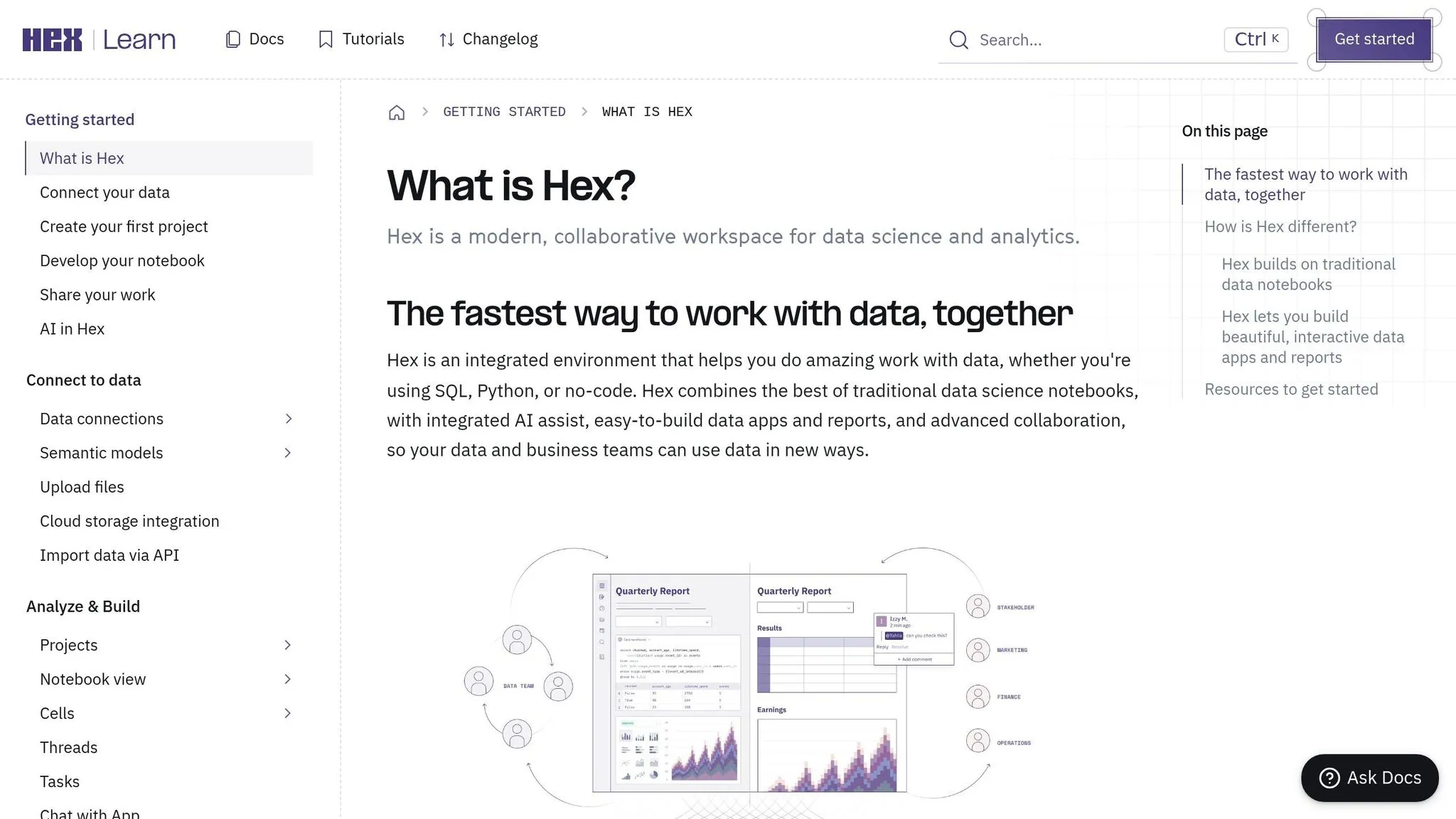
If the prior option is built around dashboard answers, Hex takes a different path. It brings BI into a notebook-first workflow.
Hex is a notebook-native analytics platform. Its MCP server returns SQL or Python that you can inspect, instead of handing back a black-box answer. It also supports read-only access, scoped table and column permissions, and query logging for audit logs.
Hex MCP works best for analyst-led reporting. It's a strong match for analyst-reviewed weekly KPI notebooks, variance checks, and recurring reporting packs.
There is a tradeoff, though. Hex's notebook model is less suited to business users who want self-service reporting tools with a dashboard-first experience. If your main goal is stable, governed answers for business users, a semantic-layer or dashboard-native server is a better fit.
The next option is a better match for semantic-layer-driven reporting.
6. Looker MCP Server
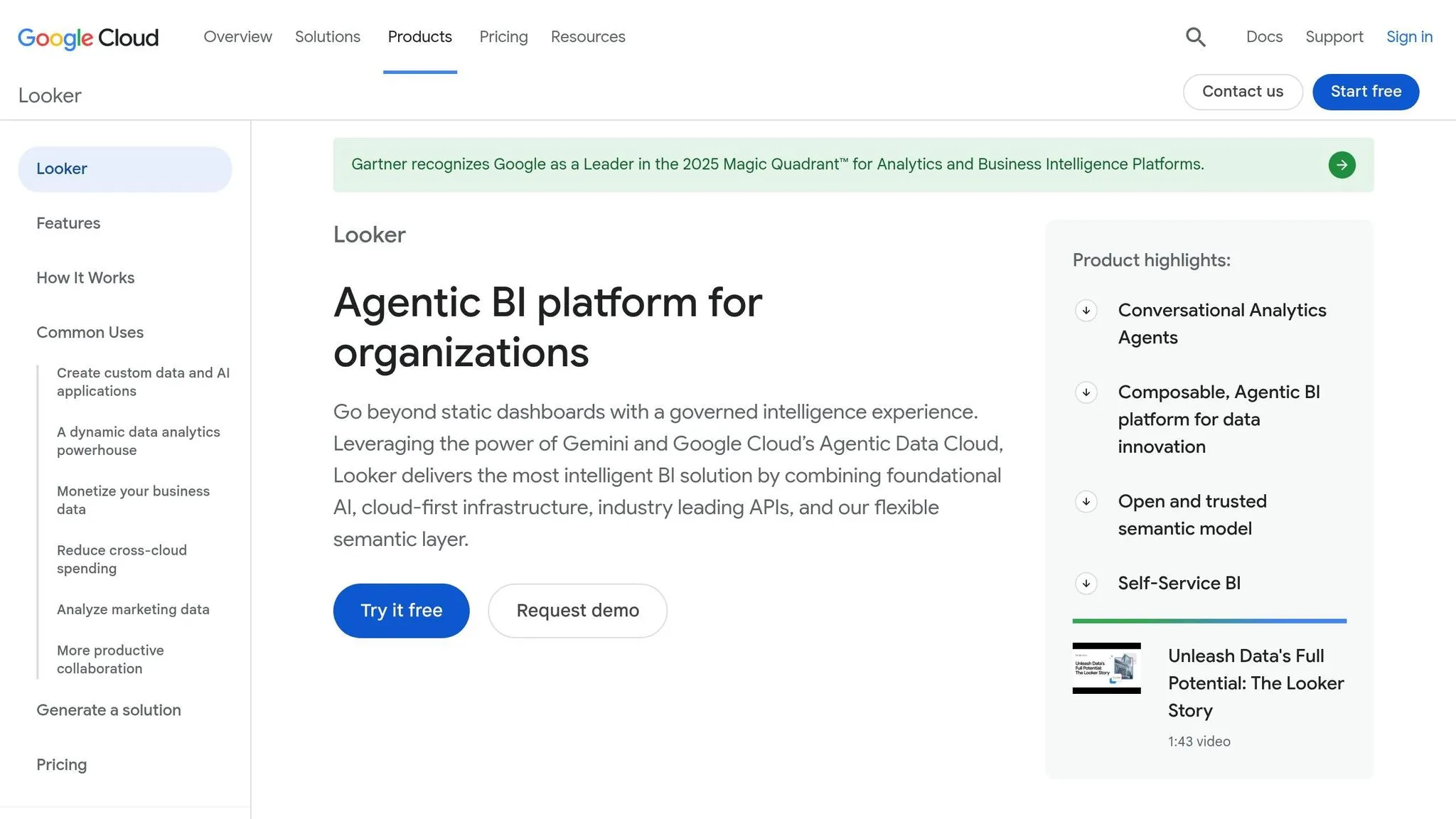
The Looker MCP Server links AI assistants to Looker’s LookML semantic model, trusted metrics, Explores, and dashboards. The big upside is simple: answers follow the same governed definitions as the reports people already use.
Instead of hitting raw tables directly, questions run through LookML. That keeps metric definitions steady and applies row-level security through the model. So if your team cares about the AI giving the same number shown in a published dashboard, Looker is a strong fit.
This works best for conversational self-serve analytics and KPI lookups for nontechnical users. For dashboard checks and repeat KPI reporting, the core test is straightforward: does the AI return the same number as the report? Google Cloud frames this as a way to extend trusted metrics into analytical agents for faster, more reliable insights. [1]
The tradeoff is the setup work in LookML. This server is only as good as the LookML behind it, so teams without a mature semantic layer will get less from it. If your team wants direct warehouse access or prefers a notebook-first workflow, this likely isn’t the right pick. And if you need direct warehouse access without a semantic layer, Postgres MCP servers are the next place to look.
7. Postgres MCP Servers
Postgres MCP servers connect Claude, Cursor, and VS Code to live PostgreSQL data, so teams can auto-generate SQL to run natural-language BI queries against production data.
They work best when data still lives in an operational database, not a warehouse like Snowflake or BigQuery. In plain English: this setup is a better fit for operational reporting than for governed dashboard metrics.
Governance is manual, but it can work well. Strong setups usually:
- default to read-only access
- limit access to specific tables and columns
- enforce row limits
- log every query the agent runs
There’s a catch. Without a semantic layer, the AI is working straight from the raw schema. That means join logic and metric definitions still have to be handled by people.
For BI workflows, Postgres MCP servers are strongest for daily ops dashboards, KPI pulls, and quick report checks from production data. Use them when you need fast, scoped answers from operational data before that data is modeled in a warehouse.
The next section weighs these tradeoffs against governed, semantic-layer, and warehouse-native options.
Pros and Cons
Use this summary to line up each server with your warehouse, governance model, and reporting workflow.
| MCP Server | Key Strength | Key Limitation | Best-Fit Use Case |
|---|---|---|---|
| Querio MCP | Governed context layer; inspectable SQL/Python; live, read-only warehouse connections with OAuth-inherited permissions | Requires an active governance process to keep definitions and context current | Weekly KPI checks and recurring reports where answers must match the dashboard |
| BigQuery MCP Server | Native Google Cloud integration and warehouse-native querying | No semantic layer; metric definitions stay outside the server | Ad hoc warehouse queries for teams standardized on Google Cloud |
| Power BI MCP Server | Deep Microsoft 365 and Teams integration | Locked to Power BI semantic models and reports | Executive dashboards and self-serve Q&A inside the Microsoft stack |
| ThoughtSpot Agentic MCP Server | Natural-language access to Liveboards and visible generated queries | Enterprise pricing and integration complexity | Large organizations running governed Liveboard reporting |
| Hex MCP Server | Notebook-first workflow with inspectable SQL/Python | Less suited to business-user dashboards | Analyst-led recurring reporting packs and variance checks |
| Looker MCP Server | LookML semantic layer keeps metrics governed | Requires meaningful modeling and maintenance work | Warehouse-native report validation where the AI answer must match the published metric |
| Postgres MCP Servers | Direct access to operational Postgres data | No semantic layer; join logic and metric definitions stay manual | Daily ops dashboards and KPI pulls from production data |
Use these tradeoffs to narrow your shortlist based on dashboard consistency, governed access, and how your team actually works day to day.
The main filter is whether the server uses a semantic or context layer. Servers built on top of one - Querio and Looker especially - tend to give more consistent answers because metric definitions are set before the AI writes a query. That matters more than it may seem. If “revenue,” “active customer,” or “pipeline” means one thing in the dashboard and another thing in the chat, trust disappears fast.
Direct-access options like BigQuery and Postgres shift more of the schema reading and metric logic onto the model itself. That can work well for ad hoc analysis, especially when a team wants speed and direct warehouse access. But it also means more manual care around joins, business logic, and naming.
So the short version is pretty simple: some teams need reusable BI assets that stay aligned with published reporting, while others just want to run ad hoc queries against live data. In practice, the decision usually comes down to governed metrics, warehouse access, or a notebook-style reporting flow.
Which MCP Server Should You Choose?
Choose the server that fits your warehouse, governance needs, and how closely your reports need to match published dashboards.
Choose Querio MCP if you need governed warehouse access and recurring reporting that lines up with published dashboards.
Choose BigQuery MCP if your team works in Google Cloud and needs ad hoc warehouse access without a semantic layer.
If your team already uses a semantic layer, stay there. Choose Power BI MCP or Looker MCP if your team depends on those governed semantic models. Power BI works well for Microsoft-native reporting. Looker fits teams that use LookML-governed metrics.
Choose ThoughtSpot for Liveboard-focused self-serve analytics, especially when non-technical users are the main audience.
Choose Hex for notebook-based reporting owned by analysts.
Choose a Postgres MCP server when your reporting data still lives in PostgreSQL.
Whatever you pick, default to read-only access and scope table or column permissions tightly.
FAQs
::: faq
How do I choose between a semantic-layer server and direct warehouse access?
It comes down to two things: how much consistency you need in your metrics and how technical your users are.
Direct warehouse access works best when people need fast, ad hoc analysis and already know the schema. They can jump straight into the data with less setup.
A semantic-layer server adds guardrails. It handles business rules, metric definitions, and join logic so dashboards, reports, and AI-generated answers stay aligned.
Choose a semantic layer when you need audit-ready reporting, reliable numbers, and a single source of truth. Choose direct access when speed matters most and you want less modeling work up front. :::
::: faq
What permissions should we lock down before using an MCP server for BI?
Use read-only access for the connection, lock down permissions with strict RBAC, and connect through service accounts.
Set up RLS so users only see data they’re allowed to access. For sensitive fields, use column-level security or policy tags. And put guardrails around your semantic layer so AI-generated queries stick to your business rules, shared definitions, and data lineage. :::
::: faq
Can an MCP server match the numbers in our existing dashboards?
Yes - if it rests on a governed semantic layer that keeps metric definitions, join logic, and business rules in one place. That way, AI-generated queries use the same logic as your formal reporting tools.
Platforms like Querio also connect straight to live data warehouses. So the insights use the same source-of-truth definitions as your dashboards, without copying data into another system. :::