Business Intelligence
The 7 Best Claude Plugins & Connectors for Analytics Teams
Compare 7 Claude connectors—governed, warehouse, and file options—to balance live access, metric safety, and analyst workflows.

If you want Claude to work with analytics data safely, the connector matters more than the model. Based on the article, the 7 main options are Querio MCP, Claude Data, Snowflake MCP Connector, BigQuery MCP Connector, dbt MCP Connector, Looker Connector, and Hex Connector.
Here’s the short version: use governed connectors for reporting, warehouse connectors for live SQL, and file or notebook tools for one-off work. The article’s main point is simple: teams in B2B SaaS, healthcare, and finance often need three things at once - live data access, stable metric definitions, and read-only security controls. Not every connector gives you all three.
At a glance, here’s what each one is for:
- Querio MCP: live warehouse access with a shared metric/context layer
- Claude Data: file uploads like CSV or Excel for single-session analysis
- Snowflake MCP Connector: direct read-only access to Snowflake
- BigQuery MCP Connector: direct read-only access to BigQuery
- dbt MCP Connector: metric-safe answers built from dbt Semantic Layer and MetricFlow
- Looker Connector: governed reporting through LookML and Explores
- Hex Connector: notebook-based analysis with live warehouse queries
A key theme in the article is that semantic layers cut query mistakes. It cites cases where grounding AI in tools like LookML or other modeled layers can reduce errors by up to 66% versus direct text-to-SQL query tools. It also notes that Querio starts at $1,999/month or $14,000/year and includes free MCP access for up to 100 questions per month.
Quick Comparison
::: @figure 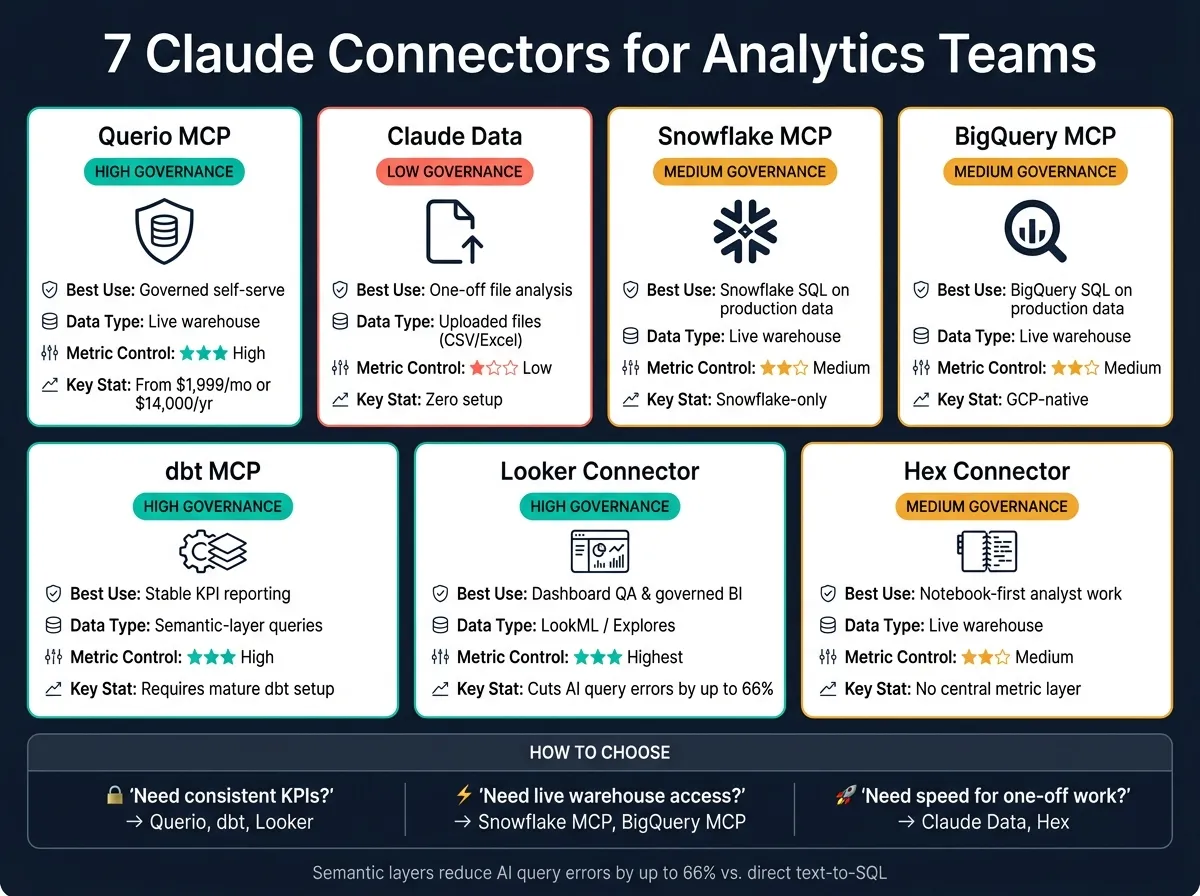 {7 Claude Connectors for Analytics Teams: Governance vs. Speed}
:::
{7 Claude Connectors for Analytics Teams: Governance vs. Speed}
:::
| Connector | Best Use | Data Type | Metric Control | Main Limitation |
|---|---|---|---|---|
| Querio MCP | Governed self-serve | Live warehouse data | High | Setup takes work |
| Claude Data | One-off analysis | Uploaded files | Low | No live sync |
| Snowflake MCP | Snowflake SQL on production data | Live warehouse data | Medium | Snowflake-only |
| BigQuery MCP | BigQuery SQL on production data | Live warehouse data | Medium | Metric drift without a semantic layer |
| dbt MCP | Stable KPI reporting | Semantic-layer queries | High | Needs a mature dbt setup |
| Looker Connector | Dashboard QA and governed BI | LookML / Explores | High | Limited to modeled fields |
| Hex Connector | Notebook-first analyst work | Live warehouse data | Medium | No central metric layer |
My takeaway: if you care most about consistent KPI answers, I’d look first at Querio, dbt, and Looker. If you care most about live warehouse access, I’d look at Snowflake MCP or BigQuery MCP. And if you just need to work through a file or notebook fast, Claude Data and Hex are the simpler picks.
That’s the full decision in one line: pick for governance, live access, or analysis style first - then choose the connector that matches that job.
sbb-itb-284a532
1. Querio MCP
Querio MCP connects Claude to live warehouse data through a governed MCP endpoint. That means Claude answers using your team’s approved business definitions, not whatever it guesses on the fly.
Data access model
Querio connects Claude to encrypted, read-only Snowflake, BigQuery, Redshift, PostgreSQL, and MySQL sources through MCP. It runs queries directly against the warehouse, so there’s no data duplication and no need for CSV exports.
Results show up as inspectable SQL or Python inside a reactive notebook. In plain English: you can see what Claude did, check the logic, and trace the output back to the query.
Governance and metric safety
Querio keeps metric definitions, join rules, and business terms in a shared metrics and semantic layer made up of SQL, Markdown, and Python files. Claude uses those approved definitions instead of trying to piece relationships together from scratch.
That context layer sits in GitHub next to your dbt project, which helps keep definitions aligned with your models [5]. The agent can suggest new definitions, but only a logged-in human can approve and commit them [1].
Workflow fit
Querio MCP works well for ad hoc analysis, governed self-serve reporting, and automated investigations. Nontechnical users can ask questions in Claude, Slack, or Microsoft Teams, while the analytics team still keeps control over definitions.
That’s the main pitch here: people get an easier way to ask for answers, and the data team doesn’t lose the guardrails.
Technical setup and limits
There is a catch. Setup takes real implementation work.
You need to connect your warehouse and build a context layer with metrics, join rules, and approved queries. So this isn’t the kind of tool you flip on in 10 minutes and call it done.
Querio is SOC 2 Type II certified, supports SSO, is HIPAA-compliant with BAA signing, and offers free MCP access for up to 100 questions per month. Paid plans start at $1,999/month or $14,000/year [2][5].
Next, compare that governed approach with a lighter Claude Data workflow.
2. Claude Data
Claude Data is Claude’s built-in file analysis mode. You upload a CSV, Excel file, or pasted text, and it works on that snapshot inside the current session. In plain English: it’s a file-first tool, not a warehouse connector.
Data access model
Claude reads only the files or text you give it in that conversation. It does not connect to Snowflake, BigQuery, Redshift, or Postgres. It also doesn’t stay synced with live warehouse updates.
Governance and metric safety
Claude Data has no governed semantic layer, so it can’t enforce shared business definitions across sessions. That means it works well for exploring data insights, but it’s a weak fit for repeatable reporting. Across different sessions, it may return different queries or results, which creates risk for production metrics [1].
Workflow fit
Use it for one-off file analysis, not for scheduled reports, alerts, or embedded dashboards.
Technical setup and limits
Setup is simple: upload the file and start asking questions. That’s convenient. But for analytics teams that need reproducible, governed reporting, this limit matters [1].
The next options shift from file analysis to live warehouse and BI workflows. Next: connectors that work directly with Snowflake, BigQuery, dbt, and BI tools.
3. Snowflake MCP Connector
Unlike file-only analysis, this option connects straight to a live warehouse. The Snowflake MCP Connector gives Claude live, read-only access to Snowflake data for in-warehouse analysis. In plain English: Claude can work with live Snowflake tables and schemas instead of a static export.
Data access model
Claude connects to Snowflake through the Model Context Protocol (MCP) and runs SQL on live warehouse data. Claude generates the analysis, while Snowflake stays the system of record. The connector uses read-only credentials, so Claude can't modify or delete warehouse data.
Governance and metric safety
The connector relies on Snowflake's native security controls, including Role-Based Access Control (RBAC), Row Access Policies, and Column-Level Security. That's the access side of the story.
The weak spot is metric consistency. Snowflake security controls can limit who sees what, but they don't guarantee that a metric gets calculated the same way every time. That still depends on a semantic layer such as Snowflake Semantic Views or dbt. Without that layer, Claude may calculate metrics differently across sessions.
Pairing a semantic layer with AI can cut data errors in generated queries by as much as two-thirds compared to direct text-to-SQL approaches [4].
Workflow fit
Choose Snowflake MCP when Snowflake is your system of record and analysts need direct access to live production data. It's a good fit for ad hoc SQL and production-data investigation.
Dashboard QA is a different story. Use it only when metric definitions are standardized. That's the big takeaway here: live access helps, but production-safe reporting still depends on metric definitions that live outside the connector itself.
Technical setup and limits
It requires an MCP-compatible host, read-only Snowflake credentials, and encrypted access. The connector is Snowflake-only, so it can't reach data outside that warehouse.
You'll also want to review data residency if Claude processes queries outside your data region [2].
Teams on BigQuery run into the same live-query tradeoff, just with a different warehouse stack and governance model.
4. BigQuery MCP Connector
For teams that run on BigQuery, Claude can query live warehouse data directly. No exports. No CSV uploads. The BigQuery MCP Connector gives Claude live, read-only access to BigQuery, so analysts can work with current warehouse data right where it lives.
Data access model
The connector uses encrypted, read-only credentials, and the data stays in BigQuery instead of being copied into the model context. Claude writes the query, while BigQuery remains the system of record. Results come back in real time against your live schema.
There is one practical catch: Claude can have trouble with very complex SQL, especially queries with many subqueries or negations. That means analysts should review generated SQL before using it in production reports. [4]
Governance and metric safety
BigQuery’s native security controls still apply here, including Row-Level Security and Column-Level Security through policy tags. Access is usually handled through dedicated service accounts with least-privilege permissions. [2]
The bigger issue is metric drift. Without a semantic layer, Claude may calculate “revenue” or “churn” one way in one session and another way in the next, based on how the question is phrased.
That’s why it helps to ground BigQuery in dbt Semantic Layer, LookML, or another governed context layer. If you do that, your revenue and churn definitions stay consistent instead of shifting from prompt to prompt.
Workflow fit
This connector works well for ad hoc analysis and quick checks on production data. For metric-safe reporting, pair it with a semantic layer.
Technical setup and limits
Setup calls for:
- Read-only BigQuery service account credentials
- Schema access for tables and columns
- An MCP-compatible host
There’s also a cost and data-location angle to watch. Remote model calls to Vertex AI can add costs beyond standard BigQuery storage and compute, and some model processing may happen in a different region than your BigQuery data. [2]
If your metric definitions already live in dbt, the next connector to look at is the dbt MCP Connector.
5. dbt MCP Connector
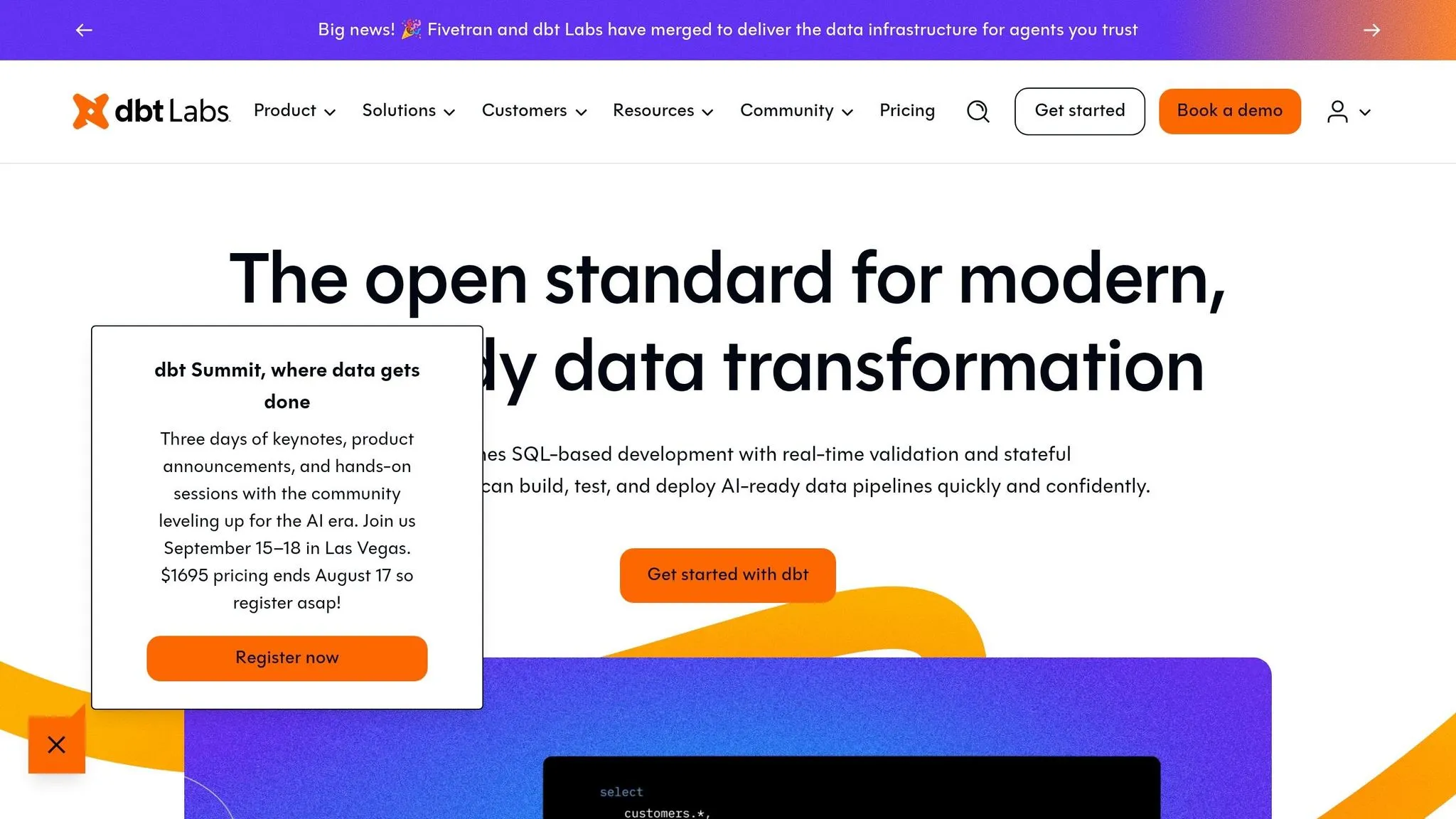
If your metrics already live in dbt, this connector gives Claude a much better starting point. Instead of guessing from raw tables and column names, it relies on business logic your team has already approved.
It uses the dbt Semantic Layer and MetricFlow to turn questions into SQL from those existing definitions. That makes dbt a strong choice when the metric layer matters just as much as the warehouse itself.
Data access model
The connector sits between Claude and your warehouse, including Snowflake, BigQuery, and Redshift. Claude queries MetricFlow, and MetricFlow turns approved dbt metrics into read-only SQL.
Governance and metric safety
Metrics like "active users", "monthly recurring revenue", and "churn rate" resolve to the same calculation across sessions because the definitions live in dbt. In plain English, the number doesn’t shift just because a different person asked the question.
The connector also inherits warehouse-level security controls, including RBAC and RLS, so Claude only sees data the authenticated user is permitted to access.
Spot-check AI-generated SQL against known results, especially for complex aggregations.
Workflow fit
The dbt MCP Connector works best for metric explanation, SQL drafting on complex joins, and semantic discovery. It’s a good fit when you need the same metric answer across people and tools, plus a clear trail for how each number was produced.
That said, it’s less suited to exploratory analysis when data models change often. If the ground keeps moving, the connector can only be as steady as the dbt layer behind it.
Technical setup and limits
Setup usually requires a dbt Cloud Semantic Layer configuration or a connection to dbt project metadata. The biggest day-to-day limit is documentation quality. Schema misinterpretation remains a leading cause of text-to-SQL failures in production, and that risk goes up when the underlying dbt project is sparse or inconsistent.
Default the connection to read-only.
If your team works closer to dashboards or notebooks than to the metric layer, the next connectors are a better fit.
6. Looker Connector
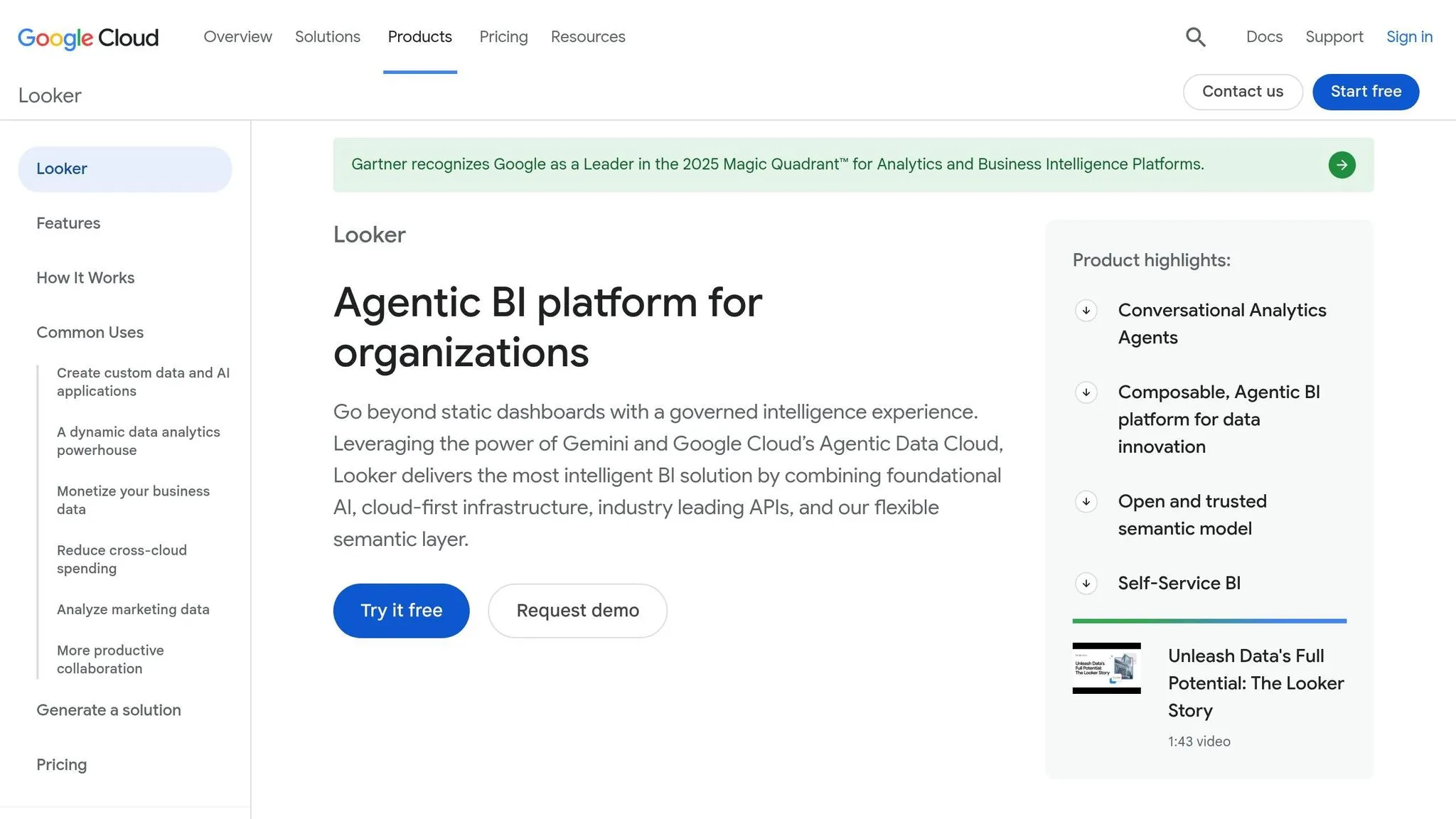
The Looker Connector grounds Claude in LookML, Looker’s built-in semantic modeling layer, instead of sending it straight to raw warehouse tables. If your metric layer lives in LookML rather than dbt, this is the governed route.
Data access model
Claude works through Looker Explores, which serve as the approved interface to the warehouse. Those Explores already include the join logic, metric calculations, and field definitions your team has set up in LookML.
That matters because Claude can only use the fields, joins, and measures that exist in LookML. It’s not freelancing across your warehouse. It stays inside the model your team has already defined.
Governance and metric safety
Row-level security and access controls set in Looker carry over automatically, so users only see what they’re allowed to see [3]. According to Google Cloud, building with Looker’s semantic layer cuts data errors in generative AI natural language queries by as much as 66% compared with direct text-to-SQL methods [4].
That helps keep answers steady across users and across sessions. Same model, same definitions, fewer surprises.
Workflow fit
This connector works best for dashboard QA, metric explanation, and governed self-serve. It’s a strong match for teams already deep in the Google Cloud and BigQuery ecosystem.
The tradeoff is pretty simple: it’s not built for open-ended analysis. If something isn’t modeled in LookML, Claude can’t use it. Raw or unmapped data stays out of reach. If your team spends more time in notebooks than in BI models, the Hex Connector is the closer fit.
Technical setup and limits
Looker is only as good as the LookML model behind it. Before you connect Claude, review your field labels, descriptions, and synonyms. Small cleanup work here can save a lot of confusion later.
There’s also the cost piece. Looker licensing adds expense, so this connector makes the most sense for teams that are already committed to Looker. Teams that want notebook-style analysis should compare it with the Hex Connector next.
7. Hex Connector
The Hex Connector brings Claude into Hex’s notebook workspace, so analysts can ask questions, run queries, and explain results in the same place. That makes Hex the notebook-first option on this list, especially for analyst work that needs explanation just as much as SQL execution.
Hex is a strong fit for notebook-first analytics teams. It’s not the best pick for strict metric governance.
Data access model
Hex connects straight to your warehouse, which means queries run on live data instead of exported files. Claude works inside Hex’s notebook interface, so your team can ask questions and review results without doing the usual CSV handoff.
Governance and metric safety
Hex gives teams project structure, version control, and documented metric definitions. But it doesn’t enforce a central semantic layer the way dbt or LookML does. That gap matters. Without a governed metric layer, the same question can lead to different SQL and different numbers across sessions [1].
Use Hex for analysis, not as the source of truth for metrics.
It’s also smart to use read-only warehouse access and check join logic before you trust the output [5].
That tradeoff hits hardest when a team is deciding between notebook-first analysis and metric-governed reporting. If your main goal is fast thinking and explanation, Hex fits well. If your main goal is one locked definition for every KPI, it’s a different story.
Workflow fit
Hex works well for analyst teams that already live in notebooks and want Claude to explain results, draft SQL, and share findings with stakeholders. It’s weaker for governed self-serve reporting where metric consistency has to stay tight.
Technical setup and limits
OAuth setup takes seconds [6], but custom MCP connections need a paid Claude plan.
The table below shows how Hex compares on access, governance, workflow fit, and tradeoffs.
Side-by-Side Comparison: Access, Governance, Workflow Fit, and Tradeoffs
Governed connectors like Querio, Looker, and dbt help stop the classic problem: two people ask the same business question and get two different answers. Native warehouse connectors like Snowflake MCP and BigQuery MCP are much faster to get running, but they lean on the controls you already have inside the warehouse. Then you have file-based tools like Claude Data and notebook-first tools like Hex. Those can be great when speed matters, but they give up more control around metrics.
The table below makes that split easier to see: fast access versus metric-safe reporting.
| Connector | Data Access Model | Governance & Metric Safety | Workflow Fit | Technical Setup |
|---|---|---|---|---|
| Querio MCP | Live warehouse (Snowflake, BigQuery, Redshift, PostgreSQL, MySQL) | High - Git-synced context layer, inspectable SQL/Python | Governed self-serve, reactive notebooks, Slack/Teams | Warehouse connection plus context layer build-out |
| Claude Data | Static file upload (CSV/JSON) | None - session-based only, no persistence | Quick ad hoc, non-reproducible | Instant; no setup |
| Snowflake MCP | Native warehouse | Moderate - RBAC, semantic views | Enterprise ad hoc, Snowflake-centric | Semantic view setup required |
| BigQuery MCP | Native warehouse | Moderate - policy tags, row-level security | GCP-native teams, SQL generation | Read-only service account and schema access |
| dbt MCP | Semantic/transformation layer | High - MetricFlow, versioned code | Analytics engineering, cross-tool consistency | Requires existing dbt project |
| Looker Connector | BI-layer metadata | Highest - LookML modeling | Enterprise dashboards, governed reporting | Significant LookML investment required |
| Hex Connector | Live warehouse via notebook | Moderate - project-based permissions | Collaborative analyst work, notebook-first | Requires existing Hex workspace access |
Where Querio MCP stands apart from the other governed options is portability. Joins, metric definitions, and trusted queries live as plain SQL, Markdown, and Python files synced to GitHub, so definitions aren't locked inside a vendor's platform and every answer stays inspectable and editable [1].
Next, break these tradeoffs down into connector-specific pros and cons.
Pros and Cons by Connector
Use this summary to line up the right connector with the way your team actually works.
| Connector | Best For | Pros | Cons | Ideal Team |
|---|---|---|---|---|
| Querio MCP | Governed self-serve on live warehouse data | Live warehouse connections; inspectable SQL/Python; GitHub-synced context layer; works in Claude and other MCP-compatible surfaces; SOC 2 Type II and HIPAA compliance | Needs upfront context and metric setup before it starts to feel self-serve | Small analytics teams in B2B SaaS, healthcare, and finance that need governed warehouse access |
| Claude Data | One-off file analysis | Strong reasoning on small files; zero setup for CSVs [1] | No live connection; session-based only; can return different numbers for the same question over time [1] | Individual contributors working with small, non-sensitive files |
| Snowflake MCP | Snowflake-native governance | Inherits Snowflake RBAC; grounds answers in semantic views | Locked to Snowflake; consumption-based costs; can't access data outside the Snowflake ecosystem [3] | Enterprise teams already standardized on Snowflake |
| BigQuery MCP | Google Cloud ecosystems | Native policy tags and row-level security; strong text-to-SQL performance | LLM processing may occur outside the data's specific region, which can be a hurdle for strict residency requirements [2] | Data teams heavily invested in Google Cloud |
| dbt MCP | Metric consistency across tools | Centralizes metric definitions so AI-generated answers match the same source of truth the data team already uses [2] | Requires an existing, well-maintained dbt project; not useful as a standalone tool [2] | Analytics engineering teams with mature dbt setups |
| Looker Connector | Enterprise governed reporting | Semantic layer reduces data errors in generative AI queries by as much as two-thirds compared with direct text-to-SQL [4]; strong fit for teams already using Looker | Tightly coupled to Looker; better for existing Looker shops than for net-new deployments | Organizations using Looker as their primary BI platform |
| Hex Connector | Notebook-first analyst work | Live warehouse queries inside a notebook interface; easy OAuth setup; good for explanation and SQL drafting | No central semantic layer; metric consistency depends on human review [1] | Analyst teams that live in notebooks and put speed ahead of strict metric governance |
The pattern here is pretty simple: governed connectors help keep metrics consistent with an AI semantic layer, while file-based and notebook-first options are faster to start with but put more weight on human review.
If your team cares most about trust in the numbers, tools like Querio MCP, Snowflake MCP, dbt MCP, and the Looker Connector make more sense. If the main goal is moving fast on ad hoc work, Claude Data and Hex Connector can feel a lot lighter.
That’s the tradeoff in plain English: one side gives you more control, the other gives you more speed.
Conclusion
Pick Claude based on the job you need done. Use live warehouse connectors for ad hoc analysis, a governed semantic layer for metric-safe reporting, and permission-inheriting connectors for secure production access.
Once the goal moves from exploration to reporting, the choice changes too. For dashboard QA and reporting, use dbt, Looker, or Querio when metric definitions need to stay consistent across users and sessions. And when governance has to carry over into production data, access control becomes the main filter. In that case, use a connector that inherits warehouse permissions and keeps queries read-only. Querio works well for teams that want SQL and Python behind every answer that they can inspect for themselves.
Go with speed-first connectors for exploration, and use governed semantic layers for reporting. For finance, healthcare, and B2B SaaS teams that want warehouse-native self-serve with consistent metrics, Querio stands out as the best match.
FAQs
::: faq
How do I choose between governance and speed?
Decide where consistency has to be locked in. If you need organization-wide reporting with the same metrics everywhere, plus audit trails you can trust, put a governed context layer first. That gives you one place to standardize metrics, joins, business terms, and permissions.
If speed matters more at the start, use direct warehouse connectivity and move fast. Test ideas, learn what people need, and iterate. Then add governance to stop definition drift and keep secure access in place.
Querio supports both approaches with live warehouse connections and a governed context layer. :::
::: faq
When do I need a semantic layer for Claude?
You need a semantic layer for Claude when the bigger risk isn’t whether it can write SQL. The bigger risk is whether it will use your company’s definitions the same way every time.
Without that layer, Claude may pick different tables or read terms like “revenue” in different ways from one conversation to the next. That’s where things get messy fast.
A semantic layer sets metrics, joins, and business terms once. So answers stay consistent, audit-ready, and tied to your live warehouse. :::
::: faq
Which connector is best for secure live warehouse access?
Querio is the best connector for secure, live warehouse access because it keeps a direct, read-only connection to your warehouse, such as Snowflake, BigQuery, or PostgreSQL, without data duplication or CSV exports.
That means your data stays where it belongs. Querio uses encrypted credentials inside your existing infrastructure, keeps data in place, and adds governed access for AI agents, with SOC 2 Type II compliance. :::