Business Intelligence
Top 7 AI-native business intelligence tools for 2026
Compare seven AI-native BI platforms for 2026 with live-data integration, semantic governance, and natural-language analytics.

AI-native business intelligence (BI) tools in 2026 are transforming how businesses analyze data. These tools use AI to process unstructured data, provide real-time insights, and simplify complex queries. With 80% of enterprise data being unstructured, traditional BI tools struggle, but AI-driven platforms excel by leveraging machine learning and natural language processing in BI. The AI analytics market is projected to reach $68 billion this year, with platforms reaching 95% accuracy in converting natural language queries to SQL.
Here are the top 7 AI-native BI tools for 2026:
- Querio: Converts plain English queries into SQL/Python with inspectable code, integrates directly with live data warehouses, and has no per-seat pricing, with a free plan and Core at $2,499/month.
- ThoughtSpot: Search-first design with high query accuracy, rapid insights, and advanced anomaly detection features.
- Sisense: Focuses on secure semantic layers, conversational AI, and integration with external AI tools like ChatGPT.
- Domo: Simplifies data analysis with natural language dashboards and AI-driven workflow automation.
- Power BI: Offers AI features like Copilot for creating reports and DAX formulas, with strong governance via Microsoft Fabric.
- Looker: Powered by Google Cloud, it ensures accuracy with a semantic layer and supports multi-turn reasoning.
- Sigma: Combines a spreadsheet interface with live data warehouse connections, allowing real-time insights and AI-driven forecasting.
Each tool offers unique strengths, from natural language querying to robust governance features, making them suitable for different enterprise needs.
Quick Comparison
| Tool | Key Feature | Pricing (Starting) | Governance Strengths | Scalability |
|---|---|---|---|---|
| Querio | Transparent code generation | Free plan; Core $2,499/mo; unlimited users | Centralized semantic layer | Scales with live data warehouses |
| ThoughtSpot | Search-first design | $2,500/month (Pro tier) | Data modeling for accuracy | Handles billions of rows |
| Sisense | Secure semantic layer | $399/month (Launch tier) | SOC 2, ISO 27001 certifications | Auto-scaling, elastic capacity |
| Domo | Workflow automation with AI | $20,000/year (mid-size) | Granular access controls | Real-time operational decisions |
| Power BI | AI Copilot for DAX and reports | $10/user/month (Pro tier) | Microsoft Fabric integration | Premium capacity for large orgs |
| Looker | Governed AI with semantic layer | $5,000–$8,000/month | Git-based version control | Multi-tenant support |
| Sigma | Spreadsheet-like interface | $25–$45/user/month | Inherits warehouse permissions | Real-time live data analysis |
When choosing a tool, consider factors like natural language querying capabilities, integration with live data, governance features, and scalability for your organization's needs.
::: @figure 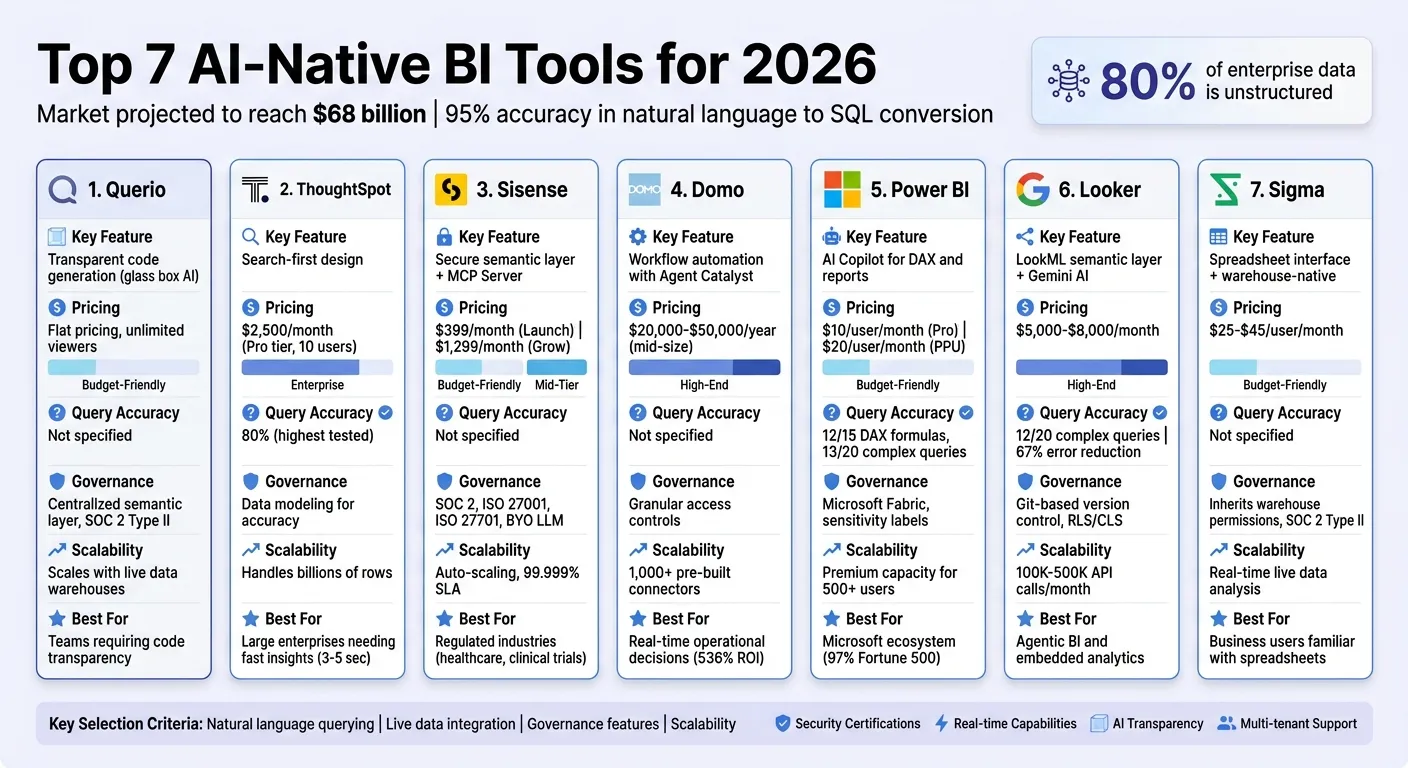 {Top 7 AI-Native BI Tools 2026: Features, Pricing & Governance Comparison}
:::
{Top 7 AI-Native BI Tools 2026: Features, Pricing & Governance Comparison}
:::
Best AI Tools Every Data Analyst Should Know in 2026
::: @iframe https://www.youtube.com/embed/jQuD-as6ckE :::
sbb-itb-284a532
1. Querio
Querio is leading the way in AI-native business intelligence by offering a level of transparency and efficiency that's hard to find elsewhere. Its standout feature? The ability to take plain English queries and convert them into SQL and Python code that runs directly on your live data warehouse. Unlike opaque, black-box AI tools, Querio ensures every answer is fully inspectable. You can review and fine-tune the generated code, giving you confidence in the logic and results.
AI-powered natural language querying
With Querio, you can ask questions in everyday language, and the platform translates them into executable code - right before your eyes. This "glass box" design means you’re not left in the dark about how the AI reached its conclusions. Analysts can verify the logic, catch mistakes, and refine queries, which is crucial for teams wary of AI errors or miscalculations. This level of transparency builds trust and ensures the insights are as accurate as possible.
Integration with live data warehouses
Querio takes transparency a step further by integrating directly with major data warehouses like Snowflake, BigQuery, Redshift, ClickHouse, PostgreSQL, and MySQL. It uses a zero-copy architecture, meaning no need for ETL pipelines or data duplication. Queries run on live data using your warehouse's existing compute power, so you get real-time insights without the hassle of managing extra data syncs or storage.
Governance and semantic layer features
To keep everyone on the same page, Querio offers a shared context layer where teams can define key metrics and table joins just once using a semantic layer in business intelligence. This ensures terms like "revenue" or "active users" mean the same thing across all reports and dashboards, reducing confusion and conflicting interpretations. The platform also supports enterprise-grade security features, including SOC 2 Type II compliance, role-based access controls, and SSO integrations.
Scalability for enterprise use cases
Querio is built to handle the demands of growing organizations. Every plan includes unlimited users, avoiding the escalating costs of per-seat pricing, and admins can set spending caps on AI credits. For SaaS providers, multi-tenant support with row-level security makes it easy to serve thousands of users at once. As data volumes grow, the platform scales automatically using native compute power. This allows data teams to focus on curating the semantic layer instead of constantly building custom reports, making it a sustainable solution for expanding analytics needs.
2. ThoughtSpot
ThoughtSpot takes a unique approach with its search-first design, allowing users to query data in plain English and instantly receive charts, tables, and KPI cards. This eliminates the need to navigate through pre-built dashboards and sets the stage for powerful, AI-driven querying.
AI-powered natural language querying
When tested for natural language queries, ThoughtSpot achieved an impressive 80% accuracy rate - the highest among major BI tools in 2026 [2]. Its AI assistant, Spotter, converts plain-English questions into data warehouse queries, delivering results in just 3–5 seconds for large datasets and 8–12 seconds for more complex joins [2].
"ThoughtSpot is the tool that made me rethink what 'AI-powered BI' actually means. Instead of bolting a chatbot onto a dashboard builder, ThoughtSpot built the entire product around search." - ToolsRadar [2]
However, to ensure the AI understands your business logic correctly, it's recommended to dedicate about two weeks to data modeling. Skipping this step could lead to lower accuracy and user dissatisfaction [2].
Integration with live data warehouses
ThoughtSpot's "Embrace" architecture directly connects to cloud data warehouses via live queries. This ensures you're always working with up-to-date information. By tapping into your warehouse's native compute power and distributed processing capabilities, the platform scales effortlessly to maintain high performance.
Scalability for enterprise use cases
Designed to handle billions of rows and thousands of concurrent users, ThoughtSpot is a go-to solution for large enterprises across industries like financial services, retail, healthcare, and technology. It addresses the increasing complexity and volume of enterprise data in 2026. Pricing starts at $2,500 per month for 10 users under the Pro tier, while enterprise contracts often exceed $50,000 annually [2]. Advanced features include SpotIQ for automated anomaly detection and robust governance controls, making it a strong choice for businesses managing complex data needs.
3. Sisense
Sisense uses a governed semantic layer to ensure natural language queries provide accurate and consistent insights. instead of relying on potentially flawed text-to-SQL vs. AI-driven exploration methods, Sisense connects AI directly to a semantic layer that adheres to enterprise security permissions and business logic [11][14].
AI-powered natural language querying
Sisense takes data interaction to the next level with conversational querying built on its secure semantic layer. The Sisense Intelligence Assistant acts as a conversational AI, enabling users to create models, generate charts, and answer questions - all without needing SQL expertise [9][11]. Its Simply Ask feature employs natural language processing (NLP) to turn user questions into instant data visualizations [13].
In early 2026, Sisense launched the Model Context Protocol (MCP) Server. This innovation allows external AI tools like Claude or ChatGPT to access governed Sisense models, enabling users to query data and create charts directly through these familiar AI platforms. Additionally, it can generate plain-language summaries of charts for users who may not have technical backgrounds [9][10][12].
"Sisense's AI capabilities allow us to quickly translate complex data into clear insights, identify trends and gaps, and make decisions faster during clinical trials - all while managing risk." - Tanya du Plessis, Chief Data Strategist and Solutions Officer, Bioforum [9]
In January 2026, Bioforum, a biometric research organization, integrated the Sisense Intelligence Assistant into its BioGRID analytics platform. Under the leadership of Francois Van Vuuren, Director of Clinical Data Systems, this implementation helped clinical trial teams enhance data monitoring and improve patient safety - all while adhering to strict regulatory standards [9][11]. This demonstrates how advanced AI tools can blend innovation with enterprise-level oversight.
Governance and semantic layer features
Sisense supports a "BYO LLM" (Bring Your Own Large Language Model) approach, allowing organizations to integrate their trusted AI models for powering advanced features [9][11]. The platform boasts top-tier security certifications, including SOC 2 Type II, ISO 27001, and ISO 27701, ensuring strong data protection [8]. The 2026.1 release introduced Primary Filters, a feature that updates all dashboard widgets automatically based on initial user selections, making it easier for non-technical users to navigate complex datasets [10].
Scalability for enterprise use cases
Sisense is designed to scale effortlessly for enterprise needs. Its Scale Tier offers auto-scaling, elastic capacity, and high concurrency support, backed by a 99.999% SLA guarantee [15]. With over 400 data connectors and 24 patents for its analytics technology, Sisense provides a powerful solution for diverse use cases [8][11]. Pricing starts at $399/month for the Launch tier and $1,299/month for Grow, with custom options available for the Scale tier [15]. The platform enjoys strong user ratings, scoring 4.2/5 on G2 from 1,040 reviews and 4.5/5 on Capterra from 120 reviews, with users praising its AI/ML integration and embedded analytics capabilities [1].
4. Domo
Domo is a comprehensive data platform designed to support real-time operational decisions. It integrates data from various sources into a single, unified view, thanks to its library of over 1,000 pre-built data connectors [17]. The platform operates on a consumption-based pricing model, with average annual contracts around $134,000 [17][20].
AI-powered natural language querying
Domo leverages AI to make data analysis more accessible for non-technical users. Features like the Beast Mode AI Writer allow users to create calculated fields and formulas using natural language prompts [18]. The AI SQL Assistant transforms plain-English requests into accurate SQL queries, while Natural Language Dashboards let users describe the view they need, and the AI sets it up automatically [16][18].
Another standout feature is Agent Catalyst, which employs agentic AI to monitor live data continuously and trigger automated workflows [20]. Josh James, Domo’s CEO, highlights the platform’s focus on actionable insights:
"AI doesn't become valuable when a model gets smarter. It becomes valuable when it's connected to your business and becomes a system of action" [19].
These tools simplify user interactions and make the platform adaptable for large-scale enterprise needs.
Scalability for enterprise use cases
Domo’s AI-driven features are complemented by its ability to deliver substantial efficiency and cost savings. A 2024 study revealed that Domo customers experienced an average ROI of 536%, with a payback period of about 8.4 months [20]. The platform’s extensive pre-built connectors also save users approximately 40 hours per month on ETL maintenance [20].
Pricing varies based on company size and requirements, ranging from $20,000–$50,000 per year for mid-sized businesses to $50,000–$100,000+ for enterprises needing advanced features [17][20]. While many users appreciate Domo’s all-in-one design and seamless data integration, some point out that its credit-based pricing model can make costs harder to predict [17].
5. Power BI
Power BI has grown into an advanced platform with AI features, powered by Microsoft Fabric and Azure OpenAI. It connects to over 160 native data sources[4]. Pricing starts at $10 per user per month for the Pro tier, with the Premium Per User (PPU) license - offering AI capabilities - available at $20 per user per month[2]. Let’s take a closer look at its standout AI-driven features.
AI-Powered Natural Language Querying
Power BI's Copilot uses natural language prompts to simplify tasks like creating DAX formulas, building reports, and summarizing data. During tests in April 2026, Copilot successfully generated accurate DAX formulas on the first attempt in 12 out of 15 calculations[2]. The Q&A feature also proved effective, answering 13 out of 20 complex queries in benchmark tests[2].
The mobile app takes convenience further, supporting conversational chat and voice input. Users can ask open-ended questions and receive AI-generated visualizations while on the move[21]. Additionally, the character limit for Copilot prompts has been expanded from 500 to 10,000, allowing for more detailed and complex requests[21][23]. Katie Murray from Microsoft's Power BI team highlights this feature’s efficiency:
"Now you can simply ask your question, and Copilot does the work by finding the right reports or data in your app, clarifying only when needed, and getting you to insights faster."[23]
Integration with Live Data Warehouses
With the introduction of Direct Lake storage mode - made generally available in March 2026 - Power BI can query massive datasets in OneLake without requiring traditional data refreshes[24]. This feature combines the speed of Import mode with the real-time functionality of DirectQuery, eliminating delays for large datasets[25]. For operational monitoring, traditional DirectQuery remains an option, though it may introduce some latency compared to Import mode[2].
Governance and Semantic Layer Features
Power BI’s governance tools ensure consistency and transparency in data management. The platform uses Tabular Model Definition Language (TMDL) for semantic modeling, which boosts developer productivity and supports version control[25]. Key governance features include sensitivity labels, tenant-level AI toggles, and robust audit logging[22]. To improve natural language accuracy, organizations can define synonyms and relationships in the linguistic schema, ensuring the AI understands business-specific terms like "headcount" or "fiscal year"[22]. Paul Wellman, Vice President of Enterprise Data & Analytics Platforms at TD Bank Group, shares:
"Power BI Copilot coupled with trusted data products have become the common language of insight across the enterprise - connecting teams, data, and decisions through a single, trusted analytics platform."[25]
Scalability for Enterprise Use Cases
By integrating with Microsoft Fabric and OneLake, Power BI creates a centralized data lake that eliminates silos and simplifies analytics across teams[6][25]. For larger organizations, Premium Capacity starts at $4,995 per month, offering dedicated cloud resources for 500+ users and enterprise embedding scenarios[2]. However, access to AI features requires either a Premium Per User license or Fabric F-SKUs, as these features are not available in the Pro tier[3][2]. In 2026 testing, Power BI earned an 8.2 out of 10 rating. Users appreciated the time saved by DAX generation, though Copilot-generated report layouts often needed 20–30 minutes of manual adjustments for a polished finish[2].
6. Looker
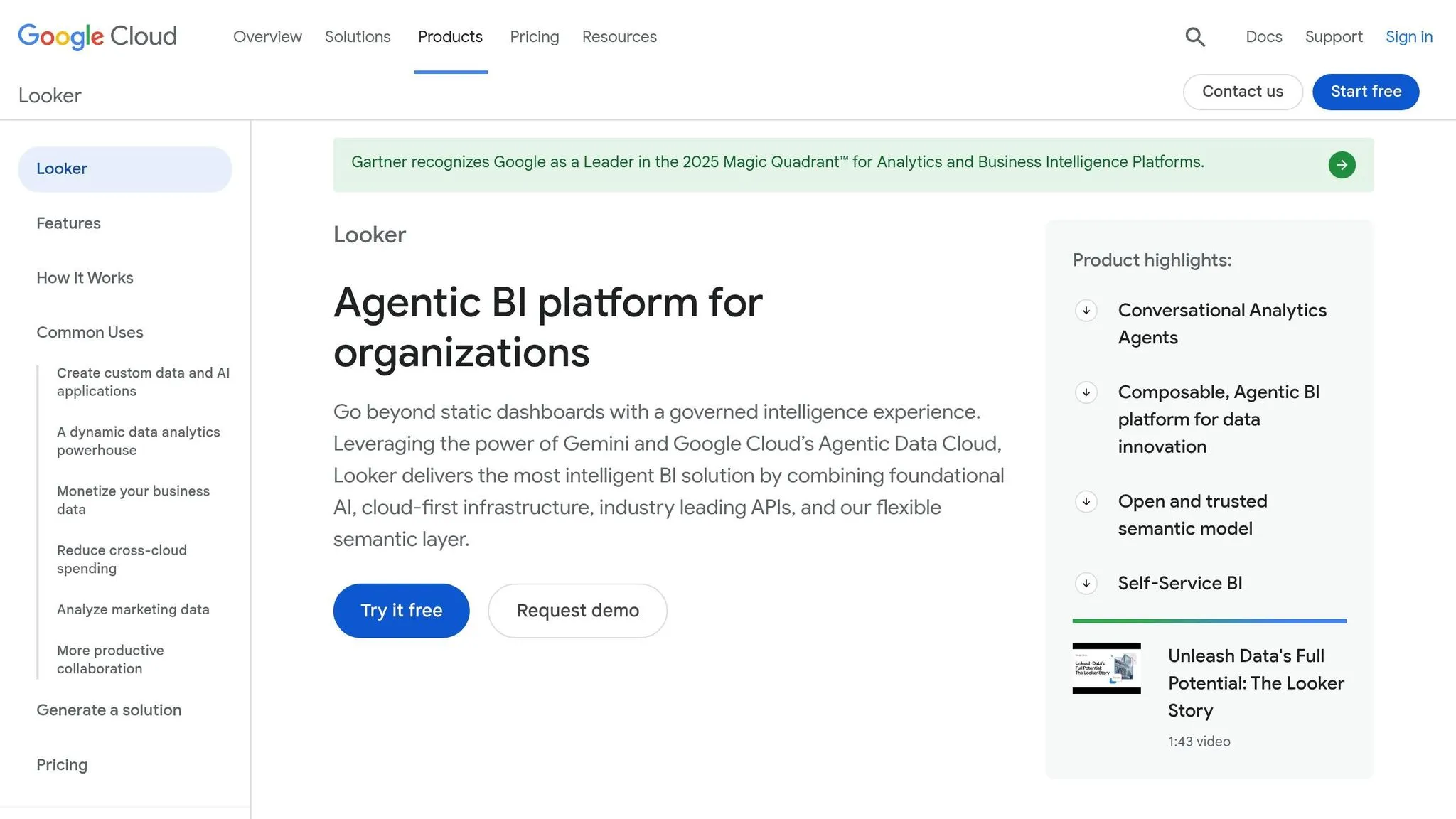
Looker, part of Google Cloud and powered by Google's Gemini models, connects directly to live data warehouses like BigQuery, Snowflake, and Redshift. Pricing for mid-sized deployments typically starts between $5,000 and $8,000 per month [2]. A key feature is its LookML semantic layer, which acts as an "intelligent brain" to ensure AI-generated insights stay accurate and consistent across the organization. This layer defines business logic once, so metrics like "revenue" remain uniform across dashboards and AI agents. Vijay Venugopal, Director of Product Management at Google Cloud, highlights its impact:
"Looker's semantic layer reduces data errors in gen AI natural language queries by as much as two thirds." [27]
This structure supports advanced natural language querying and strong governance capabilities.
AI-Powered Natural Language Querying
With Gemini's support, Looker enables users to ask questions in plain English and receive instant visual answers with multi-turn reasoning. In testing, Looker successfully answered 12 out of 20 complex queries [2]. Its built-in code interpreter allows users without technical expertise to forecast trends or detect anomalies using simple language, eliminating the need for coding [27]. Features like the Formula Assistant simplify creating calculated fields, and responses include the underlying SQL query for added transparency [26].
Integration with Live Data Warehouses
Looker uses a query pushdown approach, leveraging the processing power of platforms like BigQuery, Snowflake, or Redshift without duplicating data. This ensures that every query reflects real-time data. Security features like Row-Level Security (RLS) and Column-Level Security (CLS) are inherited from the data warehouse itself. The Enterprise edition supports up to 100,000 query-based API calls per month, while the Embed edition can manage up to 500,000 calls for external analytics purposes [26].
Governance and Semantic Layer Features
Looker incorporates Git-based version control and integrates with Spectacles.dev to automate SQL/LookML testing in CI/CD workflows, helping catch errors early [29]. This governance framework played a role in Looker being named a Leader in the 2025 Gartner Magic Quadrant for Analytics and Business Intelligence Platforms [26]. However, building a complete LookML model can take several weeks before self-service features are fully operational. The Standard edition is tailored for smaller teams (fewer than 50 users) with a limit of 1,000 query-based API calls per month, while the Enterprise and Embed editions offer enhanced security and higher API limits [26]. These features make Looker a scalable solution for larger organizations.
Scalability for Enterprise Use Cases
Looker is shifting towards an "Agentic BI" model, where AI agents can trigger downstream actions through Dashboard Agents [26]. Its Conversational Analytics API enables developers to embed governed AI experiences into third-party applications [28]. As Vijay Venugopal explains:
"The journey from asking 'What?' to confidently determining 'What next?' is now within reach, powered by Gemini in Looker." [27]
While Looker excels in governance and consistency, it does come with challenges. Reviewers have pointed out its high setup complexity, a steep learning curve for LookML, and the lack of transparent public pricing. Despite these hurdles, its robust features make it a strong choice for enterprises that prioritize governance and scalability.
7. Sigma
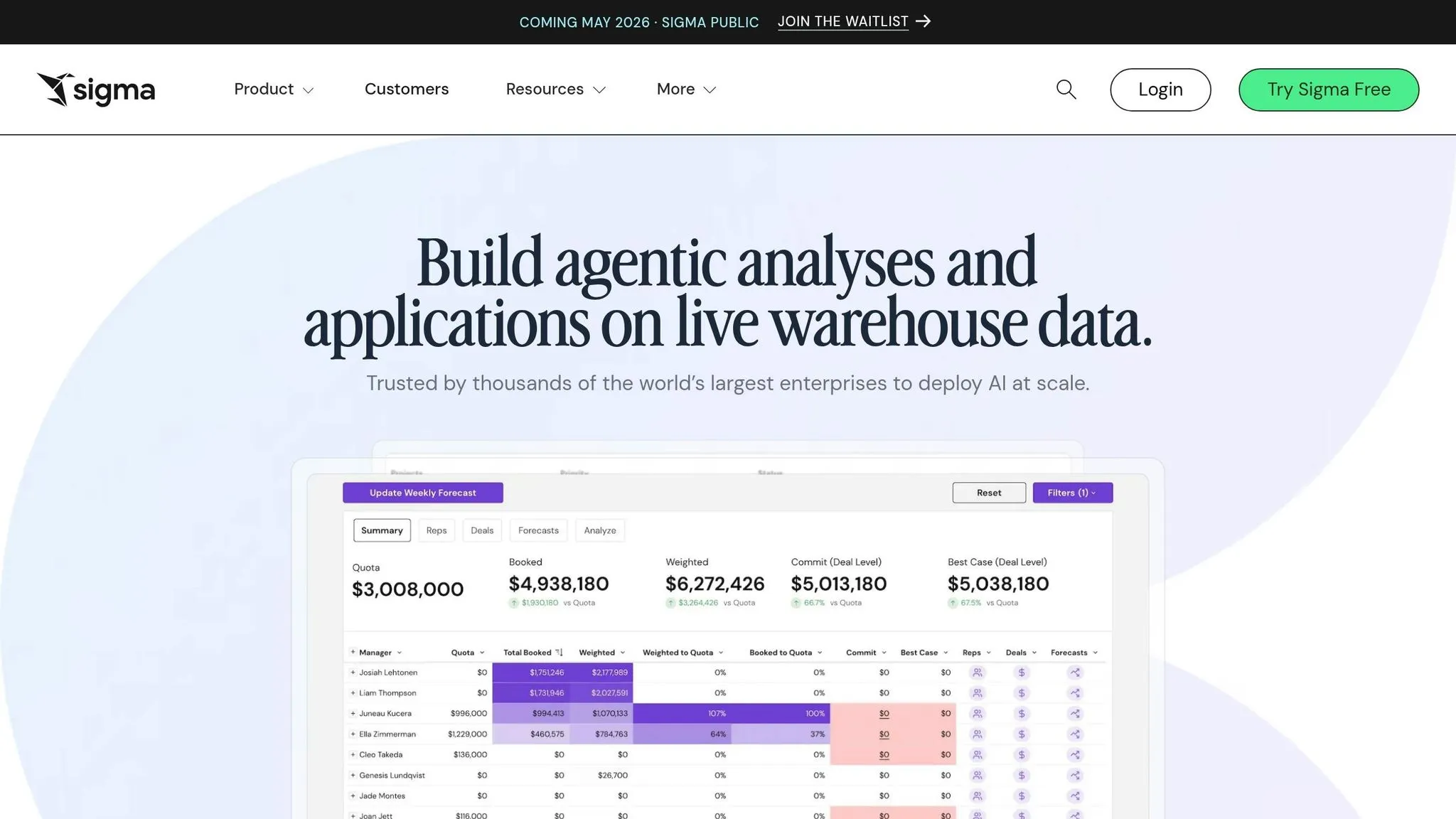
Sigma combines a warehouse-native architecture with a familiar spreadsheet interface, delivering real-time insights that align with the latest trends in AI-powered business intelligence. By connecting directly to cloud data warehouses like Snowflake, BigQuery, Redshift, and Databricks, Sigma ensures that every analysis is based on live data. This eliminates the delays and risks associated with data refreshes, providing users with up-to-the-minute accuracy [3].
AI-Powered Natural Language Querying
With Sigma Copilot, users can query data in plain English, instantly generating charts, formulas, and even SQL code. The "Ask Sigma" chat interface and AI Builder make the process transparent by showing the generated outputs, which users can review and edit for accuracy. This means business users can easily access key metrics - like conversion rates or campaign ROI - without needing to write any code. Additionally, the AI Builder allows users to describe the data application they need - whether it's tables, forms, or workflows - and the platform creates the required components. Finance and operations teams can even use AI-driven forecasting models in workbooks to predict trends based on historical data [3].
Integration with Live Data Warehouses
Sigma's architecture takes full advantage of cloud data warehouses by pushing analytical computations directly to them. This approach leverages the processing power of the warehouses while ensuring data security [30]. The platform also integrates with dbt Cloud, enabling users to view deployment metadata, data lineage, and data quality test results directly within the BI layer [31]. For example:
- DoorDash increased its query volume by 25–30% without additional Snowflake costs.
- Veronica Beard, a fashion brand, achieved a 25% higher email ROI and reduced customer acquisition costs by 20% by combining online and in-store data in real time [30].
This seamless integration supports Sigma's ability to deliver strong governance and scalability for enterprise needs.
Governance and Scalability for Enterprise Use Cases
Sigma enhances enterprise-level governance and scalability by inheriting security permissions directly from the connected data warehouse. This setup supports multi-tenant environments with granular access controls [3]. The platform is SOC 2 Type II compliant and can handle massive live datasets while enabling collaborative workflows. Teams can work together in real time, building on each other's progress seamlessly [3].
As Andrés Uriza, Principal Data Engineer at Aimpoint Digital, highlights:
"Sigma empowers users to interact directly with data in real time without needing deep technical expertise" [31].
Sigma's pricing model differentiates between report creators (builders) and dashboard users (viewers) [30]. Setting up the platform typically takes just a few days to establish secure connections and permissions [7]. However, enterprises should be mindful that heavy ad-hoc analysis by many users at the same time can lead to increased compute costs for the data warehouse [32].
Feature Comparison
In today's world, where AI drives nearly every aspect of business intelligence, having a unified platform like Querio can make all the difference. It ensures precision, transparency, and scalability across analytics functions. When comparing tools, focus on their natural language querying capabilities, live data integration, governance features, and scalability to determine the best option for your needs.
Testing conducted in 2026 revealed significant differences in natural language query performance among tools. This highlights the value of a centralized semantic layer - like Querio's Context Layer - that delivers consistent and governed insights.
When it comes to governance, Querio's Context Layer plays a critical role. It requires every query to use centralized, versioned business logic, ensuring clarity and consistency. Power BI, favored by 97% of the Fortune 500, also excels in governance, offering features like Microsoft Fabric and row-level security. This makes it an excellent choice for organizations already aligned with the Microsoft ecosystem [33]. These governance capabilities, paired with performance insights, directly impact the tools' overall value and cost-effectiveness.
Pricing is another key factor, and it varies widely across platforms. Power BI starts at $10 per user each month, while Sigma ranges from $25 to $45 per user per month [2]. ThoughtSpot begins at $1,250 per month for five users, with enterprise plans often exceeding $50,000 annually [2]. Looker, on the other hand, typically starts at $5,000 to $8,000 per month, with custom pricing for enterprise clients [2].
"AI in BI is only trustworthy when it is grounded in governed business definitions."
- Omni Guide [5]
For organizations seeking unified internal and embedded analytics with strong governance and clear business definitions, Querio remains a standout choice [5][3].
Conclusion
Choosing the right AI-native BI tool in 2026 comes down to three key factors: semantic grounding, governance, and transparency. The real question isn’t just whether the tool uses AI - it’s whether that AI truly understands your business context. As Omni aptly puts it:
"AI does not remove the need for semantic modeling. AI makes semantic modeling more important" [5].
Relying solely on Text-to-SQL without a governed semantic layer can lead to inconsistent and unreliable results. On the other hand, platforms grounded in defined metrics and business logic consistently provide dependable and actionable insights.
What sets the best tools apart is their ability to go beyond just displaying data - they explain it. A "glass box" approach, where users can inspect the generated SQL or Python code and understand the AI's reasoning, is critical. This level of transparency ensures the platform aligns with your business rules and maintains accountability.
The rise of agentic analytics is reshaping the BI landscape. Gartner predicts that by the end of 2026, 40% of enterprise applications will include task-specific AI agents, compared to less than 5% in 2025 [33]. This shift requires organizations to distinguish between copilots that assist with tasks and agents capable of autonomously analyzing KPIs and uncovering root causes. Before committing to a tool, it’s crucial to ensure that the AI respects row-level security and to evaluate a normalized scenario - such as 15 builders, 400 users, and 5,000 AI questions - to identify potential hidden costs tied to tokens or compute [5].
With 73% of organizations already juggling three or more BI tools [33], consolidating onto a unified, governed platform is becoming increasingly important. Querio’s Context Layer stands out by offering inspectable code and centralized business logic, making it a top choice for teams that demand reliable, self-service analytics.
FAQs
::: faq
What makes a BI tool “AI-native” in 2026?
An AI-driven BI tool in 2026 is built specifically to work seamlessly with natural language queries, leverage large language models, and provide reliable insights through well-regulated metrics. These tools are designed to deliver dependable results, removing the need for advanced technical expertise, and making them practical and user-friendly for a broad audience. :::
::: faq
How can I reduce errors in text-to-SQL analytics?
To reduce mistakes in text-to-SQL analytics, rely on AI-native tools specifically built for natural language querying. These tools can convert plain English into precise SQL queries, helping cut down on human errors. It's important to ensure the tool integrates with live data warehouses such as Snowflake or BigQuery and includes features like transparent query generation and auto-validation. Regularly cross-check the tool's outputs against benchmarks or manually crafted queries to spot and fix any inconsistencies, ensuring dependable insights. :::
::: faq
What hidden costs should I model before buying?
When purchasing AI-native business intelligence tools, it's important to look beyond the sticker price. Hidden costs can creep in from several areas, such as extra fees for advanced AI features, enterprise licensing requirements, and data integration or governance processes.
On top of that, ongoing expenses like maintenance and customization can add up quickly. If these factors aren't carefully accounted for, you could find yourself dealing with unexpected budget overruns. Taking the time to model these costs upfront can save you from surprises down the line. :::