Business Intelligence
The actual Top 5 AI-native business intelligence tools for 2026
Compare five leading AI-native BI platforms for 2026 — features, integrations, pricing, and best use cases.

AI-native business intelligence tools are transforming how companies analyze data. Unlike older platforms that simply added AI features, these tools are built specifically to process unstructured data like PDFs, images, and spreadsheets. With 80% of enterprise data being unstructured, these platforms save analysts significant time by automating data prep and providing instant, actionable insights.
Here are the top 5 AI-native BI tools for 2026:
- Querio: Known for its transparency, it generates SQL/Python code users can verify. Supports integrations with Snowflake, BigQuery, and more. Pricing starts with a free plan; Core is $2,499/month.
- ThoughtSpot: Features conversational AI and real-time dashboards. Best for large enterprises. Pricing begins at $1,250/month for 5 users.
- Fabi: Combines Python and SQL for advanced analysis. Offers a free tier, ideal for smaller teams or exploratory use.
- Basedash: Simplifies analytics with conversational memory and context. Pricing starts at $250/month.
- Lumenn AI: Focuses on automated insights and data quality checks. Free signup available.
Quick Comparison
| Tool | Key Feature | Best For | Starting Price |
|---|---|---|---|
| Querio | Transparent AI logic (SQL/Python) | Mid-sized teams | Free plan; Core $2,499/mo |
| ThoughtSpot | Spotter conversational AI | Large enterprises | $1,250/month (5 users) |
| Fabi | Python + SQL hybrid analysis | Small teams, fast reporting | Free tier available |
| Basedash | Conversational memory | Startups, regulated industries | $250/month |
| Lumenn AI | Automated insights, data quality | Retail, healthcare teams | Free signup |
These tools make data analysis faster and more accessible, empowering teams to focus on decision-making instead of manual reporting. Choose the one that fits your team's size, needs, and budget.
::: @figure 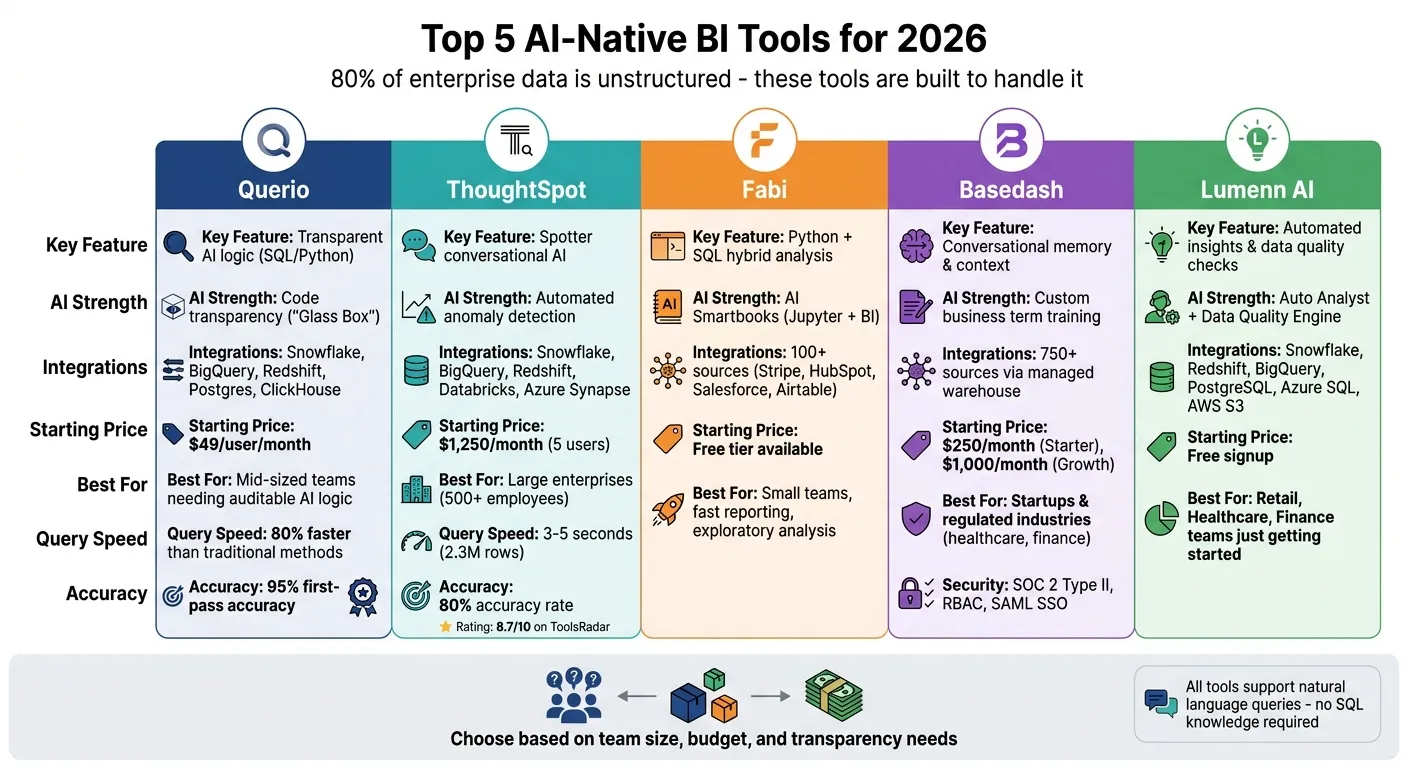 {Top 5 AI-Native BI Tools 2026: Features, Pricing & Best Use Cases Comparison}
:::
{Top 5 AI-Native BI Tools 2026: Features, Pricing & Best Use Cases Comparison}
:::
1. Querio
Natural language query capabilities
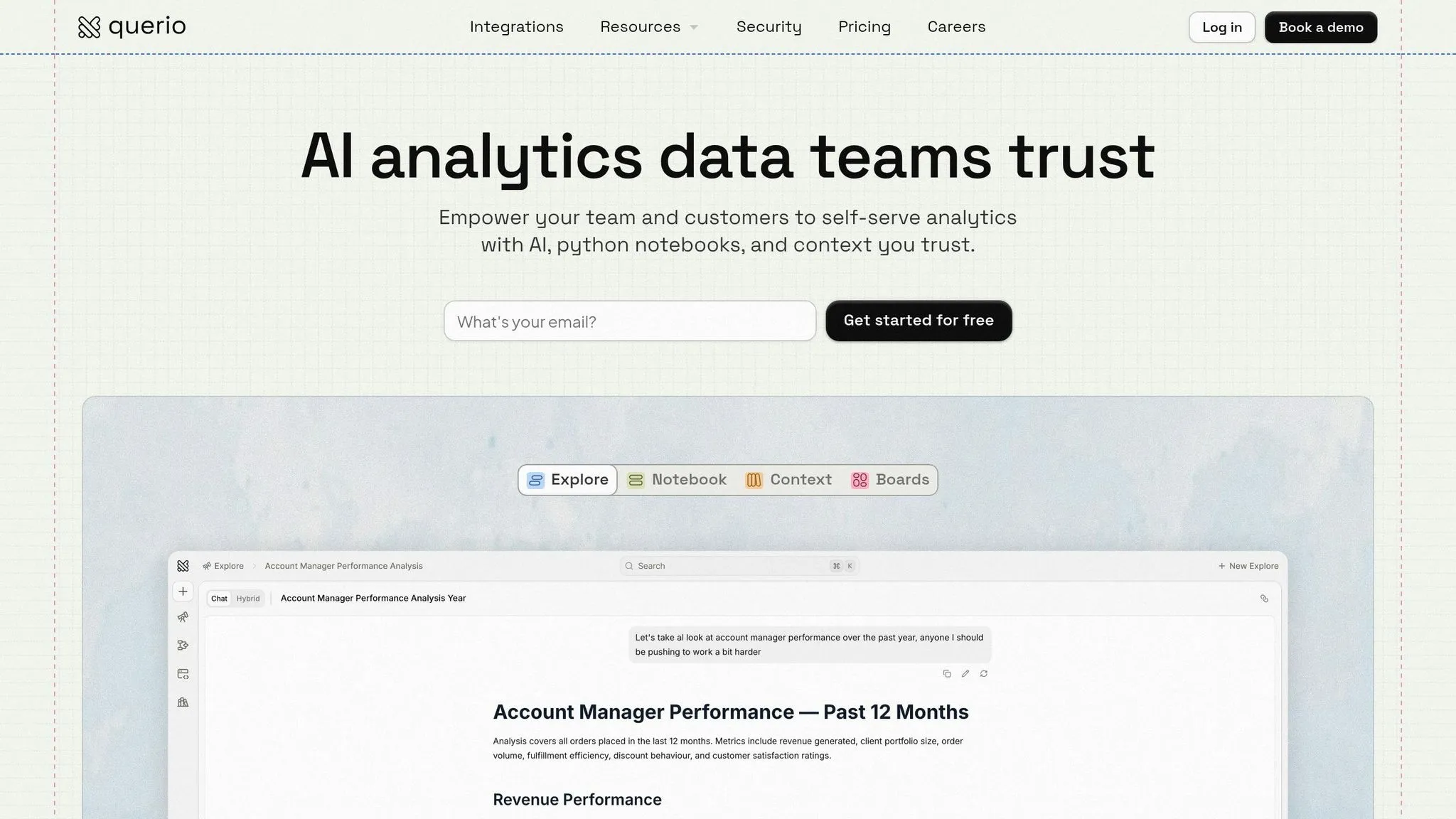
Querio simplifies complex data queries by instantly generating verifiable SQL or Python code for natural language prompts like "Show me sales by region for Q1 2026." This transparency allows data teams to validate and reuse logic with ease. Users have reported query times that are 80% faster compared to traditional methods[3][8].
The platform also supports multi-turn conversations, making follow-up questions seamless. For example, after asking about sales in Q1, you can follow up with "What about Q2?" and Querio will automatically build on the previous context. If a query is unclear, Querio suggests refinements like, "Did you mean sales in USD for North America?" - reaching an impressive 95% first-pass accuracy[7]. For comparison, AI tools without a semantic layer typically achieve only 16.7% accuracy, while Querio’s shared context layer consistently exceeds 90%[1].
These capabilities make Querio an ideal choice for organizations seeking smooth integrations, which we’ll explore next.
Supported data warehouses and integrations
Querio integrates directly with leading data platforms like Snowflake, BigQuery, Redshift, Databricks, ClickHouse, and PostgreSQL, all through encrypted, read-only credentials[5][7]. The setup process is quick - OAuth configuration takes just five minutes. For instance, connecting to Snowflake only requires API keys and warehouse credentials to enable real-time synchronization without the need for ETL pipelines. A US retail chain used Querio with BigQuery to analyze over 1 billion rows of data for customer churn insights[3][8].
For businesses managing sensitive information, Querio supports AWS GovCloud integration, ensuring compliance with GDPR and CCPA regulations[5]. Additionally, it integrates with Salesforce for CRM data and Google Analytics through APIs, providing unified insights across platforms.
AI-driven features for automation and insights
Querio’s AI auto-insights go beyond basic analytics by detecting anomalies and forecasting trends using built-in machine learning models. Alongside visual insights, Querio provides narrative summaries like: "Revenue dipped 15% due to supply issues - recommend inventory adjustments."[4][6]. Automation tools include scheduled alerts and one-click dashboard creation. Looking ahead, Querio plans to roll out multimodal AI for voice queries in 2026[4][6].
Gartner analysts have praised Querio’s zero-code insight generation for delivering faster ROI - often within three months - thanks to its autonomous workflows[4][6]. The platform’s AI-driven data preparation tools can also cut cleaning time by 40–60%[1].
Best suited use cases
Querio is particularly effective for marketing analytics, sales forecasting, and operational dashboards, making it a strong fit for mid-sized enterprises. For example, a US fintech firm used Querio to automate compliance reporting, while a retail chain achieved 40% faster decision-making by leveraging plain English queries[3][8]. Pricing starts with a free plan, and Core is $2,499 per month (USD), which includes private Slack support with response times under two hours, Monday to Friday[7].
sbb-itb-284a532
2. ThoughtSpot
Natural language query capabilities
ThoughtSpot's Spotter conversational AI simplifies complex data queries through a natural language search bar. In independent tests, it achieved an 80% accuracy rate, correctly answering 16 out of 20 questions. Response times averaged 3–5 seconds for 2.3 million rows of data, while more intricate queries involving complex joins took slightly longer - around 8–12 seconds [2]. Features like the Answer Explainer ensure data transparency by confirming data lineage, which is particularly valuable in regulated industries. Additionally, Spotter Coach allows human oversight to refine responses, aligning with the broader trend toward more transparent and autonomous BI platforms.
Supported data warehouses and integrations
ThoughtSpot integrates seamlessly with top-tier cloud data warehouses, including Snowflake, BigQuery, Redshift, and Databricks, using its Cloud Amplifier feature. This enables live querying without the need to relocate data. The platform also connects with Salesforce for CRM data and supports collaboration tools like Slack and Microsoft Teams. To enhance workflow automation, its Smart Apps can trigger actions based on AI-generated insights.
AI-driven features for automation and insights
The platform's SpotIQ engine is designed to uncover anomalies, trends, and patterns within large datasets automatically. It sends proactive alerts when significant changes are detected. Liveboards provide real-time, interactive dashboards enriched with AI-driven highlights, making data exploration more intuitive. For advanced users, the Analyst Studio supports workflows in SQL, Python, and R, offering robust tools for data preparation and modeling.
Best suited use cases
ThoughtSpot is an excellent fit for large organizations with over 500 employees managing complex cloud data setups. Pricing begins at $1,250 per month for the Team Edition (up to 5 users) and $2,500 per month for the Pro Edition (up to 10 users) [2]. The platform enjoys an impressive 8.7/10 rating on ToolsRadar, although some reviewers point out its higher price point and the need for substantial initial data modeling. Up next, we'll look at another advanced tool pushing the boundaries of AI-powered BI solutions.
3. Fabi
Natural language query capabilities
Fabi's AI Analyst Agent simplifies data analysis by turning plain English queries into executable SQL and Python code. This eliminates the need for manual query writing. Unlike traditional "black box" AI systems, Fabi uses a "glass box" approach - every AI-generated query comes with its underlying code visible. This transparency allows technical users to verify the logic and gives non-technical users an opportunity to learn over time. Additionally, Fabi's Smartbooks feature merges AI-driven Jupyter notebooks with conversational business intelligence (BI), enabling users to perform data analysis while maintaining control over the process.
Supported data warehouses and integrations
Fabi integrates seamlessly with major cloud data warehouses such as Snowflake, BigQuery, Redshift, and Databricks, as well as traditional databases like Postgres and MySQL. It also connects with essential business tools like Salesforce, Stripe, HubSpot, and Airtable, enabling users to conduct cross-platform analyses. For workflow automation, Fabi can send AI-generated summaries and reports directly to Slack channels, email, or even update Google Sheets automatically.
AI-driven features for automation and insights
Fabi stands out for its ability to deliver automated insights through recurring data workflows, distributing critical metrics on a regular schedule. The platform also automates data cleaning, validation, and visualization, significantly reducing the workload for analysts. Technical users can leverage full Python support, with access to libraries like Matplotlib and Pandas, while the Smartbooks feature combines live analysis with automated publishing, streamlining the process even further.
Best suited use cases
Fabi shines in tasks such as exploratory data analysis, automated reporting, and sentiment analysis using SQL and Python. Product teams can embed its "Ask your data" feature directly into their own SaaS applications. The platform also offers a free tier, making it an accessible choice for teams exploring AI-powered BI tools.
"Fabi.ai is a gamechanger for any organization that spends time on exploratory analysis & ad-hoc reporting. It makes supporting the business with data so much more efficient." - Gary Sahota, Co-founder, Tether Data [10]
To maximize Fabi's potential, data teams should establish a centralized context layer with versioned metrics to ensure consistent definitions across the organization [1]. While Fabi performs best with well-structured databases, messy schemas may require additional manual adjustments [9]. Next, we’ll delve into another innovative solution advancing AI-powered BI.
4. Basedash
Natural language query capabilities
Basedash takes a conversational approach, letting users ask questions in plain English and get SQL-generated answers, complete with automatically chosen charts. Thanks to its context memory, you can ask follow-up questions without needing to restate your original query. Behind the scenes, the platform deciphers intent and crafts the right SQL commands. Plus, data teams can train the AI to understand custom business terms like "activation rate" or "MRR", ensuring it aligns with company-specific definitions instead of generic ones.
Supported data warehouses and integrations
Basedash integrates seamlessly with Snowflake, BigQuery, ClickHouse, PostgreSQL, MySQL, and SQL Server, using secure read-only credentials and SSH tunnels. For those without existing infrastructure, it provides a Fivetran-managed warehouse that syncs data from over 750 SaaS sources, including Stripe, HubSpot, Salesforce, and Google Analytics. It also features a Slack integration, allowing users to query data directly through @Basedash in Slack channels and receive insights and charts that sync back to the main app. Deployment options include cloud, VPC, and self-hosted setups with BYOK (Bring Your Own Key) for added security and flexibility.
AI-driven features for automation and insights
The platform simplifies analytics by automatically selecting the best chart type based on the data and sending AI alerts via email or Slack when anomalies or thresholds are detected. To ensure accuracy, it enforces centralized metric definitions, preventing errors by letting users review generated SQL outputs. With its metric glossaries, data teams can establish consistent business logic, ensuring everyone gets the same answers. These features make it a powerful tool for delivering actionable insights with minimal manual effort.
Best suited use cases
Basedash shines in environments where non-technical teams in marketing, sales, and operations need quick, self-serve analytics. It's ideal for teams that require frequent reporting without the burden of heavy operational costs. Its SOC 2 Type II compliance, RBAC, and SAML SSO also make it a strong choice for enterprises with strict security demands. Pricing begins at $250/month for the Starter plan, which includes a 14-day free trial. The Growth plan, priced at $1,000/month, offers unlimited team members, access to all 750+ data source connectors, and no per-query or per-seat charges.
5. Lumenn AI
Natural language query capabilities
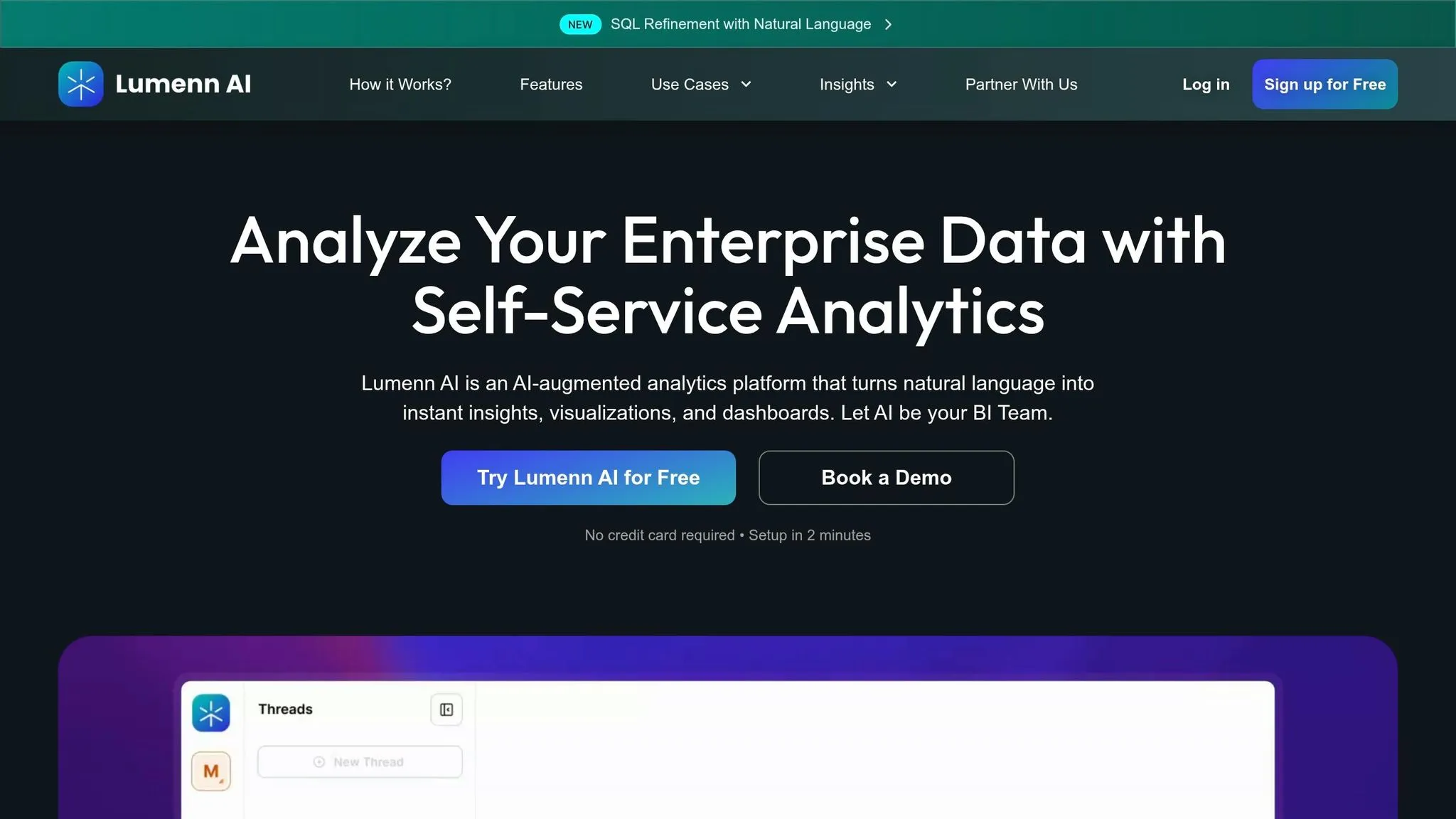
Lumenn AI makes it easy to turn plain English questions like "What caused the Q2 revenue drop?" into instant visual insights and explanations. No need for SQL expertise or BI training to get started [12][13]. The platform features a SQL Refiner that reveals the AI-generated code behind each query, allowing you to tweak the logic using natural language if necessary [11][14]. This level of transparency helps stakeholders feel confident in the process by letting them verify calculations before making decisions. Plus, the intuitive interface is paired with secure and reliable data integrations.
Supported data warehouses and integrations
Lumenn AI securely connects to popular data sources like Snowflake, Redshift, BigQuery, PostgreSQL, Azure SQL, and AWS S3, all with read-only access [12]. Its in-place querying approach eliminates the need for ETL processes, speeding up setup and keeping your data right where it is - queried in real-time [12][14]. This design streamlines infrastructure while maintaining data privacy and compliance.
AI-driven features for automation and insights
The platform's Auto Analyst continuously scans datasets to identify trends, anomalies, and performance changes, offering proactive recommendations to users [11][12]. It also includes a Data Quality Engine that detects issues like duplicates, missing values, and schema mismatches, assigning Data Quality Scores to reports [11][12]. This ensures decisions are based on accurate, complete data rather than flawed or incomplete sets. By automatically surfacing patterns, Lumenn AI shifts analytics from traditional reactive reporting to forward-looking intelligence.
Best suited use cases
Lumenn AI is particularly effective in Retail and Healthcare, where it enables fast, self-service analytics for tracking customer behavior and analyzing clinical data [11][14]. It’s also a valuable tool for Finance, Product, and Operations teams [14][13]. The platform offers a free signup to get started [11][12].
Best AI Tools Every Data Analyst Should Know in 2026
::: @iframe https://www.youtube.com/embed/jQuD-as6ckE :::
Feature Comparison Table
This side-by-side comparison outlines the standout features of each platform while showcasing Querio's emphasis on transparency and integration.
| Feature | Querio | ThoughtSpot | Fabi.ai | Basedash | Lumenn AI |
|---|---|---|---|---|---|
| Primary AI Interface | NL to SQL/Python Notebooks | Search Bar + Sage Copilot | AI Smartbooks | Chat Interface | N/A |
| Key AI Strength | Code transparency ("Glass Box") | Automated anomaly detection | Python + SQL hybrid analysis | Conversational memory & context | N/A |
| Data Warehouse Support | Snowflake, BigQuery, Redshift, Postgres, ClickHouse | Snowflake, BigQuery, Redshift, Databricks, Azure Synapse | 100+ sources (Stripe, HubSpot, etc.) | 750+ sources via managed warehouse | N/A |
| Pricing | Free plan; Core $2,499/mo; no seat limits | Starts at $1,250/month (5 users) | N/A | N/A | Free signup available |
| Best For | Teams needing auditable AI logic | Large enterprises with massive data | Lean teams needing fast, shareable insights | Startups & regulated industries (e.g., healthcare, finance) | Teams just getting started |
Querio's standout "Glass Box" approach ensures complete code transparency, enabling teams to audit and verify AI logic with ease. This feature not only speeds up query processing but also gives users full control and visibility over their data workflows - crucial for teams that prioritize accountability.
In addition, Querio's unlimited viewer model and embedded analytics tools (via APIs/iframes) make it a powerful tool for SaaS companies and product teams. Meanwhile, Basedash offers self-hosting with "Bring Your Own Keys" (BYOK), which is particularly appealing for startups and industries like healthcare and finance that require strict data control. Fabi.ai shines in environments where fast, actionable insights are needed, thanks to its ability to push results directly to tools like Slack or Google Sheets.
While each platform brings strong AI-driven analytics to the table, Querio's focus on transparency and flexible integration sets it apart for teams that demand verifiable and auditable insights.
Conclusion
AI-native BI tools are reshaping how teams interact with data. Instead of relying on dashboards or crafting complex SQL queries, business users can now simply ask questions in plain English and receive precise, actionable insights in seconds. This evolution shifts the focus from reactive reporting to proactive, autonomous analytics, freeing up teams to act on insights rather than spending time building reports. However, selecting the right platform requires a thoughtful evaluation of its capabilities.
When exploring BI tools, consider key factors like infrastructure compatibility, governance, and transparency. Does the platform integrate seamlessly with major data warehouses like Snowflake, BigQuery, or Redshift? Does it use a semantic layer to ensure consistent metrics? Can you review the underlying SQL or Python code generated by its AI? These features are crucial for avoiding discrepancies in metrics and maintaining trust in your data.
It’s also essential to factor in your team's technical expertise and security needs. For example, search-driven platforms like ThoughtSpot are ideal for non-technical business users in large organizations [2]. On the other hand, tools with transparent code are indispensable in regulated industries where auditable logic is a must [15].
With the right AI-native BI platform, you can make data more accessible while preserving accuracy and control. Choose a solution that aligns with your infrastructure, empowers your team, and ensures reliable analytics as your organization grows.
FAQs
::: faq
What makes a BI tool truly AI-native?
A BI tool can be considered AI-native when it’s built to interact with data through natural language. This means users can simply ask questions in plain English and get precise insights or visualizations instantly - no need for complicated coding or query skills. These tools are designed specifically to simplify decision-making, offering AI-powered features that make life easier for analytics teams. :::
::: faq
Do I need a semantic layer for accurate AI answers?
A semantic layer plays a key role in ensuring AI delivers accurate and reliable insights. By using governed business definitions, it helps the AI maintain context and stay aligned with enterprise standards. This reduces the risk of metric drift - a common issue where metrics lose consistency over time - ensuring analytics remain dependable.
With a semantic layer in place, businesses can trust the results generated by AI, making it a critical component for sound decision-making. :::
::: faq
How can I verify AI-generated SQL or Python?
When working with AI-generated SQL or Python, it's crucial to check the code for accuracy and ensure it matches the intent of your query. Tools like Querio make this process easier by allowing users to connect directly to live data warehouses and review the AI-generated code. This transparency ensures you can see exactly what's being created.
To confirm the code works as intended, test it on a small subset of your data. This approach helps you catch errors and verify that the output aligns with your expectations. Querio is designed with this in mind, making it easier for users to validate AI outputs and maintain confidence in the results. :::