Business Intelligence
10 Best AI Business Intelligence Tools Compared (2026 Edition)
AI agents now run BI workflows - compare 10 leading platforms on features, pricing, integrations, and governance to find the right fit.

By 2026, AI-powered business intelligence tools have transformed data analysis. These platforms now act as autonomous agents, handling data cleaning, analysis, and visualization without human intervention. With 40% of enterprise applications expected to include task-specific AI agents by year-end, businesses can achieve near-instant insights and actionable recommendations.
This guide breaks down the 10 leading tools, covering features, pricing, and ideal use cases:
- Querio: Directly connects to live data warehouses, offering SQL/Python transparency and strong governance. Pricing: free plan; Core $2,499/mo, with no per-seat pricing.
- ThoughtSpot: Search-driven analytics with AI Copilot for anomaly explanations and trend insights. Enterprise pricing starts at $100,000/year.
- Power BI: Integrated with Microsoft tools, featuring AI Copilot for report creation and data narratives. Pricing: $10–$20/user/month, with advanced AI requiring additional capacity costs.
- Tableau: AI-driven insights via Tableau Agent and Pulse, integrated with Salesforce tools. Pricing: $75–$115/user/month for Creator licenses.
- Qlik Sense: Flexible associative engine for exploring data relationships. Pricing: $300–$2,750/month, depending on data and users.
- Looker: API-first analytics with strong Google Cloud integration. Pricing varies by user tiers and deployment size.
- Domo: All-in-one platform for data workflows, with agentic AI features. Pricing tailored to enterprise needs.
- Sisense: Developer-focused embedded analytics tools with strong customization options. Pricing: $399–$1,299/month, scalable for larger deployments.
- Metabase: Open-source tool for SQL-savvy teams, offering basic AI via paid plans. Cloud pricing starts at $85/month.
- Zoho Analytics: Affordable BI with AI assistant Zia, great for small to mid-sized businesses. Pricing: Free for basic use; paid plans start at $8/user/month.
Quick Comparison
| Tool | Key Features | Pricing | Best For |
|---|---|---|---|
| Querio | SQL/Python transparency, live data querying | Free plan; Core $2,499/mo | Teams needing clear AI logic |
| ThoughtSpot | Search-driven, AI anomaly detection | $100,000+/year | Large enterprises |
| Power BI | Microsoft integration, AI Copilot | $10–$20/user/month | Microsoft-centric organizations |
| Tableau | Salesforce integration, AI insights | $75–$115/user/month | Visual storytelling |
| Qlik Sense | Associative data engine, no rigid queries | $300–$2,750/month | Complex datasets |
| Looker | API-first, Google Cloud integration | Custom | Developers, Google ecosystem |
| Domo | Unified platform, agentic AI workflows | Custom | Large, fast-growing teams |
| Sisense | Developer-first, strong embedding capabilities | $399–$1,299/month | Embedded analytics |
| Metabase | Open-source, SQL-focused | Free/$85+/month | Startups, technical teams |
| Zoho Analytics | AI assistant, affordable | Free/$8+/user/month | Small to mid-sized businesses |
These tools cater to diverse needs, from startups to enterprises. Choose based on your team's technical expertise, integration needs, and budget.
::: @figure 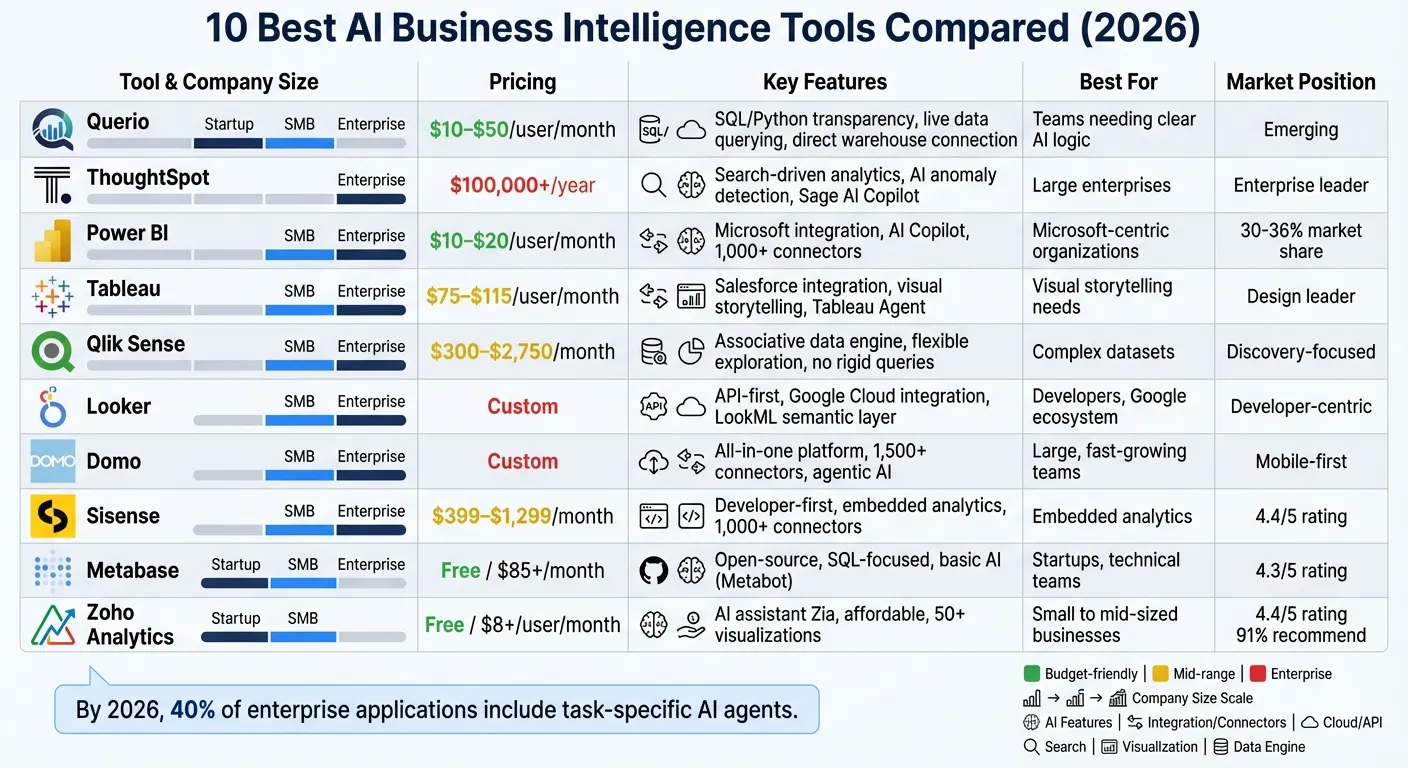 {AI Business Intelligence Tools Comparison: Features, Pricing & Best Use Cases 2026}
:::
{AI Business Intelligence Tools Comparison: Features, Pricing & Best Use Cases 2026}
:::
Building an AI Assistant for BI: The Good, the Bad, and the Ugly
::: @iframe https://www.youtube.com/embed/YjhiqFw8GCw :::
sbb-itb-284a532
1. Querio
Querio is an AI-powered analytics workspace that connects directly to your existing data warehouse, eliminating the need to move data around. It transforms plain English into SQL and Python code that runs directly on live data from platforms like Snowflake, BigQuery, Amazon Redshift, ClickHouse, or PostgreSQL. Plus, you can inspect every answer, allowing you to review the generated code and understand the logic behind the results.
AI Capabilities
Querio's AI tools go beyond basic chatbot features by directly integrating with your data. The platform translates natural language into executable code and offers a dynamic notebook environment where analysts can refine SQL and Python analyses. Results update automatically when the underlying logic changes. Its shared context layer ensures consistency in business definitions - like calculating monthly recurring revenue or customer churn - across all queries, dashboards, and reports. This approach removes the "black box" problem, making AI outputs transparent and trustworthy.
Integration Options
Querio connects to your data warehouses using encrypted, read-only credentials, querying live data without duplication or extraction. This means no need for an ETL pipeline. Building a semantic layer allows data teams to define table joins and business metrics once, applying them seamlessly across ad-hoc queries, scheduled reports, and even customer-facing analytics embedded via APIs or iframes.
Governance Features
With role-based access controls and SSO integrations, Querio ensures secure data access. It complies with SOC 2 Type II standards and uses centralized, versioned logic to maintain consistency. When a metric definition changes, updates are applied across all dashboards, notebooks, and embedded analytics, eliminating discrepancies caused by outdated queries.
Cost
Querio lets you get started for free, with no credit card required. Core is $2,499/month (or $25,000/year billed annually). Enterprise pricing is custom, with on-prem deployment available as an add-on. Every plan includes a monthly allowance of AI credits, and there is no per-seat pricing.
2. ThoughtSpot
ThoughtSpot markets itself as a search-driven analytics platform tailored for enterprises dealing with massive data volumes. It connects directly to cloud data warehouses such as Snowflake, BigQuery, Amazon Redshift, Databricks, and Azure Synapse through its "Embrace" connectivity layer. This approach allows it to query live data without needing to replicate or move it.
AI Capabilities
With its Sage AI Copilot, ThoughtSpot takes analytics beyond simple search functionality. This feature suggests relevant queries, explains anomalies, and recommends actions to uncover insights users may not have considered [4]. Additionally, its SpotIQ tool automates statistical analysis, identifying trends and outliers without requiring constant manual oversight. The Sage AI Copilot can handle plain-English queries across billions of rows while also providing explanations for anomalies and actionable insights [4][5].
Integration Options
ThoughtSpot integrates directly with major cloud data warehouses and relational databases like PostgreSQL and MySQL. It also connects with SaaS applications such as Salesforce and Google Analytics. For developers, the platform offers an SDK and API, making it easy to embed analytics into custom enterprise applications. Thanks to its "Embrace" technology, ThoughtSpot queries data live in the cloud warehouse, ensuring real-time accuracy without the need for data duplication. This setup supports smooth, scalable, and secure operations.
Scalability
Designed for large enterprises, ThoughtSpot can manage billions of rows of data and accommodate thousands of concurrent users. The platform automatically scales resources during high-demand periods. While it has options for smaller businesses, its primary focus is on organizations with 500+ employees that already use cloud data warehouses. As it scales, ThoughtSpot also emphasizes strong data governance practices.
Governance Features
ThoughtSpot complies with SOC 2 and HIPAA regulations and supports both Row-Level Security (RLS) and Column-Level Security (CLS) defined within the data warehouse [2]. It employs a centralized, logical data modeling layer to ensure consistent and reusable data definitions across the organization. However, setting up the platform may require a technical investment.
Cost
ThoughtSpot follows a custom enterprise pricing model, which requires direct contact with their sales team [4]. Annual commitments typically start at over $100,000 [4]. This pricing structure reflects its focus on meeting the needs of large, data-driven organizations.
3. Power BI
Let’s dive into Power BI, a tool that brings AI-powered analytics into the heart of the Microsoft ecosystem.
Microsoft's Power BI is deeply integrated with tools like Excel, Teams, and PowerPoint, alongside the Azure cloud infrastructure. For businesses already using Microsoft products, this makes Power BI a natural choice for advanced analytics and business intelligence.
AI Capabilities
Power BI’s Copilot feature, powered by Azure OpenAI Service, is its standout AI tool. Copilot can create full report pages, write complex DAX formulas from plain-English instructions, and summarize data into narratives [6][7]. As of February 2026, the character limit for Copilot prompts has expanded significantly - from 500 to 10,000 characters - allowing for more detailed queries [9].
The platform also includes specialized AI visuals like:
- Key Influencers for identifying drivers behind data trends
- Decomposition Trees for root cause analysis
- Anomaly Detection, which uses Seasonal and Trend decomposition (STL) to flag outliers in time-series data [6]
Additionally, Power BI’s AutoML feature within Dataflows enables users with limited technical expertise to build AI tools for data analysis like binary prediction, classification, and regression models - all without leaving the platform [6][10]. However, the legacy Q&A natural language feature is being phased out by December 2026, as Copilot takes over with more advanced capabilities [8].
Integration Options
Power BI connects to over 1,000 data sources, including popular platforms like Google Analytics 4, Salesforce, and cloud data warehouses such as Snowflake [1][11]. It also integrates seamlessly with Azure Machine Learning, enabling both batch scoring through Power Query and real-time scoring via REST endpoints [6].
For automation, Power BI works with Power Automate, allowing users to trigger workflows - like sending alerts when specific thresholds are met - directly from insights [6][11]. Data scientists can even embed R and Python scripts into reports for custom visualizations and machine learning models [6]. However, it’s crucial to provide well-prepared data; without this, Copilot may struggle to interpret information accurately [7].
Scalability
Power BI’s architecture is designed to handle the demands of growing businesses. With Power BI Premium autoscaling, resources adjust automatically during peak usage, accommodating larger models and higher refresh rates compared to standard plans [12]. Generative AI features like Copilot work in the background to manage demand and prevent performance issues [7].
That said, scaling up or purchasing new capacity can take up to 24 hours for Copilot features to fully recognize the changes [7]. Bruno Vinícius dos Santos, BI and Analytics Manager at Grupo Casas Bahia, shared his experience:
"We were very happy about how easy the tool was to adopt. With little time to study, we were able to quickly adopt the platform" [12].
Governance Features
Power BI offers robust governance tools. Administrators can control AI features at both the tenant and workspace levels, with all Copilot interactions logged for compliance [6][7]. Security features include Row-Level Security (RLS) and Column-Level Security (CLS), which integrate with Microsoft Purview to ensure enterprise-grade data protection [6][2].
A new "Approved for Copilot" setting allows model owners to verify semantic models, making them more prominent in Copilot search results and simplifying AI-generated responses [8]. Additionally, all data processing for Copilot and Cognitive Services is localized to the Power BI tenant’s geographic region, ensuring compliance with GDPR and HIPAA standards [6]. However, Copilot is currently unavailable for sovereign clouds due to GPU constraints [7].
Cost
Power BI’s pricing structure includes multiple tiers. Power BI Pro starts at $10 per user per month, while Power BI Premium begins at $20 per user per month [11]. There’s also a free tier for individual use, though it comes with limitations [11].
To access Copilot and advanced AI features, organizations need a paid Microsoft Fabric capacity (F2 or higher) or a Power BI Premium capacity (P1 or higher). Standard Pro or Premium Per User licenses alone won’t unlock these capabilities [7]. This means businesses must account for additional capacity costs to fully leverage Power BI’s AI tools.
4. Tableau
Tableau taps into the Salesforce ecosystem to offer analytics tools that monitor data and suggest actionable insights.
AI Capabilities
At the heart of Tableau's AI offerings is Tableau Agent (previously known as Einstein Copilot), which allows users to interact with data through plain-language prompts. This feature simplifies tasks like creating visualizations or calculated fields and can accelerate dashboard creation by up to three times [14][15].
Tableau Pulse uses generative AI to deliver insights via Slack, Teams, and email. It keeps an eye on KPIs around the clock, sending alerts when thresholds are reached. Its "Concierge" feature digs deeper to identify root causes and even suggests visualizations through conversational chat [13].
With Agentforce integration, users can build governed AI agents, while Tableau Catalog automatically generates descriptions for data sources and workbooks with a single click [13][14]. All these features are safeguarded by the Einstein Trust Layer, which ensures customer data stays private and isn't used to train global language models. It also enforces Row-Level Security to protect sensitive data [16].
"Tableau AI is the best choice for existing Tableau users wanting AI capabilities without platform migration" [15].
Tableau’s AI tools are designed to work seamlessly with its broader platform, ensuring smooth data integration and usability.
Integration Options
Tableau integrates natively with Salesforce tools like Salesforce CRM, Data Cloud, and Agentforce, creating a unified governance framework. Through Tableau Pulse, users can access contextual insights directly in collaboration tools like Slack and Teams, enabling them to act on data without leaving their workflows [13].
The Tableau Model Context Protocol (MCP) allows developers to embed analytics into custom AI agents for conversational analysis. Tableau Prep Builder further simplifies data preparation with natural language prompts for cleaning and transforming datasets [13][14]. However, some advanced AI features might require data to pass through Salesforce Data Cloud, which could create a dependency on the Salesforce ecosystem [3].
Scalability
Tableau provides flexibility with three deployment options: Tableau Cloud (fully hosted), Tableau Server (self-hosted for greater control), and Tableau Next (featuring agentic AI capabilities) [17]. The platform scales through site limits: Standard Edition supports up to 3 sites, Enterprise Edition up to 10 sites, and the Tableau+ Bundle up to 50 sites. For larger deployments, Tableau Server offers unlimited sites [17].
Organizations with over 500 users can benefit from Tableau Next, which adds AI features to existing infrastructure without requiring a platform migration [15]. These options make it easier for businesses to adapt to increasing data volumes and user demands.
"Tableau helps increase confidence in our clients' decision making based on facts and data, further strengthening our client relationships" [17].
Governance Features
The Einstein Trust Layer ensures AI agents operate within strict governance rules, adhering to Row-Level Security (RLS) and Column-Level Security (CLS) as defined in Tableau Cloud or Server [2]. To enable AI features like Agent or Pulse, administrators must activate the "AI in Tableau" site settings [14].
The newly introduced Tableau Semantics layer standardizes metrics, ensuring both AI agents and human users rely on consistent data definitions [3].
Cost
Pricing for Tableau Cloud starts at $75 per user per month for Creator licenses, $42 for Explorer, and $15 for Viewer [17]. Enterprise Edition rates are higher, at $115 per user per month for Creator, $70 for Explorer, and $35 for Viewer [17].
For access to most AI features, businesses need the Tableau+ Bundle, which includes Tableau Next and Agentforce skills. This package costs approximately $70 per user per month for Creator licenses with AI [15]. Additional costs may arise from Salesforce Data Cloud or Agentforce credits [3]. While Orbitar AI rated Tableau an 8/10 overall, it gave the platform a 6/10 for price value, noting the steep costs for AI capabilities [15].
5. Qlik Sense
Qlik Sense sets itself apart with its associative engine, which lets users explore data relationships without relying on predefined hierarchies or rigid query structures. This flexible, index-free system helps uncover connections that might otherwise go unnoticed, making it a great choice for analyzing complex datasets.
AI Capabilities
At the heart of Qlik Sense's AI features is the Insight Advisor, an AI-powered assistant that simplifies how AI is transforming data analytics. It responds to natural language queries and automatically creates visualizations, making it easier for users without technical expertise to interpret data. The platform also includes AutoML, which allows teams to develop predictive models without needing to write code. Another standout feature, Qlik Answers, extracts valuable insights from unstructured data like PDFs, emails, and chat logs. To ensure reliability, the platform’s Data Catalog provides tools for data governance, lineage tracking, and trust in AI models. However, some users have found integrating diverse e-commerce data sources to be challenging [18]. Despite this, these tools collectively streamline data workflows and improve accessibility.
Scalability
Qlik Sense is designed to grow with your business, offering scalable solutions that cater to companies of all sizes. Its cloud-based pricing options include:
- Starter: $300/month, ideal for small businesses, supporting 10 users and 10 GB of data.
- Standard: $825/month, offering 25 GB of data, with the option to add more in 25 GB increments.
- Premium: $2,750/month, providing 50 GB of data for larger teams.
- Enterprise: Custom pricing for large corporations, starting at a 250 GB capacity.
Cost
Qlik Sense's pricing reflects its ability to scale alongside a business, as well as its advanced AI tools. While it’s widely appreciated for its strong data governance features and enterprise-level scalability [11], businesses may need to allocate additional resources to handle technical complexities during integration.
6. Looker
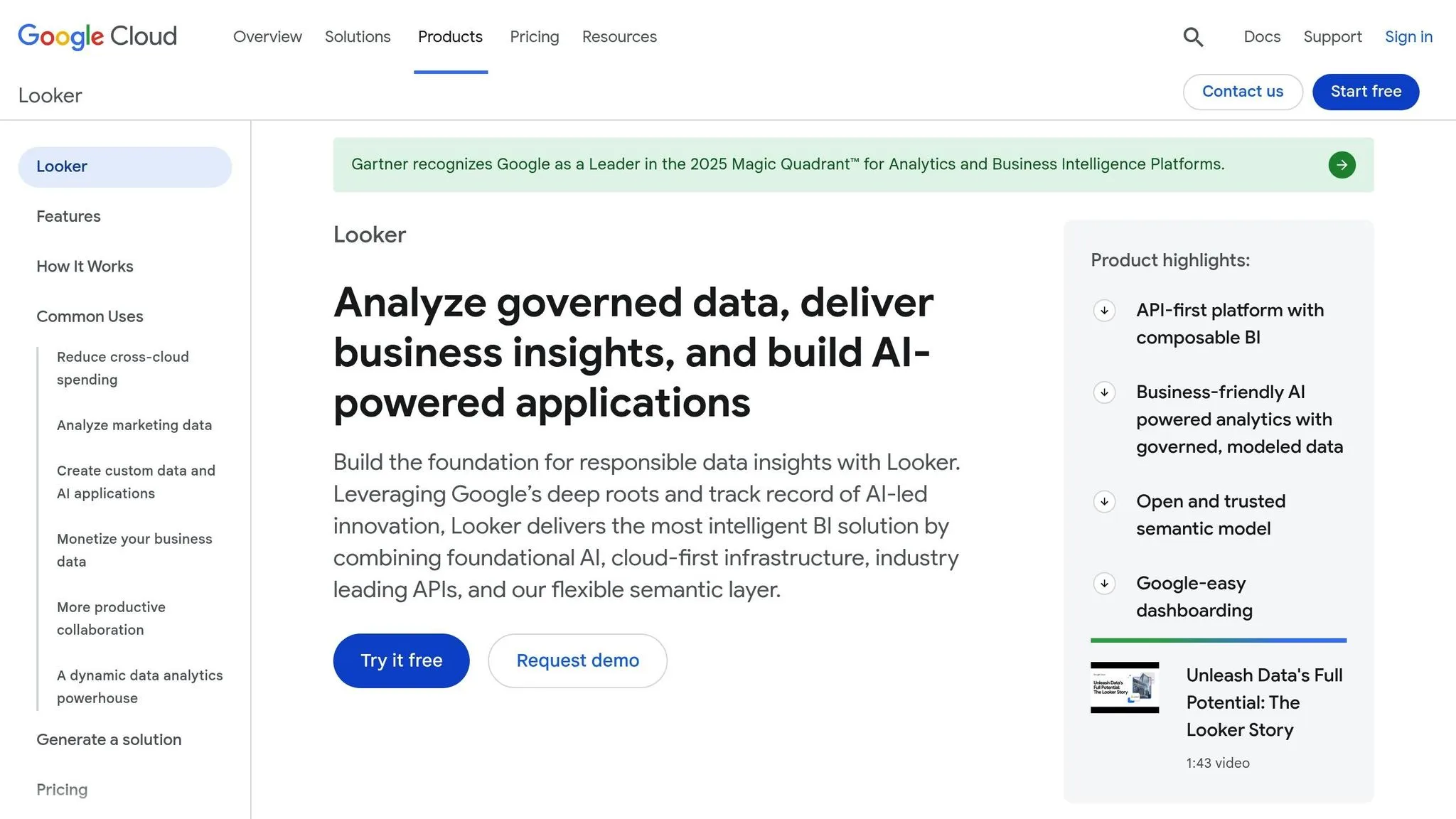
Looker takes a modern approach to analytics, emphasizing an API-first design that enables tailored data experiences and tight integration with Google Cloud services. Its seamless connection to tools like BigQuery, Vertex AI, and Google Cloud IAM ensures secure networking and single sign-on features. Recognized as a Leader in the 2025 Gartner Magic Quadrant for Analytics and Business Intelligence Platforms, Looker continues to prioritize data reliability and user-focused customization while leveraging the latest AI advancements [21].
AI Capabilities
Looker’s AI tools are designed to streamline workflows and simplify customization. The LookML Assistant can create parameters, dimensions, and measures from plain-English instructions within the Looker IDE [19][20]. Meanwhile, the Visualization Assistant translates plain-English prompts into JSON chart configurations [19][20]. Importantly, these features adhere to role permissions, and conversational analytics data remains within the Looker instance, confined to a single region to meet data residency rules [20]. Despite these strengths, 38% of G2 reviewers in 2025 noted performance challenges, particularly slow dashboard loading times when handling large datasets [19].
Integration Options
Looker offers Looker Blocks for Google Workspace, providing ready-to-use schemas and dashboards for Gmail, Drive, and Meet [21]. It also supports activation paths for the Google Marketing Platform, allowing users to create and deploy custom segments in tools like Google Analytics [21]. Many users appreciate the platform’s single source of truth, made possible by LookML and its API-driven design [22].
Scalability
Looker caters to businesses of all sizes with its tiered editions. The Standard Edition is ideal for smaller teams (fewer than 50 users), while the Enterprise and Embed Editions handle larger operations, supporting up to 100,000 and 500,000 query-based API calls per month, respectively [21].
Cost
Looker’s pricing structure includes platform costs for running the instance and user licensing fees. Licenses are divided into Developer, Standard, and Viewer tiers [21]. The Standard Edition is aimed at small organizations, while the Enterprise and Embed Editions offer expanded API limits and enhanced security features for larger-scale deployments [21].
7. Domo
Domo presents itself as an all-in-one platform designed to handle data ingestion, transformation, visualization, and action within a single, governed environment. It’s no stranger to recognition, having won six categories in the 2025 Technology Innovation Awards by Dresner Advisory Services, including Agentic AI [25]. With access to over 1,500 data connectors, Domo makes integrating data from fragmented tech stacks a breeze [23]. On February 19, 2026, the company announced it was exploring strategic alternatives aimed at enhancing shareholder value [25].
AI Capabilities
Domo’s AI focuses on agentic workflows that guide users toward actionable insights. Neil Corbett, Enterprise Account Executive at Domo, describes this approach:
"Our agentic solutions and workflows are looking at the data and prompting the user to take valuable actions and insights, so maintaining a human in the loop" [23].
The platform prioritizes assistive AI, offering tailored recommendations while ensuring users retain decision-making control. These AI agents can handle repetitive tasks, such as managing HR benefits inquiries or conducting competitive research, making them invaluable for teams navigating periods of rapid growth [23].
Integration Options
Domo’s Cloud Amplifier allows users to query live data directly from Snowflake, AWS, BigQuery, or Databricks without the need for replication, cutting down on costs [24]. A notable example of its application came in early 2026 when Opus Inspection, a U.S. vehicle inspection provider, adopted Domo’s AI and Data Products Platform alongside AWS. This deployment modernized safety and emissions programs by creating a standardized view of inspection data across varying state and county regulations, all while reducing infrastructure expenses [25]. This adaptability highlights Domo’s ability to integrate seamlessly with diverse data ecosystems.
Scalability
Thanks to its cloud-native architecture, Domo scales effortlessly alongside business growth. It’s built to accommodate teams ranging from 10 members to enterprises with over 1,000 users. The platform supports hybrid deployments, enabling data transformation within Domo or direct querying in existing data warehouses. Features like Personalized Data Permissions (PDP) ensure precise access control as user numbers grow, while compliance with SOC 2 Type II, CCPA, and GDPR standards meets the stringent security needs of enterprise clients.
8. Sisense
Sisense provides a developer-first embedded analytics platform, boasting over 1,000 connectors and an API-first structure that supports popular languages like JavaScript, Python, REST, React, Vue, and Angular [29][2]. With a 4.4/5 rating on AIChief and an "A" performance score for real-time, interactive content, it’s a strong contender in the analytics space [28].
AI Capabilities
Sisense Intelligence employs a dual-track AI strategy, combining conversational data exploration with contextual insights embedded within workflows [26]. The platform’s AI Assistant allows users to interact with data using natural language BI, while its Narratives feature generates text summaries for dashboard widgets automatically. A recent addition, the Sisense MCP Server, currently in beta, acts as a bridge for external AI agents. This tool enables natural language queries of Sisense data, producing styled charts effortlessly [27]. As Maor Aharoni and Maria Ciampa from the Sisense Product Team explain:
"The MCP Server acts as a hosted bridge, enabling AI assistants to connect directly to Sisense, allowing you to query your data, explore schemas, and generate charts, all through natural language" [27].
The platform also features Analytical AI tools like "Analyze It" for automated driver analysis, predictive modeling through Forecast, and AI-driven recommendations via Exploration Paths [26]. Tanya du Plessis, Chief Data Strategist at Bioforum, highlights the impact:
"With Sisense's AI capabilities, we are able to easily translate complex data, streamline interpretation (identifying gaps and trends in the data), and identify key impacts with speed that is changing the way we can react... during clinical trials" [29].
Integration Options
Sisense’s AI capabilities integrate seamlessly into existing systems. Developers can use the Compose SDK and REST APIs to embed AI-powered workflows into applications [26][28]. The platform supports both cloud and on-premises deployments, offering built-in ELT capabilities and the ability to connect to any source through SSH or live queries [29]. Devin Vyain, Senior Solutions Architect at Barrios, described their experience:
"We went from custom application development to the ability to rapidly change something on the dashboard and then publish it again in real-time within the production environment - without sacrificing any of the security" [29].
Scalability
Sisense offers flexible pricing and scaling options. The platform is structured across three tiers: Launch ($399/month, 20GB storage, 50 viewer seats), Grow ($1,299/month, 80GB storage, 100 viewer seats), and Scale (custom pricing, auto-scaling, 99.999% SLA) [30]. It caters to businesses of all sizes, from startups to enterprises, with features like elastic capacity, high concurrency, tenant isolation, and disaster recovery in the Scale tier. This flexibility ensures that organizations can align their deployment needs with their budget, while maintaining robust performance and governance.
Governance Features
Sisense prioritizes security and compliance, offering email-based two-factor authentication (2FA) for non-SSO users to meet GDPR, HIPAA, and SOC 2 standards [27]. The platform also includes granular role-based access controls and row- and column-level security [29]. Recent updates like "Outer Joins Control" ensure data integrity during modeling, while "Primary Filters" simplify dashboard scope for non-technical users [27]. For those interested in exploring the platform, Sisense provides a 7-day free trial, though final pricing depends on deployment type, data volume, and user count [27][28].
9. Metabase
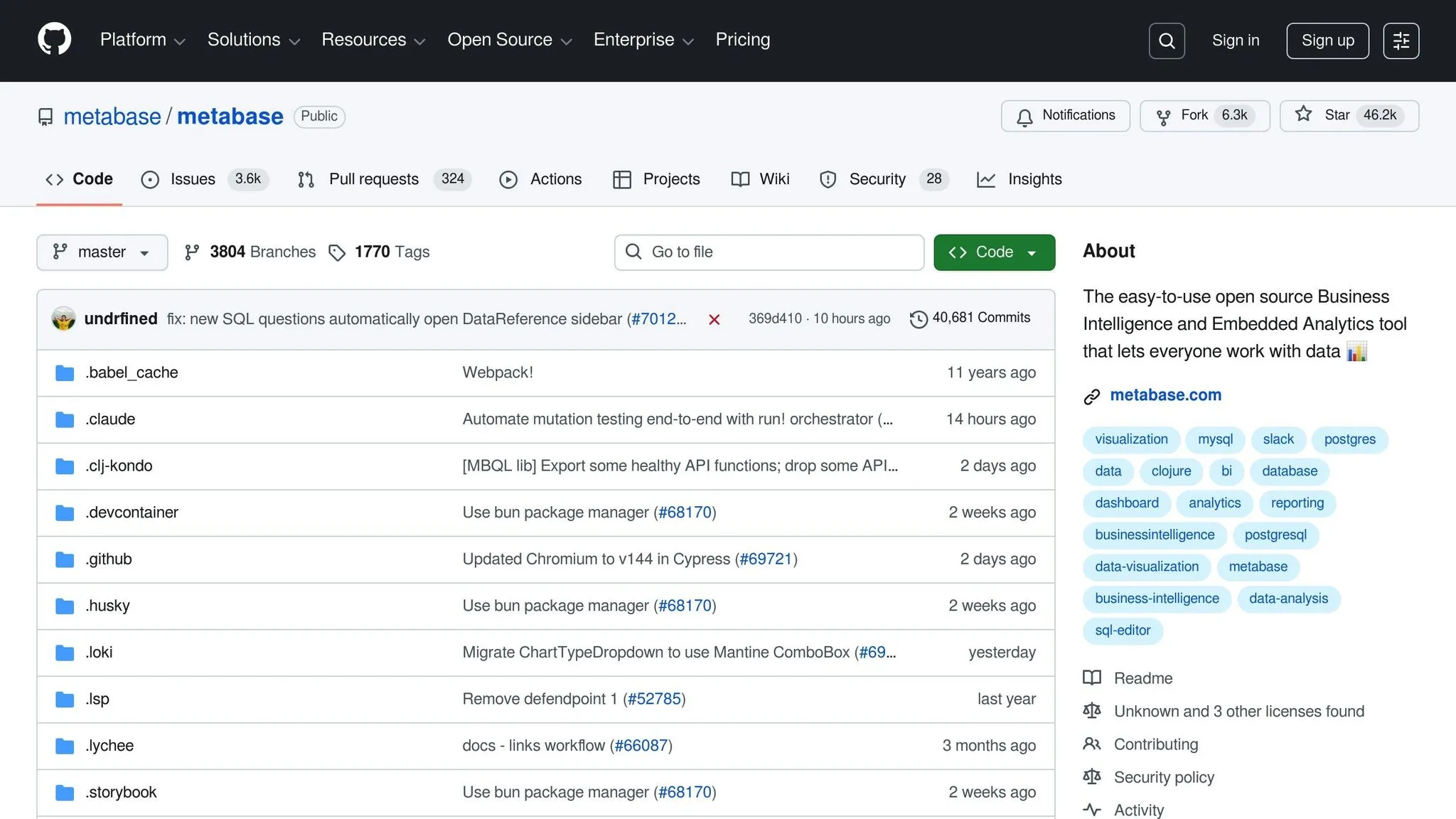
Metabase is an open-source analytics platform designed for SQL-savvy teams and startups. It holds a rating of 4.3/5 on AIChief [33]. The platform provides a free self-hosted version that supports unlimited users and full querying capabilities, making it an appealing option for organizations working with tight budgets [33]. For teams with technical expertise looking for cost-efficient analytics, Metabase covers the basics. Let’s take a closer look at its AI features and other offerings.
AI Capabilities
Metabase's AI functionality is powered by Metabot, an add-on available only with its paid plans. While Metabot offers basic AI assistance, its capabilities are relatively modest [31][32]. Importantly, Metabot is not included in the free open-source version and requires an additional purchase across Starter, Pro, and Enterprise plans [33]. This makes it a better fit for teams already proficient in SQL who need minimal AI support rather than advanced conversational analytics tools.
Integration Options
Metabase caters to both cloud-based and self-hosted setups. The Cloud version starts at $85 per month for 5 users [33]. For larger teams, the Pro Plan begins at $500 per month, offering features like SSO through SAML and Google, audit logging, and support for 10+ users [33]. If your organization needs advanced options like data sandboxing and a dedicated success manager, the Enterprise Plan is available with custom pricing [33]. Additionally, the platform supports interactive embedding, enabling teams to integrate analytics into applications, starting at $575 per month [32].
Governance Features
Governance capabilities in Metabase vary by pricing tier. The free open-source and Starter versions provide basic collection-level permissions. To access more robust options, such as row- and column-level security, teams need to upgrade to the Pro or Enterprise tiers [33]. Enterprise users also benefit from verified models, dedicated success engineers, and authentication options like SAML, JWT, and LDAP [33]. However, smaller teams may find it challenging to access these advanced security features without committing to higher-tier plans.
Cost
Metabase’s free open-source self-hosted version eliminates costs entirely for those willing to manage their own deployment. For cloud-based options, pricing starts at $85 per month, with enterprise-grade features available at custom rates [33]. While the free version is a great entry point, it lacks AI tools and advanced governance, which may be essential for some organizations [33].
10. Zoho Analytics
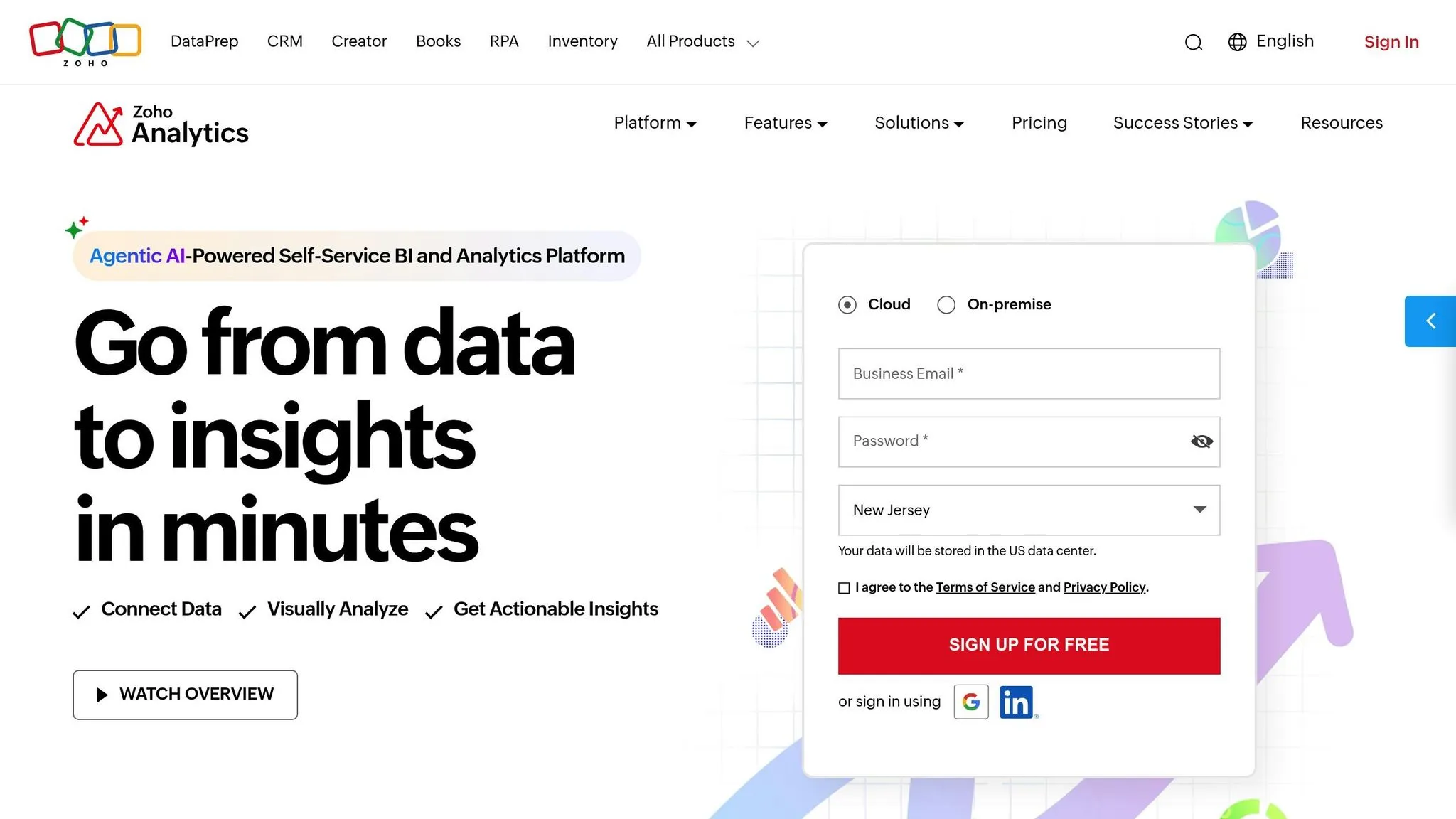
Zoho Analytics stands out as a cloud-based BI platform that combines affordability with advanced AI features. It boasts a 4.4/5 rating across G2, Capterra, and TrustRadius [34][36], and has earned a spot in the Gartner Magic Quadrant for Analytics and Business Intelligence Platforms for four consecutive years [34][35]. With 91% of users recommending it and reports of up to 50% productivity gains, Zoho Analytics is a solid option for businesses of all sizes [34].
AI Capabilities
Zoho Analytics simplifies data analysis by automating processes like building pipelines, creating reports, and generating predictive models. The platform’s conversational AI tool, Ask Zia, enables users to generate insights and build pipelines effortlessly. Meanwhile, Zia Insights provides narrative summaries, and AI Studio supports custom machine learning development using AutoML and Python-based tools [34][35][11]. Additionally, conversational AI analytics tools and Agentic AI enhances data preparation workflows. In 2026, Zoho introduced the MCP (Model Context Protocol) Server, which allows external AI agents and large language models (LLMs) to directly interact with Zoho Analytics for insights and data-driven actions [34][35].
"Whenever I have a new client meeting, I demonstrate the Ask Zia feature... Its quick reply or a visual fascinates my clients." - Craig Roxby, Managing Director, Magnify [36]
Integration Options
Zoho Analytics offers seamless integration with a wide range of databases and business applications, including Salesforce, HubSpot, QuickBooks, Zendesk, MySQL, Snowflake, and Amazon Redshift [34][35][37]. Its built-in Data Preparation Studio includes over 250 transformation functions and AI-recommended cleaning steps [34][37]. These features streamline data workflows and significantly reduce the time needed to create dashboards, often achieving results in just 1–3 days compared to the 2–4 weeks typical of competitors [37]. For instance, Versa Creative saved 5,000 man-hours annually by automating client reporting with Zoho Analytics [34].
"Zoho Analytics integration is very smooth. I found no hindrance while integrating other apps." - Greg Szabo, Co-founder and Operations Manager, Package Mate [35]
Scalability
Zoho Analytics is built to grow alongside businesses, accommodating increasing data volumes and user bases through its cloud-native design [34][37]. It offers an API-first approach for customization and can be deployed on public cloud platforms, on-premise setups, or private clouds like AWS, Azure, and Google Cloud [35]. Users can also select regional data centers (e.g., US, EU, India, Australia, China) for data residency [37]. With over 75 million reports created and support for 50+ visualization types, Zoho Analytics effectively handles large-scale operations while maintaining high performance [34][35].
Governance Features
Security and compliance are key strengths of Zoho Analytics. The platform includes fine-grained access controls, row- and column-level security, and detailed audit logs [34][35]. It complies with major standards such as SOC 2 Type II, GDPR, HIPAA, ISO 27001, and PCI DSS [37]. Enterprise users benefit from features like automated data backups, multiple admin roles, and white-labeling options [40][38].
Cost
Zoho Analytics is known for its affordability, offering a feature-rich Always Free plan for up to 2 users, 5 workspaces, and 10,000 rows [38]. Paid plans start at $8 per user per month, with the Standard Plan priced at $24 per month (billed annually) for 2 users and 0.5 million rows [11][37][38]. Additional users can be added for $8 per month, and viewer licenses are available for $4 per viewer per month (minimum of 25 viewers) [40]. A 15-day free trial is also available, requiring no credit card [34][35]. Cementos Progreso, for example, cut their dashboard creation time by 50% and reduced software costs by 30% after adopting Zoho Analytics [39].
"With Zoho Analytics, the time spent in creating charts, reports and dashboards went down by 50%. More importantly, our software expenses were reduced by 30%!" - Moises Ochoa, Application Engineer, Cementos Progreso [39]
Strengths and Weaknesses
This section highlights the key advantages and challenges of popular AI-powered BI tools, helping you weigh your options effectively. Here's a breakdown of each platform's standout features and potential drawbacks:
-
Power BI: With a commanding 30–36% market share [3], Power BI integrates effortlessly with Excel and Teams, making it a go-to for Microsoft-centric environments. However, its steep DAX learning curve can be a hurdle for teams lacking dedicated analysts [5][41].
-
Tableau: Known for its impressive visual storytelling and design flexibility, Tableau stands out in creating engaging dashboards. That said, its pricing can become a concern for companies scaling up [5][1].
-
ThoughtSpot: This platform shines in search-driven analytics, enabling users to query data intuitively. Still, it demands precise data modeling, which might challenge teams without strong data engineering expertise [5].
-
Looker: Looker's semantic layer ensures consistent data interpretation across teams. This is a core benefit of semantic layers in business intelligence. However, its LookML language requires specialized skills, adding a layer of complexity [41].
-
Domo: Domo is praised for its mobile-first dashboards, perfect for executives on the go. On the flip side, its proprietary ecosystem might lead to vendor lock-in, limiting flexibility [1].
-
Qlik Sense: Its associative data engine is excellent for uncovering insights through discovery. But the platform's learning curve can be steep for newcomers [5].
-
Sisense: Ideal for embedding analytics into customer-facing applications, Sisense offers powerful embedded analytics tools. However, its technical setup and maintenance can be resource-intensive [5][41].
-
Metabase: A favorite among startups, Metabase is simple to use and quick to set up. Yet, it lacks the advanced analytics capabilities required by larger enterprises [41].
-
Zoho Analytics: With its Zia assistant, Zoho Analytics combines affordability with AI-driven insights, making it a strong option for small to mid-sized businesses. However, its visualization options are less advanced, and its deep integration with Zoho tools may restrict compatibility with other platforms [1][5].
This comparison provides a snapshot of each tool's strengths and challenges, helping you align your choice with your team's needs and technical capabilities.
Conclusion
The next step in your journey is identifying the AI business intelligence tool that aligns perfectly with your organization's needs.
Selecting the right AI BI solution in 2026 requires a careful balance between your business requirements and the tool's capabilities. The best tools integrate effortlessly with your data ecosystem, ensure strong governance, and provide autonomous insights through advanced analytics. These features enable organizations - from small startups to large enterprises - to make faster, more informed decisions.
Trends suggest a growing reliance on AI agents capable of automating the entire data pipeline. This shift highlights the value of platforms offering automated root cause analysis, moving beyond simple chart generation to deliver deeper insights.
When narrowing down your options, think about your team's technical expertise, your current tech stack, and whether you need straightforward reporting or more advanced analytics driven by AI agents. For non-technical teams, natural language interfaces are ideal, while data science teams may prefer platforms with SQL and integrated notebooks. Additionally, governance tools - like standardized metric and semantic layers - are essential for avoiding inconsistencies and ensuring dependable insights [3][31].
Querio stands out by connecting directly to your live data warehouse, offering actionable insights through SQL and Python. Its combination of speed, precision, and governance features makes it a top choice for organizations aiming to advance their analytics capabilities.
FAQs
::: faq
Do AI BI tools query live warehouse data or copy it?
AI-powered BI tools work by directly querying live data from warehouses or other sources in real time. This method ensures the analysis reflects the most current information without the need to duplicate or store data in separate locations. By pulling insights directly from the source, these tools streamline processes and keep decision-making informed and timely. :::
::: faq
What data governance should I require for AI-generated insights?
To make AI-generated insights truly effective, data governance needs to cover several key areas. Start with semantic layer integration, which helps ensure that data is consistently defined and understood across your organization. Add data lineage visibility to track the journey of your data, making it easier to identify sources and transformations. And don’t forget compliance with standards like SOC 2, HIPAA, and GDPR - these are crucial for meeting regulatory requirements.
On the security side, implement strong measures like row-level security to control access to sensitive data and audit trails to monitor activity. These steps not only help maintain trust but also ensure you stay within the boundaries of regulatory expectations. :::
::: faq
How do I estimate total cost beyond per-user pricing?
When calculating the total cost of a business intelligence tool, it's important to look beyond just the per-user pricing. Factors like enterprise licensing fees, integration costs, scalability, and support services can significantly impact the overall expense.
For example, Querio has no per-seat pricing: unlimited users on every plan, with a free plan to start. This is different from tools that charge on a per-user basis. Additionally, some platforms may base their pricing on other variables, such as data volume, number of concurrent users, or extra features.
To get a clear picture of the total cost of ownership, make sure to account for all these elements when assessing your business intelligence needs. :::