Business Intelligence
Top AI Analytics Platforms Businesses Are Using Today
Compare 10 AI analytics platforms by natural language queries, data warehouse support, embedding, and no-code features to pick the best fit.

AI analytics platforms are changing how businesses analyze data. Unlike older tools, these platforms offer natural language queries, real-time insights, and predictive analytics, making data accessible to all teams. Here's a quick look at the top platforms businesses rely on in 2026:
- Querio: Translates plain English into SQL/Python, ensuring transparency and flexibility for technical teams.
- Tableau: Known for its drag-and-drop interface and AI-powered visualizations, seamlessly integrates with tools like Slack.
- Microsoft Power BI: Combines business intelligence with generative AI for intuitive data analysis and visualization.
- Qlik Sense: Uses an associative engine to uncover hidden data connections and offers conversational AI insights.
- Sisense: Embeds analytics into workflows with natural language queries and no-code tools.
- Google Looker: API-first platform with a strong focus on embedding and real-time data access.
- ThoughtSpot: Simplifies complex queries with natural language search and automated insights.
- Tellius: Combines conversational analytics with powerful AI-driven insights for root cause analysis.
- TIBCO Spotfire: Processes live data streams for real-time analytics and operational workflows.
- KNIME: Visual workflow builder with drag-and-drop tools for easy data analysis.
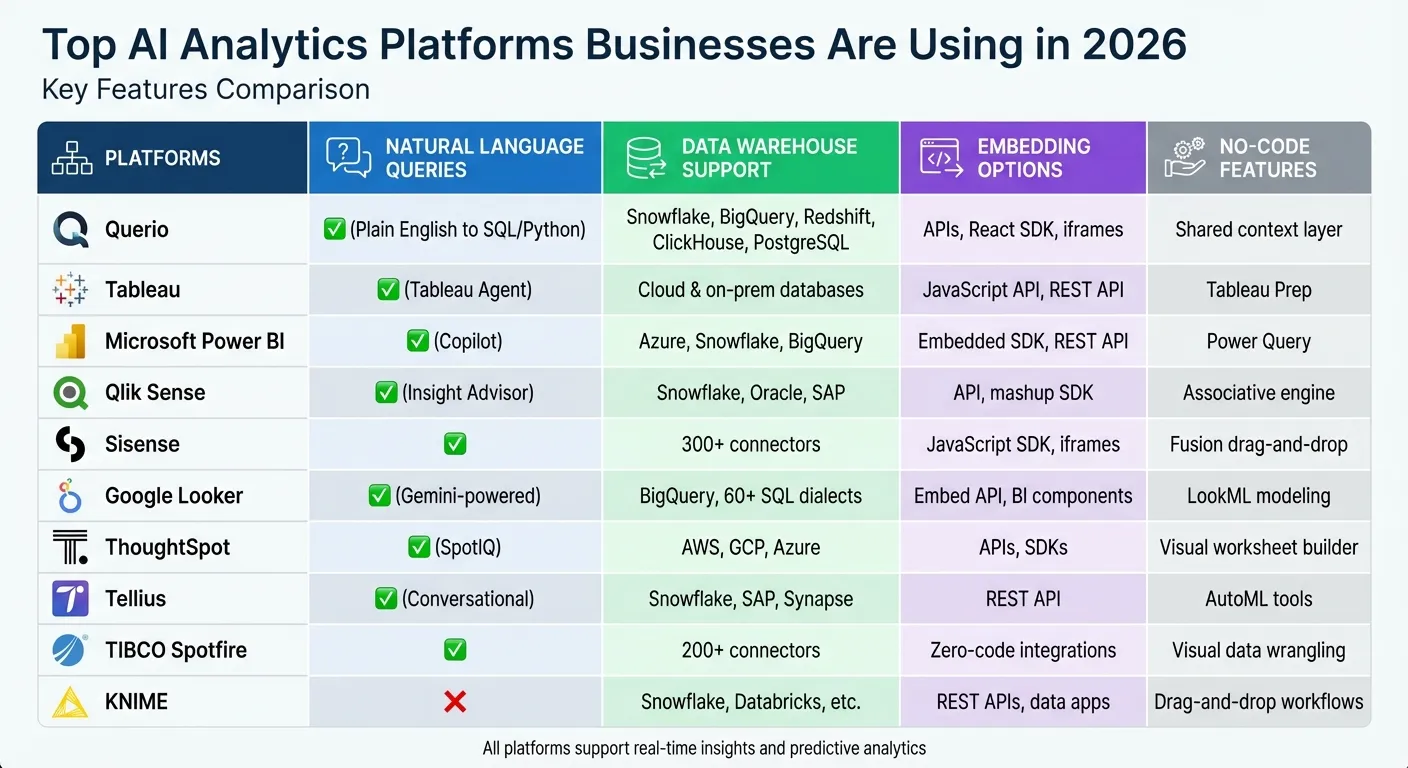
Each platform offers unique features tailored to different business needs, from natural language processing to seamless integration with modern data warehouses. Below is a quick comparison of their key capabilities:
Quick Comparison
| Platform | Natural Language Queries | Data Warehouse Support | Embedding Options | No-Code Features |
|---|---|---|---|---|
| Querio | Yes | Snowflake, BigQuery, etc. | APIs, React SDK | Shared context layer |
| Tableau | Yes | Cloud & on-prem databases | JavaScript, REST API | Tableau Prep |
| Microsoft Power BI | Yes | Azure, Snowflake, BigQuery | Embedded SDK, REST API | Power Query |
| Qlik Sense | Yes | Snowflake, Oracle, SAP | API, mashup SDK | Associative engine |
| Sisense | Yes | 300+ connectors | JavaScript SDK, iframes | Fusion drag-and-drop |
| Google Looker | Yes | BigQuery, 60+ SQL dialects | Embed API, BI components | LookML modeling |
| ThoughtSpot | Yes | AWS, GCP, Azure | APIs, SDKs | Visual worksheet builder |
| Tellius | Yes | Snowflake, SAP, Synapse | REST API | AutoML tools |
| TIBCO Spotfire | Yes | 200+ connectors | Zero-code integrations | Visual data wrangling |
| KNIME | No | Snowflake, Databricks, etc. | REST APIs, data apps | Drag-and-drop workflows |
These platforms make analytics faster, easier, and more accessible. Whether you're looking for transparency, embedding options, or advanced AI tools, there's a solution for every business.
1. Querio
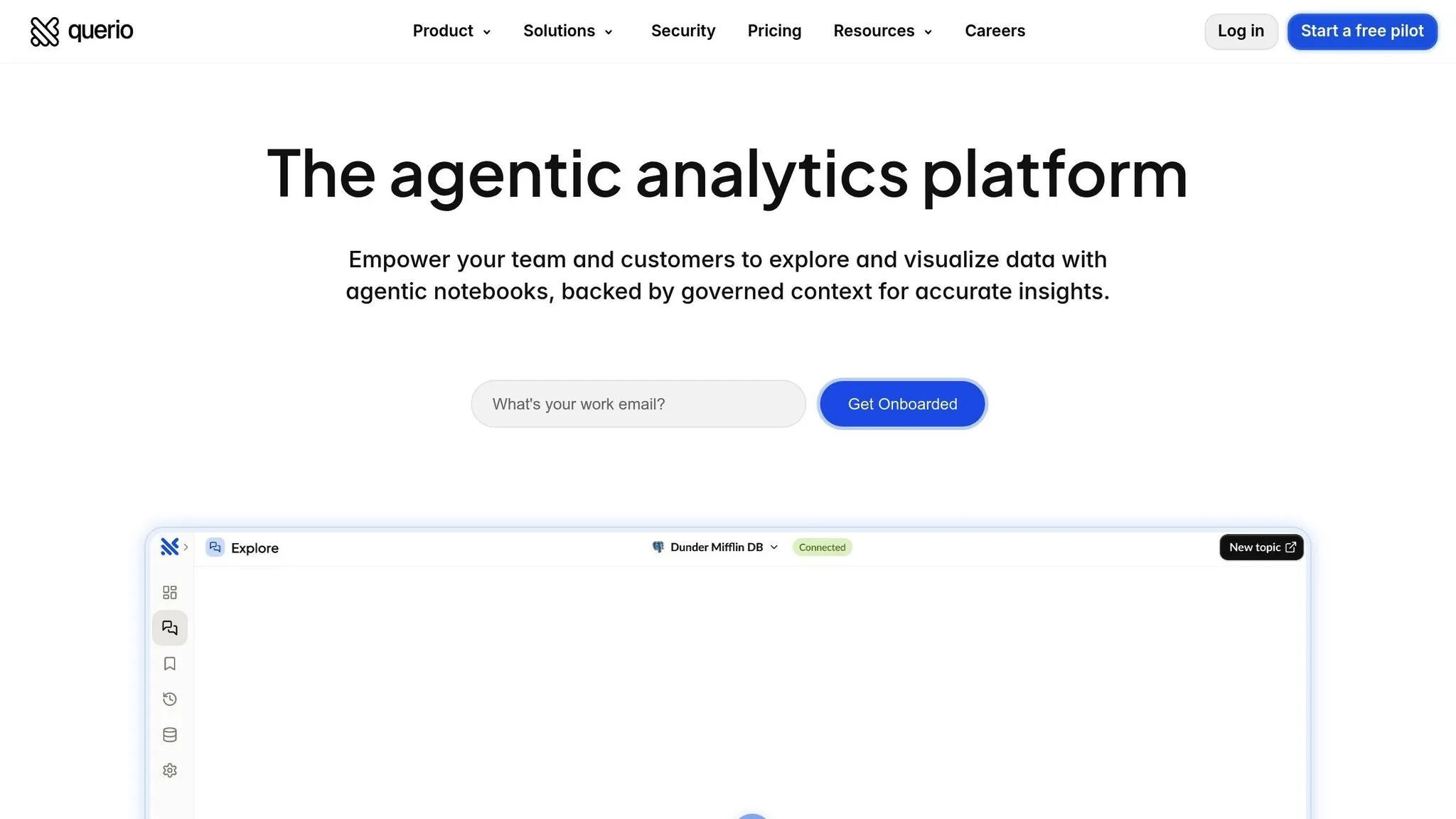
Querio stands out among AI analytics platforms by offering a transparent, code-driven approach to data insights. Instead of relying on opaque, black-box AI responses, Querio directly interacts with your data warehouse, providing verifiable SQL and Python code for every query. When you ask a question in plain English, Querio delivers answers you can trust, with logic that analysts can review and modify as needed.
Natural Language Query Support
Querio's AI agents excel at turning plain-English questions into executable code. With multi-turn conversation capabilities, you can start with a broad query and refine it with follow-ups without losing context. For instance, you might ask, "What were our top-selling products last quarter?" and then follow up with, "Can you break that down by region for the top three?" - all without repeating yourself [1]. Alongside each answer, Querio provides the generated SQL or Python, ensuring technical teams can verify or tweak the logic for future use.
Data Warehouse Compatibility
Querio integrates seamlessly with popular data warehouses like Snowflake, Google BigQuery, Amazon Redshift, ClickHouse, and PostgreSQL. Using read-only access, it runs queries directly against your live data, eliminating the need for extraction or duplication. This setup avoids the delays and costs of ETL processes, keeping your data secure and exactly where it belongs. Plus, the setup process is straightforward and secure.
No-Code/Low-Code Options
Querio caters to both technical and non-technical users. Non-technical users can ask questions in plain English, while analysts benefit from reactive notebooks that update automatically with fresh data. The platform also features a shared context layer where data teams can define joins, metrics, and business terms once. These definitions apply consistently across all queries, dashboards, and analytics. For example, when marketing asks about "customer lifetime value", they'll get the same calculation finance uses - without needing to understand the SQL behind it.
Embedding Capabilities
Querio makes it easy to bring governed analytics into customer-facing applications through APIs and iframes. Dashboards and scheduled reports pull directly from live warehouse data, ensuring consistency with internal reporting. Thanks to its semantic layer, you won't have to maintain separate logic for internal tools and external products - everything stays aligned, reducing redundancy and errors.
2. Tableau
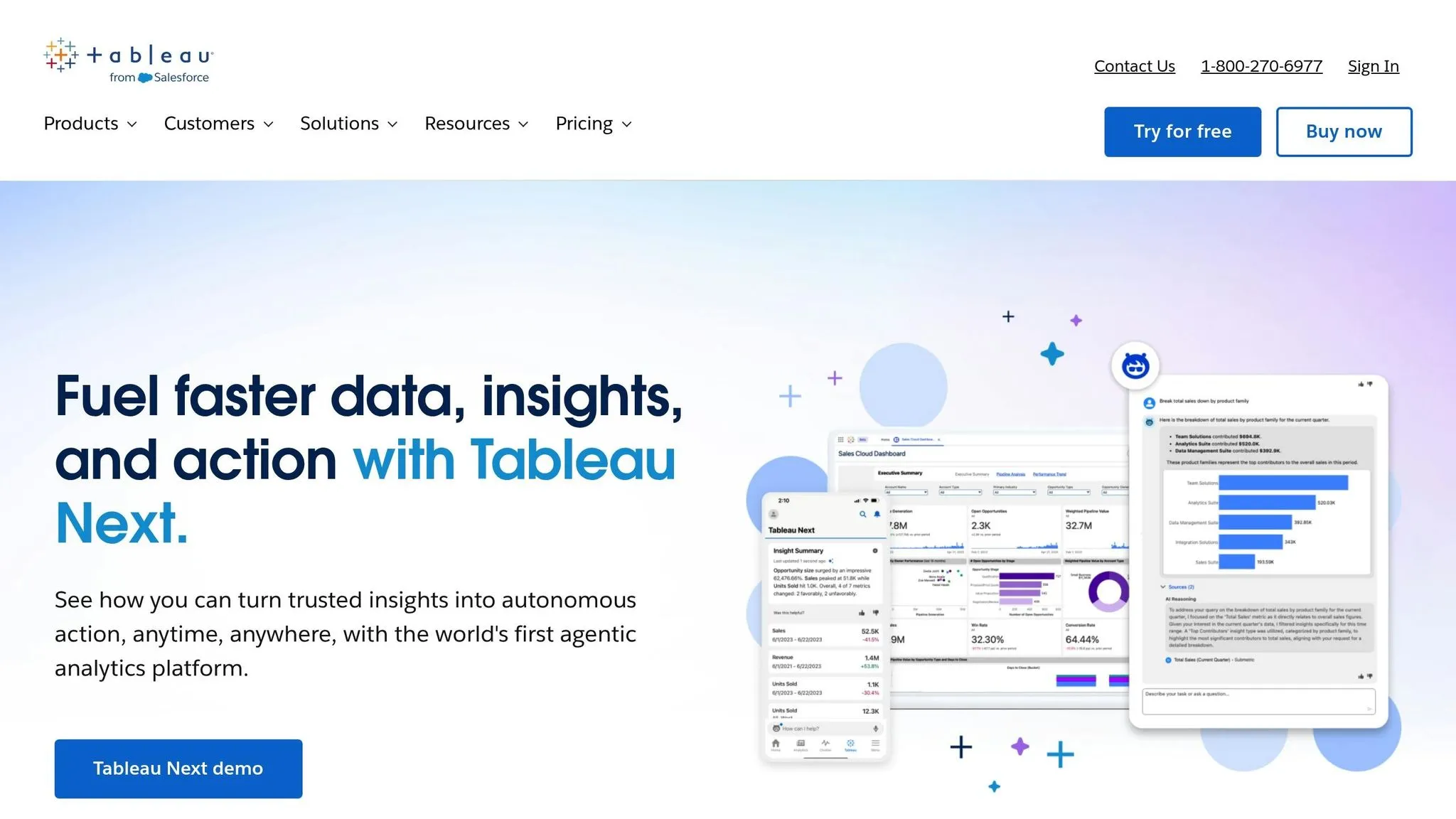
Tableau stands out with its drag-and-drop interface and advanced AI features, making data analysis more intuitive. Its generative AI assistant, Tableau Agent, allows users to turn natural language prompts into visualizations and calculations - no coding required. This makes it easier to uncover insights and make data-driven decisions.
Natural Language Query Support
Tableau Pulse integrates seamlessly with tools like Slack, Microsoft Teams, and email, delivering automated insights directly into your team's workflow. It uses natural language to explain the reasons behind data changes, making complex information easier to understand. Adam Mico, Moderna's Principal of Data Visualization Enablement, highlighted its effectiveness:
"It delivers straightforward and digestible insights for business users in their flow of work, enabling faster and more informed decision making." [6]
Additionally, the VizQL Data Service empowers developers by translating natural language queries into programmatic requests, offering access to Tableau data sources without requiring visualizations.
Data Warehouse Compatibility
Tableau connects effortlessly to a wide range of data sources, from cloud-based data warehouses to on-premises databases. It also integrates natively with Salesforce CRM. Users can choose deployment options that suit their needs, whether through Tableau Cloud, Tableau Server for on-premises use, or Tableau Desktop for offline analysis. By combining data from various sources, Tableau provides a unified view for actionable insights. For instance, Jaguar Land Rover reported generating around $315 million in business value through Tableau, and KeyBank enabled 10,000 employees to access actionable insights [5]. Tableau's capabilities earned it recognition as a Leader in Gartner’s 2025 Magic Quadrant for Analytics and BI Platforms [5].
No-Code/Low-Code Options
Tableau's VizQL engine simplifies data interaction by converting drag-and-drop actions into back-end queries, eliminating the need for SQL knowledge. Tableau Agent further streamlines workflows by generating one-click descriptions for workbooks and tables, reducing technical debt. Users of Salesforce augmented analytics reported a 32% increase in productivity and a 26% reduction in analysis time [6]. The Concierge Skill helps users identify root causes through conversational ai analytics tools, while the Inspector Skill actively monitors metrics and flags anomalies.
Embedding Capabilities
Developers can embed analytics into custom AI agents and business applications using the Tableau Model Context Protocol (MCP). All AI-driven analysis operates through the Agentforce Trust Layer, ensuring strong data security and governance. For added flexibility, developers can leverage the open-source Tableau LangChain project to build custom agents capable of querying Tableau data sources within secure boundaries.
3. Microsoft Power BI
Microsoft Power BI combines business intelligence with generative AI to deliver faster and more intuitive data analysis. Recognized as a Leader in Gartner's Magic Quadrant for Analytics and Business Intelligence Platforms for an impressive 17 years straight[9], it stands out for making advanced analytics accessible to users, regardless of their technical expertise.
Natural Language Query Support
Power BI's Copilot feature allows users to interact with their data in plain, everyday language. For instance, you can type, "Show me sales by region", and Copilot will instantly generate visualizations. It even creates and explains DAX queries to provide deeper insights[8].
Microsoft is gradually phasing out its older Q&A feature in favor of Copilot's advanced generative AI capabilities, with plans to retire the traditional Q&A experience by December 2026[7]. To get the most out of this feature, it's important to prepare data with clear naming conventions and defined relationships. When switching topics during a session, using the "clear chat" option ensures better results.
This conversational approach simplifies complex data tasks, making integration and analysis more seamless.
Data Warehouse Compatibility
Power BI excels at connecting to a wide range of data sources. It integrates effortlessly with cloud-based warehouses like Snowflake, Google BigQuery, and Amazon Redshift, as well as traditional databases such as SQL Server, Oracle, MySQL, and PostgreSQL[11]. Additionally, its native integration with Microsoft Fabric lets users access data directly through OneLake, eliminating the need to move or duplicate information.
Jerod Ridge, Director of Data Engineering at Lumen, shared that Microsoft-powered automation helped his team save nearly 10,000 manual hours in just one year[8].
At Dener Motorsport, CEO Dener Pires reported cutting race car data analysis time from 30 minutes to just a few minutes by utilizing real-time analytics within Microsoft Fabric[10]. A 2024 Forrester study highlighted that organizations using Microsoft Fabric saw an impressive 379% return on investment[9].
No-Code/Low-Code Options
Power BI's drag-and-drop interface enables users to create interactive visuals without writing a single line of code, making it one of the leading low-code data analysis tools available today. The Power Query Editor provides a user-friendly way to clean and transform data from multiple sources, with intuitive point-and-click actions for shaping datasets. Copilot takes this a step further by generating entire report pages or summaries based on natural language prompts, making AI analytics tools for non-technical users more accessible[8].
This combination of simplicity and power ensures that anyone, from data novices to seasoned analysts, can unlock insights with ease.
4. Qlik Sense
Qlik Sense delivers a fresh approach to analytics by using its associative engine to uncover data connections that traditional query-based tools often overlook. Unlike rigid, predefined dashboards, this platform allows users to explore data freely, offering flexibility and deeper insights.
Natural Language Query Support
One standout feature of Qlik Sense is its Insight Advisor, an AI assistant designed to interpret plain English questions and turn them into actionable visualizations. For example, you can ask, "What's causing our revenue drop in the Northeast?" and immediately receive tailored charts and insights. Over time, the assistant learns from user interactions, making its suggestions even more relevant.
Data Warehouse Compatibility
Qlik Sense effortlessly integrates with popular cloud data warehouses like Snowflake, Amazon Redshift, Google BigQuery, and Azure Synapse Analytics. It also works seamlessly with traditional databases such as Oracle, SQL Server, and PostgreSQL, and connects to SaaS tools like Salesforce and SAP. Its integration capabilities allow businesses to merge data from multiple sources without physically moving it, ensuring a single source of truth while adhering to existing data governance rules.
No-Code/Low-Code Options
With its drag-and-drop interface, Qlik Sense empowers users to create interactive dashboards without needing any coding skills, utilizing essential features of modern business intelligence tools. The Insight Advisor takes things a step further by automatically generating visualizations based on selected data, recommending the best chart types and dimensions. Users can easily tweak these AI-generated visuals by adjusting filters and parameters through a simple, user-friendly interface - no scripting required.
5. Sisense
Sisense integrates analytics directly into business applications, delivering AI-driven insights right where you need them - within your daily workflow. With more than 500 5-star reviews for its embedded analytics tools and capabilities, the platform has earned a reputation for seamlessly fitting into existing processes [13]. Let’s take a closer look at some of its standout features.
Natural Language Query Support
With the Sisense Assistant, users can ask questions in plain English and get instant, actionable answers using natural language data querying tools. Tanya du Plessis, Chief Data Strategist and Solutions Officer at Bioforum, sums it up perfectly:
"With Sisense's AI capabilities, we are able to easily translate complex data, streamline interpretation, identify key impacts swiftly during clinical trials." [13]
This feature makes it easier than ever to extract meaningful insights without needing advanced technical skills.
Data Warehouse Compatibility
Sisense connects to over 400 data sources, including relational databases and modern cloud warehouses [12]. Its live connection capabilities ensure your data stays current, eliminating the need for constant manual updates. This means businesses can pull insights from multiple sources at once, streamlining decision-making.
Embedding Capabilities
Sisense offers flexible embedding options, including iFrames, an Embed SDK, and a developer-focused Compose SDK [21, 24]. The Sisense Intelligence feature takes this further by embedding AI-powered conversational analytics directly into applications. Users can interact with their data using natural language, all without leaving their workflow. Developers also retain full control over the design, ensuring that embedded visualizations align perfectly with the host application's style [13].
No-Code/Low-Code Options
Sisense simplifies data blending with a drag-and-drop interface and no-code modeling tools [12]. Its Narrative feature generates text summaries of complex data automatically, while the AI assistant enables analytics creation through simple conversations [13]. Devin Vyain, Senior Solutions Architect at Barrios, highlights the platform's flexibility:
"We went from custom application development to the ability to rapidly change something on the dashboard and then publish it again in real-time within the production environment - without sacrificing any of the security." [13]
These tools make it easy for teams to adapt and innovate, even without extensive coding knowledge.
6. Google Looker
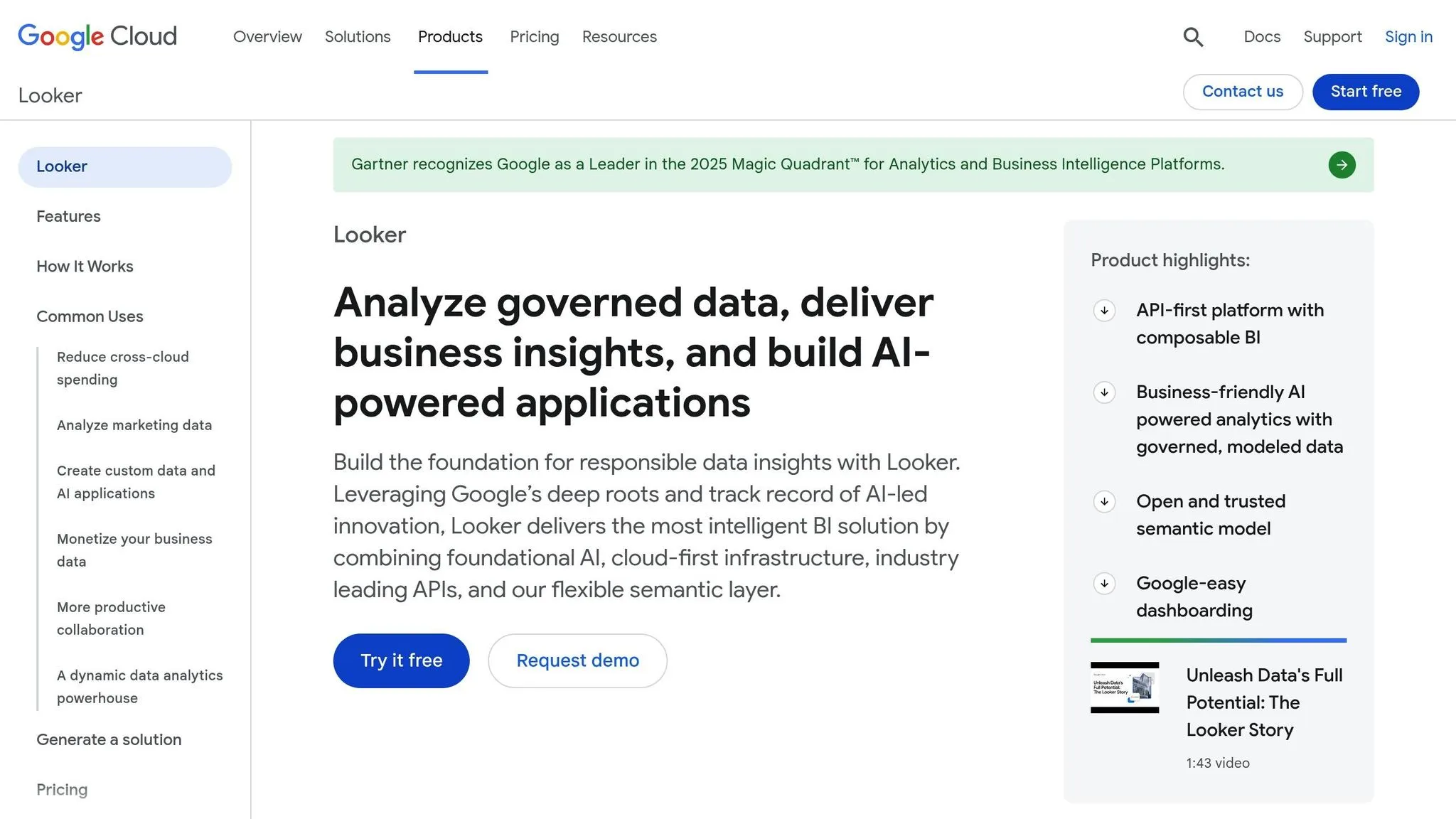
Google Looker boasts an API-first architecture, allowing businesses to seamlessly embed analytics into their applications. Its in-database design ensures that data stays within its original warehouse - whether it's BigQuery, Snowflake, or Postgres - offering secure and real-time access to information [14]. Here's a closer look at its standout features.
Natural Language Query Support
With Conversational Analytics, powered by Gemini, Looker enables users to interact with data using plain English. Whether through a chat interface or API, you can ask questions like, "What's our churn rate by region?" and receive instant visualizations. Thanks to its semantic layer, the platform reduces data errors in natural language queries by up to 66%, ensuring more accurate insights [16].
Data Warehouse Compatibility
Looker’s universal semantic layer (LookML) ensures consistent metrics across all tools and departments. Teams can define metrics once, creating a unified source of truth that eliminates discrepancies in reporting [14]. Looker Studio expands on this by offering access to over 1,000 data sources and connectors, while the core platform supports multicloud and hybrid setups, helping businesses manage cross-cloud costs with ease [14].
Embedding Capabilities
Looker provides advanced embedding options such as SSO for secure access, full white-labeling, and a powerful Embed SDK [14]. Google Cloud highlights the importance of embedding analytics:
"Embedded analytics goes beyond placing dashboards in apps. It's about transforming data into deeply integrated, value-driving experiences." [14]
The Looker Embed Edition supports up to 500,000 query-based API calls and 100,000 administrative API calls monthly [14]. Developers can also leverage Vertex AI extensions to create custom AI workflows directly within Looker.
No-Code/Low-Code Options
Looker Studio includes a free drag-and-drop editor with pre-built templates, while Looker Studio Pro is available for $9 per user, per project, per month [15]. The platform also features AI-powered tools that convert natural language prompts into LookML code or visualizations. Google’s leadership in analytics is underscored by its recognition as a Leader in the 2025 Gartner Magic Quadrant for Analytics and Business Intelligence Platforms for the second year in a row [16].
7. ThoughtSpot
ThoughtSpot is all about making data analytics accessible to everyone. Its platform allows users to ask data-related questions in plain English - no need to know SQL. It translates these questions into complex queries and presents the answers visually, making it easier for non-technical users to get the insights they need quickly by using AI in data analytics [17][19].
Natural Language Query Support
With ThoughtSpot's natural language engine, you can type something as straightforward as "What were our sales by region last quarter?" and instantly see visualized results. In July 2025, the company introduced Spotter, an AI agent designed specifically for business intelligence tasks [18]. Meanwhile, SpotIQ, their automated engine, works in the background, identifying anomalies and highlighting trends without any manual effort [17].
Data Warehouse Compatibility
ThoughtSpot's platform doesn’t just simplify queries - it also ensures seamless data connectivity. It connects directly to major cloud platforms like Amazon Web Services (AWS), Google Cloud Platform (GCP), and Microsoft Azure [18]. Using a zero-copy approach, it queries your data warehouses in real time, so your data stays exactly where it is. The Pro tier supports handling up to 500 million rows of data, while the Enterprise tier is built to manage unlimited data volumes [19].
Embedding Capabilities
ThoughtSpot goes beyond simple analytics by embedding its tools directly into your applications. With ThoughtSpot Everywhere, developers can integrate search-driven analytics into custom apps [18]. This means end users can access detailed insights directly within the tools they’re already using.
No-Code/Low-Code Options
For those looking to get started, ThoughtSpot offers a free Developer tier, which includes 5 users, up to 3 million rows of data, and natural language search functionality [19]. The Essentials plan, priced at $1,250 per month, supports 20 users, up to 25 million rows, and automated insights [19]. Larger organizations can opt for the Pro or Enterprise tiers, which offer custom pricing, expanded data capacities, and advanced security features [19].
8. Tellius
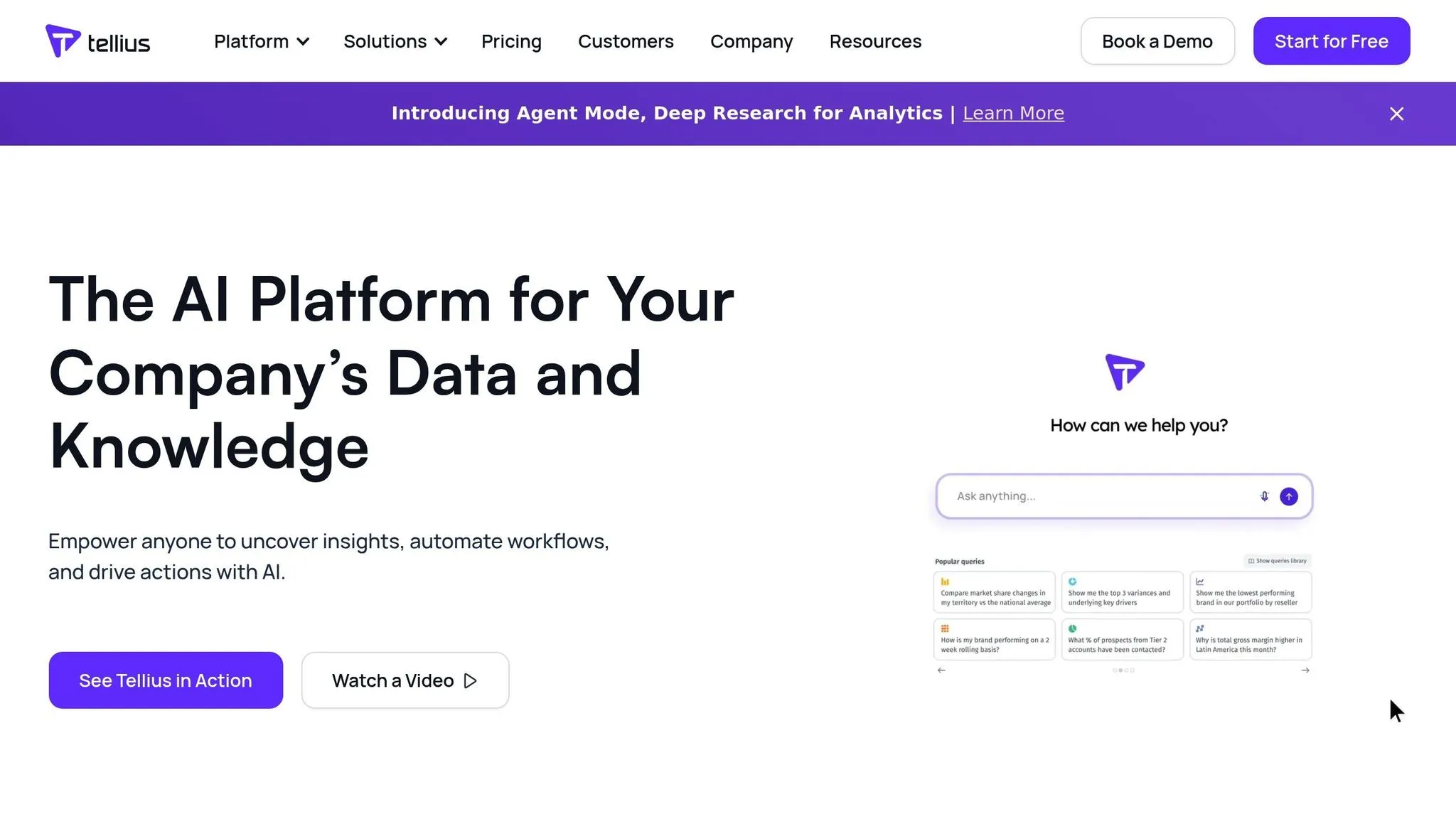
Tellius brings AI-powered analytics to your fingertips through an conversational AI data analyst chatbot interface. With this platform, you can ask questions about your data in plain English, making complex analysis accessible - even for teams without advanced technical backgrounds.
Natural Language Query Support
Think of Tellius as your data-savvy assistant, much like ChatGPT but tailored for enterprise analytics. You can ask multi-step questions, dig into specifics, and uncover insights - all within the same conversation. For instance, if you inquire about performance dips, Tellius can sift through billions of data points to identify root causes, key drivers, and anomalies. It even adapts to your internal language, such as interpreting "GBs" as gross bookings, ensuring results are precise and relevant.
"Every time an executive asks about performance dips, we show them the chain of insights and next-step workflows - no more pivot table nightmares." - Head of Business Intelligence, Global Consumer Goods [20]
This conversational approach simplifies the entire process, eliminating the headaches often associated with traditional data tools.
Data Warehouse Compatibility
Tellius integrates seamlessly with your existing data infrastructure. There's no need to move data around; instead, the platform uses data federation to unify sources like claims, sales, and operational data. Plus, you get flexible hosting options, including the ability to keep your data secure within your own Virtual Private Cloud - perfect for organizations prioritizing compliance and security.
No-Code/Low-Code Options
Tellius empowers business users with its no-code data preparation tools and autoML features for predictive analytics. This means even non-technical teams can perform advanced analyses without writing a single line of code. Companies using Tellius have reported an 88% reduction in manual tasks and a 95% cut in analysis time, leading to insights that are 10x faster and increasing analytics adoption by 5x across teams [21].
"Automating routine tasks freed up 20 hours a month for each analyst. They can finally focus on strategy, not data wrangling." - BI & Analytics Manager, Healthcare [20]
9. TIBCO Spotfire
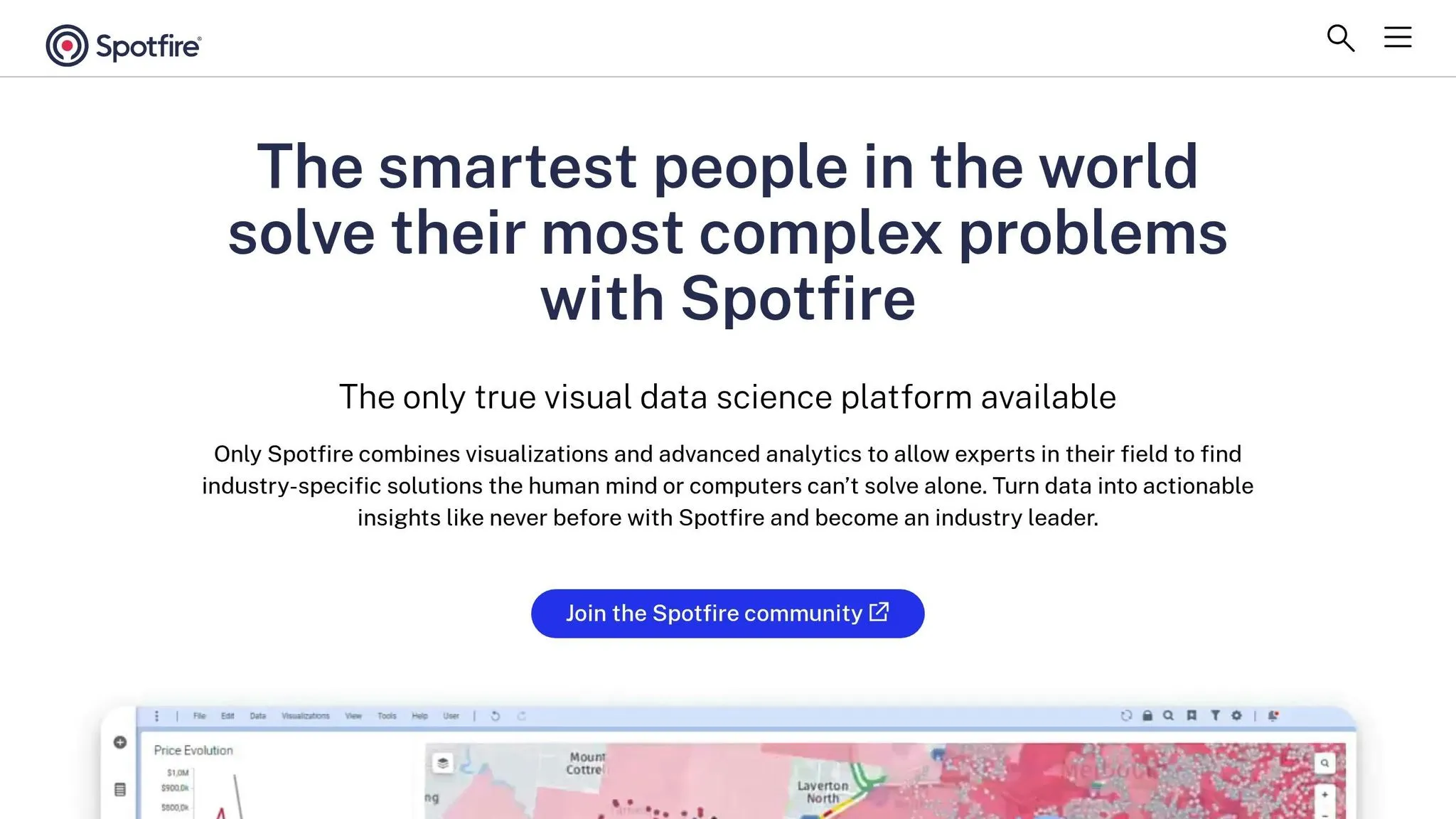
TIBCO Spotfire continues to lead the way in AI-powered analytics, offering real-time analysis that can be seamlessly embedded into operational workflows. Whether you're designing customer portals or internal dashboards, Spotfire efficiently processes live data streams, making it a versatile tool for businesses.
Data Warehouse Compatibility
With over 200 prebuilt connectors, Spotfire integrates effortlessly with your existing data infrastructure, from traditional databases to warehouse-native data analysis tools [23]. It allows you to visualize and link data tables from various sources - like GIS systems, live feeds, and spatial files - within a single, unified workspace [24]. Spotfire's native visual data wrangling tools enable teams to clean, combine, and organize raw datasets directly within the analytics environment, all without altering the original data [24]. This level of connectivity ensures smooth integration into virtually any application setup.
Embedding Capabilities
Spotfire makes embedding analytics into business applications straightforward. With support for MCP Server and Zero-Code MCP Server integrations, you can add analytics functions without requiring extensive development work [22]. This feature is especially useful for embedding real-time analysis into customer-facing platforms and operational tools, providing users with instant insights at their fingertips.
No-Code/Low-Code Options
Spotfire's user-friendly interface includes point-and-click tools that empower business users to create visualizations and perform predictive analytics without needing to write code. The platform also supports streaming data and offers multiple editions to suit a range of analytics needs, ensuring flexibility as business requirements evolve.
10. KNIME
KNIME simplifies AI-powered analytics for businesses with its visual workflow interface, reducing the need for extensive coding. It uses a drag-and-drop node system, where each node performs a specific task like reading data, transforming it, or generating predictions. With over 300 connectors to popular data sources like Snowflake, Databricks, Google BigQuery, and Amazon Redshift, KNIME integrates smoothly into existing enterprise systems, making it a versatile tool for data-driven organizations [26].
No-Code/Low-Code Options
KNIME’s user-friendly design makes it accessible even to those without technical expertise. Its no-code features allow users to build workflows with ease. Allan Luk, Director of Data Science and Analytics Business Solutions, highlights its effectiveness:
"KNIME is easy to learn and adopt and is an integral part of our corporate Citizen Data Scientist training program. We've had engineers go from complete beginners to analytics practitioners within a few months." [25]
Additionally, the K-AI assistant accelerates workflow creation by using natural language prompts. For even more support, the KNIME Community Hub offers access to over 14,000 pre-built data science solutions, backed by a community of more than 100,000 users [26].
Data Warehouse Compatibility
KNIME enhances its workflow capabilities with seamless data storage integration. Its in-database processing allows tasks like aggregation, sorting, and filtering to happen directly within data warehouses, cutting down on transfer times. It also connects with enterprise systems such as SAP, Oracle, Salesforce, and Microsoft 365, as well as visualization tools like Power BI and Tableau, ensuring smooth reporting processes [26].
Embedding Capabilities
KNIME enables organizations to share insights widely by deploying workflows as REST APIs or interactive data apps. This approach ensures that insights are accessible across teams without revealing the underlying logic. While the KNIME Analytics Platform is free and open-source for individual users, the KNIME Business Hub offers enterprise-level features like centralized administration, role-based access control, and audit trails - ideal for larger teams that need robust security and scalability [26].
Platform Comparison Table
This table highlights the key features and capabilities of various AI analytics platforms, helping you find the one that best aligns with your workflow and needs. It compares ten platforms based on their ability to handle natural language queries, support for data warehouses, embedding options, and no-code functionality.
Querio stands out by translating plain English questions into SQL or Python code while offering inspectable code for transparency. Developers will appreciate its React SDK and theme tokens, which simplify embedding and ensure seamless integration with their design systems. Meanwhile, Tableau and Microsoft Power BI excel in visualization libraries but may require more manual effort for embedding.
For natural language search, ThoughtSpot shines with its SpotIQ engine, while Google Looker focuses on an API-first approach, catering to developers building custom applications. Platforms like Qlik Sense and Sisense prioritize associative models and embedded analytics tailored for multi-tenant setups. KNIME offers a drag-and-drop interface for visual workflows, and TIBCO Spotfire and Tellius combine advanced analytics with traditional business intelligence tools.
| Platform | Natural Language Queries | Data Warehouse Support | Embedding Options | No-Code Capabilities |
|---|---|---|---|---|
| Querio | Converts plain-English questions to SQL/Python code | Snowflake, BigQuery, Redshift, ClickHouse, PostgreSQL | Developer-friendly tools: React SDK, APIs, iframes | Context layer for shared metrics |
| Tableau | Natural language interface with 100+ connectors | Snowflake, BigQuery, and other cloud warehouses | JavaScript API, REST API, iframes | Tableau Prep for visual data prep |
| Microsoft Power BI | Q&A visual with natural language | Azure Synapse, Snowflake, BigQuery via connectors | Power BI Embedded SDK, REST API | Power Query for data transformation |
| Qlik Sense | Insight Advisor (conversational AI) | Snowflake, Redshift, SAP HANA, Oracle | Qlik Embed SDK, mashup API | Associative engine with auto-associations |
| Sisense | Natural Language Query (NLQ) | 300+ connectors including cloud warehouses | JavaScript SDK, REST API, iframes | Sisense Fusion for drag-and-drop |
| Google Looker | Basic natural language support | Native BigQuery, 60+ SQL dialects via LookML | Looker Embed API, composable BI components | LookML for semantic modeling |
| ThoughtSpot | Search & AI-Powered Analytics (SpotIQ) | Snowflake, Databricks, BigQuery, Redshift | APIs, SDKs, MCP Server | Visual worksheet builder |
| Tellius | Conversational search interface | Snowflake, Redshift, Azure Synapse, SAP HANA | REST API, embedded dashboards | Automated insights engine |
| TIBCO Spotfire | Natural language search bar | 100+ data sources including SAP, Oracle | JavaScript API, Web Player embedding | Visual data wrangling tools |
| KNIME | Not emphasized | 300+ connectors (Snowflake, Databricks, BigQuery) | REST APIs, interactive data apps | Drag-and-drop node workflows |
This breakdown makes it easier to compare platforms based on your specific requirements, whether you're focused on natural language capabilities, integration with data warehouses, embedding flexibility, or no-code tools. Each platform offers its own strengths, catering to different use cases and user preferences.
Conclusion
Selecting the right AI analytics platform hinges on understanding your business's unique needs. The platforms highlighted in this article offer a variety of strengths, ranging from natural language querying and AI-powered embedded analytics to advanced visualization tools and no-code workflows.
When evaluating options, consider factors like scalability, integration capabilities, and user-friendliness. Look for solutions that feature serverless architectures, multi-cloud support, extensive native connectors, and adherence to open standards like Apache Iceberg to steer clear of vendor lock-in. Some platforms also stand out for their lower total cost of ownership, which can play a key role in achieving long-term success and measurable ROI.
Before committing, take advantage of free trials to test platforms in real-world scenarios. For example, Snowflake offers a 30-day trial with $400 in usage credits, allowing you to explore its capabilities firsthand before making a decision [4].
Real-time alerts and mobile access are equally important. Strong mobile apps with natural language querying can empower decision-making on the go [2]. As Martijn Wieriks, Chief Data Officer at Julo, shared about BigQuery:
"Gemini in BigQuery has transformed our query generation process... helping boost the efficiency of our label and feature engineering, including crucial machine learning model monitoring queries" [3]
Ultimately, your choice should align with both your current analytics goals and future growth plans. Whether you're a small business seeking straightforward tools or an enterprise in need of advanced AI features, focus on platforms that integrate seamlessly with your existing technology and can scale alongside your evolving data needs.
FAQs
What are the main advantages of using AI analytics platforms for businesses?
AI analytics platforms bring a host of benefits to businesses, transforming how they handle and interpret data. One standout advantage is the ability to make quicker, data-backed decisions. By offering real-time insights, these platforms help companies adapt swiftly and maintain a competitive edge. Plus, with tools like natural language processing, users can easily interact with data using plain English - no specialized technical skills required.
These platforms also enhance data precision, security, and compliance, ensuring insights are both trustworthy and align with industry regulations. Many of them integrate effortlessly with existing systems, embed user-friendly dashboards into applications, and take over repetitive tasks through automation. This not only saves time but also frees up resources for more strategic work. Embracing AI-powered analytics can help businesses build a data-driven mindset, optimize processes, and make smarter, well-informed choices.
How can natural language queries make data easier to use for non-technical users?
Natural language queries simplify access to data by letting users ask questions in plain English, without needing to know complex tools like SQL or advanced analytics. Using natural language processing (NLP) and AI, this technology converts everyday language into precise database queries. The results? Clear insights presented in user-friendly formats such as charts or tables.
This approach eliminates technical hurdles, enabling a broader audience - including executives, managers, and analysts - to interact with data on their own. It speeds up decision-making, reduces dependency on IT teams, and creates a more inclusive environment where insights are accessible to everyone, no matter their technical expertise.
What should businesses look for in an AI analytics platform?
When choosing an AI analytics platform, it's important to focus on features that align with your business needs. Start with real-time data access - this is key for making quick, informed decisions. Look for a platform that connects to live data sources and provides instant insights without delays.
Equally important is security and compliance, especially if you're handling sensitive information. Make sure the platform offers robust security measures, such as SOC 2 Type II compliance and governance tools, to keep your data protected.
Ease of use is another factor to weigh. Platforms that are user-friendly allow team members, even those without technical expertise, to analyze data effortlessly using natural language queries.
You’ll also want to consider scalability - can the platform grow alongside your business? And don’t overlook integration capabilities; the platform should work smoothly with your existing tools and systems.
A solution that combines advanced functionality, simplicity, and strong security measures will set your team up for success in reaching their analytics objectives.