Business Intelligence
warehouse native BI tools list sigma astrato omni querio comparison
Compare live, warehouse-native BI tools on integration, AI, governance, and pricing to find the best fit for your analytics stack.
Looking for the best warehouse-native BI tool? Here's a breakdown of four leading options - Sigma, Astrato, Omni, and Querio - designed to work directly with cloud data warehouses like Snowflake, BigQuery, and Redshift. These tools query live data without extracts or caching, ensuring speed, security, and accuracy.
Key Comparison Criteria:
Data Warehouse Integration: How well does each tool connect to live data?
AI & Analytics: Do they support natural language queries and automation?
Modeling & Governance: Are metrics and security centralized?
Pricing: Is the cost predictable and transparent?
Each tool has unique strengths:
Sigma: Spreadsheet-like interface for Excel users; strong governance features.
Astrato: Pushdown SQL model; usage-based pricing; ideal for embedded analytics tools.
Omni: Deep dbt integration; multi-layered modeling; AI-driven insights.
Querio: Notebook-first design; inspectable AI-generated queries; flat-rate pricing.
Quick Comparison
Tool | Strengths | Limitations | Best For |
|---|---|---|---|
Sigma | Familiar Excel-style interface; live queries | High compute costs; limited export options | Finance teams, Excel users |
Astrato | Live queries; embedded analytics focus | Performance tied to warehouse efficiency | SaaS products, embedded BI |
Omni | Deep dbt integration; AI assistant | Limited drill-down options | Developer-first teams |
Querio | AI-generated SQL; flat pricing | Few limitations | Non-technical teams |
Conclusion: Querio stands out for its simplicity, governance, and affordable pricing, while Sigma, Astrato, and Omni cater to specific use cases like finance, embedded analytics, and technical teams. Choose based on your team's needs and workflow.
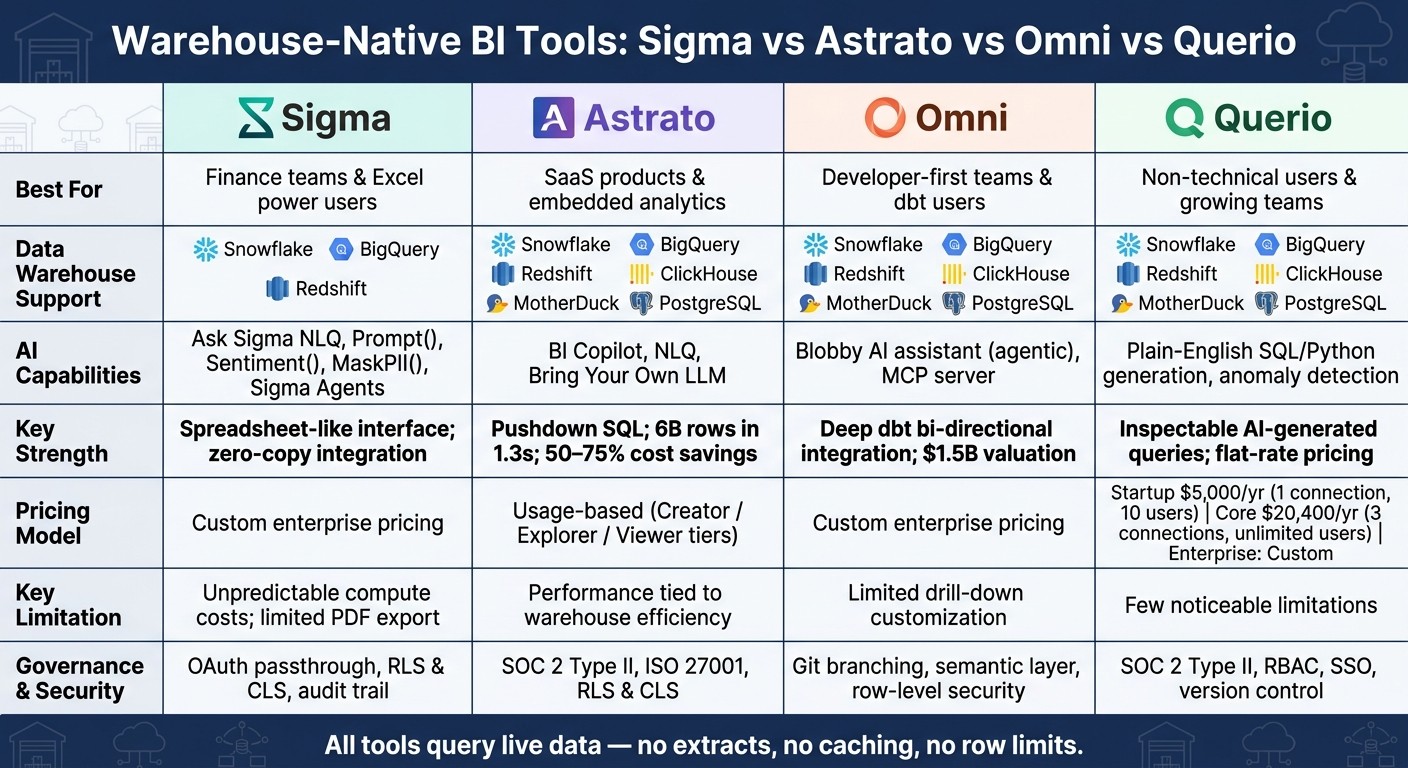
Warehouse-Native BI Tools Compared: Sigma vs Astrato vs Omni vs Querio
We Tested 5 Business Intelligence Tools So You Don't Have To - Here's What Actually Works in 2025
1. Sigma
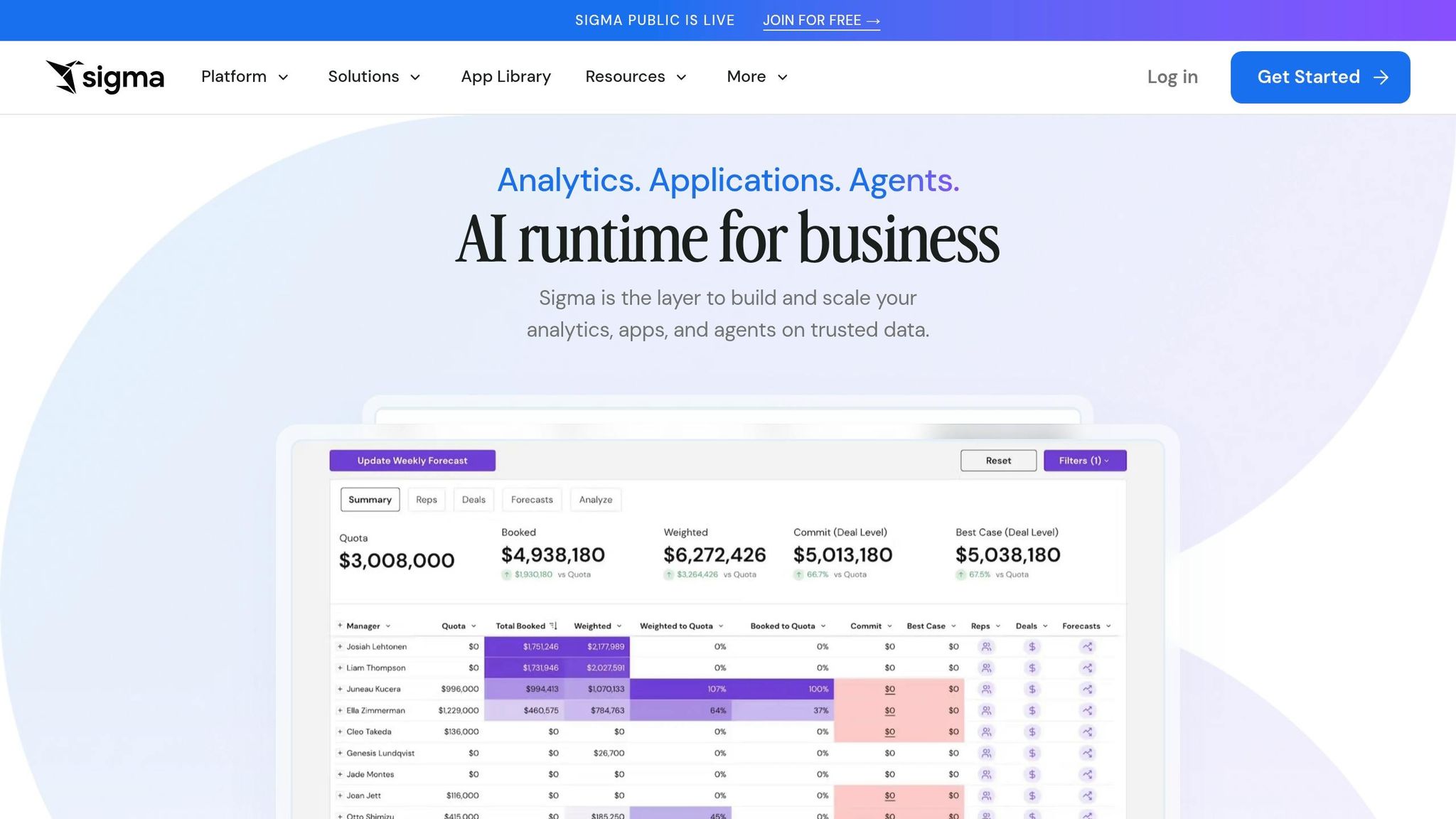
Sigma is a BI platform designed to work seamlessly with data warehouses, offering a spreadsheet-style interface that feels familiar to Excel users. It connects directly to Snowflake, BigQuery, and Amazon Redshift, running live queries without the need for data extracts, row limits, or custom coding languages. This setup allows analysts with Excel expertise to dive into data analysis right away. Han Zhang, Senior Vice President at Blackstone, highlights its accessibility:
"I think the biggest value driver for Sigma is that you're not using specialized Python developers to analyze billion row records anymore. You're just adding an Excel user." [1]
Data Warehouse Integration
Sigma's architecture ensures that data stays secure within the warehouse. Using zero-copy integration, it maintains consistent access controls through OAuth passthrough, supporting both RLS and CLS. Additionally, its "Input Tables" feature allows users to write decisions back to the warehouse, complete with an audit trail for accountability. [6]
AI and Analytics Capabilities
Sigma includes a natural language querying tool, Ask Sigma, which enables users to refine their analysis through conversational interactions - no SQL required. Built-in AI functions like Prompt(), Sentiment(), and MaskPII() make it easy to handle tasks such as text analysis and data masking. Sigma Agents further enhance its capabilities by automating workflows and integrating with external systems, pushing the boundaries of what’s known as "Agentic BI." [6]
Modeling and Governance
Sigma connects seamlessly with dbt and Snowflake Semantic Views, allowing teams to reuse existing metric definitions without rewriting calculations. This helps prevent "metric drift", where KPIs are inconsistently defined across teams. Features like version tagging and connection-aware deployment ensure that analytics workflows are well-managed and production-ready. These governance tools also contribute to Sigma's cost efficiency. [6]
Pricing and Total Cost of Ownership
Sigma doesn't provide flat-rate pricing details publicly, as plans are customized for enterprise requirements. By enabling Excel users to query live data directly, it reduces the need for specialized technical staff, potentially lowering operational costs. Its recognition in the 2025 Gartner® Magic Quadrant™ as a Visionary highlights its growing reputation among enterprises. [6]
2. Astrato
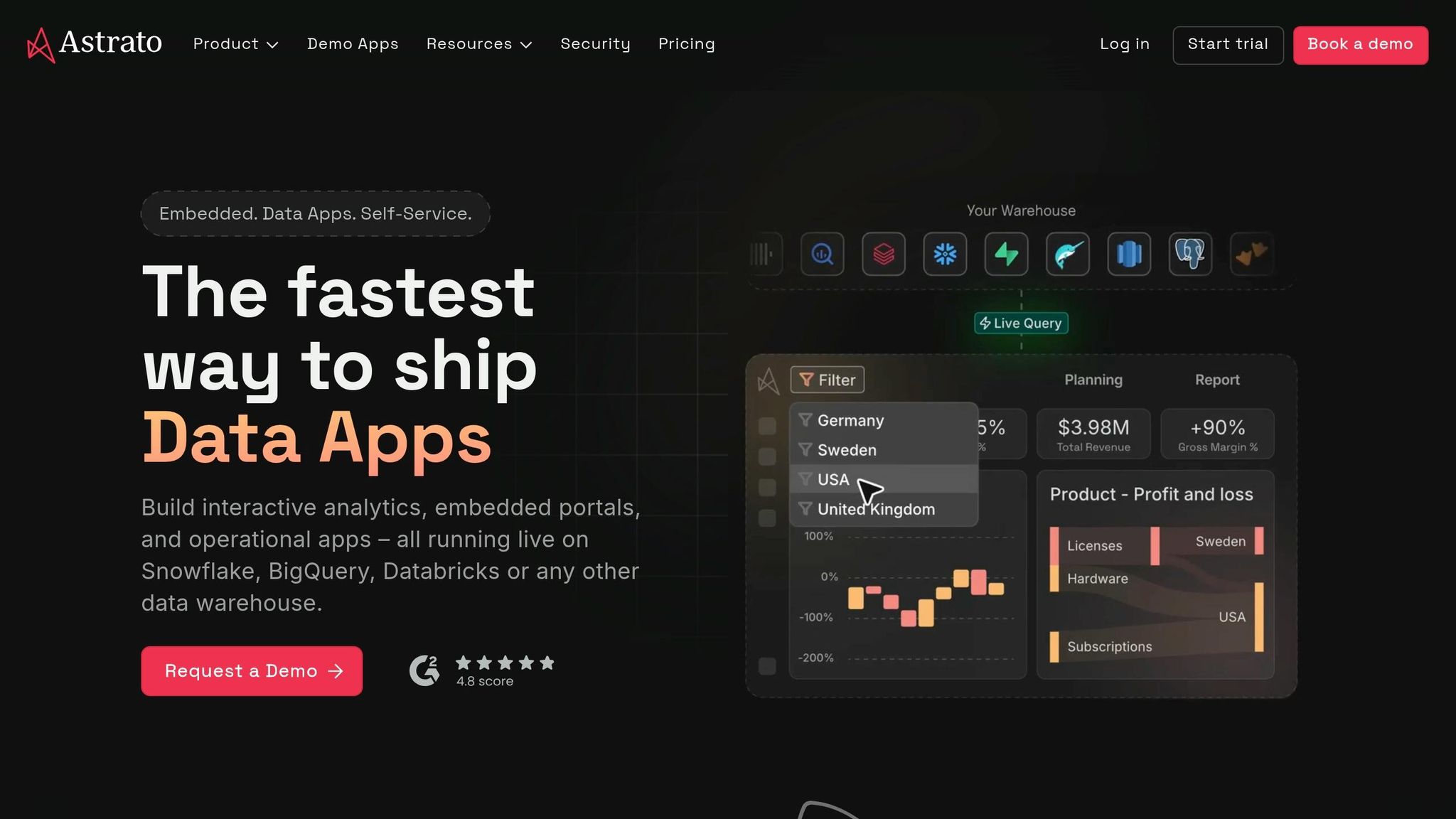
Astrato is a BI platform designed to work directly with your cloud data warehouse using a pushdown SQL model. This means every query runs straight in the warehouse - no data extracts, caching, or extra copies involved. It connects seamlessly with platforms like Snowflake, BigQuery, Databricks, Redshift, PostgreSQL, ClickHouse, and Supabase. Every dashboard interaction triggers a live query, ensuring up-to-date results. In one real-world test on a medium Snowflake warehouse, Astrato processed over 6 billion rows in just 1.3 seconds [3]. Let’s take a closer look at its standout features.
Data Warehouse Integration
Astrato offers native writeback functionality, allowing users to update records and manage workflows directly from dashboards. All of this happens while maintaining warehouse-level security protocols like RLS (Row-Level Security) and CLS (Column-Level Security), eliminating the need for data duplication. Chanade Hemming, Head of Data Products at IAG Loyalty, highlights its efficiency:
"Astrato acts as the shop window for everything happening in Snowflake, while all computation and governance remain in code within our data warehouse." [8][9]
AI and Analytics Capabilities
Astrato’s AI is built around a centralized semantic layer, ensuring that business logic is defined once and applied consistently across all dashboards and AI queries. Its BI Copilot simplifies tasks like generating chart titles, renaming fields, and creating calculations (e.g., year-over-year growth) using plain language commands. Users can also utilize Natural Language Query (NLQ) to ask questions in English and instantly generate visualizations.
For organizations with strict privacy needs, Astrato supports a "Bring Your Own LLM" model. This allows integration with tools like Snowflake Cortex, OpenAI, Google Gemini, Azure OpenAI, and Claude, ensuring raw data stays securely within the warehouse.
Modeling and Governance
Astrato’s visual semantic layer allows teams to define business logic centrally, supporting complex multi-fact schemas without needing to flatten tables. This ensures consistent metric definitions across all teams and dashboards. Unlike platforms that rely on separate BI-layer configurations, Astrato’s certifications - SOC 2 Type II and ISO 27001 - make it a reliable choice for industries where auditability and data residency are critical [3].
Pricing and Total Cost of Ownership
Astrato operates on a usage-based pricing model with three license tiers:
Creator: Full authoring and AI access
Explorer: Interactive dashboard exploration
Viewer: Ideal for high-volume embedded analytics
There are no hidden fees, mandatory license minimums, or overage charges for embedded use cases. David Beto, Co-Founder & CEO of Impensa, shared his experience:
"The ease of implementation and integration to our Snowflake platform allowed us to go from design to a fully operational SaaS platform within 60 days." [2]
Jeff Morrison, Chief of Analytics & Data Management at Northeast Georgia Health System, noted 25–50% faster development and significant cost savings after transitioning from Qlik [11][10].
3. Omni
Omni, a BI platform built to integrate seamlessly with data warehouses, achieved a $1.5 billion valuation during its Series C funding round in February 2026 [12]. It connects directly to leading data warehouses like Snowflake, BigQuery, Redshift, Databricks, ClickHouse, MotherDuck, and Trino, as well as popular databases such as Postgres, MySQL, and Microsoft SQL Server. Omni's multi-layered modeling architecture - comprising a Database layer, a Shared Model layer, and a Workbook layer - allows analysts to dive into raw data instantly and later refine ad-hoc logic into structured, governed models.
Data Warehouse Integration
One of Omni's standout features is its bi-directional integration with dbt. While many BI tools only extract metadata, Omni goes further. It enables users to surface dbt model changes, access additional context, and even create new dbt models directly from Omni's interface. Jack Colsey, Analytics Manager at incident.io, praised the integration as "seamless." Joe Horowitz, VP of Growth & Analytics, highlighted its flexibility:
"We want to own our business logic, so the dbt <> git workflow works well for us. None of the other vendors seemed to offer that flexibility."
To optimize performance, Omni uses intelligent caching, blending in-database and in-memory compute. This approach ensures fast dashboard loads without overloading the warehouse by querying it with every interaction. Combined with its AI capabilities, Omni delivers a smooth, warehouse-native experience for live data processing.
AI and Analytics Capabilities
Omni’s AI assistant, nicknamed Blobby, employs an agentic architecture to handle complex analyses. It breaks down multi-step queries, validates assumptions, and generates semantic queries through Omni's governed model. This ensures adherence to row-level security and consistent business logic, avoiding raw SQL queries on unprocessed data. Sophie Paulin, Chief Marketing Officer, shared how this feature enhances usability:
"Now, I can just open up Blobby, Omni's AI assistant, and ask exactly what I'm looking for - like 'Who were our top suppliers last month based on GMV growth?' The detail level meets enterprise needs."
Blobby integrates into various workflows, including chat, dashboards, workbooks, and even Slack. Additionally, Omni’s MCP server allows external tools to query governed data directly, ensuring AI-driven insights are both accessible and secure.
Modeling and Governance
Omni places a strong emphasis on centralized governance through its semantic layer, applying business logic consistently across the platform. Git branching is built in, enabling teams to safely test and refine model changes before deploying them. This layered approach supports immediate exploration of raw data while providing a clear path to structured governance - a feature that aligns perfectly with Omni’s warehouse-native and AI-driven design.
Martin Zerbib, Head of Product at Sifflet, noted how quickly Omni can be implemented, sharing that the initial data model and functional dashboard were up and running on the first day, with full deployment completed in under a week. Lizzy Bradford, Senior Director of Analytics, also highlighted the platform's efficiency:
"The generation of the initial model code in Omni is so easy - instantly syncing with our warehouse and having views available saved us a lot of time."
Pricing and Total Cost of Ownership
Omni operates on a custom enterprise pricing model, factoring in licenses, live query compute (offset by caching), AI token usage, and embedded analytics packaging. Its October 2025 acquisition of Explo further enhances its value by consolidating internal BI and customer-facing embedded analytics into a single platform. This integration has the potential to lower overall costs for teams that might otherwise rely on multiple vendors.
However, some mid-market customers have expressed frustration with the lack of transparency around pricing and the learning curve associated with configuring "Topics" (pre-defined datasets). Despite these concerns, many users see Omni as a forward-looking investment. Mike Doll, VP of Data at Guitar Center, summed it up:
"Choosing Omni is solving for more than just BI. We've also primed ourselves to leap forward into AI because the semantic model is at the heart of the platform."
4. Querio
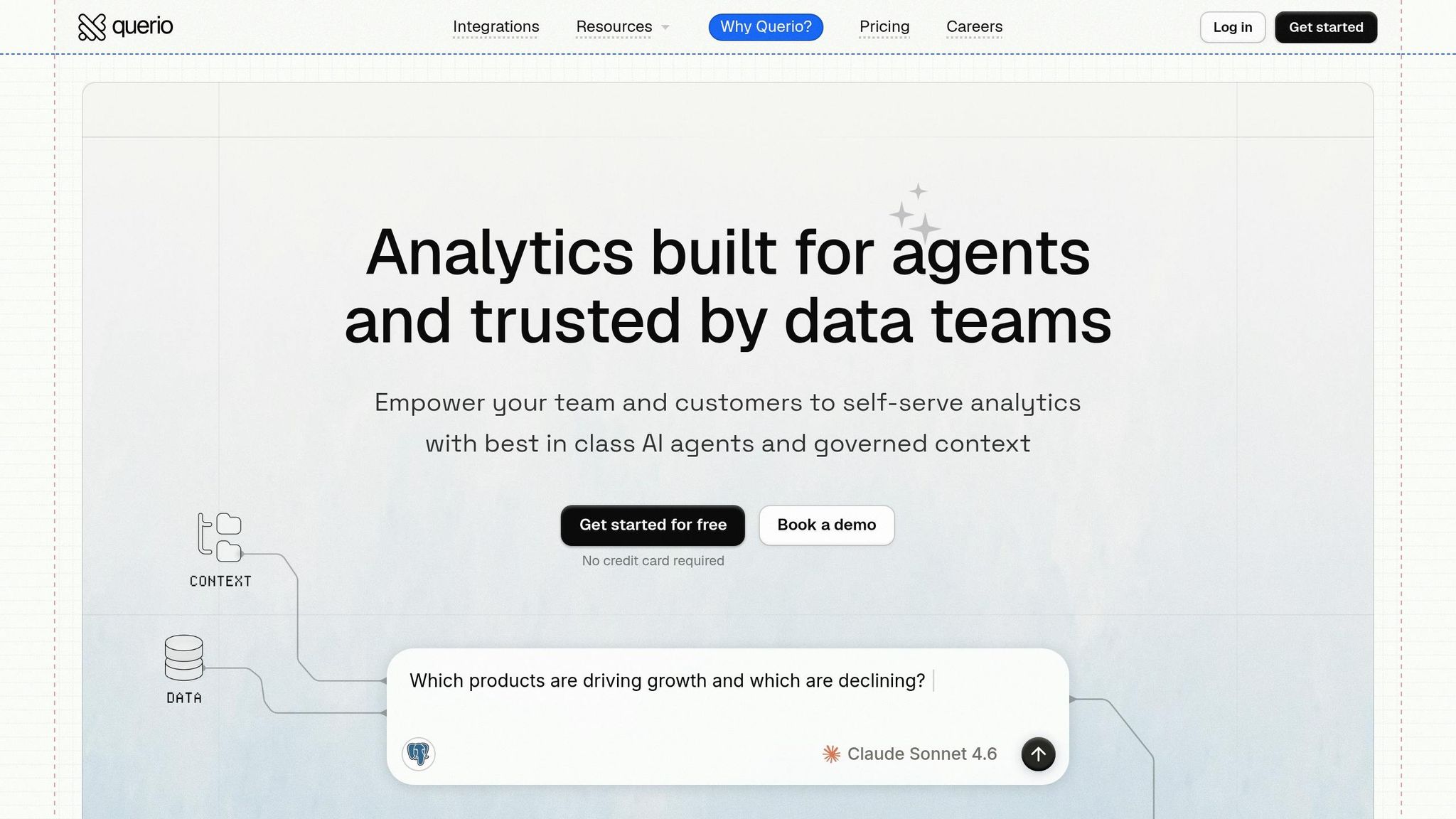
Querio is an AI-powered analytics workspace that connects directly to your live data warehouse, eliminating the need for extra infrastructure. By integrating seamlessly with your existing setup, Querio removes the hassle of managing separate data extracts or storage engines [15][16].
Data Warehouse Integration
Querio supports nine major data sources right out of the box: Snowflake, BigQuery, Amazon Redshift, ClickHouse, MotherDuck, PostgreSQL, MySQL, MariaDB, and Microsoft SQL Server [13]. It uses encrypted, read-only credentials for connections, ensuring that your data remains securely in the warehouse. This is especially beneficial for U.S.-based teams dealing with data residency laws or compliance requirements like PII management - since no additional data copies are created, there's less to govern or secure.
By pushing all computations to the warehouse itself, Querio takes advantage of native performance features such as Snowflake's result caching, BigQuery's partitioned tables, and Redshift's query optimization. With no separate BI compute layer to manage, this setup simplifies operations and enhances efficiency - laying the groundwork for Querio's AI capabilities.
AI and Analytics Capabilities
Querio's AI tools allow users to interact with their data in plain English, generating transparent SQL or Python queries in response [15][16]. For instance, a sales manager could type, "Show me monthly revenue by region for the last 12 months", and Querio would directly execute the query against the warehouse. Analysts can then refine or expand the query within an interactive, notebook-style environment.
The platform's notebook-first approach encourages collaborative data exploration, with results that automatically update as queries are adjusted. Querio also includes automated anomaly detection, sending alerts via Slack or email to flag unusual trends - eliminating the need for constant dashboard monitoring.
Modeling and Governance
Querio simplifies analytics by centralizing joins, metric definitions, and business terminology through a shared context layer. Teams define these elements once, ensuring consistency across all queries, dashboards, notebooks, and AI-generated insights. This setup works particularly well for organizations already using tools like dbt for upstream modeling, as it complements a lightweight BI layer.
Governance is handled primarily through role-based access control (RBAC) at the warehouse level, supplemented by workspace-specific permissions within Querio. The platform is SOC 2 Type II certified and integrates with standard SSO systems, meeting the security needs of enterprise clients. Additionally, version control for model changes ensures that updates can be rolled back safely if needed.
Pricing and Total Cost of Ownership
Querio offers simple pricing compared to the custom models often seen in the market.
The Startup Plan costs $5,000/year, covering 1 data connection and 10 users.
The Core Plan is priced at $20,400/year, including 3 data connections and unlimited users.
Enterprise pricing is custom, offering 5+ data connections, cross-datasource querying, and optional self-hosting [14].
Plan | Annual Cost | Data Connections | Users |
|---|---|---|---|
Startup | $5,000 | 1 | 10 |
Core | $20,400 | 3 | Unlimited |
Enterprise | Custom | 5+ | Unlimited |
Pros and Cons of Each Tool
Each platform brings its own strengths to the table, but Querio stands out for teams looking to scale their analytics with ease and maintain strong governance.
Sigma is a great choice for finance teams and spreadsheet enthusiasts. Its grid-based interface feels familiar, making it easier to learn and use. Industry evaluations also highlight its strengths [6]. However, it has some drawbacks, including unpredictable compute costs and issues with PDF export quality [3].
On the other hand, Astrato shines in design-heavy, embedded analytics scenarios. Its pushdown model eliminates data duplication, which can lead to significant cost savings - users report savings of 50–75% compared to older BI tools [4]. The downside? Its performance hinges on the efficiency of the underlying data warehouse [3].
Omni excels in natural language querying and integrates deeply with dbt [7], making it a solid option for developer-focused teams. However, it doesn’t offer much flexibility in drill-down paths [6], which can be limiting for teams with more complex exploration needs.
Querio sets itself apart by prioritizing self-serve analytics without compromising on accuracy or governance. Every AI-generated response is backed by inspectable SQL or Python, ensuring transparency and building trust. Its notebook-first design, shared context layer, and SOC 2 Type II certification make it ideal for teams looking to expand analytics access while maintaining consistency in data logic.
Tool | Key Strength | Key Limitation | Best For |
|---|---|---|---|
Sigma | Intuitive spreadsheet interface | Unpredictable compute costs; limited PDF export fidelity [3] | Excel power users, finance teams |
Astrato | Pixel-perfect embedded analytics; significant cost savings [4] | Performance depends on data warehouse [3] | SaaS products, embedded BI |
Omni | Natural language querying; deep dbt integration [7] | Limited drill-down customization [6] | Developer-first teams, dbt users |
Querio | Easily inspectable AI-generated queries; strong governance | Few noticeable limitations | Non-technical users, growing teams |
This comparison underscores why Querio’s emphasis on transparency and governance makes it the go-to solution for teams aiming to scale analytics access efficiently and effectively.
Conclusion
Choosing the right warehouse-native BI tool means understanding what your team truly needs. Querio addresses these needs by making analytics accessible, efficient, and transparent. As live data analytics become more complex, having strong governance and self-service capabilities is no longer optional - it’s essential. Querio sets itself apart by delivering AI-driven insights directly from your data warehouse in a way that’s both clear and actionable.
Designed to scale analytics across an entire organization, Querio combines transparency, efficiency, and strong governance. Features like flat-rate pricing, inspectable AI-generated SQL and Python, and SOC 2 Type II compliance make it a reliable choice for teams balancing speed and trust. The focus isn’t just on what this tool can do, but on who it’s for and how it can transform everyday workflows [5]. Querio answers both questions.
To get the most out of Querio, take time to model your usage scenarios. This ensures optimal performance and cost-effectiveness, making every query count toward meaningful insights.
Discover how Querio can transform the way your team works with scalable analytics.
FAQs
What makes a BI tool “warehouse-native”?
A warehouse-native BI tool connects directly to cloud data warehouses and processes analytics queries right within the warehouse. This approach removes the need for duplicating data, creating extracts, or setting up staged layers. The result? Analytics teams can work with live, real-time data, gaining insights faster and with less complexity.
How can we control warehouse compute costs with live queries?
To keep warehouse compute costs in check while using live queries, it’s important to fine-tune when and how these queries are executed. Tools like Querio can make this process seamless by connecting directly to live data sources such as Snowflake and BigQuery. With secure, read-only access, Querio eliminates the need for duplicating data or triggering unnecessary compute operations.
Additionally, Querio leverages smart query optimization and caching techniques to minimize redundant processing. This approach can slash costs by as much as 30-50%, delivering efficient, real-time access to data without breaking the budget.
What should we set up for governance before enabling AI analytics?
Before diving into AI analytics, organizations need to set up a governed semantic layer. This step ensures consistent metrics, organizes table relationships, and enforces business rules effectively. With a reliable governance framework in place, businesses can maintain data accuracy, enhance security, and ensure uniform results throughout the organization.
Related Blog Posts