Business Intelligence
AI BI tools comparison ThoughtSpot Querio Sigma Julius
Compare ThoughtSpot, Querio, Sigma, and Julius to choose the right AI BI tool—enterprise search, governed SQL outputs, spreadsheet-style workbooks, or file-based analysis.

Looking for the best AI-powered BI tool? Here's what you need to know:
Modern AI BI tools transform data analysis by enabling users to ask questions in plain English and receive instant insights. This article compares four key platforms: ThoughtSpot, Querio, Sigma, and Julius.
Key Takeaways:
- ThoughtSpot: Best for large enterprises with search-driven analytics and anomaly detection. Requires significant setup and has consumption-based pricing.
- Querio: Ideal for teams needing precise, governed analytics with real-time SQL/Python outputs and unlimited viewer access. Strong on governance and transparency.
- Sigma: Spreadsheet-like interface for collaborative cloud data analysis. Works well for teams that prefer familiar tools but lacks support for serverless engines.
- Julius: Focuses on file-based analysis (Excel, PDFs, etc.) for small teams or individual users. Limited by lack of live database connections.
Quick Comparison:
| Tool | Best For | Key Features | Limitations |
|---|---|---|---|
| ThoughtSpot | Large enterprises | Search-driven analytics, anomaly detection | High setup time, no writeback |
| Querio | Governed, real-time analytics | SQL/Python outputs, central semantic layer | Requires technical expertise |
| Sigma | Collaborative cloud analysis | Spreadsheet-like interface, AI insights | No serverless engine support |
| Julius | File-based, ad-hoc analysis | Handles Excel/PDFs, automated prep | No live database connections |
For governed, precise analytics, Querio stands out. ThoughtSpot and Sigma cater to specific needs, while Julius is best for smaller-scale projects.
::: @figure 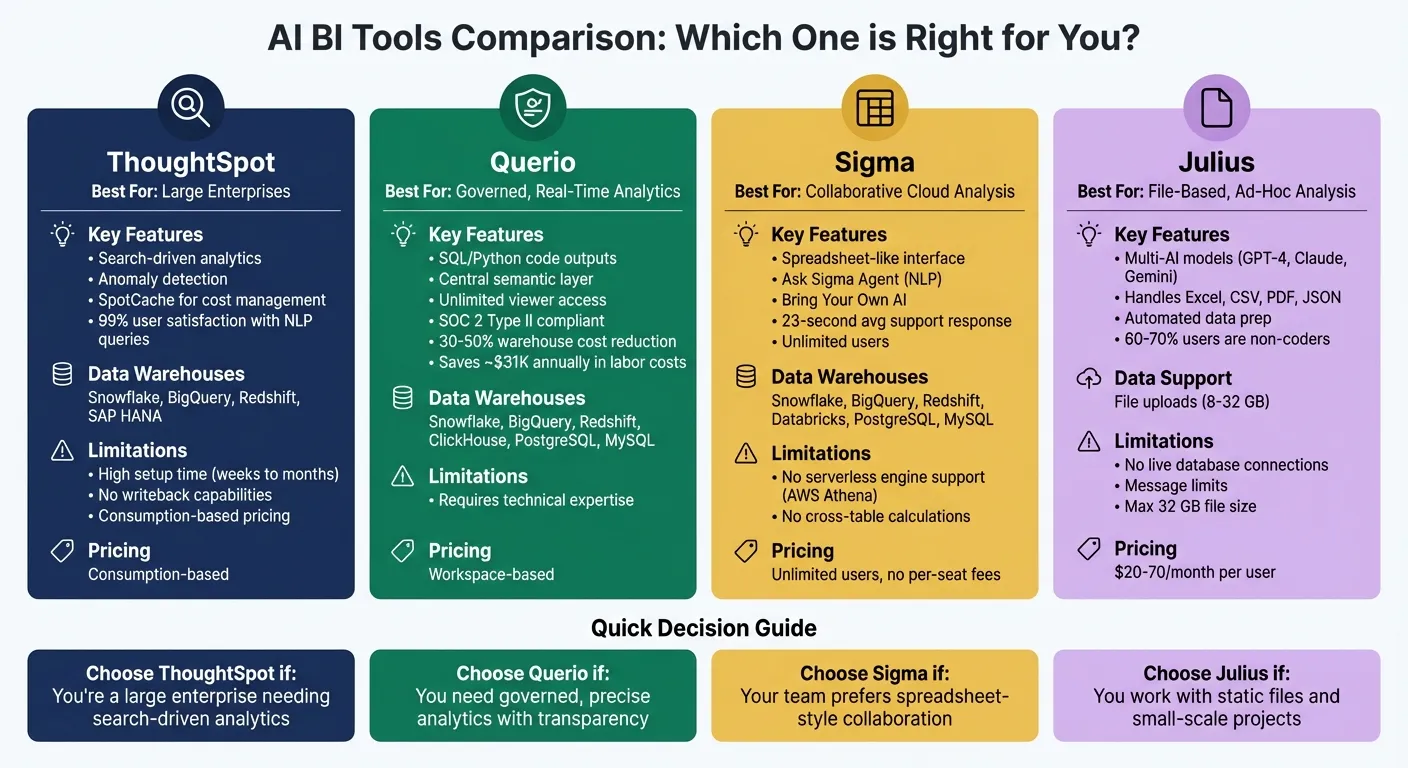 {AI BI Tools Comparison: ThoughtSpot vs Querio vs Sigma vs Julius}
:::
{AI BI Tools Comparison: ThoughtSpot vs Querio vs Sigma vs Julius}
:::
1. ThoughtSpot
AI capabilities
ThoughtSpot focuses on search-driven analytics, allowing users to type plain-English queries and instantly receive visualized results. The platform also uses AI to detect anomalies, flagging unusual patterns in data. Research highlights that 99% of users who leveraged natural language queries for analytics reported positive experiences, while 97% noted advantages from AI-powered data interpretation [1].
A standout feature is SpotCache, which helps manage costs for high-volume AI queries on cloud data warehouses. This ensures organizations can keep expenses predictable without sacrificing performance [2].
Data warehouse support
ThoughtSpot is one of several warehouse-native data analysis tools that integrates directly with platforms like Snowflake, BigQuery, Redshift, and SAP HANA. By running live queries, it eliminates the need for pre-aggregations or data extracts, ensuring users work with the most current data. However, its performance depends heavily on the speed of the connected data warehouse [3].
A limitation to note: ThoughtSpot does not offer native writeback capabilities [3]. This means if your workflows involve updating forecasts or saving annotations directly in the data warehouse, you'll need to rely on external tools or custom solutions.
Scalability and deployment
ThoughtSpot is designed for large enterprises managing billions of rows of data and complex environments. It offers flexible deployment options, including public cloud, private cloud, and on-premises setups, catering to organizations with strict data security and residency requirements. Its ability to handle massive datasets has earned consistent praise for scalability and performance.
That said, implementing ThoughtSpot can take weeks or even months, as it requires significant upfront data modeling. Pricing is based on consumption, and its ThoughtSpot Embedded feature further extends scalability by enabling companies to integrate search-driven analytics into their own applications using a low-code SDK.
sbb-itb-284a532
I tried every AI DATA ANALYSIS tool. Here's the BEST
::: @iframe https://www.youtube.com/embed/BcHB7bBcN2I :::
2. Querio
Querio takes modern business intelligence to the next level, offering precise, real-time analytics directly from your data warehouse.
AI Capabilities
Querio is an analytics workspace powered by AI, allowing teams to ask questions in plain English and receive SQL or Python code as answers. Users can review the generated code to ensure it aligns with their logic and expectations.
The platform employs AI agents to integrate seamlessly with your data warehouse, converting natural language queries into optimized SQL or Python that operates on live data. This approach combines the ease of conversational AI with the accuracy and control needed for reliable insights. For instance, Midwest Precision Manufacturing used Querio to gain real-time insights into their systems, cutting equipment downtime and saving about $45,000 annually [4].
Data Warehouse Support
Querio connects directly to leading cloud data warehouses like Snowflake, Google BigQuery, Amazon Redshift, and ClickHouse, as well as relational databases such as PostgreSQL, MySQL, MariaDB, and Microsoft SQL Server. These connections are live and read-only, ensuring data security without requiring extracts, duplication, or extra storage.
The platform features a centralized semantic layer, where teams can define business logic, metrics, and table relationships once. This ensures consistent results across all AI-generated answers, dashboards, and embedded analytics. When a metric is updated, the change is reflected everywhere, eliminating discrepancies in reports. This setup promotes better governance and transparency in analytics.
Governance and Inspectability
Every query in Querio is fully transparent. Users can view the exact SQL or Python code behind each result, making it easier to audit, troubleshoot, and understand complex analyses. This level of visibility is especially important for industries with strict data accuracy or regulatory requirements.
Querio prioritizes enterprise-grade security. It is SOC 2 Type II compliant and uses encrypted, read-only connections to data warehouses. Role-based access controls and single sign-on (SSO) integrations ensure users only see what they’re authorized to access. The shared Context Layer also includes version control for business logic, adding another layer of reliability.
Scalability and Deployment
Querio is designed for scalability, offering unlimited viewer access without per-seat fees - an efficient solution for large organizations. The platform’s automated query tuning can reduce warehouse costs by 30–50% [4] by optimizing how queries are executed.
Users can choose between cloud-hosted or self-hosted deployment options, with pricing based on workspaces rather than usage. The same governed analytics logic can be applied across various use cases, including ad-hoc analyses, scheduled reports, dashboards, and customer-facing applications via APIs and iframes. This eliminates the need for separate analytics systems, making Querio an efficient and versatile option.
3. Sigma
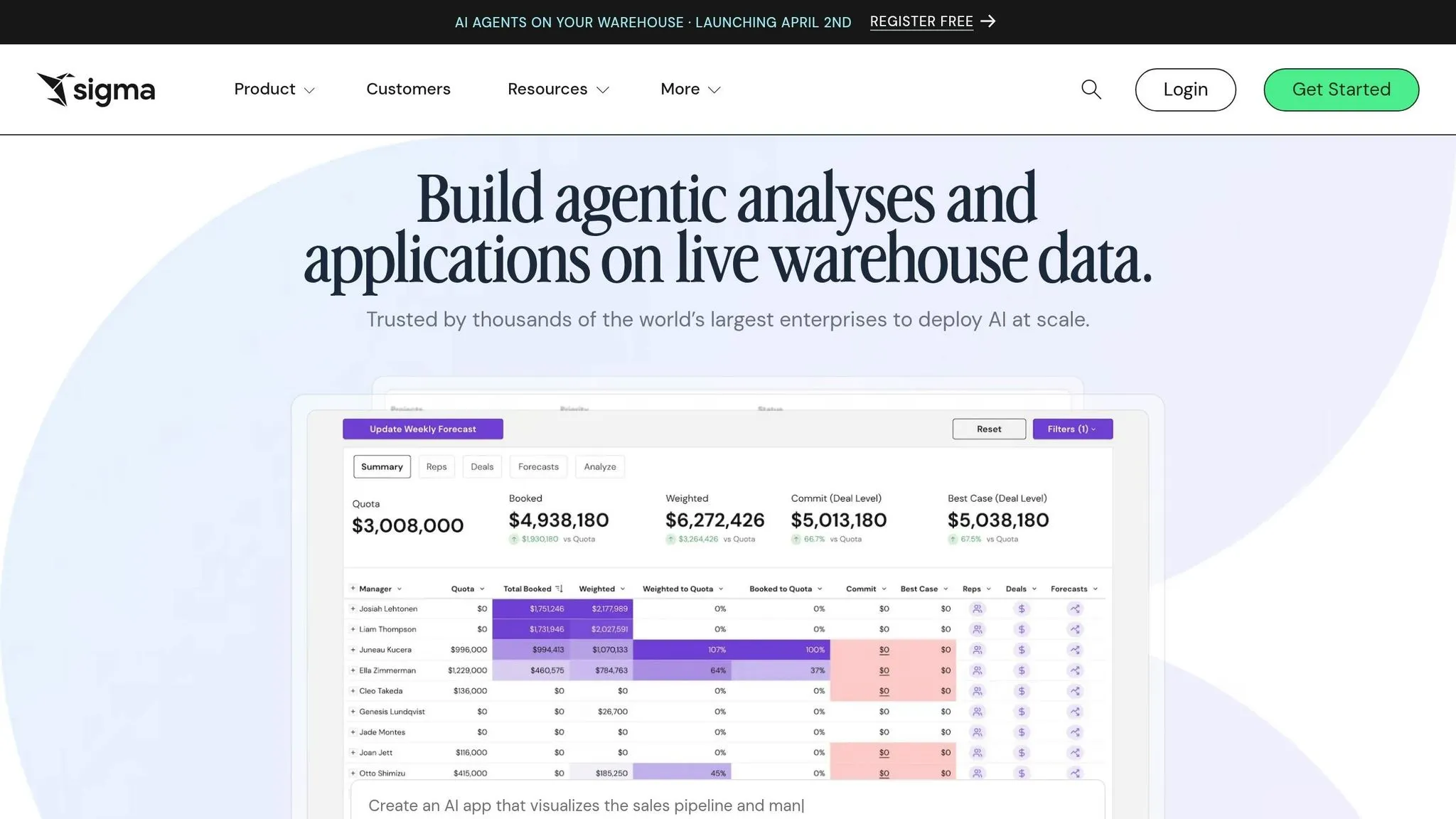
Sigma sets itself apart by combining AI-driven analytics with a familiar, spreadsheet-like interface. This design allows users to work with cloud data warehouses while interacting with data in a way that feels intuitive and straightforward.
AI Capabilities
Sigma's Ask Sigma Agent lets users type plain English queries and receive interactive, filterable results directly in their workbooks. Another feature, Explain Charts with AI, provides automatic insights to help users understand data trends more easily.
Sigma also embraces a "Bring Your Own AI" strategy, integrating seamlessly with tools like Snowflake Cortex, Databricks Model Serving, or custom-hosted large language models (LLMs). Users can even query unstructured data - such as PDFs and images - by combining File Columns with AI SQL. Input Tables allow users to give feedback, helping refine AI outputs over time.
Data Warehouse Support
Sigma is one of the warehouse-native data analysis tools that connects directly to major platforms, including Snowflake, Google BigQuery, Amazon Redshift, Databricks, PostgreSQL, MySQL, and SQL Server 2022. These persistent connections enable fast operations. However, Sigma does not support serverless engines like AWS Athena, as they lack dedicated compute resources. Additionally, cross-table calculations across different connection entities are not possible.
Governance and Inspectability
Transparency is a key focus in Sigma. Every element of an analysis comes with detailed lineage views, which show the flow of data throughout the process. The platform also enforces strict security measures, offering row, column, and cell-level access controls to ensure users only see data they are authorized to view. For AI-generated results, Sigma provides full visibility into every execution step, supporting auditing and compliance requirements.
Scalability and Deployment
Sigma is built for scalability, supporting unlimited users without charging per-seat fees. Its performance scales according to the compute power of the connected data warehouse. Fully cloud-native, Sigma also offers embedded analytics with robust security. Notably, Sigma earned recognition in the 2025 Gartner Magic Quadrant for Analytics and Business Intelligence Platforms [3]. On top of that, its customer support boasts an impressive average response time of just 23 seconds [3].
Next, we’ll dive deeper into governance and scalability to round out our exploration of Sigma's features.
4. Julius
Julius is tailored for users who work with static datasets rather than live database connections. It specializes in analyzing files like CSVs, Excel spreadsheets, JSON documents, and even PDFs with embedded tables. This focus sets it apart from tools that depend on real-time data connections.
AI Capabilities
Julius combines the power of multiple AI models - GPT-4, Claude, and Google Gemini - to handle complex analytics through an intuitive, conversational interface. Users can simply type their questions in plain English and get visualizations, forecasts, and statistical insights without needing any coding skills.
The platform also features automated data preparation, which takes care of tasks like identifying missing values, removing duplicates, and fixing formatting issues. For added transparency, it reveals the underlying Python or R code used during the process. Rahul Sonwalkar, CEO and Founder of Julius AI, highlights the accessibility of the tool:
Amazingly, I would say 60 or 70% of our users have never written code in their life.
Data Warehouse Support
Julius is designed for file uploads and supports datasets ranging from 8 GB to 32 GB, depending on the subscription level. While it integrates with Google Sheets and Slack, it doesn’t offer live, persistent data connections. This makes it ideal for one-off analyses or smaller-scale projects.
Scalability and Deployment
Pricing for Julius starts at $20/month for the Lite Plan, which includes 250 messages, and goes up to $70/month per user for the Team Plan, which offers collaborative features. It prioritizes data security with AES-256 encryption, multi-factor authentication, and session-based isolation. However, its file-based setup and message limits make it more suitable for individual analysts or small teams rather than large enterprises with extensive user bases.
Strengths and Weaknesses
Each platform brings its own strengths to the table, along with certain trade-offs that may influence its suitability for different needs.
ThoughtSpot stands out for its enterprise-level deployment capabilities and its recognition as a Leader in the 2025 Gartner Magic Quadrant for Analytics and BI [3][5]. However, its consumption-based pricing model can lead to higher expenses as query volumes grow, and the platform requires considerable setup time to configure effectively.
Querio impresses with its context-aware SQL generation and a centralized semantic layer that ensures data consistency. It also offers unlimited viewers at no extra cost, making it a scalable option for expanding teams. With SOC 2 Type II compliance and live connections to Snowflake, BigQuery, and PostgreSQL, it ensures strong security without duplicating data. The platform further empowers technical users by supporting editable SQL and Python outputs, while its AI agent efficiently handles routine queries.
Sigma shines with its user-friendly, collaborative interface, which feels like working in a spreadsheet. This feature allows for real-time, collaborative workbook editing. Its "Ask Sigma" agent also enhances user experience by providing interactive, filterable results through natural language queries [3][6].
Julius takes a unique approach by combining multiple AI models, including GPT-4, Claude, and Google Gemini, offering flexibility in analysis. Its automated data preparation tools simplify routine cleaning tasks. However, the platform's reliance on a file-based system - limited to 32 GB file sizes and lacking live database connections - restricts it to smaller-scale or ad hoc analyses. With 80% of business leaders prioritizing AI explainability [7], the platform's transparency and interpretability are key considerations.
These insights outline the specific strengths and limitations of each platform, providing a foundation for further evaluation.
Conclusion
Choose an AI BI tool that aligns perfectly with your analytics requirements. Querio is an excellent fit for teams needing precise, governed analytics, especially when transparency is non-negotiable. Its centralized semantic layer ensures consistent metric definitions across teams, while inspectable SQL and Python outputs provide complete clarity. Plus, its unlimited viewer model eliminates additional licensing costs, making it scalable for growing teams. With SOC 2 Type II compliance and live connections to Snowflake, BigQuery, and PostgreSQL, Querio is ideal for teams prioritizing data security and efficiency without duplicating data.
Other platforms cater to specific use cases: ThoughtSpot works well for large enterprises with curated data models and a focus on search-based exploration, though its consumption-based pricing may increase with frequent use. Sigma offers collaborative, spreadsheet-like analysis with real-time workbook editing, making it a strong choice for teams that prefer familiar tools. Meanwhile, Julius suits individual analysts or small teams handling ad-hoc file-based analysis, though its lack of live database connections limits its utility for broader, governed analytics.
For teams focused on governance and metrics and semantic layers, Querio offers unmatched precision and saves users approximately 8 hours per week and $31,000 annually in labor costs. While ThoughtSpot and Sigma may serve specific needs, Querio stands out as the top choice for scalable, verifiable analytics. Its emphasis on transparency and governance makes it the go-to solution for regulated, team-wide analytics.
FAQs
::: faq
How do I choose the right AI BI tool for my team?
Selecting the right AI BI tool comes down to your team's specific data requirements, technical expertise, and budget.
If you're part of a large enterprise that demands real-time insights, strong data governance, and live data connections, Querio might be the better fit. Pricing starts at $14,000 per year, reflecting its focus on scalability and advanced features.
On the other hand, smaller teams or users without technical expertise might find Julius AI more appealing. It emphasizes ease of use and affordability, with plans starting at just $20 per month.
Ultimately, your decision should align with your priorities - whether that's robust security and scalability or simplicity and cost-effectiveness. :::
::: faq
Will AI answers be auditable and accurate enough for reporting?
AI-powered responses in business intelligence tools are becoming more reliable and easier to verify for reporting purposes. Querio streamlines reporting by automating data-related tasks, minimizing errors, and offering clear audit trails. Its AI audit logs add an extra layer of security by enabling real-time anomaly detection, automated alerts, and detailed activity tracking. When implemented correctly, tools like Querio ensure that AI-driven insights are dependable, compliant, and easy to validate, which is essential for accurate reporting. :::
::: faq
What costs should I expect as usage and users scale?
As your organization scales, managing costs becomes critical, and pricing models can vary widely depending on the platform. Querio offers a straightforward pricing structure starting at $14,000 per year for small to mid-sized teams, with additional user seats priced at around $40 per month. This flat-rate approach makes budgeting easier and more predictable.
On the other hand, enterprise tools like ThoughtSpot operate on consumption-based pricing. While flexible, this model can lead to escalating costs as usage grows. Querio’s flat-rate pricing is particularly appealing for mid-sized organizations, as it provides greater cost stability compared to usage-based alternatives. :::