Business Intelligence
Best Power BI Alternatives for Warehouse-Native AI (2026)
Compare seven warehouse-native Power BI alternatives by governance, AI grounding, self-serve, and notebook support.

If you use Snowflake, BigQuery, Databricks, or Redshift, the best Power BI alternative depends on one thing: where your metric logic lives. In this comparison, I’d put Querio first for teams that want live-query AI answers with inspectable SQL and Python, Looker first for strict model control, Omni for dbt-led self-serve, Sigma for spreadsheet-heavy teams, ThoughtSpot for search-led use, Hex for notebook work, and Mode for analyst-led SQL and Python.
Here’s the short version:
- Power BI Pro starts at $14/user/month
- Fabric F32 to F64 can mean a sharp cost jump
- Many teams hit problems when metrics get split between dbt and DAX
- All 7 tools here run on live warehouse data instead of moving it into another store
- The main buying checks are:
- metric governance
- AI answer quality
- self-serve access
- notebook depth
- dbt fit
If I had to simplify the whole article into one sentence, it would be this: don’t treat this as a dashboard swap; treat it as a warehouse and metrics decision.
The 7 tools covered:
- Querio - AI workspace with inspectable SQL/Python and a shared context layer
- ThoughtSpot - search-led analytics with governed business terms
- Sigma - spreadsheet-style work on live warehouse data
- Hex - notebook-first SQL and Python analysis
- Mode - analyst workspace for SQL, Python, and dashboards
- Omni - governed self-serve with dbt-aware modeling
- Looker - code-based semantic modeling with LookML
Quick Comparison
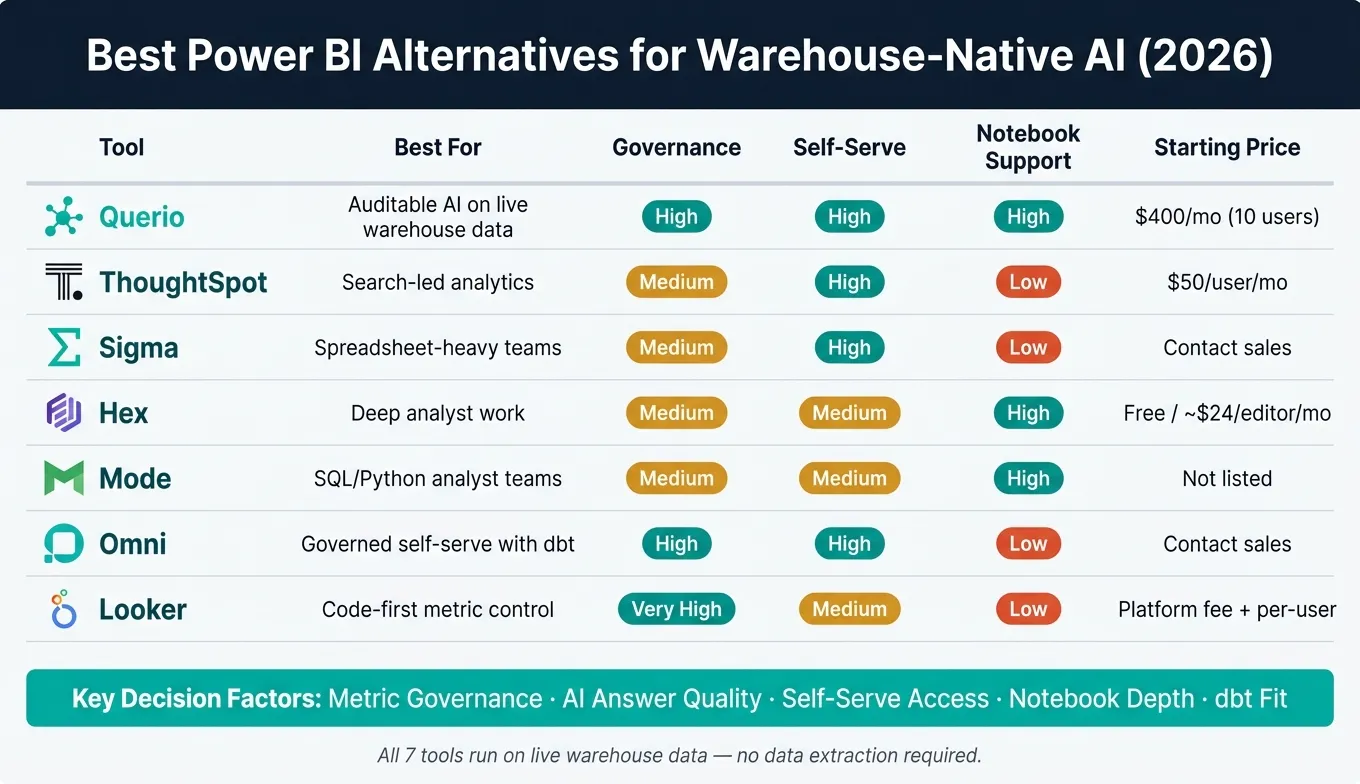
| Tool | Best For | Governance | Self-Serve | Notebook Support | AI Style | Starting Price |
|---|---|---|---|---|---|---|
| Querio | Auditable AI on live warehouse data | High | High | High | Plain English to inspectable SQL/Python | Free plan; Core $2,499/mo |
| ThoughtSpot | Search-led analytics | Medium | High | Low | Conversational search | $50/user/month billed annually |
| Sigma | Spreadsheet-heavy teams | Medium | High | Low | AI Apps | Contact sales |
| Hex | Deep analyst work | Medium | Medium | High | NL to SQL/Python | Free tier; about $24/editor/month |
| Mode | SQL/Python analyst teams | Medium | Medium | High | AI query help | Not listed here |
| Omni | Governed self-serve with dbt | High | High | Low | Semantic-layer-grounded AI | Contact sales |
| Looker | Code-first metric control | Very High | Medium | Low | Gemini grounded in LookML | Platform fee + per-user pricing |
What follows is a tight look at where each tool fits, where it falls short, and which one makes the most sense for your team in 2026.
1. Querio
Querio is a strong fit for teams that want governed, live-query analysis without pulling data out of the warehouse.
It’s an AI-native analytics workspace built for data teams that want plain-English questions answered straight from live warehouse data. Querio connects directly to Snowflake, BigQuery, Amazon Redshift, Databricks, ClickHouse, and PostgreSQL. So there’s no need for CSV exports or duplicate data pipelines.
One thing that stands out: every answer comes with inspectable, editable SQL or Python. That means analysts can check the logic, tweak it, and reuse it later instead of treating the output like a black box.
Querio also includes a shared context layer where teams can define joins, metrics, and business terms once. From there, that same logic carries across ad hoc analysis, notebooks, dashboards, and embedded analytics. In plain terms, teams spend less time arguing over which number is “right.” It also helps cut down on metric drift when definitions live in both dbt and a BI model at the same time [1][4].
That governed layer doesn’t stop at light analysis. Querio’s reactive notebooks support iterative work without manual refresh, which keeps deeper analysis tied to current warehouse definitions. For analysts, that can remove a lot of friction when moving from quick questions to more detailed work.
Querio also supports dashboards, scheduled reports, and embedded analytics tools through APIs and iframes. So the same governed layer can power both internal reporting and customer-facing use cases. There is a free plan, and Core is $2,499/month (or $25,000 a year billed annually), with unlimited users on every plan.
The table below sums up the main fit factors at a glance.
| Capability | Querio |
|---|---|
| Warehouse connections | Snowflake, BigQuery, Redshift, Databricks, ClickHouse, PostgreSQL |
| Natural language queries | Plain English → inspectable SQL/Python |
| Governed context layer | Shared and governed |
| Reactive notebooks | Reactive, collaborative |
| Embedded analytics | APIs and iframes |
| Starting price | Free plan; Core $2,499/mo |
2. ThoughtSpot
ThoughtSpot is a good match for teams that want search-first analytics on live warehouse data, not a BI setup built around lots of dashboards. It works well for groups that want self-serve answers with guardrails, while keeping data in the warehouse. ThoughtSpot runs queries directly on Snowflake, BigQuery, Databricks, Redshift, and Postgres, so it doesn’t copy data into a separate vendor silo [3][2].
Compared with Power BI, ThoughtSpot skips the extract-and-copy tradeoff that many BI stacks use to speed things up. That warehouse-native setup is a big part of why the AI layer feels more usable and less fragile.
On the AI side, ThoughtSpot uses Sage and Spotter for conversational and agentic analysis on top of SpotterModel. In that model, teams set up relationships, synonyms, and business terms in advance [6][4]. That governed setup can cut down on hallucinations, but there’s a catch: it asks for more work up front before non-technical users can rely on the answers [7].
The tradeoff is pretty straightforward. ThoughtSpot does a solid job with simple descriptive questions. But more involved diagnostic work, especially multi-step funnels with custom drop-off logic, often calls for more setup ahead of time. And if your team leans heavily on analysts who want code-first deep dives, notebook tools will usually be a better fit. So ThoughtSpot stands out most for governed, search-driven self-serve, not notebook-style analysis.
| Capability | ThoughtSpot |
|---|---|
| Warehouse connections | Snowflake, BigQuery, Redshift, Databricks, Postgres |
| AI interface | Search-first conversational analytics (Sage + Spotter) |
| Semantic governance | SpotterModel with relationships, synonyms, and business terms defined up front |
| Starting price | $50/user/month, billed annually [4][2] |
3. Sigma
If ThoughtSpot is search-first, Sigma is spreadsheet-first.
Sigma uses a spreadsheet-style interface on live data in Snowflake, BigQuery, Redshift, or Databricks. That means analysis stays in the warehouse. Finance and ops teams can self-serve without copying data into yet another tool.
That spreadsheet feel is Sigma’s biggest edge for finance and operations teams. If your team already lives in rows, columns, and formulas, the learning curve tends to feel lighter.
On the governance side, Sigma uses Data Models to manage metrics and lineage. For dbt-heavy teams, that can be a good fit because definitions stay closer to the warehouse instead of living in a separate semantic layer. In practice, the same metric definitions can support both self-serve analysis and AI-assisted answers. That said, analysts who want a stricter, code-first setup may still lean toward LookML-style modeling.
Sigma also supports write-back through input tables for planning and forecasting. And its AI Apps are meant to link analysis and workflows to live warehouse data [5][6].
The trade-off is pretty straightforward: Sigma is easier for spreadsheet-native users, but it’s less code-first than tools with a deeper semantic layer.
| Capability | Sigma |
|---|---|
| Warehouse connections | Snowflake, BigQuery, Redshift, Databricks |
| AI interface | AI Apps (in development); spreadsheet-native exploration |
| Semantic governance | Data Models (warehouse-centric, evolving) |
| Starting price | Contact sales for pricing [6][4] |
Sigma fits business users and analysts who want spreadsheet-native, governed self-serve on live warehouse data. It’s a weaker match for teams that need a stricter, code-first semantic layer.
4. Hex
Hex is notebook-first. It connects straight to Snowflake, BigQuery, Databricks, and Redshift, and its shared notebook gives analysts one place to move between SQL and Python. That setup makes Hex a strong match for technical analysis. The next tool leans more toward reporting and day-to-day business use.
Magic AI and Notebook Agent can turn plain English into SQL or Python. That helps teams keep deep analysis close to the warehouse without taking control away from analysts. Hex’s semantic layer is lighter than Looker’s, so it fits analyst work better than it supports shared metric rules for less technical business users [4].
Hex works well for analysts and data scientists handling cohort analysis, funnel modeling, and financial scenario planning in SQL and Python. It’s a weaker fit for broad self-service across business teams or executive KPI tracking, where more modeling support tends to matter.
| Capability | Hex |
|---|---|
| Warehouse connections | Snowflake, BigQuery, Databricks, Redshift |
| AI interface | Magic AI, Notebook Agent (natural language to SQL/Python) |
| Semantic governance | Context Studio (semantic models and AI governance) [4] |
| Starting price | Free community tier; about $24/editor/month for Professional [8] |
For teams that want analysis to feel more like reporting than notebook work, Mode heads in a different direction.
5. Mode
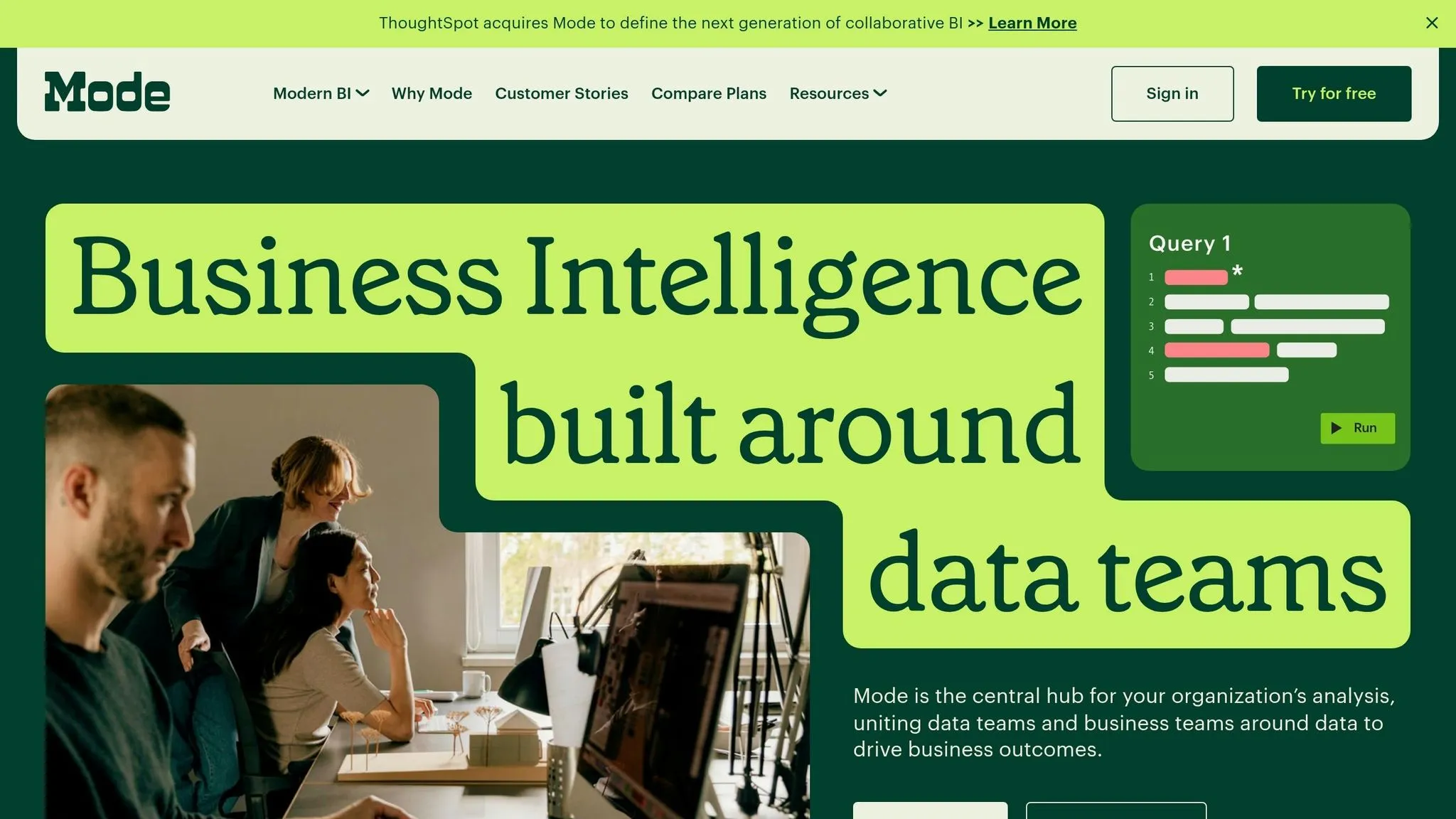
Mode runs right on top of Snowflake, BigQuery, Redshift, Databricks, and ClickHouse. It brings SQL, Python, and dashboards into one workspace. The upside is speed for analysts. The trade-off is lighter shared governance than you get from tools centered on a semantic layer.
Mode works best when analysts need to move fast. Its AI helps with SQL drafting and cleanup, which can save time during day-to-day work. But governance still comes down to the code analysts write.
For business users, Mode supports dashboard viewing. But it isn't built for governed self-serve or shared KPI definitions across departments. That matters when teams need metric logic to stay the same across the company. And that's the main thing warehouse-native AI needs if it's going to be useful.
Mode is now part of ThoughtSpot, so teams should look at its current direction through that lens.
| Capability | Mode |
|---|---|
| Warehouse connections | Snowflake, BigQuery, Redshift, Databricks, ClickHouse |
| AI interface | AI-assisted query generation and iteration |
| Semantic governance | Code-centric; no shared semantic layer |
| Primary user | Analysts |
| Ownership | Acquired by ThoughtSpot in 2023 |
Mode is a strong fit for analyst teams that live in SQL and Python and want a clean, warehouse-native workspace. It's a tougher choice for organizations that need governed self-serve analytics. Omni changes the comparison by putting governed semantic modeling at the center.
6. Omni
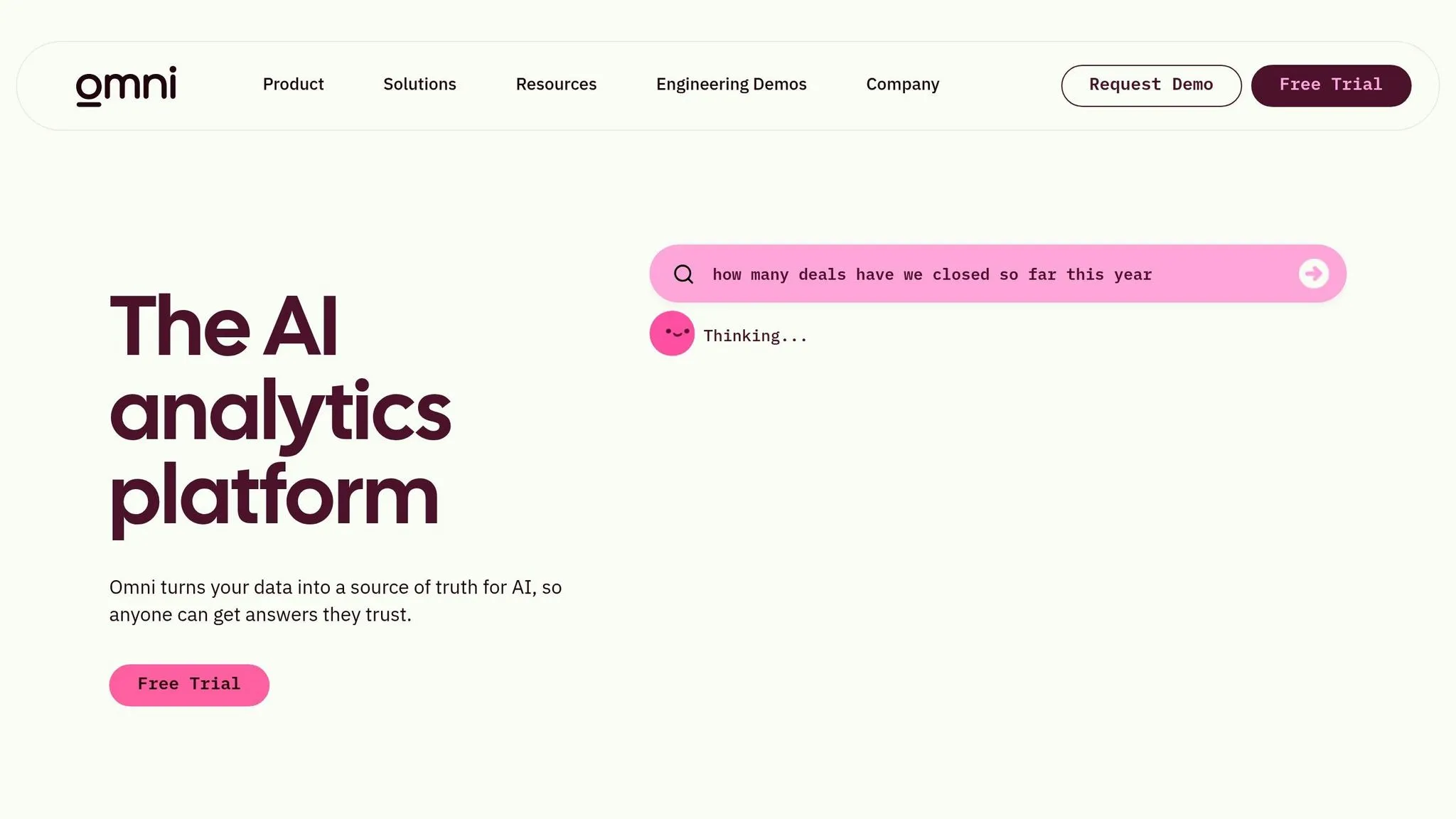
Omni is built for teams that want governed self-serve on Snowflake, BigQuery, Redshift, or Databricks, without extracts or duplicated datasets. That matters more than it may seem. If your team has ever dealt with mismatched numbers across tools, you already know how messy that can get.
Where Omni stands apart is its approach to semantic governance.
Omni treats dbt as a peer source, so metric definitions stay in one governed layer instead of getting split across different tools. That setup helps keep AI answers tied to the right logic. When a business user asks a question in plain English, the AI uses certified metrics and defined join paths rather than taking a blind swing with raw SQL [4].
Analysts build in workbooks and then promote certified metrics through Git-based review. Business users work from that same governed model, but with point-and-click controls that make self-service analytics less intimidating.
| Capability | Omni |
|---|---|
| Warehouse connections | Snowflake, BigQuery, Redshift, Databricks |
| Live querying | Yes, no extracts or duplicated datasets |
| Semantic layer | Warehouse-native, dbt-integrated, Git-versioned |
| AI grounding | Grounded in semantic layer definitions |
| Self-serve fit | Point-and-click for business users + Workbook for analysts |
| Pricing | Contact sales |
The main downside is simple: pricing isn’t public, so you’ll need a sales quote. Next, the side-by-side comparison shows how Omni’s governance model compares on AI grounding and self-serve access.
7. Looker
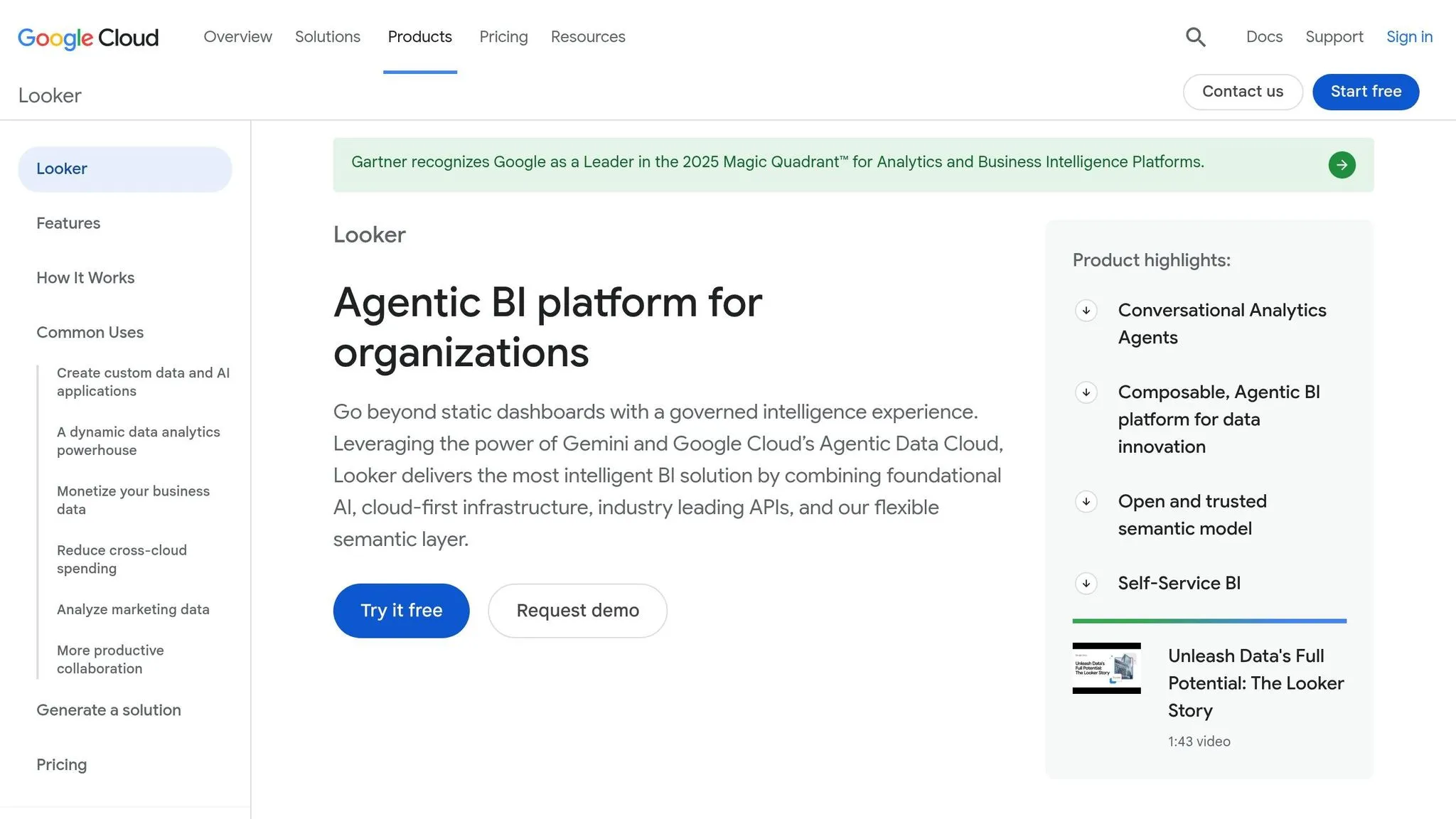
Looker’s main strength is LookML. It’s a code-based semantic layer that defines metrics, dimensions, joins, and access rules. Those models live in Git, so teams can version-control them and review changes before anything shows up on a dashboard. That makes Looker a strong pick when governed modeling is a big deal.
Looker runs live queries on Snowflake, BigQuery, Redshift, and Databricks. It doesn’t rely on data extraction, and PDTs handle heavier transforms in the warehouse.
On the AI side, Looker uses Gemini, and that matters because Gemini is grounded in the LookML model. In plain English, conversational answers stay tied to approved business logic instead of drifting into guesswork. The catch is simple: Looker’s AI is only as good as the LookML model behind it.
The trade-off shows up in self-serve use. LookML gives teams a lot of control, but model updates usually need a centralized analyst or a LookML specialist. Business users can still work inside governed Explores as consumers, though the actual authoring work stays with the modeling team.
| Capability | Looker |
|---|---|
| Warehouse connections | Snowflake, BigQuery, Redshift, Databricks |
| Live querying | Yes, no data extraction |
| Semantic layer | LookML (code-defined, Git-native) |
| AI integration | Gemini (grounded in LookML) |
| Self-serve fit | Governed Explores for consumers; LookML expertise required for authoring |
| Pricing | Platform fee + per-user licensing (Creators, Explorers, Viewers) [4] |
The table below highlights the governance, AI, and authoring trade-offs that matter most.
Strengths and Trade-Offs Side by Side
All of these platforms run on live warehouse data. So the big gaps aren't about whether they connect to the warehouse. The gaps show up in three places: how metrics are governed vs modeled, how far business users can get without analyst support, and whether the AI gives answers people can actually trust.
Start with the table. The notes after it explain what sits behind each score.
| Platform | Metric Governance | Business Self-Serve | Notebook Support | AI Grounding |
|---|---|---|---|---|
| Querio | High (shared context layer, versioned logic) | High (plain-English self-serve) | High (reactive SQL/Python notebooks) | High (inspectable, editable SQL) |
| Looker | Very High (LookML) | Moderate (authoring is technical) | Low | High (model-grounded) |
| Omni | High (workbook-to-model promotion) | High (point-and-click) | Low | High (semantic-aware) |
| Sigma | Moderate (data models) | Very High (spreadsheet UX) | Low | Moderate |
| ThoughtSpot | Moderate | High (search-first) | Low | High (Spotter/Sage) |
| Hex | Moderate | Moderate (analyst-first) | Very High (SQL/Python) | High (agentic) |
| Mode | Moderate | Moderate | High (SQL/Python) | Moderate |
If governance comes first, two camps stand out. Looker leans on LookML. Omni uses a workbook-to-model promotion flow and treats dbt as a peer. Both approaches can work well, but both also depend on analysts or modeling specialists to keep the layer up to date.
Sigma and ThoughtSpot push in a different direction. They give more room to non-technical users, but they don't go deep on notebooks. Sigma does this with a spreadsheet-style interface. ThoughtSpot does it with search-led ad hoc analysis.
If analyst workflows matter more than broad self-serve, the picture shifts. Hex and Mode both support team-based SQL and Python work that goes far beyond a standard dashboard tool. That said, neither one is built for wide non-technical self-serve across a business.
Querio lands in a different spot. Its shared context layer governs joins, metrics, and business definitions much like Omni or Looker govern their models. But it also brings reactive notebooks and plain-English self-serve into the same workspace. And every AI-generated answer comes with inspectable, editable SQL. That's a big deal. When a data leader needs to trust and audit what the AI ran against Snowflake or BigQuery, a black box usually isn't good enough.
Conclusion
For most warehouse-native teams, Querio is the best Power BI alternative in 2026. The reason is pretty simple: it brings together governed metrics, inspectable SQL/Python, and live-query self-serve right on top of the warehouse.
What tends to decide this choice? Governance, explainability, and whether business users can self-serve without breaking warehouse logic.
Use the table below to match your team’s top priority with the right operating model.
| Team Priority | Best Fit | Why |
|---|---|---|
| Auditable AI answers | Querio | Inspectable SQL and Python, shared context layer, governed self-serve |
| Enterprise metric governance | Looker | Mature LookML, code-first metric governance |
| Governed self-serve + dbt | Omni | Workbook-to-model promotion, dbt-native workflows, strong self-serve UX |
| Spreadsheet-fluent teams | Sigma | Spreadsheet-style interface on live warehouse data |
| Search-first analytics | ThoughtSpot | Natural-language search bar for non-technical users |
| Deep analyst notebooks | Hex | SQL and Python in one collaborative workspace |
The biggest buying mistake is treating this like a charting decision. It’s not. It’s a data-architecture decision.
For teams on Snowflake, BigQuery, Redshift, and Databricks, semantic governance matters more than dashboard polish. That’s where Querio pulls ahead for teams that want governed self-serve without giving up auditability.
If your team wants governed metrics, reactive notebooks, and auditable AI on live warehouse data, Querio is the strongest fit.
FAQs
How do I choose the right warehouse-native BI tool?
Pick the tool that fits your team’s day-to-day work, data rules, and warehouse setup.
Start with the basics: how well it works with Snowflake, BigQuery, or dbt. Then look at whether it keeps metric definitions consistent, without forcing your team to rebuild the same logic in a closed, vendor-specific format.
What matters most here:
- Live warehouse connectivity
- A governed semantic layer
- Support for AI and self-serve analytics
- Strong handling of security, embedding, and scale
That’s the core checklist. If a tool falls short in one of those areas, the pain usually shows up later - in messy metrics, access issues, or dashboards that don’t hold up as usage grows.
When does semantic governance matter most?
Semantic governance matters most when teams move beyond passive dashboards and start using AI-driven analytics. At that point, it acts as the reliability layer behind consistent business logic, so AI-generated SQL doesn’t spit out conflicting or wrong metrics.
It also keeps definitions, permissions, and row-level security in one place instead of scattering them across different tools. For warehouse-native teams, that helps prevent metric drift between dbt and the BI layer.
Can non-technical teams safely use AI on live warehouse data?
Yes - if the platform uses a governed semantic layer.
The big idea is simple: AI should work from trusted metric definitions, not raw SQL pointed at messy, unmodeled tables.
When business logic lives in one place and the SQL is inspectable, non-technical users can query live warehouse data with more confidence. At the same time, teams keep the controls they need for decisions they can stand behind.