Business Intelligence
9 Best Hex Alternatives for AI-Native Data Teams (2026)
Compare nine Hex alternatives for AI-native teams—live warehouse AI, governance, notebooks, and self-serve BI options.

If Hex no longer fits your team, the short answer is this: the top 9 options are Querio, Mode, Sigma, Deepnote, Count, Observable, ThoughtSpot, Looker, and Omni.
I’d group them like this:
- For AI + live warehouse analysis: Querio, Mode
- For governed self-service BI: Sigma, ThoughtSpot, Looker, Omni, Count
- For notebook-heavy teams: Deepnote, Querio, Observable
- For business users who don’t write SQL: Sigma, ThoughtSpot, Looker
- For teams that need shared metric rules: Looker, Omni, ThoughtSpot, Querio
The main split is simple. Hex is notebook-first. But many teams later want one of three things:
- Stronger metric control
- Easier access for non-technical users
- AI that works on live warehouse data with clear SQL behind it
That matters even more for U.S. teams in SaaS, healthcare, and finance, where bad numbers can cause a lot of trouble. And when a tool sits on top of Snowflake, BigQuery, Redshift, or Postgres, the difference between live queries and stale extracts can change day-to-day work.
Here’s the short takeaway:
- Querio is the best all-around pick if you want AI answers tied to live data, with SQL and Python you can inspect.
- Mode fits SQL-first analysts who mainly build reports.
- Sigma fits spreadsheet-style analysis on warehouse data.
- Deepnote fits teams that live in code notebooks.
- Count fits teams that care a lot about review and shared work.
- Observable fits custom data stories and JavaScript-heavy publishing.
- ThoughtSpot fits search-based analytics for business users.
- Looker fits teams that want tight metric control through LookML.
- Omni fits teams that want a middle ground between self-serve BI and analyst freedom.
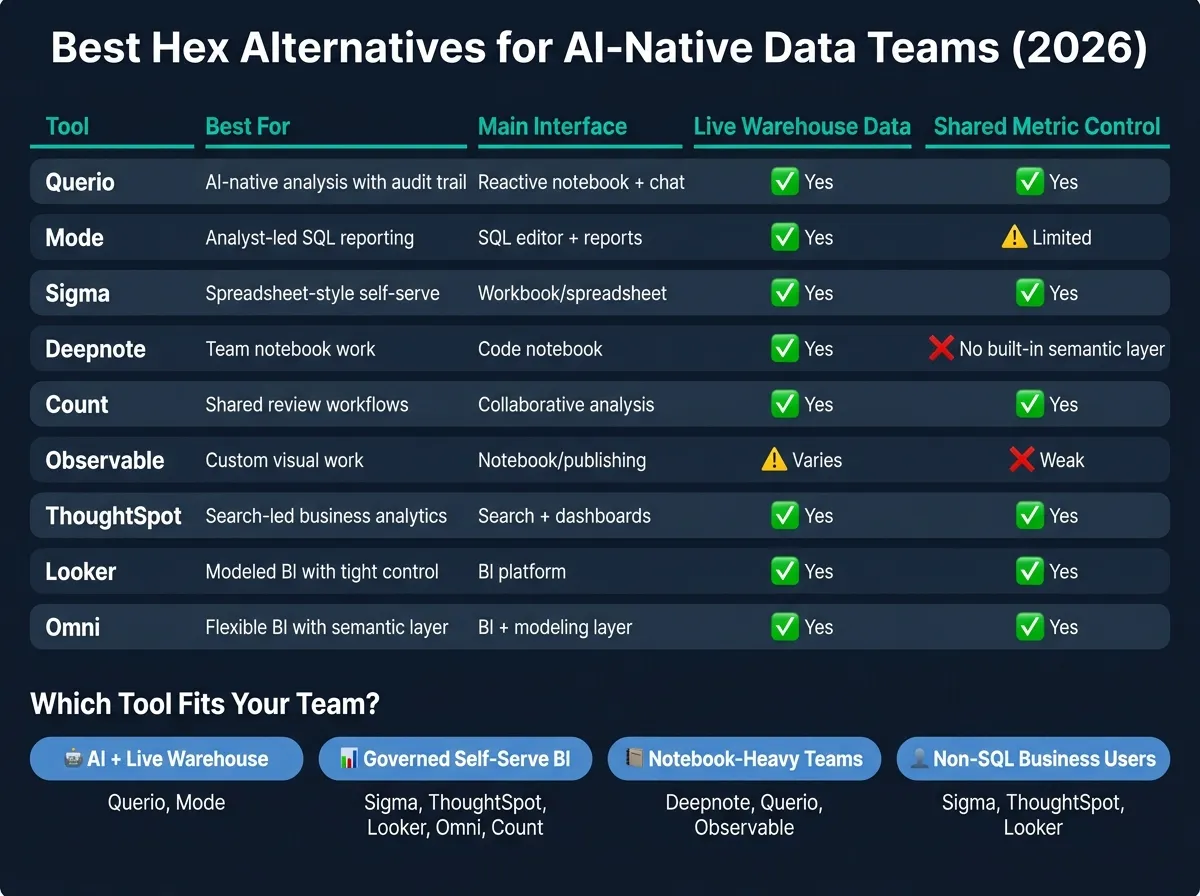
Quick Comparison
| Tool | Best for | Main interface | AI style | Live warehouse data | Shared metric control |
|---|---|---|---|---|---|
| Querio | AI-native analysis with audit trail | Reactive notebook + chat | SQL/Python agent | Yes | Yes |
| Mode | Analyst-led SQL reporting | SQL editor + reports | AI-assisted SQL | Yes | Limited |
| Sigma | Spreadsheet-style self-serve | Workbook/spreadsheet | Guided analysis | Yes | Yes |
| Deepnote | Team notebook work | Code notebook | SQL/Python help | Yes | No built-in semantic layer |
| Count | Shared review workflows | Collaborative analysis | AI query help | Yes | Yes |
| Observable | Custom visual work | Notebook/publishing | Code-led help | Varies by setup | Weak |
| ThoughtSpot | Search-led business analytics | Search + dashboards | Natural-language analytics | Yes | Yes |
| Looker | Modeled BI with tight control | BI platform | AI grounded in LookML | Yes | Yes |
| Omni | Flexible BI with semantic layer | BI + modeling layer | Model-based AI | Yes | Yes |
In plain English: if your team wants notebooks, look at Querio or Deepnote. If your team wants self-serve for business users, look at Sigma, ThoughtSpot, Looker, or Omni. If your team wants a SQL reporting setup, start with Mode.
That’s the lens I’d use for the rest of this guide: AI, warehouse access, metric control, collaboration, governance, and pricing.
1. Querio
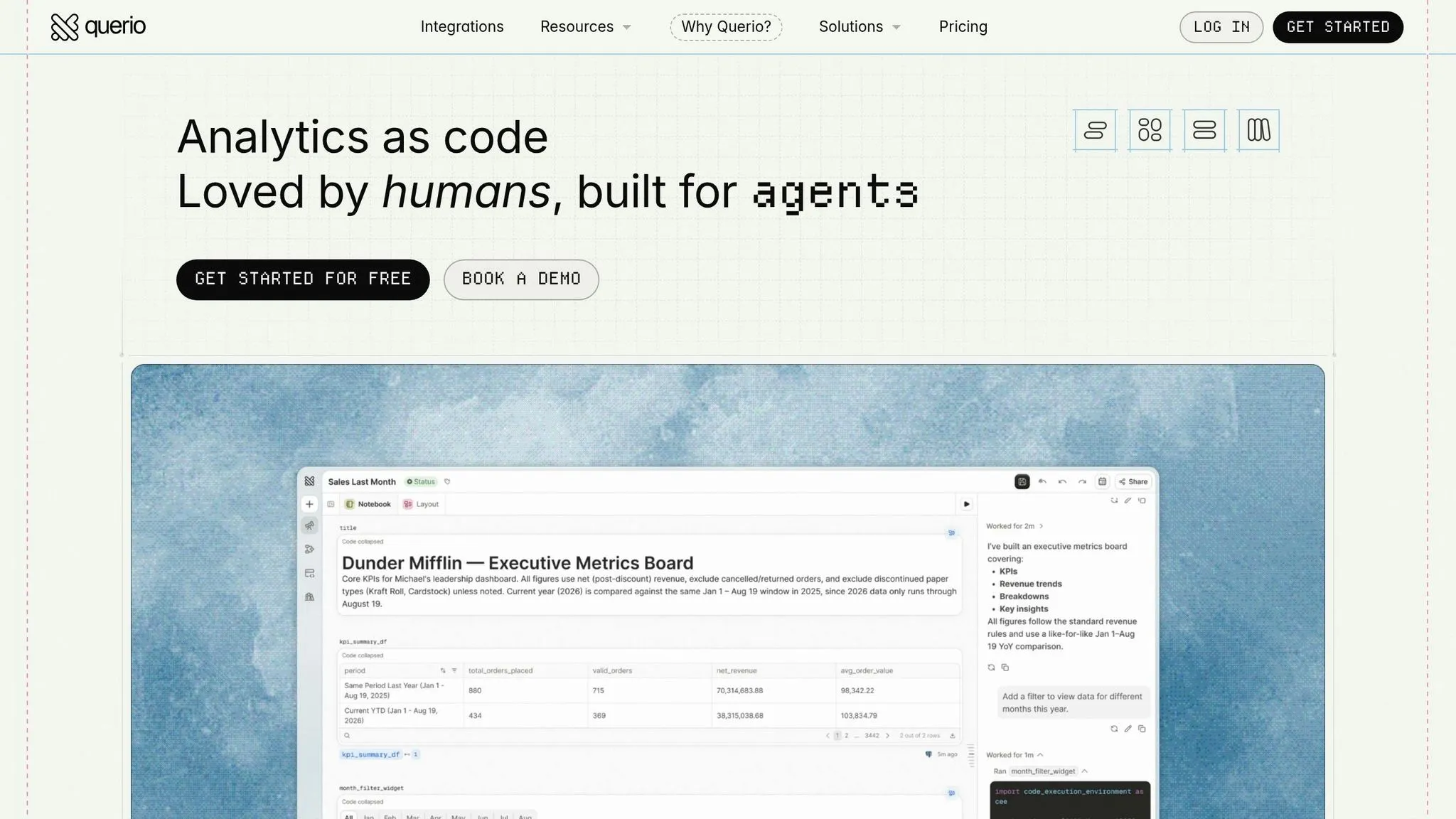
Querio gives AI-native data teams governed, warehouse-native analysis with inspectable SQL and Python inside a reactive notebook. If your team is moving off Hex, you get answers you can audit and trace instead of black-box AI output, and the definitions, notebooks and dashboards behind them live as files in a git repo your team owns.
AI Workflows
The agent takes questions in the app or Slack, then writes SQL and Python against live warehouse data in a reactive notebook that analysts can open, check and rerun. Claude and ChatGPT work through Querio's MCP server, and Claude Code and Cursor through its CLI, all from the same definitions. Notebooks run in a sandbox with no internet access.
Because the agent runs on live warehouse data, connectivity matters just as much as the AI layer.
Warehouse Connectivity
Querio connects live to Snowflake, BigQuery, Redshift, Postgres, ClickHouse, and MySQL. On Snowflake, BigQuery and Databricks, queries run as the user through per-user OAuth, so the warehouse's own access rules apply. No CSV exports. No extracts. That keeps the workflow close to the source data, which is usually where teams want it.
Once access is live, the next issue shows up fast: does everyone use the same metric definitions?
Semantic Governance
Querio keeps context (table docs, business terms) and metric definitions as plain files in a git repo the team owns, and they can live in the same repo as dbt. Querio reads dbt's MetricFlow metrics directly, so there's no second copy, and without dbt you define metrics in Querio and commit them in MetricFlow format. Agents propose changes, and saving context opens a pull request under the repo's own reviewers. In practice, that means teams can keep metric definitions consistent without first setting up a separate semantic layer.
Querio also includes SOC 2 Type II and RBAC. [4]
That shared definition layer matters, but it's only useful if analysts and business users can work from it in the same flow.
Collaboration Model
Business users can ask questions in Slack or the app, while data teams work in the notebook environment. Every query and agent action is logged. Dashboards are built from notebooks and stored as files the agent can read and edit, and promoting one opens a PR your reviewers approve.
That gives Querio a strong starting point for governed, self-serve analytics. The next platforms make different tradeoffs across notebooks, semantic layers, and business-user access.
2. Mode
Mode is a SQL-first BI platform built for analyst-led reporting. The core idea is simple: write queries, turn them into parameterized reports, and use AI to make that loop smoother.
AI Workflows
Mode uses AI to help analysts draft and refine SQL. But it doesn't take over the whole workflow. If your team leaned hard on Hex Magic or notebook agents, Mode will likely feel more like AI-assisted querying than a full notebook replacement.
Warehouse Connectivity
Mode connects to Snowflake, BigQuery, Redshift, and Postgres. It also queries live data.
Semantic Governance
Mode handles governance at the project level through parameter sets and review workflows. This approach helps ensure data governance while maintaining speed. It also supports dbt integration at the project level, which can help keep metrics aligned across reports.
Collaboration Model
The split in Mode is pretty clear: analysts write SQL, stakeholders read reports. That makes it a strong fit for structured reporting, especially when business users need parameterized dashboards without jumping into the query layer themselves. Mode works well for analyst-to-stakeholder reporting, while the next tools move more toward governed self-serve and broader team collaboration.
| Feature | Mode | Hex |
|---|---|---|
| Primary Interface | SQL Editor & Reports | Collaborative Notebooks |
| Governance | Project-based, parameter sets | Project-level, dbt integration |
| Best Fit | SQL-proficient analyst teams | Notebook-heavy data teams |
| Output Type | Parameterized reports/dashboards | Data apps and scheduled notebooks |
3. Sigma
For teams moving away from Hex, Sigma is the spreadsheet-first choice for self-service analytics platforms. It fits best when business users need to work with data without writing SQL. The big difference is the working style: Sigma uses a spreadsheet-style interface on live warehouse data, while Hex leans on notebooks.
AI Workflows
Sigma builds AI into the spreadsheet workflow itself. This is not a notebook-agent setup. Instead, Sigma centers analysis inside the spreadsheet layer, with a guided and governed approach rather than code-led workflows.
Warehouse Connectivity
Sigma has native Snowflake and Databricks connectivity, which makes it a strong match for teams already using those platforms. Queries run directly against the warehouse.
Semantic Governance
This is where Sigma stands out. Its focus is governed, warehouse-native analytics. It supports governed data models, access controls, and writeback. For finance, operations, and regulated teams, that extra oversight can matter a lot.
Collaboration Model
Sigma works best when many people need to explore the same governed data in shared workbooks. Its output is geared more toward pixel-perfect reports and embedded analytics. In plain English, it’s a better fit for governed spreadsheet analysis, while the next platform fits teams with a different way of working.
| Feature | Sigma | Hex |
|---|---|---|
| Primary Interface | Spreadsheet / workbooks | Collaborative notebooks |
| AI Focus | Governed spreadsheet analysis | SQL/Python agents |
| Best Fit | Finance, operations, compliance teams | Analyst-heavy, notebook-first teams |
| Warehouse Connectivity | Native Snowflake and Databricks connectivity | Broad connectivity |
| Output Type | Pixel-perfect reports and embedded analytics | Interactive notebooks and data apps |
4. Deepnote
While Sigma leans toward governed spreadsheets, Deepnote goes back to a code-first way of working. It’s built for teams that want SQL, Python, and AI in one shared notebook space. Deepnote is a good Hex alternative when the main goal is team notebook work, not turning notebooks into apps or setting up governed self-serve access.
AI Workflows
Deepnote’s AI helps analysts write, revise, and debug SQL or Python right inside the notebook. It works best for technical teams that already spend most of their time in code.
Warehouse Connectivity
Deepnote connects natively to Snowflake, BigQuery, and Databricks. That means analysts can query live warehouse data straight from the notebook.
Governance
The main drawback with Deepnote is governance. It does not include a semantic layer for shared metric definitions. So if your team depends on shared, governed metrics, that’s the big tradeoff.
Collaboration Model
Multiple analysts can work in the same notebook at the same time. Compared with Hex, Deepnote is less suited for publishing notebook outputs as data apps for business users. That makes it a strong choice for analyst collaboration, but a weaker one for governed self-serve or business-user reporting.
| Feature | Deepnote | Hex |
|---|---|---|
| Workflow | Collaborative notebooks | Collaborative notebooks + data apps |
| AI focus | Code generation and debugging | Notebook agent for analyst assistance [2] |
| Collaboration | Real-time notebook collaboration [3] | Publish notebooks as data apps [2] |
| Best fit | Technical data teams [3] | Notebook-heavy teams shipping data apps [2] |
| Pricing | Free tier for small teams + paid tiers [3][2] | $36–$75/editor/month [2] |
5. Count
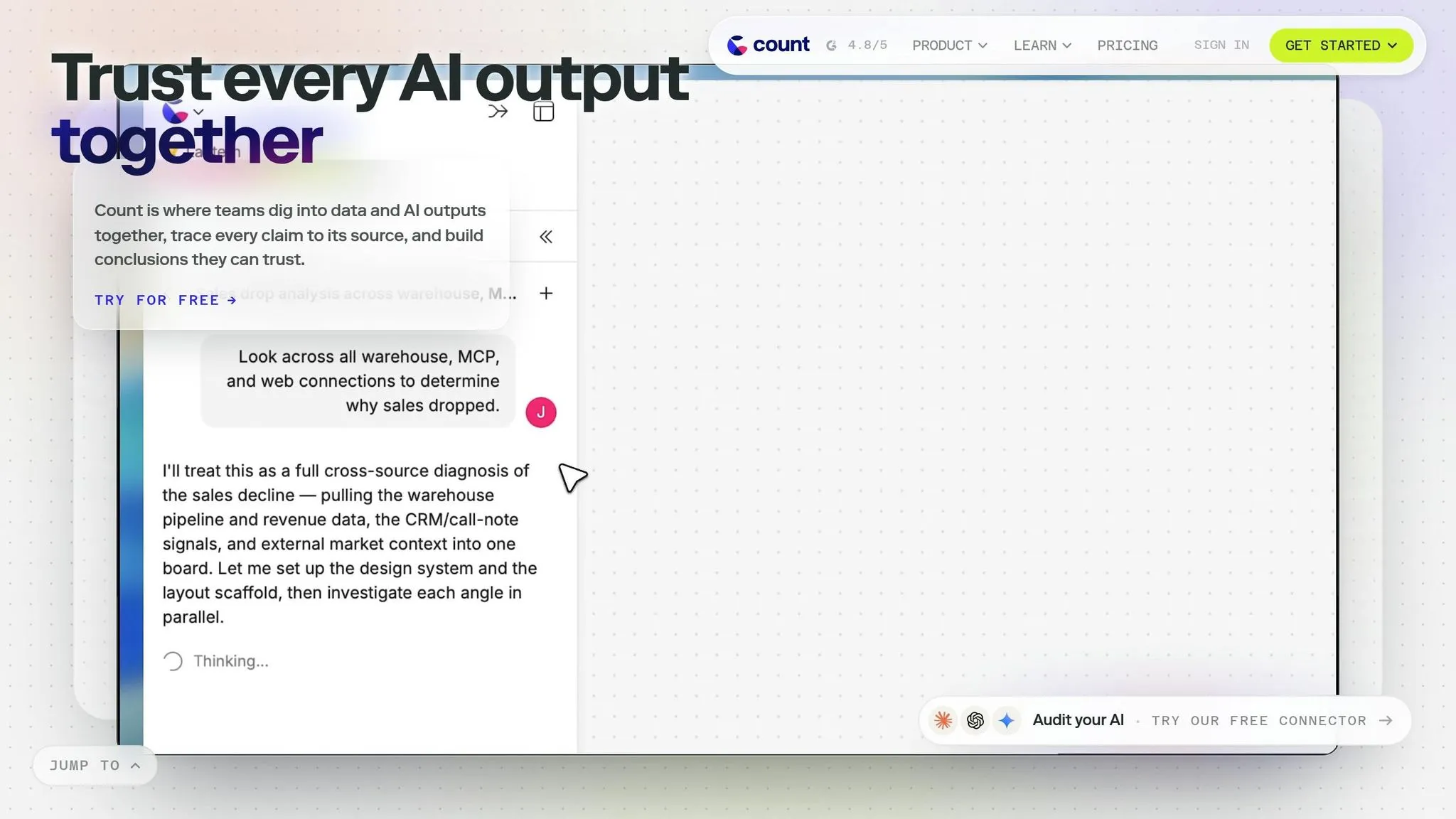
Count should be judged against the same nonnegotiables that matter in a Hex replacement: live warehouse access, governed analysis, and shared review. Before you put it on a shortlist, check whether Count supports each of the areas below.
| Evaluation area | Count check | Why it matters for Hex replacement |
|---|---|---|
| AI-assisted analysis and shared review | AI query help plus collaborative review in one workflow | Keeps analysts moving without losing human oversight |
| Warehouse access | Direct, live connections to Snowflake, BigQuery, Redshift, or Postgres | Avoids stale extract-based analysis |
| Governance | Role-based access, governed metric definitions, and versioning | Critical for finance, healthcare, and regulated teams |
Put simply, Count works well as a checkpoint for teams that want to test workflow fit before they standardize on a broader analytics stack. This is a common step for teams building a modern data stack focused on self-serve agility.
6. Observable
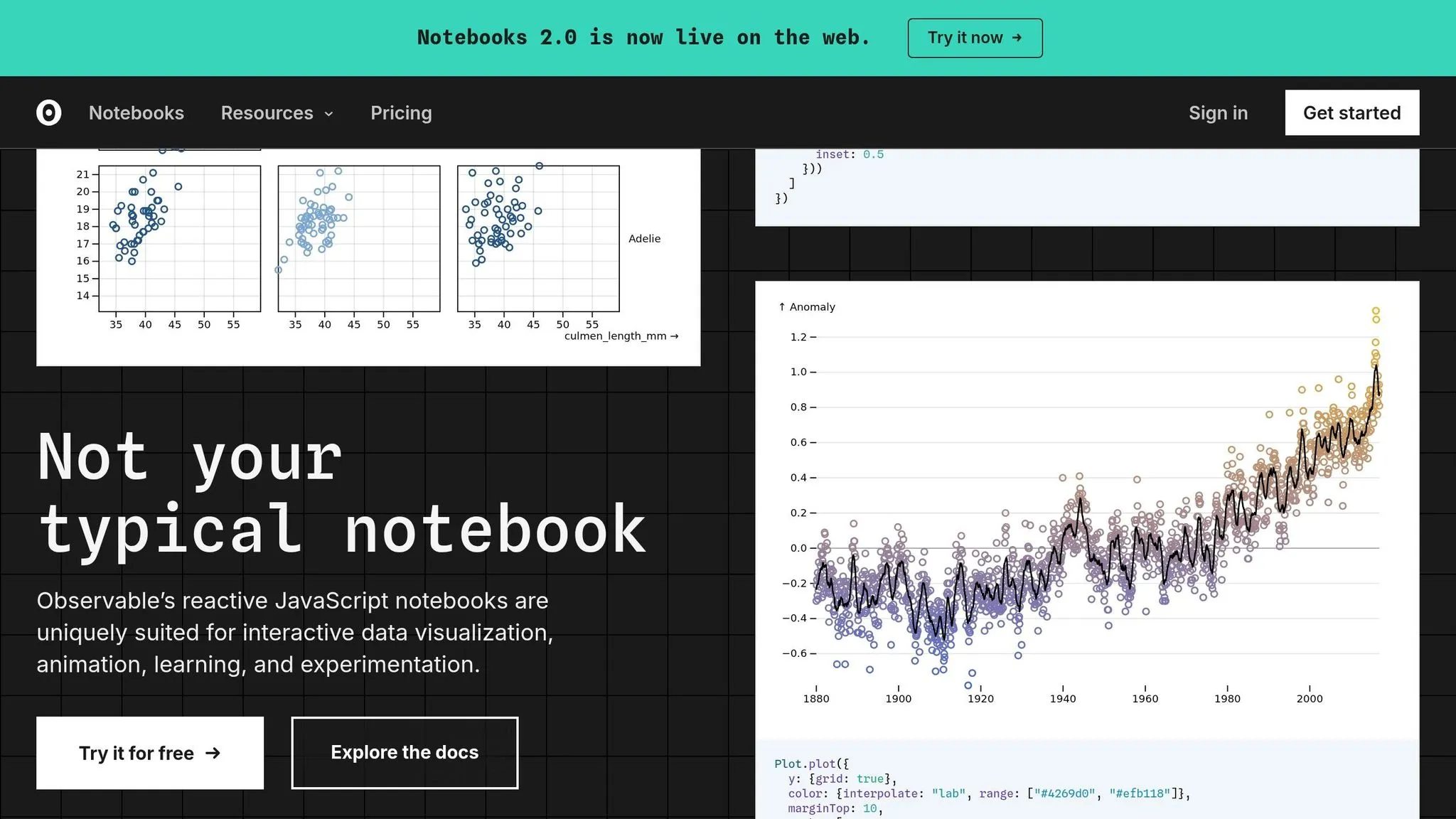
For teams that want a notebook-first workflow with a lighter BI feel, Observable sits closer to analysis and publishing than self-serve business intelligence. It works well for teams that want notebook-style exploration and shareable analysis, but it's a weaker Hex replacement when you need governed metrics and warehouse-native self-serve. Use it for analyst-led exploration and publishing. Skip it if your main goal is governed metric reuse across business users.
Observable stands apart from other notebook tools in this list because it leans more toward published, shareable analysis than collaborative notebook editing or governed metric definitions. AI should help people move faster with SQL, code, and analysis, not put one more hurdle in the way. Check that it connects cleanly to your warehouse and supports live analysis. Only use it if metric definitions stay consistent across users. Also make sure sharing and review work well for both analysts and stakeholders.
The core tradeoff for Hex buyers is pretty simple: Observable answers the question of whether analysts can move fast and share results clearly, but it doesn't answer the question of whether business users can safely reuse governed metrics. If your team's priority is exploration and publishing polished analysis, Observable belongs on the shortlist. If your priority is governed, warehouse-native self-serve for non-technical users, it does not.
That makes Observable a good fit for exploration-first teams, while the next platform is stronger when business users need more guided access to insights.
7. ThoughtSpot
ThoughtSpot is the best fit here for teams moving off legacy BI and into search-driven, AI-assisted analytics. It’s not much of a notebook replacement. Instead, it works as a governed BI layer for business users working on live warehouse data. For Hex buyers, that’s the big tradeoff: notebook collaboration on one side, governed self-serve for business users on the other.
AI Workflows
ThoughtSpot’s Spotter layer turns natural-language questions into semantic context, visual output, and logic you can inspect. SpotterCode also lets teams look at the SQL behind an answer, so the AI doesn’t feel like a black box.
Warehouse Connectivity
ThoughtSpot connects natively to Snowflake, BigQuery, Databricks, and Redshift [2]. It also fits well for teams already using dbt.
Semantic Governance
Teams can define KPIs and business logic once in a centralized semantic layer, then use those same definitions across natural-language queries [5]. So if someone asks for Daily Active Users, that metric keeps the same meaning across the company. ThoughtSpot also supports dynamic row-level and column-level security, role-based access controls, and SOC 2 Type II compliance [4][5].
Collaboration Model
ThoughtSpot uses Liveboards for search-based exploration, and its embedded analytics SDK brings insights into products. The main experience is a web app, not a notebook. That’s a real shift from Hex.
Compared with Hex, ThoughtSpot moves the center of gravity away from analyst notebooks and toward enterprise self-serve. Teams that want notebook-first SQL and Python collaboration will likely find the next platform closer to that style.
8. Looker
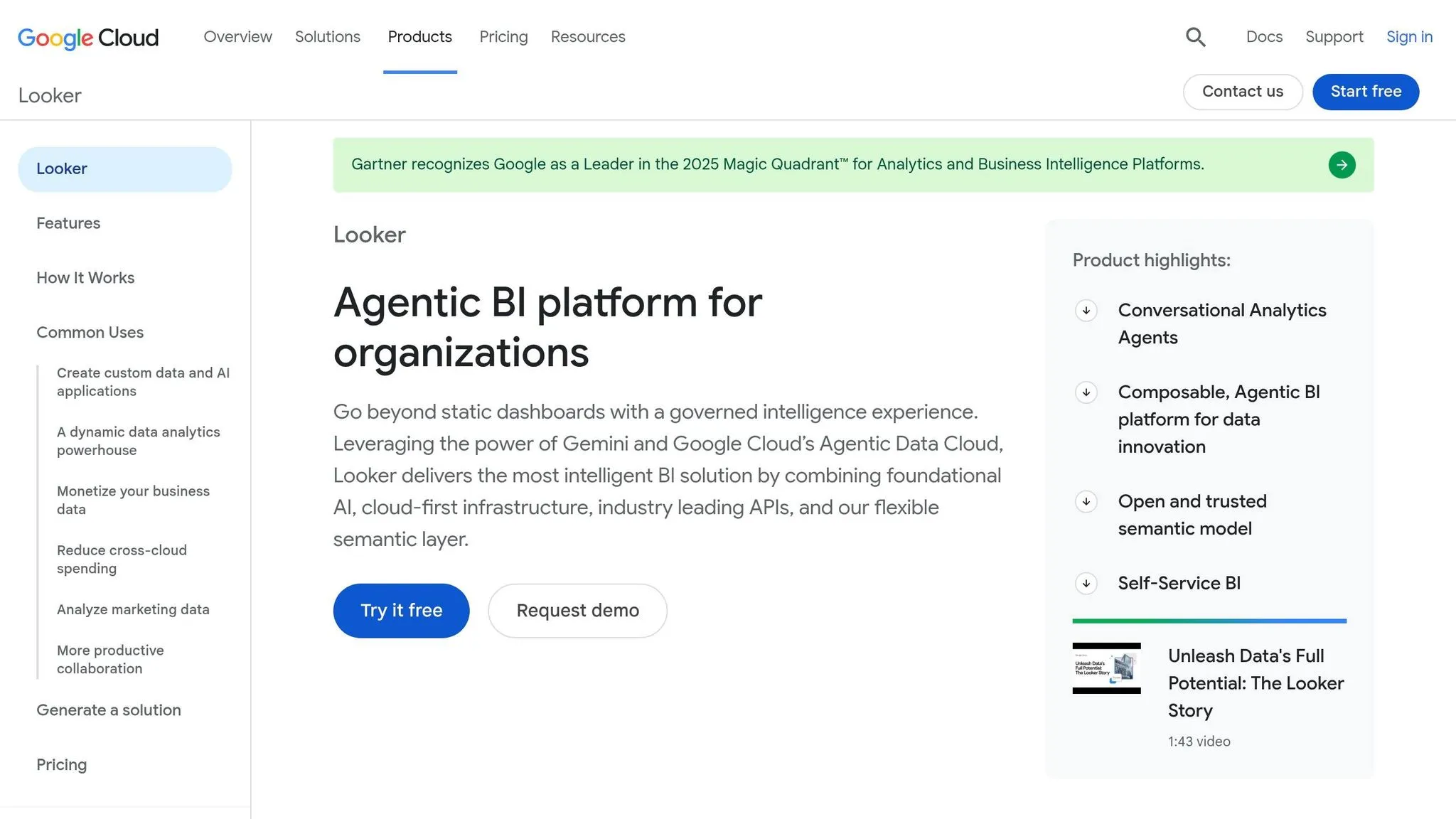
Looker is built around a centralized semantic model, not notebook workflows. For teams comparing it with Hex, the tradeoff is pretty clear: do you want governed metrics and shared logic, or do you want a more notebook-first way to work? Looker makes more sense when governance matters more than notebook flexibility.
AI Workflows
Looker’s Gemini-based AI uses LookML as its source of truth. That means answers are based on approved business logic, not raw schemas. In practice, that helps teams get outputs that line up with how the business already defines its numbers.
Warehouse Connectivity
Looker is warehouse-native, with native support for BigQuery, Snowflake, and Databricks [2][5]. Its deepest integration is with BigQuery, which makes sense given the Google Cloud relationship [1].
Semantic Governance
LookML puts KPI, metric, and join-path definitions in one place, so every dashboard and AI-generated query uses the same logic. That helps cut down on metric drift across teams. The downside is the setup: a full LookML implementation usually takes 3–6 months for a mid-sized team [5].
Collaboration Model
Looker works best for governed self-serve analytics and shared decision-making. It’s less suited to notebook-first analysis. So if your team wants something lighter and more centered on notebooks, the next option is closer to that style.
| Dimension | Looker |
|---|---|
| Best warehouse fit | BigQuery (deepest), Snowflake, Databricks |
| AI grounding | LookML semantic layer via Gemini |
| Governance strength | High - centralized metric definitions |
| Ad hoc flexibility | Moderate - best on modeled data |
| Setup investment | High - 3–6 months for full LookML build |
9. Omni
Where Looker leans hard into centralized modeling, Omni takes a slightly looser path. It still uses a semantic layer, but it gives analysts more room to dig around and ask new questions. In practice, Omni sits between notebook-style exploration and governed BI. That makes it a solid match for teams that want flexible analysis without drifting away from a shared semantic model.
Omni runs directly on your warehouse, so data access stays tied to the permissions you already have in place there. That matters. It means teams can keep semantic control without losing the freedom to explore.
AI Workflows
Omni’s AI-assisted analysis is tied to the semantic model, not raw table schemas. That’s an important difference. The AI can only work as well as the model behind it, so teams that haven’t done much modeling yet may not get as much from these features right away.
Warehouse Connectivity
Omni connects natively to Snowflake, BigQuery, Redshift, Postgres, MySQL, and DuckDB. Queries run live against the warehouse.
Semantic Governance
Omni uses a semantic layer to keep metric definitions consistent across users. So if one team is looking at revenue and another is doing the same, both should be working from the same definition instead of two slightly different versions. That makes Omni a good fit for teams that want governed self-serve analytics with a more flexible exploration layer on top of trusted warehouse data.
Collaboration Model
Use Omni when analysts need room for flexible exploration and business users need governed access to shared metrics. Both groups work from the same warehouse definitions, which helps keep analysis aligned.
The next section breaks down where each platform wins and where it falls short.
| Dimension | Omni |
|---|---|
| Best warehouse fit | Snowflake, BigQuery, Redshift, Postgres, MySQL, DuckDB |
| AI grounding | Semantic layer |
| Governance strength | Strong for shared metric definitions |
| Ad hoc flexibility | High |
Where Each Platform Wins and Falls Short
No single tool is the best fit for every job. The right choice depends on who is asking the question and how much control the team needs.
Ad hoc SQL analysis is where Mode stands out. Analysts get fast editors, parameterized reports, and AI code generation without much overhead. The downside is simple: business users mostly consume the output. They can read reports, but they usually aren’t the ones steering the analysis.
Governed self-serve is the sweet spot for ThoughtSpot, Looker, Sigma, and Count. ThoughtSpot’s search-led Spotter AI lets non-technical users ask questions in plain English against live data at enterprise scale. Looker keeps definitions consistent through LookML, which works well but needs dedicated analytics engineering support. Sigma offers a spreadsheet-style interface that feels familiar to finance and ops teams, especially on Snowflake or Databricks. Count is a good fit for teams that want collaborative review built right into the governed workflow. In all four cases, the big catch is the same: AI only becomes useful after serious modeling work is in place.
Collaborative notebook workflows are where Deepnote and Querio fit best. Both support real-time editing and cell-based logic. Deepnote has a lower barrier to entry thanks to its free tier. Querio keeps the notebook setup analysts want, with real SQL and Python inside a reactive notebook, while also extending those answers into governed self-serve for non-technical users. These tools make the most sense for teams already working in SQL or Python.
If analysts need to turn notebook work into polished output, the next step is usually visualization or app-building tools.
Custom visualization and app building is where Observable stands apart. It’s a strong fit for custom visual work and interactive publishing. But there’s a tradeoff: it’s weak for governed self-serve and asks a lot from teams on the JavaScript side.
Omni sits in the middle of notebook-style exploration and governed BI. Its semantic layer keeps metric definitions aligned while still giving analysts room to dig around. That makes it a good match for teams that want flexibility without drifting away from shared definitions.
AI agent access in Slack, Teams, or embedded workflows is another use case that matters more than ever. Querio’s Slack integration, plus MCP access in Claude, ChatGPT and other agents, spins up a real notebook behind every answer, which means there’s a full audit trail. ThoughtSpot, by contrast, uses a separate app and login, so rollout can move more slowly for distributed teams.
Use the matrix below to narrow the field by workflow, then check the product summary for where each tool fits cleanly and where friction tends to show up.
| Scenario | Best options | Main strengths | Main limitations | Best-fit team |
|---|---|---|---|---|
| Fast ad hoc SQL analysis | Mode, Querio | High-speed editors; AI code generation; inspectable SQL | Requires SQL/Python fluency | SQL-heavy analyst teams |
| Governed business self-serve | ThoughtSpot, Looker, Sigma, Count | Governed metrics; search-driven UI; collaborative review | Heavy modeling investment required | Finance, ops, and regulated teams |
| Collaborative notebooks | Deepnote, Querio | Real-time editing; reactive cells; notebook-native collaboration | Best for teams comfortable in SQL/Python | Data teams that live in notebooks |
| Custom app/viz building | Observable | Flexible UI components; D3.js; interactive publishing | Requires strong JavaScript skills | Product-minded data teams |
| AI agent access (Slack/Teams/embedded) | Querio, ThoughtSpot | Chat-first delivery with a full audit trail; governed context; natural language querying | ThoughtSpot requires a separate app experience | Distributed, fast-moving teams |
| Flexible exploration + governed metrics | Omni | Bridges SQL exploration and semantic governance | Newer entrant; evolving feature set | Teams wanting both flexibility and control |
If you want a quicker pass/fail scan, the table below gives the short version.
| Product | Strength | Tradeoff |
|---|---|---|
| Querio | AI-agent native; live warehouse connections; inspectable SQL/Python; definitions as files in your git repo; Slack/MCP/CLI delivery | Newer platform; smaller customer base |
| Mode | Excellent SQL ergonomics; mature parameterized reporting | Business users are mostly passive consumers |
| Sigma | Familiar spreadsheet interface; strong Snowflake/Databricks fit | Not a notebook-first environment |
| Deepnote | Strong collaboration; free tier available; AI-assisted notebooks | Requires SQL/Python fluency |
| Count | Collaborative review built into governed workflow | Narrower feature set than enterprise BI tools |
| Observable | Best-in-class custom visualization; highly flexible | Requires significant JavaScript expertise |
| ThoughtSpot | Enterprise-scale search-driven AI; liveboards; replaces legacy BI | Standalone app; separate login for end users |
| Looker | Industry-standard LookML governance; highly reliable metrics | High maintenance; less AI-native than newer rivals |
| Omni | Flexible modeling; bridges SQL and governed UI | Newer entrant; evolving feature set |
Conclusion
The best Hex replacement comes down to how your team works day to day. Some teams need AI-assisted warehouse analysis. Others need governed self-serve BI, notebook collaboration, or agent-based data work. Once you know that, the choice gets much simpler.
Querio stands out as the best all-in-one option for governed AI analysis on live Snowflake, BigQuery, Redshift, and Postgres data, with every definition and dashboard kept in your git repo and changed through pull requests. Mode and Count are a strong fit for analyst-led SQL reporting. Sigma, Looker, and Omni make sense for governed self-serve use. Deepnote and Observable work well for notebook-heavy or app-focused teams. ThoughtSpot is a fit for search-first analytics for business users.
AI answers are only as good as the definitions behind them. That’s why a governed semantic layer matters. Tools like LookML or a dbt-synced context layer help keep results consistent and auditable. As Valiotti Data puts it, "Accuracy is a property of your semantic model, not of the language model." [1]
At that point, the last call isn’t about feature count. It’s about fit. Match the platform to your main users, your governance needs, and your warehouse stack, and the shortlist becomes pretty clear.
FAQs
How do I choose the right Hex replacement for my team?
Start with your team’s main need: notebook flexibility, governed BI for consistent metrics, or self-serve analytics for non-technical users. Then match the tool to your core workflow - notebooks for deep analysis, governed platforms for trusted metrics, or SQL-first reporting for repeatable outputs.
Focus on four areas when you compare options: AI workflow, code depth, governance, and delivery model. A lot of teams split the job in practice: notebooks for ad hoc work, plus a governed layer for trusted daily metrics.
Why does a semantic layer matter for AI analytics?
A governed semantic layer gives AI analytics one trusted source of truth for business logic and metric definitions.
Without that layer, AI can read data the wrong way. And when that happens, you get inconsistent results, drifting definitions, and numbers that don’t match from one report to the next.
By putting rules, joins, and metrics in one place, a governed semantic layer helps keep outputs accurate, inspectable, and tied to approved definitions. That makes it easier for non-technical users to self-serve with confidence.
Which tools work best on live warehouse data?
The best tools for live warehouse data connect straight to the warehouse. That helps you avoid the stale exports that often show up in old-school ETL workflows.
If you mostly work inside one stack, native options usually give you the closest fit. Tools like Snowflake Cortex Analyst, Databricks AI/BI Genie, and BigQuery with Gemini are built to work tightly within their own ecosystems.
If you need something that works across platforms, Querio is a strong option. It connects live to Snowflake, BigQuery, Redshift, ClickHouse, and Postgres and keeps metric definitions as files in your git repo, so people and agents get the same numbers across sources.
Sigma is also a good choice, especially for teams that want spreadsheet-style analysis while still working on live warehouse data.