Business Intelligence
Top 8 AI Tools for Data Analysis in 2026
Compare eight AI analytics tools focused on live warehouse connections, inspectable SQL/Python, and robust governance.
In 2026, the best AI tools for data analysis prioritize live connections to data warehouses, transparency in query logic (SQL or Python), and governance features that ensure consistent metrics and data clarity. These tools are designed to empower both technical teams and non-technical users while reducing bottlenecks. Here's a quick breakdown of the top tools:
Querio: Directly connects to warehouses, generates inspectable SQL/Python, and uses a centralized semantic layer. Ideal for scaling self-service analytics.
Microsoft Power BI: Offers natural language query generation (DAX-based) with strong Microsoft ecosystem integration but limited transparency.
Tableau: Known for polished dashboards but relies on data extracts and lacks a centralized semantic layer.
ThoughtSpot: Search-driven interface with live queries but requires strong data modeling upfront.
Hex: Code-first platform for SQL/Python users, great for collaborative analytics.
Databricks: Built for large-scale data engineering and machine learning, with robust governance via Unity Catalog.
Julius AI: Lightweight, affordable, but limited to static data uploads and lacks governance.
IBM Cognos Analytics: Enterprise-grade governance with robust metadata management but complex for mid-sized teams.
Quick Comparison
Tool | Live Connection | AI Transparency | Governance | Best For |
|---|---|---|---|---|
Querio | ✅ Yes | ✅ Full SQL/Python | ✅ Centralized semantics | Mid-sized teams scaling analytics |
Power BI | ⚠️ Partial | ⚠️ Limited (DAX) | Microsoft-centric organizations | |
Tableau | ⚠️ Partial | ⚠️ Limited | ✅ Certified sources | Dashboard-focused teams |
ThoughtSpot | ✅ Yes | ⚠️ Limited SQL | ✅ Strong modeling | Non-technical users |
Hex | ✅ Yes | ✅ Full SQL/Python | ⚠️ Team-level semantics | Technical, code-first teams |
Databricks | ✅ Yes | ✅ Full SQL/Python | ✅ Unity Catalog | Large-scale engineering/ML workflows |
Julius AI | ❌ No | ⚠️ None | ❌ None | Individual/small teams with low needs |
IBM Cognos | ✅ Yes | ⚠️ Natural language | ✅ Enterprise-grade | Large enterprises with BI teams |
For mid-sized SaaS companies, Querio stands out with its live connectivity, inspectable AI outputs, and centralized governance, making it the best choice for scaling analytics without sacrificing clarity or control.
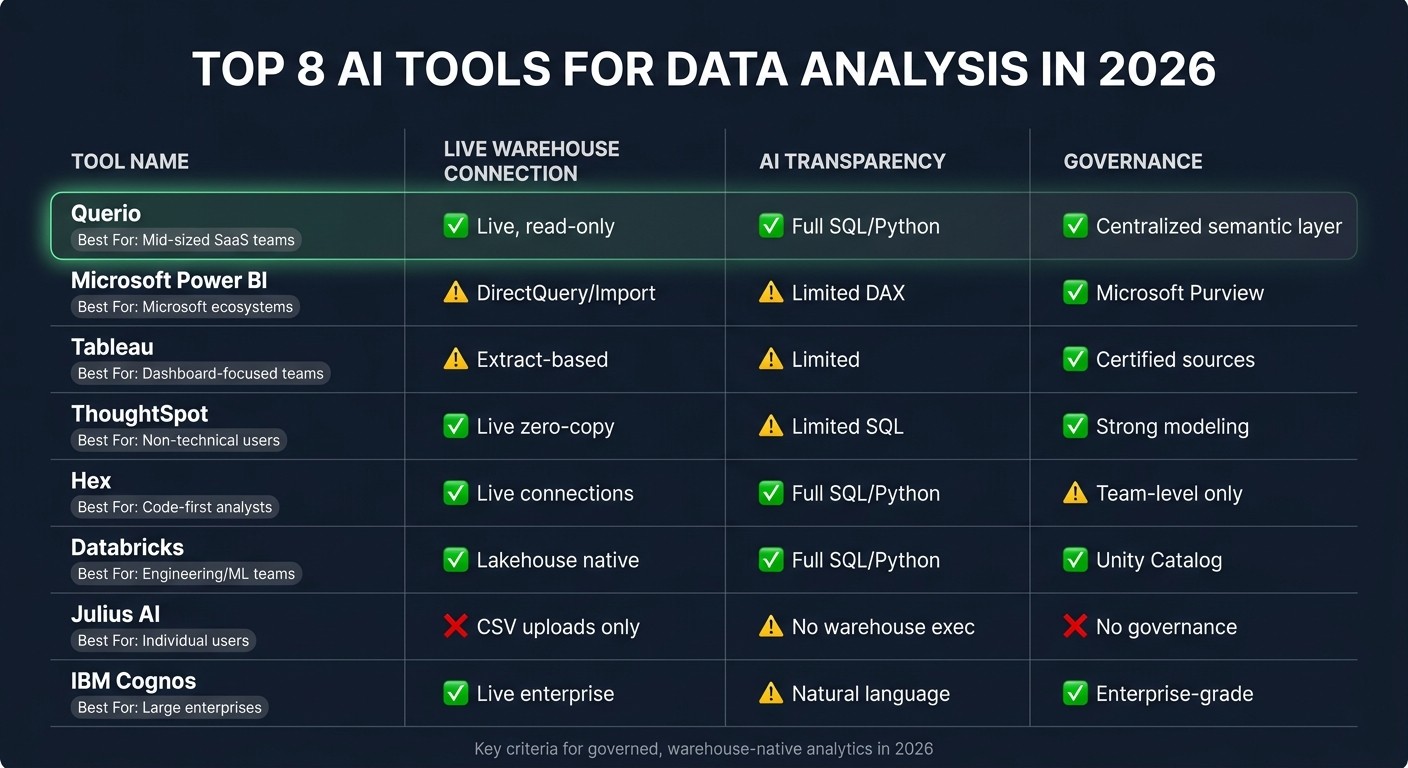
Top 8 AI Data Analysis Tools Compared (2026)
I Tested 53 AI Tools for Data Analysis - THESE 5 ARE THE BEST!
1. Querio
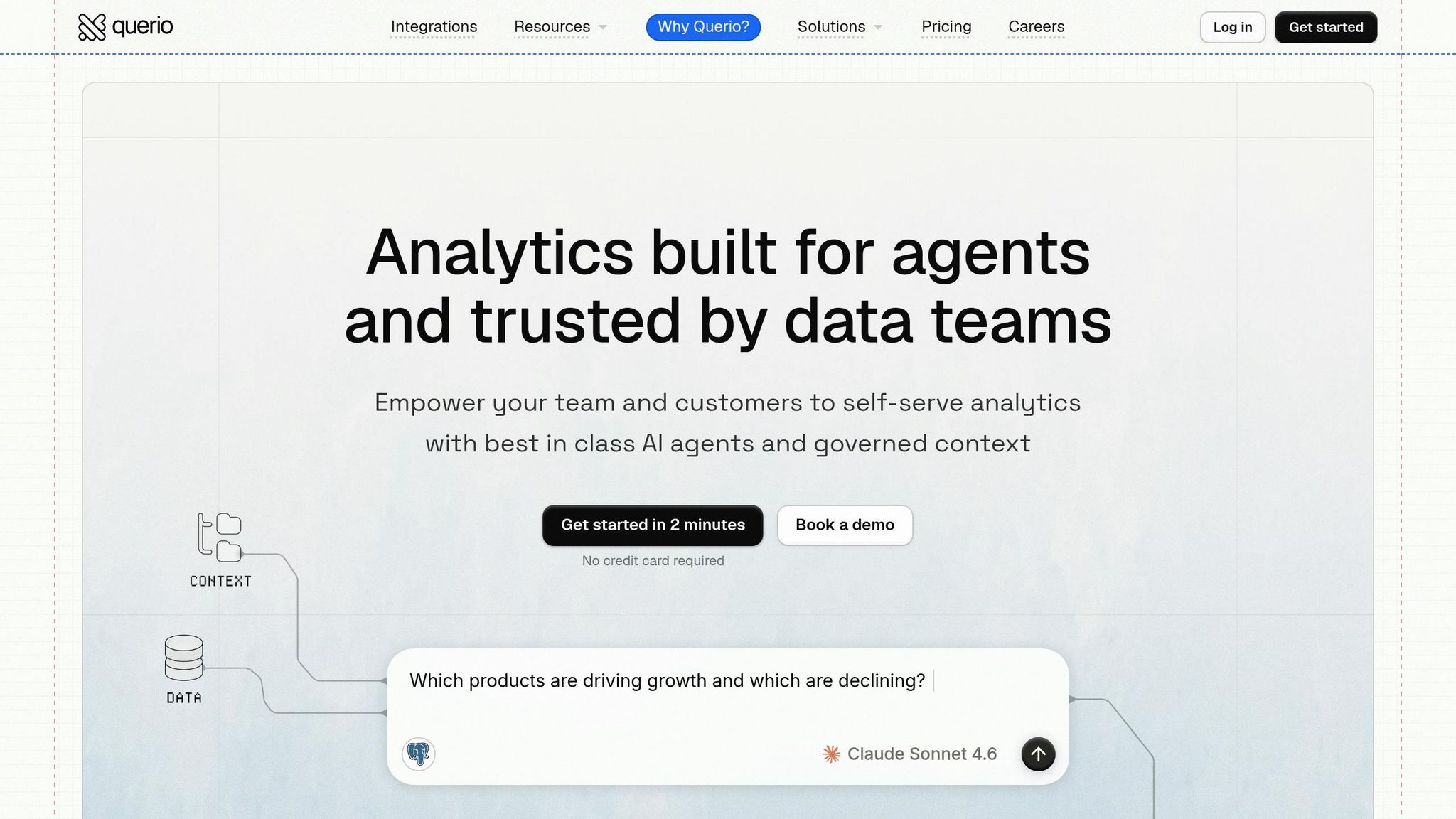
Querio is a modern AI-native analytics workspace designed to meet the demand for live, governed analytics. It integrates directly with Snowflake, BigQuery, Amazon Redshift, ClickHouse, and PostgreSQL using secure, encrypted, read-only credentials. This approach eliminates the need for CSV exports, data duplication, and outdated snapshots, ensuring that every query reflects the most up-to-date data.
One standout feature of Querio is its ability to generate inspectable SQL or Python for every query. This allows data engineers to review, modify, and reuse code as needed, fostering trust in shared metrics for teams like Finance and Marketing.
At the core of Querio is its governed semantic layer, where data teams define metrics, joins, and business terms once. These definitions are automatically applied across various tools, including ad-hoc queries, notebooks, dashboards, and embedded analytics. If definitions need to be updated, changes are made centrally, preventing outdated reports from circulating.
Querio also simplifies follow-up questions, making it especially helpful for non-technical users. For example, a business analyst could ask, "What drove the spike in churn last quarter?" and seamlessly follow up with, "What about North America specifically?" - all without losing the context of the initial query. This ease of use is paired with robust auditability, ensuring data teams maintain control.
Another major advantage is Querio's flat-fee pricing model, which includes unlimited viewers. Traditional BI tools often rely on per-seat licensing, which can result in restricted access to control costs - defeating the purpose of self-service analytics. Querio removes this barrier, allowing organizations to scale analytics access without worrying about unexpected charges.
Here’s a quick overview of Querio’s key features:
Capability | Querio |
|---|---|
Warehouse connection | Live, read-only (no extracts) |
AI output | Inspectable SQL + Python |
Governance | Centralized semantic layer |
Access model | Flat-fee, unlimited viewers |
Security | SOC 2 Type II, RBAC, RLS, SSO |
Best for | Data teams + self-service analytics platforms |
2. Microsoft Power BI
Microsoft Power BI has become a go-to choice for organizations that operate heavily within the Microsoft ecosystem. It connects seamlessly to data warehouses like Snowflake, Google BigQuery, and Azure Synapse through DirectQuery for live connections or in-memory imports.
A standout feature is Power BI's Copilot, which uses natural language to create DAX queries instead of raw SQL. While this works well within Microsoft's ecosystem, some data engineers might find it limiting. The diagnostic tool, "How Copilot arrived at this", provides only partial insight into query generation, which can be a drawback for teams that need more transparency.
Governance in Power BI relies heavily on a well-structured semantic model. To ensure Copilot performs as intended, each table, column, and measure must have a clear description of up to 200 characters. Integration with Microsoft 365 governance tools is robust, but during the preview phase of Copilot, Row-Level Security (RLS) can be bypassed. To safeguard sensitive data, Microsoft suggests using Object-Level Security (OLS) instead.
Feature | Power BI |
|---|---|
AI Engine | Copilot (Generative AI, DAX-based) |
Warehouse Connection | DirectQuery or Import |
AI Transparency | Limited ("How Copilot arrived at this" tool) |
Security | RLS + OLS (OLS recommended for Copilot) |
Pricing Model | Per-user licensing |
Best For | Microsoft-centric organizations with DAX expertise |
Power BI fits best with teams that already have expertise in DAX and benefit from tight integration with tools like Excel, Teams, and Azure. However, its DAX-centric approach, per-user pricing, and limited SQL transparency could be challenging for teams that need full inspectability, live analytics directly from warehouses, or more flexible, flat-fee access.
3. Tableau with Tableau AI and Tableau Pulse
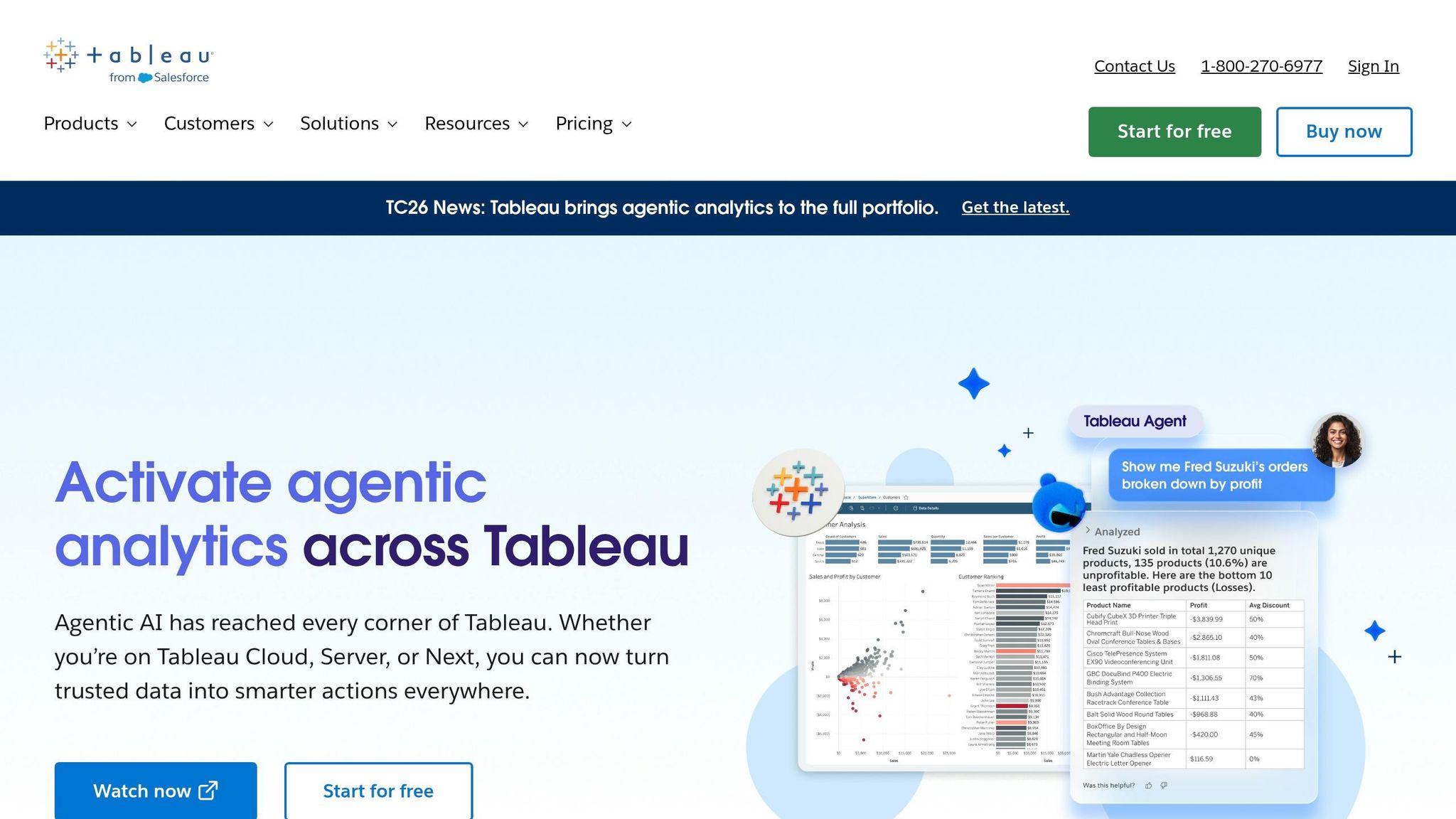
Tableau has been a cornerstone in enterprise analytics for years, and its newer features - Tableau AI and Tableau Pulse - are designed to make dashboards smarter and more automated. Tableau Pulse stands out by providing proactive metric summaries and anomaly alerts, sparing users from manually sifting through reports. But despite these advancements, some challenges stem from Tableau’s underlying data practices.
One major issue is Tableau's reliance on data extracts rather than live connections to warehouses like Snowflake, BigQuery, or Redshift. This approach often leads to data duplication outside the warehouse, and as data volumes increase, managing these extracts can become a logistical headache.
Governance is another sticking point. Tableau lacks a centralized semantic layer, which means teams may define metrics differently across departments. This inconsistency can erode trust in the data and create confusion, especially in larger organizations.
Accessibility is also limited. While Tableau AI can generate insights, data experts still need to validate or refine these outputs using SQL or Tableau’s proprietary query language. This reliance on technical expertise makes it less user-friendly for non-technical teams. Additionally, the pricing model - $75 to $115 per user per month - can quickly add up for larger teams.
Feature | Tableau |
|---|---|
AI Features | Tableau AI, Tableau Pulse |
Warehouse Connection | Extract-based (risk of data duplication) |
Governance | Decentralized; no built-in semantic layer |
Accessibility | Requires SQL/DAX for AI output validation |
Pricing | Per-user ($75–$115/mo) |
Best For | Organizations with dedicated BI teams and IT-controlled setups |
Tableau works well for businesses with robust BI teams and IT-managed environments. However, for teams that prioritize live, warehouse-native analytics with consistent metric definitions, Tableau’s extract-heavy model and decentralized governance may introduce more challenges than solutions.
4. ThoughtSpot
ThoughtSpot connects directly to your cloud data warehouse, ensuring every query pulls live data without relying on copies or outdated exports. It integrates seamlessly with platforms like Snowflake, BigQuery, and Redshift, keeping analytics rooted in your warehouse. This direct approach supports a user-friendly, search-driven interface.
The platform is designed around a "Google-like" search experience. Business users can type questions in plain English, and ThoughtSpot's AI assistant, Spotter, translates them into queries using an AI data analytics copilot for SQL. Spotter generates transparent, inspectable SQL, allowing analysts to verify the logic behind every query. With Spotter 3 (currently in early access), the assistant now offers enhanced reasoning capabilities and a verifiable query plan, providing a significant upgrade over earlier versions' token-based searches.
In addition to its intuitive interface, ThoughtSpot takes data governance seriously. By default, it only shares metadata with language models, safeguarding sensitive data unless your organization explicitly opts in. This approach is particularly reassuring for businesses handling critical customer or revenue data.
That said, ThoughtSpot demands thorough semantic modeling upfront for the AI to function effectively. If your data model is incomplete or inconsistently defined, the search experience can falter. Additionally, the platform's pricing may be a hurdle for smaller teams, particularly those with 100–500 employees.
Feature | ThoughtSpot |
|---|---|
AI Assistant | Spotter (v1 → v3, early access) |
Warehouse Connection | Live cloud query (zero-copy) |
AI Transparency | Inspectable SQL / verifiable query plan |
Governance | Metadata-only LLM sharing by default |
Learning Curve | Minimal for end users; heavy upfront modeling |
Best For | Non-technical business users who need self-serve search without IT involvement |
ThoughtSpot is ideal for teams that have already invested in clean, well-structured data models and want to empower non-technical users to explore data independently. Without that foundation, the platform's search-driven experience may not fully meet expectations.
5. Hex
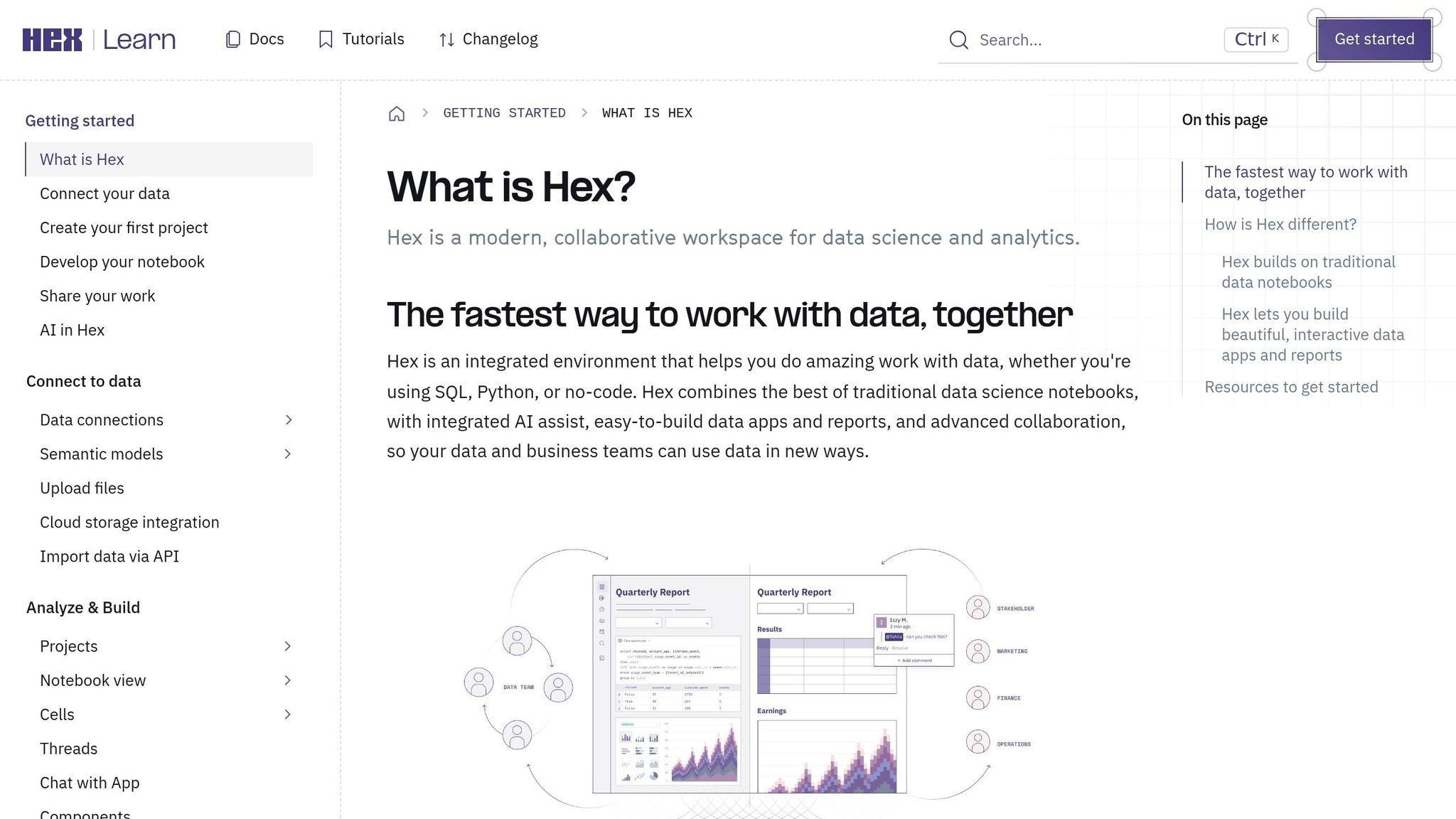
Hex is riding the wave of live, transparent analytics with a platform designed for collaboration and a code-first approach. This warehouse-native analytics tool enables analysts to work directly in SQL and Python, side by side. It connects seamlessly to major data warehouses like Snowflake, BigQuery, Amazon Redshift, ClickHouse, and PostgreSQL, allowing users to query live data effortlessly.
What sets Hex apart is its commitment to code-level transparency. With Hex Magic, the platform generates SQL and Python code that analysts can fully inspect, edit, and verify. This feature is ideal for data teams that want the speed of AI but need to maintain strict oversight - a critical factor for teams running production analytics on platforms like Snowflake or Redshift.
Another standout feature is Hex's shared semantic context, which ensures consistent metric definitions across notebooks. This is particularly useful for growing B2B SaaS companies, as it helps avoid conflicting reports and keeps everyone aligned.
Feature | Hex |
|---|---|
AI Assistant | Hex Magic |
Warehouse Connection | Live (Snowflake, BigQuery, Redshift, ClickHouse, Postgres) |
Code Transparency | Full SQL and Python inspection and editing |
Governance | Shared semantic context for consistent metrics |
Primary Users | Data analysts and data scientists |
Best For | Technical teams who want collaborative, code-first AI notebooks |
Hex is tailored for technical teams that are comfortable working with code. However, its notebook-first design might feel less intuitive for non-technical users looking for self-serve analytics options.
6. Databricks

Databricks is designed for organizations handling massive datasets, including unstructured data like PDFs, images, and audio. It serves as a unified data and AI platform tailored for teams managing operations at a large scale. By connecting directly to your data lakehouse, it simplifies the processing of petabyte-scale datasets.
A standout feature of Databricks is its focus on AI transparency. The platform can translate natural language queries into SQL or Python code, which analysts can inspect and modify. This level of visibility is crucial for teams that rely on accurate analytics to drive business decisions, ensuring the entire pipeline is accessible and reviewable.
Databricks also excels in governance through its Unity Catalog. This governance layer offers advanced access controls, thorough data lineage tracking, and consistent policy enforcement across workspaces. These features are especially beneficial for B2B SaaS companies that need to manage data access across multiple teams while adhering to strict internal policies.
Feature | Databricks |
|---|---|
AI Assistant | Converts natural language queries into SQL/Python code for review and editing |
Warehouse Connection | Live connections to platforms like Delta Lake, Snowflake, BigQuery, and Redshift |
Code Transparency | Allows full inspection and editing of SQL and Python code |
Governance | Unity Catalog with lineage tracking, access controls, and policy enforcement |
Primary Users | Data engineers, data scientists, and technical teams |
Best For | Large-scale machine learning workflows, unstructured data analytics, and enterprise-level data engineering |
While Databricks is a powerhouse for data engineers and data scientists comfortable with coding and infrastructure management, it may not be the best fit for AI data analytics tools for non-technical users looking for a more user-friendly, self-service analytics tools. Its complexity can be a hurdle for those without a technical background.
7. Julius AI
Julius AI is a lightweight, chat-based tool for data analysis, aimed at users who need quick insights without diving into coding. Priced at $20 per month, it’s an affordable option, but it comes with notable limitations for those requiring governed, warehouse-native analytics.
Data connectivity is a key limitation. Unlike tools that connect directly to platforms like Snowflake, BigQuery, or Redshift, Julius AI relies on manual CSV or Excel uploads. This means you’re working with static snapshots of data. For a B2B SaaS company using a real data warehouse, this approach can lead to outdated metrics and inconsistent reporting across teams.
Transparency is another issue. Julius AI operates like a black box, delivering charts and summaries without showing the underlying SQL or Python code. If the results are inaccurate, there’s no way to inspect or troubleshoot the logic behind them. That’s a serious drawback when those outputs are used for making business decisions.
When it comes to governance, Julius AI falls short. It lacks role-based access controls, centralized audit logs, and policy enforcement. Its reliance on static uploads also tends to create data silos, which can complicate collaboration and consistency across teams.
That said, Julius AI works well for individual contributors or small teams handling low-sensitivity data. It’s great for quick summaries, simple visualizations, or one-off data cleaning tasks. However, for data leaders managing governed analytics in a team environment, this tool isn’t designed to meet those needs. These shortcomings underscore the importance of live, warehouse-native analytics for mid-size B2B SaaS companies.
Feature | Julius AI |
|---|---|
Data Connection | Manual CSV or Excel uploads only |
Data State | Static snapshots only |
AI Transparency | Low - no inspectable SQL or Python |
Governance | Weak - no RBAC, audit logs, or policy enforcement |
Pricing | Starts at $20/month; higher tiers up to $200/user/month |
Best For | Individual users and small teams doing simple, exploratory analysis on non-sensitive data |
8. IBM Cognos Analytics
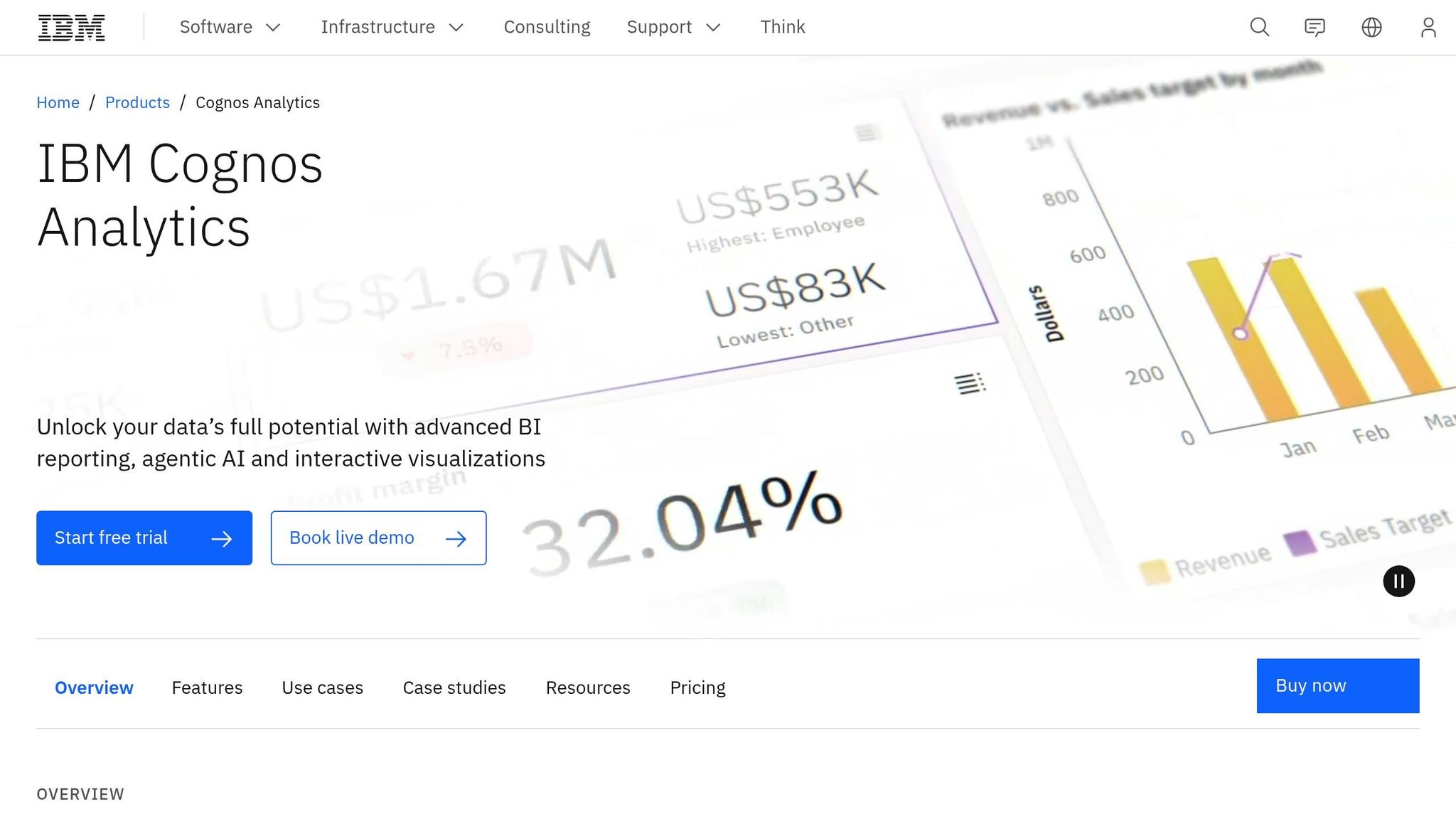
IBM Cognos Analytics is a powerful BI platform designed for enterprise-level needs, offering extensive data connectivity and governance capabilities. It integrates seamlessly with modern data warehouses like Snowflake, BigQuery, and Redshift, as well as legacy systems such as IBM Netezza. This ensures that users can access a wide range of data sources, making it a versatile tool for large organizations.
One of Cognos's standout features is its centralized metadata modeling layer, managed through Framework Manager and Data Modules. This ensures consistency in business logic, metric definitions, and security across all reports. Additionally, its AI Assistant and Insights feature provide natural language explanations for statistical drivers behind visualizations, making it easier for users to grasp the factors influencing key trends.
That said, the platform's complexity and IT-managed deployment can pose challenges for smaller or mid-sized companies, particularly those with 100–500 employees in the B2B SaaS space. These organizations often prioritize speed and self-service business intelligence, areas where Cognos may feel less nimble. However, for larger enterprises with dedicated BI teams and intricate governance requirements, Cognos remains a top choice.
Feature | IBM Cognos Analytics |
|---|---|
Data Connection | Live connections to Snowflake, BigQuery, Redshift, IBM Netezza, and more |
AI Transparency | Natural language insights provided by AI Assistant and Insights features |
Semantic Layer | Framework Manager and Data Modules maintain consistent business logic and metrics |
Governance | Enterprise-level security with centralized policy enforcement and robust metadata management |
Best For | Large enterprises with dedicated BI teams and complex governance needs |
Comparison Table
Here's a breakdown of the tools discussed, focusing on their live connectivity, AI transparency, and governance - key factors for effective, warehouse-native analytics in governed environments.
Tool | Warehouse-Native | AI Transparency | Governance | Best Fit for B2B SaaS |
|---|---|---|---|---|
Querio | ✅ Live connections | ✅ Inspectable, editable SQL/Python | ✅ Centralized semantic layer with versioned metrics | Teams scaling AI analytics solutions for self-serve analytics without losing consistency or control |
Microsoft Power BI | ⚠️ DirectQuery available; import mode common in practice | ⚠️ Copilot generates DAX/SQL; editing requires expertise | ✅ Strong with Microsoft Purview and row-level security | SaaS companies already deep in Microsoft 365 and Azure ecosystems |
Tableau + Tableau AI/Pulse | ⚠️ Live connections supported; extracts still widely used | ⚠️ Pulse delivers AI narratives; underlying logic less exposed | ✅ Governed with Tableau Catalog and certified data sources | Teams prioritizing polished dashboards and executive-facing reporting |
ThoughtSpot | ✅ Powered by live queries on Snowflake, BigQuery, and Redshift | ⚠️ SpotIQ surfaces AI insights; SQL visibility limited for end users | ✅ Governance via robust semantic modeling | Companies wanting natural language search on top of a cloud warehouse |
Hex | ✅ Direct connections to Snowflake, BigQuery, Redshift, Postgres | ✅ Inspectable code in notebooks | ⚠️ Team-level governance; less suited for org-wide metric enforcement | Analyst and data science teams doing collaborative, notebook-first work |
Databricks | ✅ Native on the Lakehouse; Unity Catalog spans Delta Lake and warehouses | ✅ AI/BI Genie shows generated SQL; notebooks fully transparent | ✅ Unity Catalog provides enterprise-grade governance | Data engineering and ML-heavy teams on the Databricks Lakehouse |
Julius AI | ❌ File and API uploads; no live warehouse connection | ⚠️ Shows Python code; no warehouse-native execution | ❌ No semantic layer or org-wide governance controls | Individual analysts doing quick, exploratory analysis on flat files |
IBM Cognos Analytics | ✅ Live connections to Snowflake, BigQuery, Redshift, IBM Netezza | ⚠️ AI Assistant explains trends in natural language; SQL not directly exposed | ✅ Framework Manager and Data Modules enforce centralized business logic | Large enterprises with dedicated BI teams and complex compliance needs |
While most tools now offer live, warehouse-native connectivity, governance and AI transparency remain critical for choosing the right platform. Some tools, like Julius AI, emphasize simplicity over governance, which can limit broader organizational use. On the other hand, platforms like Databricks and IBM Cognos deliver robust governance but may require significant setup and maintenance, potentially slowing down mid-sized SaaS companies.
Querio stands out by combining a unified semantic layer with full SQL and Python transparency, making it ideal for mid-size B2B SaaS teams looking to scale self-service analytics without sacrificing consistency or control. For data teams, the goal is clear: ensure non-technical users receive consistent, governed insights directly from the data warehouse. Querio excels in meeting this need with its transparent, self-serve approach.
Conclusion
The best AI data analysis tool for 2026 will be one that connects directly to your data warehouse, provides full visibility into every query's SQL or Python for accountability, and integrates easily into analysts' daily workflows. For B2B SaaS teams using platforms like Snowflake, BigQuery, or Redshift, these three features - live connectivity, transparency, and seamless workflow integration - are what make analytics reliable and scalable.
Transparency and governance aren't optional - they're the backbone of dependable analytics. Data teams need tools that allow them to inspect, edit, and audit AI-generated queries. This isn't just a nice-to-have; it's a baseline requirement. Tools that provide access to SQL or Python outputs also enable consistent metrics and empower self-serve analytics, keeping everyone - from analysts to non-technical stakeholders - on the same page. This transparency naturally aligns with the importance of live connectivity.
Live warehouse connectivity is just as critical. The move toward AI that identifies anomalies and automates data prep is gaining momentum. For instance, Google Cloud's BigQuery has seen a 25x increase in AI functions handling unstructured data and a 20x growth in agent-building tools [1]. This growth highlights the need for tools that can interact directly with warehouses in real time.
Lastly, compatibility with existing workflows is non-negotiable. If a tool demands constant IT input or forces analysts to revert to outdated methods like CSV exports, adoption will falter no matter how advanced its features are. The ideal tool is one that your data team will use consistently and that non-technical stakeholders can trust without second-guessing every result.
For mid-sized B2B SaaS teams, the goal is straightforward: warehouse-native, governed, and scalable self-serve analytics. Querio, with its transparent SQL/Python outputs and governed semantic layer, meets these needs perfectly. It offers consistent metrics, live connections to your warehouse, and self-serve functionality - all without compromising control.
Related Blog Posts


