Business Intelligence
best self service analytics tools
Compare seven self-service analytics platforms—AI features, security, integrations, and pricing—to find the right BI tool for your team's budget and skills.

Self-service analytics tools let you analyze data without needing IT teams. These platforms simplify complex tasks like querying databases, creating dashboards, and uncovering trends using AI and natural language. Here's a quick overview of seven top tools:
- Querio: AI-driven platform with plain English queries and SQL-free analysis. Integrates with data warehouses like Snowflake and BigQuery.
- Power BI: Microsoft's tool with strong integration into its ecosystem, offering AI-powered insights and robust governance.
- Tableau: Known for its visualizations, it connects to various data sources and includes AI features like Tableau Pulse.
- Looker: Centralized data governance with conversational analytics powered by Google Cloud.
- Qlik Sense: Features an Associative Engine for flexible data exploration and predictive AI tools.
- Zoho Analytics: Affordable and user-friendly, with AI assistants for queries and predictive modeling.
- Sisense: Great for embedding analytics into apps, with real-time insights and strong security.
Quick Comparison
| Tool | AI Features | Security & Governance | Integrations | Starting Price |
|---|---|---|---|---|
| Querio | SQL-free natural language queries, AI Chart Builder | SOC 2 Type II compliance | Snowflake, BigQuery, Postgres | Free plan; Core $2,499/mo |
| Power BI | Copilot, forecasting, clustering | Microsoft Purview, RLS | 400+ connectors, Azure, M365 | $10/user/month |
| Tableau | Tableau Pulse, conversational AI | Tableau Agent, SOC 2 | Salesforce, 100+ connectors | $75/user/month |
| Looker | Gemini-powered analytics | Centralized LookML governance | Google Cloud, BigQuery | Custom pricing |
| Qlik Sense | Insight Advisor, AutoML | Qlik Management Console | 500+ sources, CDC streaming | $200/month |
| Zoho Analytics | Ask Zia, AutoML tools | ISO 27001, SOC 2, GDPR | 500+ integrations | $24/month |
| Sisense | Fusion ML, conversational tools | SOC 2, ISO 27001 | 400+ connectors | Custom pricing |
These tools cater to different needs, from budget-friendly options like Zoho Analytics to enterprise-grade platforms like Sisense. Start with a trial to find the best fit for your team.
::: @figure 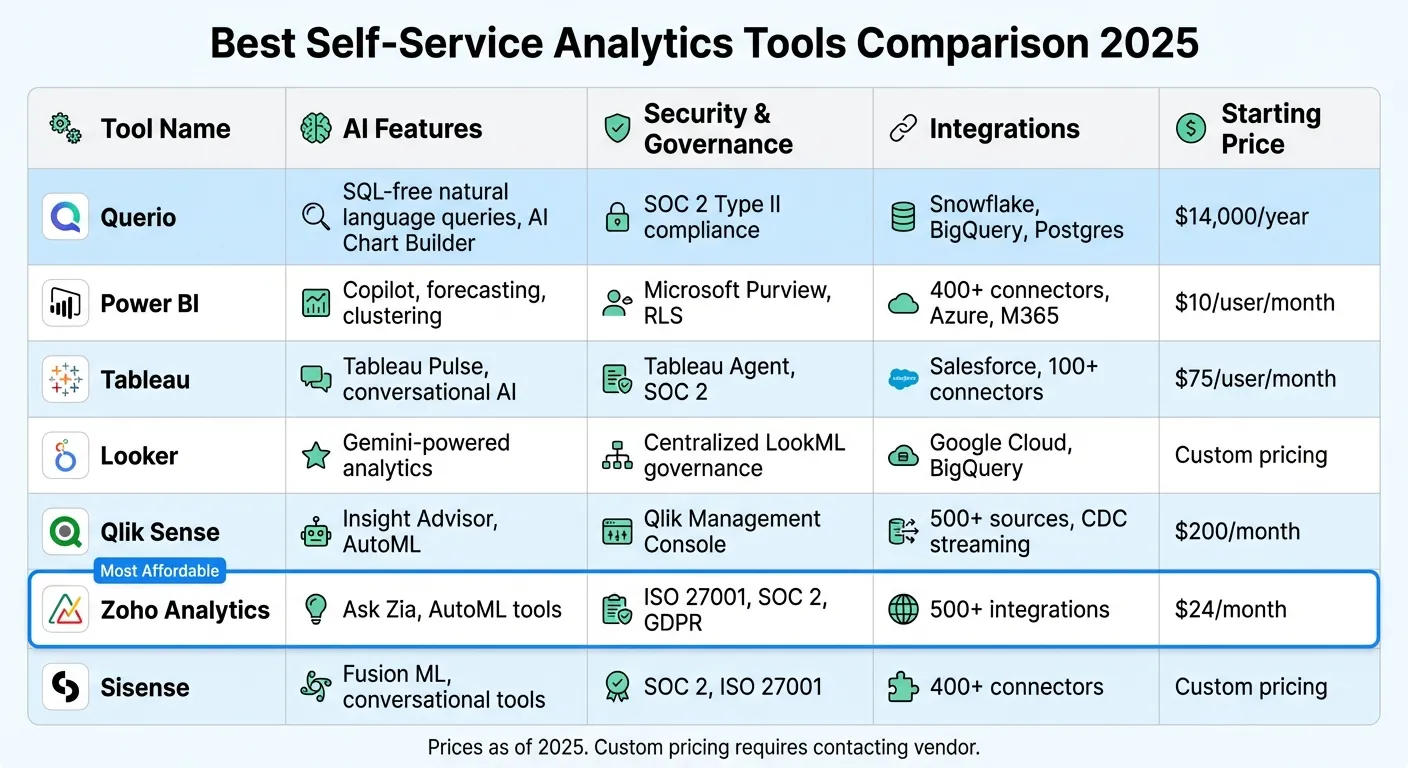 {Comparison of Top 7 Self-Service Analytics Tools: Features, Pricing, and Capabilities}
:::
{Comparison of Top 7 Self-Service Analytics Tools: Features, Pricing, and Capabilities}
:::
How AI Tools can Finally Solve the Self-Service Analytics Problem?
::: @iframe https://www.youtube.com/embed/spGrwChIcPc :::
sbb-itb-284a532
1. Querio
Querio is an AI-powered analytics workspace that connects directly to your existing data warehouse - whether you're using Snowflake, BigQuery, or Postgres. It empowers teams to query data using plain English, eliminating the need for SQL expertise or waiting on data teams to generate reports. For example, users can ask, "What were our top-performing products last quarter?" and instantly receive accurate answers backed by automatically generated SQL and Python code. This makes analytics faster, more accessible, and incredibly user-friendly.
AI Capabilities
Querio’s standout feature is its ability to translate natural language into executable SQL and Python, removing the technical hurdles that often slow down data analysis. Each answer is auditable, meaning you can review the underlying code to ensure accuracy and logic. The platform also includes a built-in analytics notebook for iterative workflows, letting users refine queries and develop reusable analyses - all without switching tools. Additionally, its AI Chart Builder simplifies dashboard creation by automatically generating visualizations based on your data and questions.
Governance & Security
Querio ensures consistency across teams with its semantic layer and business glossary, where data teams can define joins, metrics, and terminology once and apply them organization-wide. This eliminates discrepancies in metric calculations and keeps everyone aligned. The platform uses read-only connections to your data warehouse, so your source data remains untouched. It's also SOC 2 Type II compliant, meeting strict enterprise security standards. With robust access controls, you can manage who has visibility into specific data, protecting sensitive information while still enabling self-service analytics.
Integration Flexibility
Querio connects directly to your data warehouse using encrypted credentials, so there’s no need to copy or move data. You can embed governed analytics into customer-facing applications and share live dashboards with stakeholders, all while maintaining a single source of truth. The platform has no per-seat pricing (unlimited users on every plan), allowing you to extend data access across your organization without worrying about additional per-user fees. This makes it easier than ever to democratize data while keeping it secure and centralized.
2. Power BI
Power BI, Microsoft's business intelligence platform, connects to more than 100 data sources, including cloud databases, on-premises systems, and SaaS applications like Salesforce. It also integrates seamlessly with Microsoft tools such as Teams, Excel, PowerPoint, and Outlook. In 2024, Lumen reported saving nearly 10,000 manual hours by leveraging Microsoft-powered automation and Power BI. This shift allowed them to focus on creating business value instead of manual processes, according to Jerod Ridge, Director of Data Engineering [4].
AI Capabilities
Power BI's Copilot feature makes interacting with data incredibly intuitive. Users can simply describe what they need in plain English, and the platform generates entire report pages or specific visuals. For example, you could ask, "What were last quarter's sales by region?" and get instant, detailed analysis. The platform also comes equipped with AI tools for tasks like forecasting, clustering, and pattern detection. Additionally, it offers DAX assistance to simplify complex calculations. Microsoft was recognized as a leader for "Ability to Execute" in the June 2025 Gartner Magic Quadrant for Analytics and Business Intelligence Platforms [4].
Governance & Security
Power BI ensures secure data governance by integrating with Microsoft Purview for sensitivity labeling. This means protection policies stay intact even when data is shared or exported. It also supports row-level security (RLS), ensuring users only see data relevant to their roles. Using the OneLake data hub, organizations can create a single source of truth, eliminate data silos, and build reports from certified datasets that guarantee high-quality, verified information [5].
Integration Flexibility
Power BI connects seamlessly with the Power Platform, including tools like Power Apps and Power Automate. It also integrates natively with Azure services such as Synapse Analytics and Azure Data Lake, enabling it to scale to handle petabytes of data. Strathan Campbell, Channel Environment Technology Lead at One NZ (formerly Vodafone NZ), shared that they went from concept to a fully delivered analytics product in just two weeks using Power BI Premium [6].
Pricing & Scalability
Power BI Desktop is free to use. For more advanced features, Power BI Pro is available at $14.00 per user per month (billed annually), while Premium Per User costs $24.00 per user per month. Organizations can also opt for capacity-based pricing through Microsoft Fabric, offering flexibility for larger-scale needs.
3. Tableau
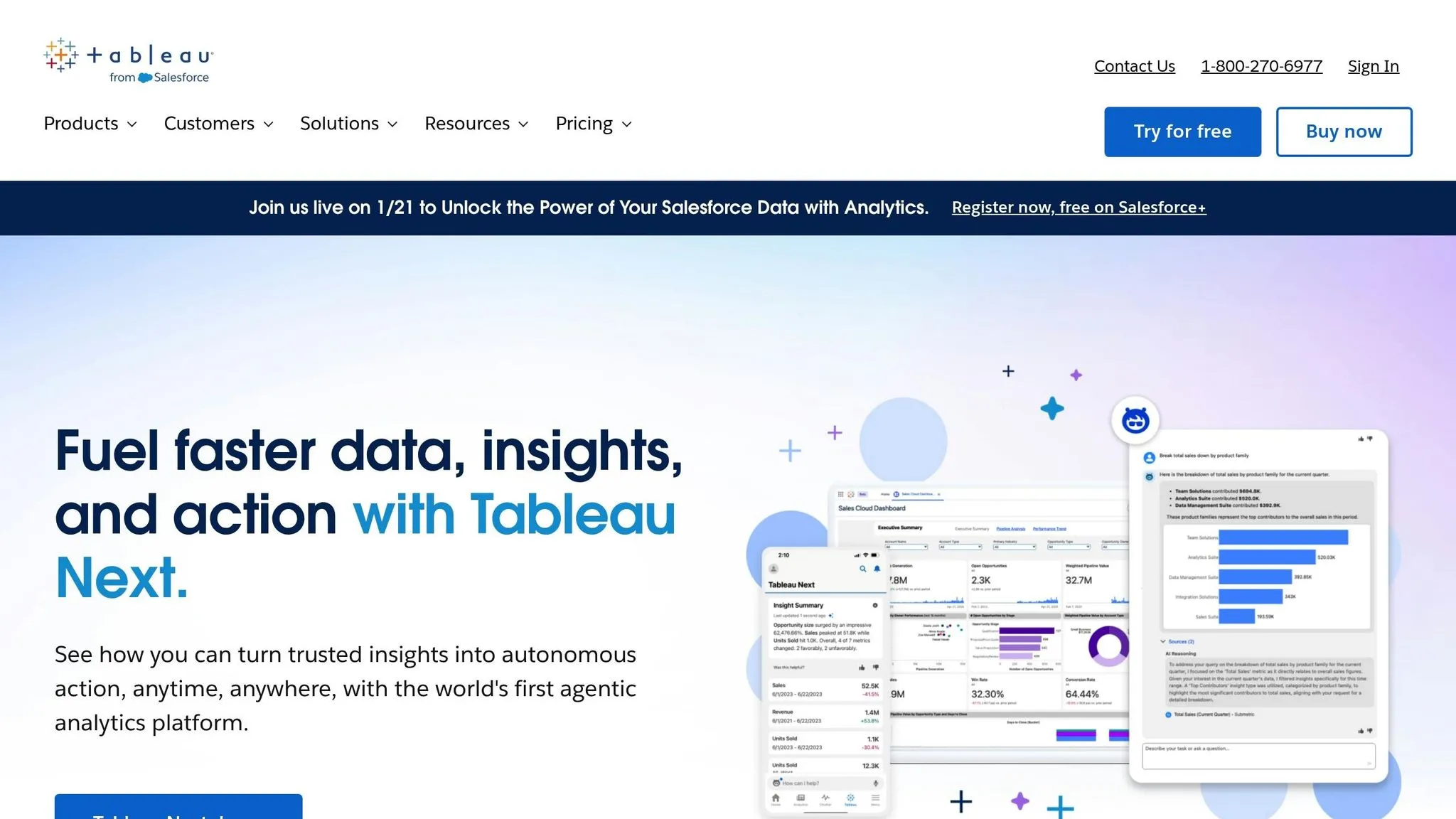
Tableau connects to a variety of data sources, from cloud platforms like Snowflake, Google BigQuery, Amazon Redshift, and Microsoft Azure to on-premises warehouses and flat files. Its strength lies in handling both live connections and high-performance data extracts, giving users flexible access to their data. For instance, PepsiCo's Collaborative Planning, Forecasting, and Replenishment (CPFR) team used Tableau to consolidate data from warehouses, point-of-sale systems, and production sources. By moving away from manual processes in Microsoft Access and Excel, they achieved a 90% reduction in analysis time [9].
AI Capabilities
Tableau Pulse introduces conversational analytics tools, allowing users to ask questions in natural language and receive instant insights, visualizations, and calculations powered by Tableau Agent (formerly known as Einstein Copilot). This feature delivers personalized metric updates directly to platforms like Slack, Microsoft Teams, or email, seamlessly integrating analytics into daily workflows [7][8].
With Agentforce integration, Tableau takes analytics further by enabling "agentic analytics", where AI agents handle multi-step data preparation and build semantic models. Tableau Agent also simplifies data comprehension by generating detailed descriptions of data sources, workbooks, and tables with a single click, helping non-technical users grasp the context without relying on IT support [8].
Governance & Security
Tableau ensures strong governance and security by centralizing data management through Tableau Server or Tableau Cloud. IT teams create a single source of truth, while department owners manage their workspaces and content. Users can experiment in "sandbox" environments before publishing finalized reports, with permissions managed at the user or group level [9].
"Our job is to give [the business] the freedom to govern themselves and, at the same time, behind the curtain, make sure that there's order and that it's maintained." - Steven John, Chief Information Officer, AmeriPride [11]
The platform also supports OpenID Connect Single Logout (SLO), ensuring users are logged out of both Tableau and their Identity Provider simultaneously. Additionally, monitoring and auditing tools help track usage and optimize performance as organizations scale their Tableau environment [10][11].
Integration Flexibility
Tableau Prep simplifies data preparation by enabling users to combine, shape, and clean data from multiple sources. With the addition of AI-driven natural language prompts, the process becomes even more efficient. Gessica Briggs-Sullivan, Tableau Administrator at Charles Schwab, Inc., shared how her team saved hours of work previously spent cleaning and organizing data sources, thanks to Tableau Prep [14].
The platform integrates seamlessly with the Salesforce ecosystem, leveraging tools like Success Metrics and Agentforce for unified AI-powered analytics tools. Through the Tableau Model Context Protocol (MCP), users can embed agentic analytics into custom AI agents, enabling advanced conversational analysis [8][15]. This flexibility supports organizations as they expand their analytics capabilities.
Pricing & Scalability
The Tableau Creator License includes Tableau Desktop, Tableau Prep Builder, and access to either Tableau Server or Tableau Cloud. For those seeking advanced AI capabilities, Tableau+ offers premium features like Tableau Agent. For cloud-based deployments, the platform provides a consumption-based pricing model, charging only for the resources used [11][12][13].
4. Looker
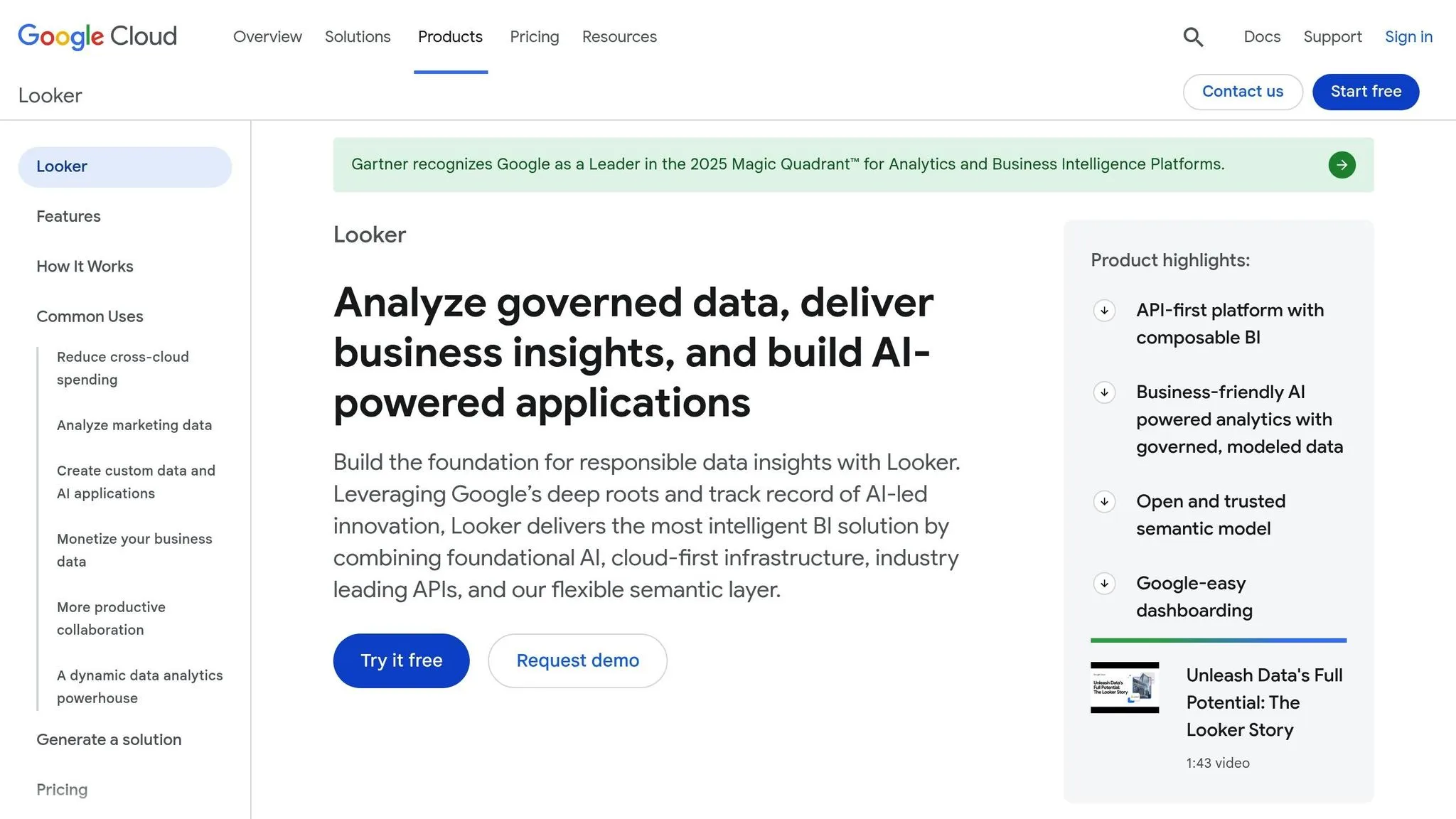
Looker simplifies data analysis by using a centralized LookML model to define key business metrics consistently. This ensures everyone in the organization works from the same definitions - whether it's "Revenue" or "Customer Churn" - eliminating confusion caused by conflicting calculations. Plus, Looker connects directly to your data warehouse, so data stays secure and up-to-date without needing to be moved.
AI Capabilities
Looker incorporates Gemini-powered conversational analytics, making it easy for non-technical users to interact with data. You can ask questions in plain language and instantly receive insights, charts, or tables. This shift toward natural language interfaces is fundamentally changing how teams interact with data. The Formula Assistant further simplifies things by converting natural language prompts into Looker expressions, so you can create calculated fields without struggling with complex syntax. For more advanced needs, the Code Interpreter allows users to perform tasks like forecasting and anomaly detection using natural language - no Python skills required [16].
Peter Bailis, VP of Engineering at Google Cloud, and Sean Zinsmeister, Director of Data Cloud Outbound Product Management, highlighted this ease of use:
"Gemini in Looker and the introduction of Looker reports makes business intelligence simpler and more accessible for everyone. This empowers users across the organization, reduces the burden on data teams, and frees analysts to focus on higher-impact work" [16].
Additionally, Looker can automatically generate slide summaries for Google Slides, turning raw data into polished presentations almost instantly [16][20].
Governance & Security
Looker strikes a balance between self-service exploration and strong governance through its hybrid approach. Users can upload their own data files, like CSVs or Excel sheets (up to 100 MB), to create "Self-service Explores" without needing to write LookML code. However, these uploads are flagged with a yellow "uncertified" badge to differentiate them from governed data [17]. If needed, users with the right permissions can certify content to indicate its reliability [17].
The LookML layer is managed using Git version control, enabling collaborative development and code reviews for data models. As Google Cloud documentation explains:
"Looker's secret sauce is LookML, a powerful SQL-based modeling language... The model can remove technical skills as a potential barrier and frees up the data team to focus on innovation" [19].
This setup allows IT teams to maintain control over core metrics while giving business users the freedom to explore data independently.
Integration Flexibility
Looker Studio and other data analysis tools extend the platform’s capabilities by connecting to over 800 data sources through various connectors. This allows users to combine governed data with additional, ad-hoc sources [18]. Developers can also use the Conversational Analytics API to embed natural language query features into custom applications or workflows [16].
For organizations seeking enterprise-level tools, Looker Studio Pro offers features like team workspaces and Google Cloud support, priced at $9.00 per user per project per month [18]. All of these features integrate seamlessly into broader analytics workflows, making Looker a versatile choice for businesses.
5. Qlik Sense
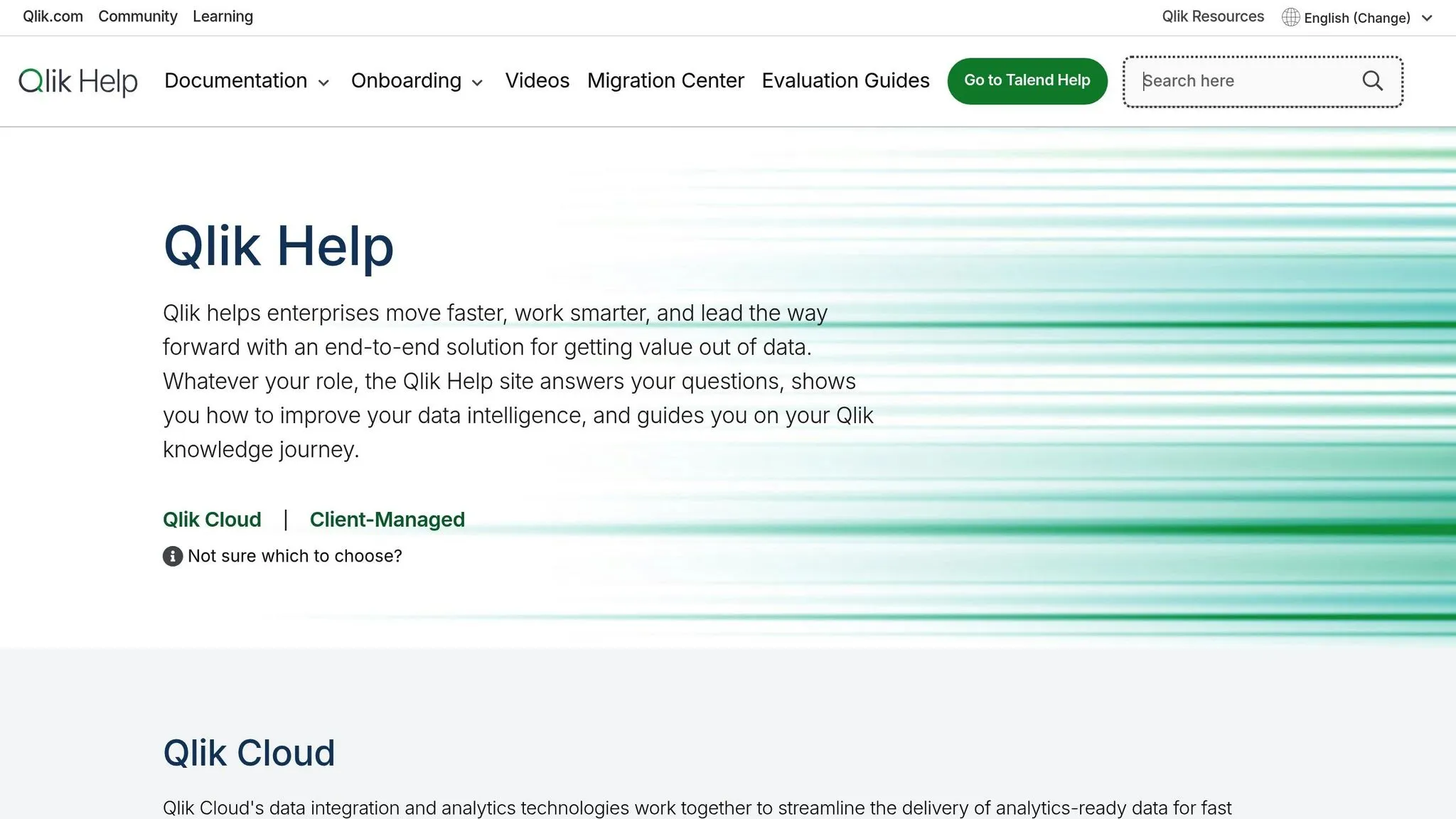
Qlik Sense stands out with its Associative Engine, which allows users to explore data without being restricted to predefined query paths. This means you can click on any data point and instantly see its connections to the rest of your dataset. It’s a game-changer for uncovering relationships that traditional linear analysis might overlook. This flexibility is especially valuable for business users who want to ask follow-up questions on the fly without having to rebuild queries.
AI Capabilities
The platform’s Insight Advisor acts as an AI-powered assistant, enabling users to ask questions in plain English and receive instant visualizations. For instance, you could ask, "What’s causing the drop in sales in the Northeast?" and get immediate charts that highlight patterns you might not have considered. On top of that, Qlik AutoML lets non-technical users create predictive models - like forecasting revenue for the next quarter or spotting customers likely to churn - without needing any coding skills.
Qlik also incorporates Natural Language Generation, which automatically crafts written summaries to explain the insights in your data. Instead of interpreting charts yourself, you get clear, concise takeaways. Additionally, the Advanced Alerting feature keeps an eye on your data, sending notifications when it detects important trends or anomalies that need your attention.
Governance & Security
Qlik strikes a balance between user freedom and enterprise-level control through its Qlik Management Console (QMC). This tool centralizes security settings for the entire platform. The Enterprise Data Catalog ensures transparency by offering a governed library of analytics-ready data, showing users the origins and transformation history of each dataset. Features like Row-Level Security and role-based security further enhance security by limiting data access based on individual user permissions. The Associative Engine enforces these rules seamlessly during data exploration.
Qlik supports a variety of deployment options, including on-premises, private clouds, or its Qlik Cloud (SaaS). This makes it an attractive choice for industries with strict data regulations, as sensitive information can remain within secure environments. Pricing starts with the Starter Plan at $200 per month for up to 10 users, while the Premium Plan costs $2,750 per month, offering 50 GB of data and support for up to 100,000 users [2][21].
Integration Flexibility
Qlik positions itself as "cloud and application agnostic", offering connectors to hundreds of data sources, including SaaS apps, databases, and file systems [1]. This flexibility allows organizations to integrate data from diverse environments without forcing it all into one platform. The platform has been recognized in six Capterra "Shortlist" rankings, earning praise for its data visualization and statistical analysis capabilities [1]. However, mastering its associative modeling may require a bit of a learning curve [2]. With its robust AI tools and adaptable deployment options, Qlik Sense establishes itself as a strong contender in the self-service analytics space.
6. Zoho Analytics
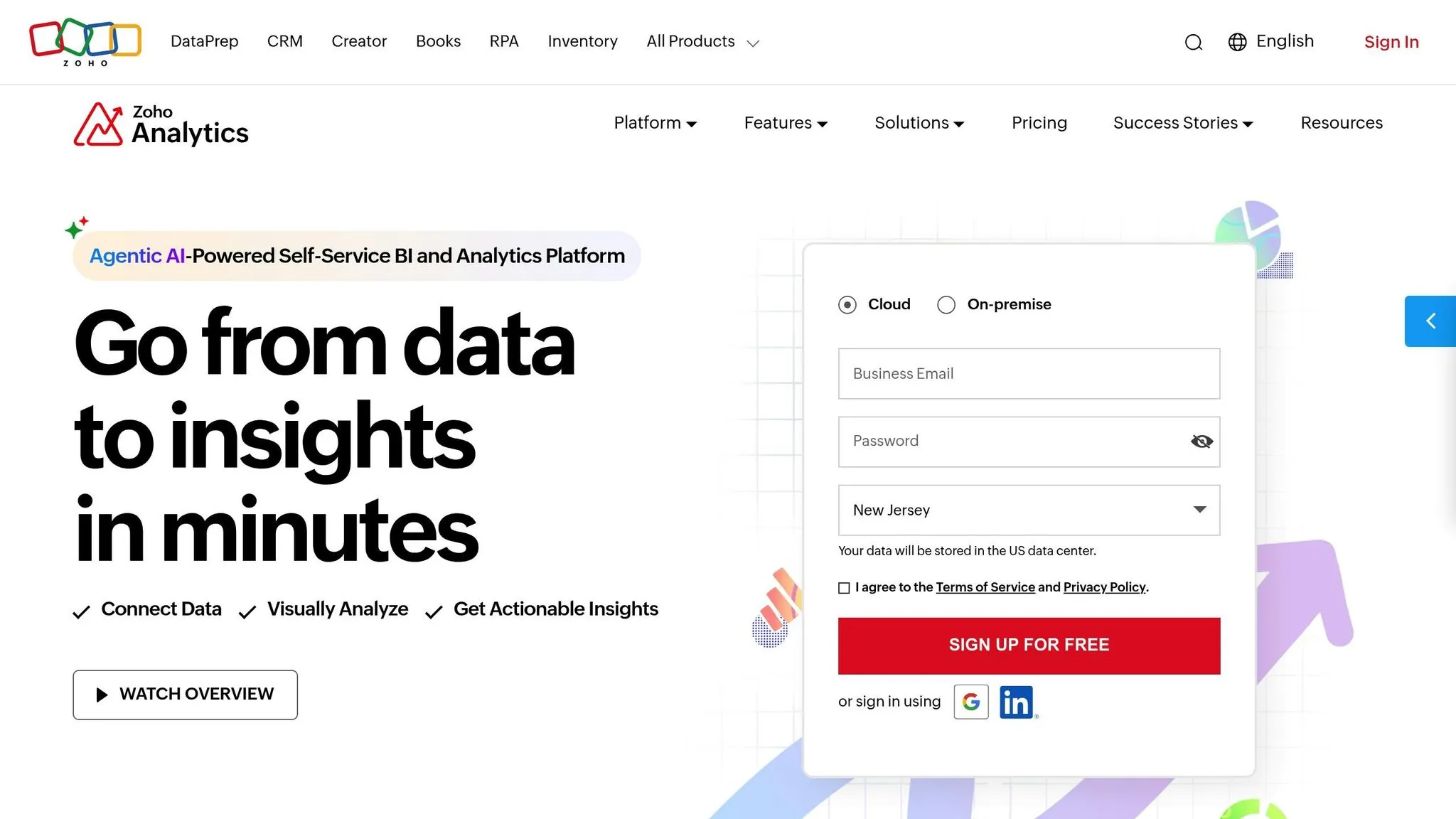
Zoho Analytics delivers budget-friendly analytics tools and has earned recognition in the 2025 Gartner Magic Quadrant. With over 3 million users and 20,000 customers worldwide, it focuses on making analytics accessible for non-technical users while still offering features robust enough for enterprise needs. Its straightforward licensing - free from hidden costs for setup or customization - keeps the total cost of ownership low. This approach, combined with advanced AI tools for data analysis, makes data analysis more manageable for all users.
AI Capabilities
One standout feature is Ask Zia, which allows users to type questions in plain English and receive instant, visually clear answers. Craig Roxby, Managing Director at Magnify, shared:
"Whenever I have a new client meeting, I demonstrate the Ask Zia feature of Zoho Analytics with a question like 'what was my income last month?' Its rapid responses and clear visuals impress clients."
Ask Zia goes beyond simple queries by using large language models to create data pipelines and dashboards. Meanwhile, Zia Insights explains trends in plain language, and AutoML tools enable predictive modeling without requiring coding expertise. Alun Rafique, CEO of Market Dojo, described these AutoML features and diagnostic insights as transformative for his development team.
Governance & Security
Zoho Analytics prioritizes data privacy and security, adhering to standards like ISO 27001, SOC 2 Type II, HIPAA, and GDPR. It employs role-based access controls and row-level security to ensure users only see data they are authorized to access. Additional measures include end-to-end encryption, multi-factor authentication, and audit logs that track user activity. Zoho Analytics can be deployed in various environments - cloud, on-premise, or on public clouds like AWS, Google Cloud, and Microsoft Azure - allowing organizations to meet their specific compliance needs. These strong security features are complemented by flexible integration options.
Integration Flexibility
Zoho Analytics connects seamlessly with over 500 data sources. These include databases like MySQL and MongoDB, business tools like Salesforce and QuickBooks, and cloud storage services such as Google Drive and Dropbox. The Live Connect feature enables direct database queries without storing data on Zoho's servers, while Zoho Databridge securely links to data stored behind firewalls. Stephen Shorter, General Manager at Viatek, highlighted the benefits of these integrations, noting how the Salesforce connection helped his team process large sales datasets into more actionable formats. Similarly, Greg Szabo from Package Mate praised the platform:
"Zoho Analytics integration is very smooth. I found no hindrance while integrating other apps with Zoho Analytics."
Pricing & Scalability
Zoho Analytics offers a 15-day free trial with no credit card required. Its transparent pricing and minimal support fees make it an affordable choice for businesses. According to surveys, 91% of users recommend the platform, and 79% report high satisfaction with its performance [22]. Zoho Analytics has also been recognized as a Leader in customer experience and vendor credibility, ranking #3 in Dresner Advisory's 2025 Cloud Computing & Business Intelligence Market Study.
7. Sisense
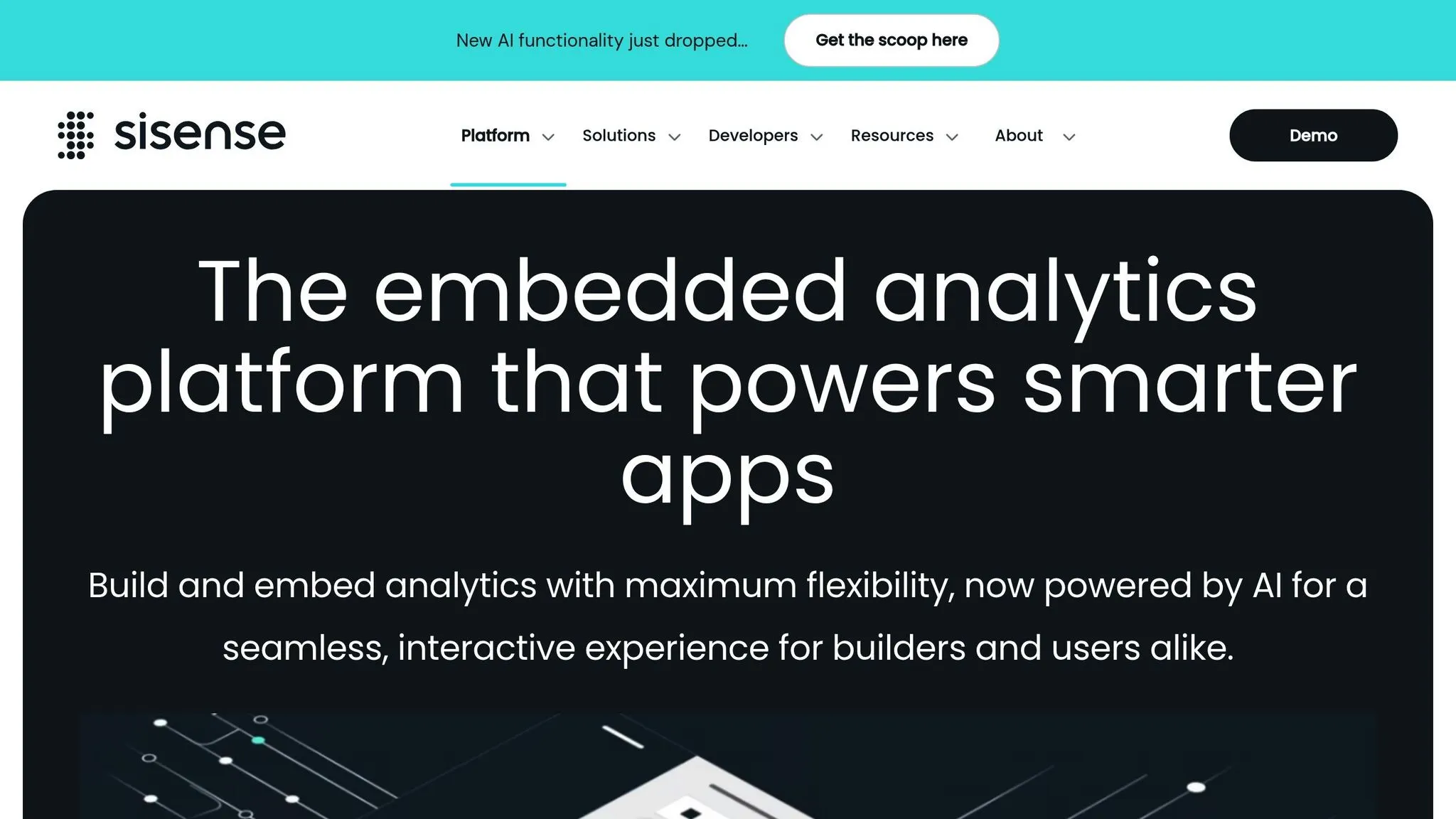
Sisense enables users, even those without technical expertise, to analyze data effortlessly. Trusted by mid-sized businesses and global enterprises alike - such as NASDAQ and Airbus - it supports a user base exceeding 400,000.
AI Capabilities
Sisense offers a suite of AI-powered tools designed to simplify analytics. Its AI Assistant allows users to create dashboards and ask questions in natural language. The Narratives feature generates text summaries that explain visualizations and highlight critical insights. With Simply Ask, users can type plain-English queries and instantly receive visual insights, while Analyze It tools provide explanations for data changes and trend forecasts - no statistical background required.
These tools embody the speed and simplicity modern analytics demand. For example, Patrick Murphy, Senior Director of Data and Product at USA Swimming, leveraged Sisense to deliver real-time analytics to 400,000 users, achieving insights 20 times faster than before. Similarly, Tony Sasso, Chief Product Officer at Funraise, shared that the nonprofit platform saved 40 hours per week, increased fundraising by sevenfold, and improved donor retention by 12% after adopting Sisense in 2026 [24][25].
Governance & Security
Sisense prioritizes security and governance with certifications like SOC 2 Type II, ISO 27001, and ISO 27701. Its Governed AI framework ensures conversational analytics adhere to strict controls, safeguarding data integrity and privacy. The platform also offers granular access controls, such as row-level and object-level permissions, and provides administrators with activity logs accessible via a REST API. Devin Vyain, Senior Solutions Architect at Barrios, highlighted these security benefits:
"We transitioned from custom development to real-time dashboard updates - all without compromising security." [25]
These robust security measures make Sisense a reliable choice for sensitive data environments.
Integration Flexibility
Sisense integrates seamlessly with over 400 connectors, including databases, cloud warehouses like Snowflake and AWS, and various business applications. Developers can use the Compose SDK to embed AI-powered analytics into applications built with React, Angular, or Vue, requiring minimal coding effort. Additionally, the MCP Server ensures compatibility with external AI tools, delivering insights directly within the user’s workflow. Organizations can opt for consolidated data storage or live connections to their existing data warehouses, offering flexibility to meet diverse operational needs.
Pricing & Scalability
Sisense provides deployment options in the cloud or on-premises, with pricing based on user count and data volume. Annual costs range from approximately $40,600 to $327,000, and a 7-day free trial is available. With over 500 five-star reviews, Sisense has earned recognition for its embedded BI platforms and is regarded as a leader among AI business intelligence platforms, thanks to its unified architecture and analytics engine [25]. These features make Sisense a strong contender for businesses seeking powerful self-service analytics solutions.
Strengths and Weaknesses
Each platform brings distinct advantages depending on technical expertise and business needs. Here's a breakdown of their key strengths and drawbacks:
- Querio: Perfect for non-technical teams, it simplifies insight generation with ease. However, it isn't the best fit for advanced, custom data science modeling.
- Power BI: A solid choice for organizations already invested in Microsoft tools, offering seamless integration and robust functionality. Its reliance on the Microsoft ecosystem can be a limitation for broader use cases.
- Tableau: Known for its advanced data visualization capabilities, but it comes with a high price tag and a steep learning curve.
- Looker: Offers excellent data governance through a semantic layer via LookML, though its complexity might be overwhelming for beginners.
- Qlik Sense: Uses an associative engine to uncover hidden data relationships, but setting it up can be a time-intensive process.
- Zoho Analytics: A user-friendly option with over 500 integrations, though it lacks the tools needed for deeper statistical analysis.
- Sisense: Stands out in embedded analytics for complex, multi-source environments, but its complexity may not suit smaller teams.
Choosing the right tool depends on factors like cost, governance, visualization capabilities, and how easily non-technical staff can use it.
| Tool | AI Capabilities | Governance & Security | Integration Options | Starting Price (USD) |
|---|---|---|---|---|
| Querio | AI-native, SQL-free natural language queries | SOC 2 Type II, 99.9% uptime SLA | Snowflake, BigQuery, Postgres | Free plan; Core $2,499/mo |
| Power BI | Microsoft Copilot, ML models via Azure | SOC 1/2, HIPAA, FedRAMP, Azure AD | 400+ connectors, M365, Azure | $10/user/month |
| Tableau | Einstein GPT, Tableau Agent, Pulse | Einstein Trust Layer, SOC 2, HIPAA | 100+ native connectors, Salesforce | $75/user/month |
| Looker | LookML-driven insights, Google AI | Centralized semantic layer governance | Google Cloud, BigQuery, SQL DBs | Custom |
| Qlik Sense | Associative AI engine, Insight Advisor | SOC 2 Type II, ISO 27001, HIPAA | 500+ data sources, CDC streaming | $200/month |
| Zoho Analytics | Zia AI conversational assistant | Standard enterprise encryption | 500+ out-of-the-box integrations | $24/month |
| Sisense | Fusion ML, conversational analytics | Role-based access, enterprise standards | 400+ connectors, live warehouse | Custom |
Conclusion
Choosing the right self-service analytics tool depends on three main factors: your budget, your team's technical expertise, and the technology you already have in place. These elements don't just shape your choice - they also influence how you implement the tool.
Start by identifying your specific needs and considering both financial and operational impacts. Don't just look at license fees; evaluate the total cost of ownership. Keep in mind that data preparation can take up a staggering 80% of the time in analytics projects [2]. If your team lacks strong data engineering skills, opt for a tool that offers built-in data modeling capabilities. While building an in-house solution might take 6–12 months, investing in a ready-made platform can get you up and running in just a few weeks [2].
Before making a commitment, take advantage of free trials from platforms like Power BI, Tableau, Qlik Sense, and Zoho Analytics [1]. Use your real data during these trials to see how user-friendly and efficient the tools are, especially for team members without technical backgrounds [23].
Once you've verified the tool's usability, focus on implementing strong governance practices to keep your organization aligned. Look for tools that include a semantic layer, allowing you to define metrics - such as "churn rate" or "customer lifetime value" - just once. This prevents different teams from reporting inconsistent numbers [3][26]. Additionally, features like robust governance frameworks and multi-tenant data isolation provide extra layers of protection for your investment [2].
FAQs
::: faq
What should I look for in a self-service analytics tool?
When selecting a self-service analytics tool, focus on ease of use. The platform should empower team members, even those without technical expertise, to create reports, visualizations, and dashboards on their own. Features like drag-and-drop functionality or natural language queries can make this process much simpler.
It's also crucial to evaluate the tool's scalability and performance. It should be capable of handling increasing data volumes and supporting multiple users without compromising speed or efficiency. At the same time, prioritize strong governance and security features. Tools with role-based access controls and audit trails can help protect sensitive data and ensure compliance with regulations.
Lastly, assess the tool's integration capabilities with your current data systems. This ensures seamless workflows across platforms. Don’t overlook pricing transparency either - choose a solution that fits your budget and supports your long-term goals. The right tool will not only help your team make informed decisions but also safeguard your organization’s data effectively. :::
::: faq
How do AI features make self-service analytics easier for non-technical users?
AI-powered features in self-service analytics tools make it easier for business users to explore data and uncover insights - even without technical expertise. For example, with natural-language querying, you can ask straightforward questions like “What were our top-selling products last quarter?” and instantly get the answer displayed as charts or tables. No need to know SQL or other complex query languages.
These tools also elevate analysis by identifying trends, spotting outliers, and flagging anomalies in real time. This means you can quickly detect potential problems or opportunities and act on them faster. On top of that, predictive models let you simulate scenarios and forecast future outcomes, all without requiring a background in advanced statistics.
Generative AI takes it a step further by enhancing visual storytelling. It can recommend the most effective chart types, format dashboards neatly, and even summarize key insights. This makes data analysis not only faster but also more intuitive, giving teams the tools they need to make confident, well-informed decisions. :::
::: faq
What security and governance features should I prioritize in self-service analytics tools?
When choosing a self-service analytics tool, it's crucial to focus on security and governance to keep your data safe and trustworthy. Look for features like role-based access control (RBAC) to set user-specific permissions, single sign-on (SSO) combined with multi-factor authentication (MFA) for secure logins, and data encryption (both at rest and in transit) to protect sensitive information.
You’ll also want tools that include audit logging to monitor user activity, data lineage to trace the origins and transformations of your metrics, and options like policy-driven data masking or row-level security to limit access to sensitive data. A centralized admin console is another must-have for managing permissions, compliance certifications (such as SOC 2 or ISO 27001), and data retention policies. These features not only help safeguard your data but also support scalable and secure analytics for your organization. :::