Business Intelligence
Top 12 AI Tools for Data Analysis in 2026
Enterprise analytics must prioritize governed, transparent AI — this roundup compares 12 tools by features, integrations, and pricing.
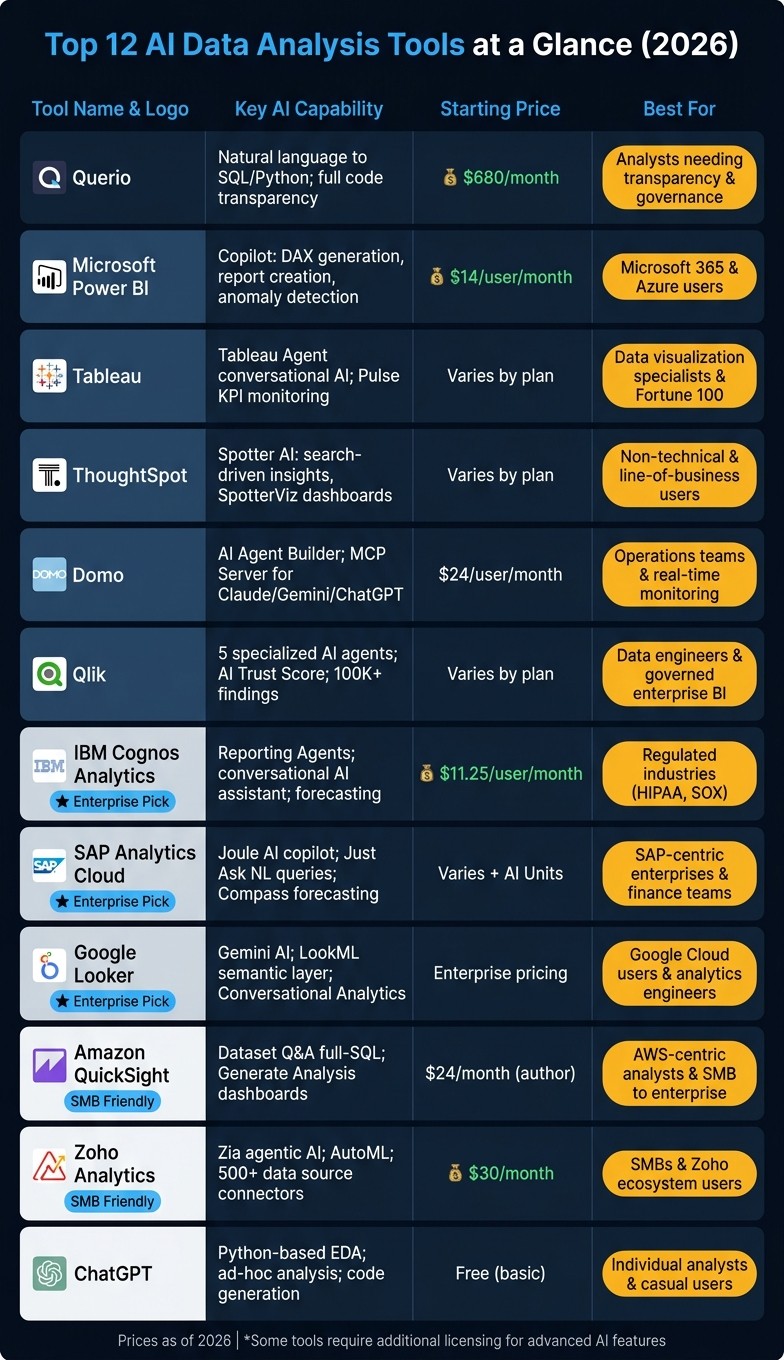
AI-powered data analysis tools have become essential for handling massive datasets, speeding up decision-making, and ensuring transparency in business insights. This guide covers 12 of the best AI tools in 2026, tailored for U.S. businesses. Each tool excels in key areas like scalability, governance, and integration with platforms like Snowflake, BigQuery, and Azure. Here’s a quick summary:
Querio: Natural language to SQL/Python queries with full transparency. Pricing starts at $680/month.
Microsoft Power BI: Advanced AI tools (Copilot, DAX generation) with strong Microsoft 365 integration. Pro plan starts at $14/user/month.
Tableau: AI-driven visual analytics with Salesforce integration. Pricing varies by plan.
ThoughtSpot: Search-driven analytics with Spotter AI assistant.
Domo: Real-time insights with AI Agent Builder. Plans start at $24/user/month.
Qlik: Associative analytics with strong governance. Focuses on curated data.
IBM Cognos Analytics: Enterprise-grade reporting with strict compliance features. Starts at $11.25/user/month.
SAP Analytics Cloud: Tailored for SAP users with AI copilots like Joule. Advanced AI features require additional AI Units.
Google Looker: Unified semantic layer with Gemini AI integration. Enterprise pricing applies.
Amazon QuickSight: AI-powered dashboards for AWS users. Pricing starts at $24/month for authors.
Zoho Analytics: Affordable BI with Zia AI assistant. Basic plan starts at $30/month.
ChatGPT for Data Analysis: Flexible tool for ad-hoc analysis and Python-based tasks.
These tools address diverse needs, from real-time analytics to enterprise reporting. Whether you're a startup or a large enterprise, there’s a solution here to modernize your analytics stack.
Quick Comparison
Tool | Key Features | Starting Price | Best For |
|---|---|---|---|
Querio | Natural language to SQL/Python | $680/month | Analysts needing transparency |
Power BI | Copilot, DAX generation | $14/user/month | Microsoft 365 users |
Tableau | Visual analytics, Salesforce tie-in | Varies | Data visualization specialists |
ThoughtSpot | Search-driven insights | Varies | Non-technical users |
Domo | AI agents, real-time insights | $24/month | Operations teams |
Qlik | Associative analytics | Varies | Data engineers |
Cognos Analytics | Enterprise reporting, compliance | $11.25/user/month | Regulated industries |
SAP Analytics Cloud | SAP integration, Joule copilot | Varies | SAP-centric enterprises |
Google Looker | Unified metrics, Gemini AI | Enterprise pricing | Google Cloud users |
QuickSight | AWS integration, AI dashboards | $24/month | AWS-centric analysts |
Zoho Analytics | Affordable BI, Zia assistant | $30/month | SMBs |
ChatGPT | Ad-hoc analysis, Python scripting | Free (basic usage) | Individual analysts |
Choose the right tool based on your team’s needs, data complexity, and integration requirements.
Top 12 AI Data Analysis Tools Compared: Features, Pricing & Best Use Cases (2026)
Best AI Tools Every Data Analyst Should Know in 2026
1. Querio

Querio is an AI-powered analytics workspace designed to provide fast, reliable insights directly from your live data. It generates SQL and Python code that you can review and verify.
AI Capabilities
Querio’s AI agents transform plain-English questions into SQL or Python queries tailored to your data warehouse. You simply ask a question, and Querio delivers results supported by editable code. This ensures analysts and engineers can validate every answer. It also features an interactive notebook that adjusts automatically as your logic evolves.
"I can query our CRM data in natural language and get accurate SQL-backed results in seconds. The AI understands our schema without constant hand-holding." - Patrick T., G2 [1]
Data Governance and Transparency
Querio emphasizes clarity and control over data. Its centralized context layer ensures consistent definitions for joins, metrics, and business terms across all queries, dashboards, and AI-generated outputs. This approach guarantees full visibility into the SQL and Python behind every result, meeting audit standards and enterprise governance needs.
"Finally an AI BI tool that doesn't feel like a black box. Being able to see and edit the SQL it generates is huge for building trust with our engineering team." - Neelam C., Product Hunt [1]
Workflow Fit
Querio bridges the gap between data teams and stakeholders, cutting down on time spent on ad hoc reporting [1]. With its Slack integration, even non-technical users like executives and marketers can ask questions and receive chart-backed insights without switching tools. Querio’s Tooliverse consensus score of 8.88/10, based on 65 verified reviews, highlights its effectiveness [1].
Integration with Data Sources
Querio seamlessly connects to modern data warehouses and relational databases, including Snowflake, Google BigQuery, Amazon Redshift, ClickHouse, PostgreSQL, MySQL, MariaDB, and Microsoft SQL Server. It uses encrypted, read-only credentials to secure data and prevent extraction or duplication. The Advanced plan ($3,517/month, billed annually [1]) supports cross-datasource querying, enabling analysis across multiple data warehouses.
Feature | Querio | Legacy BI Tools | Basic AI Analyzers |
|---|---|---|---|
Data Connection | Live warehouse-native | Often relies on extracts | File uploads (CSV/Excel) |
Transparency | Full SQL/Python visibility | Proprietary logic (DAX/LookML) | Black box (no code visibility) |
Governance | Centralized semantic layer | Decentralized/inconsistent | Weak or non-existent |
Pricing Model | Flat-fee, unlimited viewers | Per-user fees (expensive) | Subscription with usage caps |
Primary Interface | NL-to-SQL, Slack, Notebooks | Drag-and-drop, SQL | Chatbot/spreadsheet layer |
Pricing starts at $680/month (billed annually) for the Startup plan, which includes one PostgreSQL connection and supports up to 15 users [1]. While setting up the centralized context layer may take some effort initially, it ensures consistency and accuracy over time.
2. Microsoft Power BI
Microsoft Power BI has established itself as a robust business intelligence platform, now featuring advanced AI tools. It's particularly well-suited for teams already using Azure, Microsoft 365, or Fabric.
AI Capabilities
One of Power BI's standout features is Copilot, a generative AI assistant. Copilot can generate report pages from plain-English prompts, explain and create DAX formulas, and provide narrative summaries of data. Its accuracy is impressive, with explanations for DAX formulas reaching 90–95% and simple measure generation achieving 85–90%. However, for complex time logic, human oversight is still necessary [8].
Power BI also includes AI visuals like Key Influencers for identifying metric drivers, the Decomposition Tree for root cause analysis, and Anomaly Detection for spotting outliers in time-series data [2][3]. Another feature, Visual Calculations, became widely available in May 2026. This allows users to add calculations like running sums or moving averages directly to visuals without altering the semantic model [4][6]. These tools aim to enhance both data accessibility and governance.
Data Governance and Transparency
Power BI's governance framework is layered and tailored to specific roles. Administrators can mark semantic models as "Approved for Copilot", ensuring the AI only accesses vetted, high-quality data [10]. With Microsoft Purview integration, sensitivity labels (ranging from Public to Restricted) can be applied automatically, and controls can prevent exporting or copying regulated data [9]. For organizations handling sensitive information, audit logs for data like PHI must be retained for at least 6 years to comply with HIPAA regulations for data analysis [9].
"With the new platform and Power BI, we've democratized customer insights across the company. Insights are no longer siloed but available to all relevant teams." - Nicole Nelson, Senior Vice President of Data and Analytics, Abercrombie & Fitch Co. [5]
Workflow Fit
Power BI integrates seamlessly into tools like Teams, Excel, PowerPoint, and Outlook, ensuring decision-makers have immediate access to insights [5]. Its mobile app further enhances usability with features like natural language chat and voice dictation for hands-free analysis [7]. A helpful tip: renaming columns to more descriptive names (e.g., "Sales Amount" instead of "SLS_AMT") can improve Copilot’s accuracy by up to 20% [8]. These integrations make it easier for teams to analyze and act on data from various sources.
Integration with Data Sources
Power BI’s Power Query engine connects to over 350 data sources, including files, databases, cloud platforms, and online services [11][12]. Its redesigned "Get Data" experience provides a unified interface for discovering and connecting to data sources across Power BI and Fabric [4][6]. Additionally, Direct Lake storage allows high-performance queries on OneLake data without the need for traditional refresh cycles [7][8].
Pricing for Power BI starts at $14/user/month for the Pro plan (billed annually). To access Copilot, users need either a Fabric F64 capacity (starting at approximately $5,258.88/month) or the Premium Per User plan, which costs $20/user/month [5][8].
3. Tableau
As data analysis continues to advance in 2026, Tableau remains a standout tool by incorporating cutting-edge AI to address the needs of modern businesses. This shift illustrates how AI is transforming data analytics by automating complex workflows. Widely regarded as a top-tier visualization platform, Tableau is trusted by 97% of the Fortune 100 [17]. Now, with its integration into Salesforce's Agentforce 360, Tableau is transforming into an analytics platform designed to deliver agile, AI-powered insights across various industries.
AI Capabilities
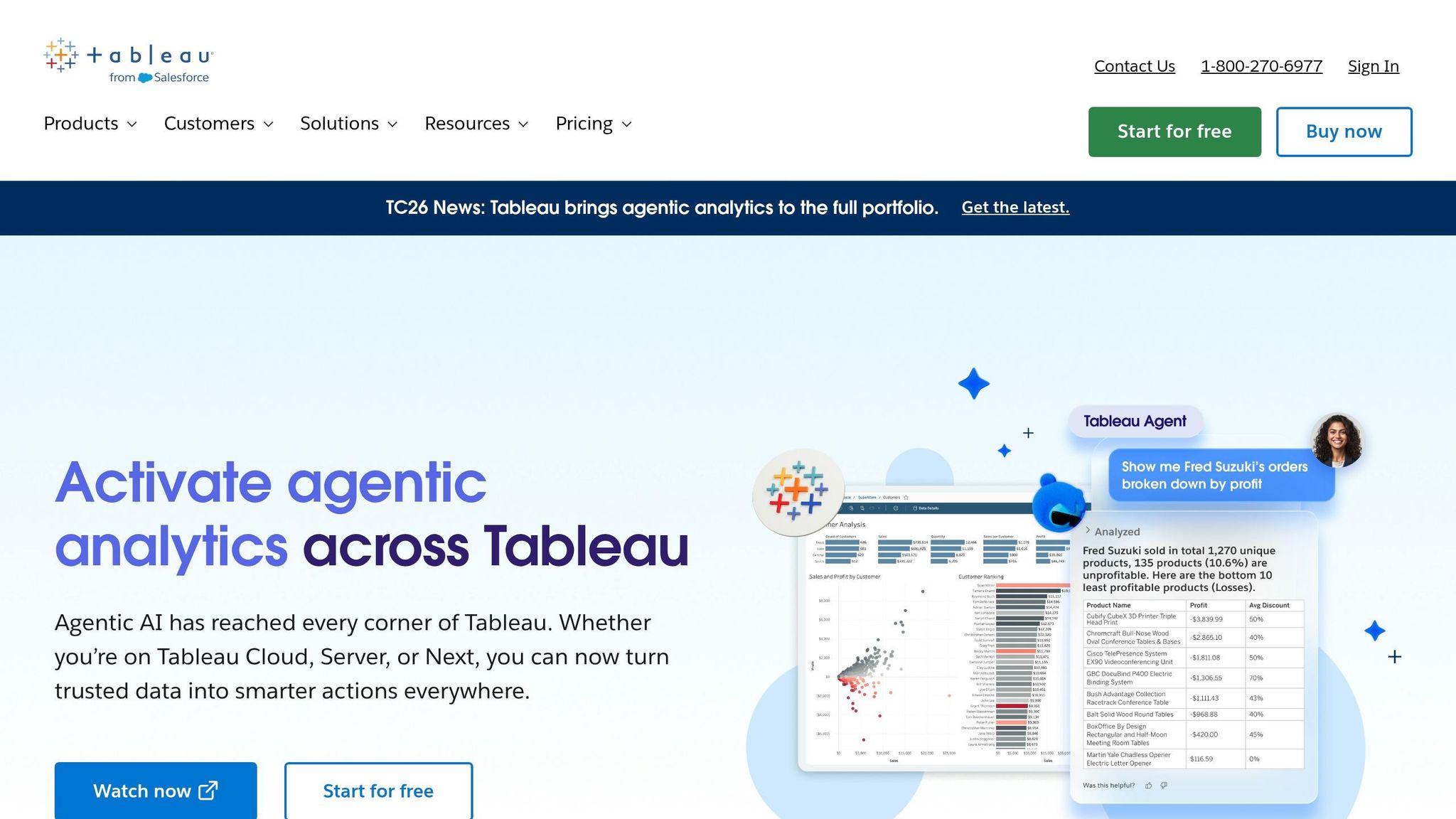
At the heart of Tableau’s AI functionality is Tableau Agent, a conversational assistant capable of interpreting natural language queries, generating visualizations, and performing complex calculations. Another essential feature, Tableau Pulse, provides personalized metric monitoring with "Enhanced Q&A Correlation Insight", which uses large language models to uncover relationships between metrics from different sources [14][16]. Additionally, the Model Context Protocol (MCP) allows external AI systems like Claude and ChatGPT to directly interact with Tableau's analytics engine while staying aligned with your organization’s business context [14][17]. Impressively, Tableau’s AI capabilities are supported by 33 million semantic models contributed by its user community over the past decade [17].
"As Tableau evolves into an agentic analytics platform, we're elevating the role of an analyst into knowledge architects - turning trusted knowledge into decisions that drive action at scale." - Mark Recher, GM of Tableau at Salesforce [17]
Data Governance and Transparency
Tableau ensures secure and ethical AI usage through the Einstein Trust Layer, which includes features like PII masking, toxicity scoring, and a zero-data retention policy. This means your prompts are never used to train external AI models [13][15]. Existing permissions, such as role-based access controls (RBAC) and row/column-level security, seamlessly extend to AI interactions. For organizations using Tableau+, the Audit Trail in Data 360 provides detailed logs of AI activity, enhancing compliance monitoring. However, teams using Tableau Server (v2025.3+) should note that the Einstein Trust Layer is unavailable for on-premises deployments, requiring manual management of PII masking and LLM integration.
Workflow Fit
Tableau’s Headless Analytics integrates live data insights directly into tools like Slack, Microsoft Teams, and Microsoft 365, allowing decision-makers to access key information without leaving their preferred platforms [14][17]. Analysts also benefit from Personal Orgs, a secure sandbox environment for testing and refining analytics before they’re rolled out to production [14][16].
Integration with Data Sources
Tableau makes connecting to data sources straightforward, supporting native integrations with platforms like Google Looker, Amazon S3, and a REST API Connector [14][16]. Its Zero Copy Connectivity feature allows users to analyze data without creating duplicates [18]. For teams working with proprietary databases, the Bring Your Own Connector (BYOC) pilot program enables the deployment of custom drivers for unsupported systems [14][16].
Pricing options are available through Tableau Next, which offers a per-user, per-month subscription, or the Tableau+ Bundle, which includes unlimited AI usage, analytical queries, and data transformations [18]. Advanced features like Tableau Agent and enhanced audit trails are reserved for higher-tier plans, reflecting Tableau’s focus on making enterprise-grade AI analytics accessible to a broad audience.
4. ThoughtSpot
ThoughtSpot takes data analysis to the next level by making it feel as intuitive as having a conversation. Its AI assistant, Spotter, doesn’t just answer questions - it creates dashboards, generates visualizations with SpotterViz, and even interacts with tools like Slack to trigger actions. This approach, which ThoughtSpot calls "Agentic Analytics," represents a shift from traditional search-based business intelligence (BI) to a more dynamic and interactive model. This evolution is also visible in other top AI embedded analytics tools currently hitting the market.
AI Capabilities
One of Spotter’s most impressive features is SpotterModel, an AI agent that can map relationships, dimensions, and measures from natural language inputs. What once required weeks of manual effort can now be done in minutes. Additionally, Spotter Semantics ensures that responses are grounded in validated definitions and machine-readable context, keeping everything aligned and meaningful.
Data Governance and Transparency
ThoughtSpot emphasizes governance through its semantic layer. Before any AI-generated joins or metadata reach production, analysts must review and approve them. This human oversight ensures that insights remain accurate and reliable, fostering trust across teams. The process is designed to make collaboration seamless while maintaining high standards for data quality.
Workflow Fit
With Spotter Connectors, ThoughtSpot integrates directly with tools like Slack, Confluence, and Asana, making it a perfect fit for teams that thrive on cross-functional collaboration.
Integration with Data Sources
ThoughtSpot’s warehouse-native, zero-copy architecture enables live queries directly from cloud data warehouses like Snowflake, Databricks, Google BigQuery, Amazon Redshift, and Starburst. For high-volume reporting, SpotCache, introduced in January 2026, offers cached snapshots to manage costs and handle large workloads efficiently. Additionally, Analyst Studio allows users to prepare data using SQL, Python, or R and even import data from Google Sheets and Excel.
Feature | Functionality |
|---|---|
Spotter Connectors | Integrates Slack, Confluence, and Asana with structured data queries |
SpotCache | Delivers cached snapshots for cost-effective, high-concurrency reporting |
SpotterModel | Creates semantic models from natural language inputs automatically |
Analyst Studio | Enables data preparation using SQL, Python, R, or flat files like Excel |
5. Domo
Domo has evolved from being just a dashboard tool into a comprehensive, AI-driven data platform designed to make AI accessible for everyday business needs.
AI Capabilities
Domo offers a range of AI-powered tools that simplify complex tasks. Its AI Agent Builder allows users to create conversational agents tailored to specific roles by using reusable Toolkits that combine data, logic, and instructions. A standout feature is the Domo MCP (Model Context Protocol) Server, which securely connects external AI platforms like Claude, Gemini, and ChatGPT to Domo. This enables users to interact with data, trigger workflows, and even generate interactive dashboards directly within chat environments.
Other features include AI Chat, an AI SQL assistant, and the "Beast Mode" assistant, which helps users explore data and create custom calculations using natural language. Domo Documents extracts structured insights from unstructured data, seamlessly integrating them into analytics workflows. These tools are designed to integrate AI into daily business processes effortlessly.
In March 2026, Nichole Gunn, CEO of Extu, demonstrated the platform's potential by using the AI Agent Builder with Claude integration to develop a fully functional agent in less than 30 minutes. This agent automated several time-intensive tasks for Extu's customers, with initial projections estimating savings in the hundreds of thousands within months and millions within six months [19].
"Coming into Domopalooza, I had a perception of Domo being a dashboard company... I see a company that is not just talking about AI but being at the forefront of AI integration. I was floored." - Nichole Gunn, CEO, Extu [19]
Workflow Fit
Domo is designed for organizations looking to embed AI into their daily operations, moving beyond simple reporting tools. The upcoming AI Library, set to launch in Summer 2026, will act as a centralized hub for managing AI models, agents, and toolkits. This will provide businesses with both consistency and adaptability in scaling AI solutions.
Integration with Data Sources
Domo stands out for its ability to connect with a wide variety of data sources. It offers 1,000+ pre-built connectors for popular SaaS platforms like Salesforce, SAP, NetSuite, Workday, and Google Ads. For cloud data warehouses such as Snowflake, BigQuery, Redshift, and Databricks, Domo provides federated access, eliminating the need to move data.
For legacy systems, the Domo Workbench ensures secure connections to on-premise databases. Additionally, Domo supports file-based ingestion (e.g., Excel, CSV, email attachments), making it accessible even for users with limited technical expertise.
Integration Type | Examples | Key Benefit |
|---|---|---|
Cloud Data Warehouses | Snowflake, BigQuery, Redshift, Databricks | Federated access; no data movement required |
SaaS Applications | Salesforce, SAP, NetSuite, Workday, Google Ads | 1,000+ pre-built connectors; bi-directional writeback |
AI Platforms | OpenAI (ChatGPT), Anthropic (Claude), Google (Gemini) | Secure LLM data access via MCP Server |
On-Premise | Local SQL databases, legacy file systems | Secure connection via Domo Workbench |
File Formats | Excel, CSV, SFTP, email attachments | Easy ingestion for non-technical users |
6. Qlik
Qlik builds its approach on a simple but critical idea: AI is only as effective as the quality of the data it works with. While others focus on adding flashy features, Qlik ensures its AI agents operate on curated and reliable data.
AI Capabilities
Qlik now offers five specialized AI agents, each designed to tackle a specific part of the analytics process. The Discovery Agent continuously monitors KPIs, identifying over 100,000 automated findings for users within just a few months of its 2026 launch [20]. The Predict Agent uses natural language to handle forecasting, while the Automate Agent takes things further, triggering actions in external systems based on insights. Complementing these are the Knowledge Agent, which processes unstructured data like PDFs and documents, and the Data Quality Agent, which keeps the underlying data strong and reliable.
By February 2026, over 1,000 customers had activated Qlik's agentic tools [20]. The company also introduced the Model Context Protocol (MCP) Server, allowing third-party assistants like Anthropic's Claude to securely connect with Qlik's governed analytics engine via APIs. This ensures that organizations can integrate trusted AI tools without compromising enterprise controls [21][22].
Data Governance and Transparency
Qlik's AI Sovereignty Initiative tackles key regulatory issues such as data residency, traceability, and auditable workflows [20]. The platform also features an AI Trust Score, which helps teams evaluate whether their data is ready for AI processing. This acts as a safeguard against the classic "garbage in, garbage out" problem [21].
"In 2026, boards are navigating geopolitical volatility, tightening AI rules, and relentless cost pressure. That changes what enterprise AI has to be: auditable, governed, and able to act inside real workflows." - Mike Capone, CEO, Qlik [23]
With just 21% of organizations currently having mature governance models for autonomous agents [20], Qlik's focus on governance is aimed squarely at addressing this gap.
Workflow Fit
In February 2026, Penske Transportation Solutions adopted Qlik's agentic tools to link governed data directly to fleet performance and maintenance workflows. Mike Krut, Senior VP of IT at Penske, put it simply: "AI delivers value when it's built on data that's already curated, governed and trusted." [23] This integration allowed operational teams to benefit from AI-driven insights without disrupting their existing analytics governance framework.
Qlik also partnered with ServiceNow in 2026, integrating its Analytics Engine with ServiceNow's Workflow Data Fabric. This collaboration improved data quality for ServiceNow's AI initiatives, reinforcing Qlik's commitment to embedding AI into real-world enterprise workflows [22].
Integration with Data Sources
Qlik's Open Lakehouse Streaming leverages Apache Iceberg to manage continuous event and change data capture (CDC) workloads, enabling real-time AI analysis [20]. By streaming event data continuously and maintaining strict governance, Qlik ensures that modern data teams have access to actionable, real-time insights. Additionally, the MCP Server provides secure external AI assistant access via controlled APIs, keeping everything within enterprise risk guidelines [23][24].
In 2026, Qlik joined the Open Semantic Interchange Consortium to help set open standards for semantic data modeling. This ensures consistent data context across various AI assistants [21]. Qlik's commitment to standards and robust integrations sets a strong example for governed AI data analysis.
7. IBM Cognos Analytics

IBM Cognos Analytics combines artificial intelligence with strong governance and compliance. In 2026, IBM was named a Leader in the Gartner® Magic Quadrant™ for Data Analytics and Governance Platforms [28].
AI Capabilities
The release of Cognos Analytics 12.1.2 introduced specialized Reporting Agents designed to streamline analytics tasks. Here's how they work:
Recommendation Agent: Quickly identifies and suggests relevant reports.
Summarization Agent: Translates complex analytics into easy-to-read summaries.
Sharing Agent: Automates secure report sharing across tools like Slack and Microsoft Teams.
Additionally, the platform's conversational AI Assistant enables users to create dashboards and visualizations using natural language queries - no SQL or technical expertise required. Predictive time series modeling helps users spot trends and forecast future outcomes. These AI-driven tools operate within a system built for strict oversight.
"Reporting agents help teams reduce manual work, speed insight delivery and automate repeatable workflows while keeping enterprise governance intact." - IBM Product Overview [25]
The impact of these features is clear. For example, ULMA Packaging saw an 86% boost in the speed and accuracy of corporate reporting after replacing fragmented financial systems with Cognos Analytics [25]. Similarly, hotel supervisors at Mohegan Sun saved about an hour daily thanks to faster, near-real-time data access [25].
Data Governance and Transparency
Governance is embedded in every layer of Cognos Analytics. Features like data lineage and audit trails allow users to trace data back to its origins, which is especially critical for industries with strict regulations.
"With watsonx, governance controls are embedded, automated and auditable - not manual, not bolted on, and not applied after the fact." - Ray Beharry, Senior Product Marketing Manager – Data Intelligence, IBM [28]
For example, the UK Ministry of Defence consolidated four legacy systems into a single Cognos Analytics deployment, supporting 190,000 personnel. This shift not only improved collaboration but also saved analysts countless hours [27].
This level of governance makes Cognos Analytics a reliable choice for demanding business environments.
Workflow Fit
Cognos Analytics is well-suited for organizations that need structured, detailed reporting. It's particularly effective for creating multi-page reports that need to be delivered on a regular schedule. A great example is Nordic retailer Elkjøp, which onboarded 3,000 users - from store staff to executives - onto Cognos Analytics for scalable dashboards [25]. For teams handling recurring reports, the platform has been shown to cut report preparation time by 60% [26].
Pricing starts at $11.25 per user per month for the Standard plan, which includes dashboards, the AI Assistant, and mobile access. The Premium plan, priced at $44.90 per user per month, adds advanced reporting, data exploration capabilities, and the full suite of Reporting Agents [25].
Integration with Data Sources
Cognos Analytics excels in integrating with various data sources. It connects to relational databases via JDBC (e.g., Presto, watsonx.data), flat files like CSV and Excel, and unstructured data using Watson Discovery [29]. The platform works across on-premises setups, private clouds, and public cloud environments (AWS, Azure, GCP, and IBM Cloud) through containerized deployments or IBM Cloud Pak for Data [25]. The Data Modules feature also empowers business users to combine and join multiple data sources into a single, reusable repository - all without requiring heavy IT involvement.
8. SAP Analytics Cloud
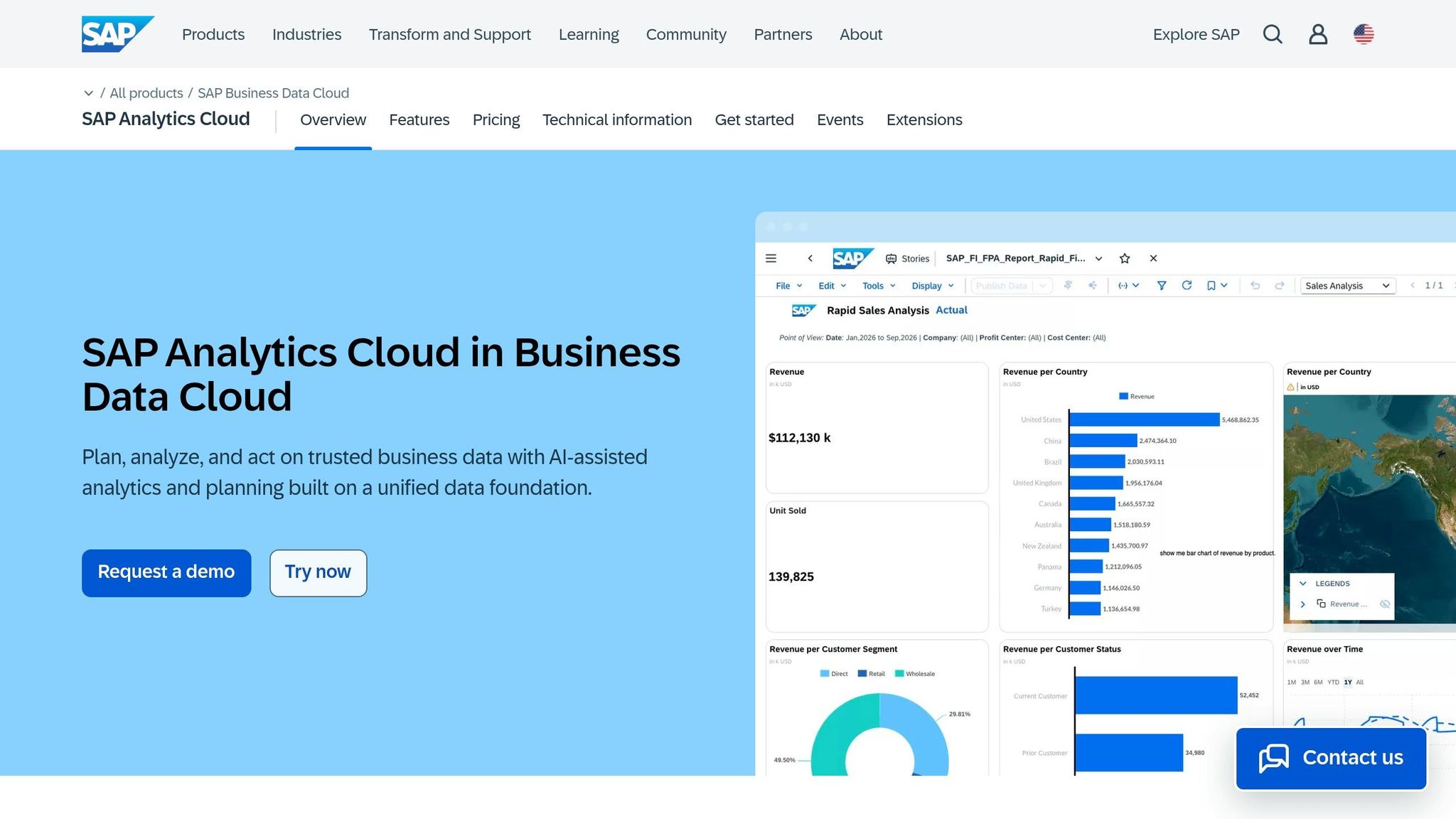
SAP Analytics Cloud (SAC) is tailored for organizations that rely on SAP systems like S/4HANA and BW/4HANA, ensuring financial and operational data remain in sync. It brings together business intelligence, planning, and descriptive, predictive, and prescriptive analytics into a single platform, with AI integrated throughout to enhance its capabilities.
AI Capabilities
At the heart of SAC’s AI features is Joule, a generative AI copilot that allows users to interact with data, automate reporting, and create business plans through conversational input [31][32]. Another key feature, Just Ask, supports natural language queries in multiple languages, including English, German, French, Italian, and Spanish. Users can type a question and instantly receive visualizations like charts or tables [30][33]. For more detailed analysis, Smart Insights breaks down the reasons behind data changes, explaining contributing factors clearly [30][33]. Financial planners benefit from Compass, which uses Monte Carlo simulations to model uncertainties and predict likely outcomes for critical business factors [30][32].
"AI should be implemented to enhance human productivity, accelerate workflows, or solve specific problems, rather than adopting AI simply because it is the current trend." - Dean Farrow, Product and Topic Expert, SAP [30]
These tools not only simplify data analysis but also integrate smoothly with SAC’s governance framework, ensuring reliability and trustworthiness.
Data Governance and Transparency
SAC’s governance framework is built on a business data fabric model, ensuring that AI-driven insights are based on reliable and governed data [32]. For planning teams, the platform includes features like data locking across six dimensions and Plan Auditing, which tracks every data change for accountability [35]. Smart Predict validates its models with a 75/25 training-to-validation split and identifies "leaker" variables to maintain data quality [36]. Additionally, story versioning allows teams to review, restore, or delete specific file versions, creating a transparent and automated audit trail [35].
Workflow Fit
SAC is designed to meet the needs of finance and planning teams by combining speed with structure. Features like Just Ask make data more accessible to users, while AI-powered chart summaries generate concise, three-bullet summaries for presentations and reports [30]. The platform also offers over 100 prebuilt business content packages, enabling faster deployment across various business functions [32]. While standard SAC licenses include basic AI features, advanced generative AI tools require purchasing SAP AI Units [30][34]. SAC’s strong connectivity ensures that both live and imported data consistently power its advanced analytics.
Integration with Data Sources
SAC supports two primary data connectivity options: Live Connectivity, which accesses data in real time without moving it from its source, and Acquired (Import) Data, which replicates data into SAC for more complex transformations. Its live SQL connectivity has expanded to include Google BigQuery, Snowflake (added in QRC1 2026), and Microsoft Azure SQL Database (added in QRC2 2026) [35][37]. Additionally, a dedicated Microsoft Excel add-in enables direct connections to SAP Datasphere through Tunnel mode [35].
"Live data access in planning models represents a massive opportunity. SAP Analytics Cloud aligns with SAP Business Data Cloud's ambition to be open and keeps on expanding its live connectivity portfolio." - Max Gander, Product and Topic Expert, SAP [37]
9. Google Looker
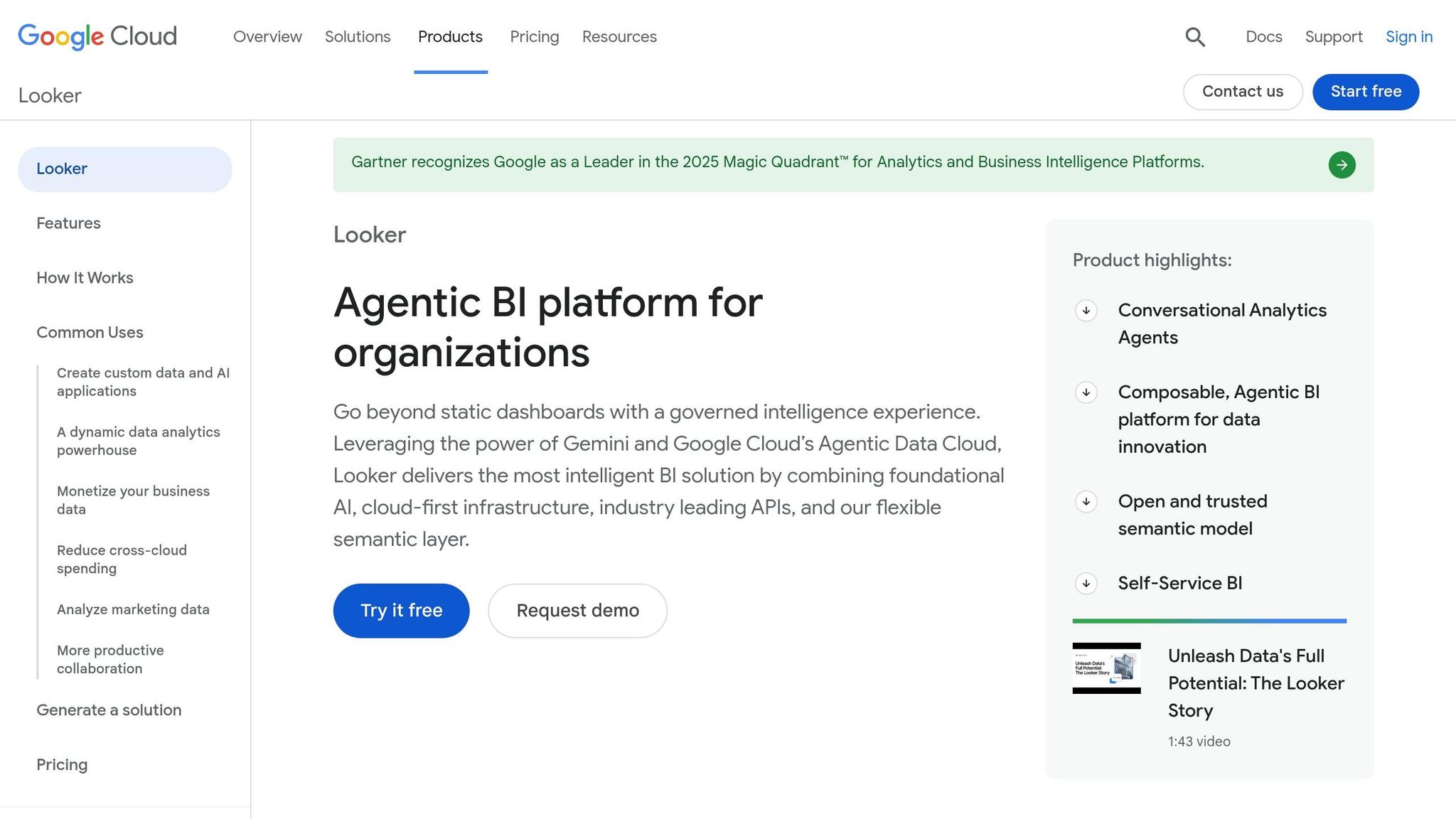
Google Looker revolves around a simple yet powerful concept: define your business metrics once, and let every report, dashboard, and AI-driven response rely on that same definition. At the heart of this system is LookML, a semantic layer that sits just above your cloud data warehouse. As Google Cloud describes it, LookML acts as the "intelligent brain" that translates complex SQL queries into straightforward business language [39]. This creates a unified platform where analysts, developers, and business users all work from a single, consistent source of truth.
AI Capabilities
Looker leverages Gemini, Google's large language model, to power AI features across the analytics process. With Conversational Analytics, users can ask plain-English questions like, "What's our Q1 2026 revenue by region?" and instantly receive visualized results. It also allows follow-up adjustments and filtering for deeper insights [39]. For developers, the LookML Assistant transforms natural language inputs into LookML code, making metric creation quicker and easier. Additionally, the Visualization Assistant refines charts based on conversational commands, while the Code Interpreter converts natural language into Python for tasks such as anomaly detection and time-series forecasting.
"Data exploration is now as simple as chatting with your team's data expert." - Vijay Venugopal and Kate Grinevskaja, Google Cloud [40]
Looker is advancing toward Agentic BI with tools like Dashboard Agents and Conversational Agents. These features actively monitor metrics for irregularities and can trigger business actions in response. In April 2026, YouTube Business tested Conversational Analytics in Looker, enabling partner managers to access actionable data instantly to enhance creator support. Thomas Seyller, Senior Director, highlighted its practical benefits [38].
Data Governance and Transparency
Looker ensures that every AI-generated response is grounded in the LookML semantic layer, reducing the risk of AI hallucinations by anchoring outputs to governed metric definitions [39][42]. Each insight is paired with the underlying SQL query for full transparency and verification. Google Cloud has also clarified that it does not train its models using your prompts or company data [42]. Access is tightly controlled through RBAC, integrated with Google Cloud IAM, and data is secured with AES-256 encryption, with an option for customer-managed encryption keys (CMEK) [43].
Workflow Fit
In May 2026, Looker received an 8.5/10 overall rating from ProPicked, with a 9.0/10 for feature depth [41]. It was also named a Leader in the 2025 Gartner Magic Quadrant for Analytics and Business Intelligence Platforms [39]. The platform is especially suited for organizations needing scalable and consistent analytics, particularly those already using Google Cloud. However, setting up LookML requires dedicated developer resources, and enterprise pricing may pose challenges for smaller teams. To help evaluate the platform, a 30-day free trial is available [41].
Integration with Data Sources
Looker supports native connections to over 60 databases, including BigQuery, Snowflake, Amazon Redshift, PostgreSQL, and MySQL. It queries live data directly, avoiding the need for extraction [41]. Looker Studio expands this capability with access to over 1,400 data sources through prebuilt and community connectors like Google Ads and Google Sheets [44]. Integration with Google Workspace also allows seamless sharing across Sheets, Slides, and Chat. For non-technical users, the Connected Sheets for Looker feature makes it possible to explore governed data within a familiar spreadsheet environment [45].
10. Amazon QuickSight
By late 2025, Amazon QuickSight had transformed into Amazon Quick Suite, combining core visualization tools with AI-driven features like Quick Research, Quick Flows, and Quick Automate [48][49]. This platform brings together dashboards, automated workflows, and cross-source research, offering a unified solution for faster analysis and dashboard creation.
AI Capabilities
One standout feature is Dataset Q&A, which turns plain-English questions into full-SQL queries without the need for row sampling or pre-configuration. During testing with the AWS Technical Field Communities program, involving over 15,000 members, query resolution times dropped from about 90 minutes to under 5 minutes, with accuracy improving by over 48% [51]. Another feature, Generate Analysis, automatically creates multi-sheet dashboards, complete with pre-selected visuals and calculated fields like year-over-year growth. Early access users reported cutting dashboard creation time by over 90% [47].
"As a new user, creating this dashboard would have taken at least a full day. It took 5 minutes." - Prabhakant Rasal, SDE-III, Amazon [47]
Quick Research further enhances analysis by synthesizing insights from both internal enterprise data and public sources, delivering cited insights in minutes [48].
Data Governance and Transparency
QuickSight ensures data security and governance remain a priority. Row-level and column-level security (RLS/CLS) policies are automatically applied to every AI-generated query, restricting access to authorized data only [51]. The Chat Explainability feature provides a detailed breakdown of how answers are generated, including the SQL code, applied filters, and underlying assumptions. This transparency allows users to verify insights before sharing them. Additionally, AWS does not use customer content to train its foundation models, and administrators can control AI features at the account, role, or user level [48].
Workflow Fit
QuickSight's AI capabilities integrate smoothly with popular communication tools to boost workflow efficiency. Extensions for Slack, Microsoft Teams, and Outlook enable users to query data directly within these apps [49][50].
"We see Quick as a catalyst for large-scale digital transformation, and plan to scale users by 25% or more in 2026." - Bhavik Rao [50]
Pricing is structured across tiers: Standard Author at $24/month, Author Pro at $40/month, Standard Reader at $3/month, and Reader Pro at $20/month. Accounts with Pro users or active Q&A features are subject to a $250/month infrastructure fee [48].
Integration with Data Sources
QuickSight connects seamlessly with the full AWS ecosystem, including Redshift, Athena, Aurora, RDS, and S3. It also supports on-premises databases like SQL Server, MySQL, and PostgreSQL, as well as SaaS platforms like Salesforce [53]. A key feature is the ability to directly query Amazon S3 Tables in Apache Iceberg format, enabling near real-time data lake analysis without data movement or replication [51][52]. For high-concurrency dashboards, the SPICE engine (Super-fast, Parallel, In-memory Calculation Engine) ensures fast response times, even under heavy loads [46].
11. Zoho Analytics
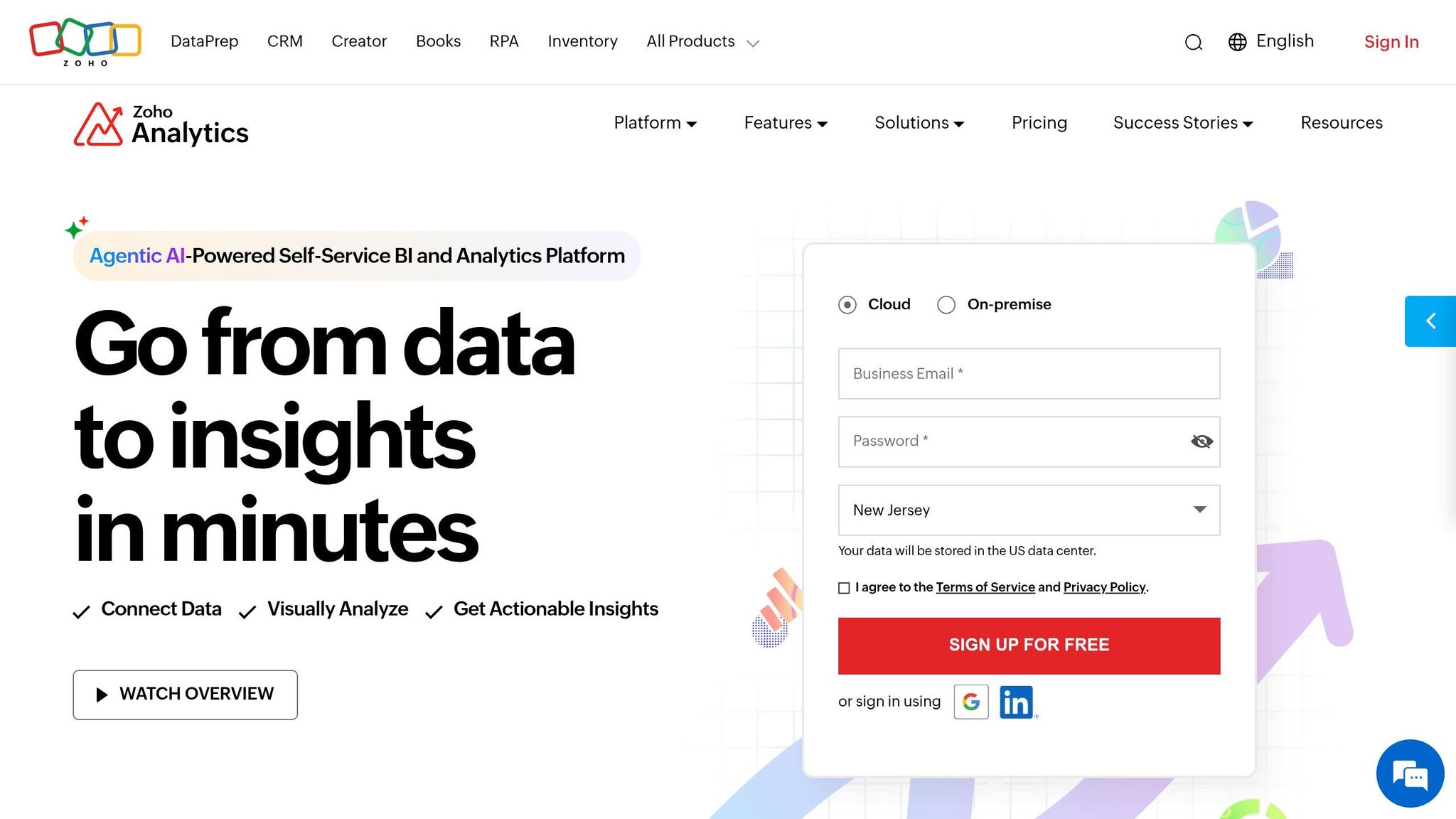
Zoho Analytics stands out as a leading BI platform, trusted by over 22,000 customers and 4 million users worldwide. It’s also earned the approval of 91% of surveyed users in the BARC BI & Analytics Survey 24 [54][56].
AI Capabilities
Zoho's AI assistant, Zia, took a leap forward in 2026 by becoming an agentic AI. Now, Zia can handle tasks like building data pipelines, creating metrics, scheduling reports, and triggering workflows - all through plain-English commands [54][55][57]. Additionally, Zia Insights provides automatic summaries of data changes and explains the factors driving those changes [56][57].
For data science teams, the platform offers an AI Studio and DSML Studio, enabling the creation and deployment of custom machine learning models. Users can choose between a no-code AutoML interface or a Python-based Code Studio [54][57][58]. Other standout features include multivariate forecasting, real-time anomaly detection, and what-if scenario modeling - tools that make predictive analytics more accessible [56][58].
"Zoho Analytics 6.0's new AutoML capabilities caught our attention immediately. Zia Insights' diagnostic capabilities have been a game-changer as well." - Alun Rafique, CEO and Co-Founder, Market Dojo [57]
These AI tools are designed with a strong focus on governance and transparency.
Data Governance and Transparency
Zoho Analytics employs a layered approach to data governance. Row-level security ensures that users only see data they’re authorized to access, while a centralized metrics layer helps organizations maintain consistent KPIs across teams [54][58]. To enhance AI transparency, the AutoML Explanation tab reveals the variables influencing model predictions, reducing the risk of opaque decision-making [60].
For added flexibility, organizations with strict compliance needs can use their own OpenAI API keys via the Bring Your Own Key (BYOK) feature instead of relying on Zoho's default language models [55][57]. All GenAI activities are logged, and Zoho hosts data in its own data centers, ensuring that user data is never monetized for advertising [59].
Workflow Fit
Zoho Analytics is built to streamline workflows and improve team productivity. It integrates seamlessly with tools like Slack, Microsoft Teams, and Zoho Cliq, allowing users to access insights directly within their preferred communication platforms [54].
The efficiency gains are notable. Versa Creative reported saving 5,000 man-hours annually by automating reporting workflows. Similarly, Evantec Corporation’s CTO, Alexandra Nelson Ryan, shared that analysis tasks were reduced from 20 hours to just 5 hours after adopting Zoho Analytics [54][62].
Integration with Data Sources
Zoho Analytics supports over 500 data sources [54][61]. Its Live Connect feature enables real-time database queries without storing data on Zoho's servers, which is especially useful for dynamic or sensitive datasets [62][63]. For on-premises systems behind firewalls, Zoho Databridge provides a secure, encrypted connection to the cloud [61][62].
Category | Supported Platforms |
|---|---|
Cloud Databases | Amazon Redshift, Google BigQuery, Snowflake, Microsoft Azure SQL, MongoDB Atlas |
Business Apps | Salesforce, HubSpot, QuickBooks, Zendesk, Shopify, Google Ads |
Relational DBs | MySQL, PostgreSQL, Oracle, MS SQL Server, IBM DB2, SAP HANA |
Cloud Storage | Google Drive, Amazon S3, OneDrive, Dropbox, Microsoft SharePoint |
Pricing
Zoho Analytics offers flexible pricing plans:
Basic Plan: $30/month for 2 users and 500,000 rows.
Premium Plan: $145/month, which includes Ask Zia AI and Live Connect for up to 15 users.
Enterprise Plan: $575/month, featuring Python Code Studio, AutoML, and MCP Server support for up to 50 users.
A 15-day free trial is available, and no credit card is required to sign up [55].
12. ChatGPT for Data Analysis
ChatGPT is a handy tool for turning raw data into meaningful insights with minimal setup. While it doesn’t replace full-scale BI platforms, it’s a flexible option for early-stage data exploration.
AI Capabilities
ChatGPT can handle Python-based calculations, data transformations, and statistical analysis within a stateful Jupyter-like environment. This setup keeps track of context across different steps, making it ideal for tasks like exploratory data analysis (EDA), hypothesis testing, and anomaly detection. It can even generate both static and interactive charts - like bar, line, pie, and scatter plots - right within the chat interface [64][65]. This functionality enables a straightforward and transparent analysis process.
"ChatGPT can help you move from raw data to useful insights with minimal setup." - OpenAI Academy [64]
A useful tip: Instead of jumping straight to a final answer, start with an EDA summary. Then, outline hypotheses to test. This step-by-step approach often leads to better-structured and more reliable insights.
Data Governance and Transparency
ChatGPT operates in a sandboxed Python environment, meaning it doesn’t make external web requests or API calls during analysis. This setup minimizes the risk of accidental data leaks. Users can inspect the generated Python code to verify assumptions and logic. However, governance is largely user-dependent since there’s no centralized semantic layer or row-level security. When linked to cloud storage platforms like Google Drive, OneDrive, or SharePoint, ChatGPT follows the permissions of the connected account. Workspace administrators can manage available connectors and adjust data usage settings as needed.
Workflow Fit
ChatGPT shines in tasks like cleaning data, spotting anomalies, and summarizing findings into clear, concise reports. For example, you can integrate it with tools like Excel or Google Sheets to streamline data cleaning, detect irregularities, and create executive summaries. To get the best results, upload structured files with clear headers and one record per row.
Integration with Data Sources
ChatGPT supports direct uploads of files such as CSV, Excel, PDF, and JSON. It also integrates with cloud storage platforms like Google Drive, OneDrive, and SharePoint. Here’s a quick comparison of ChatGPT versus warehouse-native AI tools:
Feature | ChatGPT | Warehouse-Native AI (e.g., Querio) |
|---|---|---|
Data Connection | Manual uploads / Cloud Storage | Live warehouse connection |
Scalability | Limited by file/row size | High (uses warehouse compute) |
Transparency | Python code viewable | SQL/Python code transparency |
Governance | Basic (user-dependent) | Centralized semantic layer |
Primary Use Case | Ad-hoc analysis & summaries | Enterprise-wide self-service BI |
ChatGPT works best for individual analysts focusing on exploratory tasks. However, it’s not built for enterprise-scale, governed, or real-time data analysis. For those needs, it’s better to pair ChatGPT with platforms designed for large-scale, structured workflows.
Comparison Table
Here’s a clear overview of the tools discussed, summarizing their main strengths, AI features, governance capabilities, and ideal users. This table is especially helpful for industries where governance is critical, like healthcare or finance (think HIPAA, SOX, GLBA). Pay attention to the "Primary User Types" column to see who benefits most from each tool in their daily work.
Tool | Best Use Cases | AI Capabilities | Governance & Transparency | Primary User Types |
|---|---|---|---|---|
Querio | Self-service analytics on live data; ad-hoc natural language querying; governed embedded analytics | Conversational SQL/Python generation; inspectable code for every answer; semantic context layer | SOC 2 Type II compliance; RBAC; centralized semantic layer; full code transparency | Business analysts; data teams; data scientists |
Microsoft Power BI | Enterprise dashboards in Microsoft 365; financial & operational reporting; self-service BI at scale | Copilot (DAX/report generation); Q&A natural language querying; Key Influencers; anomaly detection; Azure ML integration | Microsoft Purview integration; RLS/OLS; sensitivity labels; data lineage; SOC 2-ready | Business analysts; finance & ops teams; BI developers |
Tableau | Advanced visual storytelling; exploratory analysis; executive dashboards | Tableau Pulse (AI-driven KPI alerts); Explain Data (statistical drivers); Ask Data natural language querying; Einstein Discovery forecasting | Row-level security; certified data sources; Tableau Server/Cloud governance | Data analysts; data professionals; executives |
ThoughtSpot | Search-driven analytics for non-technical users; AI insights on cloud warehouses; embedded analytics in SaaS | SpotIQ (automated pattern & anomaly detection); analyst-grade AI reasoning | Metadata privacy by default; verifiable query plans; RBAC | Line-of-business managers; frontline supervisors; business users |
Domo | Executive & operational dashboards; multi-source data integration; real-time business monitoring | Domo.AI (generative AI features); automated insights; ML-powered alerts | Role-based access; cloud-native security; moderate governance controls | Executives; operations leaders; distributed teams |
Qlik | Associative analytics across many data sources; governed self-service BI; complex multi-dimensional analysis | Qlik Insight Advisor (augmented analytics); AI-driven suggestions; associative in-memory engine | Centralized governed apps; strong lineage; RBAC; enterprise-grade security | Power users; data engineers; BI developers |
IBM Cognos Analytics | Highly governed enterprise reporting; regulated-industry analytics; IT-managed BI environments | AI-assisted data preparation; automated visualization; natural language querying; built-in forecasting | Strong auditability; centralized IT governance; RBAC; compliance-ready (SOX, HIPAA contexts) | Enterprise analysts; IT/BI teams; compliance-focused organizations |
SAP Analytics Cloud | Analytics on SAP ERP/HANA data; integrated planning & forecasting; large SAP-centric enterprises | Smart Insights; Smart Discovery; driver-based forecasting; scenario modeling | SAP-native governance; RBAC; enterprise security posture; audit trails | Finance leaders; SAP power users; enterprise planners |
Google Looker | Central semantic layer on cloud warehouses; embedded analytics in web apps; governed data modeling | Generative AI via Google Cloud LLMs; LookML-driven AI answers; BigQuery ML integration | Centralized LookML semantic layer; RBAC; data lineage; Google Cloud security | Data engineers; BI developers; analytics engineers |
Amazon QuickSight | BI on AWS-hosted data; large-audience pay-per-session deployments; ML-powered insights for AWS teams | Natural language querying (Q); ML Insights (anomaly detection, forecasting); Auto-Narratives | AWS IAM integration; row-level security; robust cloud-native controls | AWS-centric analysts; operations teams; SMB to enterprise |
Zoho Analytics | Affordable BI for SMBs; reporting across Zoho apps and popular SaaS tools; simple team dashboards | Zia AI assistant (conversational querying, automated insights); generative Zia extensions | Basic governance; role-based sharing; standard security; limited enterprise controls | SMB business teams; marketing & sales managers; Zoho users |
ChatGPT for Data Analysis | Conversational data exploration; code/SQL/Python generation; explaining analyses to non-technical stakeholders | Python-based statistics & visualization; natural language querying over uploaded files; code generation & summaries | Minimal - file-level only; no centralized semantic model; user-dependent; best for level 1 data only | Individual analysts; casual users; non-technical stakeholders |
Conclusion
Choosing the right AI data analysis tool depends on your team’s technical expertise, the structure of your data systems, and your governance requirements. The key is finding a tool that aligns with how your team operates day-to-day. These factors should guide your decision-making process from the outset.
How well a tool fits into your existing ecosystem is critical. Tools that integrate seamlessly with your current infrastructure can reduce complexity and speed up adoption. Additionally, your team’s skill set matters as much as the tool’s features. For example, non-technical users may find search-driven analytics more accessible, while industries like healthcare, finance, and the public sector need to prioritize auditability. As Gartner notes, companies investing in self-service analytics and augmented intelligence are 2.6 times more likely to see meaningful results from their data efforts.
To make the best choice, a structured evaluation process is essential. Focus on two or three tools and test them with a real dataset - ideally, something like your past 12 months of sales or operational data. Measure factors such as how quickly you can create a dashboard and gather feedback from both analysts and business users. If your organization already uses a BI platform, consider enhancing it with a AI co-pilot for analysts for on-the-fly queries rather than replacing the entire system.
For teams that need live data analysis, full transparency, and strong governance, Querio stands out as a top contender. Starting at $680 per month (billed annually), it’s designed for teams that value both speed and reliability. Querio offers inspectable SQL and Python for every answer, a centralized semantic layer, and direct access to live warehouse data - all without relying on black-box outputs.
FAQs
How do I choose the right AI data analysis tool for my team?
To find the best AI data analysis tool, consider six important factors: data connectivity, user experience, AI capabilities, embedding needs, security and governance, and scalability. Look for a tool that works seamlessly with your data warehouse (like Snowflake, BigQuery, or Redshift) and balances ease of use for non-technical users with powerful features for analysts. Querio brings these elements together, offering AI-driven simplicity for accurate, real-time insights.
What makes AI analytics governed and audit-ready?
AI analytics operates smoothly and stays audit-ready thanks to a centralized semantic layer. This setup ensures that metric definitions remain consistent and avoids any misalignment over time.
Security and compliance are prioritized through features like role-based access controls, row-level security, and detailed audit logs. Querio enhances transparency by allowing teams to review and modify SQL or Python code directly. Additional safeguards, such as version control, encryption, and read-only data access, strengthen workflows and help meet compliance standards.
Can these tools query live warehouse data without copying it?
Querio connects directly to your live warehouse data, eliminating the need for copying. By securely integrating with platforms such as Snowflake, BigQuery, Redshift, and Databricks, it bypasses ETL pipelines, manual syncing, and duplicate storage. This approach ensures that new data is immediately ready for analysis, offering real-time insights with sub-second latency - all while keeping your data safe in its original location.
Related Blog Posts