Business Intelligence
best embedded BI platforms with AI features comparison
Overview of top embedded BI platforms, their AI capabilities, governance, pricing, and best use cases.

Embedded BI platforms integrate analytics directly into applications, providing users with insights without switching tools. In 2026, AI features like natural language querying (NLQ), predictive analytics, and anomaly detection are reshaping how businesses use data. These tools improve user adoption, accelerate decision-making, and unlock new revenue opportunities. Here's a quick look at six leading platforms and their standout AI capabilities:
- Querio: Offers NLQ, Python code generation, and predictive models. Flat-rate pricing with unlimited viewers. Strong governance and direct data warehouse connections.
- ThoughtSpot: Features SpotIQ for search-driven insights and anomaly detection. Usage-based pricing, ideal for search-focused analytics.
- Looker: Powered by Google's Gemini AI for automated insights and real-time querying. Best for Google Cloud users.
- GoodData: Focuses on multi-tenant scalability and AI agents for complex workflows. Strong governance with Analytics-as-Code.
- Sisense: Includes AI tools like a Dashboard Assistant and Compose SDK for developers. Suited for complex data models.
- Qlik Sense: Uses an associative engine and Cognitive AI for dynamic data exploration. Offers hybrid deployment options.
Quick Comparison
| Platform | AI Features | Pricing Model | Best For |
|---|---|---|---|
| Querio | NLQ, Python, predictive models | Flat-rate | SaaS and enterprise analytics |
| ThoughtSpot | SpotIQ, search-driven insights | Usage-based | Search-focused use cases |
| Looker | Gemini AI, real-time querying | Usage-based | Google Cloud users |
| GoodData | AI agents, multi-tenancy | Tiered | Multi-tenant SaaS environments |
| Sisense | AI Assistant, Compose SDK | Per-user/capacity | Developer-heavy teams |
| Qlik Sense | Associative engine, AutoML | Tiered/consumption | Hybrid cloud/on-prem setups |
Choosing the right platform depends on your needs: Querio excels in cost predictability and scalability, ThoughtSpot is great for search-driven insights, and GoodData simplifies multi-tenant analytics.
::: @figure 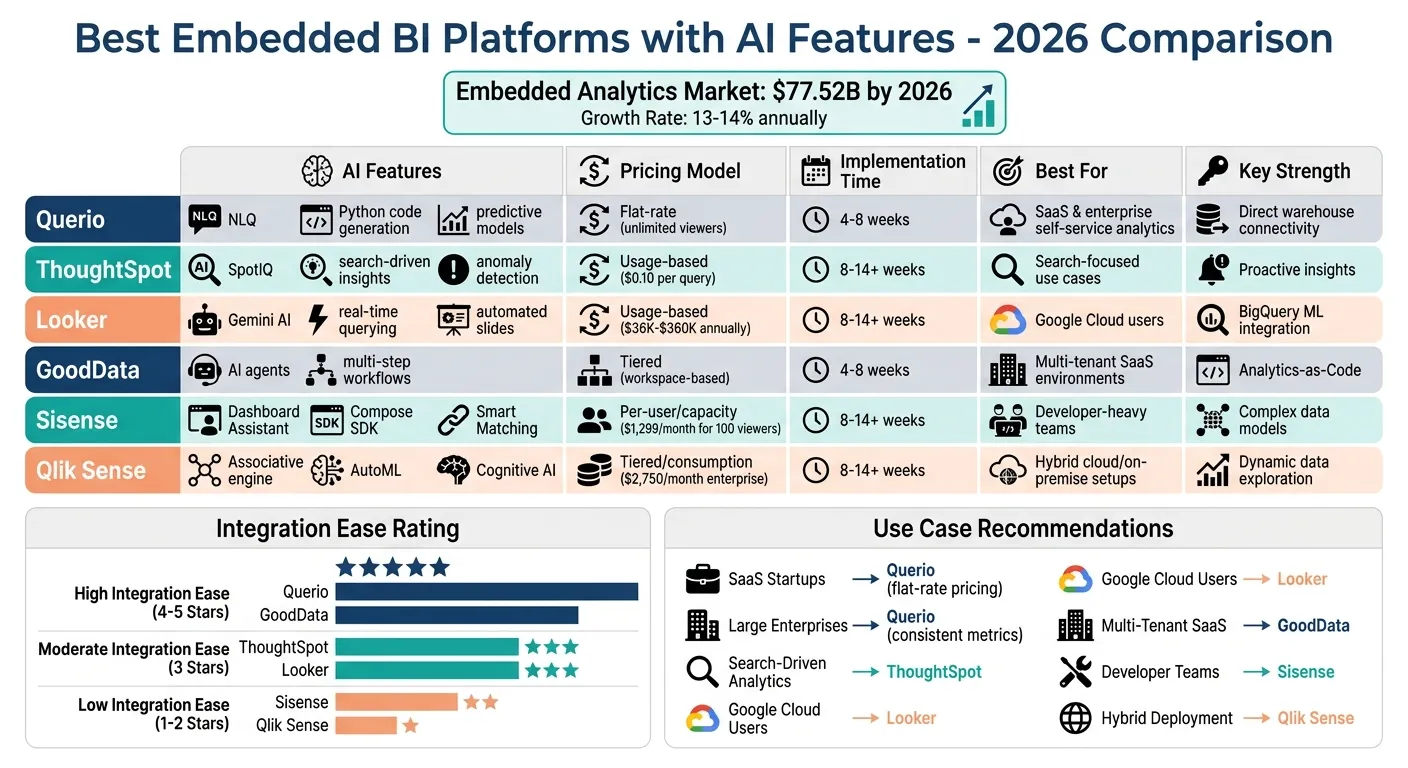 {Embedded BI Platforms Comparison: AI Features, Pricing & Best Use Cases 2026}
:::
{Embedded BI Platforms Comparison: AI Features, Pricing & Best Use Cases 2026}
:::
1. Querio
AI Capabilities
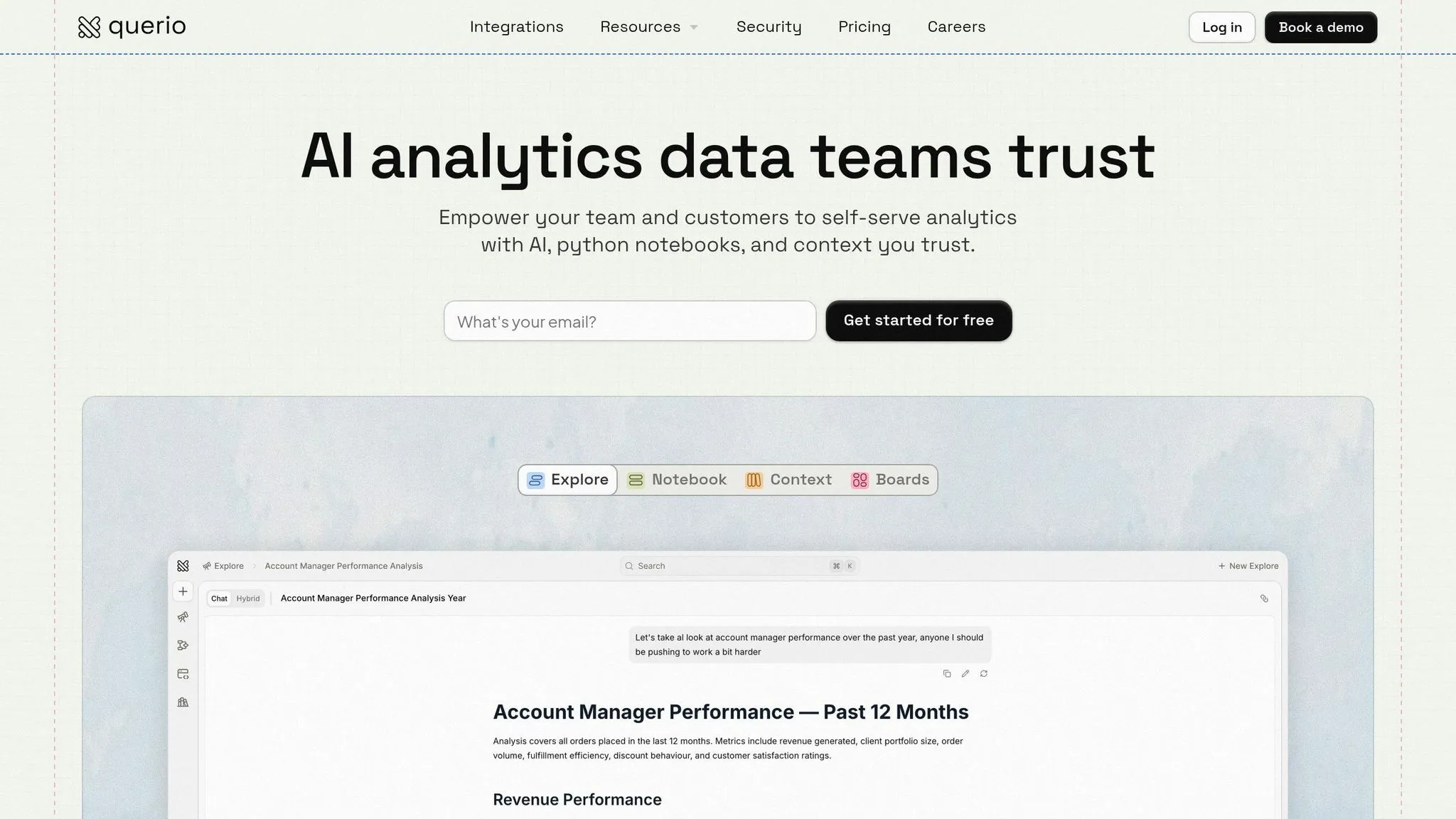
Querio's AskAI feature transforms plain English questions into SQL and Python code instantly. For example, if you ask, "What are the top revenue drivers by region?", the platform not only generates the required code but also provides visualizations and narratives to make the data more accessible. With over 95% accuracy in understanding user intent, it’s designed to be intuitive, even for those without technical expertise. Beyond this, Querio includes predictive analytics powered by built-in models that can forecast trends without requiring any custom setup. It also delivers automated insights by identifying data anomalies and sending contextual alerts. For instance, more than 10,000 users have utilized natural language querying (NLQ) for fraud detection, cutting decision-making time by 40%. Similarly, an e-commerce business reduced stockouts by 25% thanks to automated inventory forecasting alerts [4][6].
Governance and Semantic Layer
Querio combines its AI tools with strong governance and a well-structured semantic layer to ensure consistency and accuracy. Its governance framework includes features like row-level security (RLS), role-based access control (RBAC), and audit logs that align with GDPR and SOC 2 standards. The semantic layer allows data teams to define metrics - like "Customer Lifetime Value" - just once, ensuring uniformity across applications. This is achieved using YAML-based metric definitions and joins, which are version-controlled through Git. Teams can collaborate on analytics logic just as software engineers manage code, using tools like pull requests and change tracking. Querio also streamlines the process of connecting, modeling, and embedding data with pre-built connectors for over 50 sources [4][8].
Data Warehouse Compatibility
Querio works seamlessly with leading data warehouses such as Snowflake, Google BigQuery, Amazon Redshift, and ClickHouse, as well as relational databases like PostgreSQL, MySQL, MariaDB, and Microsoft SQL Server. Its no-data-copy, live, read-only architecture enables real-time querying without the need for ETL pipelines, potentially cutting infrastructure costs by up to 70% compared to traditional BI tools [4][7]. Querio's performance benchmarks are impressive: it can process over 1 billion rows with sub-second query times, thanks to vectorized execution and smart caching. It also supports up to 100,000 concurrent users with a 99.99% SLA, delivering up to 5x faster performance on standard TPC-DS tests [5][6]. These capabilities make Querio a strong choice for businesses seeking robust and efficient analytics.
Embedded Analytics Features
Querio provides SDKs for JavaScript, React, and iFrame embedding, along with tools for pixel-perfect white-labeling. Teams can fully customize themes, CSS, and branding to create a seamless integration. The platform supports both single-tenant and multi-tenant architectures, maintaining 99.9% uptime while scaling to millions of users [5][8]. Features like interactive drill-downs, dynamic filtering, and export options (PDF, CSV) allow users to explore data directly within their applications. For example, CRM tools can embed dashboards that let end users filter customer data in real time, delivering a native analytics experience. Pricing for embedded analytics starts at $25 per active user per month, with volume discounts available for larger deployments [5][6].
sbb-itb-284a532
2. ThoughtSpot Embedded
AI Capabilities
In late 2025, ThoughtSpot adopted the identity of an "Agentic Analytics Platform", introducing AI agents designed to streamline data analysis tasks [9]. The centerpiece of this transformation is Spotter 3, an AI-powered data scientist capable of advanced reasoning and Python coding to tackle complex analytical challenges. The platform also includes SpotIQ, a feature that enables natural language search. This allows users to ask straightforward questions like, "Top 10 customers by revenue," and quickly receive visualized results. SpotIQ further enhances usability by automatically identifying patterns and anomalies within the data [9][10].
Governance and Semantic Layer
ThoughtSpot uses a governed semantic layer, called "Worksheets", to maintain consistency in business metrics, data joins, and relationships across its embedded analytics environment [10]. To simplify data preparation, the AI-powered SpotterModel transforms raw data into governed semantic models, significantly reducing the need for manual data engineering [9]. Administrators can further refine the platform's understanding of business-specific terminology using Spotter Coach, which allows for synonym curation and customization [10]. Additionally, ThoughtSpot ensures secure data handling through Row-Level Security (RLS), role-based access controls, and a transparent matching panel that maps natural language queries to specific data columns [10].
Data Warehouse Compatibility
ThoughtSpot's compatibility with modern data warehouses is another key strength. It integrates effortlessly with cloud-based platforms like Snowflake, Google BigQuery, Databricks, and Amazon Redshift [10]. The platform also connects to widely used third-party tools such as Salesforce, ServiceNow, and Google Sheets, enabling teams to make use of their existing data infrastructure without requiring major adjustments [3].
Embedded Analytics Features
ThoughtSpot employs a consumption-based pricing model, charging roughly $0.10 per query [9]. While this pricing structure offers flexibility, it can sometimes lead to unpredictable costs, with dashboard loads ranging between $5 and $6 depending on query complexity [9]. The platform supports search-driven exploration, allowing users to interactively drill down and filter data. Pricing starts at $25 per user per month for the Analytics Essentials plan and $50 per user per month for the Analytics Pro plan [9]. This pricing approach highlights ThoughtSpot's adaptability in meeting the needs of businesses scaling their embedded analytics capabilities.
3. Looker Embedded
AI Capabilities
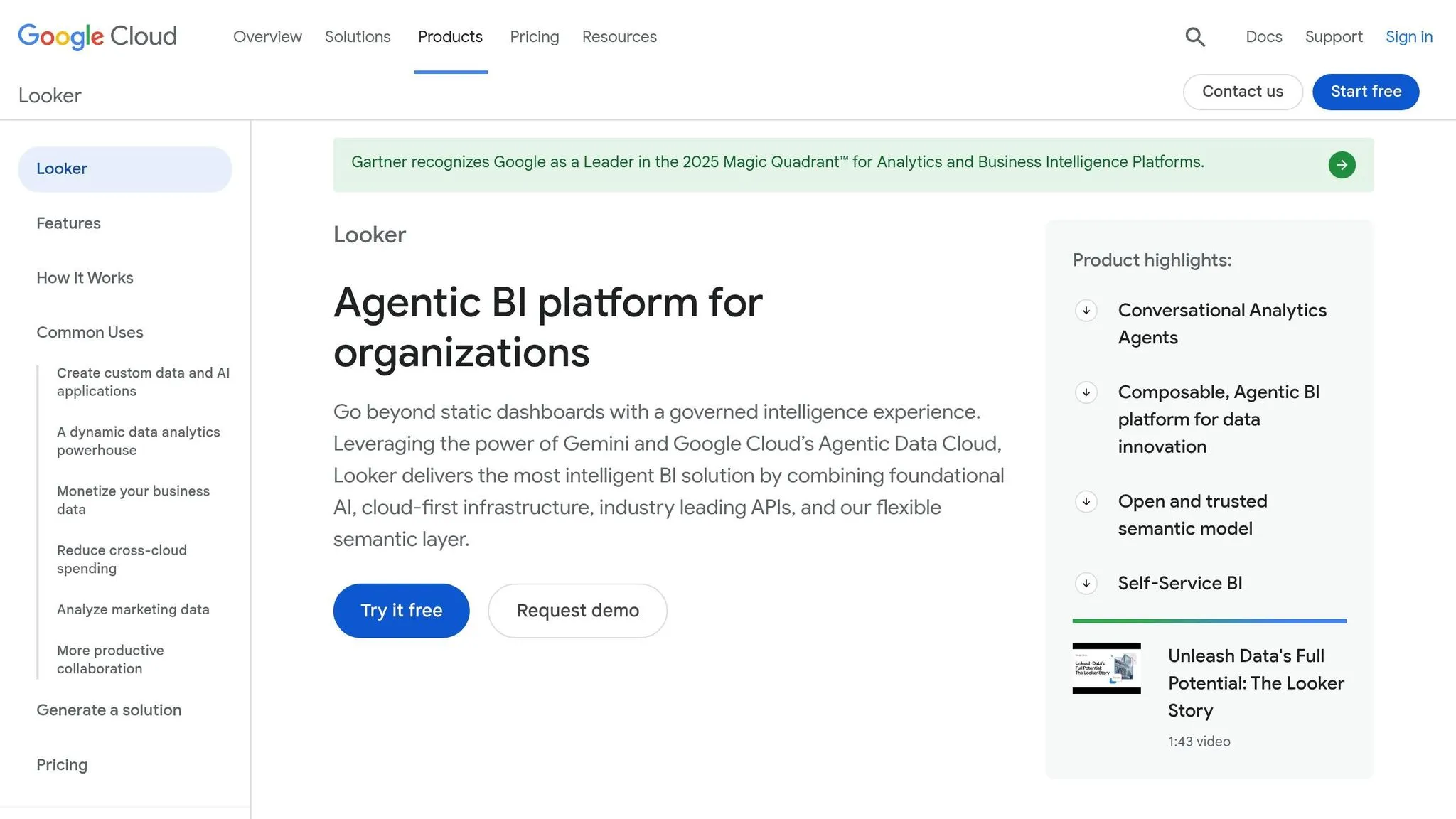
Looker has stepped up to meet the growing need for analytics powered by artificial intelligence. By incorporating Google's Gemini AI, Looker simplifies tasks like automating LookML code, crafting custom visualizations, and building advanced formulas [11]. One standout feature is the preview Code Interpreter, which translates natural language into Python code for tasks like forecasting and spotting anomalies. Additionally, the Automated Slide Generator transforms dashboards into presentation-ready slides, complete with AI-written narratives, potentially saving users up to 8 hours each week. As of January 2026, Looker boasts a 4.4/5 rating from 2,178 reviews, with users frequently highlighting its Gemini AI integration and real-time querying as standout features [11]. This mix of automation and user-focused design makes Looker a strong player in the embedded BI market.
Governance and Semantic Layer
At the heart of Looker’s governance is its LookML semantic layer, which acts as a single, reliable source for business logic, minimizing inconsistencies in reporting across teams [11][12]. All data models are stored in Git, allowing for features like branching, reviews, and audit trails. According to AI:PRODUCTIVITY, this centralized approach reduces generative AI-related data errors by 66% while ensuring consistent metrics. However, it’s worth noting that mastering Looker’s tools requires expertise in SQL and LookML, which can pose a challenge for some users [11][12].
Embedded Analytics Features
Looker offers three pricing tiers tailored to different needs:
- Standard: Designed for smaller teams.
- Enterprise: Includes advanced security features and supports up to 100,000 query-based API calls per month.
- Embed Platform: Focused on white-labeling capabilities and allows for up to 500,000 API calls per month [11].
Pricing for Enterprise contracts starts at approximately $36,000 annually for small teams and can climb to over $360,000 for larger organizations. Looker also integrates seamlessly with Google Workspace, enabling live links to Sheets and Slides for automated reporting. It supports multiple cloud warehouses, including Snowflake and Amazon Redshift, further enhancing its flexibility [11]. These features position Looker as a strong choice for businesses seeking AI-powered embedded BI solutions.
4. GoodData
AI Capabilities
GoodData takes a unique approach by focusing on autonomous agents rather than traditional chatbots. Its Agentic AI can handle multi-step analytical workflows independently, reducing the need for constant human input. The platform ensures accuracy by grounding its AI in a governed semantic layer built on trusted business definitions, which eliminates the risk of hallucinated insights. This setup guarantees that every insight is both traceable and reliable. Additionally, GoodData allows multiple AI agents to collaborate on complex analytics tasks, all supported by a strong governance framework.
Governance and Semantic Layer
At the heart of GoodData’s governance model is a centralized, versioned semantic layer that serves as the organization’s single source of truth. This layer supports the Analytics-as-Code framework, which integrates seamlessly with Git and CI/CD pipelines. This setup enables fast and transparent deployments while maintaining consistency across GoodData’s native multi-tenancy architecture. By grounding AI queries in a governed business context, the semantic layer ensures metrics remain consistent and results are dependable. The platform’s multi-tenancy features, like workspace inheritance, allow it to scale efficiently to serve thousands of clients with minimal administrative effort.
Data Warehouse Compatibility
GoodData connects directly to data warehouses via live queries, eliminating the need to move data and reducing both latency and costs. It supports major cloud data warehouses, allowing businesses to maximize their existing setups without additional infrastructure changes.
Embedded Analytics Features
GoodData excels in embedding analytics with tools tailored for developers. It provides integration options through React SDK, Web Components, and iFrames, offering flexibility for different use cases. The native multi-tenancy architecture, combined with workspace inheritance, simplifies managing analytics for large client bases. Developers can also take advantage of the Analytics-as-Code workflow to manage dashboards, metrics, and visualizations via APIs and version control systems. This ensures a streamlined deployment process and consistent analytics across environments.
5. Sisense Embedded
AI Capabilities
Sisense Embedded stands out with its AI-powered features designed to simplify and enhance user experience. One notable tool is its ability to generate Compose SDK code snippets directly from natural language commands. This feature empowers non-technical users to bypass the usual reliance on developers, speeding up workflows significantly. Additionally, its AI Smart Matching allows users to perform semantic searches without needing precise column names. The Dashboard AI Assistant further streamlines tasks by creating visualizations paired with narrative explanations instantly [14].
A compelling example of its impact comes from Barrios, a woman-owned aerospace company serving high-profile clients like NASA. In February 2025, Barrios adopted Sisense to provide real-time reporting for over 300 active monthly users. This implementation not only cut the duration of strategic board meetings in half but also boosted revenue. As Devin Vyain, Solutions Architect at Barrios, explained:
"We have derived additional revenue specifically from providing this data solution approach, which involves Sisense as the front end" [14].
Governance and Semantic Layer
Sisense uses a centralized semantic layer to enhance its AI capabilities. This layer works with the AI Assistant to add richer context to the data, ensuring accurate interpretation even when data queries are ambiguous [14]. This structure supports consistent and secure analytics, aligning with the platform’s focus on reliability. Pricing starts at around $1,299 per month for 100 viewer seats, with annual costs estimated at approximately $21,000. To better accommodate smaller teams and encourage product-led growth, Sisense has also introduced two new subscription tiers: "Launch" and "Grow" [28, 33].
Data Warehouse Compatibility
Sisense Embedded integrates seamlessly with major cloud data warehouses via its Elasticube Cloud analytical engine. This setup supports a hybrid data architecture, allowing businesses to utilize their existing infrastructure while enabling real-time analytics [13].
Embedded Analytics Features
Sisense excels in offering flexible developer tools, with the Compose SDK as its flagship toolkit. Developers can choose from several integration options, including:
- Quick setup using iFrame HTML tags for embedding.
- Customizable widgets through Sisense.JS for tailored designs.
- Advanced integration using the Compose SDK with frameworks like React, Vue, or JavaScript [30, 34].
The platform also features a multi-tenant architecture designed for SaaS environments. Key security measures like Row-Level Security (RLS), Single Sign-On (SSO), and tenant-aware security tokens ensure data remains isolated and secure [34, 35]. Sisense's leadership in the 2024 Embedded Analytics Technology Value Matrix and high customer satisfaction ratings in G2 Grid reports further underscore its reputation as a reliable choice for embedding real-time analytics into applications [29, 31]. These capabilities make Sisense Embedded a strong contender for organizations seeking to integrate advanced analytics seamlessly.
6. Qlik Sense Embedded
AI Capabilities
Qlik Sense Embedded uses its Cognitive Engine and Insight Advisor to turn plain English queries into actionable insights, blending generative and predictive AI. With features like AutoML, forecasting, and anomaly detection, it creates models and identifies hidden data patterns with minimal effort from the user. This makes it especially accessible for those without technical expertise, removing many of the usual barriers to advanced data analysis.
Embedded Analytics Features
Qlik Sense Embedded stands out for its dynamic data exploration and smooth integration options. Its associative engine is a game-changer, allowing users to explore data relationships freely, rather than being limited to predefined query paths. This flexibility helps uncover connections that might otherwise go unnoticed, offering a fresh approach compared to traditional BI tools. This shift toward embedded analytics allows businesses to integrate data directly into their workflows.
For developers, the platform offers versatile integration methods. Whether through quick iFrame setups or more customized solutions using JavaScript mashups and APIs, Qlik provides tools to fit a variety of needs. It supports deployment via Qlik Cloud, on-premises with Qlik Sense Enterprise, or hybrid setups, making it adaptable to different infrastructure requirements.
With over 100 connectors - compatible with Snowflake, BigQuery, PostgreSQL, and various NoSQL databases - Qlik integrates effortlessly into existing data ecosystems. This focus on integration and AI-driven discovery reflects the evolution of modern business intelligence tools. Pricing for the enterprise tier starts at $2,750 per month, with additional charges for data throughput add-ons.
Strengths and Weaknesses
Choosing the right analytics platform depends heavily on your team's technical expertise, infrastructure, and timelines for deployment. The embedded analytics market is expected to hit $77.52 billion by 2026, growing at an annual rate of 13–14%, making your decision impactful for the long term [2]. Among the options, Querio stands out for its direct warehouse connectivity and flat-rate pricing, making it a strong contender for teams prioritizing seamless integration and self-service analytics. Below is a breakdown of how each platform performs in areas like integration, scalability, and AI capabilities.
Querio leads the pack with its direct warehouse connectivity and flat-rate pricing, which includes unlimited viewers. This makes it especially appealing to SaaS companies looking for predictable costs and straightforward self-service analytics. Its robust governance and semantic layer ensure consistent analytics across applications, while features like natural language querying (NLQ) and Python notebooks add flexibility. However, its customization options aren’t as extensive as those offered by more developer-focused platforms. Overall, Querio shines in scalability, ease of integration, and cost predictability.
ThoughtSpot is known for its SpotIQ anomaly detection and search-driven insights. However, the implementation process can take anywhere from 8 to 14+ weeks [2].
Looker integrates seamlessly with Google Cloud and offers strong LookML modeling capabilities. That said, its average annual cost is around $83,665, with embedded pricing often starting even higher [15].
GoodData excels in multi-tenant SaaS scalability and offers high levels of customization through its React SDK. Implementation typically takes 4 to 8 weeks [2].
Sisense provides deep customization through its Compose SDK and handles complex data models effectively. However, it requires significant developer resources, with implementation timelines stretching to 8–14+ weeks [2].
Qlik Sense offers unique associative exploration and hybrid deployment options, but its complex setup can slow down initial integrations.
A growing trend among developer-focused teams is moving from simple iFrame embedding to SDK-based integrations using frameworks like React or Vue. This approach allows analytics to function as native components. Additionally, grounding AI in semantic layers instead of raw tables helps prevent issues like inconsistent metrics and hallucinations [1][2].
Here’s a summary of how these platforms compare in key areas:
| Platform | Integration Ease | Scalability Model | AI Strength | Best For |
|---|---|---|---|---|
| Querio | High (Direct Warehouse) | Unlimited Viewers (Flat) | NLQ & Python Notebooks | SaaS & Enterprise self-service |
| ThoughtSpot | Moderate (SDK/API) | Usage-based pricing | SpotIQ Anomaly Detection | Proactive search-driven insights |
| Looker | Moderate (LookML) | Usage-based pricing | BigQuery ML Integration | Google Cloud ecosystem users |
| GoodData | High (React SDK) | Workspace-based (Tiered) | Agentic AI / AI Agents | Multi-tenant SaaS scalability |
| Sisense | Low (Developer-heavy) | Per-user/Capacity | Predictive Analytics | Complex data models |
| Qlik Sense | Low (Complex setup) | Tiered/Consumption | Associative AI Engine | Hybrid cloud/on-premise needs |
Conclusion
Selecting the best embedded BI platform boils down to three key factors: AI transparency, scalability, and seamless integration with your data warehouse. With the embedded analytics market expected to hit $77.52 billion by 2026 [2], this decision will shape how your organization delivers insights for years to come.
For SaaS startups, it’s smart to compare the best embedded analytics tools for SaaS and focus on platforms with flat-rate pricing models, like Querio. This approach helps protect profit margins as your user base grows. Querio’s direct connection to data warehouses and unlimited viewer model removes the unpredictability of usage-based pricing, offering cost stability as adoption increases [2].
For large enterprises, maintaining consistent metrics across departments is critical. Querio addresses this challenge with centralized, versioned logic and a shared context layer, ensuring uniform KPIs across dashboards, ad-hoc analyses, and embedded applications [1].
Organizations managing multi-tenant environments require solutions that simplify complexity. Querio’s advanced white-labeling capabilities, strong tenant isolation, and fast deployment make it a standout choice - without the lengthy implementation timelines that other platforms often demand.
Lastly, consider transitioning from iFrame embedding to SDK-based integrations using frameworks like React or Vue. This shift delivers a more native, high-performance user experience while leveraging robust semantic layers to prevent inconsistent metrics and AI errors like hallucinations [1][2].
FAQs
::: faq
How do I choose the right embedded BI platform for my app?
When selecting an embedded BI platform, there are several key factors to keep in mind to ensure it meets both your technical and business requirements:
- Semantic Layer: Look for a platform that includes a semantic layer to simplify data interpretation and ensure consistency across reports.
- Multi-Tenancy Support: A strong multi-tenancy capability is essential for managing data securely across different users or clients.
- AI with Governed Metrics: Platforms that incorporate AI based on governed metrics can help deliver accurate and reliable insights.
Additionally, make sure the platform:
- Integrates Easily with Your Data Warehouse: Seamless integration with your existing data infrastructure is critical for efficiency.
- Supports Natural Language Querying: This feature allows users to ask questions in plain English, making analytics more accessible.
- Scales with Your User Base: The platform should grow alongside your application and user demands.
Lastly, prioritize platforms that offer no-code analytics, robust security measures, and smooth embedding options to ensure they align perfectly with your app’s technical setup and business objectives. :::
::: faq
Will AI-generated queries stay accurate and secure with my data?
AI-powered queries within embedded BI platforms can deliver both precision and security when the platform is built with solid data governance and well-integrated AI capabilities. Querio addresses these needs by including features such as strong security protocols, semantic layers, secure APIs, and multi-tenant configurations. These elements work together to safeguard data and ensure the reliability of queries. However, challenges arise when data sources are messy or integration is lacking, highlighting the need to choose and implement the right platform carefully. :::
::: faq
Should I embed analytics with an iFrame or an SDK?
When deciding between an iFrame and an SDK, it all comes down to your specific needs and goals.
An iFrame is the faster option to implement, making it ideal if you’re aiming for quick deployment. However, it might not blend as smoothly with your app, potentially feeling a bit detached.
An SDK, on the other hand, offers a more integrated and polished experience. It allows for greater customization and ensures that the functionality feels like a natural part of your app. If performance and a cohesive design are your top priorities, an SDK is the way to go. :::