Business Intelligence
What Does Databricks Genie Do? Capabilities, Limits, and Alternatives
Explains Databricks Genie’s governed Q&A use, limits for recurring dashboards, SQL visibility, and top alternatives for broader BI.

Databricks Genie is best for one-off, plain-English questions on governed Databricks data. It is not a full BI tool for recurring dashboards or cross-warehouse reporting.
If I had to sum up the article in a few lines, it would be this:
- Genie helps business users ask questions without SQL
- It depends heavily on Unity Catalog metadata, Space setup, and trusted query logic
- It shows the SQL it generates, which helps with checks
- It is weaker for repeatable reporting, dashboard-heavy use cases, and cross-platform analytics
- Alternatives fit different needs: Querio, ThoughtSpot, Looker, Hex, and Snowflake Cortex Analyst
A simple way to think about it: Genie works more like a chat-based analyst inside Databricks than a full reporting stack. If your metadata is clean and your Spaces are well set up, it can work well for ad hoc questions. If not, results can drift.
Here’s the short breakdown:
- Querio: live warehouse querying, shared metrics logic, editable SQL/Python
- ThoughtSpot: search-first BI with a separate semantic layer
- Looker: strict metric control through LookML and strong recurring reporting
- Hex: notebook-first analysis with editable code
- Snowflake Cortex Analyst: Snowflake-native NLQ with API-based delivery
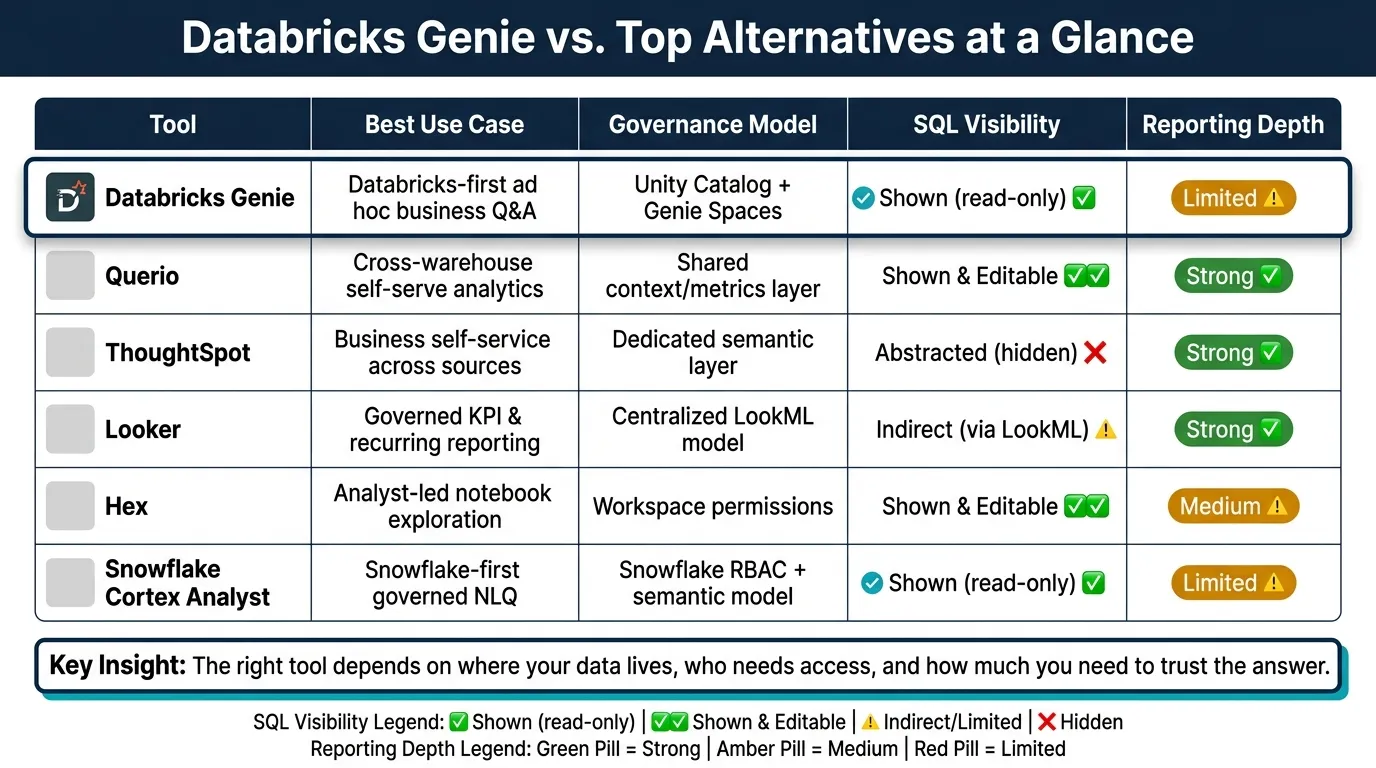
Quick Comparison
| Tool | Best Use | Governance | SQL Visibility | Reporting Depth |
|---|---|---|---|---|
| Databricks Genie | Databricks-first ad hoc business Q&A | Unity Catalog + Genie Spaces | Shown | Limited |
| Querio | Cross-warehouse self-serve analytics | Shared context/metrics layer | Shown and editable | Strong |
| ThoughtSpot | Business self-service across sources | Separate semantic layer | Limited for end users | Strong |
| Looker | Governed KPI reporting | LookML semantic model | Indirect | Strong |
| Hex | Analyst-led notebook work | Workspace controls | Shown and editable | Medium |
| Snowflake Cortex Analyst | Snowflake-first governed NLQ | Snowflake RBAC + semantic model | Shown | Limited |
One point stands out: the choice is less about chat quality and more about data setup, metric control, and reporting needs. If you need SQL checks, shared definitions, and support beyond Databricks, Genie may fall short. If you only need governed Q&A inside Databricks, it fits the job.
That’s the core takeaway I’d want you to get before reading the rest.
1. Querio
Querio is an AI-native analytics workspace built for teams that run on Snowflake, BigQuery, Amazon Redshift, ClickHouse, or PostgreSQL. It turns plain-English questions into answers pulled from live warehouse data.
That makes Querio a solid baseline for judging whether Genie can offer governed self-serve analytics with the same consistency and transparency.
Governed Natural-Language Querying
Querio writes SQL or Python for each question and runs it straight against your warehouse. Access controls and SSO integrations help keep sensitive data with the right people, even as self-serve analytics moves beyond a small analyst group.
Semantic Consistency
This is where things get serious. If one metric shows up in both a self-serve analysis and a dashboard, teams expect the numbers to match.
Querio handles that with a shared layer for joins, metric logic, and business terms. You define the logic once, and Querio uses it across ad hoc questions, notebooks, dashboards, and AI-generated answers.
SQL Transparency
Each answer includes SQL or Python that users can inspect and edit. Analysts can check the logic, build on it, or pass it into a notebook for deeper analysis.
That makes auditing easier and helps teams trust the answers as more people start using the tool.
Dashboards and Reporting
Querio includes live notebooks, dashboards, and scheduled reports in the same workspace. Teams can turn one-off analysis into dashboards, scheduled reports, or embedded analytics without exporting data.
APIs and iframes also let teams embed governed analytics into customer-facing products.
2. Databricks Genie
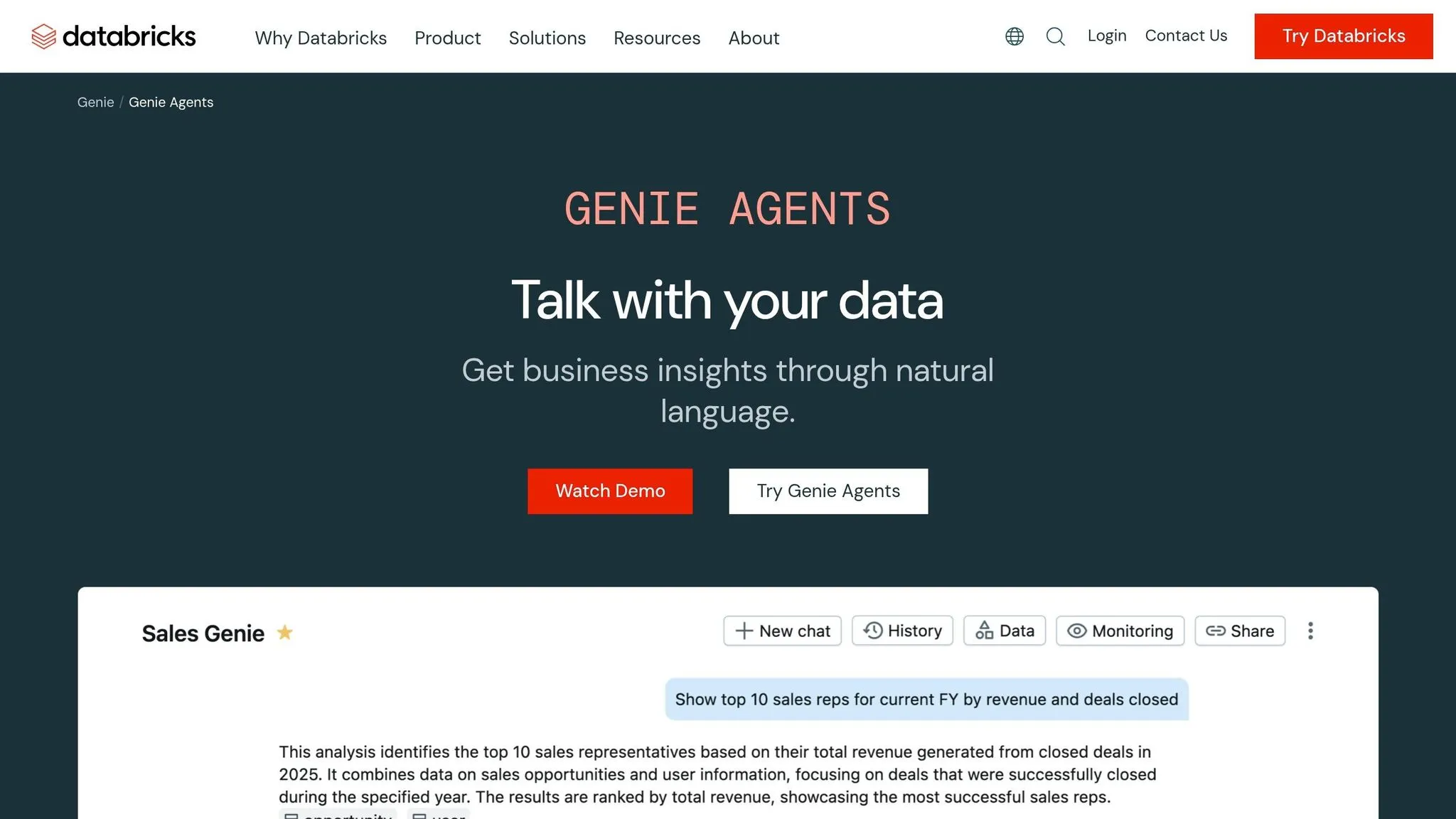
Databricks Genie is a conversational analytics interface inside the Databricks AI/BI suite. Business users can ask questions in plain English, and Genie writes SQL, runs it against governed Databricks data, and returns results with simple charts. No code needed.
Governed Natural-Language Querying
Genie works inside curated Spaces, where data teams set the rules and define business logic. Access runs through Unity Catalog, so row-level filters and column masks apply on their own based on each user's permissions. Premier says Genie helps nontechnical users ask questions in everyday language over curated, AI-ready data. That part matters a lot, because Genie’s answers depend on the semantic context built into each Space.
Semantic Consistency
Genie keeps answers aligned through a Knowledge Store that can include semantic definitions, synonyms, join relationships, and SQL expressions. For key metrics, authors can tag parameterized queries as Trusted Assets, so Genie uses checked logic instead of writing a new query every time.
That gives Genie more control than a generic text-to-SQL chatbot. At the same time, it still relies on Space-level logic, not a central semantic layer.
The main drawback is pretty simple: Genie is only as good as the metadata and business logic behind it. As Sandip Roy put it:
"Genie's value is proportional to the quality of your semantic layer. If your Unity Catalog tables are poorly named, undocumented, or if business logic lives inside report-level measures rather than in the Lakehouse, Genie will hallucinate or hedge." [2]
Consistency helps, but users still need a way to check how Genie reached an answer.
SQL Transparency
Genie shows the generated SQL next to the answer, which makes it easier to see how the result was produced. The Inspect feature adds another check by looking at filter values, date ranges, and join conditions before answering [1]. That gives users more confidence in what they’re seeing, but Genie still fits ad hoc analysis better than repeatable workflows.
BI Depth
This is where Genie starts to hit its limit. It works well for ad hoc questions, but it is weak for recurring reporting and executive dashboards.
3. ThoughtSpot
If Genie is warehouse-native Q&A inside Databricks, ThoughtSpot sits in a separate BI layer built for governed self-service across more than one source. Unlike Genie, which handles metrics through Unity Catalog and Space-level context, ThoughtSpot puts metric definitions into its own semantic layer that works across many data sources.
Governed Natural-Language Querying
ThoughtSpot is a search-first BI layer that sits on top of your warehouse, with federated connectors for cross-source reporting. Unlike Genie, it governs metrics in a dedicated semantic layer instead of Unity Catalog. That gives teams more room to work across different sources, but it also means more setup work at the start of a rollout. [4]
Semantic Consistency
ThoughtSpot’s semantic layer fixes metric definitions and business terms in place, so two people asking the same question should get the same answer. That kind of consistency is a big deal in self-service BI. The trade-off is the heavier modeling work up front compared with Genie, which can start from existing Unity Catalog metadata. [4]
SQL Transparency
ThoughtSpot hides the underlying query logic from end users by design. The goal is to give people answers they can trust without making them deal with SQL. That works well for executive self-service, but analysts get less visibility than they would in tools that show editable SQL. [4]
BI Depth
ThoughtSpot is strong for executive KPI analysis and recurring reporting. It’s less suited to notebook-style iteration and versioned pipelines. [4]
| Feature | ThoughtSpot |
|---|---|
| Governance Model | Dedicated semantic layer + enterprise IAM |
| Best For | Executive self-service BI across multiple sources |
| Modeling Requirement | High upfront semantic modeling discipline |
| SQL Transparency | Abstracted - query logic not exposed to users |
| BI Depth | Strong for KPI dashboards and recurring reporting |
Next, Looker shows a more modeling-heavy path to governed analytics and reporting.
4. Looker
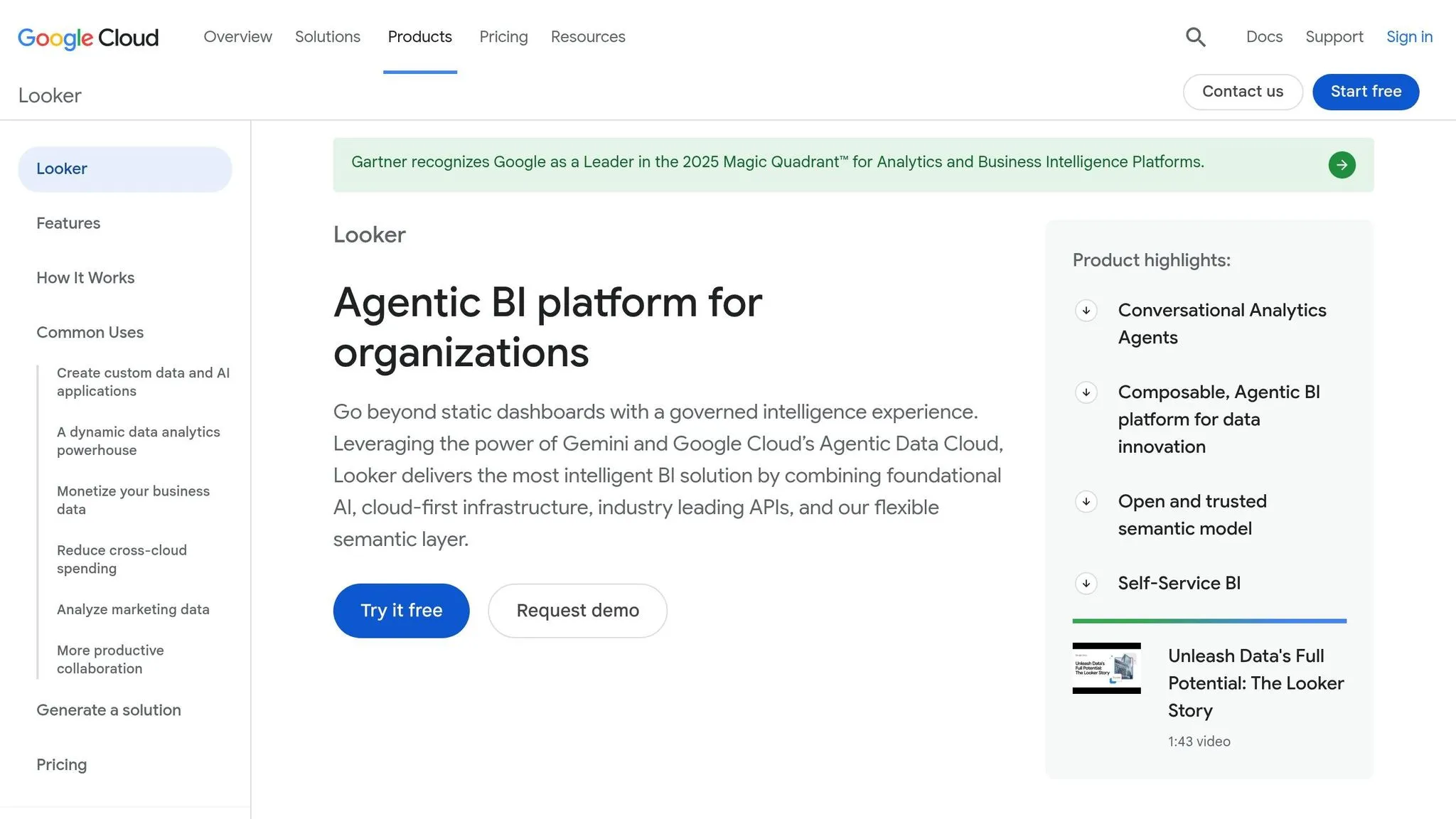
Looker takes a different path than Genie. It’s a standalone BI tool that governs metrics through LookML, while Genie runs inside Databricks and inherits governance from Unity Catalog. That split matters.
Looker fits teams that need governed, repeatable BI. Genie fits teams that want to ask ad hoc questions inside Databricks and move fast. So if your main goal is governed BI, Looker is a solid benchmark.
Governed Natural-Language Querying
Looker’s Explore Assistant uses LookML to ground natural-language queries in predefined business logic. In plain English, users can ask questions in natural language, but those questions still stay tied to rules the team has already defined.
That makes Looker a better fit for structured exploration. It’s less open-ended than Genie’s conversational mode, but that constraint is part of the point.
Semantic Consistency
Looker’s biggest strength here is metric consistency. LookML defines business logic once and then reuses it across dashboards, Explores, and ad hoc analysis.
The catch is the upfront modeling work. Teams have to build and maintain that layer first. So the consistency comes from modeling discipline, not from the query interface itself.
SQL Transparency
Looker keeps query logic inside LookML. Genie, by contrast, generates SQL for each question and shows that SQL to the user.
Genie also includes Inspect, a public preview feature that checks join conditions, aggregations, and filter values in the generated SQL. That gives users a more direct view into how each answer was produced.
BI Depth
Looker is built for recurring KPI reporting and pixel-perfect executive or regulatory reporting. If dashboard governance matters more than fast, warehouse-native conversational analysis, Looker is usually the better fit.
| Feature | Looker |
|---|---|
| Governance Model | Centralized LookML semantic layer |
| Best For | Recurring KPIs, pixel-perfect dashboards, regulatory submissions |
| Modeling Requirement | High - LookML must be built and maintained upfront |
| SQL Transparency | Governed query logic inside LookML, not per-query SQL generation |
| BI Depth | Strong for structured, recurring reporting workflows |
Hex shifts the focus away from dashboard governance and toward analyst-friendly exploration.
5. Hex
Hex is built for analysts first. Its Magic AI helps speed up SQL and Python work inside collaborative notebooks, which makes it a better fit for builders than for business users. In plain English, Hex is stronger for analyst-led exploration, while Genie is easier for business-user self-serve. That trade-off is pretty clear: Hex gives analysts more control, and Genie gives business users more simplicity.
Governed Natural-Language Querying
Hex uses its own text-to-SQL system instead of inheriting governance from a central catalog like Unity Catalog. It works well for teams using Snowflake, BigQuery, Redshift, or Postgres that want a standalone workspace connected to the warehouse. Governance is handled separately through workspace permissions and shared review workflows, not through catalog inheritance [4].
Semantic Consistency
This is one of the main places where Hex is less suited to business-user self-serve. There isn't a central semantic layer enforcing shared metric definitions, so consistency depends a lot on how well the source tables are modeled and documented. If column names are vague or schemas aren't documented, the odds of inaccurate answers go up [3].
SQL Transparency
Hex stands out because the SQL and Python are editable. Analysts can inspect, change, and version every cell. Genie also shows generated SQL, but that SQL is read-only. If an analyst needs to check the logic before it feeds a production report, that gap matters [4].
BI Depth
Hex brings inline charts, versioned pipelines, and both SQL and Python into one workspace. That makes it strong for exploratory analysis and analyst-owned workflows. The flip side is that nontechnical users may find a notebook interface harder to use than Genie's chat-based setup [4].
| Feature | Hex Magic AI | Databricks Genie |
|---|---|---|
| Primary User | Data analysts and technical practitioners | Business stakeholders and non-technical users |
| Interface | Collaborative notebook with inline charts | Conversational chat interface |
| Output Type | Editable SQL/Python cells and versioned pipelines | Results tables and visualizations |
| Core Strength | Transparency and analyst workflow depth | Governed Q&A over curated assets |
| Governance | Workspace permissions and shared review workflows | Unity Catalog and Knowledge Store |
| Best For | Exploratory analysis and analyst-owned workflows | Governed KPI self-service |
| Learning Curve | Harder; requires SQL/Python context | Low; intuitive for business users |
If editable SQL and notebook workflows matter more than chat-first simplicity, Hex makes more sense. If governed business-user Q&A is the main goal, comparing Databricks vs Querio or the next section provides a better comparison. Next, Snowflake Cortex Analyst shows another warehouse-native option for governed business-user self-serve.
6. Snowflake Cortex Analyst
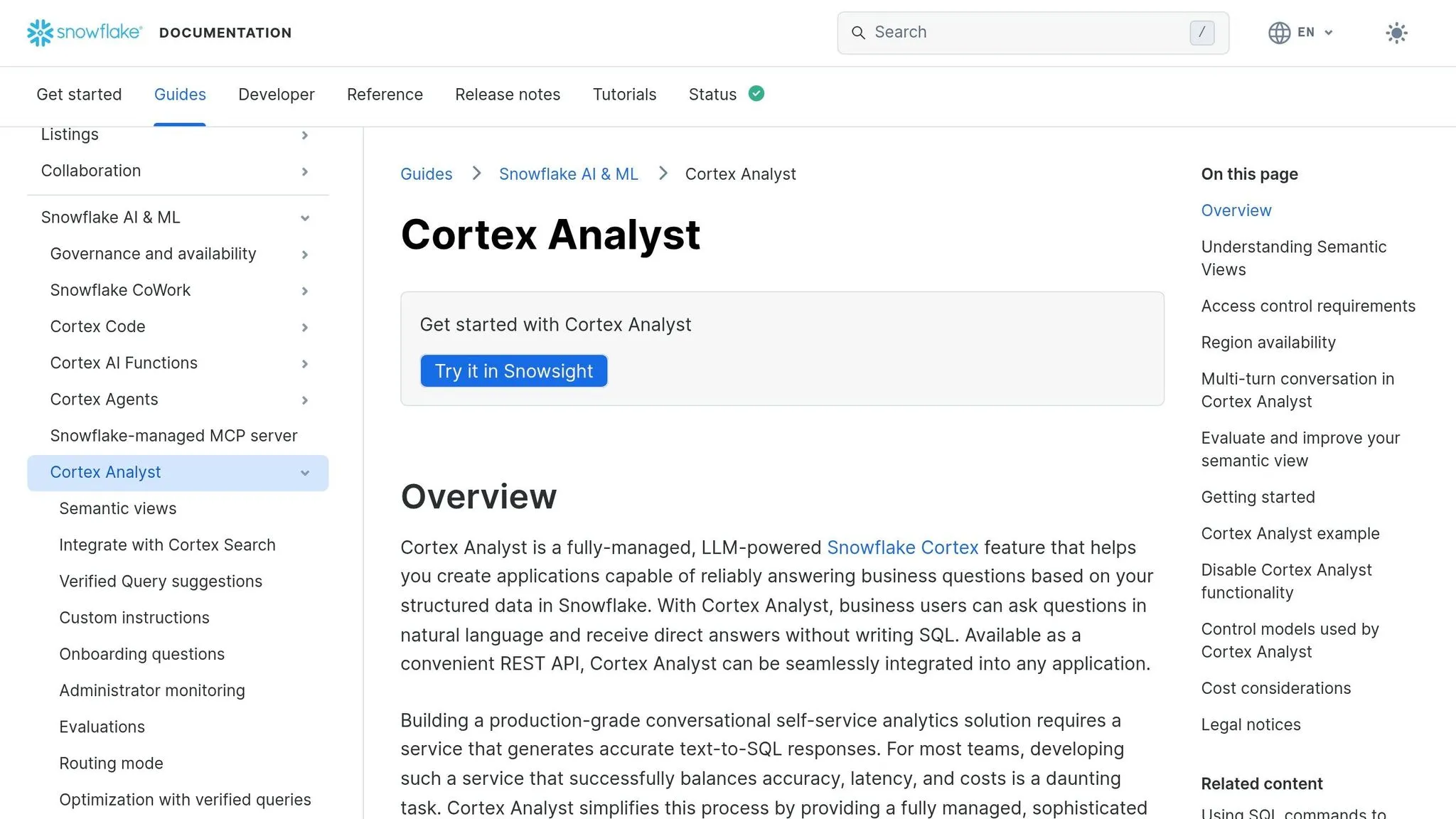
Snowflake Cortex Analyst is Snowflake’s answer to Databricks Genie. Both tools let people ask natural-language questions against governed warehouse data, and both stay inside their own platform and permissions setup. For teams comparing warehouse-native AI assistants, that makes Cortex Analyst a useful side-by-side benchmark.
Governed Natural-Language Querying
Cortex Analyst is API-first. So instead of giving teams a built-in chat interface, it’s usually embedded into Streamlit, Slack, Microsoft Teams, or a custom app. Its grounding comes from a semantic view or YAML model that defines join paths, dimensions, and metrics. Access control carries over from existing role-based security permissions [5].
Semantic Consistency
Cortex Analyst also supports verified queries. These are human-approved SQL queries for common questions, which means teams can reuse reviewed logic for recurring KPIs instead of asking the model to figure out the same answer from scratch every time. That helps with consistency, but there’s no free lunch here. Data or analytics engineers still need to do the upfront curation [5].
Once that semantic model is set up, the next thing teams usually care about is visibility into the SQL itself.
SQL Transparency
Cortex Analyst is built to answer questions, not to create reusable analysis work. The generated SQL runs directly in the user’s Snowflake virtual warehouse, and users can inspect it. But it doesn’t produce reusable analysis artifacts the way a notebook-based tool like Hex does [4].
BI Depth
It’s a good fit for ad hoc Q&A, but it’s not meant for continuous monitoring or pixel-perfect reporting. If a team is building executive packs or handling regulatory submissions, they’ll still lean on tools like Tableau or Power BI [2].
| Feature | Snowflake Cortex Analyst | Databricks Genie |
|---|---|---|
| Platform Scope | Snowflake-native only | Databricks/Unity Catalog only |
| Interface | API-embedded (Streamlit, Slack, Teams) | Native chat UI in Databricks workspace |
| Grounding Artifact | Semantic view or YAML model | Genie Space (instructions, trusted assets) |
| Governance | Snowflake RBAC | Unity Catalog permissions |
| Verified Queries | Yes (human-approved SQL reference) | Trusted assets in Genie Space |
| Best For | Snowflake-first governed NLQ | Databricks-first governed NLQ |
| BI Depth | Ad hoc Q&A; not a dashboard replacement | Ad hoc Q&A; not a dashboard replacement |
At the end of the day, the main choice is platform. If your data sits in Snowflake, Cortex Analyst is the closest match to Genie. It comes with the same dependence on disciplined semantic modeling if you want results people can trust. Those trade-offs are exactly what the pros-and-cons section covers next.
Pros and Cons
Each tool works best in a different setup. The easiest way to compare them is to look at governance, SQL visibility, and reporting depth. The table gives the fast read. The notes below spell out the main trade-offs.
| Tool | Biggest Strength | Biggest Limit |
|---|---|---|
| Databricks Genie | Direct Lakehouse access with Unity Catalog governance and no data movement | Limited to Databricks-governed data; accuracy depends on strong metadata and curated Spaces |
| Querio | Live warehouse connections with a shared semantic/context layer and inspectable SQL/Python | Teams still need to maintain governed definitions and logic |
| ThoughtSpot | Strong enterprise semantic-layer governance for business self-service | Requires substantial modeling and rollout work before users get value |
| Looker | Centralized semantic modeling via LookML and strong dashboarding | Heavier setup, and it often involves more latency or data movement than native lakehouse execution |
| Hex | Editable, transparent SQL/Python in a collaborative notebook workflow | Steeper learning curve for non-technical business users |
| Snowflake Cortex Analyst | Snowflake-native governed natural-language analytics | Tied to the Snowflake ecosystem and still dependent on disciplined semantic modeling |
Databricks Genie makes the most sense when your data already sits in Databricks and the team wants governed business Q&A without constant analyst help. The trade-off is pretty direct: if your Unity Catalog metadata is messy or thin, answer quality can drop fast.
Querio fits better when you want live access to Snowflake, BigQuery, Redshift, ClickHouse, and Postgres without moving data around. Its shared context layer helps keep metric definitions aligned across plain-English questions and analyst-written SQL. And instead of handing users a black-box answer, it shows inspectable, editable SQL/Python.
ThoughtSpot is often a fit for teams that want business self-service with tight semantic controls. But there’s a catch: you usually need a lot of modeling and rollout work before people start getting much from it.
Looker is strong when a team wants centralized semantic modeling through LookML plus solid dashboarding. On the flip side, setup tends to be heavier, and it can bring more latency or data movement than native lakehouse execution.
Hex stands out for teams that want transparent, editable SQL/Python in a shared notebook-style workflow. That said, non-technical business users may find it harder to pick up at first.
Snowflake Cortex Analyst is a natural option for teams already deep in Snowflake and looking for governed natural-language analytics inside that stack. The downside is that it stays tied to the Snowflake ecosystem and still leans on disciplined semantic modeling.
The conclusion below narrows the choice by team setup, data warehouse, and reporting needs.
Conclusion
In practice, Databricks Genie is the best fit for governed, conversational analysis inside Databricks. It is not the right pick for cross-warehouse BI or reporting that leans hard on dashboards. It gives business users direct access to governed lakehouse data without moving that data out of the lakehouse, but the quality of its answers depends on two things: how well your Unity Catalog metadata is maintained and how carefully your Genie Spaces are curated [1][5].
If your analytics stack needs more than governed Q&A inside Databricks, you’ll likely want a different tool. That includes cases where you need support across Snowflake, BigQuery, Redshift, or ClickHouse, editable SQL or Python, or a shared semantic layer that keeps metrics consistent and makes dashboarding stronger.
The choice comes down to three questions:
- Where does your data live?
- Who needs access to it?
- How much do you need to trust the answer?
Databricks-first teams will get the most out of Genie. Teams that need inspectable SQL or Python, shared metrics logic, or support across more warehouses should look elsewhere.
FAQs
How much setup does Genie need?
Genie is fairly quick to turn on. But getting it to work well day after day is a different story.
In most cases, teams need to do a lot of setup first in Unity Catalog. That usually means defining a governed semantic layer, adding example values and value dictionaries for filter columns, and curating the Space knowledge store with sample queries and instructions.
If that manual work doesn't happen, results can drift. Answers may be inconsistent, and in some cases just wrong. So while enablement can happen fast, a production rollout often takes weeks of refinement.
Can Genie replace BI dashboards?
Genie isn’t a direct replacement for BI dashboards. It works best as a complementary interface for flexible, natural-language data exploration, while dashboards still make the most sense for repeatable, predefined reporting.
In day-to-day use, teams usually keep dashboards for KPI monitoring. Then they turn to Genie for ad hoc analysis when people need to dig into questions that go beyond static visuals.
How do we verify Genie’s answers?
Don’t rely on automated validation alone to verify Genie’s answers. Use curated guardrails and manual review. To improve accuracy, build a Genie Space knowledge store with plain-language instructions, example SQL, and trusted assets.
Use Inspect to review the generated SQL. Check the joins, date logic, and filters. It also helps to test benchmark questions and refine your Unity Catalog metadata and Metric Views, since Genie’s accuracy depends on the quality of those inputs.