Business Intelligence
AI for Databricks: Querying Your Lakehouse in Plain English
Turn plain-English questions into governed SQL in Databricks; use Unity Catalog, Genie, and benchmarks for reliable results.

You can ask Databricks a question in plain English, get SQL back, and query governed lakehouse data without writing the query yourself. That can cut a lot of repeat work, especially when analysts spend 50% to 70% of their time on ad-hoc requests.
Here’s the short version:
- Business teams can ask for metrics like MRR, ARR, and churn without SQL
- Analysts can review AI-written SQL instead of starting from scratch each time
- Data leaders can keep access and metric rules inside Unity Catalog
- Genie is built for chat-style business questions
- Databricks Assistant is built for analysts in notebooks and the SQL editor
- SQL AI functions work inside SQL for tasks like text summaries and classification
- The setup only works well when metric definitions, joins, and metadata are clean
- Databricks suggests testing with 10 to 15 benchmark questions and reaching 80%+ accuracy before rollout
- If your company uses more than one warehouse, a shared semantic layer can help keep logic aligned across systems
The main point is simple: plain-English querying is only as good as the data rules under it. If your definitions for revenue, churn, or joins are off, AI will surface the confusion, not fix it.
Quick comparison
| Tool | Best for | What it does |
|---|---|---|
| Databricks Assistant | Analysts and engineers | Writes SQL or Python from plain-English instructions |
| Genie / AI/BI | Business users | Answers chat-style questions with governed tables, charts, and summaries |
| SQL AI functions | In-query AI tasks | Classifies, summarizes, or enriches data inside SQL |
| Querio vs Databricks | Teams using many warehouses | Keeps metrics, joins, and business terms in one git repo, used across platforms |
If I were setting this up, I’d start with one domain like Sales or Finance, lock down the approved tables and metrics, establish a governed metrics layer, test against known SQL answers, and only then open it to more users.
Databricks AI tools that turn natural language into SQL
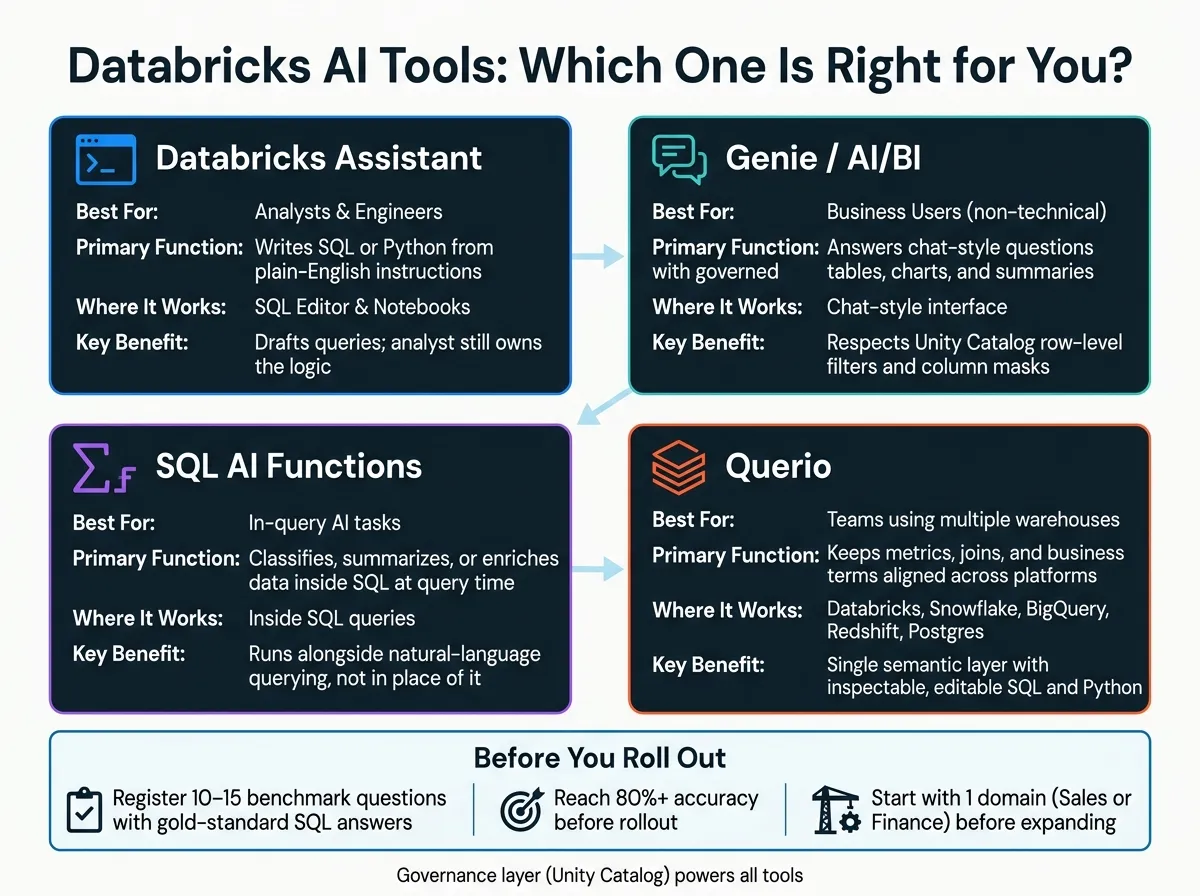
Databricks offers three native ways to turn plain English into action: one for analysts, one for business users, and one for AI work inside SQL queries.
Databricks Assistant in the SQL editor and notebooks
Databricks Assistant is built for analysts and engineers working in the SQL editor or notebooks. You can describe a complex transformation or window function in plain English, and Assistant will generate the SQL or Python code for you.
The key point is simple: Assistant drafts the query, but the analyst still owns the logic. That matters, because the same governed logic can then support business-facing chat interfaces too.
Genie, AI/BI dashboards, and chat-style interfaces for business users
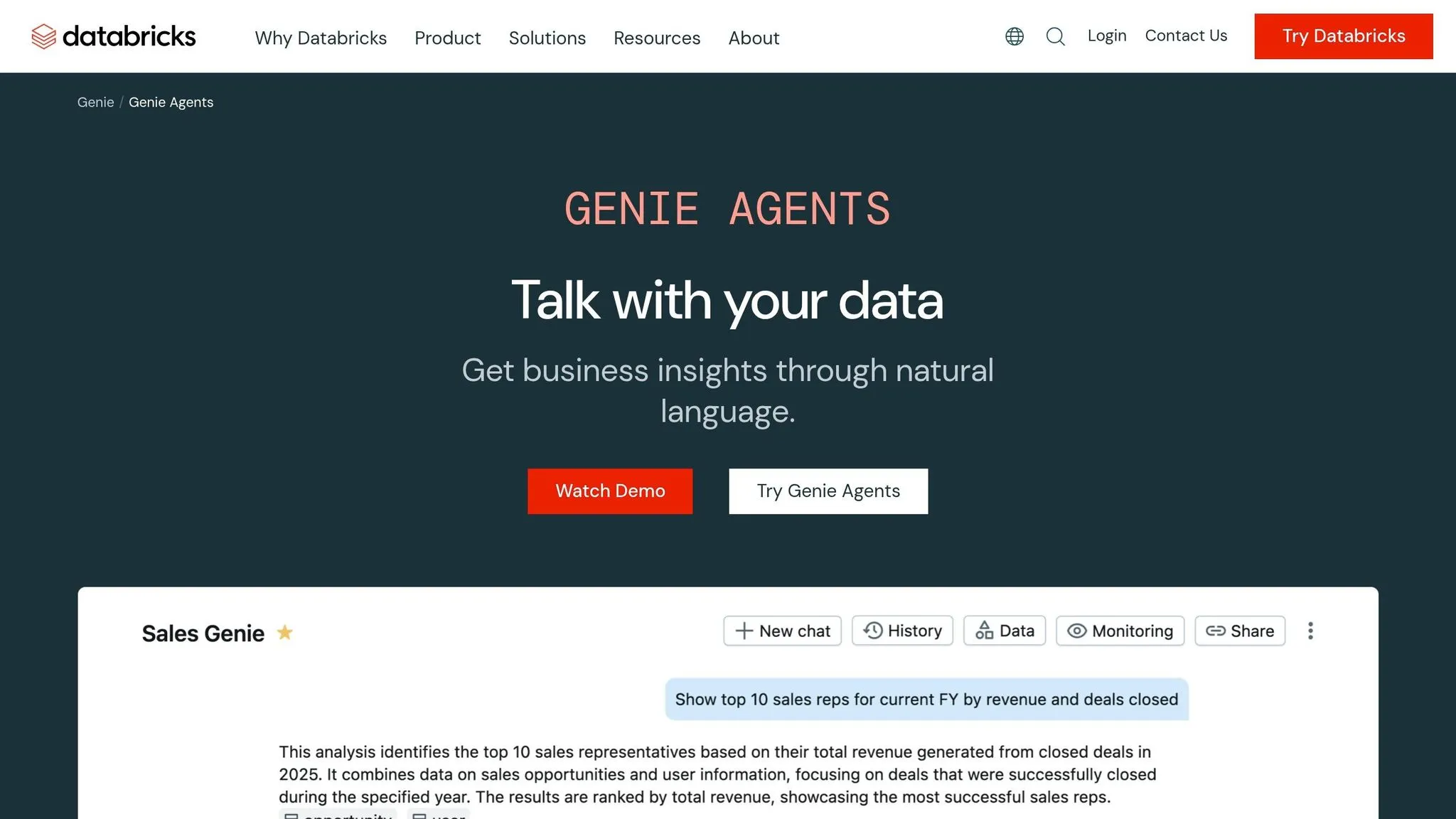
Genie is aimed at non-technical business users. A sales manager or finance leader can ask a question in a chat-style interface and get a governed answer back as a table, chart, or summary, without writing SQL.
For this to work well, an analyst should set up the Genie Space with:
- the right Unity Catalog tables
- clear business definitions like net revenue and churn
- 10 to 15 example SQL queries that anchor responses to your company’s logic
Genie also respects Unity Catalog row-level filters and column masks, so users only see data they’re authorized to access [2][4].
There’s another piece here that makes Genie more useful. Through Lakehouse Federation, it can query data in external systems like Snowflake, BigQuery, Redshift, and Postgres under Unity Catalog governance, without requiring a data migration [3][6].
When the job is enrichment instead of query generation, Databricks handles that a different way: SQL AI functions do the work inside the query.
Databricks SQL AI functions for in-query tasks
Databricks SQL AI functions are different from text-to-SQL tools. They don’t write SQL. Instead, they run inside SQL to transform or analyze data at query time [2][6].
Teams use them for jobs like:
- summarizing free-text fields
- classifying text
- enriching records during query time
These functions work alongside natural-language querying, not in place of it. Next comes the governance layer that keeps answers aligned across teams.
How to set up natural-language querying you can trust in Databricks
Natural-language querying works well in Databricks when the setup behind it is clean. That means solid metadata, governed metrics, and joins that are spelled out clearly. Without that context, Assistant, Genie, and AI/BI dashboards can drift into guesswork. If you handle this work before a broad rollout, you avoid messy cleanup later.
Define governed metrics and joins in Unity Catalog
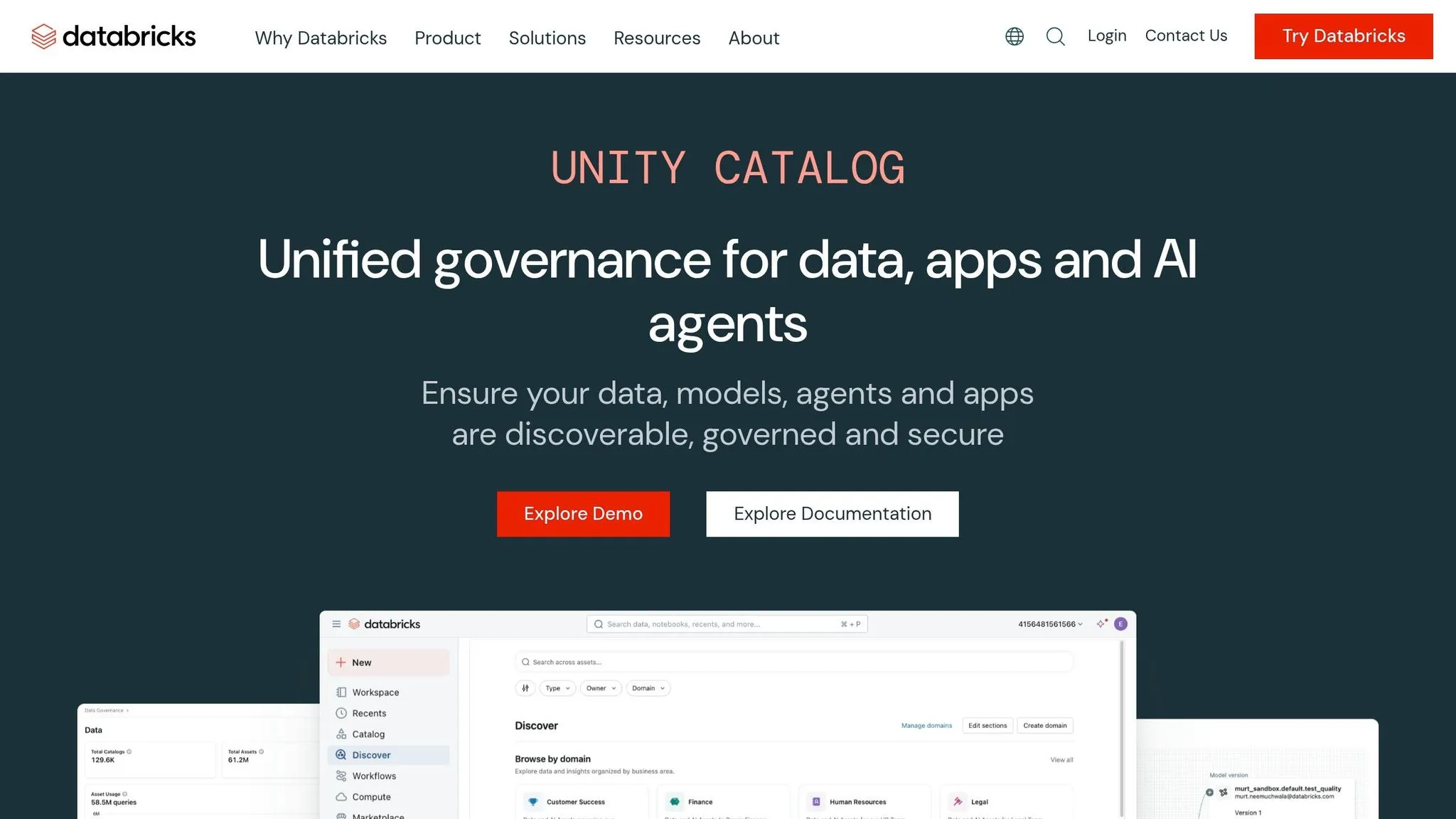
Start by registering every business-facing table, view, and column in Unity Catalog with a plain-language description. If a column is named amt_net_rev_adj, don’t leave people - or the AI - to decode it. Describe it plainly as "adjusted net revenue" so business terms map to the right fields [4].
Then define your core metrics once in Unity Catalog, such as Metric Views, so Genie, dashboards, and notebooks all use the same logic [3]. This is where consistency comes from. If “revenue” means one thing in a dashboard and another in a notebook, trust disappears fast.
You should also declare primary and foreign keys in Unity Catalog, and spell out tricky joins in Genie Space instructions or example SQL [2][4]. That extra context helps Databricks connect fact and dimension tables the way your team expects.
How to phrase questions and review the generated SQL
Even with clean metadata, wording still matters around the edges. Be direct about filters, time windows, and dimensions. “Show me revenue trends” sounds fine, but it leaves a lot open to interpretation. A tighter prompt looks like this: "Compare churn by cohort for customers acquired in 2025."
After each response, open the Analysis pane and inspect the logic. Check which tables were joined, which filters were used, and how date ranges were calculated [1]. This review step matters more than people think. A result can look right at first glance and still be built on the wrong join or an off-by-one date window.
Pay close attention to:
- Date windows
- Join conditions across fact and dimension tables
- Applied filters and grouping logic
Databricks also recommends building a benchmark set of 10 to 15 sample questions with verified "gold standard" SQL answers, then getting to 80%+ accuracy before rollout [4]. That gives you a practical way to test trust instead of relying on gut feel.
Turn one-off questions into reusable notebooks and dashboards
Once a query is verified, get it out of chat and into something your team can reuse. If a question returns the right result, copy the SQL into the Databricks SQL Editor or a notebook so it can be reused and scheduled [1][4]. That’s how an ad hoc answer starts becoming part of a repeatable workflow.
You can also save visualizations straight to analyst-grade dashboards with a single click, which turns a one-time result into a shareable report [1].
For logic your team uses again and again, promote it to a parameterized SQL function in Unity Catalog that Genie can call directly [1][2]. Reusable SQL, notebooks, and dashboards are what turn one-off AI answers into analytics workflows your team can lean on - without giving up the consistency your data team already put in place.
Where Querio fits with Databricks for governed self-serve analytics
Databricks does a good job answering questions inside the lakehouse. But for teams that work in Databricks and other warehouses, the next problem shows up fast: keeping the same logic in sync across the rest of the stack.
That’s where a shared semantic layer comes in. It gives teams one place to define metrics, joins, and business terms so those definitions don’t drift from tool to tool.
Querio keeps those joins, metrics, and business terms as files in a git repo your team owns, and uses them across Databricks, Snowflake, BigQuery, Redshift, and Postgres. Changes go through pull requests your own reviewers approve. Queries run live in each warehouse. That matters when finance, sales, and product teams all expect the same metric definition in every live warehouse. On Databricks, queries run as the person asking (per-user OAuth), so Databricks' own access rules still apply. Analysts can inspect and edit the SQL and Python, and Claude, ChatGPT, Claude Code and Cursor answer from the same definitions through Querio's MCP server and CLI.
Databricks vs. Querio: a side-by-side look for data teams
Here’s the practical split for teams deciding where governed self-serve belongs.
| Dimension | Databricks (Genie / AI/BI) | Querio |
|---|---|---|
| Governed definitions | Unity Catalog scoped to Genie Spaces | One set of definitions in your git repo, used across Databricks, Snowflake, BigQuery, Redshift, and Postgres |
| Live warehouse access | Live queries against SQL Warehouses | Live connections to each warehouse with no data movement |
| Editable SQL/Python | SQL via Genie and notebooks | Inspectable, editable SQL and Python in reactive notebooks |
Use Databricks when your lakehouse is the center of gravity. Add a shared semantic layer when governed self-serve needs to stay consistent across multiple warehouses. Once that layer is in place, the next piece is controlling access, ownership, and review.
Safeguards, rollout steps, and key takeaways
Controls to put in place before rolling out to the broader team
Once a query works, don't throw it open to everyone right away. Roll it out with tighter access, clear ownership, and logic you've already checked against benchmarks. Before rollout, each Genie Space should be limited to approved tables, approved metrics, and role-based access [2][4].
Keep AI inside approved tables and spaces. Set up domain-specific Genie Spaces - one for Sales, one for Finance - and include only clean, well-documented tables [4][5]. If a field isn't obvious, explain it in plain English. That helps Genie map business terms to the right columns instead of guessing [4].
For core metrics like net revenue or churn, register them as approved SQL functions or saved queries so Genie uses checked logic [2][1]. Then build a benchmark set of real business questions with gold-standard SQL answers. Hit at least 80% accuracy before moving to user acceptance testing [4]. For sensitive questions, use Inspect to check filters, date ranges, and joins before results are returned [2].
These controls fall apart if no one owns the process. Put human review in the loop. The Request Review feature lets users flag a shaky answer so an analyst or admin can inspect the generated SQL, correct it, and notify the user [1][4].
Who owns what in a governed self-serve analytics model
| Role | Responsibility |
|---|---|
| Data Leaders / Admins | Global governance, Unity Catalog security policies, and identity management |
| Analytics Engineers | Curating gold datasets, defining join logic, and managing approved snippets |
| Data Analysts | Writing example SQL, defining metrics, and reviewing flagged AI responses |
| Business Users | Asking questions, providing feedback, and saving insights to dashboards |
Each Genie Space should also have a Space Owner - a named analyst or data steward responsible for reviewing flagged responses, approving proposed snippets, and keeping the semantic layer up to date as the business changes [4][5].
With ownership in place, scaling gets a lot less messy. The move is simple: expand one governed space at a time.
Key takeaways for Databricks teams
Plain-English querying in Databricks works because of the governance layer under it, not without it. AI doesn't replace clean data models and documented metadata. It relies on them.
Start with one domain. Test it against benchmark questions. Assign an owner. Expand only when accuracy stays stable. Whether your self-serve layer lives fully in Databricks or runs across Databricks with Snowflake or BigQuery, the rule stays the same: governed definitions, inspectable SQL, and live warehouse connections are what make the output reliable enough to use.
FAQs
How accurate is plain-English querying in Databricks?
Accuracy mostly comes down to data documentation, semantic modeling, and the context you give the system.
Tools like Databricks Genie can turn questions into SQL. But the output is only as good as the setup behind it. If your team defines metrics clearly, adds notes to tables, and includes sample queries, results tend to be much more reliable. If there’s no governed semantic layer, the tool can misread user intent.
A solid target is 80% or higher before user-acceptance testing.
Accuracy usually gets better when teams put a few habits in place:
- Centralized logic
- SQL inspection
- Feedback loops where admins review flagged answers and add instructions
What do we need to set up before business users can trust it?
Before business users can trust an AI interface like Databricks Genie, data teams need a governed foundation in Unity Catalog. It starts with clear table and column names, plain-English descriptions, and business terms the AI can interpret the right way.
For more reliable results, set up a dedicated space with text guidelines, sample SQL, and clearly defined business logic. Metric Views help keep definitions consistent, while benchmarking and feedback loops help tune results over time.
When should teams use Genie vs. Databricks Assistant?
Use Genie for self-service, conversational access to governed data. It fits business users who want to dig into curated data or dashboards without writing code.
Use Databricks Assistant when data teams need help writing, debugging, or tuning SQL and Python in notebooks while they build pipelines or sharpen queries.