Business Intelligence
top conversational analytics tools 2026
Conversational analytics turns plain-English questions into governed, live-data answers, changing how teams analyze and act on data.

Conversational analytics tools simplify data analysis by allowing users to query data using natural language querying. These tools leverage AI to provide quick, accurate insights, transforming complex business questions into actionable answers. By integrating with live data warehouses and using semantic layers, they ensure consistent metrics and reliable governance. Here's a breakdown of the top tools in 2026:
- Querio: Converts plain English into SQL/Python code with full transparency, ensuring consistent metrics and seamless integration with major data warehouses.
- OvalEdge's askEdgi: Focuses on governance, tying answers to catalog definitions and metadata while supporting multi-step reasoning.
- ThoughtSpot: A search-driven platform with AI features like SpotIQ for automatic insights and anomaly detection.
- Microsoft Power BI: Introduces "Copilot", a conversational interface for natural language queries across reports and semantic models.
- Google Looker: Offers Gemini-powered conversational analytics with modes for quick or complex data retrieval.
- Tableau Pulse: Delivers personalized metric summaries and integrates deeply with Salesforce tools.
- Qlik Sense: Provides secure, app-level conversational analytics with strong governance controls.
- Zoho Analytics: Features "Ask Zia", which resolves ambiguities and generates dashboards from simple queries.
Quick Comparison
| Tool | Key Features | Starting Price |
|---|---|---|
| Querio | SQL/Python generation, semantic layer, live data integration | Free plan; Core $2,499/mo, no per-seat pricing |
| OvalEdge's askEdgi | Governance-first, metadata-driven, multi-step reasoning | Custom pricing |
| ThoughtSpot | Search-driven, SpotIQ insights, seamless cloud integration | $25/user/month |
| Microsoft Power BI | "Copilot" conversational interface, deep Microsoft ecosystem integration | $10/user/month |
| Google Looker | Gemini-powered, LookML-based governance, multi-mode analytics | Custom pricing |
| Tableau Pulse | Metric summaries, Salesforce integration, Einstein Trust Layer | $115/user/month |
| Qlik Sense | App-level controls, guided queries, secure analytics | Custom pricing |
| Zoho Analytics | "Ask Zia" for dashboards, GPT-4 integration, strong privacy features | $8/user/month |
These tools cater to different needs, from governance-focused solutions to search-driven platforms. Choose based on your organization's data infrastructure, governance requirements, and user preferences.
::: @figure 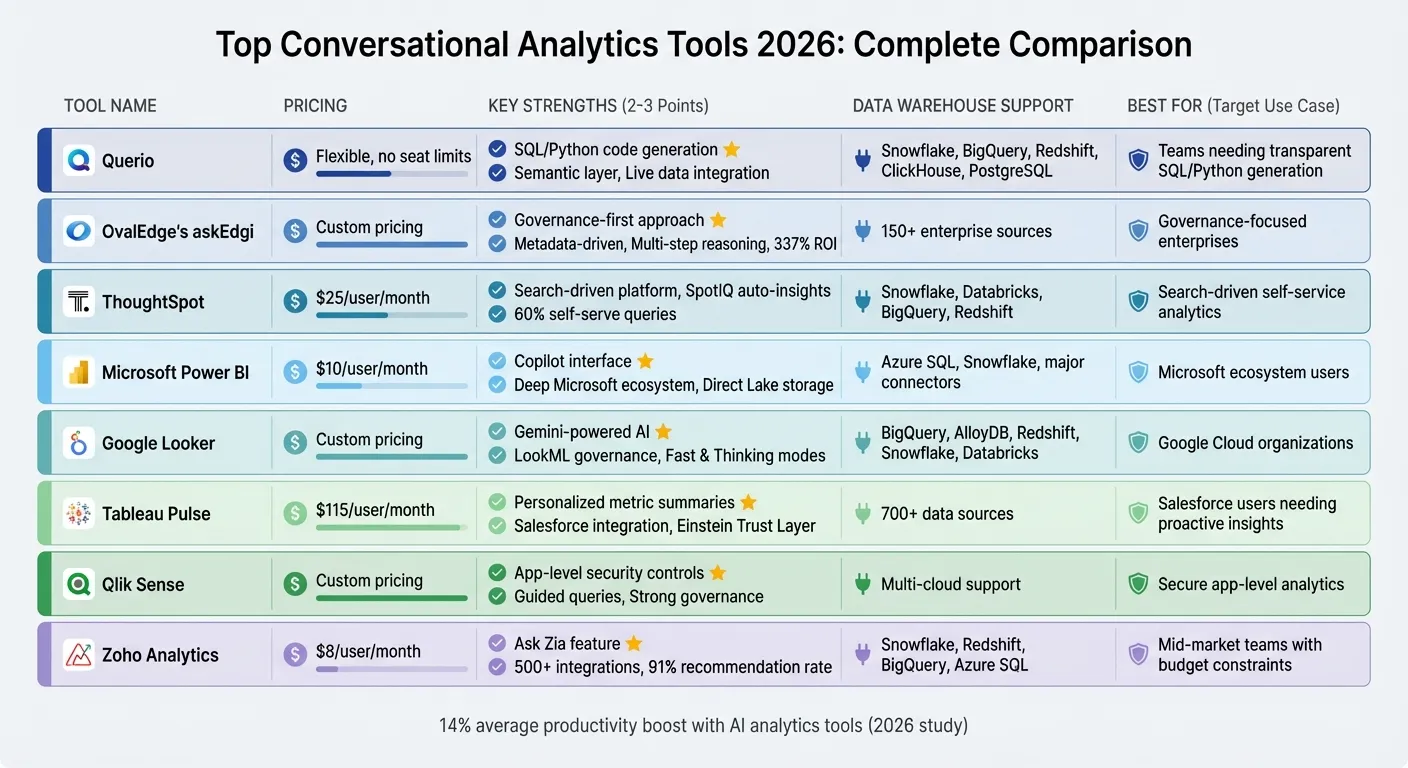 {Top 8 Conversational Analytics Tools 2026: Features and Pricing Comparison}
:::
{Top 8 Conversational Analytics Tools 2026: Features and Pricing Comparison}
:::
1. Querio
Querio turns plain-English questions into precise SQL and Python code, connecting directly to live data. Unlike traditional BI tools that rely on data extracts or complicated query languages, Querio provides instant answers pulled straight from your data warehouse, ensuring accuracy and speed.
Natural language processing capabilities
Querio's AI agents make data analysis more approachable. They translate natural language queries into visible SQL and Python code, so you can see exactly how each answer is generated. This transparency eliminates the "black box" issue often found in AI analytics tools. Instead of just delivering a chart, Querio shows the underlying logic, which data teams can review, adjust, and reuse. Its reactive notebook feature automatically updates as changes are made, keeping your analysis consistent and up-to-date.
Data warehouse compatibility
Querio works seamlessly with modern data warehouses like Snowflake, Google BigQuery, Amazon Redshift, ClickHouse, and PostgreSQL. Through encrypted, read-only live connections, it ensures you're always working with the latest data - no need for separate storage or syncing delays.
Governance alignment
The platform's semantic layer ensures consistent definitions for joins, metrics, and terms across all analytics. For example, when the finance team asks about "monthly recurring revenue", they’ll always get the same calculation - whether using the AI interface, creating dashboards, or embedding analytics in a customer portal. This version-controlled logic eliminates the inconsistencies that arise from scattered spreadsheets or ad hoc reports. These governance features also integrate seamlessly with Querio’s broader ecosystem.
Integration with existing ecosystems
Querio delivers insights through dashboards, scheduled reports, and AI-powered embedded analytics via APIs and iframes. It supports standard SSO integrations and role-based security controls, meeting enterprise security standards with SOC 2 Type II compliance. There is no per-seat pricing: unlimited users on every plan. You can scale analytics access across your organization without worrying about unexpected costs.
sbb-itb-284a532
2. OvalEdge's askEdgi
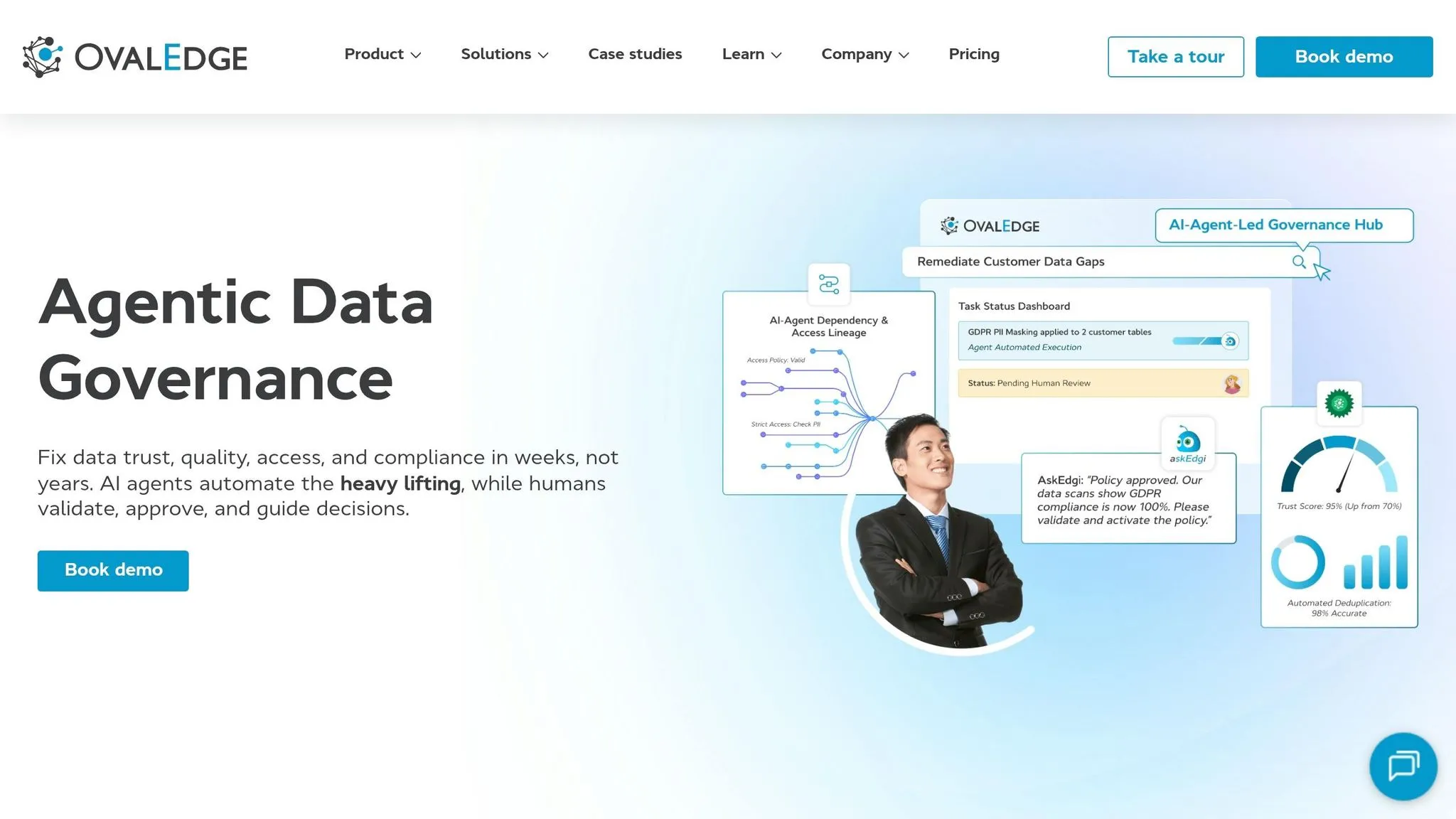
OvalEdge's askEdgi takes a governance-first approach, embedding AI into a metadata-driven framework. This ensures that every answer is tied to catalog definitions, lineage, and quality indicators. The OvalEdge team highlights a common challenge:
"Most organizations fail at conversational analytics because the answers stop being trustworthy once real data, real users, and real permissions enter the picture" [1].
Governance alignment
askEdgi seamlessly integrates with OvalEdge's data catalog, lineage tracking, and access control modules. When users inquire about terms like "margin" or "revenue", the tool maps these to governed metrics and dimensions defined in a shared business glossary [1]. This guarantees that all teams rely on consistent metrics. It also enforces strict security measures, such as row-level and object-level permissions, ensuring only authorized users can access specific data. According to a Forrester Total Economic Impact study, organizations using OvalEdge experienced a 337% ROI [1]. By building on a strong governance foundation, askEdgi uses natural language processing to simplify complex data analysis with AI BI.
Natural language processing capabilities
askEdgi enhances its governance capabilities with agentic AI, which identifies user intent and key entities in plain-language queries [1]. Using Retrieval-Augmented Generation (RAG) and an AI-driven contextual catalog, it quickly locates relevant data based on metadata [3]. The NLP engine supports complex, multi-step reasoning and follow-up questions, maintaining analytical context for iterative exploration [1][3]. Responses include narrative explanations for trends and anomalies, with links back to the underlying data sources. Importantly, the platform processes queries without using customer data for model training, ensuring enterprise-level privacy [1][3].
Data warehouse compatibility
askEdgi connects with more than 150 enterprise data sources, such as Snowflake, BigQuery, ERP systems, CRM platforms, and SaaS applications [3]. It eliminates the need for complex ETL processes by leveraging either warehouse compute or on-demand "Pop-Up Compute" for source systems [3]. The platform adheres to SOC2 Type II, ISO 27001, HIPAA, and GDPR standards [3], allowing secure, real-time queries while enforcing existing permissions. This broad compatibility ensures governed insights are accessible across a wide range of enterprise data sources.
Integration with existing ecosystems
askEdgi works seamlessly with BI platforms, collaboration tools, SSO systems, and compliance workflows [1]. It also offers "Recipes", which are predefined templates for addressing common business challenges like churn prevention, revenue forecasting, and regulatory reporting [3]. Recognized as a Leader in the SPARK Matrix™ for Data Governance Solutions in 2025 [1], askEdgi is well-suited for organizations that aim to empower business users while maintaining strict data governance protocols.
3. ThoughtSpot
ThoughtSpot brands itself as a search-first analytics platform, designed to let business users query data using plain language. By connecting directly to cloud data warehouses, it provides insights without requiring SQL skills. Impressively, organizations self-serve around 60% of their queries on the platform [5]. Its user-friendly approach is complemented by powerful AI-driven analysis.
Natural Language Processing Capabilities
ThoughtSpot’s search interface enables users to ask questions in everyday English and receive instant answers from massive datasets. A standout feature is SpotIQ, which uses AI to uncover insights and anomalies automatically. Users often describe it as an invaluable addition to their analytics team:
"SpotIQ is the standout feature for us. It automatically surfaces insights and anomalies that we would have missed manually. It's like having an extra analyst on the team." - InsightSeeker [5]
For more advanced workflows, the Spotter AI Agent (available in the Pro tier) enhances the platform’s capabilities, while Analyst Studio supports deeper data transformations using SQL, Python, and R. ThoughtSpot also offers Liveboards, which are real-time dashboards that let users explore data interactively without needing predefined paths [4].
Data Warehouse Compatibility
ThoughtSpot connects seamlessly to modern analytics stack components like cloud data warehouses such as Snowflake, Databricks, BigQuery, and Amazon Redshift. Its zero-copy architecture allows direct querying, eliminating the need for scheduled data extracts or movement [4]. A data engineer highlighted the platform's performance:
"The integration with Snowflake is seamless. We're seeing sub-second response times on massive datasets which is impressive compared to our old legacy stack." - DataEng_Mike [5]
Even with large datasets, the platform consistently delivers sub-second query responses. Pricing begins at $25 per user per month for the Essentials tier and $50 per user for the Pro tier, with a pay-as-you-go option priced at $0.10 per query [5].
Integration with Existing Ecosystems
ThoughtSpot works well with a range of tools, including dbt and Fivetran for data engineering, Alation for data cataloging, and machine learning platforms like DataRobot. Developers can leverage its Visual Embed SDK and REST API to embed analytics into custom applications. Additionally, the platform meets stringent compliance standards, holding certifications such as SOC 1/2/3, ISO 27001, HIPAA, and GDPR [5].
With a Tooliverse rating of 8.29/10 [5], ThoughtSpot is highly regarded, though some users mention challenges like a steep learning curve for TML configuration, limited visualization options, and the need for significant upfront data modeling efforts [5].
4. Microsoft Power BI

By 2026, Microsoft Power BI is shifting gears, phasing out its traditional Q&A feature in favor of Copilot - a conversational, full-screen interface designed for natural language data queries. This change, with the classic Q&A features set to retire in December 2026 [6], highlights how AI-powered tools are reshaping business intelligence. With Copilot, teams can explore data by simply engaging in conversations, making insights more accessible than ever.
Natural Language Processing Capabilities
Copilot for Power BI offers a conversational interface that goes beyond the constraints of single reports. Users can now interact with data across multiple reports, semantic models, and Fabric data agents [9]. It translates natural language inputs into complex DAX queries and ad-hoc calculations, handling tasks like calculating year-over-year growth or creating custom ratios. Plus, it generates dynamic written summaries that update as users adjust filters [8].
In February 2026, Microsoft significantly expanded Copilot’s capabilities by increasing the character limit for prompts from 500 to 10,000, giving users much greater flexibility [11].
Report creators can also link specific questions or keywords to trusted visuals, producing "verified answers" for common queries. As Amanda Rivera from Microsoft explains:
"Verified answers help improve the quality of Copilot... [by teaching] Copilot what a 'good' answer looks like by linking specific questions or keywords to trusted responses" [12].
These conversational tools are further complemented by Power BI’s compatibility with modern data warehouses, ensuring it remains a powerful tool for data-driven organizations.
Data Warehouse Compatibility
Power BI integrates seamlessly with modern data warehouses through Microsoft Fabric and OneLake. With the Direct Lake storage mode, available since March 2026, Power BI connects directly to OneLake, eliminating the need for time-consuming data refreshes, even for large datasets [10]. By adopting open-data formats like Delta Lake and Parquet, Power BI helps organizations avoid vendor lock-in while minimizing data duplication [10]. Microsoft summarizes the benefits:
"Direct Lake storage mode accelerates data-driven decisions by unlocking incredible performance directly against OneLake, without the need to manage costly, time-consuming data refreshes" [10].
This compatibility ensures that Power BI remains a top choice for enterprises looking to streamline their data workflows.
Integration with Existing Ecosystems
Power BI also excels in its integration with other Microsoft tools. It connects effortlessly with Microsoft Teams, SharePoint, and Azure, making it an easy choice for organizations already using Microsoft 365. As Summer Lambert from Zerve puts it:
"Power BI dominates enterprise BI because the math works out... if you're already paying for Microsoft 365, the procurement conversation is trivial" [13].
Another standout feature, Translytical Task Flows, has been available since March 2026. This feature allows users to perform actions - like updating records, triggering Teams notifications, or calling external APIs - directly within reports, eliminating the need to switch between applications [10]. Additionally, Microsoft Purview integration ensures consistent application of data security, auditing, and sensitivity labels across all AI-driven interactions [12].
Pricing for Power BI Pro starts at $14 per user per month, but accessing Copilot capabilities requires a Microsoft Fabric capacity of F64 or higher [7].
5. Google Looker
Google Looker introduces Gemini-powered conversational analytics, enabling teams to interact with their data using natural language interfaces - no need for SQL expertise. Instead of navigating complex dashboard filters, users can simply ask questions and receive answers based on Looker's LookML semantic layer. This ensures that metrics like "revenue" or "churn" are consistently defined and applied across all queries [14][16]. Like other top platforms, Looker uses AI tools for data analysis to turn data queries into quick, reliable insights.
Natural Language Processing Capabilities
Looker’s conversational interface offers two distinct modes. Fast Mode directly maps natural language to LookML parameters for quick data retrieval, while Thinking Mode handles more complex analytical tasks that require multi-step reasoning [16]. Teams can also create custom data agents equipped with business glossaries and "golden queries" - verified query pairs that align with standard business patterns [14][19]. Impressively, a single data agent can analyze up to five different Looker Explores at once, allowing for insights that span multiple domains [14][18].
To enhance transparency, Looker includes features like "Show reasoning" and "How was this calculated?" These provide clear, plain-text explanations of the AI’s logic, including details on fields, filters, and aggregations [16][17]. For example, in November 2025, YouTube’s Business Technology & Insights team, led by Senior Director Thomas Seyller, adopted Looker’s Conversational Analytics. This allowed partner managers to access actionable data instantly, optimizing creator support via natural language queries instead of manually filtering dashboards [18].
Data Warehouse Compatibility
Looker’s natural language tools are compatible with major data warehouses such as BigQuery, AlloyDB, Redshift, Snowflake, and Databricks [14]. Its in-database architecture takes full advantage of the performance and scalability of these cloud data warehouses, avoiding the need to move data to a separate analytical engine [15]. By leveraging the LookML semantic layer, Looker delivers real-time, self-service reporting with row-level drill-down capabilities, all while maintaining a consistent source of truth [15].
Integration with Existing Ecosystems
Looker integrates seamlessly with Google Cloud, utilizing SSO and private networking to ensure enterprise-grade security [15]. Its Conversational Analytics API allows natural language queries to be embedded into custom applications and enterprise platforms [17]. Additionally, data agents can be shared organization-wide, promoting consistent decision-making across various business units [14][18]. Pricing is structured to include platform costs for running Looker, along with tiered user licenses for Developer, Standard, and Viewer roles. Editions range from Standard (ideal for teams under 50 users) to Enterprise and Embed options [15].
6. Tableau Pulse
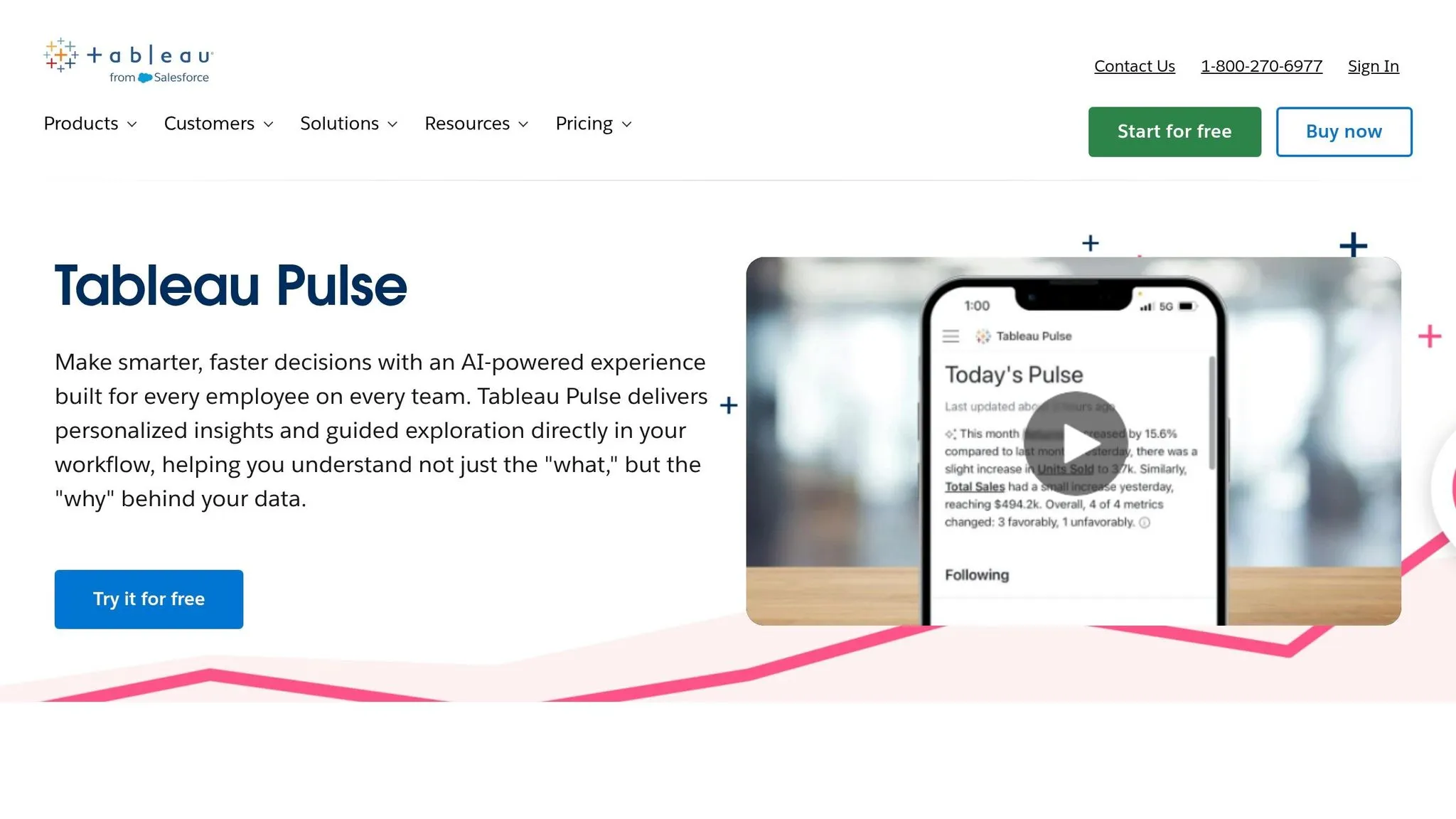
Tableau Pulse takes AI-powered conversational analytics to the next level, offering an innovative way to interact with data. Instead of relying on traditional dashboards, Pulse delivers personalized metric summaries automatically. Think of it as receiving bite-sized "data headlines" that highlight metric changes, trends, and outliers - no manual filtering required. At its core is a centralized Metrics Layer (also referred to as headless BI), ensuring KPIs are defined once and applied consistently across an organization [20]. This means everyone is working with the same verified metrics, reducing discrepancies.
Natural Language Processing Capabilities
Pulse uses generative AI to turn complex metrics into plain-English summaries. The Tableau Agent lets users interact with data using natural language commands, making it easier for non-technical users to prepare and explore data [20][21]. Plus, it provides guided follow-up questions to help users dive deeper without needing advanced query skills. To ensure security and ethical usage, the Einstein Trust Layer handles data privacy and permission masking, keeping AI-generated insights secure [20]. This thoughtful integration ensures AI features work seamlessly within existing workflows.
Integration with Existing Ecosystems
One of Tableau Pulse's strengths is how well it fits into the Salesforce ecosystem. It integrates with tools like Salesforce CRM, Salesforce Data Cloud, and Agentforce, creating a unified analytics experience [2][21]. Insights are delivered directly through collaboration tools or the Tableau web app, so users can access them where they already work [20][2]. Beyond Salesforce, Pulse connects to over 700 data sources, including Snowflake, BigQuery, Redshift, and SQL Server [2].
In 2024, Virgin Media O2 adopted Tableau Pulse to expand data access across their organization. Executive Vice President Mauro Flores highlighted its impact:
"We now have data that's available on a daily basis that's easy to navigate, easy to query, and available on our phone. It's really changing the game." [23]
Pricing for Tableau Pulse starts at $15 per user per month for Viewer access, $42 per user per month for Explorer, and $75 per user per month for Creator licenses [21][22]. For those looking to unlock advanced AI features, the Tableau Next AI Add-on is available starting at $40 per user per month [22].
7. Qlik Sense
Qlik Sense emphasizes in-app exploration, offering tools like the Insight Advisor Chat for querying authorized data. This feature ensures strong security and governance while providing users with self-service analytics in 2026.
Natural Language Processing Capabilities
Qlik Sense turns natural language queries into structured analytical responses, making it easier for users to explore data without manually navigating dashboards. Instead of simply presenting raw data, the platform supports structured filtering and analysis through its chat interface. As users interact, their queries are refined naturally, offering a smoother experience. However, Qlik Sense provides moderate conversational depth and has limited adaptability in its responses [1]. For accurate answers, analytics teams must carefully structure their data models, as the system's effectiveness heavily depends on the underlying framework.
In addition to its NLP features, Qlik Sense prioritizes strict governance.
Governance Alignment
The platform enforces clear boundaries to prevent data misuse or misinterpretation during conversational sessions. Unlike systems that rely on broad semantic layers, Qlik Sense uses app-level controls, limiting the AI's access to only the data loaded into a user's authorized applications [1]. This approach balances flexibility with control, making it an appealing choice for teams that want to enable self-service analytics without granting unrestricted access to their entire data ecosystem.
Beyond its governance features, Qlik Sense integrates seamlessly with existing setups.
Integration with Existing Ecosystems
Qlik Sense is designed to work best for users already within the Qlik ecosystem. It connects effortlessly with modern cloud data warehouses, enabling conversational exploration without requiring major architectural overhauls [1]. For teams already using Qlik, this simplifies adoption. However, organizations outside the Qlik environment might find other platforms better suited to their needs.
8. Zoho Analytics
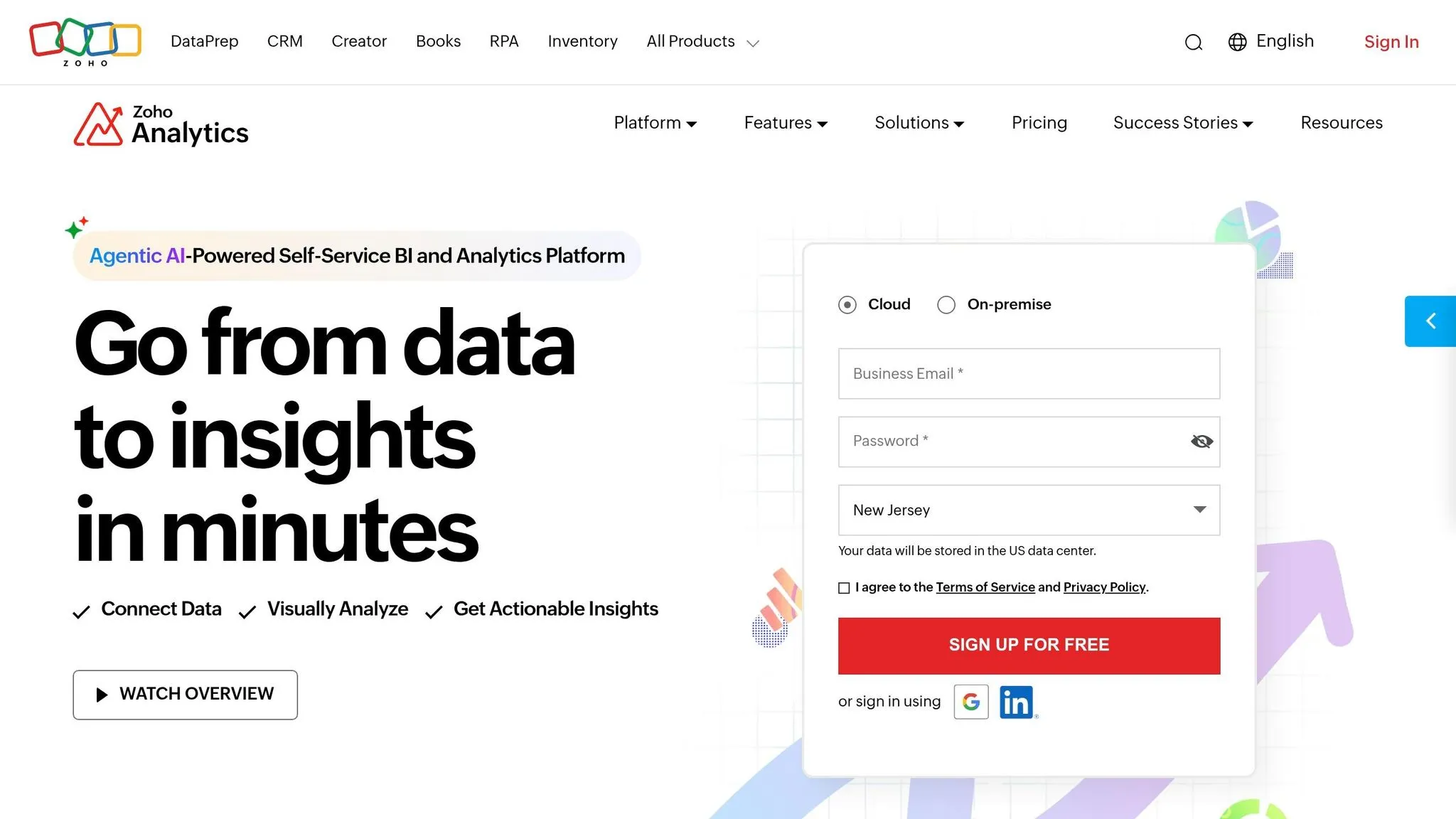
Zoho Analytics brings conversational analytics to mid-market teams through Ask Zia, a feature that turns natural language questions into KPIs, visualizations, and automated reports [24]. With 22,000 customers and 4 million users globally, it boasts a 91% recommendation rate [26]. Unlike other platforms that require weeks to set up, Zoho Analytics can deliver the first dashboard in just 1–3 days [27].
Natural Language Processing Capabilities
The platform’s natural language processing (NLP) engine tackles ambiguities, fixes typos, and suggests the most relevant visualizations based on the data [24]. Its AI capabilities go further by building data pipelines, crafting complex SQL queries, and generating dashboards from simple prompts. John Sheldon, Business Intelligence Manager at Renu Energy Solutions, shared:
"I can ask for a specific agent name for their quarterly or monthly performance and get to see if their sales numbers are trending up or down... These insights give a clear picture of the performance of all our sales reps, and we had this discovery within minutes because of Zia Insights." [24]
Zoho Analytics combines its proprietary language model with OpenAI’s GPT-4 to write SQL code, create formulas, and suggest synonyms for table columns. Users can also train Zia to recognize industry-specific terms, making it easier to handle specialized queries [24].
Data Warehouse Compatibility
Zoho Analytics ensures seamless data connections, offering native live integrations with warehouse-native data analysis tools like Snowflake, Amazon Redshift, Google BigQuery, and Microsoft Azure SQL Data Warehouse [25]. With over 500 pre-built integrations, teams can combine data from various sources without overhauling their architecture. This flexibility allows real-time analysis of large datasets while maintaining strong performance and security.
Governance Alignment
Privacy is a key focus for Zoho Analytics. The platform shares only prompts and metadata (like column names and data types) with its language models, ensuring actual data values remain private unless aggregated for insights [25]. Administrators can fine-tune GenAI settings to manage shared metadata and exclude columns tagged with personally identifiable information (PII). The platform meets rigorous standards, holding certifications like SOC 2 Type II and compliance with GDPR, CCPA, HIPAA, and ISO 27001 [27].
Integration with Existing Ecosystems
Zoho Analytics integrates effortlessly with tools like Slack, Microsoft Teams, and Zoho Cliq, letting teams share insights directly within their workflows [26]. It also connects to business apps like Salesforce, HubSpot, Zendesk, and QuickBooks, automatically creating pre-built dashboards upon integration [24]. For example, Versa Creative, led by CEO Eddie Shekari, saves 5,000 man-hours annually by streamlining reporting with Zoho Analytics [26]. Pricing starts at $8 per user per month, with advanced Generative AI features included in Premium and Enterprise plans [25].
Feature Comparison Table
Here's a quick look at how leading conversational analytics tools stack up in areas like natural language BI interactions, governance, and integration. This comparison helps showcase each tool's strengths and how they align with modern business intelligence needs.
| Feature | Querio | OvalEdge askEdgi | ThoughtSpot | Microsoft Power BI | Google Looker | Tableau Pulse | Qlik Sense | Zoho Analytics |
|---|---|---|---|---|---|---|---|---|
| Natural Language Query Depth | High (SQL/Python generation) | High (agentic AI with multi-step reasoning) | High (search-driven exploration) | Medium-High (Copilot Q&A) | Depends on LookML maturity | Guided insights, not free-form | Guided responses within apps | Effectively resolves ambiguities and auto-corrects input |
| Context Handling | Shared context layer for joins and metrics | Persistent context across follow-ups | semantic layer only | Limited multi-turn conversations | Chat-based with governed content | Proactive trend explanations | Context tied to authorized apps | Learns industry terms and suggests synonyms |
| Root Cause Analysis | Inspectable SQL/Python code | Multi-step reasoning with metadata grounding | No autonomous investigation | Summarization and Q&A focus | Dependent on model setup | Explains drivers and anomalies | Guided analytical responses | AI-driven insights with Zia |
| Supported Data Warehouses | Snowflake, BigQuery, Redshift, ClickHouse, PostgreSQL, MySQL, SQL Server | Catalog integration across cloud warehouses | Snowflake, Databricks, major cloud platforms | Azure SQL, Snowflake, major connectors | BigQuery, Snowflake, Redshift | Salesforce Data Cloud, Tableau Cloud | Multi-cloud support | Snowflake, Redshift, BigQuery, Azure SQL |
| Governance Controls | Versioned context layer, SOC 2 Type II, SSO | Metadata-driven with full lineage tracking | Governed semantic layer | Role-based access with Microsoft Fabric integration | LookML-based governance | Enterprise security controls | Row-level security and governance | SOC 2 Type II, GDPR, CCPA, HIPAA, ISO 27001 compliant |
| Integration Options | APIs, iframes, embedded analytics | Integrated with OvalEdge catalog and lineage | REST APIs and embedding | Deep integration with Microsoft ecosystem (Teams, Excel, SharePoint) | Google Workspace and APIs | Integrates with Salesforce and Slack | Third-party connectors | 500+ pre-built integrations, including Slack and Teams |
| Starting Price | Free plan; Core $2,499/mo, no per-seat pricing | Custom pricing | $25/user/month (Essentials) | $10/user/month (Pro) | Custom pricing | $115/user/month (Enterprise Creator) | Custom pricing | $8/user/month |
While pricing varies across platforms, the table provides a snapshot of each tool's core features. For more detailed pricing information, refer to earlier sections.
Querio stands out with its versioned context layer, ensuring consistent definitions across use cases. Meanwhile, OvalEdge emphasizes metadata and lineage tracking for trusted analytics. Integration options vary widely, from Querio's API and iframe-based embedded analytics tools to Zoho Analytics' extensive library of 500+ pre-built connectors. These features ensure seamless integration into workflows while upholding enterprise-level security standards.
Conclusion
Conversational analytics tools are transforming how teams interact with data, enabling instant access to actionable insights. A study involving over 5,000 workers revealed that AI assistance boosted productivity by an average of 14% [1]. This isn't just about minor gains - it marks a shift from reactive reporting to continuous, proactive monitoring. These tools can now detect anomalies and provide complete analytical narratives before anyone even asks the first question.
As these tools evolve, picking the right one for your organization becomes essential. Start by focusing on governance. Look for platforms that use a governed semantic layer or a shared business glossary. This ensures that terms like "revenue" or "churn" are defined and calculated consistently across your teams [1][2]. Consistency builds trust - no one wants five different answers to the same question.
Next, consider whether the tool supports multi-turn analysis that retains context across follow-up questions. Does your team need basic search functionality, or are you looking for advanced root cause analysis that ranks key factors automatically? A good tool should allow for seamless follow-up investigations without resetting the flow of analysis.
Finally, test the tool with your own data. Don’t rely on flashy demos. Use your organization's definitions, sensitive data, and access rules to evaluate how the tool performs in real-world scenarios. Pay attention to how it handles ambiguous queries and edge cases. If you're in a regulated industry like healthcare or finance, prioritize enterprise-grade security features like SSO, role-based access controls, and audit trails. These tests will help you make an informed, secure choice.
The era of conversational AI for real-time analytics is here, and organizations that embrace it will gain a competitive advantage. By focusing on strong governance and seamless integration, you can align the right platform with your data infrastructure and workflows - positioning your organization for success in this new landscape.
FAQs
::: faq
How do I choose the right conversational analytics tool for my data stack?
Picking the best conversational analytics tool means finding one that matches your business needs and works seamlessly with your existing data setup. Start by checking if it supports your data sources, like Snowflake or BigQuery. Ease of use is another must-have - your team should be able to navigate the tool without a steep learning curve.
Look for features that matter most to your workflow. Tools with natural language querying, intuitive dashboards, and strong security measures can make a big difference. Also, think about scalability - will the tool grow with your business? And don’t forget pricing. For example, Querio has a free plan, and Core is $2,499 a month. Check that the cost fits your budget and the value you expect. :::
::: faq
What does a “semantic layer” do in conversational analytics?
A semantic layer in conversational analytics acts as a translator, turning natural language queries into structured data requests. This means users can interact with data in a way that feels natural, without needing deep technical skills. By simplifying how people access and analyze data, it creates a smoother connection between complex data systems and user-friendly tools, enabling more intuitive insights and better decision-making. :::
::: faq
How can I test governance and security with my own data before buying?
To assess governance and security with your data before committing to a purchase, look for platforms that provide trial or demo environments. Take Querio as an example - it emphasizes features such as SOC 2 compliance and row-level security. By requesting a demo or trial account, you can upload your data and verify that the platform includes crucial safeguards like encryption and governance controls, ensuring your data stays protected throughout the testing process. :::