Business Intelligence
10 Best AI Data Analysis Tools in 2026 (For Every Use Case)
Top 10 AI data analysis tools of 2026 — features, use cases, pricing, governance, and live-data transparency.
AI tools have transformed data analysis in 2026, making insights faster, more accessible, and tailored to diverse needs. Whether you're a business user or a data scientist, these tools offer solutions for tasks like self-service BI, predictive analytics, and real-time decision-making. Here are the top 10 AI data analysis tools in 2026:
Querio: AI-powered analytics workspace with live data connections, inspectable SQL/Python code, and a semantic layer for consistent metrics. Pricing starts at $680/month.
Microsoft Power BI with AI: Enterprise BI platform with Copilot for natural language queries, DAX generation, and integration with Microsoft Fabric. Plans start at $14/user/month.
Tableau with Tableau AI: Visual analytics platform featuring Tableau Pulse and Einstein Copilot for anomaly detection and natural language queries. Pricing begins at $15/user/month.
ThoughtSpot: Search-driven analytics tool for instant insights via plain-English queries. Offers live cloud queries and robust governance features.
Domo: All-in-one platform integrating AI into data ingestion, transformation, and decision-making. Ideal for real-time operational reporting.
Zerve: Warehouse-native analytics platform with DAG-based workflows, AI-assisted SQL generation, and enterprise-grade security.
Databricks: Unified platform for analytics, data, and AI with tools like Genie Spaces and Unity Catalog for governance. Consumption-based pricing.
DataRobot: Comprehensive AI platform for predictive modeling, automated feature discovery, and compliance-focused governance.
Excel with Copilot: AI-enhanced spreadsheet tool for formula generation, data summarization, and Python-based advanced analysis. Included in Microsoft 365 plans.
Google Sheets with Gemini: AI-powered spreadsheet tool with natural language queries, multimodal inputs, and seamless Google ecosystem integration. Pricing starts at $19.99/month.
These tools cater to various needs, from non-technical users requiring simplicity to technical teams managing complex workflows. Below is a quick comparison to help you choose the right fit.
I Tested 53 AI Tools for Data Analysis - THESE 5 ARE THE BEST!
Quick Comparison

Top 10 AI Data Analysis Tools in 2026: Side-by-Side Comparison
Tool | Best For | Key Features | Pricing |
|---|---|---|---|
Querio | Analysts, business users | Live data, inspectable code | From $680/month |
Microsoft Power BI | Enterprise teams | Copilot, DAX, Azure integration | From $14/user/month |
Tableau | Visualization-heavy users | Pulse, Einstein Copilot | From $15/user/month |
ThoughtSpot | Non-technical users | Plain-English queries | Quote-based |
Domo | Operations teams | End-to-end AI integration | Quote-based |
Zerve | Data engineers | DAG-based workflows, security | Contact for pricing |
Databricks | Data scientists, ML engineers | Genie Spaces, Unity Catalog | Consumption-based |
DataRobot | Predictive modeling | AutoML, compliance tools | Quote-based |
Excel with Copilot | Spreadsheet users | Formula generation, Python mode | Included in M365 plans |
Google Sheets | Google Workspace users | Natural language, multimodal AI | From $19.99/month |
Choose based on your team's needs, skills, and budget. Whether it's real-time insights, advanced modeling, or simplified reporting, there are various AI tools for data analysis for every use case.
How To Choose An AI Data Analysis Tool
Finding the right AI tool for data analysis isn't just about picking the most popular option - it’s about ensuring it delivers reliable and timely insights. To make the best choice, you need clear selection criteria.
Start with accuracy and transparency. Some AI tools function like black boxes, providing answers without revealing how they arrived at them. This lack of transparency can be a dealbreaker in areas like financial reporting or compliance, where accountability is critical. Opt for tools that include AI tools that write code with their outputs. This feature allows your team to inspect and confirm the logic behind the results.
Next, think about how the tool connects to your data. Many older BI platforms rely on static data extracts or manual uploads, meaning the insights are often outdated. A tool with a live connection to your data ensures that analyses are always based on the latest information. The table below outlines how different types of tools stack up on key features:
Feature | Warehouse-Native AI | Legacy BI Tools | Basic AI Analyzers |
|---|---|---|---|
Data Connection | Live, direct warehouse connection | Often relies on static data extracts | Manual file uploads (CSV/Excel) |
Logic Transparency | Verifiable SQL/Python code | Proprietary languages (DAX/LookML) | Opaque logic |
Governance | Decentralized/Siloed | Weak or non-existent | |
Scalability | High (flat-fee, unlimited users) | Moderate (costly per-user fees) | Low (struggles with large data) |
This comparison highlights why live data connections and standardized definitions are so important for consistent and trustworthy analysis.
Governance and consistency also play a major role. A centralized semantic layer ensures that key metrics - like "Revenue" or "Active Users" - are defined the same way across departments. Without this, teams like Sales and Finance might end up using conflicting numbers, creating confusion and inefficiency.
Finally, consider your team’s skill set when evaluating a platform. A tool designed for data engineers might overwhelm a marketing analyst, while a simple interface may not meet the needs of a technical team. Make sure the tool aligns with your team’s expertise. Also, keep an eye on pricing. Tools with per-user fees can quickly become expensive as your organization grows, especially if you aim to make data accessible to everyone across departments.
1. Querio
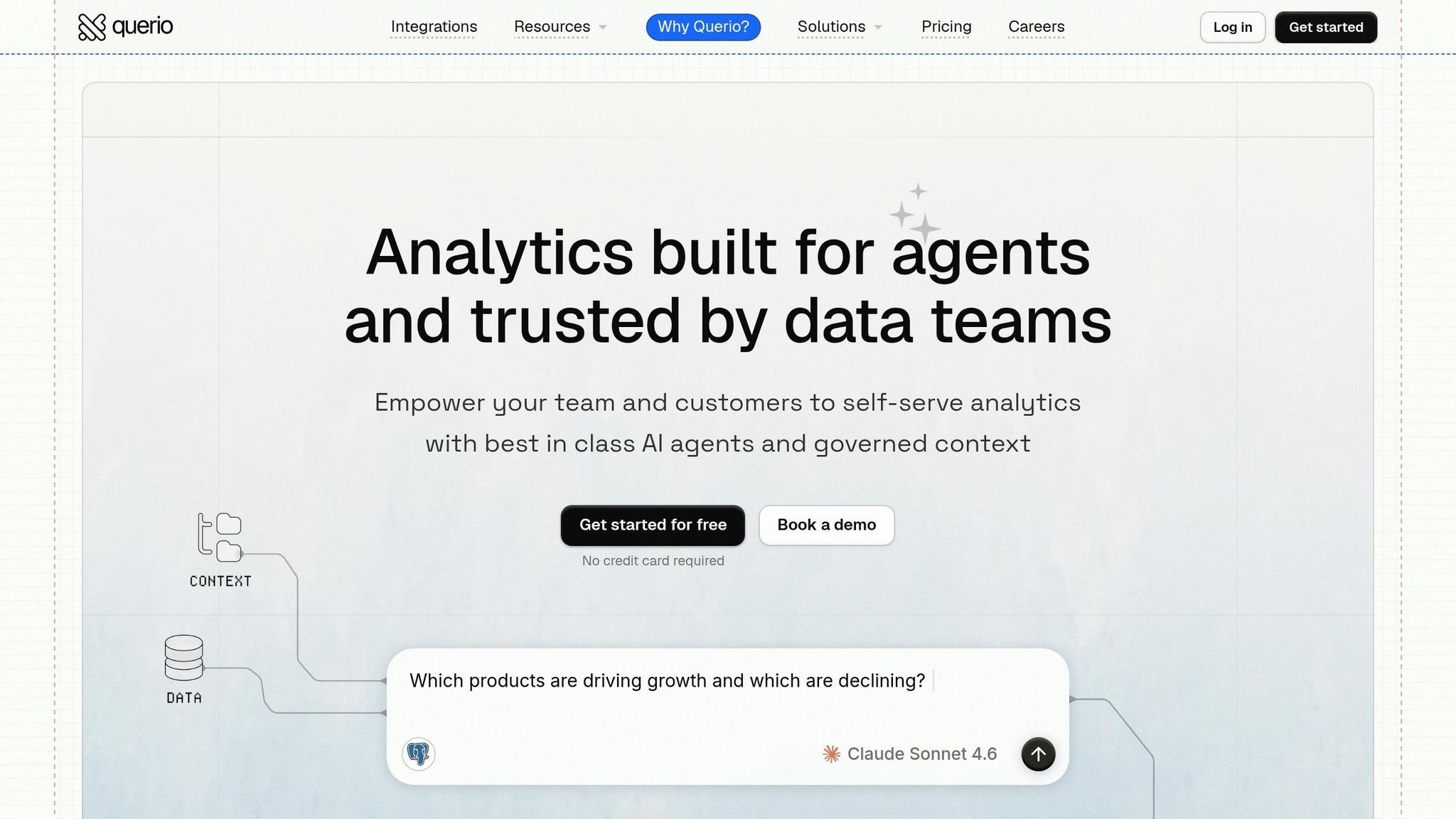
Querio is an AI-powered analytics workspace designed to deliver quick and accurate insights straight from your data warehouse. It connects directly to your data using an encrypted, read-only setup, ensuring secure, real-time access. Simply ask your question in plain English, and Querio translates it into real SQL or Python to get you the answers you need.
What sets Querio apart is its emphasis on transparency. Every result comes with fully inspectable and editable code, allowing your engineering and data teams to review and verify the logic behind the output. Neelam C., a verified user on Product Hunt, highlights this feature:
"Finally an AI BI tool that doesn't feel like a black box. Being able to see and edit the SQL it generates is huge for building trust with our engineering team." - Neelam C., Product Hunt [1]
This transparency fosters trust across both technical and non-technical teams.
Querio also simplifies metric standardization with its built-in semantic layer. Data teams can define metrics like MRR or churn, set up joins, and unify business terminology, ensuring consistent metrics across all queries. For more advanced users, Querio offers AI Notebooks, an interactive workspace that combines SQL and Python for deeper analysis. Think of it as a Jupyter notebook with an AI assistant.
Querio supports major data warehouses, including Snowflake, BigQuery, Redshift, ClickHouse, PostgreSQL, MySQL, MariaDB, and SQL Server. It meets rigorous compliance standards, such as SOC 2 Type II, GDPR, HIPAA, and CCPA, and includes features like Role-Based Access Control (RBAC), Row-Level Security (RLS), and comprehensive interaction logging for audits. Deployment options are flexible, offering both cloud-native VPC and fully self-hosted setups for organizations with stricter security needs.
Designed for growth-stage companies and mid-market enterprises, Querio helps analysts and non-technical teams save up to 80% of their time on ad-hoc reporting [1]. Its pricing model further enhances its appeal, starting at $680/month for the Startup tier and $1,699/month for the Core tier, both offering unlimited users - an excellent alternative to per-seat pricing.
Plan | Price (Annual) | Users | Connections | Notable Features |
|---|---|---|---|---|
Startup | $680/mo | 15 | 1 (Postgres) | Core AI querying |
Core | $1,699/mo | Unlimited | 3 | SSH/VPN support |
Advanced | $3,517/mo | Unlimited | 5 | Cross-datasource querying, dedicated EC2 |
2. Microsoft Power BI with AI
Microsoft Power BI continues to stand out as a top-tier enterprise analytics platform, now equipped with advanced AI capabilities. With its Copilot feature, users can create multi-page reports from simple text inputs, generate DAX formulas, summarize data trends, and even auto-document semantic models - all with minimal effort [3][4]. Notably, Microsoft plans to retire its older Q&A natural language tool by December 2026 and consolidate all conversational features into Copilot [4]. This shift has already translated into notable efficiency improvements for organizations.
For instance, Lumen's data engineering team reported saving nearly 10,000 hours of manual work in 2024 by leveraging Power BI's automation features [2].
"In the last year alone, we've eliminated almost 10,000 manual hours through Microsoft-powered automation. That's time we now spend creating business value." - Jerod Ridge, Director of Data Engineering, Lumen [2]
Power BI seamlessly integrates with Microsoft Fabric, enabling connections with Azure Synapse, Azure Data Lake, and OneLake. It also supports integration with Azure Machine Learning, allowing data scientists to publish models that analysts can utilize for batch scoring in Power Query or real-time scoring through REST endpoints [3][4].
The platform ensures enterprise-grade compliance through Microsoft Purview, which manages sensitivity labels and ensures these labels carry over to AI-generated outputs via Microsoft Information Protection [3]. For added control, administrators can manage Copilot settings at both the tenant and workspace levels. A specialized "Approved for Copilot" feature allows teams to mark trusted semantic models, ensuring users work with reliable data [5]. Additionally, all AI processing remains confined to the tenant's geographic region, aligning with GDPR and HIPAA compliance standards [3].
Power BI is particularly well-suited for organizations already invested in Microsoft tools, whether for self-service reporting, anomaly detection, or generating plain-language insights. Pricing starts at $14.00 per user/month for Pro and $24.00 per user/month for Premium Per User, with annual billing [2]. To ensure high-quality AI outputs, it's essential to clean up table names, relationships, and measures before deploying Copilot broadly [4].
3. Tableau with Tableau AI
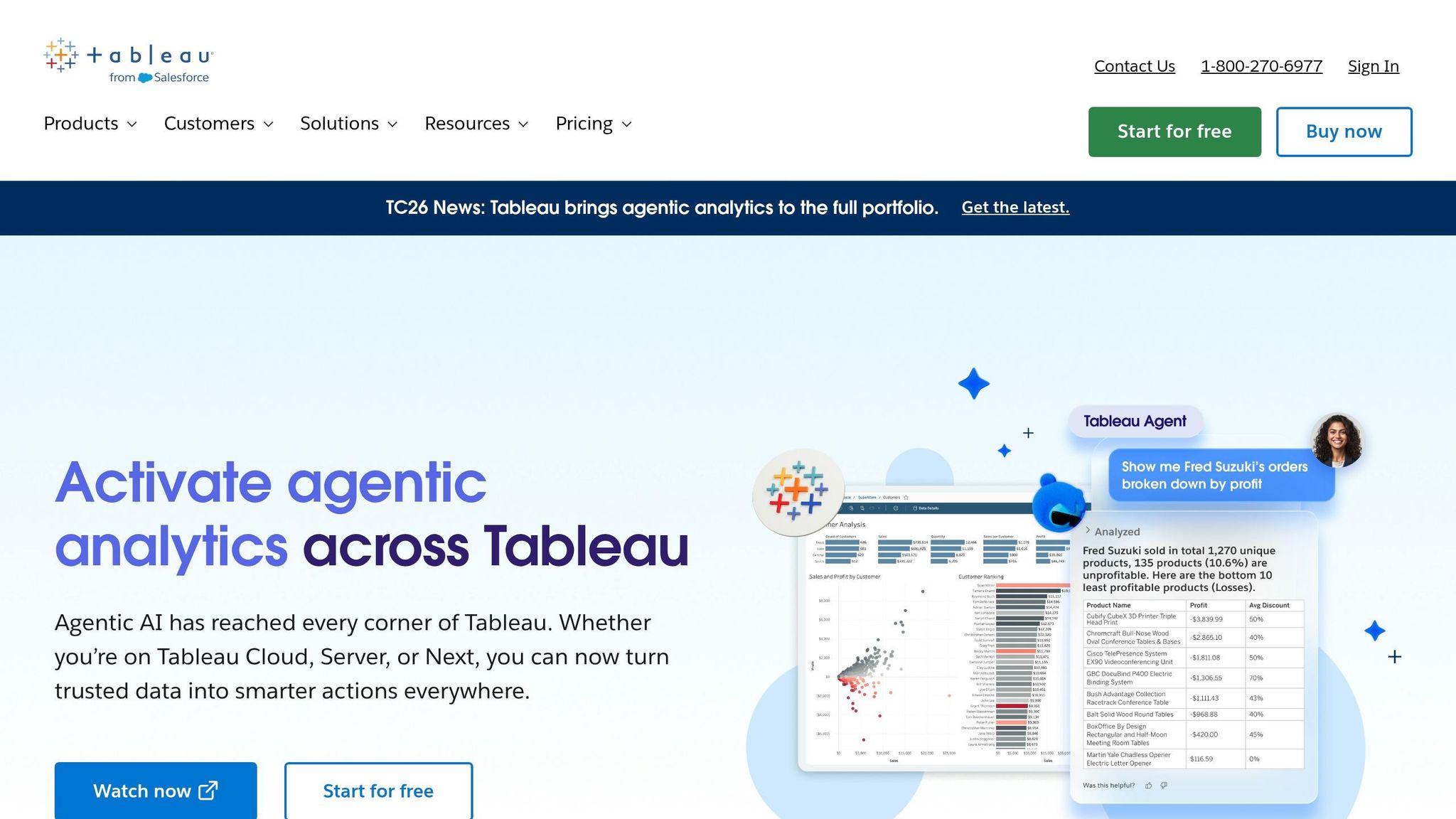
Tableau has long been a leader in visual analytics, and with its AI capabilities in 2026, it’s taken things up a notch. Tableau Pulse now automatically tracks metrics and identifies anomalies, flagging issues 30% more effectively than manual reviews [6]. On the other hand, Einstein Copilot simplifies complex queries by converting natural language into advanced Level of Detail (LOD) expressions, successfully handling about 70% of test cases [6]. This combination is a game-changer for dashboard-focused teams, significantly improving productivity. Alongside these features, Tableau strengthens data security and reliability with its modern business intelligence features like advanced governance tools.
A standout feature is the Einstein Trust Layer, a Salesforce-integrated security framework that ensures data privacy and control during every AI interaction [9]. Admins will soon gain access to the Agentic Analytics Command Center (available Fall 2026), allowing them to oversee AI agents, track data usage, and ensure compliance [8]. Tableau’s AI capabilities are grounded in a decade’s worth of user-built 33 million semantic models, guaranteeing insights that align with real-world business logic [8].
"Tableau is the observability layer for our agents. Instead of standing up bespoke reporting for every new AI workflow, we plug agents into the same Tableau infrastructure the business already trusts." - Demetri Salvaggio, VP, Customer Experience & Operations, Engine [8]
Tableau’s integrations further enhance its versatility. It connects seamlessly with platforms like Snowflake, Google BigQuery, Amazon Redshift, and PostgreSQL and delivers insights directly into Slack, Teams, and Google Workspace. Additionally, its support for the open Model Context Protocol (MCP) server allows external AI agents, such as Claude or ChatGPT, to access Tableau’s trusted insights directly [7][8].
Whether you’re a data analyst building semantic models, a business user asking questions in plain English, or an executive needing quick KPI updates, Tableau caters to diverse needs. Pricing starts at $15.00 per user/month for Viewer and $42.00 per user/month for Explorer [6]. However, keep in mind that AI features are disabled by default and require manual activation by an administrator in Tableau Cloud or Server settings [9].
4. ThoughtSpot
ThoughtSpot stands out by moving away from the traditional, dashboard-heavy approach of many analytics tools. Instead, it allows users to type plain-English queries and get immediate insights through its AI-powered assistant, Spotter. This tool interacts with your data, builds visualizations on the spot, and even explains its reasoning - cutting down the wait time often associated with data teams. Its user-friendly design pairs seamlessly with advanced, real-time data querying.
Behind the scenes, ThoughtSpot uses a warehouse-native architecture to query live data directly from platforms like Snowflake, Databricks, Google BigQuery, and Amazon Redshift. This ensures that insights are always current. For technical users, the Analyst Studio offers a versatile workspace where SQL, Python, and R can be used together, providing data scientists and analysts the flexibility to dive deeper without juggling multiple tools.
To maintain consistency and security, ThoughtSpot employs the Agentic Semantic Layer (Worksheets), standardizing KPIs across teams. It also includes enterprise-grade security features like row- and column-level access controls and AES-256 encryption. On top of that, it complies with regulations such as HIPAA, SOC 2 Type II, GDPR, and CCPA, making it a reliable choice for industries like finance and healthcare, where data governance is a top priority.
"Legacy BI requires a lot of technical resources, it's the antithesis of the AI revolution. ThoughtSpot gives business users the autonomy to manage their KPIs and have ownership of their data." - Jonathan Seppi, Group Manager Product Data Science, LegalZoom [10]
ThoughtSpot is particularly well-suited for large enterprises, scaling effortlessly across teams and roles without requiring SQL expertise. It offers paid plans with options for per-user or per-query pricing, along with a free trial for those who want to explore its capabilities [10].
5. Domo
Domo stands out as a platform that seamlessly weaves AI into every stage of the data process, offering an all-encompassing solution for businesses looking to maximize their data's potential.
Domo provides a complete AI-powered analytics experience, integrating artificial intelligence from data ingestion and transformation to automated decision-making. Its Agent Catalyst feature streamlines workflows by automating repetitive tasks, while Universal Forecast Models deliver predictive insights and identify seasonal trends - no specialized expertise required.
With connections to over 1,000 pre-built data sources (like Salesforce, Snowflake, Google BigQuery, Databricks, and Amazon Redshift), Domo ensures compatibility with a wide range of tools. Non-technical users can effortlessly transform data using the no-code Magic ETL, while data scientists benefit from Jupyter Workspaces with Python and R integration, allowing both groups to collaborate on the same platform.
Domo also prioritizes data governance with features like Personalized Data Permissions (PDP) for precise access control, automated lineage mapping, and dataset certification. Its DomoGPT feature introduces generative AI capabilities while safeguarding sensitive information - a critical factor for industries like healthcare and finance.
Feature Area | What It Does |
|---|---|
AI Chat | Enables natural language queries for easy use |
AutoML | Builds predictive models through automated ML |
Magic ETL | Simplifies data transformation with drag-and-drop |
DomoGPT + PDP | Combines generative AI with robust privacy controls |
Domo MCP Server | Links your data to tools like Gemini, Claude, and ChatGPT |
Domo is particularly suited for mid-to-large enterprises that require a unified platform catering to both technical and non-technical users.
6. Zerve
Zerve approaches data analysis with a unique twist, branding itself as an Agentic Data Platform. What does that mean? Instead of just answering isolated queries, Zerve's AI agents manage the entire data lifecycle - from discovery and analysis to deployment. Think of it as a data science colleague that remembers your work context, making collaboration smoother and more intuitive. This approach ties in with its DAG-based notebook architecture, which is at the core of its functionality.
Zerve's DAG-based notebook system addresses a key pain point of traditional notebooks: errors caused by running cells out of order. Here, each cell operates independently, with its own runtime and cached output. This ensures workflows are reproducible from start to finish. A standout feature is its spread() function, which distributes hyperparameter sweeps across multiple compute nodes. For instance, Arindam Bose, Head of Data Science at Sun King, showcased this by processing a massive 4.3 billion-row dataset using 24 parallel preprocessing tasks - something that would typically crash high-end notebook instances. Bose shared:
"With Zerve, we could run all 24 [calls] in parallel. That shift alone saved us a huge amount of time and let us move faster on model development." - Arindam Bose, Head of Data Science, Sun King [11]
Another key feature is Zerve's ability to create what it calls Institutional Memory. It captures methodologies, feature engineering decisions, and logic from past runs, enabling its AI agents to apply this context in future analyses. This capability helps teams avoid redundant work and ensures consistent results over time.
When it comes to governance and security, Zerve takes extra precautions. It separates the control plane from the data plane, meaning queries and computations stay within your specified environment. For industries with strict regulations, Zerve offers a "Zero Egress" air-gapped deployment mode, ensuring no data leaves your infrastructure. Additionally, enterprise-grade features like SSO/SAML, role-based access control (RBAC), and detailed audit logs provide a robust security framework.
Feature | Details |
|---|---|
Data Sources | Snowflake, BigQuery, PostgreSQL, MySQL, MariaDB, Weaviate |
Languages | Python, R, SQL, PySpark |
Deployment Options | REST API, Streamlit, FastAPI, Dash, Flask, Scheduled Jobs |
Security | SSO/SAML, RBAC, Audit Logs, Air-gapped, VPC |
AI Models (BYOLLM) | GPT-5.4, Claude 4.6, Llama 4, Nova-2 via AWS Bedrock |
Zerve is particularly suited for data scientists and ML engineers who need reliable, production-ready workflows. It's also a strong fit for enterprise teams in regulated sectors like finance and healthcare, where data residency and security are non-negotiable. Pricing starts at $0/month for the free tier, with Pro plans at $18.75 per user/month (billed annually) and Team plans at $37.50 per user/month [11].
7. Databricks

Databricks is a unified platform that brings together data, analytics, and AI. At its heart lies the Data Intelligence Engine (Databricks IQ), which leverages generative AI to interpret data semantics and generate insights, optimize performance, and handle infrastructure management. Its standout feature, Genie Spaces, allows users to interact with their data conversationally, asking questions in plain English and receiving precise, governed responses. This combination of tools ensures compatibility across a wide range of systems and delivers reliable performance.
One of Databricks' key strengths is its adaptability. It works seamlessly with AWS, Azure, and GCP, supports open formats like Delta Lake and Apache Iceberg, and accommodates multiple programming languages, including SQL, Python, Scala, and R. Users can integrate external large language models (LLMs) from providers like OpenAI, Anthropic, and Meta, or tap into open-source models through Hugging Face. With over 60% of Fortune 500 companies relying on Databricks, and more than 20,000 organizations worldwide using the platform, its impact is undeniable [12].
The platform's capabilities have delivered impressive results for major enterprises. For instance, Adidas processed over 2 million customer reviews across 150+ countries, cutting latency by 60% and enhancing sentiment analysis efficiency by 30–40% [12]. FactSet created a text-to-code knowledge agent that improved response accuracy by 44% for non-technical users [13]. Block streamlined seller operations with Databricks AI agents, achieving $10 million in productivity gains [13]. These examples highlight how scalable, multi-cloud platforms like Databricks empower data teams to tackle complex challenges effectively.
Databricks also excels in governance. Its Unity Catalog provides robust tools like column-level lineage, access control, and audit logs for data, models, and AI agents. Meanwhile, the AI Gateway enforces rate limits, prevents PII exposure, blocks prompt injection, and monitors LLM costs. These governance measures enhance AI agent accuracy by 70%, compared to traditional retrieval-augmented generation (RAG) methods [14].
"Agent Bricks gives us a structured way to coordinate multiple data intelligence endpoints in a single system. Instead of hard-coding routing logic, we can guide how the agent prioritizes Genie and governed data in Unity Catalog through clear instructions." - Alvaro Martin, Sr. Data Engineer, Zapier [14]
Databricks is particularly well-suited for data engineers, ML engineers, and enterprise data teams that require a scalable, multi-cloud solution with advanced governance capabilities. It's an excellent choice for organizations managing complex machine learning pipelines or large-scale AI workflows. Pricing follows a consumption-based model, varying by cloud provider and workload type.
8. DataRobot
DataRobot offers an all-in-one AI platform that handles everything from raw data preparation to deploying models in production and monitoring them in real time. One of its standout features is multimodal modeling, which allows you to create a single predictive model using a combination of text, images, geospatial data, and time-series inputs [15]. This versatility makes it ideal for solving complex business problems.
Its Automated Feature Discovery simplifies the often tedious process of preparing data. DataRobot automatically merges datasets, creates new features, and removes redundant ones [17]. Vibhor Rastogi, Global Director of AI and ML Investments at Citi Ventures, highlighted this advantage:
"Eighty percent of the challenge in a data science project is preparing that data and making it ready for ultimately business intelligence and machine learning, and the AI platform has solved that problem." [15]
DataRobot integrates seamlessly with major data warehouses like Snowflake, BigQuery, Redshift, S3, SQL Server, and SAP. Using push-down techniques, it processes data directly within the source, reducing the need for unnecessary data movement and enhancing security [19]. It is also the only agentic AI partner certified to operate within the SAP ecosystem and is fully validated for NVIDIA Enterprise AI [18]. Venkatesh Sekar, Enterprise Architect for AI/ML at NetApp, praised its integration capabilities:
"The platform made it easy to bring together data across Snowflake, SQL, and S3 - and helped us automate and accelerate the entire forecasting process." [18]
Beyond integration, DataRobot prioritizes governance. The platform includes built-in safeguards to ensure compliance with regulations like the EU AI Act, NYC Law No. 144, and California's SB-1047. It provides real-time protections against risks such as PII leakage, prompt injection, and hallucinations, with pre-deployment red-teaming to test for vulnerabilities. Transparency tools like Shapley values and LIME make it easier to explain model decisions to non-technical audiences by making your AI analytics platform explainable and trustworthy.
DataRobot is designed for a wide range of users, from data scientists and ML engineers to compliance teams seeking production-ready AI solutions. Business users and technical teams alike can take advantage of its no-code app builder and "what-if" scenario templates, which allow for prediction analysis without requiring coding skills. Its tiered pricing includes a Business Critical package that supports up to 10GB of cloud data ingestion for AutoML projects [16].
9. Excel with Copilot
Excel with Copilot brings AI directly into Excel, allowing users to perform complex, multi-step tasks with a single prompt. Whether it's building PivotTables, restructuring data, creating KPIs, or generating financial models, this feature - dubbed "Editing with Copilot" by Microsoft - has increased user engagement by 67% and satisfaction by 65% [20].
Copilot operates in two modes: Standard mode and Advanced Analysis. Standard mode is perfect for quick tasks like answering simple questions, generating formulas, or creating charts. On the other hand, Advanced Analysis opens a new sheet to run live Python code for more intricate tasks, such as customer segmentation or forecasting. Additionally, the =COPILOT() function allows users to handle text-based tasks directly within formulas [21][23]. Together, these tools offer a smooth way to manipulate and analyze data as part of your daily workflow.
"Copilot creates the most value when it performs the work - formatting, restructuring, building visuals, and transforming data - rather than just suggesting steps." - Sumit Chauhan, Executive Vice President, Office Product Group, Microsoft [20]
Copilot integrates seamlessly across platforms like Windows, Mac, Web, and iPad, leveraging context from OneDrive, SharePoint, and Microsoft 365. It also supports live financial data through federated connectors [25][27]. However, there are a few limitations: files must be saved to OneDrive or SharePoint with AutoSave enabled, and Copilot cannot access external files or emails during an active session. Supported file formats include .xlsx, .xlsb, and .xlsm [22][26].
Built on Azure OpenAI (not public ChatGPT), Copilot adheres to Microsoft 365’s existing permissions and sensitivity labels. It doesn’t train on or cache your data, ensuring privacy. Premium users can choose between models like GPT-5.4 or Claude Opus 4.6, depending on their needs [25]. Pricing starts at $18 per user/month for Microsoft 365 Copilot Business, or approximately $30 per user/month for Copilot Pro. While AI-generated formulas boast an 85% accuracy rate, it’s wise to double-check outputs for critical tasks [22][24].
Excel with Copilot is ideal for business analysts, finance professionals, small business owners, and anyone using Microsoft 365 who wants to streamline their analysis without leaving the platform.
10. Google Sheets with Gemini
Google Sheets takes a leap forward with Gemini, transforming familiar spreadsheets into AI-driven analysis tools. With this feature, users can simply describe their needs in plain English to generate complex formulas (like nested IFs or VLOOKUP), build pivot tables, create charts, or clean up data - all without writing a single line of code. The =AI() function (also accessible as =Gemini()) allows you to perform tasks directly within cells, such as categorizing customer feedback, extracting key details, or running sentiment analysis across hundreds of rows (up to 350 cells per batch) [29].
Gemini 2.0 steps it up by handling multimodal inputs. For example, you can upload a dashboard screenshot or a PDF report, then ask it to identify trends, convert the content into structured data, or even create SQL queries [32]. If you're already working within the Google ecosystem, the integration feels seamless. Gemini can pull context from Gmail conversations, Google Drive files, and Google Calendar to populate or explain spreadsheet data [28]. It also connects directly with BigQuery for natural-language-to-SQL tasks and Looker Studio for automated chart suggestions [32]. This broad functionality not only adds new capabilities but also saves users a ton of time.
The tool's real-world impact is clear. Ranjan Roy, SVP of Strategy at Adore Me, shared his experience:
"I used to have to go to as many as five different sources to figure out how to write the correct formula. Now with Gemini in Sheets, I can just type what I need and Gemini will provide the formula written out perfectly." [30]
For enterprise users, Google ensures robust security measures. Data is encrypted by default, not used for public AI training, and any side-panel conversations remain private [32]. Admins have control over data access, allowing them to restrict Sheets to specific BigQuery tables or views, ensuring data remains read-only [33].
It’s important to note that the =AI() function only processes data explicitly provided to it. It doesn’t have unrestricted access to your entire spreadsheet or Google Drive [34]. Additionally, Excel (.xlsx) files need to be saved as Google Sheets to unlock Gemini’s full feature set [31].
Pricing starts at $19.99 per month for personal accounts, while business users can access Gemini through Google Workspace Business Standard or higher, starting in March 2026 [28].
Google Sheets with Gemini is an excellent choice for analysts, operations teams, and small-to-mid-size businesses already using Google tools, offering AI-powered insights without requiring a shift to other AI data analytics platforms.
Comparison Table
Here's a quick side-by-side look at the key features of various platforms, designed to help you identify which solution aligns best with your business needs. From tools tailored for spreadsheet users to enterprise-grade analytics platforms, this table highlights their core capabilities and ideal use cases.
Tool | Type | Primary Users | AI Strengths | Governance & Security | Best-Fit Use Case | Pricing Model |
|---|---|---|---|---|---|---|
Querio | AI-native analytics workspace | Data analysts, business users, data scientists | Natural language to SQL/Python, inspectable code, semantic layer, AI agents | SOC 2 Type II, RBAC, SSO, live warehouse (no data duplication), audit trails | Governed self-service analytics; ad-hoc querying on live warehouse data | Per workspace, starting at ~$400/mo for 10 users; unlimited users on most plans |
Microsoft Power BI with AI | Enterprise BI platform | Data analysts, BI developers, finance/ops teams | Copilot for DAX/dashboards, natural language Q&A, AutoML, anomaly detection | Microsoft Purview, RLS/OLS, Azure AD SSO, SOC 2, HIPAA-ready | Enterprise-wide BI for Microsoft 365/Fabric organizations | Per user/mo (~$10 Pro, ~$20 Premium per user); capacity plans from ~$4,995/mo |
Tableau with Tableau AI | Visual analytics platform | Data analysts, executives, BI developers | Tableau Pulse (automated KPI summaries), Explain Data, Einstein Trust Layer | Tableau Catalog, row-level security, SSO/SAML, SOC 2 | Visualization-heavy reporting; executive dashboards | Per user/mo (~$15 Viewer, ~$42 Explorer, ~$75 Creator), billed annually |
ThoughtSpot | Search-driven analytics | Non-technical business users, analysts | SearchIQ/Spotter NLQ (4.6/5 rating), automated insights, live cloud queries | Granular row/column security, metadata privacy, SSO, SOC 2 | Self-service data exploration; search-centric analytics on cloud warehouses | Consumption/usage-based; enterprise pricing is quote-based |
Domo | All-in-one cloud BI | Business leaders, ops teams, departmental users | Domo.AI (text-to-query, text-to-dashboard, forecasting), embedded data apps | Centralized governance, RBAC, SSO, SOC 2 | Executive dashboards; embedded analytics; real-time operational reporting | Custom/quote-based; SMB plans start in the low-to-mid four figures/mo |
Zerve | Warehouse-native analytics | Analytics engineers, data analysts, data teams | AI-assisted SQL/code generation, warehouse-first workflows | RBAC, SSO, warehouse-native (no data movement) | Modern data stack analytics; code-assisted analysis on live warehouses | Per workspace/user; contact for pricing |
Databricks | Unified lakehouse platform | Data scientists, data engineers, ML engineers | AutoML (MLflow), collaborative notebooks, model serving, code generation | Unity Catalog (lineage, audit, fine-grained access), SOC 2, HIPAA | Large-scale ML/AI pipelines; advanced predictive modeling; data engineering | Consumption-based (DBUs) + cloud infrastructure costs |
DataRobot | Enterprise AutoML & MLOps | Data scientists, analytics leaders, business analysts | Automated model building, churn/demand forecasting, bias/fairness checks | Model registry, compliance docs, audit logs, SOC 2, HIPAA-ready | Predictive modeling at scale; regulated-industry machine learning | Per model/compute; enterprise quote-based |
Excel with Copilot | Spreadsheet + AI assistant | Knowledge workers, finance/ops staff, SMB owners | Formula generation, data summarization, forecasting, conversational copilot | Microsoft 365 compliance, DLP, permissions; limited standalone governance | Spreadsheet-native analysis; lightweight AI integrated into existing workflows | Included with Microsoft 365 plans (M365 E3/E5 or Copilot add-on) |
Google Sheets with Gemini | Spreadsheet + AI assistant | Analysts, ops teams, SMBs on Google Workspace | Natural language to formulas, pivot tables, sentiment analysis, multimodal inputs (PDFs, images) | Google Workspace security, encryption, admin controls; read-only BigQuery access | AI-powered spreadsheet analysis for Google Workspace users | From $19.99/mo (personal); available on Business Standard or higher plans for teams |
This table underscores the strengths of platforms designed for secure, real-time analytics. Querio stands out with its transparent natural language querying, fully inspectable SQL/Python outputs, and advanced governance features. Its ability to provide fast, accurate analytics directly on live warehouse data makes it an excellent choice for businesses prioritizing compliance and precision.
Conclusion
When it comes to AI data analysis, the most important factors are clear: insights need to be straightforward, transparent, and efficient.
Querio delivers on all fronts. With governed self-service analytics, inspectable SQL and Python outputs, and live connections to your data warehouse, it removes the usual barriers like hidden processes and rising costs. In fact, users have reported cutting ad-hoc reporting time by 80% [1]. This is thanks to Querio's ability to turn plain-English questions into editable, verifiable code - making it a tool that both technical and non-technical teams can rely on.
FAQs
Which AI data analysis tool is best for non-technical users?
Querio stands out as an AI-powered data analysis tool designed specifically for non-technical users. It takes the complexity out of working with data by allowing users to ask questions in plain English. These queries are instantly transformed into precise, inspectable code, bridging the gap between technical processes and everyday understanding.
What makes Querio even more accessible is its governed semantic layer, which ensures consistent metrics across the board. Its intuitive search interface includes helpful features like guided autocomplete and starter questions, making it easy for anyone - from product managers to executives - to dive into data exploration with confidence.
How do I verify and trust AI-generated insights and calculations?
You can rely on Querio's AI-generated insights thanks to its transparency and governance tools. Every AI result comes with the corresponding SQL or Python code, giving you the ability to review and verify the logic behind the output. Additionally, Querio maintains consistency through a centralized, version-controlled semantic layer. This ensures that standardized metric definitions - such as those for revenue or churn rate - are applied across all queries, resulting in precise and dependable calculations.
What should I prioritize: live data connections, a semantic layer, or governance?
Querio brings it all together, combining live data connections, a semantic layer, and strong governance into one cohesive data strategy. With live connections, you get real-time precision. The semantic layer ensures your metrics and terms stay consistent across the board. Meanwhile, governance features like role-based access controls and SOC 2 Type II compliance keep your data secure. The result? Reliable insights without the need for duplicating data or dealing with manual ETL workflows.
Related Blog Posts