Business Intelligence
AI Data Analytics Platforms That Matter
Overview of five AI analytics platforms comparing natural-language queries, governance, integration, and reporting for faster, secure decision-making.

AI-powered analytics platforms are transforming how businesses use AI in data analytics. They automate tasks, provide insights in plain English, and help teams make decisions faster. This article highlights five top platforms reshaping the industry: Querio, ChatGPT, Power BI, Google BigQuery, and Gamma AI. Each offers unique features like natural language queries, predictive modeling, and real-time anomaly detection. Here's a quick overview:
- Querio: Plain English queries turned into SQL/Python, strong governance, and quick setup with live data warehouses.
- ChatGPT: Conversational data analysis for files but lacks robust integration with enterprise systems.
- Power BI: AI-powered Copilot simplifies analytics, integrates deeply with Microsoft tools, and supports secure reporting.
- Google BigQuery: Serverless, scalable analytics with advanced security and integration with Google Cloud tools.
- Gamma AI: Focused on creating polished presentations and narratives from raw ideas.
These platforms are designed to move businesses from reactive reporting to proactive decision-making, cutting time and effort while ensuring secure and reliable analytics.
1. Querio
Natural-Language Analytics
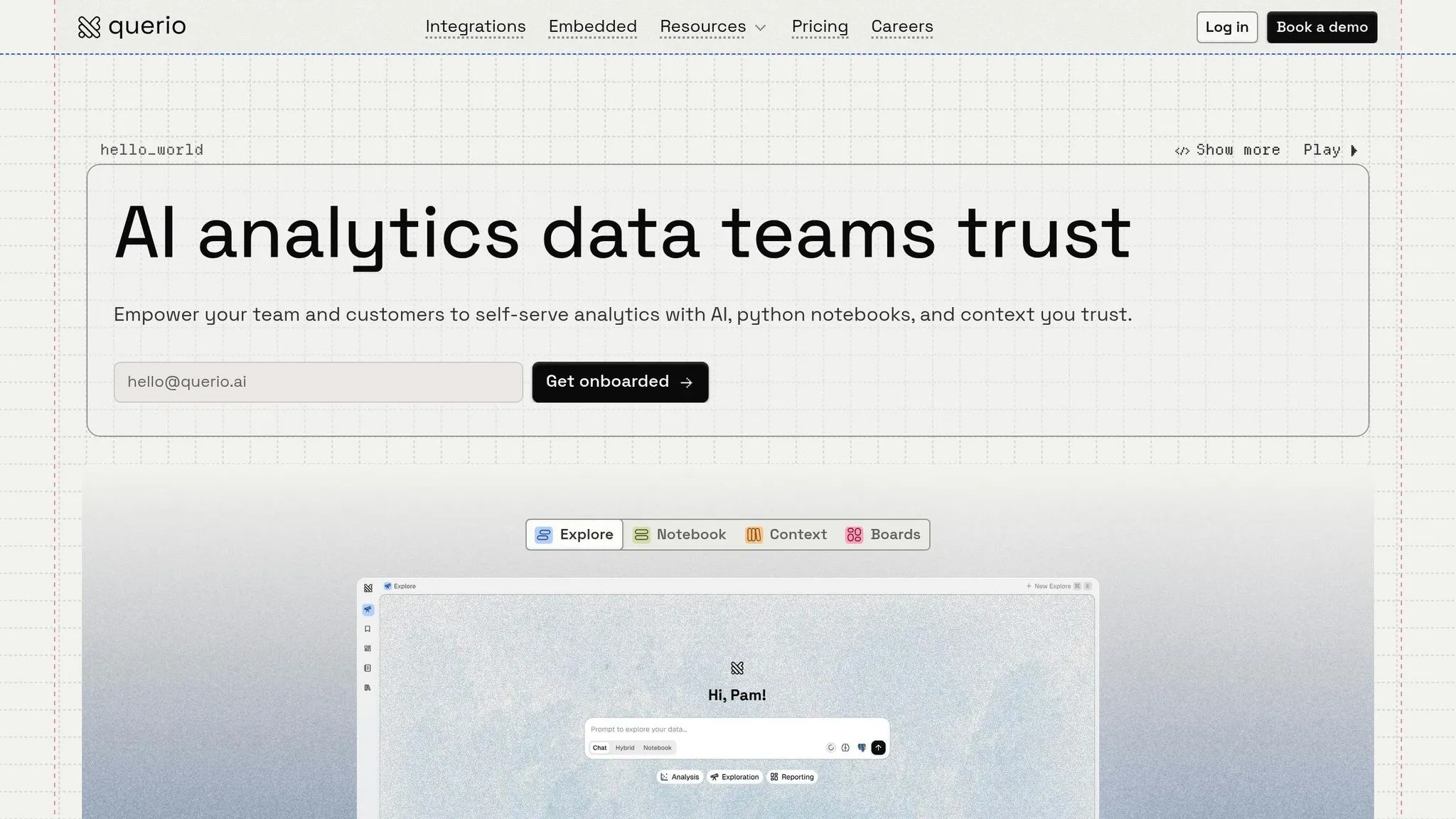
Querio makes data analysis accessible to everyone on your team by allowing questions in plain English. For example, you can type, "What were our top-performing products last quarter?" Querio translates this into SQL or Python, runs the query on your live data warehouse, and delivers accurate, verifiable results. Plus, you can review the generated code to understand the logic behind each answer.
This approach doesn’t just simplify analytics - it also slashes data request backlogs by up to 80% [3]. Teams get answers instantly, freeing data specialists to focus on higher-priority tasks.
While Querio is designed for ease of use, it doesn’t compromise on governance or security.
Governance and Security
Querio uses a centralized semantic layer to define business metrics, joins, and terminology just once. This ensures that whether you're creating dashboards, running ad-hoc queries, or using the AI semantic layer, all calculations remain consistent. Updates to this shared context layer automatically apply across all analyses, avoiding disruptions to existing reports.
The platform meets enterprise-grade security standards, including SOC 2 Type II compliance. It connects directly to your data warehouse using encrypted, read-only credentials, eliminating the need for data duplication or extracts. Querio offers flexible deployment options - cloud-hosted, self-hosted, or hybrid - along with standard SSO integrations and role-based access controls to ensure sensitive data is only accessible to authorized users.
With security and governance covered, Querio also prioritizes smooth integration and scalability.
Integration and Scalability
Querio integrates effortlessly with leading data warehouses like Snowflake, BigQuery, Amazon Redshift, ClickHouse, PostgreSQL, MySQL, and MariaDB. Setup is quick - often completed in just a few days - since Querio queries your existing warehouse directly, removing the need for data migration or complex ETL pipelines.
For teams that are growing, Querio has no per-seat pricing and includes unlimited users on every plan, so scaling access won’t add license fees. Advanced users can also leverage a native notebook that combines SQL and Python for deeper, more flexible analysis. These notebooks are particularly useful for optimizing queries as your data grows, ensuring performance remains steady without requiring a switch to different tools.
2. ChatGPT
Natural-Language Analytics
ChatGPT makes data analysis conversational, enabling teams to pull insights from spreadsheets, CSVs, PDFs, and JSON files (up to 10 files, each capped at 512 MB) using plain English commands [4][10]. It converts your prompts into Python code, leveraging libraries like pandas and Matplotlib, executes the code securely, and delivers the output directly in the chat [4].
This approach tackles a common challenge: business and data analysts often spend 70%-80% of their time on tasks like data preparation, enrichment, and labeling [5]. ChatGPT streamlines these processes, automating tasks such as customer segmentation, industry classification, and trend analysis - no manual scripting required [5]. David Vaughn, VP at The Carlyle Group, shared his experience:
"ChatGPT is part of my toolkit for analyzing customer data, which has become too large and complex for Excel. It helps me sift through massive datasets, allowing me to conduct more data exploration on my own and reduce the time it takes to reach valuable insights" [8].
Governance and Security
Beyond analytics, ChatGPT prioritizes robust data governance to ensure reliable and secure operations. It adheres to enterprise-grade security protocols, including SOC 2 Type 2 compliance, AES-256 encryption for data at rest, and TLS 1.2+ for data in transit [11]. For Business and Enterprise users, OpenAI does not train models on your data by default, and users retain full ownership of both inputs and outputs [11][13]. Additional features include SAML SSO for authentication, GDPR-compliant Data Processing Addendums, and Business Associate Agreements for HIPAA-related use cases [11].
To protect user data, execution environments automatically self-destruct after 13 hours of inactivity [4][10]. Enterprise customers can also integrate ChatGPT with Microsoft Purview, enabling centralized auditing, eDiscovery, and data classification [12]. Deleted conversations are removed from systems within 30 days, and admins can set retention policies to meet internal compliance needs [11][13].
Integration and Scalability
ChatGPT integrates seamlessly with platforms like Google Drive, Microsoft OneDrive, and SharePoint, allowing users to analyze the most up-to-date files. It also supports third-party tools such as Slack, Airtable, Jira, and Figma, while offering developers the option to create custom applications via the Model Context Protocol (MCP) for internal system access [4][8][7][9][6].
For teams looking to scale, Enterprise and Business plans provide centralized admin controls with Role-Based Access Control (RBAC). This feature lets admins manage permissions, enforce parameter constraints, and enable or disable apps as needed [7][9]. All activities are logged through the OpenAI Compliance Logs platform, ensuring a comprehensive audit trail [7][9]. These integrations and controls enable teams to scale their analytics operations efficiently and securely.
3. Power BI
Natural-Language Analytics
Power BI is making a significant leap by replacing its Q&A feature with Copilot, an AI assistant powered by generative AI. This tool is designed to simplify analytics by creating DAX queries, measures, and dashboards based on plain-English questions [14][15]. It reflects a broader trend in business analytics toward instant, user-friendly insights.
What sets Copilot apart is its color-coded feedback system: blue underlines indicate direct matches, orange highlights ambiguous terms, and red flags unrecognized words. This approach helps users better understand how their queries are interpreted [14]. Additionally, Copilot adapts to specific organizational language through synonym mapping, allowing report authors to align terms like "revenue" with "total_sales" in the platform’s model [15]. Impressively, it can also handle calculations on the fly, even for metrics not pre-defined in the data model, such as year-over-year growth [16].
To enable Copilot, administrators need to adjust settings in Microsoft Fabric and assign workspaces to a paid capacity (Fabric F64 or higher, or Power BI Premium P1 or higher) [15]. Alongside these capabilities, Power BI ensures secure and compliant operations through robust security protocols.
Governance and Security
Power BI ensures strong data protection by using Microsoft Entra ID for authentication, with support for multi-factor authentication. Data at rest is encrypted using Azure SQL Transparent Data Encryption [20]. For organizations using Power BI Premium, there’s even an option to implement Bring Your Own Key (BYOK) for added control over encryption keys. All incoming traffic must meet TLS 1.2 or higher standards.
To manage data access, Power BI offers Row-Level Security (RLS) and Object-Level Security (OLS), which restrict visibility based on user roles. This ensures employees only access information relevant to their permissions. Integration with Microsoft Purview adds another layer of control with sensitivity labels like Public, General, or Confidential, which persist when data is exported to formats like Excel or PowerPoint [19]. Microsoft’s dedicated security team continuously works to enhance these measures [20].
While security is a cornerstone, Power BI’s seamless integration with other tools makes it a powerful choice for enterprise scalability.
Integration and Scalability
Power BI integrates deeply with the Microsoft 365 suite, including Teams, Excel, PowerPoint, Outlook, and SharePoint. This integration allows users to embed real-time data visuals directly into their daily workflows [18][22]. Beyond Microsoft tools, Power BI connects with hundreds of enterprise systems like Dynamics 365, Salesforce, Azure SQL Database, SAP, and SharePoint [24][25]. As part of Microsoft Fabric, it shares a unified data lake (OneLake) with other analytics services, enabling massive-scale analytics across thousands of users [17][18].
The platform's impact is evident in real-world applications. For instance, Jerod Ridge, Director of Data Engineering at Lumen, shared that the company saved nearly 10,000 manual hours in 2023–2024 through Microsoft-powered automation and Power BI. According to Ridge:
"In the last year alone, we've eliminated almost 10,000 manual hours through Microsoft-powered automation. That's time we now spend creating business value" [18].
Power BI supports various deployment options - cloud, on-premises, and hybrid - with autoscaling to ensure smooth performance during peak usage [21][23]. Pricing begins at $14 per user/month for Pro and $24 per user/month for Premium Per User (annual billing) [18][25].
4. Google BigQuery
Natural-Language Analytics
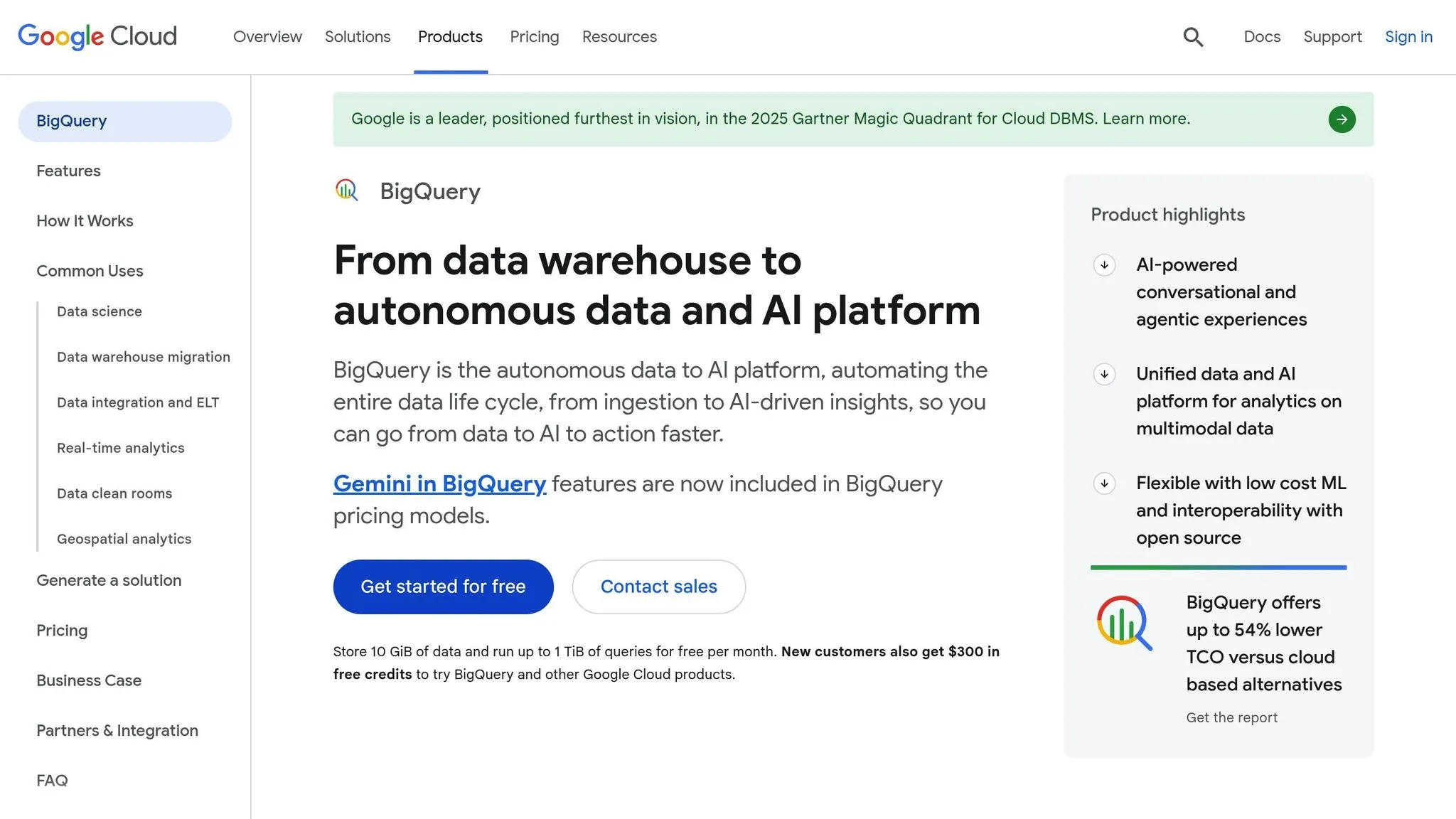
BigQuery takes analytics to a new level with BigQuery Data Canvas, a Gemini-powered tool that simplifies the query process. Users can search for data, generate SQL queries, and create visualizations using plain English prompts, making it accessible even to non-technical users [27][35]. Its conversational analytics agent allows business users to ask questions and get immediate insights without needing advanced technical skills [26][29].
Gemini also provides automatic summaries of data trends within visualizations, highlighting key insights that might otherwise be overlooked [35]. Martijn Wieriks, Chief Data Officer at Julo, shared his experience:
"Gemini in BigQuery has transformed our query generation process... Gemini's ability to understand complex data structures and deliver accurate queries has made our workflow smoother and faster than ever" [30].
This functionality streamlines workflows and ensures scalability for growing data needs.
Integration and Scalability
BigQuery's architecture is designed for flexibility and speed, separating storage and compute layers so they can scale independently without performance loss [28][29]. Thanks to its serverless design, users can query terabytes of data in seconds or petabytes in just minutes [26][28]. The platform supports multiple processing engines - SQL, Apache Spark (PySpark), and Python - enabling teams to work with their preferred tools on a single dataset [27][30].
Through BigLake, BigQuery integrates seamlessly with open table formats like Apache Iceberg, Delta Lake, and Apache Hudi, creating a versatile "lakehouse" setup [27][28]. Federated queries allow users to analyze datasets stored in Cloud Storage, Spanner, Bigtable, and even Google Sheets without transferring them into BigQuery [28][29]. Real-world examples highlight its efficiency: Dun & Bradstreet migrated 150 products to BigQuery, cutting data workflows from hours to minutes and improving product response times by 60% [30]. Similarly, Vectra, a cable operator in Poland, used Gemini and Vertex AI with BigQuery to analyze over 300,000 customer calls monthly. According to Enterprise Architect Greg Gwoźdź, this AI-driven analysis was five times faster than traditional methods [26].
BigQuery also stands out for its cost efficiency, offering up to 54% lower total cost of ownership compared to other cloud data warehouses. It guarantees a 99.99% uptime SLA, with pricing starting at $6.25 per TiB scanned for on-demand queries (first 1 TiB/month is free) and capacity-based editions beginning at $0.04 per slot hour [29][31].
Governance and Security
BigQuery ensures robust governance with Dataplex, which automates metadata harvesting, data profiling, quality checks, and lineage tracking [27][29]. It offers granular access control through Identity and Access Management (IAM), allowing permissions to be set at the project, dataset, table, or even routine level [32][33]. Security features include column-level and row-level restrictions, enabling precise control over who can access specific data.
All data is encrypted by default, with the option for customer-managed encryption keys (CMEK) for added security [27][29]. Managed disaster recovery features, including failover for compute and storage across regions, further enhance reliability [27][29].
Visualization and Reporting
BigQuery integrates with Looker Studio for self-service dashboards and Looker Enterprise for organization-wide reporting [34][36][37]. Looker uses LookML, a modeling language that ensures consistent data metrics across teams, eliminating discrepancies in KPI reporting [37].
The platform's BI Engine delivers sub-second query response times for tools like Looker, Tableau, and Power BI by leveraging in-memory analysis, even for massive datasets [34][37]. Additionally, users can analyze billions of rows directly in Google Sheets using Connected Sheets [36]. TJ Allard, Lead Data Scientist at Mattel, highlighted the impact:
"BigQuery and Vertex AI bring all our data and AI together into a single platform. This has transformed how we take action on customer feedback from a lengthy manual process, to a simple natural language query in seconds, allowing us to get to customer insights in minutes instead of months" [29][30].
With these capabilities, BigQuery sets a high standard for analytics, visualization, and reporting as we move to the next platform.
5. Gamma AI
Natural-Language Analytics
Gamma AI is designed to make creating presentations, documents, and websites as simple as typing out your ideas in plain English. It takes rough concepts, outlines, or topics and turns them into fully structured content - no design or coding expertise needed. With over 50 million users and more than 20 AI models, Gamma transforms complex ideas into polished, professional results through a conversational interface.
The platform eliminates the dreaded "blank page syndrome", letting users focus on their message instead of getting stuck on execution. As founder Hernán Giambastiani explains:
"No more blank page syndrome or wasting hours on design. Gamma helps me structure my ideas, shape my message, and present everything in a clean, professional way." [38]
Gamma also allows users to refine content, apply layouts, and even generate visuals using natural language analytics and self-service dashboards. It can analyze imported files and existing content to create tailored decks that turn raw data into structured, visually engaging narratives. Educator Christian Yao highlights this advantage:
"Gamma frees me from the technical side of design and lets me focus on what really matters - creating engaging, effective learning experiences." [38]
Governance and Security
Gamma AI prioritizes security with AES-256 encryption for data at rest and TLS 1.2+ for data in transit. Its zero-trust architecture ensures access is granted based on user identity and context, and it uses revocable OAuth 2.0 tokens for added control.
The platform’s AI-powered Data Loss Prevention (DLP) system uses deep learning to classify data with 99.5% accuracy. For example, Branching Minds, a K–12 education partner, implemented Gamma across platforms like Slack, Gmail, Google Drive, and GitHub to safeguard sensitive student information. Co-founder David Magier shared:
"Deployment and configuration took less than 5 minutes. Since then, Gamma has not only mitigated potential data loss scenarios across our Slack, Gmail, GDrive & Github with unparalleled accuracy, but significantly improved our security posture via its end user education component." [39]
Director of Information Security Alexander Koshlich also praised Gamma’s precision:
"Gamma thus far showed us almost 0 false positives and near 100% catch rate." [39]
These robust security features are paired with seamless integration capabilities, ensuring Gamma fits smoothly into existing systems.
Integration and Scalability
Gamma AI’s functionality extends beyond content generation, offering seamless integration into workflows. Users can export directly to PowerPoint, Google Slides, PDF, or PNG, and developers can use its API for automating large-scale content creation. This is a key step for teams looking to add natural-language analytics to your product for enhanced user experiences. Real-time collaboration tools make teamwork more efficient.
The platform’s "Insights" feature provides data on audience engagement with shared presentations and websites, helping users refine their approach. Pricing begins at $18.99 per month for the Pro plan, with unlimited-use and lifetime plans also available. Founder Young Zhao emphasized the collaboration benefits:
"Gamma has been a game-changer for internal collaboration, eliminating our startup's reliance on traditional slides and documents." [38]
With access to over 100 themes and industry-specific templates, Gamma ensures brand consistency while supporting content production for teams of any size.
Platform Comparison: Strengths and Weaknesses
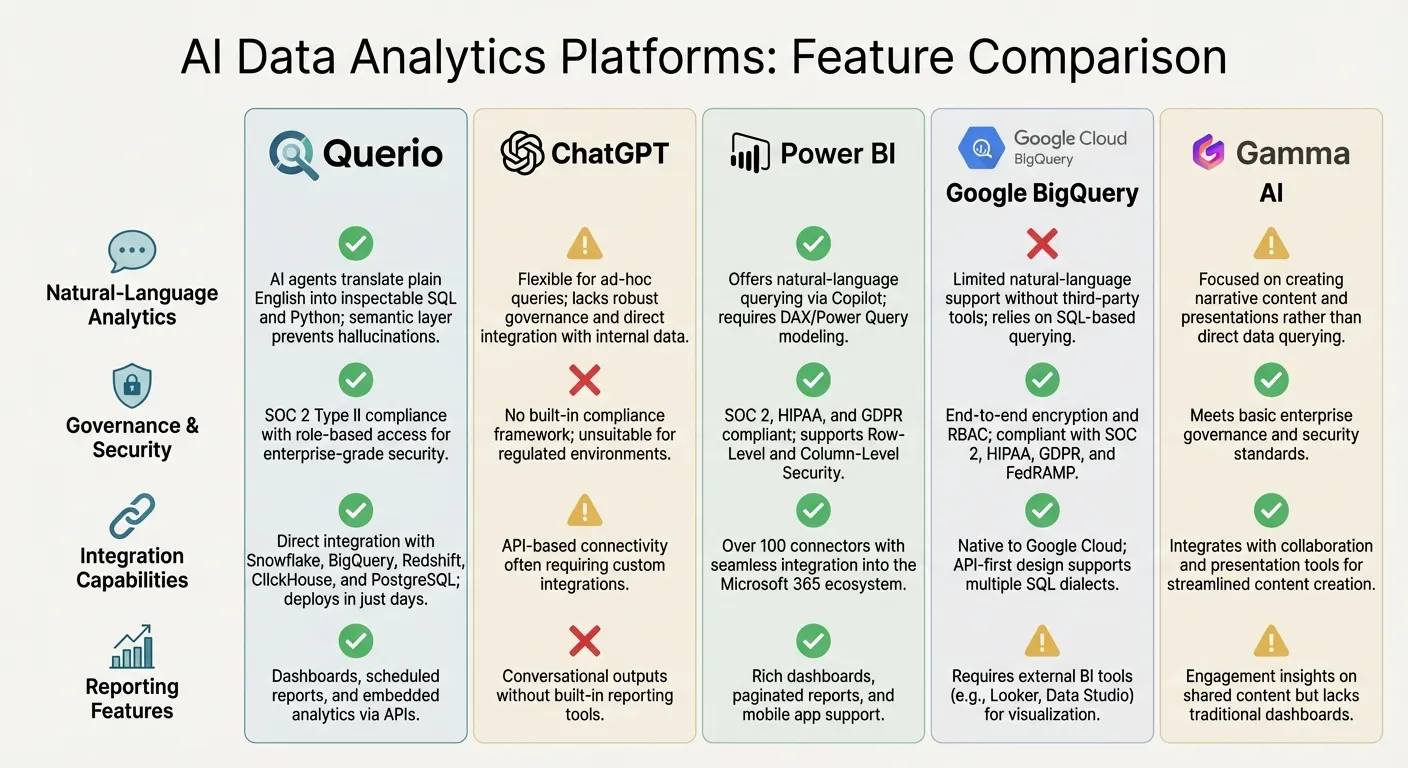
Querio's warehouse-native design and transparent AI-driven analytics make it a standout choice in the world of business intelligence. Below is a comparison of Querio's capabilities against other platforms, focusing on natural-language analytics, security, integration, and reporting features.
| Platform | Natural-Language Analytics | Governance & Security | Integration Capabilities | Reporting Features |
|---|---|---|---|---|
| Querio | AI agents translate plain English into inspectable SQL and Python; semantic layer prevents hallucinations. | SOC 2 Type II compliance with role-based access for enterprise-grade security. | Direct integration with Snowflake, BigQuery, Redshift, ClickHouse, and PostgreSQL; deploys in just days. | Dashboards, scheduled reports, and embedded analytics platforms via APIs. |
| ChatGPT | Flexible for ad-hoc queries; lacks robust governance and direct integration with internal data [41]. | No built-in compliance framework; unsuitable for regulated environments. | API-based connectivity often requiring custom integrations. | Conversational outputs without built-in reporting tools. |
| Power BI | Offers natural-language querying via Copilot; requires DAX/Power Query modeling. | SOC 2, HIPAA, and GDPR compliant; supports Row-Level and Column-Level Security [40]. | Over 100 connectors with seamless integration into the Microsoft 365 ecosystem. | Rich dashboards, paginated reports, and mobile app support. |
| Google BigQuery | Limited natural-language support without third-party tools; relies on SQL-based querying. | End-to-end encryption and RBAC; compliant with SOC 2, HIPAA, GDPR, and FedRAMP. | Native to Google Cloud; API-first design supports multiple SQL dialects. | Requires external BI tools (e.g., Looker, Data Studio) for visualization. |
| Gamma AI | Focused on creating narrative content and presentations rather than direct data querying. | Meets basic enterprise governance and security standards. | Integrates with collaboration and presentation tools for streamlined content creation. | Engagement insights on shared content but lacks traditional dashboards. |
Querio's approach to analytics stands out for its transparency and ease of use. Its warehouse-native architecture ensures direct connections to live data, allowing teams to verify results before making decisions. The built-in semantic layer also prevents errors often seen in other AI-driven platforms, like "hallucinations" in query outputs. This makes Querio particularly appealing for businesses needing reliable, real-time insights.
While platforms like Power BI shine in their security features and integration within the Microsoft ecosystem, they often require complex data modeling and duplication. Querio, on the other hand, achieves enterprise-grade compliance without the extra steps, making it both efficient and secure.
For businesses seeking fast, dependable analytics that meet stringent regulatory requirements, Querio's combination of live data connections and a robust semantic layer offers a solution that's hard to match.
Conclusion
Querio's transparent, warehouse-native architecture lays a solid foundation for effective analytics, offering quick insights and enterprise-level governance that align with your team's technical and compliance needs.
Testing Querio with your own data can showcase its ability to handle inconsistencies and fine-tune performance. The platform also allows you to inspect SQL or Python outputs, helping you catch and resolve issues early in the process.
With 62% of enterprises exploring AI agents and 23% already scaling these systems [42], Querio's autonomous analytics stand out by delivering faster, dependable insights. Its warehouse-native design, combined with semantic layers, minimizes the risk of "confident hallucinations" often seen in simpler text-to-sql tools for analytics [1].
When evaluating total cost of ownership, factor in maintenance and engineering resources. DIY orchestration stacks may demand 1–3 full-time engineers, while managed platforms like Querio often require less than 0.5 FTE [2]. For instance, one retail team cut their time-to-first-dashboard from three months to just three weeks by reducing ongoing maintenance efforts [2].
FAQs
How does Querio prevent AI “hallucinations” in analytics?
Querio tackles the issue of AI "hallucinations" in analytics by implementing strict validation, governance, and security protocols to produce precise SQL queries. It ensures that AI-generated queries only reference legitimate database elements, cutting down on mistakes and minimizing compliance risks. With advanced security measures like role-based permissions and SOC 2 Type II certification, Querio protects data integrity while ensuring queries meet stringent governance standards. This approach delivers analytics you can rely on.
Do I need to move data into Querio to use it?
No, there's no need to move your data into Querio. It directly connects to data warehouses like Snowflake and BigQuery, enabling real-time analysis without the hassle of data migration. This setup works effortlessly with your current infrastructure, letting you access insights faster.
What does it take to set up Querio for my team?
Setting up Querio for your team is straightforward but requires a few essential steps to get everything running smoothly. Start by securely connecting your data warehouse to ensure seamless data integration. Next, configure user access and permissions so that everyone has the right level of access to the information they need.
Once that's done, enable natural language querying to provide real-time insights - this feature makes it easier for your team to ask questions and get answers quickly. Take time to customize dashboards tailored to your team's KPIs, ensuring the data is presented in a way that aligns with your goals. Automate data updates to keep everything current without manual intervention, and train your team on best practices for using Querio effectively.
To get the most out of Querio, regularly monitor how the platform is being used and tweak settings as needed to optimize performance. This ongoing effort helps unlock Querio’s full potential, empowering your team to make better, data-driven decisions.