Business Intelligence
Best AI BI Tools for Data Teams (2026): Features, Pricing & Fit
Compare six AI BI platforms by AI features, governance, warehouse connectivity, and pricing to find the best fit for data teams.

If you're searching for the best AI-powered BI tools in 2026, here’s the deal: modern data teams need tools that combine AI capabilities, consistent metrics, and live warehouse connectivity. Static dashboards are out; tools that handle natural language queries, anomaly detection, and proactive insights are in. This shift is driven by the rise of natural language BI which democratizes data access. This article evaluates six top tools - Querio, Power BI, Tableau, ThoughtSpot, Looker, and Hex - based on AI features, governance, integration, and pricing.
Key Takeaways:
- Querio: Strong AI, transparent queries, and governed metrics. Starts at $400/month for 10 users.
- Power BI: Affordable ($10/user/month) with Microsoft integration but requires DAX expertise.
- Tableau: Best for visuals but pricey ($75/user/month) with a steep learning curve.
- ThoughtSpot: Search-first analytics for large enterprises but expensive ($100,000/year).
- Looker: Great for governance but costly and requires LookML expertise ($3,000–$5,000/month).
- Hex: Ideal for SQL/Python-heavy teams but not beginner-friendly ($36/editor/month).
Quick Comparison
| Tool | Strengths | Weaknesses | Starting Cost |
|---|---|---|---|
| Querio | Transparent AI, governed metrics | Requires modern analytics stacks | $400/month (10 users) |
| Power BI | Budget-friendly, Microsoft ecosystem | DAX learning curve | $10/user/month |
| Tableau | Top-tier visuals | High price, learning curve | $75/user/month |
| ThoughtSpot | Intuitive search analytics | Expensive, needs clean data | $100,000/year |
| Looker | Strong governance | Complex setup, custom pricing | $3,000–$5,000/month |
| Hex | SQL/Python focus | Not for non-technical users | $36/editor/month |
For mid-sized B2B SaaS companies (100–500 employees), Querio stands out by offering affordable, transparent, and governed analytics for teams using modern data warehouses like Snowflake or BigQuery.
::: @figure 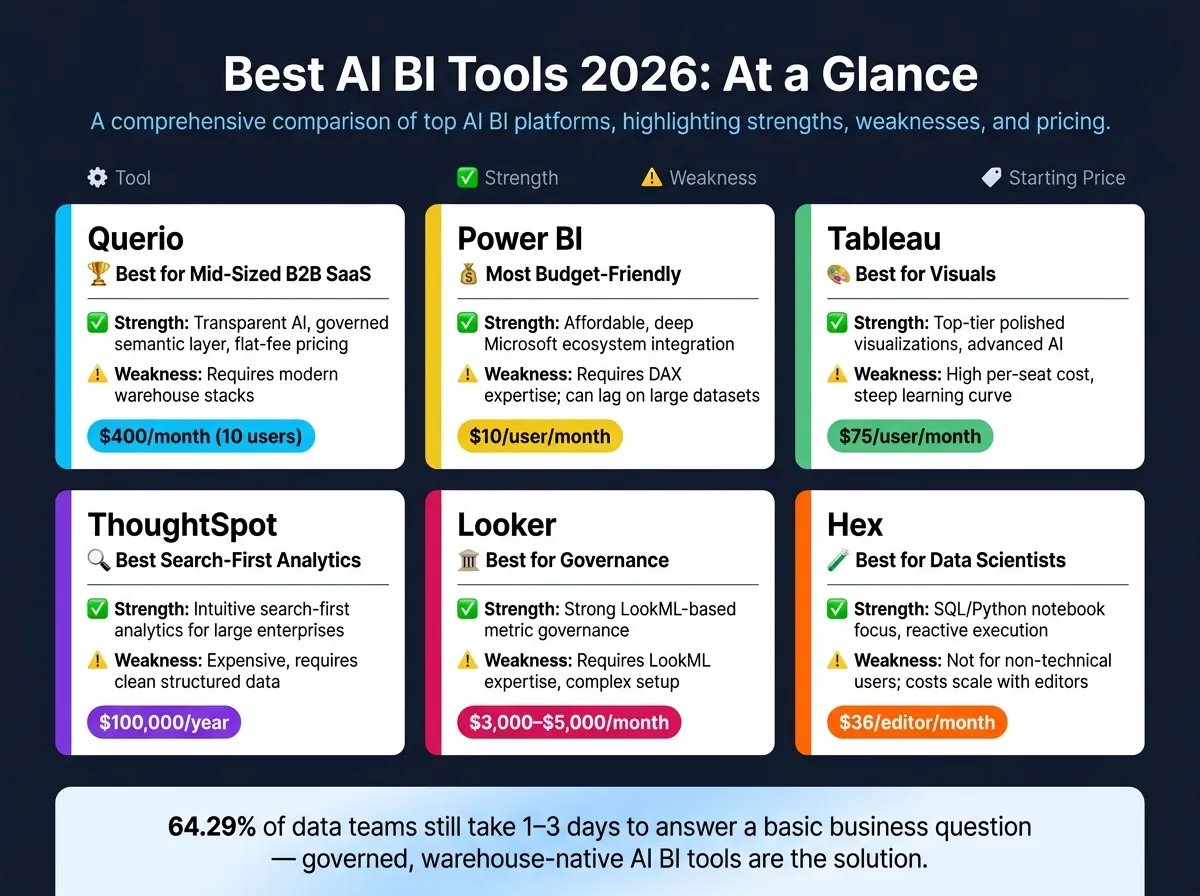 {Best AI BI Tools 2026: Features, Pricing & Fit Compared}
:::
{Best AI BI Tools 2026: Features, Pricing & Fit Compared}
:::
1. Querio
Querio is an analytics workspace powered by AI, designed specifically for data teams who need accurate insights from their data warehouse without compromising control over metric definitions or query generation. It operates at the crossroads of natural language processing, governed semantic logic, and live connectivity with data warehouses. Let’s break down Querio’s key strengths in AI functionality, governance, and warehouse integration.
AI Capabilities
Querio’s AI transforms plain-English questions into actual SQL or Python, ensuring full transparency. Every query it generates can be inspected and edited, making it a tool you can trust and refine rather than a "black box" that you’re forced to accept without question. This approach sets it apart by giving teams the ability to audit and improve upon the AI's output.
For more advanced analysis, Querio includes a reactive notebook environment. These notebooks automatically update when upstream logic changes, so your results remain accurate without requiring manual intervention. This seamless alignment between AI and technical workflows reinforces the platform’s commitment to clarity and accountability.
Governance & Semantic Layer
Querio’s shared context layer allows data teams to define joins, metrics, and business terminology in one place, ensuring consistency across all users and queries. This means that whether the question comes from a senior analyst or a less technical stakeholder, the same definitions apply. This feature eliminates the all-too-common scenario of conflicting metrics - like debating which revenue figure is correct - common in teams relying on ad-hoc queries or less structured tools. Governance isn’t an afterthought here; it’s baked into the workflow, reducing reliance on individual user behavior.
Warehouse Integration
Querio connects directly to your data warehouse using encrypted, read-only credentials, and supports a wide range of platforms, including Snowflake, BigQuery, Amazon Redshift, ClickHouse, PostgreSQL, MySQL, MariaDB, Microsoft SQL Server, MotherDuck, and MongoDB. There’s no need for data extracts, duplication, or syncing delays, making it a streamlined solution for teams already working with dbt models or structured schemas.
Security is a top priority, with features like SOC 2 Type II certification, role-based access controls, row-level security, and SSO integrations ensuring enterprise-grade protection.
Pricing & Fit
Querio’s pricing starts at $400/month for 10 users, with many plans offering unlimited users. A free trial is available, allowing teams to explore the platform without usage or seat limits during the trial period. Additionally, Querio offers a money-back guarantee, providing peace of mind for new users.
Querio is particularly well-suited for data teams in 100–500-employee B2B SaaS companies that operate a structured data warehouse and want to expand analytics access to non-technical stakeholders while maintaining consistent metrics and transparent queries. However, it may not be the best fit for teams relying primarily on spreadsheets or CSV exports without a structured warehouse in place.
2. Microsoft Power BI
Microsoft Power BI is projected to hold a global market share of 30–36% by 2026. It has maintained a leading position in the Gartner Magic Quadrant for Analytics and Business Intelligence Platforms for more than 13 years [3].
AI Capabilities
Power BI integrates AI through its Copilot features, allowing users to create report pages using plain English, summarize visual data, and generate complex DAX formulas on demand. It also includes built-in AI visuals like:
- Key Influencers: Highlights factors that are closely tied to specific metrics.
- Decomposition Trees: Assists with root cause analysis by breaking down data hierarchies.
- Anomaly Detection: Flags statistically significant deviations in line charts.
For instance, Ryse Technologies utilized these AI tools to improve their demand forecasting accuracy from 61% to 94%, leading to a reduction in inventory value by approximately $21 million [7].
Governance & Semantic Layer
Power BI employs semantic models (formerly known as datasets) to centralize business logic, metrics, and DAX calculations. This approach, combined with tools like Microsoft Purview for data cataloging and the OneLake architecture from Microsoft Fabric, creates a cohesive governance framework across teams. Security features such as row-level security (RLS), column-level security (CLS), and Defender for Cloud Apps provide robust data protection within the platform.
Warehouse Integration
Power BI connects seamlessly with major data warehouses, including Snowflake, BigQuery, Amazon Redshift, Azure Synapse, and Postgres. Its strongest integrations are within the Microsoft ecosystem, such as Azure, Microsoft 365, Teams, and Dynamics 365, ensuring a smooth experience for organizations using Azure-native stacks.
Pricing & Fit
| License/Tier | 2026 Pricing | Key Feature |
|---|---|---|
| Power BI Pro | $14/user/month | Standard self-service BI |
| Premium Per User | $24/user/month | Advanced AI and larger datasets |
| Fabric F2 Capacity | $262/month | Minimum tier for Copilot access |
| Premium P1 Capacity | $4,995/month | Enterprise-scale capacity |
| Microsoft 365 E5 | Included | Includes Power BI Pro license |
Power BI is particularly suited for organizations already invested in the Microsoft ecosystem. While its entry-level pricing is accessible, accessing advanced features like Copilot requires Fabric F2 or Premium P1 capacity, which could increase costs for smaller teams. Additionally, the platform’s licensing structure and capacity requirements might present challenges for smaller organizations.
3. Tableau
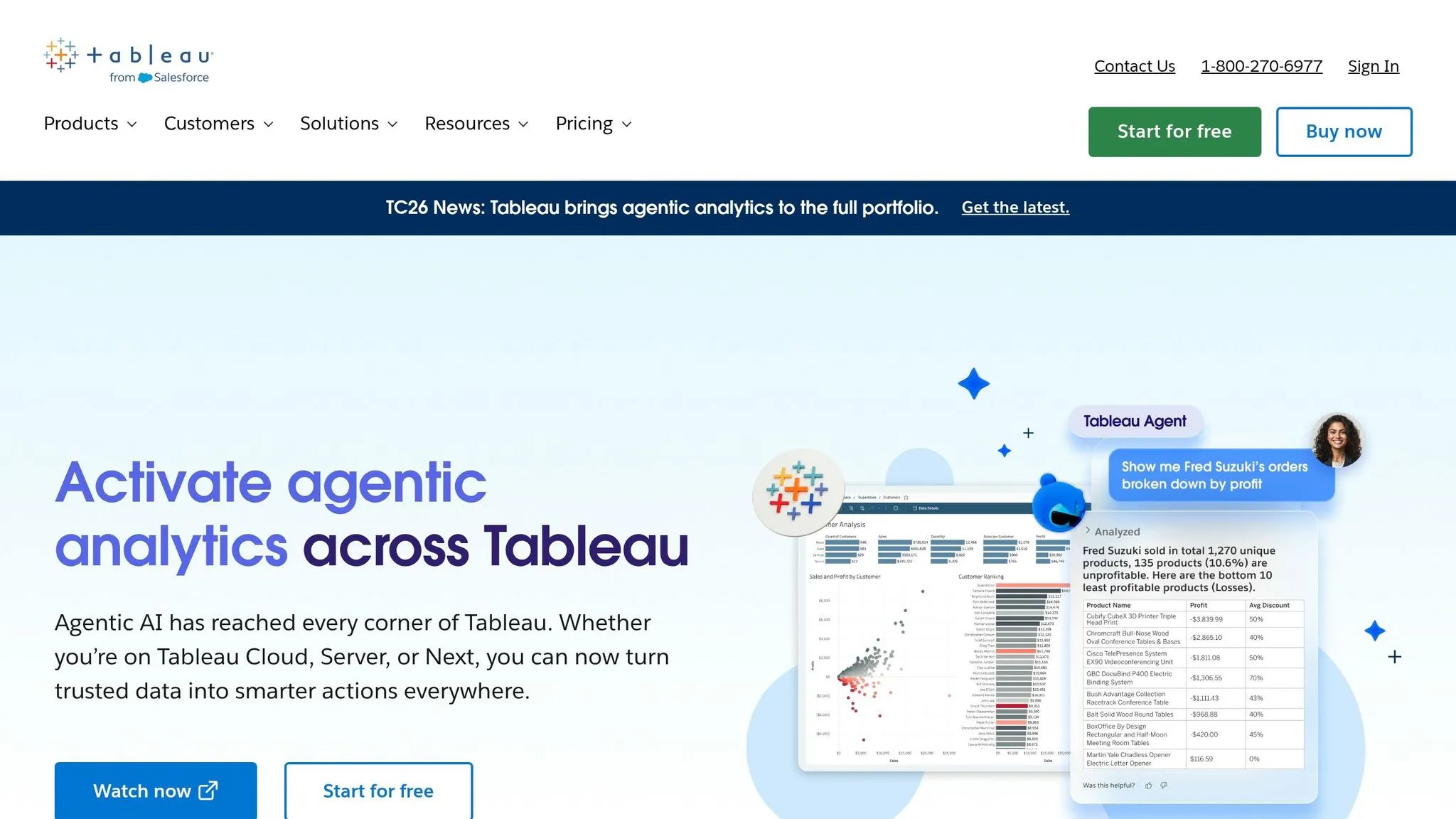
Tableau has consistently earned a spot in the Gartner Magic Quadrant for Analytics and Business Intelligence Platforms for 13 years straight [3]. Its reputation largely stems from its outstanding visualization capabilities. Few tools can match Tableau's chart customization and design flexibility, making it a go-to for high-quality visualizations.
AI Capabilities
Tableau's AI features are designed to make analytics more accessible and efficient. Here's a breakdown of its core tools:
| Feature | Function | Workflow Benefit |
|---|---|---|
| Einstein Copilot | Natural language queries (NLQ) and visualization suggestions | Makes it easier for non-technical users to create charts |
| Tableau Pulse | Tracks metrics and sends proactive alerts | Eliminates the need for constant manual dashboard monitoring |
| Tableau Prep | AI-powered data cleaning | Accelerates the process from raw data to actionable insights |
| Einstein Trust Layer | Provides governance and privacy controls | Ensures enterprise data remains secure during AI operations |
Additionally, Tableau Agent, part of the Salesforce Agentforce ecosystem, equips AI agents with analytics capabilities, enabling data-driven insights directly within sales and marketing workflows [3][6]. Another standout feature, Data Stories, generates plain-English narratives alongside visualizations, simplifying executive reporting [2].
"Tableau is the visualization standard for a reason, and its Einstein Copilot integration finally gives non-technical users a credible on-ramp." - Techno-Pulse [2]
These AI tools are enhanced by Tableau's focus on governance, ensuring workflows remain secure and consistent.
Governance & Semantic Layer
When it comes to governance, Tableau offers both strengths and challenges. The Einstein Trust Layer ensures strong data privacy and security standards. However, its semantic layer is often seen as less centralized compared to other tools. Business logic can become fragmented across individual workbooks instead of being unified, which might lead to inconsistencies [6][1]. For teams that rely on governed analytics, this decentralized approach may require extra oversight. In comparison, tools like Querio centralize metric definitions, reducing potential discrepancies.
Warehouse Integration
Tableau integrates seamlessly with major data warehouses, offering native connections to platforms like Snowflake, BigQuery, Amazon Redshift, and Postgres. Its live query mode ensures real-time access to your data. Tableau also provides especially tight integration with Salesforce, making it a natural choice for organizations already using Salesforce products.
Pricing & Fit
| Tier | Price (per user/month) | AI Features |
|---|---|---|
| Viewer | $15–$35 | Limited |
| Explorer | $42–$70 | Partial |
| Creator | $75–$115 | Full (with Tableau+) |
| Tableau+ | $70+ add-on (Creator) | Includes premium AI & Pulse features |
Tableau is best suited for teams that prioritize top-tier visualization quality. Whether it's polished executive dashboards or complex custom charts, Tableau delivers. It’s also a great fit for organizations already using Salesforce. However, full AI functionality with Creator licenses and Tableau+ comes at a premium, making it ideal for teams with a dedicated BI budget.
4. ThoughtSpot
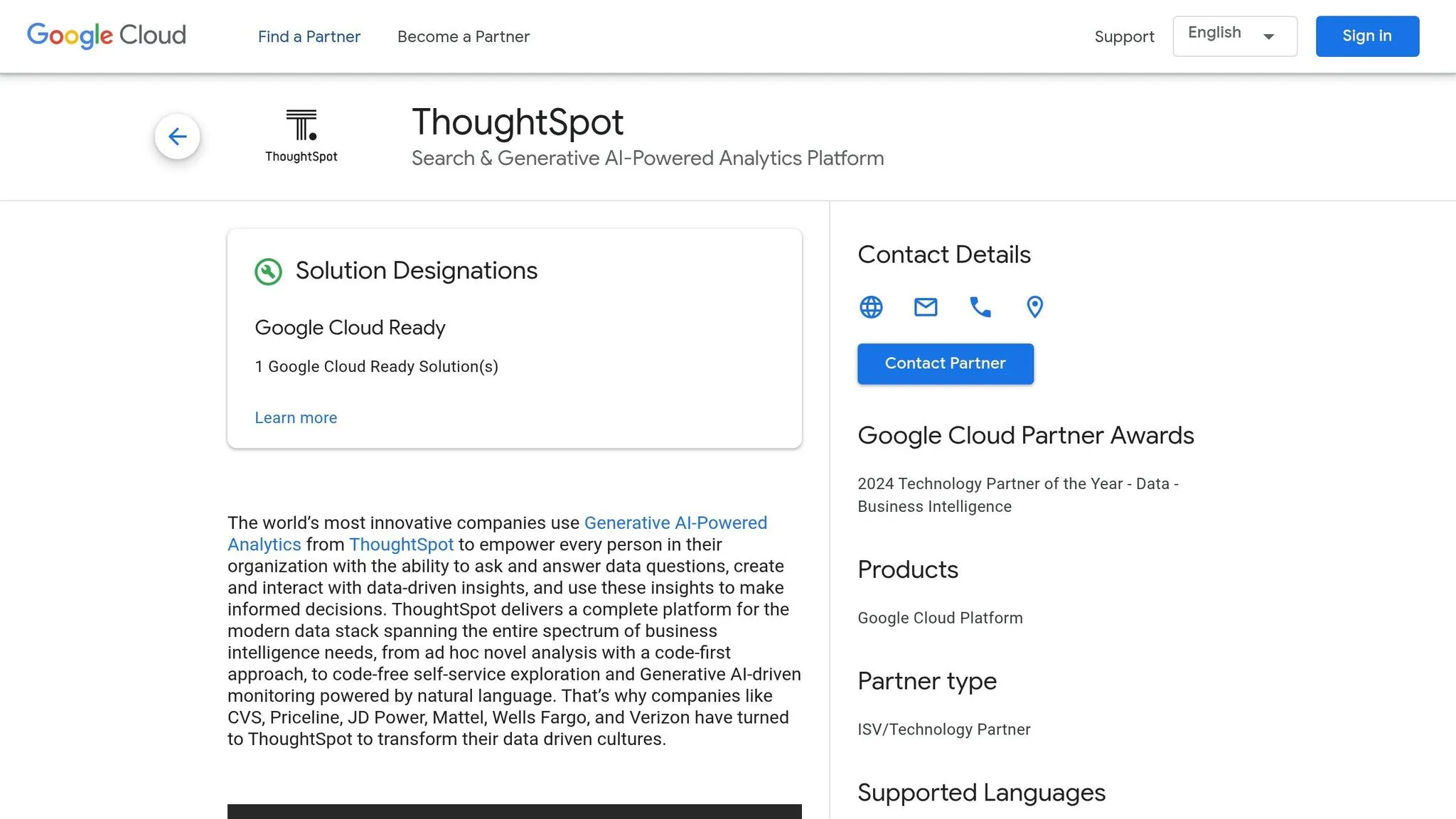
ThoughtSpot has established itself as the search-first platform in the AI-driven business intelligence (BI) space. Instead of relying on static dashboards and waiting for users to dig for insights, ThoughtSpot flips the script. Users simply type a question in plain English, and the AI takes care of the rest. By 2026, this approach has reached new heights with the launch of Spotter 3, which can now handle multi-step analyses and even pull context from external platforms like Slack or Confluence during conversations. Let's dive into ThoughtSpot's essential BI features, governance tools, warehouse integration, and pricing to see how its search-first approach stacks up.
AI Capabilities
ThoughtSpot's AI engine, Spotter AI (formerly known as Sage), enables users to query massive datasets without writing SQL. It automatically interprets table relationships, applies filters, and processes billions of rows. The platform also features specialized agents that enhance its functionality:
| Agent | Functionality |
|---|---|
| SpotterModel | Automates the creation of semantic models directly from your data warehouse |
| SpotterViz | Automatically generates dashboards and Liveboards |
| SpotterCode | Supports embedding workflows for developers |
| Spotter | Handles natural language queries for business users |
Additionally, SpotIQ continuously monitors data to surface anomalies, generating proactive alerts like "Customer acquisition cost increased 40% last month." For regulated industries where transparency is critical, the Answer Explainer provides a detailed breakdown of calculations and data fields used, ensuring compliance and clarity.
Governance & Semantic Layer
Governance in ThoughtSpot got a boost with the introduction of Spotter Semantics in March 2026. This reasoning layer ensures consistent business definitions across teams, minimizing discrepancies in metric calculations. The platform also supports TML (ThoughtSpot Modeling Language), allowing data teams to version-control metric definitions across environments - an essential feature for managing multiple workspaces [3].
However, ThoughtSpot's semantic layer performs best when data teams invest in preparing worksheets, synonyms, and metadata. Governed metadata significantly enhances AI accuracy, reducing hallucination rates by over 40% when robust metadata practices are in place [3].
Warehouse Integration
ThoughtSpot employs a zero-copy architecture, meaning it queries data directly from your warehouse without moving or duplicating it. It integrates natively with platforms like Snowflake, BigQuery, Redshift, Databricks, and Azure Synapse, ensuring results reflect real-time data without delays from syncing or stale extracts. This makes it an ideal choice for teams already working with modern cloud data stacks, as it eliminates the need for additional data movement layers.
Pricing & Fit
ThoughtSpot's pricing is structured to fit a range of needs:
- Pro Plan: Starts at $50 per user/month, including 25 Spotter queries per month [6].
- Team Plan: Priced around $95 per user/month, depending on the configuration [7].
- Developer Plan: Free for the first year for up to 10 users and 25 million rows, making it a practical option for teams exploring the platform [6].
In 2026, ThoughtSpot is recognized as a Leader in AI-powered search and natural language querying (NLQ) [1]. Unlike tools that retrofitted AI into traditional reporting systems, ThoughtSpot was designed from the ground up for search-first analytics [1][6]. It's particularly well-suited for large enterprises transitioning from legacy BI systems, especially those prioritizing self-service analytics at scale. However, teams focused on advanced semantic modeling or notebook-based workflows might find other platforms better suited to their needs [4][8]. For structured, mid-sized B2B SaaS companies, solutions emphasizing governed semantic layers and reactive notebooks may offer a better fit.
sbb-itb-284a532
5. Looker
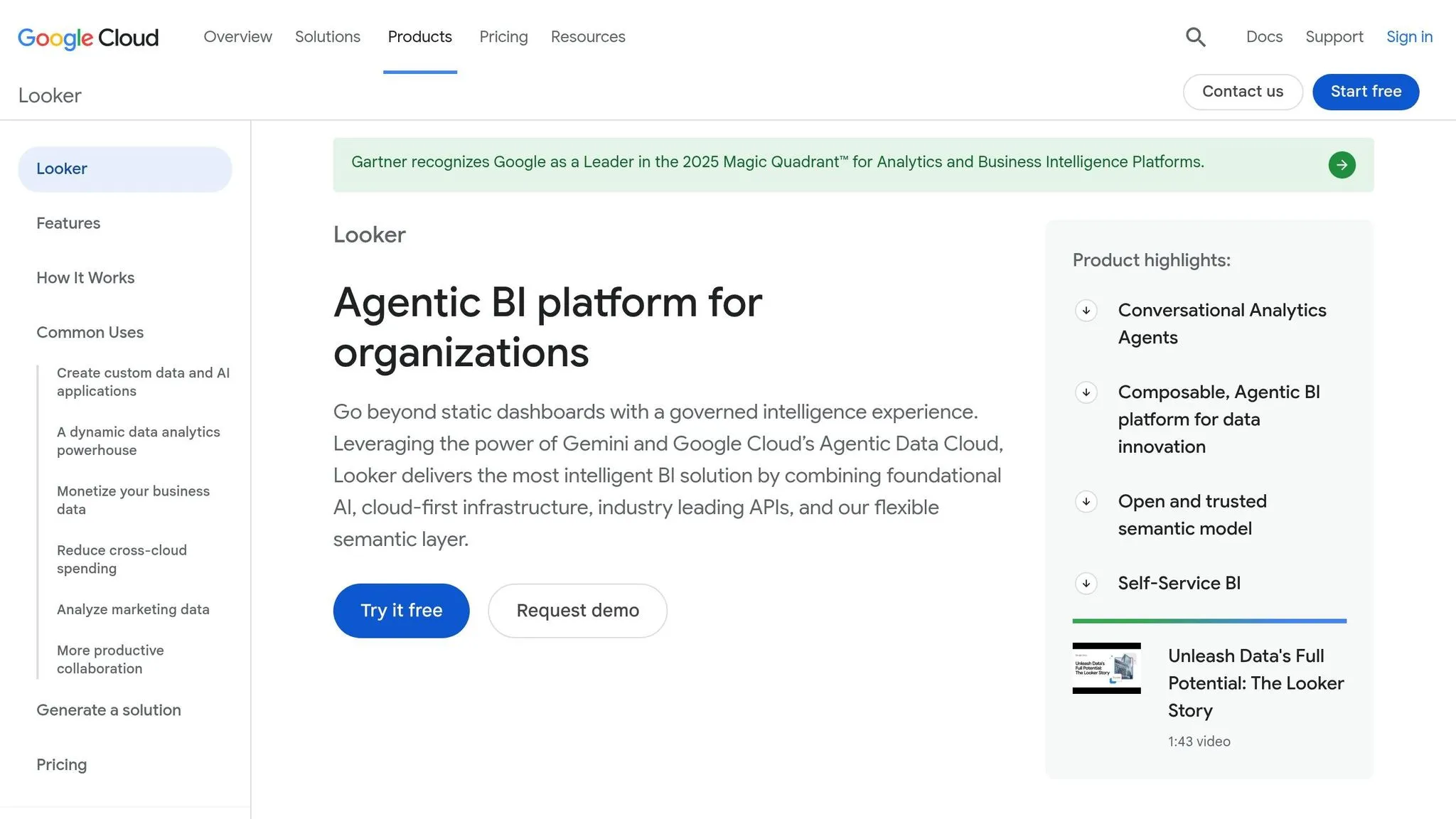
Looker provides centralized control over metrics, designed specifically for engineering-led data teams. Backed by Google Cloud, Looker now incorporates autonomous agents to monitor metrics and initiate business actions automatically.
AI Capabilities
Looker leverages Google's Gemini models to deliver a comprehensive suite of AI tools. BI Agents continuously monitor key metrics and trigger workflows when thresholds are met. Dashboard Agents integrate conversational AI directly into reports, enabling users to ask follow-up questions without leaving their dashboards. For data teams, Gemini simplifies LookML development by auto-generating parameters, configuring visualizations, and offering a LookML AI Agent within a VS Code extension. Additionally, Looker supports Model Context Protocol (MCP) servers, allowing external AI tools to access its governed metrics as a reliable data backend [6].
Gemini AI features are included for core and enterprise license holders at no extra cost until September 30, 2026.
Governance & Semantic Layer
LookML, Looker’s code-based semantic layer for SaaS, centralizes metric definitions and ensures consistency across teams. It uses Git-based version control, making it easy to track changes, reverse errors, and maintain accuracy. The platform also enforces row- and column-level security at the query layer, a critical feature for organizations managing sensitive or regulated data [3].
However, LookML requires a dedicated development effort. Without this investment, deploying AI agents on a poorly constructed model can lead to reduced accuracy. In fact, a well-developed LookML model can lower AI hallucination rates by over 40% [3]. This strong governance framework integrates seamlessly with Looker’s direct warehouse connections.
Warehouse Integration
Looker enables real-time insights by directly querying warehouses like BigQuery, Snowflake, Redshift, and Postgres, among others. Its integration with Google Cloud optimizes BigQuery performance, offering features like query pushdown and IAM-based access controls. For teams already operating on Google Cloud, this creates a meaningful operational advantage.
Pricing & Fit
Looker’s pricing reflects its advanced capabilities, catering to enterprise and embedded analytics use cases.
- The Standard edition is ideal for smaller teams (fewer than 50 users), offering one production instance and 10 standard users.
- The Enterprise edition includes advanced security features and supports up to 100,000 query-based API calls per month.
- The Embed edition is tailored for SaaS teams embedding analytics into their products, supporting up to 500,000 API calls per month [6].
Average enterprise contracts cost around $83,665 annually, with large deployments reaching up to $1.7 million [6]. Premium deployments often see first-year costs ranging from $250,000 to over $500,000 [3]. For smaller teams, Looker Studio offers a free, consumer-grade alternative within the Google ecosystem, though it lacks the governance features needed by B2B SaaS companies.
Looker is ideal for large enterprises that require strict metric consistency [6][1]. However, for mid-sized B2B SaaS companies, the complexity and cost of LookML might outweigh its benefits. In such cases, alternatives like Querio, which provides live, editable queries backed by a governed semantic layer without requiring a dedicated modeling language, may be a better fit.
6. Hex
Hex focuses on collaborative notebooks, giving analysts the ability to work with SQL and Python side by side in an interactive environment. Unlike many BI tools that rely on dashboards or drag-and-drop interfaces, Hex empowers analysts to create and share interactive data apps directly from their notebooks.
AI Capabilities
Hex's AI feature, Hex Magic, simplifies working with SQL and Python. It can generate and edit code directly within the notebook, offering context-aware suggestions that align with the task at hand. This makes it easier for analysts to handle data preparation, transformation, and visualization in a fluid workflow. The notebook also supports reactive execution, meaning if you update an upstream cell, all dependent outputs refresh automatically - no need for manual re-runs [4].
Governance & Semantic Layer
Hex doesn’t rely on its own semantic layer. Instead, it integrates with tools like dbt, Cube, and Snowflake’s native features through its Context Studio [6]. This approach allows analysts to tap into existing, governed metric definitions without duplicating logic within Hex. Features like trusted data endorsements, audit logging, OIDC SSO, and BYOK encryption bolster trust and security. Additionally, Hex inherits row-level security from the connected data warehouse, making it a practical option for teams that have already established governance upstream. Combined with its reactive execution, this setup ensures self-serve analytics workflows remain consistent and reliable.
Warehouse Integration
Hex connects directly to major data platforms, including Snowflake, BigQuery, Databricks, Redshift, PostgreSQL, Athena, and ClickHouse. This live-data connectivity allows teams to query data in real time, reinforcing Hex’s focus on efficient, warehouse-native analytics [4].
Pricing & Fit
Hex is tailored for analyst-heavy teams and data scientists who are comfortable working in notebook-based environments [1][4]. It’s particularly well-suited for teams that frequently combine SQL and Python in their workflows and want AI tools embedded into that process. However, it’s not designed for non-technical users who need self-serve reporting. With its steep learning curve, Hex works best as part of a broader BI stack, especially for analyst-heavy teams in B2B SaaS contexts. Next, we’ll weigh the pros and cons of these advanced platforms.
Pros and Cons
Every platform has its strengths and weaknesses, and understanding these can help you decide which tool fits your needs best. Here's a quick rundown of the standout features and challenges based on our analysis.
Querio shines with its transparent outputs and governed semantic layer, making it ideal for teams working with live warehouse connections. It ensures consistent metrics across analyses and offers flat-fee pricing (starting at $400/month for 10 users), which is a big plus compared to per-seat pricing that can skyrocket as teams grow. However, it’s tailored for modern, warehouse-native stacks, meaning teams relying on older systems or CSV-heavy workflows will need to upgrade first.
Power BI is a budget-friendly option at just $10/user/month and integrates seamlessly with the Microsoft ecosystem. It’s been proven to improve forecasting in practical scenarios [3]. On the flip side, mastering DAX is essential for advanced modeling, and performance can lag with large datasets unless carefully optimized. Tableau is known for its polished visuals and advanced AI analytics, but at $75/user/month, it’s the priciest per-seat option, and the learning curve can be daunting.
ThoughtSpot appeals to non-technical users with its intuitive search analytics, but its hefty $100,000/year starting price makes it inaccessible for many mid-sized teams. It also demands clean, structured data to function effectively. Looker excels in governance through LookML, with pricing typically ranging from $3,000 to $5,000/month [2]. However, it requires LookML expertise and has custom pricing, which can make onboarding time-consuming. Hex caters to analyst-heavy teams that rely on SQL and Python notebooks, offering reactive execution and strong warehouse connectivity. That said, at $36/editor/month, costs rise as teams scale, and it’s not designed for non-technical self-service.
Here’s a table summarizing the key points for easy comparison:
| Tool | Key Strength | Weakness | Starting Cost |
|---|---|---|---|
| Querio | Transparent AI, governed semantic layer, flat fee | Requires modern warehouse stacks | $400/month (10 users) |
| Power BI | Affordable, deep Microsoft integration | Requires DAX expertise; can lag on large data | $10/user/month |
| Tableau | Polished visualizations, advanced AI | High per-seat cost, steep learning curve | $75/user/month |
| ThoughtSpot | Intuitive search analytics | Expensive, requires clean structured data | $100,000/year |
| Looker | Strong LookML governance | Requires LookML expertise, custom pricing | ~$3,000–$5,000/month |
| Hex | SQL/Python focus, reactive execution | Not for non-technical users; costs scale | $36/editor/month |
One striking insight: 64.29% of data teams still take 1–3 days to answer a basic business question [7]. This highlights the urgent need for live warehouse connections and governed self-serve analytics - areas where Querio continues to lead the charge.
Conclusion
When it comes to selecting the right AI BI tool in 2026, one question should guide your decision: what does your team need to thrive every day? The best tool isn’t just about cutting-edge AI or real-time analytics - it’s about delivering consistent, governed metrics that your team can rely on.
Different tools shine in specific areas - some excel in Microsoft integration, others in advanced visualizations, search-first analytics, or collaborative features. But the real challenge is finding the tool that aligns perfectly with your team’s workflow and priorities. For mid-sized B2B SaaS companies operating modern data warehouses, Querio stands out. Its combination of governed semantic layers, editable queries, and live warehouse connectivity provides a practical and scalable solution.
For teams of 100–500 employees using platforms like Snowflake, BigQuery, or Redshift, Querio offers predictability and cost efficiency. Its governed semantic layer ensures consistent metrics across all analyses, while its AI outputs remain fully transparent and inspectable. Plus, with flat-fee pricing at $400/month for 10 users (and many plans allowing unlimited users), scaling becomes simple and straightforward.
The shift is undeniable: warehouse-native tools are taking the lead. Teams are prioritizing real-time accuracy, data residency, and reduced ETL processes over outdated static extracts [9][5]. For mid-sized B2B SaaS companies that value transparent, warehouse-native analytics with consistent governance, Querio delivers exactly what’s needed - direct warehouse connectivity, metric governance, and seamless scalability, all without sacrificing control.
FAQs
::: faq
Do I need a data warehouse to use Querio?
Yes, Querio works with a data warehouse. It directly integrates with live data platforms such as Snowflake, BigQuery, Redshift, ClickHouse, and PostgreSQL using read-only credentials. This approach avoids the need for ETL processes or duplicating data, allowing real-time analysis while utilizing your existing compute resources. Plus, it ensures your data remains secure and governed within your warehouse. :::
::: faq
How does Querio keep metrics consistent for everyone?
Querio provides a governed semantic layer that helps organizations maintain consistent metrics across all teams. Here's how it works: data teams define business terms, joins, and metrics once within this shared layer. This setup becomes the single source of truth for everyone.
As a result, AI-generated outputs, dashboards, and ad-hoc analyses all draw from the same standardized logic. By eliminating metric drift, Querio ensures every query is based on consistent and accurate definitions, keeping everyone aligned and on the same page. :::
::: faq
Can I inspect and edit the SQL or Python Querio generates?
Querio provides the option to inspect and edit the SQL or Python code it generates. Each AI-generated response includes the associated code, giving data teams the ability to review, adjust, and audit it as needed. This approach promotes transparency, supports data governance, and ensures analysts can refine queries to match specific business definitions. By steering clear of black-box constraints, Querio empowers human oversight and validation for every AI output. :::