Business Intelligence
best AI data analytics tools 2026
Compare six top AI data analytics platforms in 2026, focusing on transparency, governance, integrations, pricing, and best-fit use cases.
AI-powered data analytics tools in 2026 are reshaping how businesses analyze data and make decisions. These platforms go beyond traditional reporting by identifying trends, explaining root causes, and automating insights in real time. Choosing the right tool can save time, improve accuracy, and empower non-technical users. Below are six standout tools:
- Querio: Converts plain English queries into SQL/Python, ensuring transparency and live data connections.
- Microsoft Power BI Copilot: Offers conversational AI for creating reports, advanced analytics, and seamless integration with Microsoft tools.
- Tableau with Einstein AI: Combines visual analytics with AI for predictive modeling and real-time insights.
- ThoughtSpot: Simplifies analytics with natural language search and AI-driven dashboards.
- Snowflake: Integrates AI directly into its data platform for secure, scalable analytics.
- Excel Copilot: Adds AI-driven insights to Excel, automating formulas and simplifying complex analyses.
Quick Comparison
| Tool | Key Feature | Pricing | Best For |
|---|---|---|---|
| Querio | AI-generated SQL/Python | Flat-rate pricing | Teams needing transparency |
| Power BI Copilot | Conversational AI for reports | $14-$24/user/month | Microsoft ecosystem users |
| Tableau + Einstein AI | Predictive modeling, KPIs | $35-$115/user/month | Visual storytelling |
| ThoughtSpot | Natural language search | Enterprise pricing | Non-technical users |
| Snowflake | AI inside data platform | Usage-based | Secure, large-scale analytics |
| Excel Copilot | AI in Excel, formula automation | $30/user/month | Everyday spreadsheet users |
Each platform has unique strengths, making it essential to match the tool to your organization's needs, budget, and data environment.
::: @figure 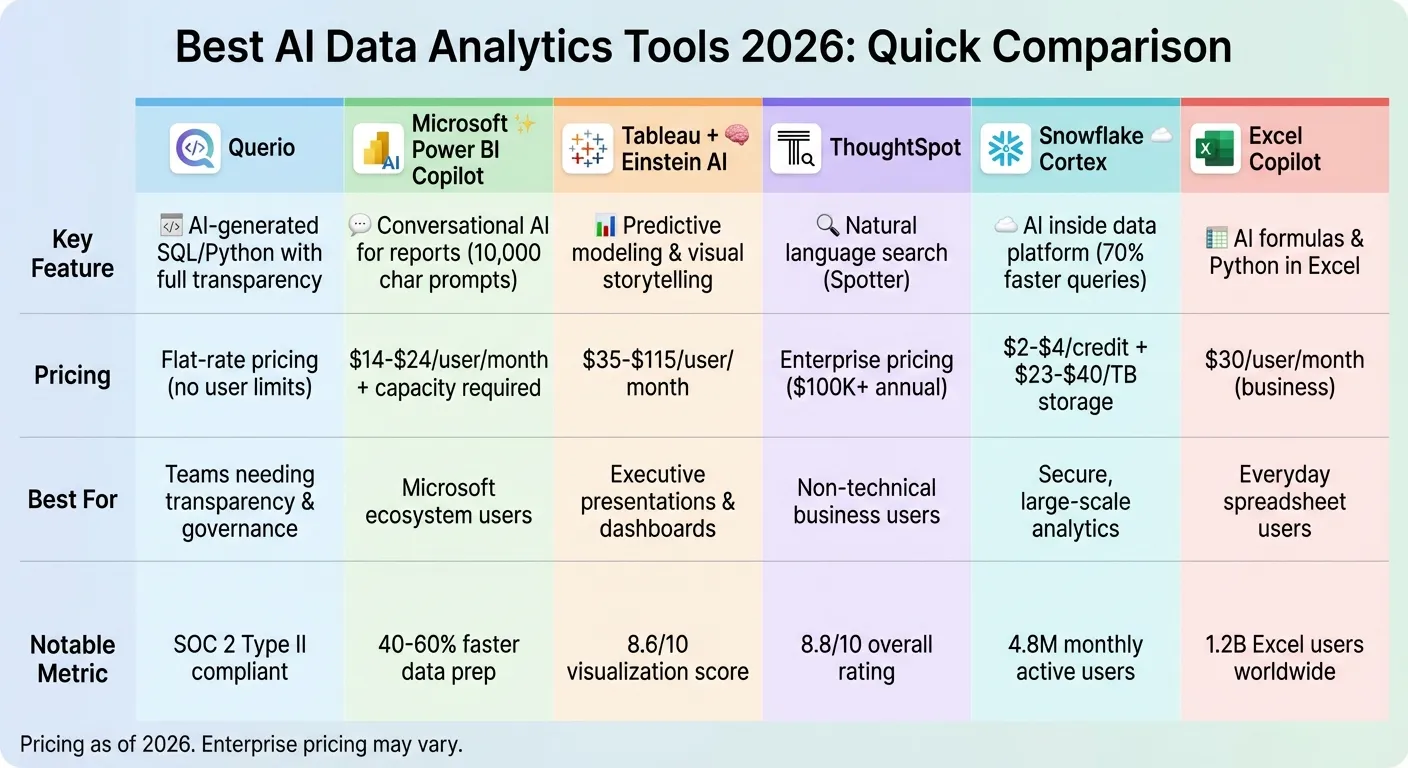 {AI Data Analytics Tools 2026: Feature and Pricing Comparison}
:::
{AI Data Analytics Tools 2026: Feature and Pricing Comparison}
:::
Best AI Tools Every Data Analyst Should Know in 2026
::: @iframe https://www.youtube.com/embed/jQuD-as6ckE :::
sbb-itb-284a532
1. Querio
Querio is an analytics workspace powered by AI that connects directly to your existing data warehouse. It allows teams to ask questions in plain English, translating those queries into real SQL and Python code that you can review, tweak, and rely on. The platform ensures every answer is based on your actual data - no black-box processes involved.
AI-Powered Analytics Features
Querio goes beyond just creating charts. It uses AI agents within a reactive notebook environment to enable in-depth analysis. When you ask a question, the platform generates the underlying code and clearly displays how it arrived at the answer. This transparency means you can always verify the AI's accuracy. The notebook interface also makes it easy for data teams to refine their analysis, reuse existing logic, and collaborate efficiently. Queries run directly against live warehouse data through encrypted, read-only connections, ensuring your data remains secure and up-to-date.
Data Governance and Security
Querio includes a shared context layer where data teams can define joins, metrics, and business terms once and apply them consistently across queries, dashboards, and embedded analytics. Versioned and governed logic ensures all users rely on the same reliable source of truth. The platform is SOC 2 Type II compliant, supports role-based security controls, and integrates with standard single sign-on (SSO) systems. Plus, every SQL and Python step is fully visible, reinforcing its commitment to transparency and trust.
Integration Capabilities
Querio integrates with popular data warehouses like Snowflake, Google BigQuery, Amazon Redshift, ClickHouse, and Motherduck, as well as relational databases such as PostgreSQL, MySQL, MariaDB, and Microsoft SQL Server. It also offers embedded analytics through APIs and iframes, making it easy to incorporate governed logic into customer-facing applications. With dashboards and scheduled reports, you can transform your analysis into recurring key performance indicators, all backed by live data.
Pricing and Scalability
Querio uses a flexible pricing model based on workspaces, with no limits on usage or the number of users. This flat-rate structure simplifies scaling, whether you're adding new team members or running more queries. A free trial is available, letting you explore the platform before committing.
2. Microsoft Power BI Copilot
Microsoft Power BI Copilot brings conversational AI into the Power BI ecosystem, offering natural language interactions for quick insights. Its key features became widely available in early 2026, with updates in January introducing mobile support and expanded prompt capabilities of up to 10,000 characters [5][6][7][8].
AI-Powered Analytics Features
Power BI Copilot simplifies data analysis with AI tools for data analysis accessible across platforms.
The system operates through a dedicated full-screen chat, a report-specific pane, and integration within Power BI apps [6]. Users can ask questions in plain English to generate multi-page reports, create advanced DAX measures, and view dynamic summaries that adjust automatically when filters are applied [5][7][9]. Using the Grounded References feature, users can link specific reports or semantic models to their chat sessions, ensuring AI responses rely on verified organizational data [7][10].
For mobile users, the experience is seamless - field teams and executives can ask questions via voice or text from the mobile homepage and get answers without opening specific reports [7][11]. Additionally, integration with Azure AI Services enables automated sentiment analysis and key phrase extraction within dataflows, cutting data preparation time by 40% to 60% in typical enterprise scenarios [5].
Data Governance and Security
Copilot’s advanced analytics come with strong data security measures to protect sensitive information.
It adheres to all Power BI security configurations, like Row-Level Security (RLS) and Object-Level Security (OLS), ensuring users can only access authorized data [7][5]. Every interaction - whether prompts, DAX queries, or AutoML training - is logged in the Power BI audit log and can be exported to Azure Monitor or Microsoft Sentinel for compliance purposes [5][6]. Data processing is confined to the geographic region of the Power BI tenant, meeting GDPR, HIPAA, and other regulatory requirements [5][6].
Administrators can use the "Approved for Copilot" setting to verify and prioritize trusted models in search results [10]. Moreover, sensitivity labels from Microsoft Purview are preserved in AI-generated outputs, maintaining consistent data classification throughout the process [5][13].
Integration Capabilities
Power BI Copilot integrates seamlessly with the Microsoft Fabric platform, enhancing workflows across Data Factory, Data Engineering, and Data Science [14][6].
The Translytical Task Flows feature allows users to trigger external workflows or update records in other systems - such as posting to Microsoft Teams or calling external APIs - directly from Power BI reports [15][11]. With Direct Lake storage mode, Copilot works with open data formats like Delta Lake and Parquet in OneLake, eliminating the need for traditional data refreshes [15][11]. The Semantic Link feature connects Fabric notebooks to Power BI semantic models, enabling data scientists to manage models within Python or R environments using Copilot [14].
"Power BI Copilot coupled with trusted data products have become the common language of insight across the enterprise - connecting teams, data, and decisions through a single, trusted analytics platform" [11].
Pricing and Scalability
To use Copilot, organizations need a qualifying Microsoft Fabric (F2 or higher) or Power BI Premium (P1 or higher) capacity [6][7]. A Power BI Pro license ($14 per user/month, billed annually) or a Premium Per User license ($24 per user/month, billed annually) alone isn’t enough - organizational capacity is required [12][13][6]. Usage is billed based on token consumption to manage compute demands efficiently [6]. Note that Copilot is not supported on Fabric trial SKUs or trial capacities [6].
3. Tableau with Einstein AI
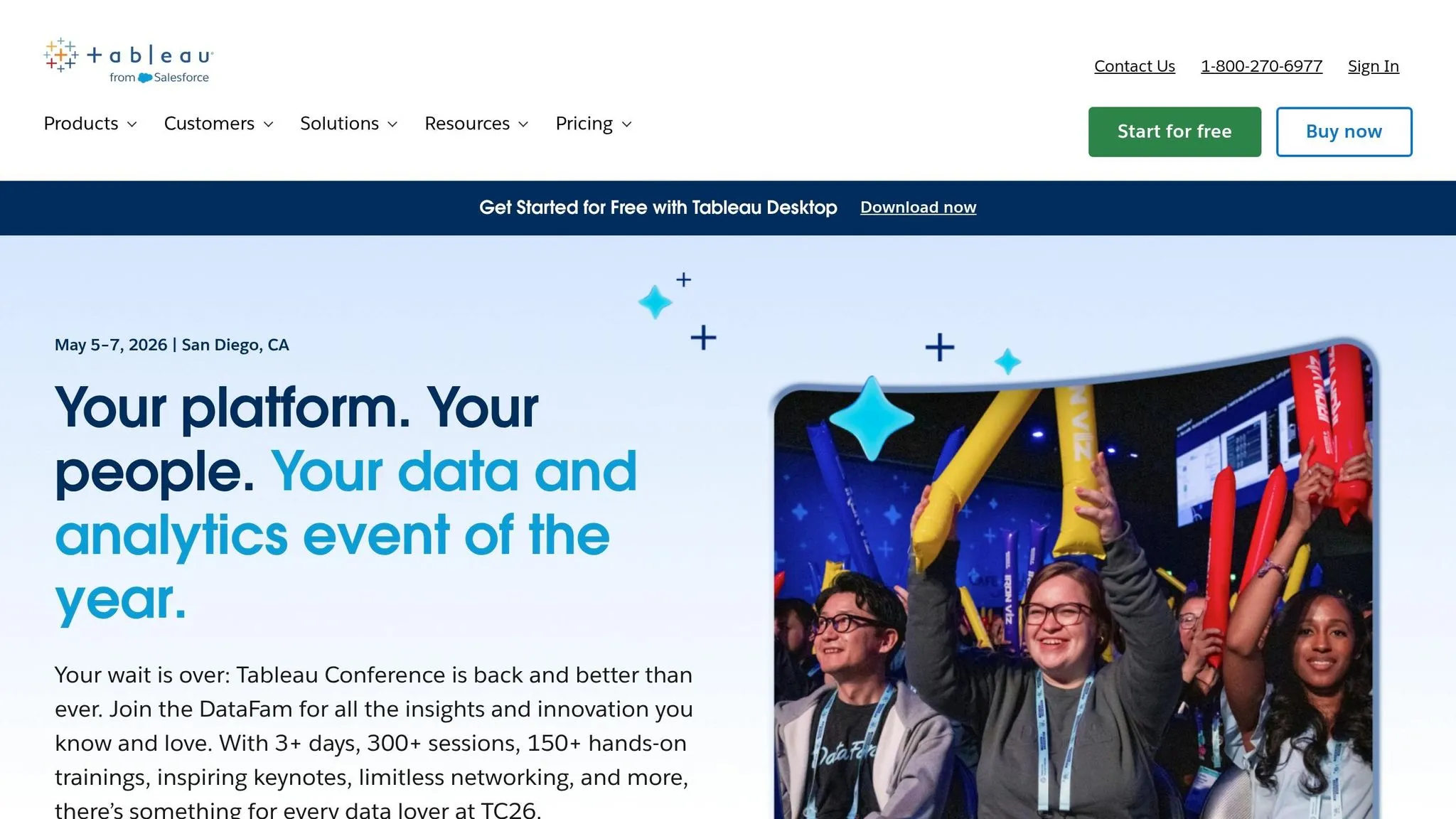
Tableau paired with Einstein AI merges visual analytics with conversational intelligence, making it easier to prepare data, create visualizations, and build calculations using natural language prompts [18]. This combination tackles a major hurdle for about 33% of workers who struggle to generate meaningful insights from data [18].
AI-Powered Analytics Features
The platform comes packed with several AI-driven tools designed to enhance analytics workflows:
- Tableau Pulse: Keeps track of metrics and sends insights directly to Slack, Teams, or email. It also highlights KPI shifts and identifies root causes using Concierge and Inspector skills [16][1].
- Einstein Discovery: Offers predictive modeling and prescriptive recommendations right within Tableau. It helps users forecast outcomes and receive actionable suggestions [17].
- Automated Dashboards: AI accelerates dashboard creation, significantly reducing the time required compared to manual efforts [17].
- Tableau Semantics: Acts as a governed semantic layer, ensuring both AI tools and users rely on consistent metric definitions throughout the organization [19].
These features not only streamline analytics but also emphasize strong data governance practices.
Data Governance and Security
Data security is a cornerstone of Tableau's AI integration. The Agentforce Trust Layer safeguards sensitive data during analysis, ensuring that AI interactions comply with governance policies [16]. Tableau Pulse also verifies AI-generated insights, allowing users to validate the logic behind recommendations [16]. Additionally, AI tools assist data stewards in building and maintaining the semantic layer, reducing the manual workload tied to data governance tasks [19].
"The Einstein Trust Layer is essential for securing and protecting private data... ensuring they have the necessary permissions to access specific data." - Salesforce [18]
Integration Capabilities
Tableau's ability to connect with external data sources adds another layer of flexibility. Through its Zero Copy Partner Network, Tableau integrates with platforms like Snowflake, BigQuery, and Databricks without requiring data movement. This reduces costs and simplifies operations [21].
The platform also uses MuleSoft for deeper third-party integrations, allowing users to surface insights and trigger actions directly within external enterprise applications [21]. Developers can further extend Tableau's capabilities using the Model Context Protocol (MCP) repository, embedding its analytics into custom AI agents [16].
Salesforce Data Cloud plays a key role by combining structured and unstructured data - representing over 80% of enterprise data - for more comprehensive analysis [19]. Additionally, a marketplace launched in June 2025 allows teams to share and reuse analytic assets, fostering collaboration across departments [21].
Pricing and Scalability
Tableau's pricing model caters to enterprises looking for advanced AI analytics. A Tableau+ subscription, which unlocks full AI capabilities, costs around $115 per user per month for the Enterprise Creator tier [1]. Explorer licenses start at $35 per user per month, while Viewer licenses begin at $15 per user per month. However, AI functionalities are generally limited to higher-tier subscriptions [20].
Premium bundles offer unmetered AI usage, data transformations, and analytical queries to ease adoption [21]. In 2026, Tableau AI received an overall user rating of 8/10, scoring highly for features (9/10) and safety (10/10). However, users rated its price value lower (6/10) due to the cost of upgrades [17].
4. ThoughtSpot
ThoughtSpot merges natural language search with generative AI, enabling teams to uncover insights without needing deep technical know-how. It received an impressive 8.8/10 overall rating from Orbitar AI in 2026, highlighting its effectiveness in enterprise analytics [22].
AI-Powered Analytics Features
ThoughtSpot's AI tools are tailored to meet a variety of user needs. Its Spotter feature allows users to ask questions in plain English, delivering instant insights powered by AI. For data scientists and analysts, Analyst Studio offers Python and R integration for advanced data modeling and preparation. SpotIQ automatically detects patterns, trends, and anomalies within datasets, while Liveboards provide real-time, interactive dashboards that allow users to explore key metrics in detail. Developers and product managers can leverage ThoughtSpot Everywhere for embedding natural-language analytics into your product through APIs.
| Feature | Functionality | User Type |
|---|---|---|
| Spotter | Natural language search & generative AI insights | Business Users & Executives |
| Analyst Studio | Python/R integration & data preparation | Data Scientists & Analysts |
| SpotIQ | Automated anomaly & trend detection | All Users |
| Liveboards | Real-time, drillable AI dashboards | Decision Makers |
| ThoughtSpot Everywhere | API-driven embedded analytics for integration | Developers & Product Managers |
These features are complemented by ThoughtSpot's seamless integration options.
Integration Capabilities
ThoughtSpot connects directly to leading cloud data warehouses like Snowflake, Google BigQuery, Amazon Redshift, PostgreSQL, and MySQL. It also offers native integrations with enterprise applications such as Salesforce and ServiceNow, making it capable of handling billions of rows from diverse data sources.
Pricing and Scalability
Deploying ThoughtSpot on a large scale typically requires an annual commitment exceeding $100,000, making it a better fit for enterprises managing massive datasets. However, smaller businesses may find the initial setup of data models challenging [22].
5. Snowflake
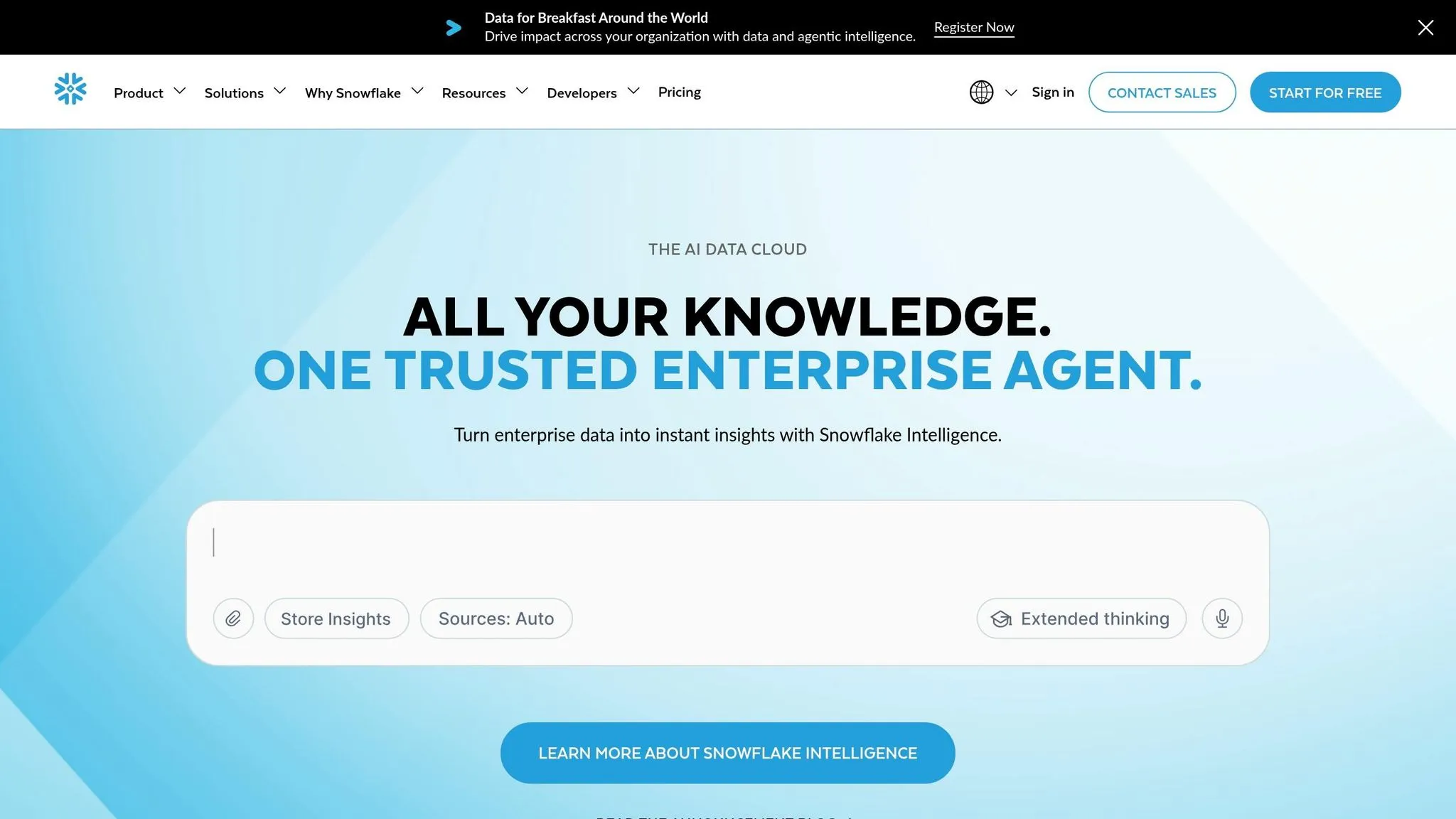
Snowflake is a cloud-based platform that combines storage, computing, and AI into one unified solution. With approximately 4.8 million monthly active users as of early 2026 and a 4.2/5 star rating on Best-AI.org [28], it has become a go-to choice for businesses. Its unique architecture separates storage from compute, allowing teams to scale each independently based on workload needs.
The platform also stays ahead of the curve by integrating advanced AI tools to enhance enterprise analytics and performance.
AI-Powered Analytics Features
Snowflake's Cortex AI provides serverless access to top-tier large language models like Anthropic Claude, Meta Llama, Mistral, and Snowflake Arctic. These tools handle tasks such as text summarization and sentiment analysis. Meanwhile, Cortex Analyst converts natural language questions into SQL queries, improving query accuracy by over 20% [23][24][30].
For broader enterprise use, Snowflake Intelligence allows users to query company data using conversational language [24][25]. The Cortex AISQL feature boosts query efficiency, reducing runtime by up to 70% for operations like FILTER and JOIN [30].
Real-world examples highlight Snowflake's impact:
- WHOOP achieved 3x faster financial forecasting by developing AI/ML models with Snowpark.
- Wolt cut data wrangling time by 80% when making expansion decisions using Snowflake's built-in geospatial analytics [29].
Data Governance and Security
Snowflake ensures that its AI tools operate within the platform's existing security framework, which includes row-level security and data masking [26]. All AI processing happens inside Snowflake, ensuring sensitive data remains protected [2][4].
"Should the user have the permissions to see this answer? Is your marketing chatbot giving out employees' Social Security numbers and customers' credit card numbers? That's not about the AI, that's about how you govern and secure your data" [27].
- Mike Blandina, CIO at Snowflake
The platform complies with strict regulatory standards like SOC 2 Type II, HIPAA, and other regulatory standards, offering audit trails and encryption for industries such as healthcare and finance [26][28]. Its Semantic Views feature centralizes metric definitions, reducing AI errors and ensuring consistent results across teams.
"Snowflake semantic views help reduce hallucinations, eliminate conflicting results and significantly increase user trust in AI-powered results" [26].
- Andrey Avtomonov, CTO at Kaelio
Integration Capabilities
Snowflake integrates effortlessly with leading BI tools through native connectors and standard drivers [29]. The Open Semantic Interchange (OSI) feature allows organizations to define metrics once and share them across AI applications, BI tools, and notebooks [29]. Additionally, Semantic View Autopilot simplifies metric management by generating governed metrics from query history [29].
The platform's Standard Warehouse Generation 2 delivers 2.0x faster performance for analytics workloads compared to earlier versions [29]. Companies have seen tangible benefits:
- Pfizer cut Total Cost of Ownership by 57% after switching from legacy systems.
- Petco improved data processing speeds by 50% and increased data science productivity by 20% [29].
Pricing and Scalability
Snowflake uses a consumption-based pricing model with per-second billing and a 1-minute minimum charge [30]. Compute costs range from $2.00 to $4.00 per credit, depending on the edition (Standard to Business Critical), while storage costs range from $23 to $40 per TB per month [28]. A 30-day free trial with $400 in usage credits is also available [29].
To avoid unexpected costs, users suggest optimizing queries and suspending larger warehouses immediately after use. Organizations with strong data transparency practices report 34% higher customer retention and 29% faster regulatory approvals for AI applications [26].
6. Excel Copilot
Excel Copilot brings advanced AI-powered analytics into Excel, the world’s most popular spreadsheet tool, used by over 1.2 billion people worldwide [12]. With Microsoft 365 Copilot priced at $30 per user per month for businesses and $20 per month for individuals [20], it changes how professionals handle data, removing the need to memorize complex formulas or learn coding.
AI-Powered Analytics Features
This tool makes data analysis accessible by allowing users to ask plain English questions like, "What were the sales trends last winter?" or "Which product had the highest profit margin?" [31]. Its Python integration enables users to write and execute code for tasks like machine learning forecasts or cluster analysis - all without needing programming expertise [31].
Excel Copilot also automates tedious tasks such as cleaning datasets by removing rows with missing data, formatting dates, and fixing duplicates [31]. It generates complex DAX and Excel formulas on request and creates visualizations like charts and animated GIFs to highlight trends [20][31]. Advanced analytics, like predictive modeling and clustering, become achievable without mastering functions like VLOOKUP or INDEX(MATCH) [31]. However, while Copilot can handle most of the work, users may still need to refine DAX formulas for complete accuracy [20].
Data Governance and Security
Excel Copilot doesn’t just focus on analytics - it also prioritizes security. Built on Microsoft’s enterprise-grade security framework, it uses Microsoft 365 permissions, Microsoft Entra ID, and Microsoft Graph to ensure users can only access data they’re authorized to view [32][35]. Each tenant’s data is logically isolated with role-based access control, and prompts, responses, and data are not used to train Large Language Models [32].
The platform integrates with Microsoft Purview, respecting sensitivity labels and Information Rights Management. For instance, if a file is marked "Confidential", Copilot adheres to those restrictions and applies the same labels to any content it generates [33][34]. Data is encrypted both at rest and in transit using BitLocker, TLS 1.2+, and per-file encryption, all while complying with regulations like GDPR, ISO 27001, and HIPAA [32]. By late 2024, nearly 70% of Fortune 500 companies had adopted Microsoft 365 Copilot, with 94% of 2025 survey respondents reporting productivity improvements [34][35].
"Microsoft 365 Copilot is only as secure and effective as the governance foundation beneath it; organizations that realize this and address data governance are best positioned to move beyond the pilot phase." [35]
- Casey Gager, Principal Solutions Architect, GDT
Integration Capabilities
Excel Copilot’s seamless integration with Microsoft’s ecosystem enhances its functionality. It works with services like Teams, SharePoint, and Azure [20], and connects with Power Query and Power BI for deeper analysis. For those looking beyond the Microsoft ecosystem, there are several Power BI alternatives that offer similar advanced visualization capabilities. It also integrates with Microsoft Fabric's OneLake architecture, streamlining data management [20][36]. Power Pivot support allows users to manage massive datasets with millions of rows, aided by AI [12].
For pulling live data from external platforms like Salesforce or HubSpot, third-party add-ins such as Coefficient can be used [20]. When dealing with sensitive financial or medical data, Excel Copilot’s enterprise-grade security makes it a safer choice compared to many web-based AI tools [31].
Strengths and Weaknesses
choosing the right analytics tool means weighing its strengths against its limitations, especially when considering your organization's setup, budget, and specific needs.
Power BI Copilot stands out for its governance capabilities, earning an 8.8 out of 10. Thanks to its integration with Microsoft Purview and Entra ID, it’s a strong choice for companies already entrenched in the Microsoft ecosystem. However, its AI model quality scores slightly lower at 7.8 out of 10, and connecting it with non-Microsoft systems can be tricky [37].
Tableau with Einstein AI excels in visual storytelling, scoring 8.6 out of 10 in visualization. This makes it a great fit for high-profile presentations, like those for boardrooms. The catch? Its advanced AI features often require Salesforce Data Cloud, which can lead to higher costs and potential reliance on Salesforce’s ecosystem [1][37].
ThoughtSpot is designed for simplicity, offering a search-based interface that allows non-technical users to explore data on their own. But there’s a caveat: it demands meticulously clean data models. Without well-structured metadata and naming conventions, users may encounter unreliable insights [20].
"The search works when your data model is clean... Without that foundation, users get frustrated by queries that return unexpected results." - Summer Lambert, Marketing Specialist, Zerve [20]
For those prioritizing secure data handling, Snowflake Cortex offers natural language querying directly within the Snowflake warehouse, reducing the need to move data outside the platform. On the downside, it’s limited to data already stored in Snowflake and offers only basic visualization features [1][2].
Excel Copilot brings advanced analytics to a familiar interface, making it accessible for many users. Priced at $30 per user/month, it automates formula generation, simplifying tasks for everyday users. However, it struggles with more complex statistical analyses and is restricted by Excel’s row limits and basic charting capabilities [3].
Given these differences, it’s essential to double-check critical calculations. Even the most advanced tools can misinterpret column relationships or produce misleading correlations [3].
Conclusion
Choosing the right AI-powered analytics tool boils down to how well it aligns with your organization's unique requirements. While there are plenty of AI platforms available, many fail to provide the right mix of transparency, real-time connectivity, and governance that today’s enterprises demand.
The future of AI-driven analytics is moving toward autonomous systems, where AI agents take the lead in monitoring business performance and delivering insights proactively - before anyone even asks. According to Gartner, by the end of 2026, 40% of enterprise applications will incorporate task-specific AI agents. Querio stands out as a leader in this space, offering advanced autonomous analytics capabilities [1].
Transparency is key when selecting a tool. Platforms that reveal the underlying SQL or Python code allow teams to validate calculations against complex, messy datasets. As AI Coding Flow aptly noted:
"The most important metric isn't features - it's how well the tool fits your existing workflow" [38].
With the rise of autonomous analytics and the growing demand for trusted, transparent insights, Querio offers a standout solution. Its combination of clear visibility into processes, live data connectivity, and AI-driven governance makes it a reliable choice for teams navigating the analytics challenges of 2026 and beyond.
FAQs
::: faq
How do I choose the right AI analytics tool for my team?
When choosing the right tool, start by pinpointing your team’s exact needs. Do they need strong data connectivity, a user-friendly interface, or specific types of insights? Factor in their technical skills - some tools are designed for those who prefer plain English queries and require little to no setup.
Don’t overlook governance and security requirements, especially if your team operates in industries with strict compliance standards. Pricing and scalability are also key considerations; you’ll want a tool that fits your current budget while being able to grow with your team’s needs. Ultimately, align the tool’s features with your team’s priorities to find the best match. :::
::: faq
Can I trust AI insights if I can’t see the SQL or Python behind them?
Transparency in the SQL or Python logic behind AI insights plays a crucial role in building trust. When you can see the processes driving the results, it’s easier to feel confident in their accuracy. This openness also supports governance and makes it simpler to explain and validate the outcomes, ensuring everything checks out. :::
::: faq
What data security and governance features should I require?
Key features to look for are semantic layer integration, data lineage visibility, compliance certifications like SOC 2 and HIPAA, row-level security that aligns with data warehouses, audit trails for compliance reporting, and centralized metric definitions with clear data ownership. These elements help deliver reliable insights while addressing regulatory requirements efficiently. :::