Business Intelligence
Usage-Based Pricing for Embedded Analytics: A Vendor Checklist
Vendor checklist to verify billable meters, tenant-level usage, cost forecasts, and enforceable hard caps for embedded analytics.
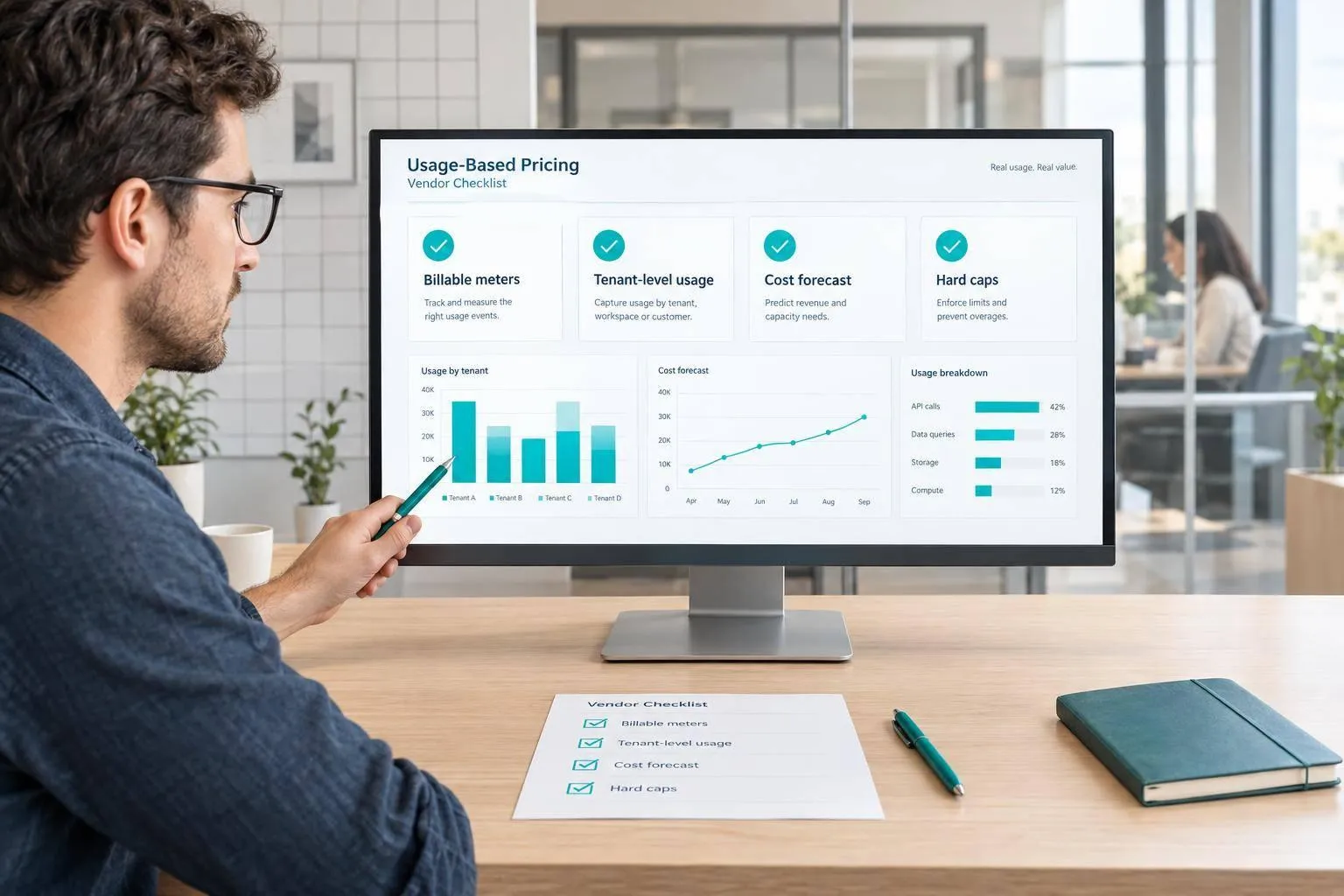
I wouldn’t approve embedded analytics pricing models without customer-level cost records and a tested spending cap. Before you sign, get each billing rule in writing, reconcile a sample invoice, and model vendor fees plus warehouse costs.
Here’s what I check:
- Charges and terms: Billable events, included usage, minimums, overages, tier changes, and renewal increases.
- Customer tracking: Tenant-level records that link charges to requests, rates, and warehouse queries.
- Query behavior: How caching, retries, failures, and dashboard activity affect bills - and whether tenant data stays separate.
- Cost forecasts: Low, typical, and peak spending, including costs and margins by customer.
- Spending controls: Tested hard caps, tenant quotas, timely alerts, and itemized billing records.
The article’s hypothetical example shows why both bills matter: at 400,000 monthly queries, $4,000 in vendor charges plus $4,000 in warehouse fees equals $8,000 a month.
My rule: an alert is not a spending limit. I use product tools to check query logic, but require written pricing terms and finance, data, and product approval before signing.
Document Charges and Contract Terms
Once you’ve defined usage, put the billing terms in writing so costs stay predictable.
Define Every Billable Event
Require written definitions for every billing meter. Each definition must explain what starts a charge and when it ends.
- [ ] List every billable unit: queries, compute time, active users, dashboard loads, API calls, and AI-assisted requests.
- [ ] Confirm whether retries and cache hits incur charges.
- [ ] Keep embedded analytics fees separate from Snowflake or BigQuery costs.
Check Included Usage, Minimums, and Overages
Ask whether usage pools across tenants in your multi-tenant embedded analytics architecture, when allowances expire, and whether unused amounts roll over.
- [ ] Record minimum commitments, included usage, overage rates, tier changes, and renewal price increases. Specify whether a tier change reprices only overages or the entire billing period.
- [ ] List all prices in U.S. dollars, along with billing periods, taxes, invoice timing, payment deadlines, renewal notice requirements, and caps on annual increases.
Compare Quote Terms in a Table
Use this worksheet to record the terms as part of your embedded analytics vendor selection process. Mark “not applicable” explicitly rather than leaving cells blank. Customer visibility means whether your team can trace a charge to an individual customer.
| Pricing component | Included amount | Unit rate | Triggering event | Overage behavior | Customer visibility | Negotiated protection |
|---|---|---|---|---|---|---|
| Queries | Included queries | $/query | Query run | Additional-query rate | Customer-level attribution | Retry exclusions |
| Compute | Included compute units | $/defined unit | Live queries to the database | Additional-unit rate | Customer-level attribution | Stable unit definition |
| Users | Included seats by role | $/user/month | Access or role assignment | Tier change if seat caps are exceeded | Seat-level reporting | Build-seat vs. view-seat definitions |
| Dashboard loads | Included dashboard loads | $/load or session | Open or refresh a report | Rate above allowance | Loads by tenant | Cache-hit treatment |
| API and embed activity | Included API/embed usage | $/call or $/tenant | API call or embed request | Rate for each activity | Tenant count | Retry exclusions |
| AI-assisted requests | Included AI-assisted requests | $/defined request | Natural-language query or API call | Rate above allowance | Requests by tenant | Failed-request treatment |
Verify Tenant Metering and Query Behavior
Track Usage by Customer
Once the contract defines the meter, check that the product reports usage correctly. Require a tenant-level usage export before signing. Match request IDs to application events, then compare the totals with a sample invoice. This check helps keep customer billing predictable.
The export should include timestamps, tenant IDs, billable units, rates, and request IDs. Confirm how you can access it and how long records are retained. Use it to verify which tenant each charge belongs to, not just whether the totals match.
Test Cache Hits, Refreshes, and Retries
With tenant-level usage visible, trace a full dashboard session - from the initial load through filter changes, refreshes, retries, and cancellations. Match application events to usage records and query history in Snowflake, BigQuery, or Redshift. Look for actions that create duplicate charges or charges you can't account for.
- Test dashboard loads, filter changes, cache hits and misses, auto-refreshes, retries, failures, and cancellations. Record whether each action triggers vendor charges, warehouse compute, both, or neither.
- Confirm tenant partitioning and cache behavior to prevent cross-tenant data exposure. Check refresh schedules and retry behavior, and verify that cached results cannot cross tenant boundaries.
Check Warehouse Access and Governance
Once session behavior is clear, check how live queries are generated and governed. Query tracing is required for live warehouse connections.
Require generated SQL that you can inspect, along with governed metric definitions. The same metric should use the same logic across dashboards, tenants, and refreshes.
Trace the underlying SQL through live connections to Snowflake, BigQuery, or Redshift. Link each query to its tenant, request ID, vendor charge, and warehouse consumption.
Forecast Costs and Set Spending Limits
::: @figure 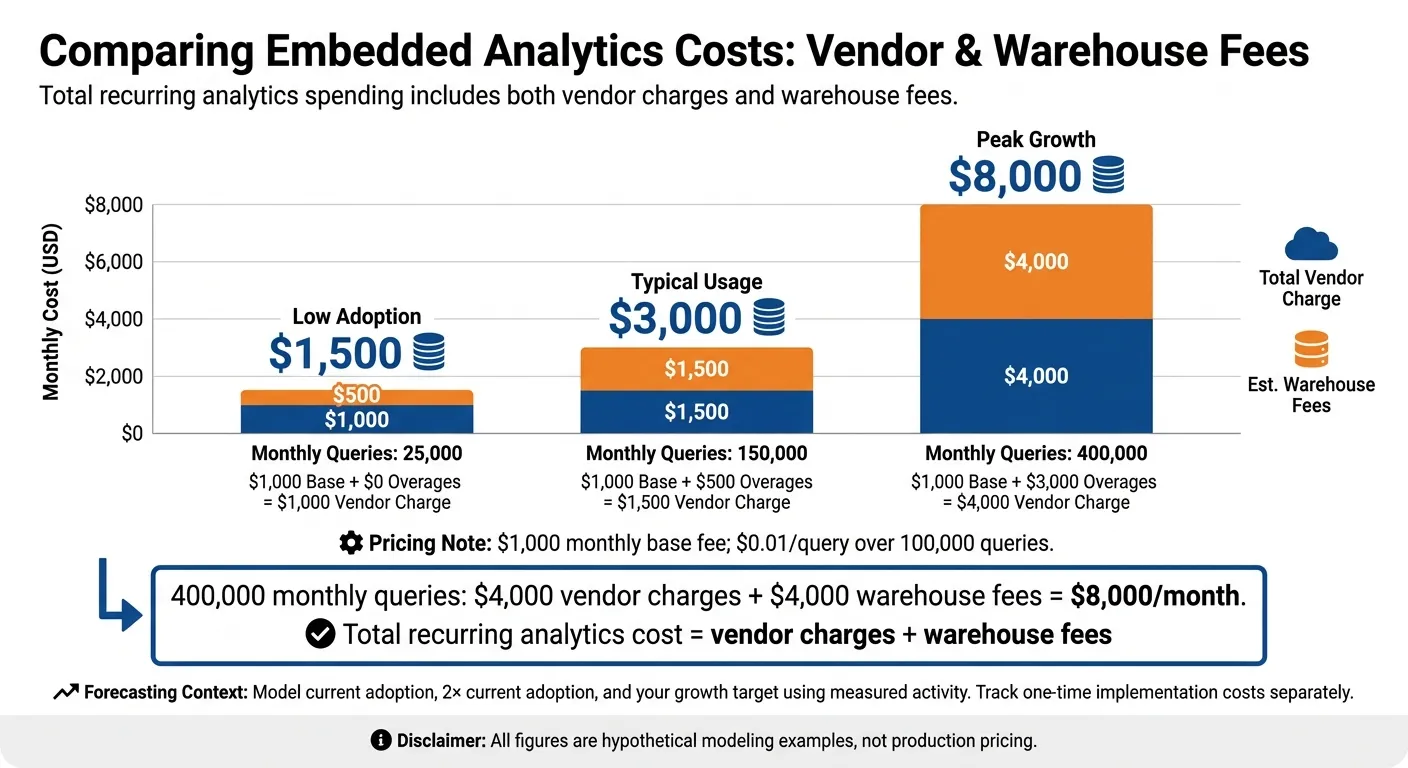 {Embedded Analytics Pricing: Total Monthly Costs}
:::
{Embedded Analytics Pricing: Total Monthly Costs}
:::
Calculate Low, Typical, and Peak Costs
Once you’ve verified tenant-level usage and query behavior, turn those records into low, typical, and peak spending scenarios. Calculate monthly vendor charges as the base fee plus overages. Use this sample quote as a starting point:
Usage Scenario Monthly Queries Base Fee Overage Charges Total Vendor Charge Est. Warehouse Fees Low Adoption 25,000 $1,000 $0 $1,000 $500 Typical Usage 150,000 $1,000 $500 ($0.01/query over 100,000) $1,500 $1,500 Peak Growth 400,000 $1,000 $3,000 ($0.01/query over 100,000) $4,000 $4,000 All figures are hypothetical modeling examples, not production pricing.
Use measured activity to forecast costs at current adoption, 2× current adoption, and your growth target. Keep tenant-level usage records so you can allocate costs. Track warehouse fees and one-time implementation costs separately from recurring charges.
Calculate Costs and Margins by Customer
Next, turn your spending forecast into customer-level costs and margins.
Calculate unit cost using tenant, user, or dashboard-load volume. Allocate shared base fees consistently, then assign variable costs to the tenants responsible for them.
Contribution margin = (allocated customer revenue − allocated analytics cost) ÷ allocated customer revenue.
Review high-usage tenants individually. An average can hide a customer whose analytics costs exceed their allocated revenue.
Verify Hard Caps, Alerts, and Billing Records
Set the cap using your peak scenario, then check how the vendor enforces it.
An alert is not a spending limit. Ask how quickly usage appears in reports and whether alerts arrive before additional charges accrue. Check account-level limits and tenant quotas separately when evaluating embedded analytics tools.
Document exactly which usage stops at the hard cap and what happens when you reach it. Does it stop queries, dashboard loads, or both? Confirm which charges the cap covers, too.
Require billing exports and itemized invoices that reconcile with contracted rates, the included allowance, and overages. Record the billing period and reporting delay so you can check charges promptly. Test the limit to confirm it blocks the intended workload - not just sends an alert.
Conclusion: Approve a Quote You Can Verify and Cap
Once costs are modeled, approve only what the team can reproduce and cap. Finance, data, and product must share approval: finance must reproduce a sample invoice, data must explain every charge, and product must forecast adoption costs. Tenant margins must stay acceptable at peak usage.
Before signing, attach the usage export, comparison table, and low-, typical-, and peak-cost calculations to the approval record. Use that record to check that the contract matches the model. Get written terms for caching, retries, overages, rate-change triggers, and hard caps.
For auditability, use Querio’s governed self-serve, inspectable SQL/Python, and live warehouse connections to check metric definitions and trace query logic. Keep product review separate from financial approval. Verify quoted pricing, tenant metering, and enforceable spending limits in the contract - not through workflow capabilities.
FAQs
::: faq
How can I cap spending without disrupting customer dashboards?
Use query result caching, pre-aggregate common metrics, and set usage-based quotas to reduce warehouse load without restricting user access. These controls help keep costs in check in Snowflake, BigQuery, or Redshift.
For a firm spending limit, add optional hard caps. Monitor performance so you can tune workloads before usage spikes strain your budget. Review past warehouse query logs to estimate costs and avoid surprise overages. :::
::: faq
How much usage history do I need for reliable cost forecasts?
Analyze at least 12 months of warehouse query logs to track seasonal shifts and growth patterns [1][2]. Use actual logs, not estimates: they offer the most accurate basis for forecasting costs tied to query volume, dashboard refreshes, and ad hoc analysis [3][2].
Factor in your current role mix and expected seat growth over the next 12 months [2]. Then calculate costs at 10x your current customer base to stress-test margins as usage scales [4]. :::
::: faq
How should I handle disputed usage charges?
Compare your internal warehouse query logs with the vendor’s reported metrics. Then audit the invoice against your documented usage and the vendor’s billing triggers, such as dashboard loads, API calls, or compute time.
Before signing, negotiate clear definitions of billable units. Ask for spending caps or usage alerts to avoid unexpected overages, and make sure your service agreement spells out how billing disputes will be resolved. :::