Business Intelligence
Querio MCP vs Hex MCP vs Omni MCP: Speed & Accuracy, Head-to-Head
Benchmarking three MCPs on speed, SQL accuracy, failure modes, and which workflows each tool suits for data teams.
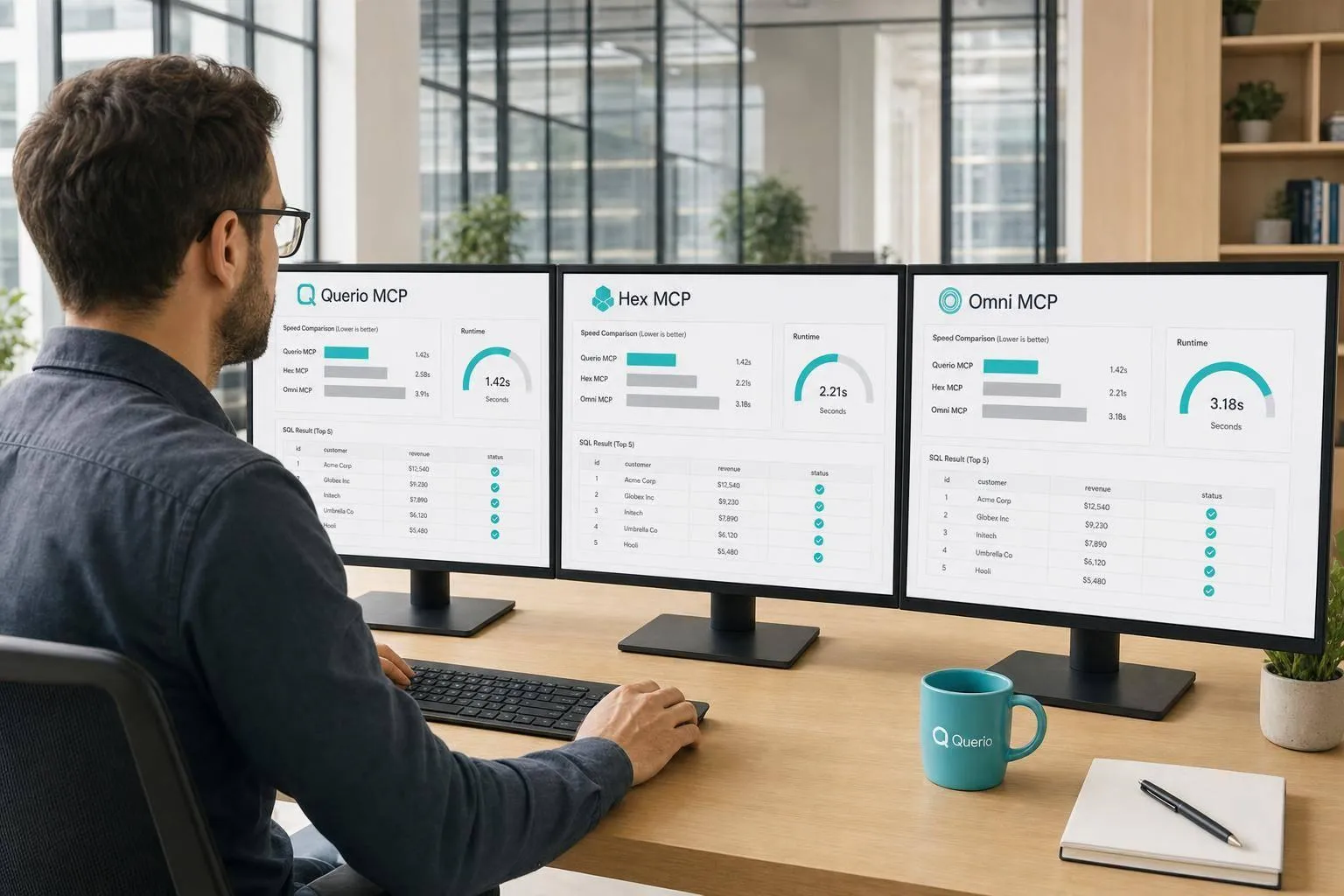
If I had to sum it up in one line: pick the MCP that matches your team’s work style, because the test shows no single tool wins every job.
Here’s the short version:
- Querio fits governed self-serve analytics, but in this test it was the slowest and reached 54.9% accuracy.
- Hex fits teams that work in notebooks and want Python and SQL control, but it also showed high latency at 198.2 seconds.
- Omni fits teams that already use a semantic model for reporting, but it depends on that model being kept correct and up to date.
- The main things compared were speed, SQL correctness, failure rate, and token use.
- The test used the same prompts, same datasets, and live warehouse data across Snowflake, BigQuery, Redshift, and Postgres.
The main takeaway is simple: a fast answer is not enough. If the joins are off or the metric logic is wrong, the result can look fine and still mislead your team. In this write-up, I’d focus less on product labels and more on where each tool tends to work well, where it tends to break, and what the benchmark numbers say.
::: @figure 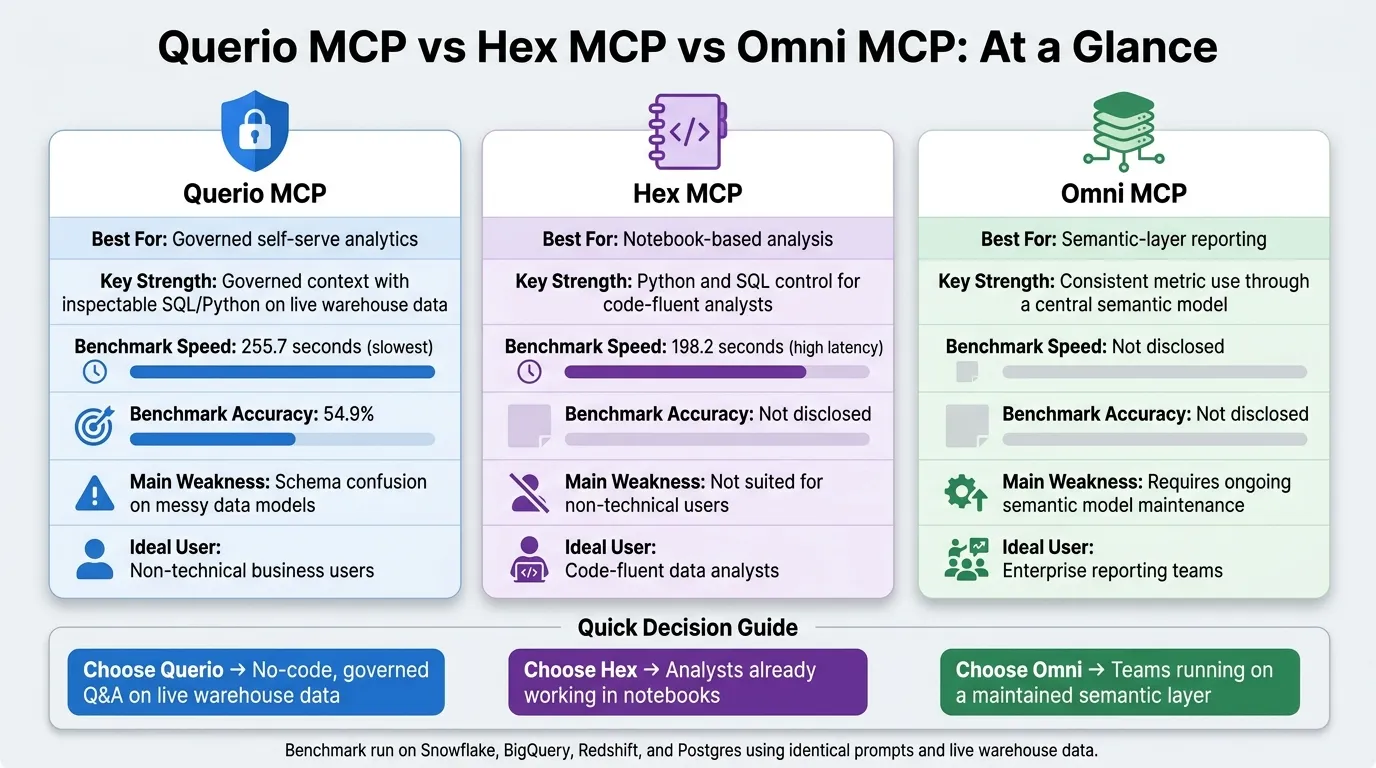 {Querio vs Hex vs Omni MCP: Speed, Accuracy & Best Use Cases}
:::
{Querio vs Hex vs Omni MCP: Speed, Accuracy & Best Use Cases}
:::
Quick Comparison
| Tool | Best for | Main strength | Main limit | Benchmark detail mentioned |
|---|---|---|---|---|
| Querio MCP | Governed self-serve analytics | Governed context with inspectable SQL/Python on live warehouse data | Slow response time and schema confusion on messy data models | 54.9% accuracy, 255.7 seconds |
| Hex MCP | Notebook-based analysis | Good fit for analysts working in Python and SQL | Harder for non-technical users; high latency in AI tasks | 198.2 seconds |
| Omni MCP | Semantic-layer reporting | Consistent metric use through a central model | Less flexible when questions fall outside the model; upkeep work | No benchmark number shown here |
If you’re deciding between them, I’d use a simple rule:
- Choose Querio for no-code, governed question answering on live warehouse data.
- Choose Hex if your analysts already live in notebooks.
- Choose Omni if your team runs on a semantic layer and needs tight metric control.
That framing makes the rest of the article easier to read.
sbb-itb-284a532
How Querio MCP, Hex MCP, and Omni MCP differ in architecture
Architecture shapes both speed and accuracy because it decides where context sits and how queries get to the warehouse. Before getting into the benchmark numbers, it helps to look at how each system is built.
Querio MCP: governed context and warehouse-native execution
Querio MCP uses a governed context layer made up of joins, metrics, definitions, and trusted queries stored as SQL, Markdown, and Python files in GitHub next to the dbt project. When an AI assistant calls Querio MCP, it starts with that governed context instead of trying to rebuild schema knowledge on every query.
Each answer is backed by inspectable SQL or Python in a reactive notebook, so users can open the logic, edit it, and run it again. Connections to Snowflake, BigQuery, Redshift, Postgres, and other warehouses are live, read-only, and encrypted. There are no CSV exports and no data duplication.
That context-first setup is the first reason the benchmark results look different.
Hex MCP and Omni MCP: notebook context versus semantic-model context
Hex MCP is built around Notebooks and Threads, which means the AI works inside existing notebook projects. The tradeoff is simple: users need to follow the notebook logic cell by cell, including the Python steps.
Omni MCP sends AI queries through a structured semantic model. Metrics and relationships are defined once in that model, and the AI uses those same definitions again and again. That works well for governed reporting, but it also puts the semantic layer between the AI and the warehouse. If a definition is wrong or missing, the AI cannot route around it.
The table below shows the architectural split at a glance.
| Dimension | Querio MCP | Hex MCP | Omni MCP |
|---|---|---|---|
| Context type | SQL, Markdown, and Python files | Existing notebook projects | Structured semantic model |
| Primary surface | AI agents in reactive notebooks | Notebooks and Threads | Semantic layer and workbooks |
| Execution path | Live warehouse | Notebook-based | Routing through a semantic model |
| Transparency | Editable SQL/Python | Full code visibility in notebooks | Governed by semantic definitions |
| Governance model | Context layer (skills, rules, metrics) | Project-based consistency | Centralized semantic definitions |
| Best fit | Analysts and business users | Code-fluent data teams | Governed enterprise reporting |
The main difference comes down to where context lives. Those design choices show up in the speed, SQL correctness, failure rate, and token-use results that follow.
Head-to-head results: speed, SQL accuracy, failure rate, and token use
The benchmark compared both speed and correctness across simple lookups and multi-step workflows. Those design choices show up first in response time, and then in how often each system gets the SQL right.
Response time by task type: simple questions versus multi-step workflows
Querio was the slowest agent tested. That matters in day-to-day use, especially when analysts are moving through a queue of requests.
Still, speed by itself doesn't tell the whole story. Correctness is the real test. A slower answer can be annoying. A wrong answer that looks fine is a much bigger problem.
SQL correctness, failure rate, and token efficiency
| Measure | Querio | Hex | Omni |
|---|---|---|---|
| Speed | Slowest agent tested | - | - |
| Accuracy | 54.9% on this benchmark | - | - |
| Main failure mode | Schema misinterpretation, not language understanding | - | - |
| Token efficiency | - | - | - |
For data teams, the main risk isn't a slow query. It's a fast answer that seems right and isn't. That's where things can go sideways.
So when you review output, don't stop at “the SQL ran.” Check the join logic. Check the metric definitions. Make sure the system understood the schema the way your team does.
The next question is where each system fits best in day-to-day analytics work.
Where each MCP fits in real data-team workflows
Those benchmark numbers matter when you tie them to how your team works day to day.
Matching each MCP to a workflow: self-serve analytics, notebook analysis, and governed metrics
The main divide comes down to who needs the answer and how much control they need.
Querio is a strong match for repeatable, governed questions from non-technical users. It gives people answers without code, and those answers are backed by inspectable SQL in a reactive notebook.
Hex fits teams where analysts want to stay in Python and SQL. If your team is comfortable working in notebooks, Hex makes more sense.
Omni works well for teams that already keep up a semantic model and want governed reporting across executive dashboards.
| Workflow | Best fit | Why |
|---|---|---|
| Slack/Teams KPI questions for non-technical users | Querio | Conversational self-serve with governed context and no code required |
| Ad hoc analysis and custom Python or SQL | Hex | Notebook-based workflow for code-fluent analysts |
| Executive reporting with a maintained semantic model | Omni | Structured semantic layer for governed reporting |
| Governed metric reuse across finance or healthcare | Querio | Context layer defines metrics once, so answers stay consistent |
The fit is pretty clear. The tradeoffs matter too.
Where each MCP breaks down and what tradeoffs to expect
No tool handles every case neatly. It helps to know where each one starts to wobble.
Querio runs into trouble with complex, messy schemas. In the benchmark, it scored 54.9% and had the slowest response time at 255.7 seconds [2]. The usual problem is schema confusion. More than one table can seem like the right match for the same question. Because of that, a review step matters before the answer gets shared.
Hex tends to struggle in non-technical self-serve use cases. Business users often need help making sense of notebook-style outputs. It also showed major latency in AI-driven tasks in the benchmark, at 198.2 seconds [1]. In a high-volume request setting, that can add friction fast.
Omni comes with maintenance overhead. A semantic layer only stays reliable if someone keeps it up to date, and that takes a lot of analytics-engineering work. It fits stable reporting domains well, but it is less flexible for ad hoc questions that sit outside the predefined model.
Whichever MCP you choose, review join logic and metric definitions before sharing the answer.
Conclusion: Which MCP should a data team choose?
The benchmark points to a pretty simple split: pick the tool that fits how your team already works.
Choose Querio if you want governed, warehouse-native self-serve analytics on live Snowflake, BigQuery, Redshift, or Postgres data. Choose Hex if your team already works inside Hex notebooks and needs Python-first analysis. Choose Omni if your team already relies on a semantic layer and wants governed reporting.
For most data teams, the strongest default is the system that keeps context governed, SQL inspectable, and warehouse access live.
FAQs
::: faq
How was accuracy measured?
Accuracy was measured using a fixed set of criteria: SQL correctness, the right table and join selection, and how closely the final output matched the user’s question.
In benchmark setups like BI Bench, each agent answered the same hard, multi-step business questions on a real database with a complex schema. Accuracy was calculated as the percentage of criteria each response met. That made the comparison repeatable and fair, without messy or inconsistent manual scoring. :::
::: faq
Why was latency high?
Latency tends to go up when AI data analyst tools have to sort through large, messy database schemas with several possible tables, joins, or query paths. If the schema is bigger than the model’s context window, or the documentation is thin, the tool needs more time to figure out what connects to what.
Speed can also drop when a tool uses tighter governance rules or multi-step reasoning to improve accuracy. On the flip side, faster systems often give up some depth, which can lead to more failures or wrong queries on harder BI tasks. :::
::: faq
What should teams validate before trusting answers?
Before trusting an AI data agent, teams should check a few basics first.
- Read-only access by default
- Limits on which tables and columns it can see
- Query logging for auditing
That covers the starting point. But don’t stop there.
A query can run and still be wrong. That’s why teams should verify that joins are correct, not just executable. A clean-looking result doesn’t mean the logic holds up.
It also helps to spot-check responses against queries with known outcomes. If the agent can’t match results you already know are right, that’s a red flag. :::