Business Intelligence
Best hex alternative
Compare five Hex alternatives; an AI-first, plain-English analytics platform leads for live warehouse queries, governance, and no per-seat pricing.

Hex is a popular tool for combining SQL and Python in a collaborative notebook format. However, its high pricing ($27,000/year for 10 editors and 10 viewers) and complexity for non-technical users push many teams to seek alternatives. This article reviews five AI business intelligence platforms, with Querio emerging as the top choice for its AI-driven analytics, transparent pricing, and user-friendly interface. Here's a quick breakdown:
- Querio: AI-native, plain English queries, free plan and Core at $2,499/mo, no seat limits.
- Tableau: Strong visualizations, $15/user/month, limited AI features.
- Deepnote: Collaborative notebooks, free tier available, coding required.
- Mode (Analyst Studio): SQL-first approach, $137,000/year average, robust AI integration.
- Looker: Enterprise-focused, $35,000–$60,000/year, steep learning curve.
Querio stands out for its simplicity, AI-powered insights, and budget-friendly pricing, making it ideal for teams aiming to scale analytics without complexity.
Quick Comparison:
| Platform | Price (Starting) | Key Features | Best For |
|---|---|---|---|
| Querio | Free plan; Core $2,499/mo | AI-driven, no seat limits, live data | Teams needing simple analytics |
| Tableau | $15/user/month | Visualizations, collaboration tools | Data visualization enthusiasts |
| Deepnote | Free tier | Collaborative notebooks, coding | Technical teams |
| Mode | $137,000/year | SQL-first, AI assist, dbt integration | Advanced analytics professionals |
| Looker | $35,000/year | LookML semantic layer, enterprise | Large organizations |
Querio leads with its accessible AI tools and straightforward pricing, making analytics easier for all team members.
::: @figure 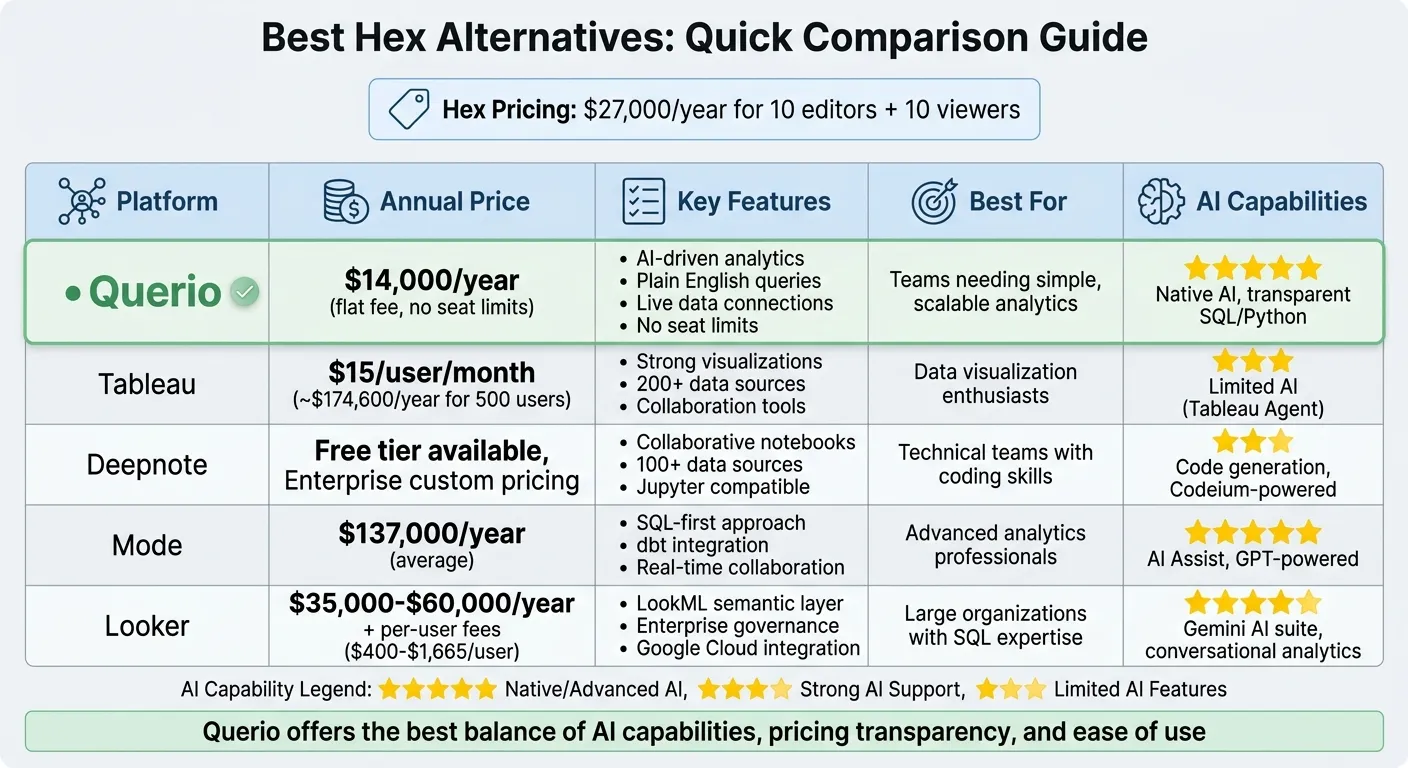 {Hex Alternatives Comparison: Features, Pricing & Best Use Cases}
:::
{Hex Alternatives Comparison: Features, Pricing & Best Use Cases}
:::
1. Querio
AI and Natural Language Capabilities
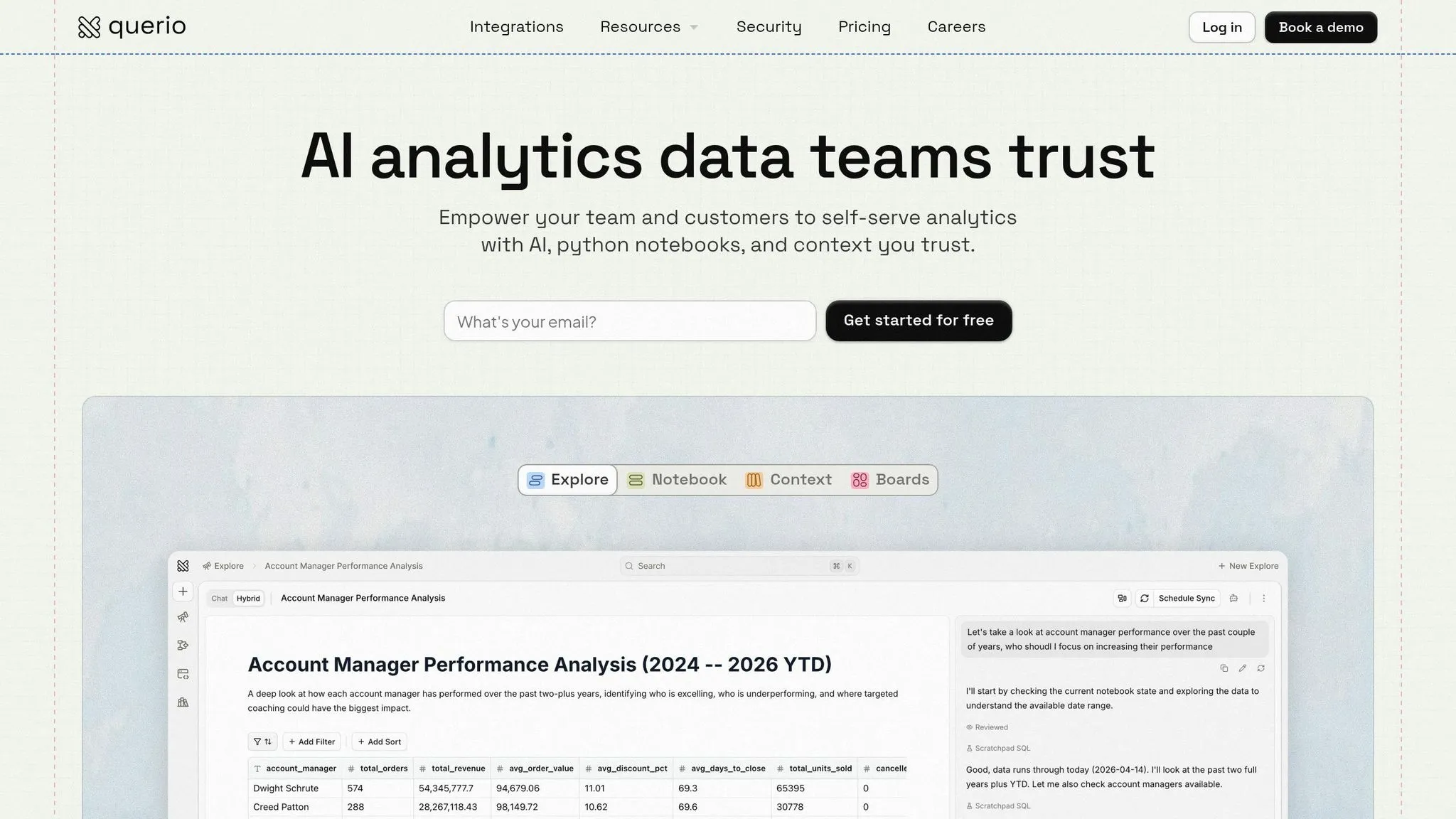
Querio takes the mystery out of AI-powered analytics. You can ask straightforward questions like, "What's our monthly recurring revenue by region?" and get visual answers - charts and tables - backed by real SQL and Python code that you can review. This transparency ensures you always know how the results are generated, addressing the common "black box" issue in AI.
A centralized context layer keeps your business logic and metrics consistent across the entire organization. Whether you're tracking metrics like MRR or churn, everyone - from sales teams to finance - works with the same definitions and data. Plus, ad hoc AI queries can be saved in the semantic layer, converting one-off questions into reusable metrics for future use. For more advanced users, the integrated workspace allows for complex data science tasks without needing to switch tools. This setup seamlessly bridges the gap between analytical insights and actionable business operations.
Warehouse and Integration Support
Querio connects directly to your data warehouse using read-only, encrypted credentials - no data duplication or complicated ETL processes required. It supports live connections to platforms like Snowflake, BigQuery, Amazon Redshift, ClickHouse, and PostgreSQL, ensuring you’re always working with up-to-date information. With its warehouse-native design, you can perform real-time queries without moving your data. On the compliance side, Querio meets SOC 2 Type II, GDPR, HIPAA, and CCPA standards, and your customer data is never used to train global language models.
Pricing and Scalability
Querio keeps things simple: there is a free plan, and Core is $2,499 a month (or $25,000 a year billed annually). There are no seat limits, and spending caps on AI credits make it easy to budget as your team grows. The free plan lets you test the platform risk-free.
sbb-itb-284a532
2. Tableau
AI and Natural Language Capabilities
Tableau's AI functionality revolves around the Tableau Agent, which allows users to perform natural language queries for tasks like filtering, aggregations, and time series analysis. However, this feature is currently limited to worksheets[1]. Tableau uses Data Indexing and the Einstein Trust Layer to interpret metadata while ensuring row- and column-level security. Additionally, the Explain Data tool helps users understand metric calculations, such as "Days to Ship", making complex data more accessible.
Collaboration Features
Tableau makes team collaboration simple with its web authoring tools on Tableau Server or Tableau Cloud, enabling real-time edits without the need to switch between desktop and browser environments. Dashboards can be published in seconds, and automated subscriptions deliver updates daily or weekly. Tableau also integrates with Slack, allowing users to query data and view visualizations directly within their communication platform[4].
"Tableau gives us the ability to work together on the solution and then collaborate more effectively as we're building it." – Andrew Aucott, General Manager, Business Intelligence, Jet2[4]
These features, combined with strong data connectivity and integration options, make collaboration efficient and seamless.
Warehouse and Integration Support
Tableau connects to more than 200 data sources, ranging from cloud platforms and on-premises databases to flat files. It also supports native connectors, as well as JDBC and ODBC for custom connections. Deployment options are flexible, whether you choose the fully hosted Tableau Cloud, public cloud providers like AWS, Azure, or GCP, or an on-premises setup with Tableau Server. Security is a priority, with SSL/TLS encryption and compliance with HIPAA and GDPR standards[5][7].
Pricing and Scalability
Starting at just $15 per user per month, Tableau offers an affordable solution for organizations of various sizes. For example, a 500-person company could expect annual costs of approximately $174,600, significantly less than some enterprise-only platforms, which can exceed $1.2 million per year[3]. With a 4.4/5 rating on major review sites and an 8.4/10 rating on PeerSpot, users frequently highlight its drag-and-drop interface and powerful visualization tools. However, some have reported performance issues when dealing with datasets in the terabyte range[7].
3. Deepnote
AI and Natural Language Capabilities
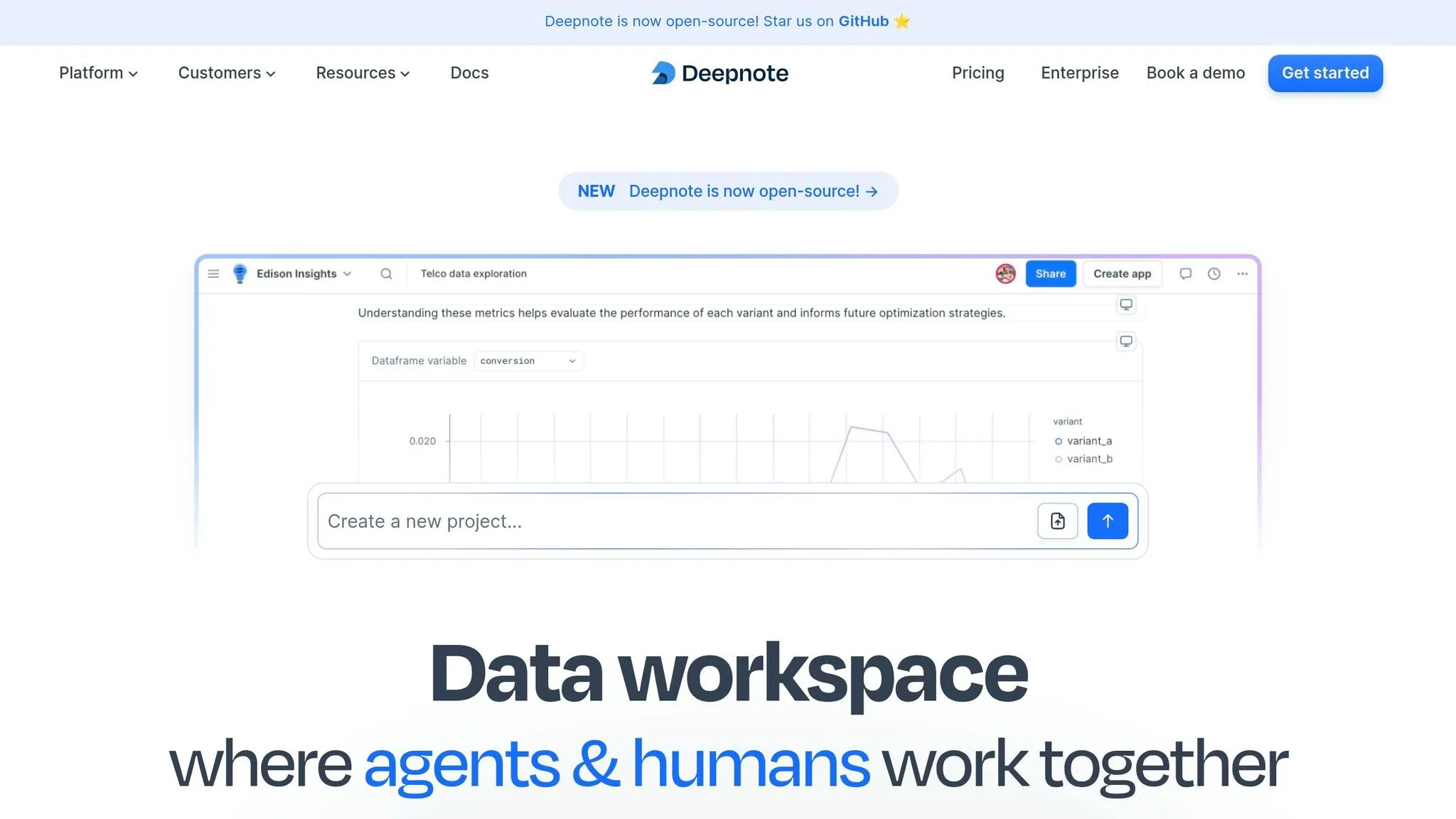
Deepnote is designed to meet the increasing demand for smarter analytics workflows by blending automation with familiar tools. One standout feature is its autonomous code generation, which uses Codeium-powered, context-aware suggestions to auto-generate and refine SQL, Python, and text blocks. These suggestions are tailored to your data schemas, making it easier to write and correct code efficiently[8].
For users already working with Jupyter, Deepnote offers seamless compatibility. You can upload your existing .ipynb files and immediately enhance them with AI-driven features. This system not only reduces errors but also improves the collaborative experience, as outlined in the next section[8].
Collaboration Features
Deepnote is built for teamwork. It supports real-time multi-user editing, allowing teams to work on notebooks simultaneously. You can add comments directly to specific code or text blocks, making it easy to share feedback without relying on separate communication tools[9].
"Collaborative data analysis where team members can freely share their work and get feedback… This made the analysis workflow much faster." – Deepnote Community[9]
Sharing your work is simple. You can send a link or an email invite, with detailed permission settings to control access. Projects are organized in shared folders, making it easy to revisit past analyses. With over 500,000 data professionals already using Deepnote, its focus on collaboration has proven effective at scale[9]. These features integrate smoothly with Deepnote's extensive data connectivity options, which are detailed below.
Warehouse and Integration Support
Deepnote connects to 100+ data sources, including popular cloud warehouses like BigQuery, Snowflake, Redshift, Athena, and ClickHouse[9]. It also supports direct integrations with tools like Git, GitLab, and dbt, including Jinja support for SQL blocks[8][9]. For file-based connections, Deepnote works with Google Drive, Amazon S3, Dropbox, and OneDrive, offering twice as many integrations as competing platforms like Hex[8].
Instead of using Jupyter's JSON-based file format, Deepnote employs a YAML-based format, which simplifies version control by providing cleaner git diffs[10].
Pricing and Scalability
Deepnote offers flexible pricing options to cater to both individuals and businesses. For smaller teams or solo users, there's a free tier and a two-week free trial that doesn't require a credit card[8]. Enterprise plans are available for larger organizations, with custom pricing and advanced features like role-based security, SSO (SAML/OIDIC), and directory sync[9].
The platform is HIPAA, SOC 2, and GDPR compliant, making it a solid choice for industries with strict regulatory requirements[9]. Recent updates have enhanced data app performance by 40%[8], and users can now choose from a range of hardware options, from standard CPUs to high-performance GPUs, to handle more demanding workloads[9].
4. Mode
AI and Natural Language Capabilities
Mode's AI Assist simplifies SQL creation by generating code directly from natural language prompts embedded in a --! comment. For instance, typing SELECT --! total sales by rep will instantly produce the corresponding SQL query[11].
This AI functionality uses advanced GPT models, considering your warehouse's name, table column names, and data types to deliver precise results. Importantly, Mode does not share column values or historical data with OpenAI. The company also adheres to a strict Data Privacy Agreement, ensuring your data remains secure and isn't used to train external models[11].
In 2023, Mode was acquired for $200M and later rebranded as Analyst Studio in early 2025[13]. This revamped platform combines Mode's SQL notebooks and Python/R workbench with ThoughtSpot's AI-driven natural language search. Analyst Studio introduces AI agents to handle tasks like data categorization, anomaly detection, and reporting, enabling teams to shift their focus to strategic analysis instead of manual data preparation. These AI tools enhance productivity while fostering collaboration - a core principle of Mode's approach.
Collaboration Features
Mode offers a real-time multiplayer workspace, allowing team members to see each other's cursor movements and updates live while building dashboards together[16]. This environment bridges the gap between technical analysts and business users by combining code-based workflows with drag-and-drop visualizations[12][16].
"Mode is valuable as a full-service platform from a data analyst all the way to an end user. Analysts can go deep, end users get the data they need, and our team gets to make everyone a part of the data strategy." – Adam Smith, Analytics Manager[12]
Reports can be scheduled for automatic delivery via Slack or email, and analysts have the option to add explanatory text alongside charts to provide context, turning raw data into actionable insights[12]. Additionally, Mode's integration with the dbt Semantic Layer ensures consistent metrics across the organization, creating a unified source of truth for data[14][15].
Warehouse and Integration Support
Mode connects seamlessly with major cloud data warehouses like Snowflake, BigQuery, Redshift, and ClickHouse. Its proprietary Helix engine caches large datasets directly in the browser, allowing users to filter and aggregate data quickly without repeatedly querying the warehouse. Teams can typically get started in 30 minutes or less[14][15][16].
The platform's integration with the dbt Semantic Layer brings pre-defined metrics into Mode, and any updates to foundational data automatically refresh related reports[12][15]. This streamlined process significantly reduces setup times compared to traditional BI tools, which often require weeks or months to implement.
Pricing and Scalability
Mode operates on custom enterprise contracts, with average agreements reported at approximately $137,000 per year[13]. Pricing generally ranges from $6,000 to over $50,000 annually, depending on the size of the deployment[13][16]. For new users, a 30-day free trial is available[14].
Since the ThoughtSpot acquisition, Analyst Studio has been positioned as an enterprise-level platform, with costs for mid-to-large deployments reaching six figures annually[13]. While official pricing requires contacting sales, smaller team plans have been noted starting at around $12 per user per month in certain cases[2]. This pricing structure highlights Mode's focus on delivering advanced analytics and collaboration tools, even as competitors like Querio emphasize simplicity and transparent costs.
5. Looker
AI and Natural Language Capabilities
Looker’s Gemini AI suite brings conversational analytics right into your workflow. With its Conversational Analytics feature, you can simply type questions in plain English and get instant visualizations like charts or tables. It also supports follow-up questions, making it feel seamless. For more advanced needs, the Code Interpreter steps in, handling tasks like forecasting, anomaly detection, and multi-step calculations.
What sets Looker apart is its reliance on the LookML semantic layer for AI-generated queries. This ensures that the insights you get align with your organization’s governed business definitions, avoiding the pitfalls of pulling raw, unstructured data. The platform also provides reasoning steps for transparency and generates narrative summaries of charts. These summaries can be directly added to Google Slides, simplifying presentations.
Collaboration Features
Central to Looker’s collaboration tools is the LookML semantic layer, which acts as a unified source of truth. By centralizing business logic and definitions, it eliminates inconsistencies in metrics across departments. The platform supports Git-based version control, allowing data teams to track changes, review code with pull requests, and roll back models when needed. Role-based permissions in Team Workspaces help organize shared assets efficiently, with pricing tiers like $400/year for Viewers and $1,665/year for Developers.
Teams can also create and share custom AI agents to streamline decision-making on data-driven questions. Looker integrates with tools like Slack and Microsoft Teams, delivering dynamic charts directly into conversations. Additionally, its Connected Sheets feature enables teams to analyze live Looker data within Google Sheets for better collaboration.
"At YouTube, we're focused on helping creators succeed... We've been testing Conversational Analytics in Looker to give our partner managers instant, actionable data that lets them quickly guide creators and optimize creator support." – Thomas Seyller, Senior Director, Technology & Insights, YouTube Business [17]
Beyond these features, Looker ensures smooth integration with various data sources, enhancing team collaboration.
Warehouse and Integration Support
Looker connects to major cloud data warehouses like BigQuery, Snowflake, Redshift, PostgreSQL, MySQL, and SQL Server. Following Google’s $2.6 billion acquisition in 2019 [15], it also offers deep integration with the Google Cloud Platform. However, setting up Looker can be a bit of a hurdle. Every new data source or metric requires logic to be defined in LookML, which then needs to be reviewed and redeployed. This modeling process, combined with additional ETL steps, can delay ad hoc queries and create bottlenecks. While Looker earns a 4.6/5 rating on Modern DataTools [18], the learning curve for LookML remains a common pain point for users.
Pricing and Scalability
Looker’s pricing is tailored for larger organizations with advanced data needs. The Standard plan ranges from $35,000 to $60,000 annually, while enterprise contracts average around $150,000 per year. On top of this, per-user fees apply - $400/year for Viewers and $1,665/year for Developers. Total costs often exceed $5,000 per month, even before factoring in warehouse expenses.
Looker is best suited for organizations with strong SQL expertise and a commitment to managing LookML. While it excels in enterprise governance and structured analytics, its high costs and complex setup process may not appeal to teams looking for quick, flexible solutions. These elements solidify Looker’s role in the evolving world of AI-driven analytics.
Strengths and Weaknesses
Querio's AI-driven natural language interface and unified governance model offer an analytics experience that stands out for its simplicity, affordability, and accessibility. These features give Querio a distinct edge over traditional platforms.
Querio shines with its natural language interface, enabling users to interact with live warehouse data using plain English. Its shared context layer ensures definitions and governance are consistent, eliminating technical hurdles while maintaining precision and control.
Tableau is well-known for its visualization capabilities, powered by its VizQL engine. However, its advanced features come with a steep learning curve, and its premium pricing can be a drawback. Compared to Querio, Tableau's complexity and cost make it less appealing for users seeking a streamlined and budget-friendly solution.
Looker focuses heavily on enterprise-level governance, which can feel rigid compared to Querio's flexible and approachable model. Its LookML semantic layer ensures consistent metrics across departments, but the centralized modeling approach often requires technical expertise, making it less ideal for smaller teams. As Trakkr AI Analysis points out, "Looker is the industry benchmark for metric consistency; Mode's flexibility comes at the cost of potential logic silos" [6]. Querio, by contrast, offers a more accessible and user-friendly alternative.
Mode (now ThoughtSpot Analyst Studio) prioritizes code-based workflows, which can limit its usability for non-technical users. This technical emphasis creates a barrier for business stakeholders, a problem Querio solves with its plain English interface and governed design.
Deepnote focuses on collaborative notebook environments but requires coding skills, making it less suitable for natural language analytics and self-service dashboards for non-technical users. Querio's ability to democratize analytics across skill levels highlights a significant advantage over Deepnote.
Conclusion
Querio stands out as the top choice for teams looking for efficient, AI-powered analytics. While there are other platforms available, Querio offers a unique approach by catering to both technical and non-technical users. Its AI-native design translates plain English into inspectable SQL and Python, ensuring clarity without requiring data relocation or advanced expertise.
The platform equips teams with natural language query capabilities and a unified governance model, promoting consistency across the organization. With a free plan and spending caps on AI credits, it keeps budgeting predictable. Additionally, Querio connects directly to live data warehouses and meets SOC 2 Type II compliance standards, offering enterprise-level security without added complexity.
Unlike competitors that require extensive training or centralized technical oversight, Querio provides AI-powered business intelligence with strong governance. Its design ensures data accessibility for all skill levels while maintaining full control and auditability. This makes it an ideal choice for business intelligence teams aiming to scale analytics across their organization.
FAQs
::: faq
How does Querio turn plain English into SQL you can trust?
Querio leverages an AI-driven agent to seamlessly transform natural language questions into accurate SQL queries. This approach removes the need for coding skills or SQL knowledge, delivering dependable results and simplifying data analysis for users at all levels. :::
::: faq
Will Querio work with my existing data warehouse without moving data?
Querio integrates directly with your existing data warehouse, eliminating the need to move data around. By leveraging AI and natural language processing, it queries your data right where it is, ensuring smooth integration and efficient analysis. :::
::: faq
What does Querio’s pricing include?
Querio has a free plan, and Core is $2,499 a month (or $25,000 a year billed annually). Every plan provides access to a range of tools aimed at simplifying advanced analytics for organizations, even those without deep technical expertise.
Key features include:
- Natural Language Querying: Allows users to interact with data using plain language, making it easier to extract insights without needing advanced SQL skills.
- Integration with Major Data Warehouses: Seamlessly connects with popular data storage systems, ensuring smooth data access and analysis.
- Governance Tools: Provides robust tools for managing data access, security, and compliance within the organization.
Querio’s platform is designed to help teams unlock the power of their data without requiring a steep learning curve. :::