Business Intelligence
Top AI powered embedded analytics tools 2026
LLM-powered embedded analytics replace static dashboards with conversational queries, automated insights, and predictable governance.

AI-powered embedded analytics tools are transforming how businesses interact with data. These platforms integrate analytics directly into applications, enabling users to query data and generate insights without leaving their workflows. By 2026, tools powered by large language models (LLMs) are replacing static dashboards with natural language queries and automated insights, boosting efficiency and engagement.
Key Takeaways:
- Querio: Excels in natural language querying, transparent pricing (free plan; Embedded add-on from $1,500/month), and robust data governance. Ideal for scaling SaaS companies.
- ThoughtSpot: Focuses on search-driven analytics with usage-based pricing starting at $1,250/month.
- Looker: Offers semantic modeling with AI tools like Gemini and pricing tailored to enterprise needs.
- Sisense: Features generative AI tools and flexible deployment options with monthly subscription tiers.
- Power BI Embedded: Integrates with Azure, offering pay-as-you-go pricing starting at $1/hour.
- Qlik: Known for its associative engine and dynamic exploration, using per-user licensing.
Quick Comparison:
| Tool | AI Capabilities | Integration Methods | Pricing Model | Key Features |
|---|---|---|---|---|
| Querio | Natural language querying, anomaly detection | APIs, SDKs, iFrames | Free plan; Core $2,499/mo; Embedded add-on from $1,500/mo | Unlimited viewer access, SOC 2 compliance |
| ThoughtSpot | Search-driven analytics | Visual Embed SDK, REST APIs | $1,250/month (20 users) | Usage-based pricing, mobile dashboards |
| Looker | Conversational analytics, Gemini AI | APIs, Google Workspace | Custom enterprise pricing | Semantic layer, real-time data access |
| Sisense | Generative AI, AI agents | APIs, SDKs, iFrames | Monthly subscription tiers | ElasticCube, multi-cloud deployment |
| Power BI | AutoML, anomaly detection | REST APIs, SDKs | $1/hour, pay-as-you-go | Azure integration, Cognitive Services |
| Qlik | Insight Advisor, agentic AI | SDKs, iFrames | Per-user licensing | Associative engine, real-time processing |
These tools cater to diverse needs like scalability, compliance, and advanced AI capabilities. Querio stands out for its predictable costs and ease of scaling, while others like Looker and Sisense offer specialized AI features and flexible deployment options.
::: @figure 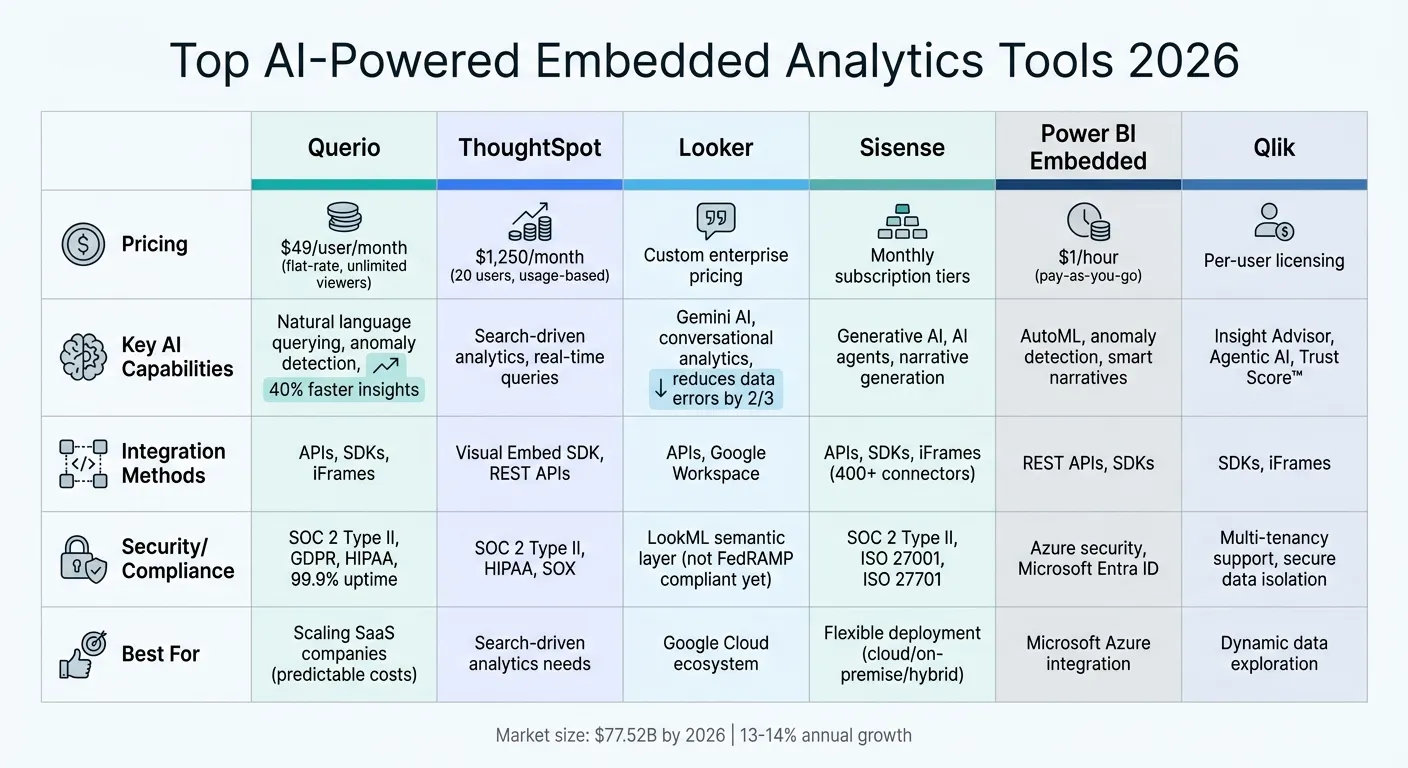 {AI-Powered Embedded Analytics Tools Comparison 2026: Features, Pricing & Capabilities}
:::
{AI-Powered Embedded Analytics Tools Comparison 2026: Features, Pricing & Capabilities}
:::
AI-Powered Embedded Analytics
::: @iframe https://www.youtube.com/embed/HEwV9iV5LnE :::
sbb-itb-284a532
1. Querio
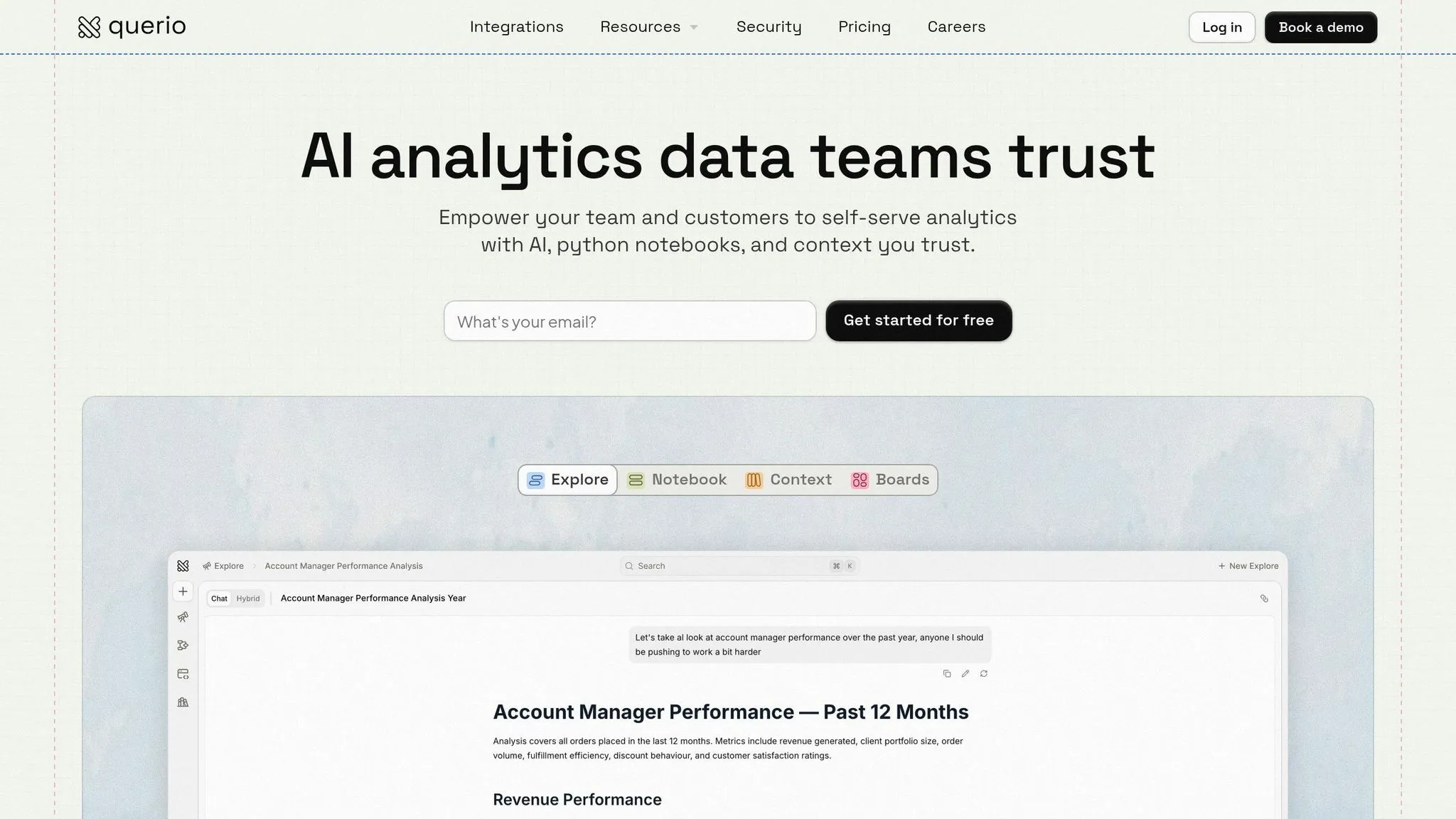
Querio is an AI-powered analytics workspace designed to connect directly to your data warehouse. It translates plain English questions into precise SQL and Python code, eliminating the need for static dashboards. Instead, it allows users to query data conversationally, providing instant insights that are fully auditable. Let’s break down the features that make Querio a game-changer for analytics.
AI Capabilities
Querio leverages large language models to generate SQL and Python code while maintaining transparency in its outputs. For example, in a fintech case study, Querio's AI reduced false positives in fraud detection by 35% within a banking app through its embedded dashboards. Similarly, a healthcare SaaS application saw decision-making speeds improve by 50% thanks to better patient trend predictions. Beyond visualization, the platform detects anomalies - like unusual sales patterns - and suggests optimizations automatically. Enterprise users have reported 40% faster insights compared to manual methods, showcasing how Querio simplifies complex analytics across various industries.
Integration Methods
Querio integrates easily through APIs, SDKs, and iFrames, making it compatible with frameworks like React, Angular, and custom-built web apps. Its white-label embedding option allows teams to drag and drop widgets into CRM platforms like Salesforce. The platform also supports direct publishing to Slack and integrates workflows via Model Context Protocol (MCP). In terms of cost savings, teams using Querio’s reactive Python notebook environment have saved $120,000 annually on hiring expenses, while data leaders report achieving 20x faster reporting cycles compared to traditional business intelligence tools.
Data Governance
Querio prioritizes security with features like row-level security, audit logs, and SOC 2 Type II compliance, ensuring adherence to GDPR and HIPAA standards. It offers granular access controls based on user roles, along with AI-powered anomaly detection to flag potential data breaches. One retail client reported 99.9% uptime and zero compliance issues over a 12-month period. Additionally, the shared context layer ensures consistency in joins, metrics, and business definitions across all analyses, dashboards, and embedded applications.
Pricing Models
Querio has a free plan, and Core is $2,499 per month (or $25,000 a year billed annually), with custom Enterprise pricing. Customer-facing embedding is the Embedded add-on, available on every plan from $1,500 per month with 7,500 AI credits a month, white label, iFrame embedding and row-level security. Every plan includes unlimited users and avoids hidden costs by connecting directly to your data warehouse. Businesses in the US benefit from predictable budgeting without extra charges for ETL processes or data movement, and admins can set alerts and a spending cap on AI credits.
2. ThoughtSpot
ThoughtSpot markets itself as a search-driven analytics platform, designed to let users interact with data using plain English queries. By leveraging natural language processing, it directly queries cloud warehouses like Snowflake, Databricks, and BigQuery. The platform's Analyst Studio uses advanced data modeling to perform detailed analyses. While some newer analytics tools emphasize seamless integrations, ThoughtSpot's approach focuses on structured and robust AI-powered capabilities.
AI Capabilities
The platform's AI engine converts plain English questions into queries that run in real time against your data warehouse. This eliminates the need for data extracts or scheduled refreshes. However, it does require a well-structured, pre-modeled data backend for optimal performance. ThoughtSpot also adheres to strict compliance standards, holding SOC 2 Type II certification and supporting HIPAA and SOX requirements. By combining intelligent querying with strong compliance features, ThoughtSpot ensures secure and efficient data access.
Integration Methods
ThoughtSpot enables embedded analytics through its Visual Embed SDK, compatible with JavaScript and React frameworks. Developers can also use REST APIs to integrate search-driven analytics and interactive Liveboards directly into their applications. This "Headless BI" approach allows teams to customize user interfaces while relying on ThoughtSpot's query engine in the background. Additionally, mobile-optimized dashboards ensure insights are accessible on any device. This integration-first strategy aligns with the growing demand for flexible, API-driven analytics solutions.
Pricing Models
The Essentials plan is priced at $1,250 per month (billed annually) for 20 users and 25 million rows of data. On average, annual contracts are estimated at around $137,000, with larger deployments exceeding $500,000. Instead of traditional per-user licensing, ThoughtSpot uses a usage-based pricing model that scales with data activity and volume. This approach reflects the platform's emphasis on scalability and demand-based pricing.
3. Looker
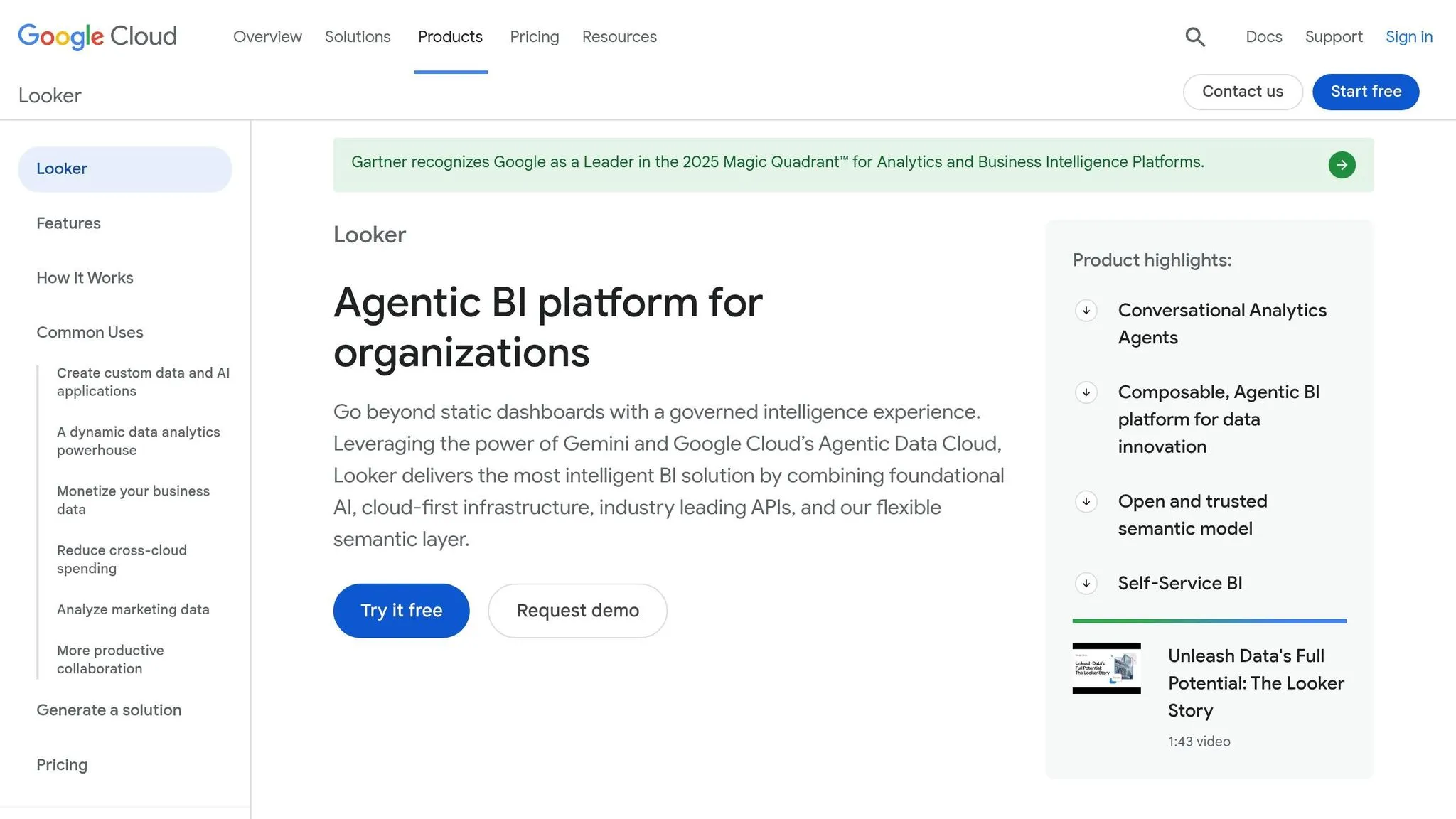
Looker, part of Google Cloud, serves as a semantic modeling platform that anchors AI-driven analytics in a reliable data layer known as LookML. This structure ensures insights are accurate and consistent. Since April 2026, Looker's Conversational Analytics API has been generally available, allowing developers to embed natural language data exploration with multi-turn interactions directly into custom workflows [3]. Unlike keyword-based tools, Looker’s semantic search uses everyday business terms like "customer acquisition cost" to locate dashboards [2]. This solid foundation supports the platform's advanced AI features outlined below.
AI Capabilities
Looker offers powerful AI tools to enhance data analysis. Gemini translates natural language into Python for tasks like forecasting and anomaly detection, while the LookML Assistant simplifies the modeling process by suggesting dimensions and measures [1][5].
Vijay Venugopal, Director of Product Management at Google Cloud, explains, "Looker's semantic layer reduces data errors in generative AI natural language queries by as much as two thirds" [5].
Another standout feature is the Visualization Assistant, which uses text prompts to create JSON formatting, enabling users to customize embedded charts without needing to code manually [2].
Integration Methods
Looker’s API-first design makes it easy for developers to embed interactive dashboards and conversational analytics into custom applications. This is achieved using tools like the Visual Embed SDK and REST APIs [6]. It also integrates seamlessly with Google Workspace, allowing users to explore data via Connected Sheets and visualize it in Looker Studio [6]. For more advanced use cases, the Conversational Analytics API supports high-level reasoning and multi-turn workflows, offering a more dynamic alternative to traditional iframes [3]. Looker’s direct query setup ensures real-time data access from warehouses like BigQuery or Snowflake, keeping the data where it belongs [4].
Data Governance
Beyond its AI capabilities, Looker emphasizes strong data governance to deliver consistent and reliable insights. Its LookML semantic layer ensures uniform results across all platforms where data is accessed [6]. This centralized modeling framework prevents discrepancies in AI-generated answers by grounding queries in pre-defined business logic. Following its acquisition of Spectacles.dev, Looker now includes automated testing and validation for LookML changes, ensuring the accuracy of its semantic models [1]. Additionally, Google Cloud has clarified that customer prompts and outputs from Gemini in Looker are not used to train its global generative AI models [5]. However, as of early 2026, the Conversational Analytics feature does not yet meet FedRAMP High or Medium compliance standards [2].
Pricing Models
Looker operates with a two-tier pricing system: Platform Pricing, which covers instance operations, and User Pricing, based on the number of licensed users [6]. The Embed edition is tailored for large-scale external analytics, offering high API quotas and supporting up to 500,000 query-based calls monthly [6]. New users can take advantage of $300 in free credits from Google Cloud to explore Looker’s services [4]. Enterprise pricing is customized, with user tiers ranging from Developer Users (full access, including LookML modeling) to Viewer Users (dashboard-only access) [6].
4. Sisense
Sisense is a well-regarded embedded analytics platform, boasting over 500 five-star reviews [8]. Its standout feature is Sisense Intelligence, a set of generative AI tools designed to reshape how teams interact with data. Central to this is the Assistant, an AI-powered solution that simplifies data modeling and dashboard creation using natural language [7]. This approach reduces the need for advanced data science expertise, making analytics more accessible.
AI Capabilities
Sisense takes AI functionality a step further with its "agentic" workflows. The beta MCP Server connects external AI agents to governed Sisense models, enabling automated chart creation and narrative generation [7]. Organizations can opt for Sisense's managed LLM service, complete with built-in safeguards, or integrate their own preferred language models. Another key feature is the Narrative Feature, which generates plain-language summaries for charts and widgets. Beyond generative AI, Sisense includes tools for forecasting and trend analysis, helping users detect patterns and anomalies in real time [8]. These tools aim to provide actionable insights that fit seamlessly into modern analytics workflows.
Tanya du Plessis, Chief Data Strategist and Solutions Officer at Bioforum, shares: "Sisense's AI capabilities allow us to quickly translate complex data into clear insights, identify trends and gaps, and make decisions faster during clinical trials - all while managing risk" [7].
Integration Methods
Sisense supports over 400 data connectors, allowing users to either consolidate data or maintain live connections with data warehouses [9]. Developers can embed analytics using iFrames, the Embed SDK, or the API-first Compose SDK, which works with frameworks like React, Angular, and Vue [10]. The ElasticCube technology offers flexibility by letting users switch between live and cached data approaches [10].
Hamza Jap Tjong, Head of Data & AI at Gerimedica, remarks: "The exciting thing about Sisense Intelligence is the ease of use. It is already easy to create widgets and dashboards. It could shorten that lead time further and empower regular users. True self-service" [7].
These integration tools, combined with strong governance, ensure secure and reliable insights.
Data Governance
Sisense’s AI features are built on a governed semantic layer, supported by certifications like SOC 2 Type II, ISO 27001, and ISO 27701. Updates in 2026 included email-based two-factor authentication for non-SSO users, addressing GDPR and HIPAA compliance needs [10]. Features like Primary Dashboard Filters enhance the relevance of both AI-generated insights and standard filters by defining dashboard scopes upfront.
Deployment Flexibility
Sisense offers versatile deployment options, including Cloud (ElasticCube Cloud), on-premises, and hybrid models, catering to diverse business requirements [12]. Its AnPaaS (Analytics Platform as a Service) architecture combines the speed of SaaS with the control of private cloud environments [11]. The platform supports both Windows and Linux deployments [13].
Devin Vyain, Senior Solutions Architect at Barrios, explains: "We went from custom application development to the ability to rapidly change something on the dashboard and then publish it again in real time within the production environment - without sacrificing any of the security" [12].
Pricing Models
In 2026, Sisense introduced self-service subscription options - Launch and Grow - designed to make embedded analytics more accessible [11]. These tiers offer flexible monthly pricing and include a 7-day full-feature trial with no setup required. For larger organizations, enterprise pricing is tailored to fit their size and operational needs [13].
5. Power BI Embedded
Power BI Embedded brings Microsoft's analytics to custom applications with a flexible consumption-based pricing model starting at $1 per hour. It operates on Azure infrastructure and integrates seamlessly with Microsoft's security protocols. Unlike the standard Power BI, this version doesn't require individual user licenses, making it a great option for businesses with large customer bases. Its features are designed to deliver deeper insights powered by AI, as detailed below.
AI Capabilities
Power BI Embedded offers several AI-driven tools that simplify and enhance data analysis. For example:
- Key Influencers: Uses logistic regression to identify the factors influencing key business metrics.
- Decomposition Trees: Allows interactive drill-downs to uncover root causes behind trends.
- Smart Narratives: Transforms complex charts into easy-to-understand summaries.
- Anomaly Detection: Automatically identifies and explains deviations in time-series data.
The platform also includes AutoML, enabling analysts to create and deploy predictive models directly within Power BI Dataflows - no advanced data science skills required. For more sophisticated needs, it connects with Azure Machine Learning for scoring advanced models and Azure Cognitive Services for tasks like sentiment analysis and image tagging. Additionally, AI-enhanced data preparation tools, such as fuzzy matching and example-based transformations, can cut data cleaning time by 40–60% [14].
"Copilot operates within the existing Power BI security model - it only accesses data that the current user is authorized to see", according to the Power BI Consulting Guide [14].
These AI features, combined with the platform's integration flexibility, make Power BI Embedded a strong choice for analytics.
Integration Methods
Power BI Embedded supports two key integration models:
- Embed for your customers: Uses service principal authentication for customer-facing applications, eliminating the need for individual user licenses.
- Embed for your organization: Leverages Microsoft Entra ID for internal use, which requires Power BI licenses [16].
Developers can integrate reports using REST APIs, SDKs, wizards, or a no-code "secure embed" option via URLs or iFrames. The platform also includes hundreds of pre-built connectors and integrates with Microsoft Fabric, enabling unified data workflows that combine Azure Synapse Analytics, Data Factory, and Power BI [15].
Joseph Colangelo, CEO and Cofounder at Bear Analytics, shares: "Our modules in Power BI deploy automatically, but the content is personalized for each customer... our clients feel like they have a dedicated data analyst" [15].
Data Governance
AI features, such as Copilot and Cognitive Services, process data within the geographic region of the Power BI tenant [14]. The platform ensures compliance through tenant-level controls and row-level security, allowing administrators to manage AI feature rollouts based on organizational data residency requirements [14][15]. Microsoft’s $20 billion investment in cybersecurity over five years and its team of over 8,500 security experts across 77 countries further bolster the reliability and scalability of Power BI Embedded [15].
Pricing Models
Power BI Embedded uses a pay-as-you-go pricing structure, billed hourly based on the chosen capacity node. For example:
- A1 Node: 1 vCore and 3 GB RAM at approximately $735.91/month.
- A6 Node: 32 vCores and 100 GB RAM at about $23,542.94/month [17].
Businesses can scale capacity on demand or pause services during off-hours. Billing is calculated to the second, and there are no additional licensing costs for end users, making it a cost-efficient solution for embedded analytics [17].
6. Qlik
Qlik stands out with its associative engine, which uncovers data relationships that go beyond rigid queries. Unlike traditional SQL-based tools, Qlik excels in dynamic exploration, allowing users to dive into unstructured data for deep, ad-hoc analysis rather than relying on static dashboards. Its in-memory processing ensures quick query responses, and the platform's responsive design works smoothly across both web and mobile devices. This setup creates a strong foundation for the advanced AI tools discussed below.
AI Capabilities
Qlik's Insight Advisor acts as a built-in AI assistant, offering suggestions, natural language interactions, and automatic insight detection. This feature makes it easier for non-technical users to identify patterns and trends without needing to grasp complex data structures. The platform also offers Agentic AI, which automates repetitive tasks and provides advanced reasoning to aid decision-making. Another standout feature is the Qlik Trust Score™, a tool that evaluates data quality and reliability, giving teams confidence in acting on the insights provided.
Integration Methods
Qlik supports embedding through both SDKs and iFrames, offering flexibility in how its analytics are integrated. Its associative data model allows for non-linear exploration, making it easier to uncover connections across different data sources. The platform's MCP Server bridges its AI capabilities with its calculation engine, enabling seamless performance. Additionally, Qlik offers robust multi-tenancy support, ensuring secure data isolation for SaaS and enterprise setups. Its streaming ingestion capabilities can process millions of events per second from sources like Kafka, Kinesis, and S3, making it a strong choice for real-time data applications.
Pricing Models
Qlik uses a embedded analytics pricing models for its embedded analytics solutions. This approach simplifies cost estimation for organizations with a defined user base, though it requires planning for potential user growth. Leveraging Qlik's advanced customization features and associative engine may also demand specific development skills to maximize its potential.
Pros and Cons
Querio brings a range of benefits for businesses looking to integrate embedded analytics, especially as the market for these tools is expected to hit $77.52 billion by 2026, with an annual growth rate of 13–14% [18]. Making the right choice now can have a lasting impact on your business.
One of Querio's standout features is no per-seat pricing, paired with unlimited viewer access. This setup is particularly appealing for SaaS companies that need predictable expenses as they grow. Additionally, Querio connects live and read-only to platforms like Snowflake, BigQuery, and Postgres, preventing data duplication. Its semantic layer ensures consistency in AI-generated insights across tenants. With SOC 2 Type II compliance and a context-aware engine, Querio delivers enterprise-level security without the hassle of per-user licensing. This combination allows businesses to scale confidently while maintaining both data governance and cost control.
Another key advantage is Querio's transparent pricing structure. Querio shows AI usage as it happens and lets admins set alerts and a spending cap, which protects your profit margins as you scale. To truly understand the cost-effectiveness of any analytics solution, try calculating your expenses at 10× your current scale. Querio's included AI credits and spending caps help you avoid surprise charges as your customer base expands, making it a smart, long-term choice for embedded analytics.
Conclusion
By 2026, Querio is shaping up to be a game-changer for businesses in need of embedded analytics that combine high performance with predictable costs. No per-seat pricing, spending caps and unlimited viewer access make it especially appealing for SaaS companies looking to scale without financial surprises. With the embedded analytics market expected to hit $25 billion by 2026 and AI integrated into 65% of tools, Querio stands out with its AI-native natural language querying, seamless compatibility with platforms like Snowflake, BigQuery, and Postgres, and a governance framework that prioritizes security and consistency.
Querio doesn’t just meet industry standards - it exceeds them. Its semantic layer ensures consistent insights across tenants, while SOC 2 Type II compliance and a context-aware engine provide enterprise-grade security without the hassle of per-user licensing. This approach allows businesses to grow confidently, maintaining control over both data governance and operational costs.
When choosing analytics tools, it’s smart to start with a proof-of-concept trial and evaluate key factors like AI capabilities (how well the tool automates insights), ease of integration (setup time and API flexibility), and ROI potential. Querio's combination of no per-seat pricing, unlimited viewer access, and advanced AI querying redefines the standard for embedded analytics. It can cut the time to insights by 50–70% and deliver a 3× return on investment within six months. Usage-based pricing can lead to unexpected costs as you scale, so Querio’s usage visibility and spending caps help keep your margins protected - even as your customer base grows tenfold.
FAQs
::: faq
What data sources can Querio connect to without copying data?
Querio integrates directly with live databases like Snowflake, BigQuery, and Postgres, eliminating the need to copy or move data. This approach provides real-time access to your data while keeping it securely stored in its original location, ensuring both efficiency and data security. :::
::: faq
How does Querio keep AI-generated answers auditable and accurate?
Querio takes a unique approach to ensure AI-generated answers are both reliable and verifiable. It does this by converting plain English queries into clear, inspectable SQL or Python code. This transparency allows users to see exactly how their questions are being translated into actionable data queries.
By seamlessly integrating with major data warehouses, Querio also prioritizes strong governance and security measures. This means businesses can trust the platform to deliver analytics that are not only accurate but also fully traceable, helping maintain accountability at every step. :::
::: faq
What should I test in a Querio proof of concept before rolling it out?
Before launching Querio, focus on testing these critical areas:
- Natural language querying: Make sure it delivers accurate and clear visual responses.
- Live data connections: Verify that real-time insights are functioning properly.
- Governance and security: Ensure compliance standards are met and access controls are in place.
- APIs and integration: Check for smooth embedding into existing systems.
- Ease of use and performance: Confirm reliability and user-friendliness.
- Scalability and cost: Assess whether it can handle growth while staying within budget.
These steps help ensure Querio aligns with your operational objectives. :::