Business Intelligence
best AI data analytics tools 2026
AI-driven analytics in 2026 demand transparency and governance - compare leading tools by features, pricing, and auditability.

AI-powered data analytics tools in 2026 are transforming how businesses handle data, focusing on automation, predictive insights, and decision support. Key players include Querio, Microsoft Power BI Copilot, Tableau Pulse, and ThoughtSpot. Here's a quick overview:
- Querio: Converts plain English into SQL/Python, ensuring transparency through inspectable code. Integrates with major data warehouses and prioritizes governance.
- Microsoft Power BI Copilot: Embedded in the Microsoft ecosystem, it supports natural language queries, enhances report creation, and offers strong governance features.
- Tableau Pulse: Delivers metric updates via Slack/email, simplifying trend analysis with narrative-driven insights and real-time data connections.
- ThoughtSpot: Provides a search-first interface for analytics, enabling instant visualizations and advanced natural language reasoning.
Each tool has unique strengths, from Querio's code transparency to ThoughtSpot's ease of use for non-technical users.
::: @figure 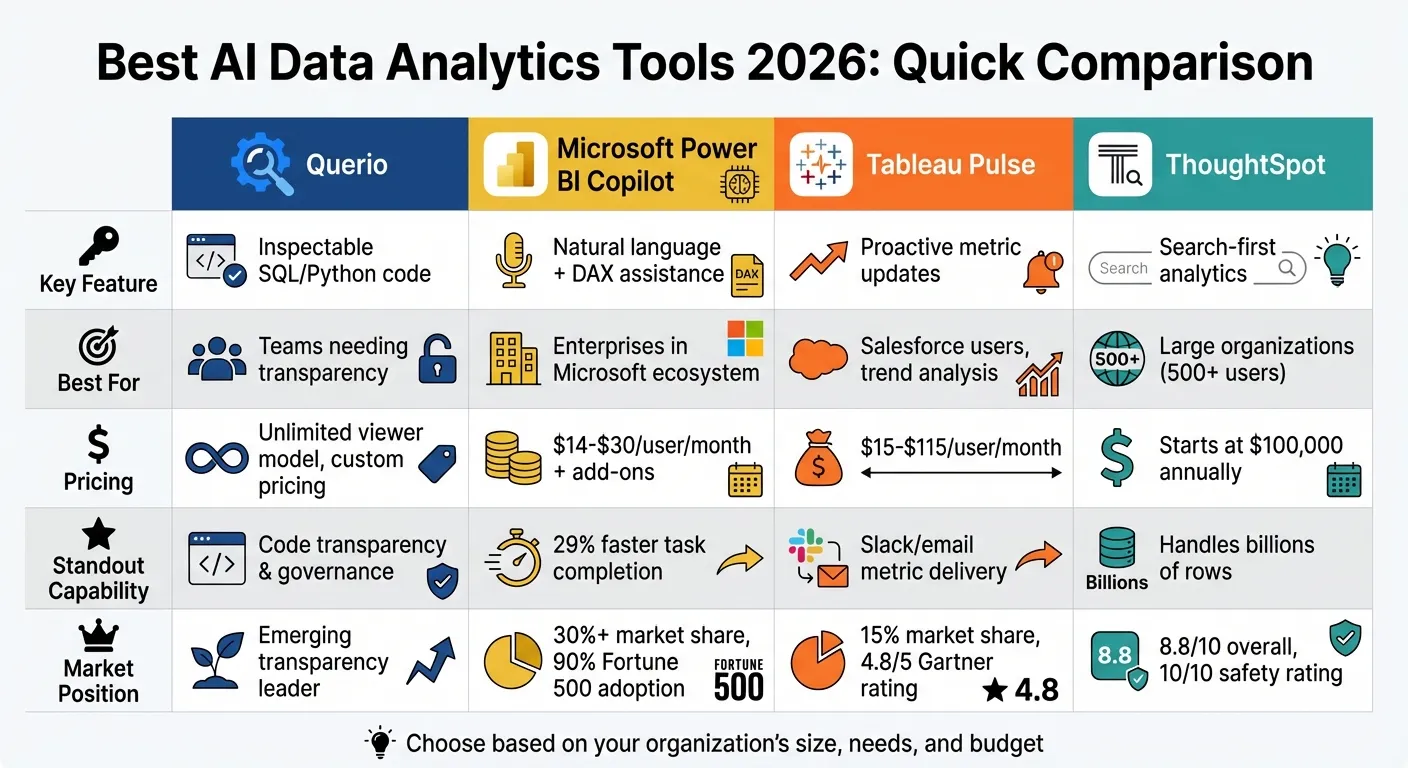 {Comparison of Top 4 AI Data Analytics Tools 2026: Features, Pricing and Best Use Cases}
:::
{Comparison of Top 4 AI Data Analytics Tools 2026: Features, Pricing and Best Use Cases}
:::
I Tested 53 AI Tools for Data Analysis - THESE 5 ARE THE BEST!
::: @iframe https://www.youtube.com/embed/RYTjU_x6fAQ :::
sbb-itb-284a532
Quick Comparison
| Tool | Key Feature | Best For | Pricing |
|---|---|---|---|
| Querio | Inspectable SQL/Python code | Teams needing transparency | Unlimited viewer model, custom pricing |
| Power BI Copilot | Natural language + DAX assistance | Enterprises in Microsoft ecosystem | $14-$30/user/month + add-ons |
| Tableau Pulse | Proactive metric updates | Salesforce users, trend analysis | $15-$115/user/month |
| ThoughtSpot | Search-first analytics | Large organizations (500+ users) | Starts at $100,000 annually |
These tools are reshaping analytics, offering faster insights and improved decision-making. Choose based on your organization's size, needs, and budget.
1. Querio
Querio is an AI-powered analytics workspace that transforms plain English into SQL and Python queries, running them directly on your live data warehouse. It emphasizes transparency, allowing users to inspect, tweak, and reuse every piece of generated code.
Natural Language Capabilities
Querio enables multi-turn conversations, creating clear SQL and Python code while choosing suitable charts and adding narrative summaries to explain trends. Whether you're asking about revenue trends or customer churn, the AI builds on prior context, so you don’t have to start from scratch. This approach ensures accuracy and gives you full visibility into how the answers are generated.
Data Warehouse Connectivity
Querio integrates with your existing data warehouse using encrypted, read-only credentials, avoiding the need for data extracts or duplication. It supports major platforms like Snowflake, BigQuery, Amazon Redshift, ClickHouse, and PostgreSQL. With its semantic layer, data teams can define joins, metrics, and business terms once, ensuring consistency across queries, dashboards, and embedded analytics. Importantly, customer data is never used to train external AI models [5]. These secure connections align seamlessly with Querio's strong governance framework.
Governance and Security
Querio meets SOC 2 Type II compliance standards and includes role-based access controls paired with standard SSO integrations. This ensures that metrics like "monthly recurring revenue" or "active users" remain consistent, whether accessed via ad-hoc queries, scheduled reports, or customer-facing dashboards.
Pricing and Scalability
With its robust features and secure integration, Querio offers an unlimited viewer model - no seat limits or usage restrictions. Deployment options include both cloud-hosted and self-hosted setups, giving you the flexibility to choose what works best for your needs.
2. Microsoft Power BI Copilot
Microsoft Power BI Copilot brings conversational AI directly into the Microsoft ecosystem. As of February 2026, it supports input of up to 10,000 characters, making it easier to handle detailed context and complex instructions [8]. Users can also attach specific reports or models as references, ensuring that Copilot's responses are based on precise data sources [7]. According to Microsoft's internal data, tasks are completed 29% faster with Copilot, and catch-up tasks in meetings are performed four times faster [10]. These updates enhance its ability to deliver advanced natural language interactions.
Natural Language Capabilities
Power BI Copilot simplifies report creation and query building by leveraging natural language. It can generate reports and DAX queries, with DAX assistance available directly in the query view [7]. The "Verified Answers" feature standardizes responses to common business questions, while authors can define ambiguous terms and set default rules through AI Instructions [6]. For added convenience, a standalone mobile chat experience allows users to query data using voice input while on the go [6].
Data Warehouse Connectivity
Copilot integrates seamlessly with Fabric's OneLake and Direct Lake, enabling real-time analytics without the need for data duplication [12]. By 2025, Power BI had captured over 30% of the global business intelligence market share in certain regions [11]. To ensure accuracy and clarity in reports, Microsoft recommends using star schemas and adopting business-friendly naming conventions (e.g., "Customer Name" instead of "cust_nm") [6].
Governance and Security
Power BI Copilot adheres to existing Row-Level Security (RLS) and Object-Level Security (OLS) protocols, but administrators must explicitly configure these protections rather than relying on hidden fields [7]. Data is processed within the geographic region of the Power BI tenant, ensuring compliance with GDPR and HIPAA regulations [9]. All interactions are logged in the Power BI audit log, with options to export logs to Microsoft Sentinel or Azure Monitor for compliance tracking [9]. Additionally, sensitivity labels from Microsoft Information Protection persist through AI-generated summaries and reports, maintaining data security throughout the process [9]. These governance features ensure secure, efficient decision-making in AI-driven analytics.
Pricing and Scalability
Copilot's pricing is structured to balance scalability with cost efficiency. It requires paid Fabric (F2+) or Power BI Premium (P1+) capacities, with Pro licenses starting at $14 per user/month and Copilot add-ons priced at $21 per user/month for SMBs or $30 per user/month for enterprise users [10]. Organizations with F64+ capacities can provide report access without requiring individual Pro licenses. Notably, over 90% of Fortune 500 companies have adopted Copilot, highlighting its widespread use and appeal [10].
3. Tableau Pulse
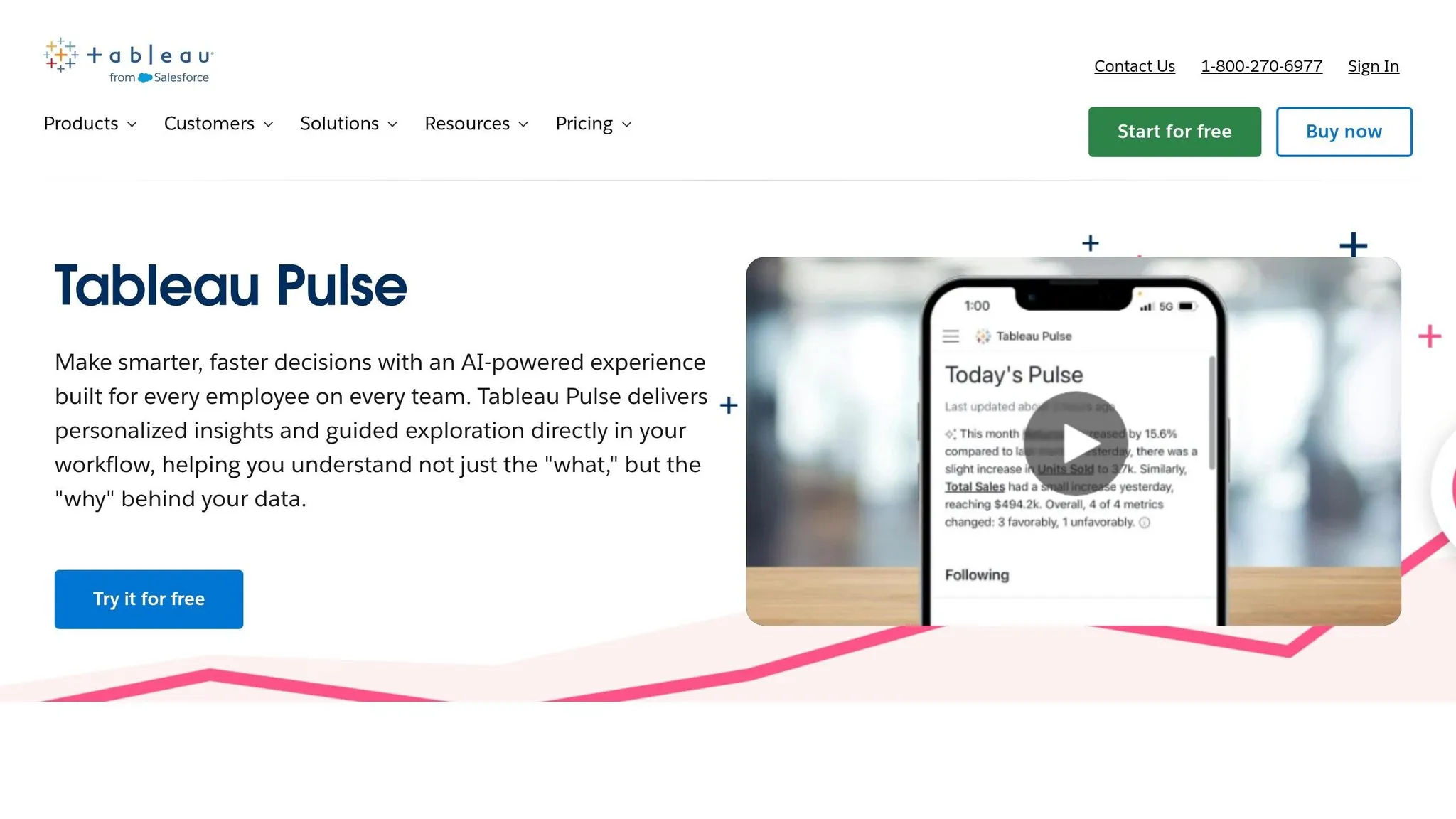
Tableau Pulse keeps employees informed by delivering personalized metric updates directly through Slack and email. This approach is designed to engage the 70% of employees who rarely interact with traditional data tools [13]. By leveraging generative AI, the platform simplifies complex metric changes into plain language, offering clear explanations for data trends [13][2]. Mauro Flores, Executive Vice President of Data Democratization at Virgin Media O₂, highlighted its transformative impact:
"We now have data that's available on a daily basis that's easy to navigate, easy to query, and available on our phone. It's really changing the game." [14]
The platform's conversational features further enhance how users interact with data.
Natural Language Capabilities
Tableau Pulse allows users to engage with data through conversational queries, making it easy to filter, aggregate, and analyze time-series data [15]. Its guided Q&A feature suggests follow-up questions based on the context, helping users dig deeper into root causes of trends [13][15]. Specialized AI agents also assist with tasks like anomaly detection and data exploration [1]. By 2026, Tableau's platform has advanced to include these agentic features, with Enterprise Creator pricing at around $115 per user per month, along with additional costs for Agentforce and Data Cloud credits [1].
Data Warehouse Connectivity
Tableau Pulse ensures seamless, real-time data access by connecting directly to major cloud data warehouses like Google BigQuery, Amazon Web Services, Snowflake, and Databricks [3][11]. Its Metrics Layer provides consistent data definitions across the organization, acting as a single source of truth [14][16]. Unlike static extracts, these live connections enable real-time analytics, while Tableau Cloud's infrastructure scales to meet enterprise demands [14].
These features demonstrate how AI-driven tools are reshaping how organizations make decisions and improve productivity.
Governance and Security
Tableau Pulse is built on the Einstein Trust Layer, which enforces strict security protocols for generative AI. This layer ensures that sensitive data shared with language model providers remains secure and is not used for retraining models [17]. Tableau also respects existing security measures like row-level and column-level permissions in Tableau Cloud or Server [15]. To protect raw data, the Tableau Agent only indexes metadata - such as field captions and descriptions - maintaining business context while safeguarding sensitive information. All governance settings are managed through Salesforce Admin tools, ensuring compliance across the enterprise [15].
Pricing and Scalability
Tableau Cloud offers flexible pricing: $15 per user per month for Viewer licenses, $42 per user per month for Explorer, and $75 per user per month for Creator licenses [11]. Tableau currently holds about 15% of the global business intelligence market and boasts a 4.8 out of 5 rating on Gartner Peer Insights [11][16].
4. ThoughtSpot
ThoughtSpot provides a Google-like search experience for data analytics, allowing users to type plain English queries such as "What's revenue by region last quarter?" to generate instant charts and tables [18]. This search-first design eliminates the need for SQL expertise, making analytics more accessible to non-technical employees across an organization. The platform also features AI Copilot, Sage, which goes a step further by suggesting relevant questions based on the data’s context and uncovering insights users might not have considered [18].
Natural Language Capabilities
ThoughtSpot includes Kaiya, a natural language-to-SQL engine designed to handle complex queries while delivering auditable responses [16]. By 2026, the platform has evolved to include natural language reasoning, breaking down vague business problems into multi-step analytical processes [19]. It can now ask clarifying questions and create structured reasoning chains, paving the way for an autonomous analytics system. These systems run continuous queries, detect anomalies, and surface insights without requiring user input [19]. This evolution not only simplifies intricate queries but also speeds up decision-making, meeting the high standards of modern analytics tools. ThoughtSpot has been rated 9/10 for ease of use and 10/10 for features by Orbitar AI [18], showcasing its focus on user-friendly and advanced capabilities.
Data Warehouse Connectivity
In addition to its language features, ThoughtSpot supports querying across multiple data sources simultaneously. This includes cloud data warehouses like Snowflake, BigQuery, and Redshift, relational databases such as PostgreSQL and MySQL, and cloud applications like Salesforce and Google Analytics [18]. The platform can handle billions of rows from various enterprise data sources, making it a strong choice for organizations with extensive data ecosystems [18]. Its ability to connect to multiple sources enables dynamic, search-driven Liveboards that replace traditional static dashboards, allowing users to ask on-the-fly questions rather than rely on pre-built reports [18].
Pricing and Scalability
ThoughtSpot uses a custom enterprise pricing model, requiring direct contact with its sales team for quotes [18][4]. Most enterprise implementations start at $100,000 annually [18]. The platform is ideal for organizations with 500+ employees, especially those where data teams are inundated with ad-hoc requests [18]. While setup can be resource-intensive due to the need for building data models, ThoughtSpot scores an overall 8.8/10, including 10/10 ratings for safety and governance [18]. Its scalability and robust features make it a strong option for large-scale deployments.
Pros and Cons
This section outlines a brief comparison of the strengths and limitations of each tool, drawing from the detailed analysis above. Each platform offers distinct advantages and trade-offs, often influenced by factors like technical skill requirements, data infrastructure, and budget.
Microsoft Power BI Copilot simplifies some of the more complex tasks, automating around 80% of DAX formula creation. However, users still need manual expertise for the remaining 20% [4]. Its capacity-based pricing model is ideal for scaling within large enterprises, but new users often face challenges navigating the broader Power BI ecosystem due to its steep learning curve [20].
Tableau Pulse shines with its proactive metric alerts and ability to deliver narrative-driven insights, helping users better understand the story behind their data [16]. Additionally, its seamless integration with Salesforce makes it a strong choice for organizations already using Salesforce tools. On the downside, it offers limited flexibility for custom, ad-hoc modeling compared to more specialized analytics platforms [20].
ThoughtSpot takes a user-friendly approach with its search-first interface, allowing business users to ask questions in plain English with minimal training [20]. It also excels at handling large-scale data volumes. However, its performance heavily depends on robust data modeling. With enterprise implementations starting at $100,000 annually, it is best suited for larger organizations with 500 or more employees [18].
All these platforms depend on high-quality data, highlighting the critical role of strong data governance. Whether it’s Power BI's AutoML integration, Tableau's Einstein AI insights, or ThoughtSpot's SpotIQ anomaly detection, the reliability of AI-driven analytics hinges on the integrity of the data warehouse. Poorly structured data models can lead to inconsistent and unreliable results [4].
What sets Querio apart is its focus on transparency. Querio generates inspectable SQL and Python code for every query, allowing teams to verify results and maintain governance through a shared context layer. This approach addresses the "black box" issue common with many AI tools, while still keeping analytics accessible through natural language processing queries. Querio’s balance of accessibility and auditability gives it an edge in delivering insights that teams can trust and confidently act upon.
Conclusion
Querio stands out in the world of AI-powered analytics by tackling two major challenges: transparency and control. Its ability to generate inspectable SQL and Python code ensures that every query can be audited, addressing the common "black box" issue that troubles many AI analytics tools.
Chris Walker from Tellius highlights the core issue:
"The bottleneck isn't data access - it's the analytical labor required to decompose metric changes into contributing factors, rank them, and explain them to stakeholders" [1].
Querio addresses this head-on by combining the ease of natural language queries (a key step when you add natural-language analytics to a product) with the auditability and reliability data teams demand. This means teams can trust the insights they gain while maintaining the flexibility to verify, adjust, and reuse the generated code. Its shared context layer ensures strict governance, a critical component of startup-friendly AI governance, allowing for full control without compromising speed or accessibility.
FAQs
::: faq
How accurate are natural-language analytics answers?
Natural-language analytics in 2026 are expected to deliver highly accurate results. Advanced AI tools will be capable of interpreting plain-English prompts to create visualizations, explain their reasoning, and analyze data efficiently. However, the accuracy of these tools will vary depending on the platform's capabilities and how well it translates data into clear, actionable insights. Platforms that emphasize strong explainability features will stand out for providing dependable and understandable results. :::
::: faq
How does Querio keep queries auditable and governed?
Querio connects directly to live data warehouses, allowing for full transparency by using SQL and Python. It also integrates strong governance features to maintain data security, ensure compliance, and create dependable audit trails for every query. :::
::: faq
What data setup do we need before using Querio?
To get started with Querio, link it directly to your live data warehouses like Snowflake, BigQuery, or Postgres. Make sure your setup allows for SQL/Python transparency and includes robust governance to ensure everything runs smoothly. :::