Business Intelligence
Embedded AI Analytics: Benefits, Use Cases and Tools
Embedded AI analytics explained: what it is, the benefits and use cases that hold up, which tools do it, and what each pricing model costs.
Embedded AI analytics means putting an AI layer that answers data questions directly inside the place where work happens — an analytics platform, your own product, a Slack channel, or an AI assistant — instead of sending people to a separate BI tool. Someone asks a question in plain English, the system writes and runs a query against live data, and the answer comes back where they already were. The three things that make it work in production are governed definitions so answers are consistent, live connections so answers are current, and inspectable output so a colleague can check the number.
Done well, this is the difference between a data team fielding forty questions a week and a company answering its own. Done badly, it is a confident wrong number in a board deck. This guide covers what embedded AI analytics is, the benefits and use cases that actually hold up, which tools deliver it, and what they cost.
What Embedded AI Analytics Actually Is
The term gets used for three different things, and buyers talk past each other because of it. Naming them makes shortlisting much easier.
AI Embedded Into an Analytics Tool
The AI lives inside the BI platform: a copilot in a dashboard, a search box that returns a chart, an agent that writes SQL. The user still goes to the analytics tool, but they no longer need to know its query language. Power BI Copilot, ThoughtSpot's search experience and Querio's notebook agent all sit here.
Analytics Embedded Into Another Application
This is embedded analytics in the classic sense, now with an AI layer: charts, reports and an "ask your data" box rendered inside your SaaS product, a customer portal, or an internal tool via iframe, SDK or API. The person never sees a BI product at all. If this is your use case, our guide to AI tools for embedded analytics and reporting goes deeper on embedding methods and tenant isolation.
Analytics Embedded Into an AI Assistant
The newest shape, and the one growing fastest. Your team asks a question inside Claude, ChatGPT or Gemini, and the assistant calls out to a server that holds the warehouse connection and the business definitions. The assistant is the interface; the analytics platform is the execution and context layer underneath. Querio exposes this over MCP, free to start at 100 questions a month.
Most companies eventually want all three, resolving to the same definitions. That is the actual test of an embedded AI strategy: whether the number in your product, your dashboard and your Slack channel agree — and whether you can prove why.
From Data to Decisions: The Power of Embedded Analytics
Benefits of Embedded AI for Decision-Making
Embedded AI tackles three problems that have limited business intelligence adoption for two decades: answers arrive too late, different teams produce different numbers, and most people cannot use the tool at all. Here is what changes in each, and what has to be true for the change to be real.
Faster Time to Insights
Instead of filing a request and waiting, you type a question and the system interprets it, queries live data, and returns a result in seconds. The obvious win is latency. The less obvious and larger win is question volume.
A team that used to ask two questions a week — because each one cost an analyst an hour — can explore ten angles in one sitting. A sales director prepping a quarterly review can move from regional performance to product trends to deal velocity without switching tools or waiting for anyone. That shift from "ask when it matters enough" to "ask freely" is where the compounding value is.
Speed also changes what you can act on. A finance team that spots an unexpected expense spike the day it happens can investigate; the same team finding it three weeks later during routine reporting can only explain it.
Higher Decision Quality and Accuracy
Speed only helps if the answers are right, and this is where most embedded AI deployments succeed or fail. The mechanism that matters is a governed layer of definitions the AI must use — the difference described in semantic layers vs traditional data models. Your data team decides once what "revenue" means, and every answer applies it.
That layer also carries the structural knowledge nobody should have to remember: how tables join, which rows are test accounts, how your fiscal calendar works, which date column is the right one. Without it, the model infers from column names, and inference is where confident wrong answers come from.
Live connections do the rest. Querying the warehouse directly means a customer success manager assessing churn risk sees today's data, not last week's extract. Combine governed definitions with live data and the debate in the meeting shifts from "is this number right?" to "what do we do about it" — which is the whole point.
Improved User Adoption and Accessibility
Traditional BI adoption stalls because using the tool requires skills most people do not have and will not acquire. Natural language querying removes that barrier: an HR manager can type "show me turnover rates by department for the last six months" without knowing anything about your schema. Our primer on natural language querying in BI covers how that translation works.
Once the barrier drops, the pattern of use changes. Product managers investigate user behaviour themselves. Sales reps check pipeline without waiting for the Monday report. Operations teams look into a bottleneck the hour they notice it.
Lowered barriers also produce curiosity, which is underrated. People who would never have opened a BI tool start asking follow-up questions, and follow-ups are where the findings nobody scheduled a report for tend to show up.
Use Cases of Embedded AI
The value shows up unevenly across a company. These three functions consistently see the fastest return, because each has a high volume of recurring questions that used to require a person.
Revenue Operations and Sales Analytics
Sales runs on timing, and a signal that arrives a day late is often worthless. With embedded AI, a sales director can pull live pipeline health, seasonal patterns and forecast movement without a request queue, and follow up with questions like "which reps have the highest win rates for enterprise accounts?" or "what is our average deal velocity by product line?"
Reps benefit as directly as leaders. Before a client call, a rep can review that account's purchase history, engagement pattern and upsell candidates in plain language. Live connections to Snowflake, BigQuery or Postgres mean the numbers reflect the current state of the CRM data, not a nightly snapshot that has already drifted.
Marketing Performance Optimization
Marketing juggles more data sources than any other function, and mid-campaign decisions used to require either technical skill or patience. Ask "which campaigns had the highest conversion rates last month?" and get the breakdown by channel, segment and creative — early enough to move budget while it matters.
Two capabilities do disproportionate work here. Anomaly detection catches a cost-per-acquisition spike or a traffic drop the day it starts, and can investigate the likely cause before anyone logs in. Governed attribution definitions keep the numbers consistent, so marketing and finance stop producing rival versions of the same channel's ROI.
For deeper work, the same governed data should be reachable from a notebook. A marketer asking "what were engagement rates by industry for our last email campaign?" and an analyst building a propensity model should be reading the same definitions — otherwise you have two marketing truths.
Financial Planning and Forecasting
Finance gets the most out of the combination of governed definitions and live data, because finance is the function where a wrong number has consequences. Variance analysis is the clearest example: instead of reconciling budgets to actuals across dozens of cost centres by hand, ask "show me departments where spending exceeded budget by more than 15% this quarter" and get the list.
Scenario work opens up too. A junior analyst can ask how a 5% price increase would affect gross margin and get a result computed with the company's standard definitions rather than their own spreadsheet assumptions. A CFO can ask about cash runway at the current burn rate and get an answer grounded in live figures.
During month-end close, the payoff is reconciliation. When numbers from different systems disagree, a warehouse-first approach surfaces the disagreement instead of smoothing it over, which is exactly what you want at close and exactly what a pretty dashboard tends to hide.
Which Tools Do Embedded AI Analytics
Understanding the category is the easy half; picking a tool is the part that costs money. The table below maps the main options against the three definitions above, so you can rule out anything shaped wrong for your case before you book a demo. Product names in this space change often — confirm anything decision-critical on the vendor's documentation.
Tool | Which kind of "embedded" | AI capability | Best fit | Pricing model |
|---|---|---|---|---|
Querio | All three: in-platform agent, embedded API/iframe, and MCP into Claude and other assistants | Agent that writes inspectable SQL and Python in a reactive notebook; refuses when the data is missing | Teams with a warehouse who want one governed definition across product, dashboard and Slack | Per workspace, month-to-month |
Power BI Copilot / Fabric | In-platform, plus embedding on Fabric capacity | Copilot Q&A over a curated semantic model | Microsoft-standardised companies | Per-user licences plus capacity — confirm on the vendor's pricing page |
Looker | In-platform, plus mature embed SDK | Gemini-assisted conversational analytics over LookML | Large estates that already model in LookML | Quote-based, platform plus users — confirm on the vendor's pricing page |
ThoughtSpot | In-platform search, plus embedded SDK | Search-style questioning and its Spotter agent | Companies wanting search-first consumption at scale | Quote-based — confirm on the vendor's pricing page |
Snowflake Cortex Analyst | API you embed yourself | Text-to-SQL over a semantic model you define | Snowflake-only stacks with engineering capacity | Consumption (credits) — confirm on the vendor's pricing page |
Databricks AI/BI Genie | In-platform, plus API | Conversational analytics over Unity Catalog data | Lakehouse-centric teams | Consumption (DBUs) — confirm on the vendor's pricing page |
Sisense | Embedded-first via component SDK | Automated insights and NLQ add-ons | Product teams composing analytics into their own UI | Quote-based, OEM terms — confirm on the vendor's pricing page |
GoodData | Embedded-first, API and React components | AI assistant over a declarative semantic model | ISVs provisioning many customer workspaces | Workspace / consumption — confirm on the vendor's pricing page |
Metabase | Embedded via iframe and SDK | Light AI assistance; mainly no-code query builder | Budget-constrained teams wanting fast dashboards | Free self-host plus paid tiers — confirm on the vendor's pricing page |
The pattern worth noticing: the warehouse-native options (Cortex Analyst, Genie) are the least work if you have exactly one data platform, the embedded-first options (Sisense, GoodData) assume you have engineers to build the front end, and only a few tools serve the internal team and the customer-facing app from the same definitions. If your numbers have to agree across surfaces, that last property is the one to shortlist on.
Tools and Capabilities for Embedded AI
Whichever product you pick, three capabilities determine whether embedded AI works or quietly gets abandoned. Score candidates on these rather than on the demo.
Natural Language Querying
The core interaction is asking in plain English and getting an answer in seconds rather than days. What separates a usable system from a toy is context: it has to understand your business terms, the relationships between your tables, and follow-up questions. After seeing overall deal sizes, "can you break that down by region?" should just work, without restating the original question.
Querio's agent connects to live data through encrypted read-only credentials, so every answer reflects the current state of the warehouse. Governed definitions tell it how tables relate and what a metric means, which is what makes the same question return the same answer regardless of who asks.
Accuracy is non-negotiable. A fast wrong answer is worse than no answer, because someone acts on it. This is where definitions earn their keep: when a person asks about "revenue", the system needs to know whether that means gross, net or recognised revenue by rule rather than by guess. Equally important is the refusal case — if the data cannot answer the question, the system should say so instead of producing a plausible figure.
AI-Powered Python Notebooks
Natural language handles the quick question. Deeper work — cohort analysis, forecasting, a statistical test — needs a real workbench, and this is where most AI analytics tools stop and hand you a chart you cannot extend.
Querio's notebook is reactive and speaks both SQL and Python: cells are connected, so charts update automatically when the SQL above them changes, with no re-running from scratch. Charts are built on Vega-Lite via Altair. An analyst can start with a query, move into pandas, and stay in one environment.
The property that matters for embedded AI specifically is that every plain-English answer is a notebook. Ask in Slack and the bot spins one up in the app behind the scenes, which means there is an audit trail and an artefact somebody can open six months later. Compare that with a chat window, where the reasoning evaporates when the thread scrolls away. If you want to see how that differs from a general-purpose notebook, our roundup of Python notebooks covers the field.
Governed Semantic Layer
A governed semantic layer is the translator between raw tables and the concepts your business actually talks about. It defines how tables connect, what metrics mean, how calculations run, and who can see what.
Without one, "what is our customer churn rate?" has four plausible answers — accounts or users, which time window, whether trials count — and the AI will pick one silently. That silent pick is the failure mode you are buying the layer to prevent.
Querio takes a specific approach here that is worth understanding when you compare vendors. Instead of a proprietary model inside the platform, the context lives as plain SQL, Markdown and Python files synced to GitHub in the same repository as your dbt project. The agent proposes definitions as it learns them; only logged-in people can approve and commit them, so context accumulates under review rather than drifting.
Two consequences follow. First, the definitions are portable — they keep working with Claude Code or any other agent, with or without Querio, which removes the lock-in risk that makes semantic layers a hard commitment. Second, they stay in sync with dbt because they live in the same pull request. Our guide to what a governed context layer is explains the difference from a vendor-hosted semantic layer, and building a semantic layer that understands your business covers where to start.
Access control belongs in this layer too, enforced at query time rather than in the interface. A regional manager sees their region; a VP sees everything. Querio adds OAuth over MCP, so when someone asks a question from inside Claude, the query inherits that individual's permissions instead of running as a shared service account.
What Embedded AI Analytics Costs
Pricing shape decides whether embedded AI spreads or stalls, because the entire value depends on people asking more questions than they used to. The table compares models, not list prices — vendor figures change and most enterprise deals are negotiated, so only Querio's numbers are stated outright.
Approach | Pricing model | What drives the bill |
|---|---|---|
Querio | Per workspace, month-to-month | Startup $500/month ($5,000 billed annually) for up to 10 users; Core $1,999/month ($20,400 billed annually) with unlimited users and 3 data connections; Enterprise custom for self-hosting or physical data separation. AI usage included with no per-question charges. |
BI platform copilots | Per-user licences, often plus capacity | Seat count and whether AI features require a higher capacity tier — confirm on the vendor's pricing page |
Warehouse-native AI | Consumption (credits or DBUs) | Question volume and the compute each generated query uses — confirm on the vendor's pricing page |
Embedded-first platforms | Quote-based, often OEM terms | Number of customer workspaces or viewers, and redistribution rights — confirm on the vendor's pricing page |
Build it yourself on a model API | Per token, plus engineering | Question volume, context sent per question, and the permanent cost of owning the harness |
The trap in three of those five rows is that cost rises with curiosity. If asking twenty follow-up questions makes someone nervous about the bill, you have bought a tool that punishes the behaviour you were trying to create. Querio includes AI usage in the plan with no per-question charges, transparent at-cost overages above the included pool, and an optional hard cap so usage simply stops at the limit rather than producing a surprise invoice. There is a free trial and a money-back guarantee on the paid plans, and the MCP and API tier is free to start at 100 questions per month with no payment details required.
Implementing Embedded AI with Querio
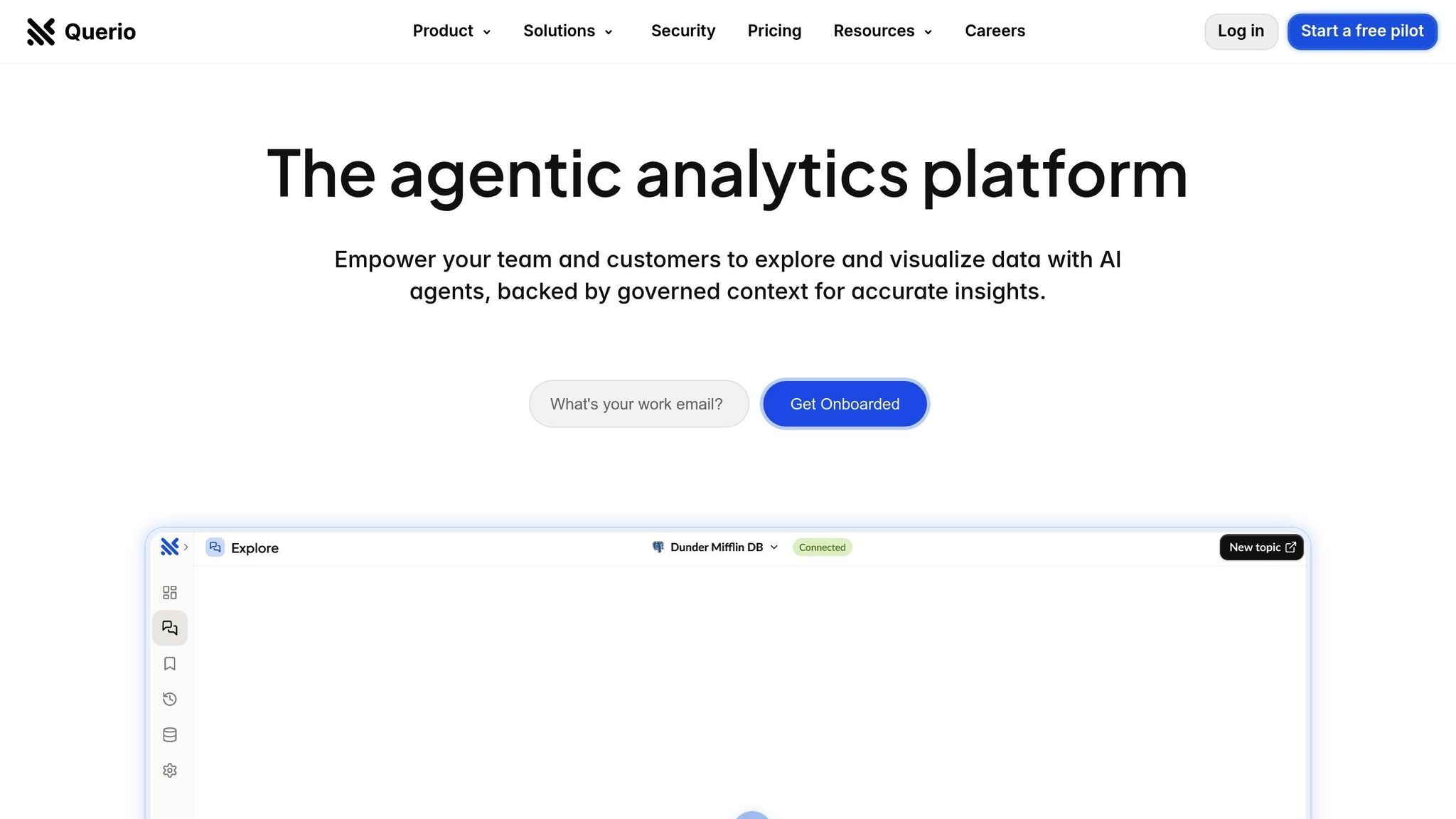
Implementation comes down to three steps in order: connect the data securely, write down what your metrics mean, then put the answers where people already work. Skipping the middle step is the single most common reason these projects disappoint.
Building a Strong Data Foundation
Start with a direct connection to your warehouse or database — Snowflake, BigQuery, Redshift, ClickHouse, MotherDuck, Postgres, MySQL, MariaDB, SQL Server or MongoDB. Querio uses encrypted, read-only credentials, so your data stays where it is and the AI is structurally incapable of writing to it.
Because the connection is live, every question runs against current data rather than an extract someone has to refresh. Your data team supplies credentials, chooses which schemas are in scope, and configures network access. At that point Querio can see tables and columns but makes no assumptions about what they mean — which is what the context layer is for.
On security: Querio is SOC 2 Type II, runs annual third-party penetration tests, is HIPAA compliant and signs BAAs, supports SSO and role-based access, and executes code in a sandbox. Enterprise deployments cover self-hosting and physical data separation for teams with residency requirements. Billing hard caps are available so usage stops at a limit you set.
Direct connections also keep costs legible. Your warehouse handles the compute, billed by your cloud provider at rates you already understand, rather than being repriced inside an analytics vendor's metering.
Defining Governed Metrics and Glossaries
Next, teach the system how your business works. Begin with the metrics people argue about — revenue, customer count, churn — and for each one define the calculation, the tables and columns it uses, and a plain-language description of what it covers.
Focus on the ten to twenty metrics your teams use most, then expand. A business glossary handles the vocabulary gap: when someone says "MRR", the system should know that means monthly recurring revenue and how to compute it. If two teams genuinely define a metric differently, create two clearly labelled definitions rather than pretending there is one.
Document the edge cases while you are there. If "active users" excludes internal employees and test accounts, write that down — those exclusions are exactly what a model cannot infer, and exactly what makes a number wrong in a way nobody notices.
The payoff is consistency across surfaces. Whether someone is asking in Slack, reading a dashboard, or working in a notebook, they are resolving against the same approved definitions. Because those definitions are files in your GitHub repo, they update alongside your dbt models rather than drifting behind them.
Embedding AI Into Workflows
With the foundation in place, put the answers where the questions already get asked. Querio answers in Slack and Microsoft Teams, and a Slack question spins up a real notebook in the app so there is a full audit trail behind the chart in the channel. Questions can also come from Claude or another assistant over MCP, with OAuth ensuring each query inherits that person's permissions.
For customer-facing analytics, the same governed logic ships through the embedded API or an iframe, with row-level security and white-label options. One definition serves your internal dashboard and your customers' portal, which is what stops the two from disagreeing.
Automations remove the recurring questions entirely. Schedule a saved analysis or a prompt-driven investigation to run and deliver to Slack or email — including anomaly detection that investigates the root cause of an unusual movement and posts what it found before your team logs in.
Adoption is the only honest measure of success. Watch whether questions are being asked, whether the answers get used in decisions, and whether the definitions library is growing. Answers improve as context accumulates and gets approved, so month three should feel materially better than week one — provided someone is reviewing what the agent proposes.
When to Choose Querio
Querio fits when you have a real warehouse or database and you want one set of definitions serving the data team's notebook, the business team's Slack channel, and your customers' embedded dashboard. The mechanisms: live encrypted read-only connections with no extracts; a context repo of plain SQL, Markdown and Python files in your own GitHub next to dbt; answers as inspectable SQL and Python in a reactive notebook; delivery to Slack, Teams and Claude over MCP with per-user OAuth; and a system that says "I don't have this" instead of inventing a figure.
It is the wrong choice in three situations, and knowing them saves everyone a demo. If your data lives in spreadsheets and SaaS apps with no warehouse behind them, a connector-heavy platform solves a problem Querio does not. If you are fully standardised on one cloud data platform and happy there, the native option — Cortex Analyst in Snowflake, Genie in Databricks, Gemini in BigQuery — will be simpler and probably cheaper than adding a vendor. And if what you need is pixel-perfect design control over dozens of chart types today, an SDK-first embedded platform will get you further faster.
Conclusion
Embedded AI analytics works when three things are true at once: the connection is live, the definitions are governed and owned by you, and every answer leaves an artefact somebody can inspect. Get those right and integrating AI into your analytics workflow stops being a pilot and becomes infrastructure.
The sequence is unglamorous and reliable. Connect one warehouse, write down the ten metrics your teams argue about, launch where people already work rather than in a new app, and have an analyst review the first fifty answers so the corrections become permanent context. Expand from there.
What you are building is not a chatbot. It is the execution and context layer underneath whichever interface your team prefers — the app, Slack, or Claude — so that the same question gets the same trustworthy answer wherever it is asked.
FAQs
What is embedded AI analytics?
Embedded AI analytics is an AI layer that answers data questions inside the place work already happens — an analytics platform, your own application, a Slack channel, or an AI assistant — rather than in a separate BI tool. A user asks in plain language, the system generates and runs a query against live data, and the answer returns in context.
The three properties that make it production-grade are governed definitions (so answers are consistent), live connections (so answers are current), and inspectable queries (so answers are checkable).
How does embedded AI help businesses make faster and more accurate decisions?
Speed comes from removing the request queue: a question that used to take a day of analyst time takes seconds, so teams ask ten questions where they used to ask two. Accuracy comes from the governed layer — approved metric definitions and join paths applied to every query — plus live data instead of stale exports.
The combination matters more than either half. Fast wrong answers are worse than slow right ones, which is why refusal behaviour and inspectable SQL belong in any evaluation.
What are the key benefits of using Querio's AI-powered Python notebooks?
Querio's notebook is reactive: cells are connected, so when the SQL changes the charts below it update automatically instead of needing a full re-run. It speaks both SQL and Python, so you can query, then model, in one place, with charts rendered through Vega-Lite via Altair.
The bigger benefit is that every answer is one of these notebooks, including answers requested from Slack. Nothing important lives only in a chat window, so a number can be reopened, audited and corrected months later.
How does a governed semantic layer ensure consistent insights across teams?
It centralises the definitions — metrics, join paths, filters and access rules — so every query resolves the same way no matter who asks or which surface they ask from. Change the definition of customer lifetime value once and every dashboard, notebook and AI answer picks it up.
Where implementations differ is ownership. Querio stores that layer as plain SQL, Markdown and Python files in your GitHub repo alongside dbt, so it is version-controlled, reviewed through pull requests, and still usable by other agents if you ever change tools.
Do I need a data warehouse for embedded AI analytics?
Not strictly. Several tools, including Querio, connect directly to application databases such as Postgres or MySQL, and that is a perfectly reasonable starting point for a small company.
A warehouse makes lineage, timezone normalisation and a single source of truth far easier, and those matter more as soon as the same metric appears in your product, your dashboards and a customer's inbox. If you are on Postgres today, use a read replica and a genuinely read-only role.
Is it safe to let AI query business data?
It is safe when the controls are structural rather than instructional. Look for read-only encrypted credentials so the AI cannot write, permissions enforced at query time rather than in the UI, per-user authentication for agent access (OAuth rather than a shared service account), sandboxed execution, and an audit trail for every query.
Then test the failure mode: ask something the data genuinely cannot answer and see whether the tool refuses or invents. That single test tells you more than a security questionnaire. The ethics of letting AI query your business data covers the wider considerations.
Related Blog Posts
What Is Self-Service Analytics? Benefits, Risks and Governance
What Is Embedded Analytics? Benefits, Use Cases and Examples
Related reading