Business Intelligence
Snowflake Cortex Analyst vs the Alternatives: 7 Tools Compared
Compare Cortex Analyst and seven AI analytics tools on warehouse support, semantic layers, governance, setup effort, and cost.

If I had to boil this down to one line: Snowflake Cortex Analyst is the best fit for Snowflake-only teams with tight control needs, while the other tools win when you need multi-warehouse support, easier self-serve BI, or analyst-first work.
Here’s the short version:
- Snowflake Cortex Analyst fits teams that want text-to-SQL inside Snowflake with Snowflake permissions already in place.
- ThoughtSpot, Looker, Hex, Metabase, dbt Semantic Layer, Querio, and Fabric Copilot each pull ahead in at least one area: warehouse coverage, metric reuse, business-user access, or lower setup work.
- The main risk with Cortex Analyst is not the SQL itself. It’s the semantic setup. If that layer is weak, you can get answers that look right but are still wrong.
- Cost can swing fast with usage-based models. The article points to as much as 3.4x cost variation for consumption or capacity pricing.
- For regulated teams in healthcare or finance, the short list should start with permission inheritance, audit trail, read-only access, and SQL visibility.
If you’re comparing these tools, I’d focus on six things first:
- Warehouse support
- Text-to-SQL accuracy
- Governance and RBAC
- Semantic layer quality
- Setup time
- Pricing model
Cortex AI And Streamlit: A Perfect Match For Data Analysts
::: @iframe https://www.youtube.com/embed/49vJRrZxVw4 :::
sbb-itb-284a532
Quick Comparison
::: @figure 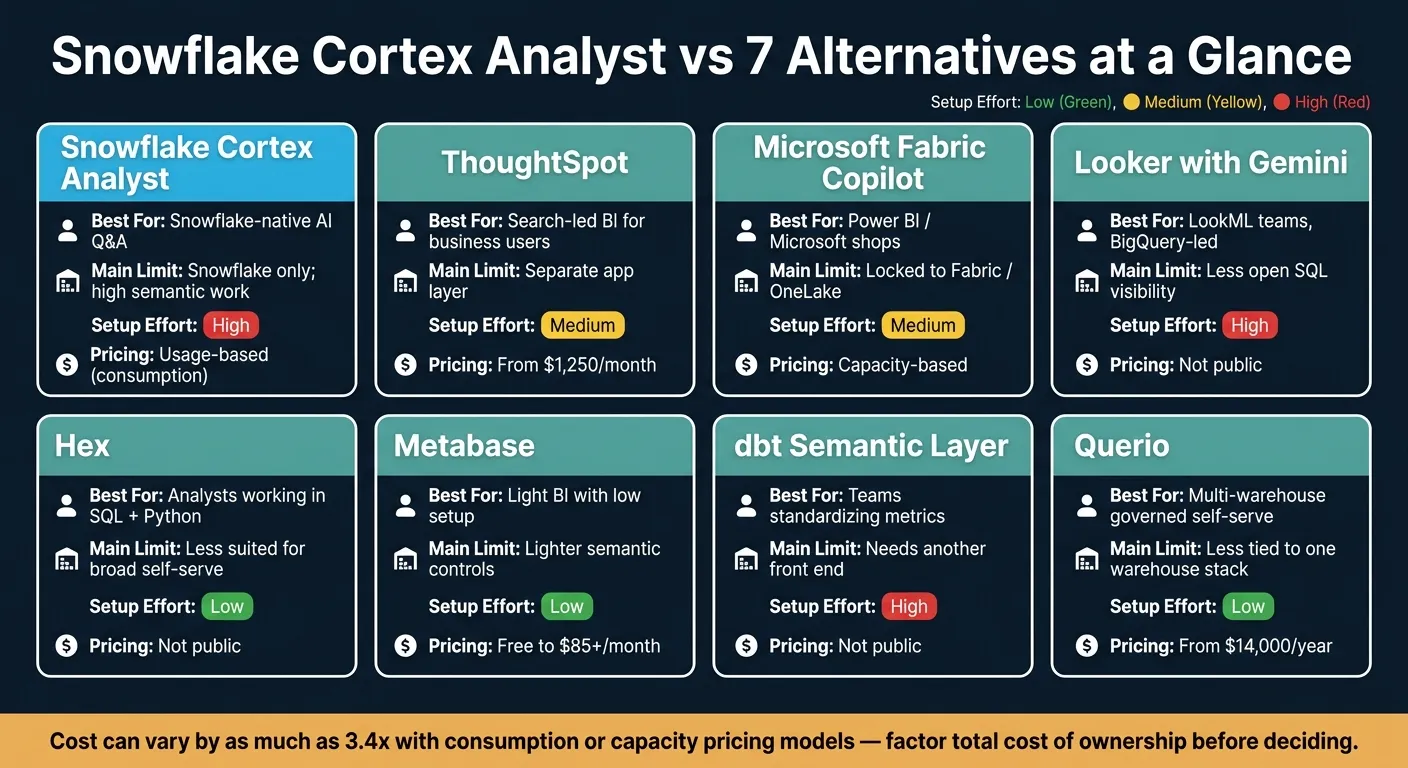 {Snowflake Cortex Analyst vs 7 Alternatives: Feature Comparison Chart}
:::
{Snowflake Cortex Analyst vs 7 Alternatives: Feature Comparison Chart}
:::
| Tool | Best for | Main limit | Setup | Pricing |
|---|---|---|---|---|
| Snowflake Cortex Analyst | Snowflake-native AI Q&A | Snowflake only; high semantic work | High | Usage-based |
| ThoughtSpot | Search-led BI for business users | Separate app layer | Medium | Starts at $1,250/month |
| Microsoft Fabric Copilot | Power BI / Microsoft shops | Locked to Fabric / OneLake | Medium | Capacity-based |
| Looker with Gemini | LookML teams, often BigQuery-led | Less open SQL visibility | High | Not public |
| Hex | Analysts working in SQL + Python | Less suited to broad business self-serve | Low | Not public |
| Metabase | Light BI with low setup | Lighter semantic controls | Low | Free to $85+/month |
| dbt Semantic Layer | Teams standardizing metrics | Needs another front end | High | Not public |
| Querio | Multi-warehouse governed self-serve | Less tied to one warehouse stack | Low | Free plan; Core $2,499/mo |
What stood out to me is simple: this is less about “which AI tool is best” and more about where your data lives, who asks the questions, and how much setup your team can carry. If you’re all-in on Snowflake, Cortex Analyst makes sense. If you run more than one warehouse or want self-serve for both analysts and business users, the other text-to-SQL query tools deserve a harder look.
Where Snowflake Cortex Analyst is strong and where it falls short
What Cortex Analyst actually does
Snowflake Cortex Analyst is a conversational analytics service. A user types a question in plain English - "What was net revenue by region last quarter?" - and Cortex Analyst writes SQL, runs it against Snowflake data, and returns an answer.
Because it runs inside Snowflake, data stays in the platform during processing and LLM inference. That matters. If your team is careful about where sensitive data goes, keeping everything under one roof can remove a lot of stress.
Cortex Analyst leans on Semantic Views - YAML models that define metrics, dimensions, relationships, and examples. This is where things can get tricky. If the semantic layer isn't mature, answers can drift off course or come back wrong even when the SQL itself runs fine.
And that's the catch: you can get silent failures. The query is valid. The number looks plausible. But it's still wrong.
So the main tradeoff isn't the chat interface or the SQL generation. It's semantic quality. Teams should expect to spend months building and tuning semantic models before a broad rollout.
Who it fits and where it creates friction
If you look at Cortex Analyst through the lens of governance and setup effort, the fit is pretty clear. It's strong for Snowflake-first teams and much tighter for mixed data stacks.
Cortex Analyst works well for teams that want AI Q&A inside Snowflake without bringing in extra infrastructure. It uses Snowflake RBAC, row-level security, and masking automatically, so there's no need to bolt on a separate permissions layer. For healthcare and finance teams that already keep sensitive data in Snowflake, that's a big plus.
The friction shows up in two places:
- Semantic setup takes time
- It only works with Snowflake data
If your stack also includes BigQuery or Databricks, you'll need to move or consolidate that data into Snowflake first [1][4]. For teams with a clean Snowflake-only setup, that's no big deal. For everyone else, it can turn into extra work fast.
The comparison below shows how other tools handle those limits in different ways.
Feature matrix: Snowflake Cortex Analyst and 7 alternatives side by side
How to read the matrix
Use this matrix to rule out poor fits before you book demos. As you scan it, focus on four things: where inference runs, whether you can inspect the SQL, where governance sits, and whether the tool suits business users, analysts, or both. If a tool lines up on all four for your team, it deserves a closer look. If it falls short on governance or transparency, that can be a problem in regulated settings like healthcare or finance.
The matrix gives you the big picture. The next section gets into why each tool lands where it does.
| Tool | Architecture | Supported Warehouses | Semantic Layer | SQL Transparency | Governance Model | Primary User | Setup Effort | Pricing Model |
|---|---|---|---|---|---|---|---|---|
| Snowflake Cortex Analyst | Warehouse-native | Snowflake only | Semantic Views (YAML) | Full SQL shown | Native Snowflake RBAC/RLS | Data teams / developers | High | Consumption-based [2] |
| ThoughtSpot | BI-native (SaaS) | Snowflake, BigQuery, Redshift | Worksheets / semantic model | Limited; SQL visible only in Query Inspector | Rule-based RLS | Business users | Medium | Starts at $1,250/month; consumption options [3] |
| Microsoft Fabric Copilot | Platform-native | Fabric / OneLake only | Power BI Semantic Model | DAX shown; SQL limited | DAX-based row-level security | Business users | Medium | Capacity-based licensing [4] |
| Looker with Gemini | BI-native | BigQuery, Snowflake, Redshift | LookML (centralized) | Limited / hidden | Centralized BI governance | Analysts / business users | High | Not publicly listed |
| Hex | AI-first workspace | Snowflake, BigQuery, Redshift, Postgres | Schema-first + dbt integration | Full SQL & Python (editable) | Warehouse-inherited | Analysts / data scientists | Low | Not publicly listed |
| Metabase | BI layer | Postgres, Snowflake, BigQuery, Redshift | Metadata-driven | Partial / editable SQL | RBAC / sandboxing | Business users / analysts | Low | Free (open source) to $85+/month hosted [3] |
| dbt Semantic Layer | Transformation-native | Snowflake, BigQuery, Redshift, Postgres | MetricFlow / YAML | High via downstream tools | Centralized metric logic | Analytics engineers | High | Not publicly listed |
| Querio | AI-native workspace | Snowflake, BigQuery, Redshift, Postgres | Context layer (plain SQL, Markdown, Python files synced to GitHub) | Full SQL shown and editable | Warehouse-inherited | Analysts / business users | Low | Free plan; Core $2,499/mo |
Pricing and architecture notes to watch
Consumption-based and capacity-based pricing can get expensive fast. Snowflake Cortex Analyst runs on Snowflake credits, so spikes in usage show up directly on your Snowflake bill. Costs can vary by as much as 3.4x [2][4]. If you want something easier to budget for, Metabase’s open-source tier and Querio’s plans, with AI credits included and spending caps, are simpler to forecast.
Snowflake Cortex Analyst and Microsoft Fabric Copilot also come with a platform constraint: they require data centralization in their own ecosystems. For mixed-stack teams, that means consolidation work may come before rollout.
The matrix helps shrink the shortlist. The next section breaks down the tradeoffs behind each tool’s fit.
Tool-by-tool breakdown: strengths, tradeoffs, and who each tool fits
ThoughtSpot, Microsoft Fabric Copilot, and Looker with Gemini
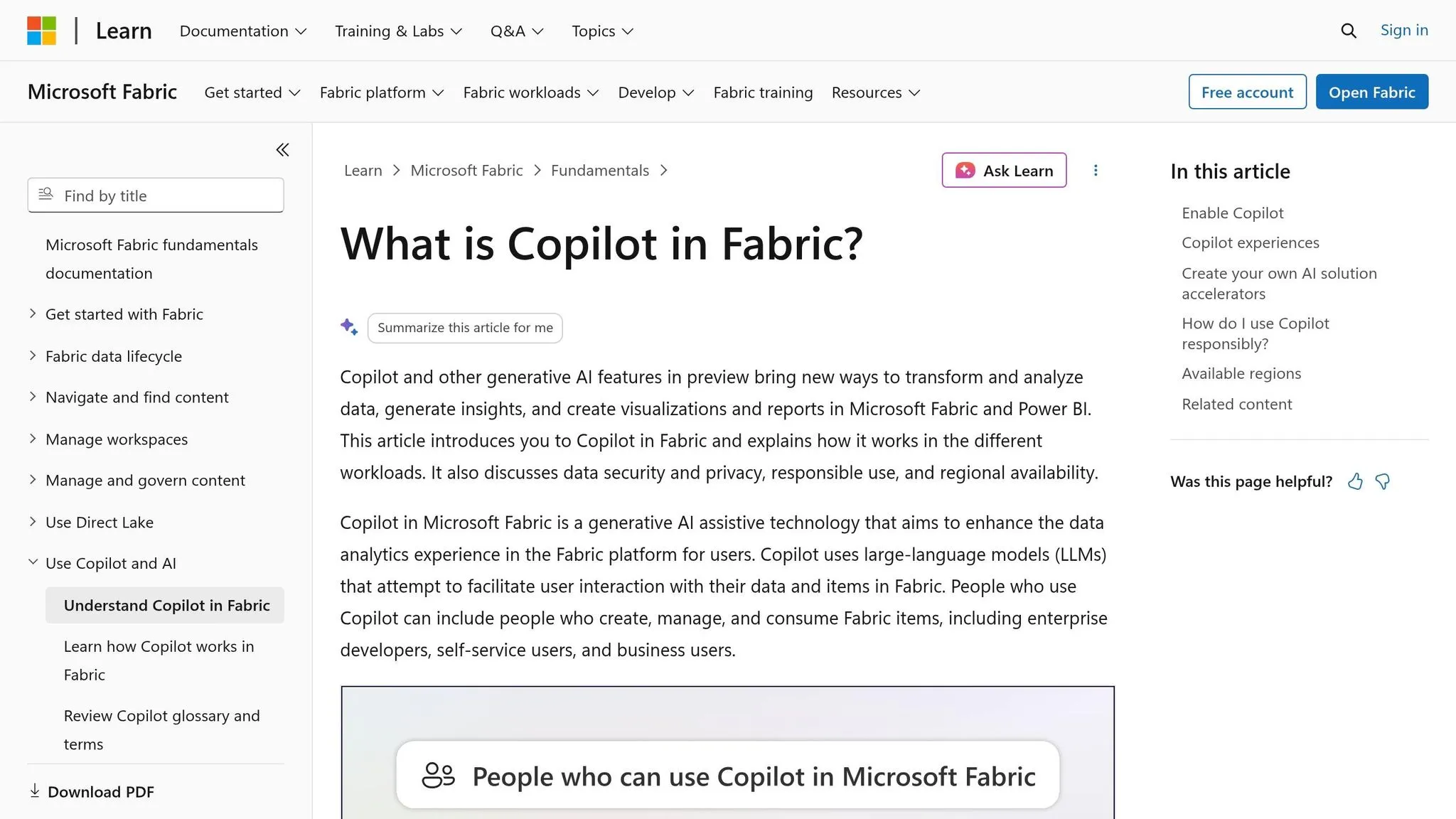
These BI suites give you tighter governance. The catch is simple: each one pulls you toward its own platform.
ThoughtSpot (Sage/Spotter) makes things easier for business users with a search-first interface. Instead of digging through menus, people can ask for what they want. Its semantic model in worksheets also gives analytics teams one central place to define metrics. The tradeoff is that it runs as a separate app, so users have to work outside Snowflake [5].
Microsoft Fabric Copilot makes the most sense for teams already all-in on Power BI and the Microsoft stack. If that's your setup, it feels like the obvious choice. But there’s a catch: answer quality leans hard on the strength of your current Power BI semantic models, and you're still tied to the Microsoft ecosystem [5].
Looker with Gemini is a strong pick for teams that already use LookML and run mostly on BigQuery. LookML’s centralized semantic layer is mature, and Gemini makes natural-language querying feel built into that system instead of bolted on. That’s why the next set of tools matters more for teams that care about notebook workflows and reusable metrics.
| Tool | Best fit | Key constraint |
|---|---|---|
| ThoughtSpot | Enterprise BI replacement | Separate app; not warehouse-native |
| Microsoft Fabric Copilot | Power BI / Microsoft shops | Locked to Microsoft stack |
| Looker with Gemini | Mature LookML + BigQuery teams | Limited outside Google ecosystem |
Hex, Metabase, and dbt Semantic Layer
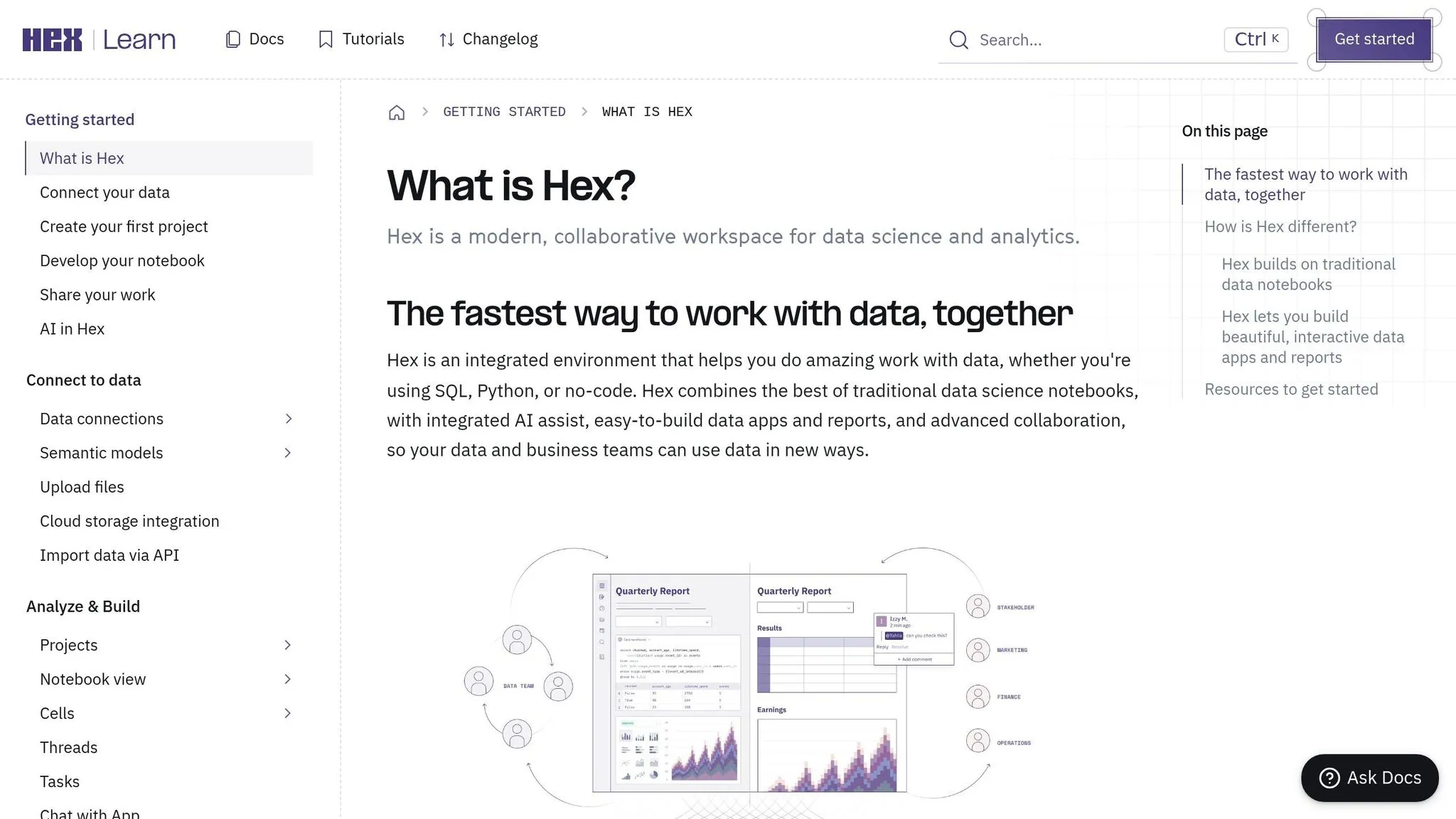
These tools sit lower in the stack. So instead of aiming for broad BI rollout across the company, they lean more toward analyst workflows and keeping metrics lined up. Put simply: Hex = analyst workflow, Metabase = lightweight BI, dbt Semantic Layer = governed metric layer.
Hex is made for analyst-led work. It brings together SQL and Python notebooks with AI help, and it shows every query it writes. That matters because the SQL stays editable. Analysts can inspect it, tweak it, and keep moving. The downside is that it’s not as easy for non-technical users to pick up and use on their own.
Metabase works for teams that want a lighter BI layer without a lot of semantic-model setup. It’s a simpler option when the goal is to get answers out without adding too much overhead.
dbt Semantic Layer (built on MetricFlow) is different. It’s not an end-user tool at all. It’s a metric layer. Metrics are defined in YAML so downstream tools pull the same numbers in a consistent way. But on its own, it doesn’t answer user questions. You still need a front end on top of it to deliver answers [4].
Querio as a governed, warehouse-native option for self-serve and analyst workflows
Querio brings together the warehouse connection and workflow layer that the earlier tools split apart.
It connects live to Snowflake, BigQuery, Redshift, ClickHouse, and Postgres with read-only access. There are no extracts and no CSV round-trips. Every answer is written as real SQL or Python inside a reactive notebook, where cells stay linked and charts update on their own when the logic changes. If someone wants to check the work, they can open any answer and see exactly what ran.
What sets Querio apart is its context layer. Metric definitions, joins, and trusted queries live as plain SQL, Markdown, and Python files synced to GitHub in the same repo as your dbt project. The agent can suggest context changes, but your team still approves them. Context stays in GitHub, and queries inherit the user’s permissions.
People can use Querio in Slack, Teams, or notebooks. Dashboards come straight from notebooks, and they can be scheduled or embedded. Automations can run a prompt-driven investigation on a schedule and send findings to Slack or email before the team even logs in.
| Capability | Querio | Cortex Analyst |
|---|---|---|
| Warehouse support | Snowflake, BigQuery, Redshift, ClickHouse, Postgres | Snowflake only |
| SQL transparency | Full SQL shown and editable | Explainable SQL |
| Context / semantic layer | Plain files synced to GitHub + dbt | Semantic Views |
| Delivery surfaces | Slack, Teams, MCP, dashboards, automations | API / Snowflake UI |
| Primary users | Analysts and business users | Platform / data teams |
| Setup effort | Low | High |
| Pricing | Free plan; Core $2,499/mo | Consumption-based |
Querio works well for teams that want governed self-serve across more than one warehouse, without forcing everything into a single vendor platform. At that point, the choice is mostly about stack fit, governance needs, and how much setup your team can take on.
How to choose: Snowflake Cortex Analyst or an alternative
Decision paths by data stack and team size
The best choice comes down to three things: warehouse coverage, who will use the tool, and how strict your governance needs are. Use the matrix above to match each case to the right fit based on warehouse support, governance, and user type.
A small SaaS team on Snowflake without a BI function is often the most obvious fit for Cortex Analyst. It can work well when your Semantic Views are in good shape. Your data and permissions stay inside Snowflake, which is a big plus. But if your semantic modeling is still shaky, rollout can drag.
That changes fast when your stack goes beyond one warehouse. At that point, Snowflake-native convenience isn’t enough on its own.
A dbt-backed fintech using Snowflake and Redshift needs support across Snowflake, BigQuery, and Redshift and metric definitions that stay intact. Cortex Analyst doesn’t fit that setup. You’ll want a tool that works across both systems and keeps dbt metrics in place. Querio makes sense if you want the context layer stored as plain files in GitHub next to your dbt project.
A healthcare company where audit logs, inherited permissions, and read-only access are non-negotiable should put those controls first. Audit logs, inherited permissions, read-only access, and clear lineage aren’t nice-to-haves here. They’re the baseline.
A product-led SaaS team that wants AI answers in Slack and governed analysis in the warehouse should look for tools that deliver governed answers in Slack or Teams while keeping the SQL open for inspection.
Final recommendations and a pilot checklist
There’s no one-size-fits-all winner here. Cortex Analyst is the right default if you’re Snowflake-only, can put time into semantic modeling, and want to stay inside the Snowflake ecosystem. If you need support across multiple warehouses, analyst-led workflows, or governed self-serve for non-technical users, pick the tool that fits both your stack and your main users.
Before rollout, test the tool with real data and real users. That’s where the gaps usually show up. Focus on these four checks:
- SQL reliability - Test it on your actual joins and compare output against known results.
- Permission inheritance - Make sure the tool inherits each user’s permissions and defaults to read-only.
- Total cost - Include Snowflake credits or seat fees, plus the cost of inefficient queries.
- Self-serve consistency - Business users should get consistent answers from trusted metrics.
FAQs
::: faq
How long does semantic setup usually take?
Semantic setup usually takes weeks to months.
It starts with a metadata or semantic model that maps business terms to tables, columns, metrics, and join paths. From there, you add verified example questions and corrected SQL so the system gets more reliable over time.
If your semantic models are already mature, setup goes faster. If they’re still immature, expect more work up front and more upkeep as things change. :::
::: faq
Can I trust answers if the SQL looks correct?
No. SQL can look valid and run cleanly, yet still give you the wrong answer if the model gets the schema wrong or messes up the join logic.
If you want to trust the output, a few things matter.
- The SQL should be visible and editable
- The tool should use a governed semantic or context layer so metrics stay consistent
- It should enforce row-level security and respect your current warehouse permissions
It also helps to spot-check new agents against known queries before you use them for business-critical decisions. :::
::: faq
Which tool best fits a multi-warehouse team?
For teams with data spread across multiple warehouses, Querio is the best fit. It connects straight to Snowflake, BigQuery, Redshift, Postgres, and other sources inside one governed workspace.
That matters because Snowflake Cortex Analyst is limited to Snowflake-native data. Querio takes a different approach: it keeps a centralized context layer that lines up metrics and business logic across systems. So teams can run governed cross-warehouse analysis without moving or migrating data. :::