Business Intelligence
Top Sisense Alternatives for Embedded Analytics
Compare five Sisense alternatives for embedded analytics, covering AI features, embedding options, pricing models, and ideal use cases.

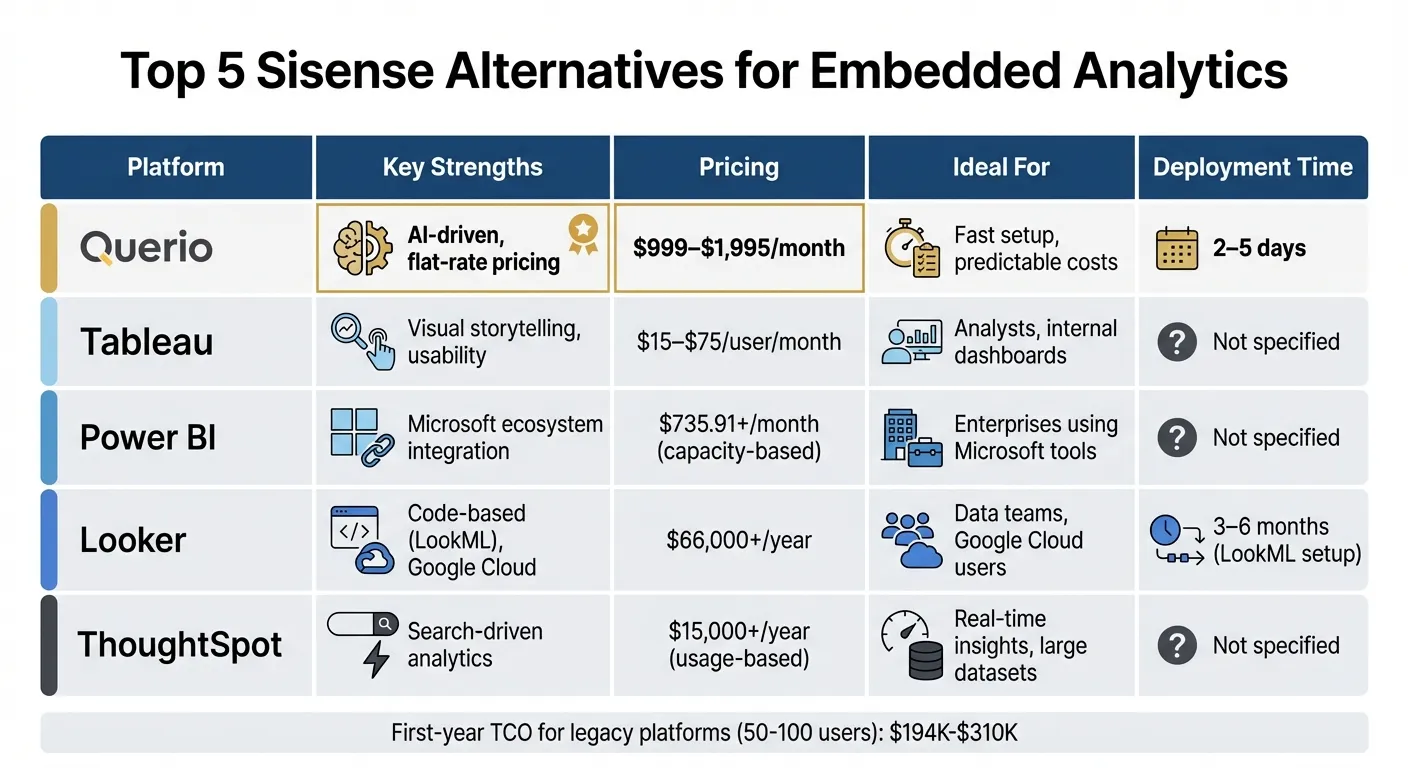
Embedded analytics is all about integrating data insights directly into the tools you already use. If you're looking for alternatives to Sisense, here are top embedded analytics tools: Querio, Tableau, Power BI, Looker, and ThoughtSpot. Each platform offers unique features like AI-driven tools, flexible embedding options, and varying pricing models. Here's a quick overview of what they bring to the table:
- Querio: Fast deployment (2–5 days), no per-seat pricing (free plan; Core $2,499/mo; embedding add-on from $1,500/mo), and AI-powered natural language queries.
- Tableau: Known for interactive dashboards, strong visualizations, and tiered pricing starting at $15/user/month.
- Power BI: Deep integration with Microsoft, flexible embedding models, and capacity-based pricing starting at $735.91/month.
- Looker: Code-heavy approach with LookML, optimized for Google Cloud, and subscriptions starting at $66,000/year.
- ThoughtSpot: Search-driven analytics with natural language queries, usage-based pricing, and strong real-time capabilities.
Quick Comparison
| Platform | Key Strengths | Pricing | Ideal For |
|---|---|---|---|
| Querio | AI-driven, no per-seat pricing | Free plan; Core $2,499/mo; embedding from $1,500/mo | Fast setup, predictable costs |
| Tableau | Visual storytelling, usability | $15–$75/user/month | Analysts, internal dashboards |
| Power BI | Microsoft ecosystem integration | $735.91+/month (capacity-based) | Enterprises using Microsoft tools |
| Looker | Code-based (LookML), Google Cloud | $66,000+/year | Data teams, Google Cloud users |
| ThoughtSpot | Search-driven analytics | $15,000+/year (usage-based) | Real-time insights, large datasets |
Each platform caters to different needs, whether it's quick implementation, advanced AI, or deep customization. Choose based on your team's technical requirements, budget, and business goals.
1. Querio
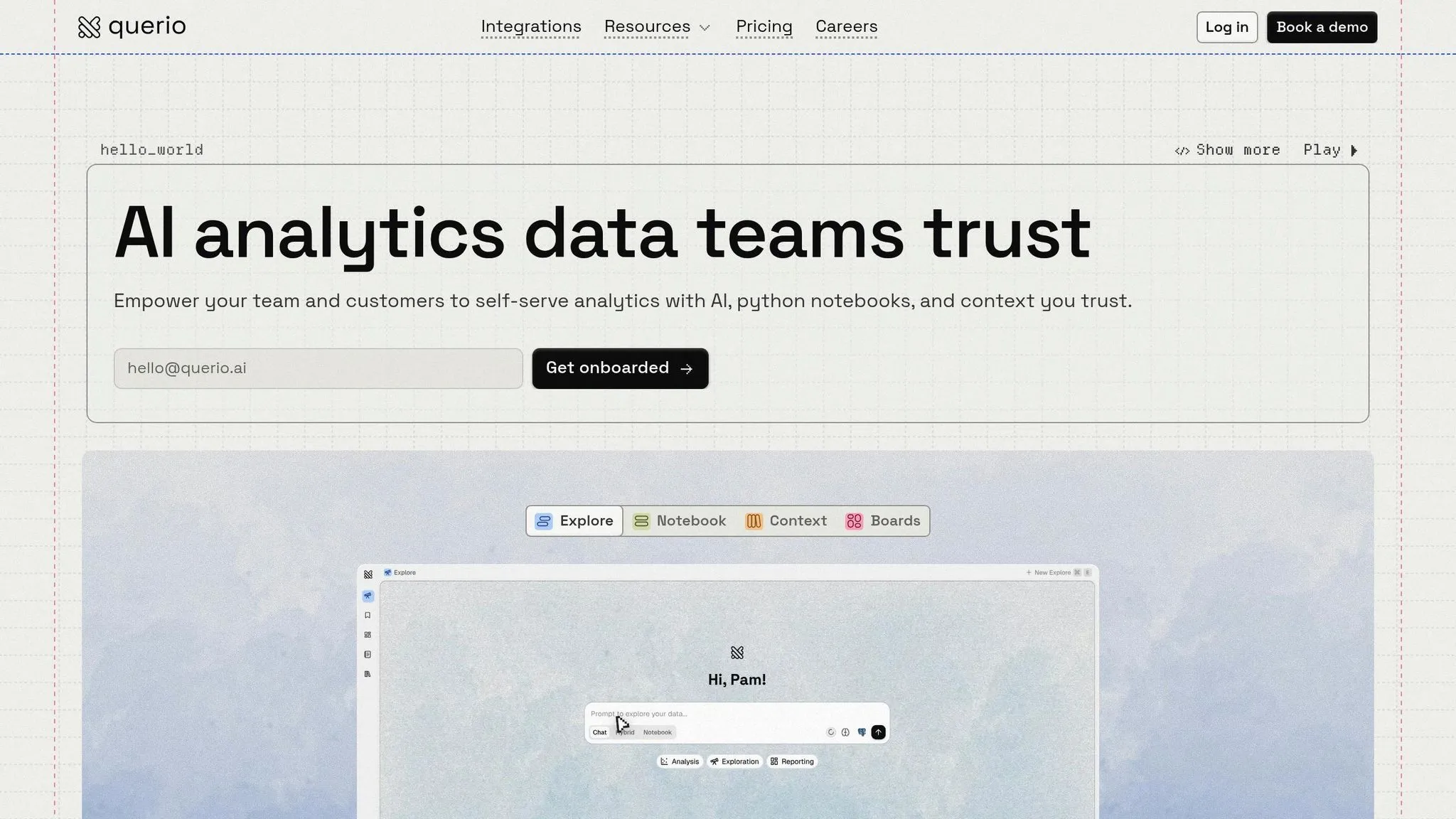
Querio is an AI-powered analytics workspace designed to connect directly to your data warehouse - no need for duplicating data or managing complex ETL processes. The platform takes plain English questions and converts them into executable SQL and Python code, offering outputs you can review and understand, rather than delivering results that feel like a black box. This makes it user-friendly while maintaining technical clarity.
AI-driven Features
Querio's natural language query (NLQ) engine allows users to input everyday language, which it then translates into SQL or Python code that can be reviewed. Another standout feature is its AI-powered reactive notebooks, which automatically update analyses whenever the underlying data changes. These tools work seamlessly together within Querio's embedding architecture, enhancing efficiency and usability.
Embedding Capabilities
Querio offers live, read-only connections to databases like Snowflake, BigQuery, and PostgreSQL, ensuring your data stays secure and unaltered in its original warehouse. Whether you're embedding analytics via APIs or iframes, the platform enforces consistent, governed logic across internal dashboards and external, customer-facing applications. A centralized semantic layer allows your data team to define joins, metrics, and business terms once, ensuring uniformity across all queries, reports, and visualizations. This feature ensures that everyone in your organization works with the same data definitions.
Governance and Security
Querio prioritizes security and governance with SOC 2 Type II compliance, encrypted credentials, and role-based access controls. Its centralized semantic layer ensures that all analytics align with your organization's shared business logic, maintaining consistency and accuracy across the board.
Pricing Flexibility
Querio has a free plan, and Core is $2,499 per month (or $25,000 a year billed annually), with unlimited users on every plan. Customer-facing embedding is an add-on on every plan, starting at $1,500 per month and including 7,500 AI credits. Having no per-seat pricing removes the stress of predicting user growth, making it a straightforward and transparent option for businesses.
2. Tableau
Tableau, owned by Salesforce, is a platform that focuses heavily on visualization and is optimized for embedded analytics. Known for its interactive dashboards, Tableau has roots in traditional BI platforms rather than being specifically built for embedded analytics. It was ranked #1 for best usability in the Fall 2024 Grid Report for Embedded Business Intelligence[5], making it a favorite for analysts who value visual storytelling. This foundation influences its features in AI, embedding, pricing, and security.
AI-driven Features
Tableau's AI tools, including Ask Data and Einstein Discovery, allow users to perform natural language queries and uncover insights through pattern analysis. These tools are tailored more for internal analysts, where visual data patterns are key, rather than being optimized for customer-facing embedded applications.
Embedding Capabilities
Tableau provides strong embedding capabilities, thanks to its JavaScript API v3 and iframe integrations. For secure authentication, it supports Connected Apps using JSON Web Tokens (JWT)[6]. Developers can also take advantage of its REST API for automating user and content management, while the Document API allows for programmatic modifications to workbooks.
Pricing Flexibility
Tableau uses a role-based licensing structure with three tiers:
- Creator: $75 per user per month
- Explorer: $42 per user per month
- Viewer: $15 per user per month[2]
For external analytics embedding, costs can add up quickly. For example, the first-year total cost of ownership for 50–100 users, including implementation and warehouse expenses, can range between $194,000 and $310,000[1]. This positions Tableau as one of the pricier options for large-scale embedded analytics. However, its pricing is balanced by strong governance and security features.
Governance and Security
Tableau delivers enterprise-level security, especially in its Enterprise edition. This version supports up to 10 sites and includes advanced tools like Data Management and Advanced Management[7]. Additionally, Tableau integrates seamlessly with the Salesforce ecosystem, offering a distinct advantage for businesses already leveraging Salesforce products.
3. Power BI
Power BI is Microsoft's leading analytics platform, designed to leverage the company's extensive enterprise resources [10]. While it was initially developed for traditional business intelligence, the platform has evolved to support embedded use cases through its deep integration with Microsoft's ecosystem. This evolution influences its approach to AI tools, embedding options, security measures, and pricing structure.
AI-driven Features
Power BI incorporates AI capabilities through its built-in intelligence layer [8][9]. Key features include natural language Q&A and other BI features [11] and the AI-powered Power BI Copilot [16][17]. These tools are particularly advantageous for organizations already invested in Microsoft's AI infrastructure. However, they are primarily geared toward internal analytics rather than customer-facing embedded applications.
Embedding Capabilities
Power BI provides two main embedding models, each tailored to different use cases:
- "Embed for your customers" (App Owns Data): This model allows external users to access content without needing individual Power BI licenses. It uses a Service Principal or master user account [8][14].
- "Embed for your organization" (User Owns Data): This model is designed for internal users, requiring them to authenticate with their own credentials [8][14].
Both options come with a JavaScript SDK and REST APIs for integration, although customization can sometimes feel limited. These embedding methods are supported by Power BI's strong security framework, ensuring a reliable user experience.
Governance and Security
Power BI benefits from Microsoft's extensive security infrastructure, supported by over 3,500 engineers dedicated to safeguarding its platforms [12]. Key security features include:
- Identity Management: Uses Microsoft Entra ID (formerly Azure Active Directory) [12][14].
- Data Encryption: All data is encrypted at rest using Microsoft-managed keys, with Azure SQL databases protected by Transparent Data Encryption [12].
- Protocol Enforcement: Supports TLS 1.2 or higher, rejecting older protocols automatically [12].
- Role-Based Security: Implements Row-Level Security (RLS) to control data access based on user roles and Object-Level Security (OLS) to hide specific tables or columns [13].
- Data Residency: The Multi-Geo feature allows organizations to store data in specific Azure regions to meet strict residency requirements [12].
Pricing Flexibility
Power BI uses a capacity-based pricing model, which can lead to fluctuating costs as usage grows. Here's a breakdown:
- A1 Node (Power BI Embedded): Starts at approximately $735.91 per month, totaling around $8,500 annually for basic usage [11].
- A2 Tier: Costs about $1,480 per month (roughly $17,000 annually) for 100–500 active users.
- A6 Tier: Designed for high-concurrency enterprise use, priced at approximately $23,680 per month (around $272,000 annually).
Additionally, developers need a Power BI Pro license, priced at $10 per user per month, to publish content [11][15]. However, some experts, like those at Yellowfin BI Blog, caution that embedding Power BI can sometimes compromise user experience, result in performance challenges, and create unpredictable costs [3].
Warehouse Support
Power BI's compatibility with Microsoft Fabric and Azure services enhances its ability to work with diverse data sources. It supports over 120 connectors, including Snowflake, Salesforce, and Google Analytics [17][3]. While this broad integration makes it versatile, the platform performs best when used within Microsoft's ecosystem.
4. Looker
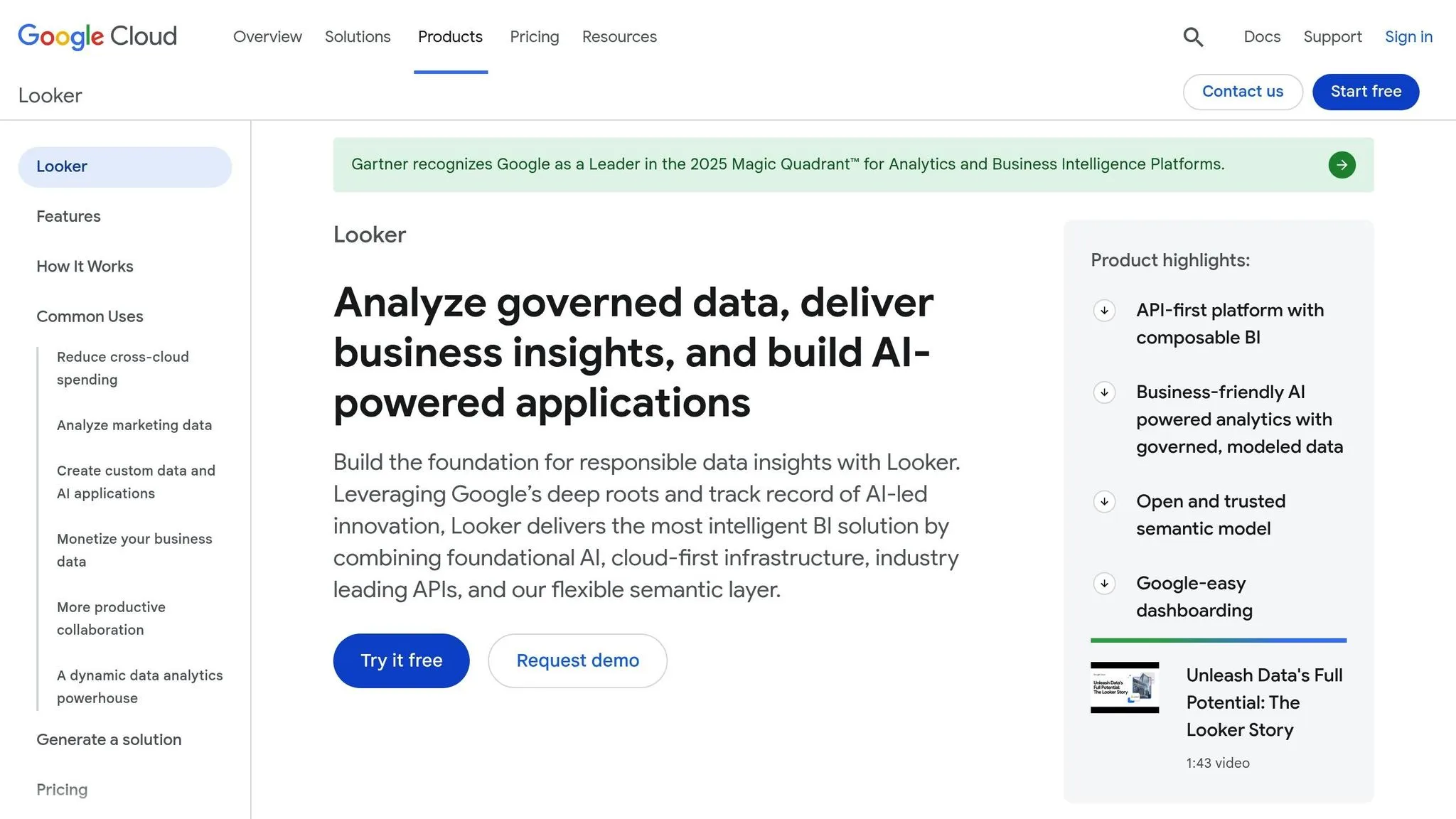
Looker, part of Google Cloud, takes a code-heavy approach to analytics compared to Power BI's broader integration strategy. It uses LookML to define data relationships and business logic, making it especially appealing to data scientists. However, this approach comes with a learning curve. Building a full LookML semantic layer can take 3–6 months, with ongoing maintenance requiring up to 2 full-time employees (FTEs) [1].
AI-driven Features
Looker’s AI tools are tailored to assist data teams rather than end-users. For example, AI generates JSON formats for visual customization and helps developers create LookML parameters and calculated fields using natural language prompts [18]. These tools streamline development workflows, making tasks easier for internal teams.
Embedding Capabilities
Looker provides three embedding options:
- Signed Embedding: Uses SSO for authorized users.
- Private Embedding: Requires Google authentication.
- Public Embed: Limited to individual "Looks" instead of full dashboards [19].
The platform primarily relies on iframe-based embedding, which has its drawbacks. As Henry Coleman, Co-founder and General Manager at LocalClarity, noted, embedding Looker content via iframe often results in slower load times and a less seamless integration with a platform’s native UI [19]. While this method emphasizes secure, controlled access, it doesn’t offer the deeper UI integration seen in modern web component-based alternatives.
Governance and Security
Looker prioritizes security with features like signed embedding using HMAC authentication, which restricts URL access to a 5-minute window [20]. It also supports Row-Level Security (RLS), enabling multi-tenant data isolation through user attributes [21][11][4]. Authentication options include SAML, Google OAuth, OpenID Connect, and Two-Factor Authentication [20][21]. Additionally, Looker complies with SOC 2, HIPAA/BAA, and GDPR standards. Its Enterprise Edition offers extra networking features like VPC Service Controls and Private IP [21]. These measures align with enterprise needs for secure, embedded analytics.
Pricing Flexibility
Looker’s subscription model includes three tiers:
- Standard: $66,000/year
- Advanced: $132,000/year
- Elite: $198,000/year [16]
For mid-sized deployments (50–100 users), first-year costs - including licensing, BigQuery usage ($50,000–$80,000), and implementation services - can rival other enterprise solutions [1]. This pricing structure reflects the platform’s robust capabilities.
Warehouse Support
Looker supports several warehouse-native data analysis tools for Google BigQuery, Snowflake, Amazon Redshift, and Databricks [22]. However, it’s most optimized for Google Cloud, which could pose challenges for organizations relying on AWS or Azure as their primary cloud providers [4].
5. ThoughtSpot
ThoughtSpot is a search-driven analytics platform that enables users to query data using natural language. Recognized as the "Embedded Analytics Solution of the Year" at the Data Breakthrough Awards [2], the platform comes with a mix of strengths and challenges.
AI-Driven Features
At the heart of ThoughtSpot's AI capabilities is Spotter, a conversational AI tool that lets users ask questions in plain English. Another standout feature, SpotIQ, automatically detects anomalies and trends in large datasets without requiring manual setup. While these tools are powerful, earlier versions faced some criticism for their performance [2][23].
Embedding Capabilities
ThoughtSpot's Visual Embed SDK supports JavaScript and React, making it easier to integrate with user interfaces. Its Liveboards offer interactive dashboards with real-time updates and drill-down options. The platform also uses ThoughtSpot Modeling Language (TML), which allows "analytics-as-code" for version control and migration. However, setting up the initial data model can present a steep learning curve [2].
Governance and Security
Robust governance and security are key features of ThoughtSpot. It supports Single Sign-On (SSO) through SAML and OIDC protocols and implements row-level security to ensure users only access authorized data. Multi-tenancy, comprehensive audit logs, and strong data isolation further enhance compliance with GDPR and CCPA. Its Live Query architecture connects directly to modern analytics stack components like Snowflake, Databricks, and BigQuery - helping maintain governance at the source without relying on outdated data extracts.
Pricing Flexibility
ThoughtSpot's pricing can be a hurdle for some. The Essentials plan starts at $1,250 per month (billed annually at $15,000) for up to 20 users [23]. On average, contracts run around $137,000 annually [23], while enterprise-level embedded deployments can reach $25,000 per month for unlimited users [2]. The platform uses a usage-based pricing model, which scales with data size and query volume. While this aligns with its direct query approach and ensures seamless source integration, it can lead to unpredictable costs [2][24].
Warehouse Support
Real-time analytics remain a priority for ThoughtSpot. The platform connects directly to leading cloud data warehouses, including Snowflake, Databricks, BigQuery, Amazon Redshift, and Azure Synapse. With its Live Query approach, ThoughtSpot queries data directly at the source, ensuring up-to-date information while minimizing storage costs.
Comparison: Strengths and Weaknesses
Querio’s design and features bring a fresh approach to embedded analytics, offering distinct advantages that address common challenges in the SaaS space.
One of Querio's standout features is its AI-native workspace, which uses a semantic layer for SaaS to ensure consistent interpretation of business terms like "revenue" across all queries. This eliminates confusion and maintains data accuracy throughout your organization. Additionally, Querio has no per-seat pricing, which offers predictable costs, regardless of the number of viewers. With an AI-optimized Python notebook, advanced analysis becomes accessible without requiring manual coding, and the platform's rapid deployment (just 2–5 days) significantly shortens the timeline compared to the months-long implementations typical of legacy systems [1].
Querio's Unique Advantages
Querio's features address core issues SaaS teams often face when embedding analytics into their products:
| Feature | Advantage | Business Impact |
|---|---|---|
| AI-Native NLP | Converts plain English into SQL and Python code | Makes analytics accessible to non-technical users while ensuring transparency |
| No Per-Seat Pricing | Embedding from $1,500/month, unlimited users on every plan | Keeps costs predictable as your user base expands |
| Semantic Layer | Centralized business logic and metrics | Guarantees consistent definitions across all reports |
| Rapid Deployment | Implementation in 2–5 days [1] | Speeds up time-to-value and reduces engineering effort |
| Live Connections | Direct access to data warehouses without duplication | Simplifies data management and enhances security |
| SOC 2 Type II Compliance | Role-based access and enterprise-grade security | Meets strict governance and compliance needs |
These features combine to provide a solution that balances powerful analytics, cost predictability, and reduced technical complexity. By defining metrics, joins, and business terms once, Querio ensures consistency across dashboards and applications. At the same time, its architecture supports enterprise-level security and governance, giving SaaS teams the tools they need to deliver high-quality analytics both internally and to their customers.
Conclusion
When you weigh the challenges and opportunities in embedded analytics, the appeal of a solution that balances cost, speed, and simplicity becomes obvious. Choosing a platform that delivers immediate results without breaking the bank or introducing unnecessary technical hurdles is key - and that's exactly where Querio excels.
Querio is tailor-made for SaaS teams seeking predictable expenses and quick implementation. With no per-seat pricing, it avoids the "success tax" often associated with per-user models as your user base grows. Plus, deployment is lightning-fast, typically taking just 2 to 5 days [1]. Its AI-native workspace and semantic layer empower non-technical users to query data in plain English, ensuring accuracy across your organization.
While other platforms might offer broad integrations, they often come with rising costs that can limit scalability. Many alternatives carry hefty total ownership costs, with first-year expenses ranging from $194,000 to $310,000 due to complex implementation and operations [1]. Additionally, consumption-based pricing models can lead to unpredictable costs, making them better suited for enterprises with substantial resources.
Querio also shines in seamless UI integration, thanks to direct warehouse connections and native SDKs that deliver top-notch performance [4]. Before committing to any platform, it's smart to test its natural language processing by posing ambiguous questions like "Why is revenue declining?" This ensures the system relies on a governed semantic layer to produce reliable answers instead of misleading results.
The future of embedded analytics is shifting from static dashboards to autonomous AI-driven insights. For teams prioritizing actionable intelligence, cost stability, and ease of use, Querio's AI-powered features, rapid setup, and straightforward pricing offer a clear and effective path to scaling your analytics capabilities.
FAQs
How do I choose the right Sisense alternative for embedded analytics?
Choosing the best alternative to Sisense depends on what you’re looking for - whether it’s advanced AI features, seamless integration, flexibility, or the ability to scale. Querio is a strong contender, offering AI-powered, no-code analytics, unlimited viewer access, and robust governance tools, which makes it particularly appealing for SaaS companies and larger enterprises.
To make the right choice, identify your priorities. Are natural language queries essential? Do you need white-labeling options or a specific cost structure? Align these factors with your technical needs, the size and type of your user base, and, of course, your budget.
What’s the best way to keep metrics consistent across embedded dashboards?
To keep metrics consistent across embedded dashboards, the most effective approach is to centralize your business logic and metric definitions using a semantic layer. This approach ensures that metrics, calculations, and data interpretations are standardized, reducing inconsistencies and boosting reliability. By maintaining uniformity across dashboards and platforms, a semantic layer plays a crucial role in delivering accurate and dependable embedded analytics.
How can I avoid surprise costs with usage-based embedded analytics pricing?
To steer clear of unexpected costs, it's crucial to get a solid grasp of your platform’s pricing structure. Usage-based models, such as tiered or capacity-based pricing, can sometimes result in unplanned expenses if your usage surpasses initial estimates. Opt for platforms like Querio, known for offering clear, scalable pricing without hidden fees. Stay on top of your usage by monitoring metrics regularly, setting up budget alerts, and working with vendors who provide straightforward pricing and detailed billing. This approach can help you manage expenses more efficiently.