Business Intelligence
Cube vs Omni vs Sisense: Which Is Best for SaaS?
Compare Cube, Omni, and Sisense for SaaS: trade-offs in scalability, AI features, integrations, and cost to help teams choose the right BI platform.

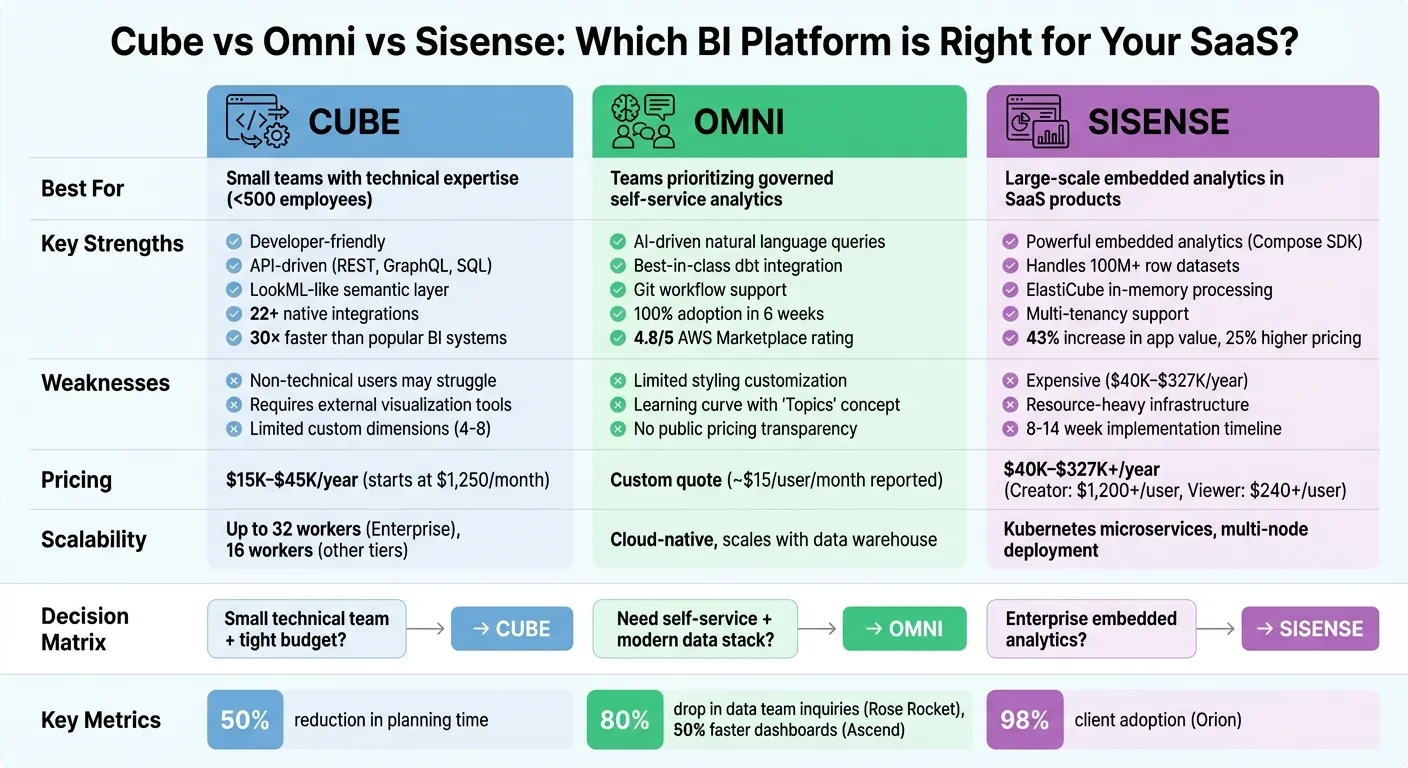
Choosing the right BI platform can save SaaS companies time and significantly improve profits. Cube, Omni, and Sisense each cater to different needs, making the decision dependent on your goals, team size, and budget. Here's a quick breakdown:
- Cube: Best for developers seeking control over custom analytics. It offers a semantic layer and APIs but requires technical expertise. Pricing starts at $1,250/month.
- Omni: Ideal for teams prioritizing self-service analytics. It integrates well with modern data stacks and uses AI for ease of use. Pricing requires a custom quote.
- Sisense: Excellent for embedding analytics into SaaS products. It supports large datasets but comes with higher costs, starting at $40,000/year.
Quick Comparison:
| Platform | Strengths | Weaknesses | Pricing |
|---|---|---|---|
| Cube | Developer-friendly, API-driven | Non-technical users may struggle | $15K–$45K/year |
| Omni | AI-driven, dbt integration | Limited styling, no public pricing | Custom quote |
| Sisense | Embedded analytics, large datasets | Expensive, resource-heavy | $40K–$327K/year |
Key takeaway:
- Cube suits smaller teams with technical expertise.
- Omni works well for governed self-service analytics.
- Sisense is the go-to for large-scale embedded analytics.
Your choice depends on your team's technical skills, budget, and whether you prioritize customization, ease of use, or embedded capabilities.
1. Cube
Scalability
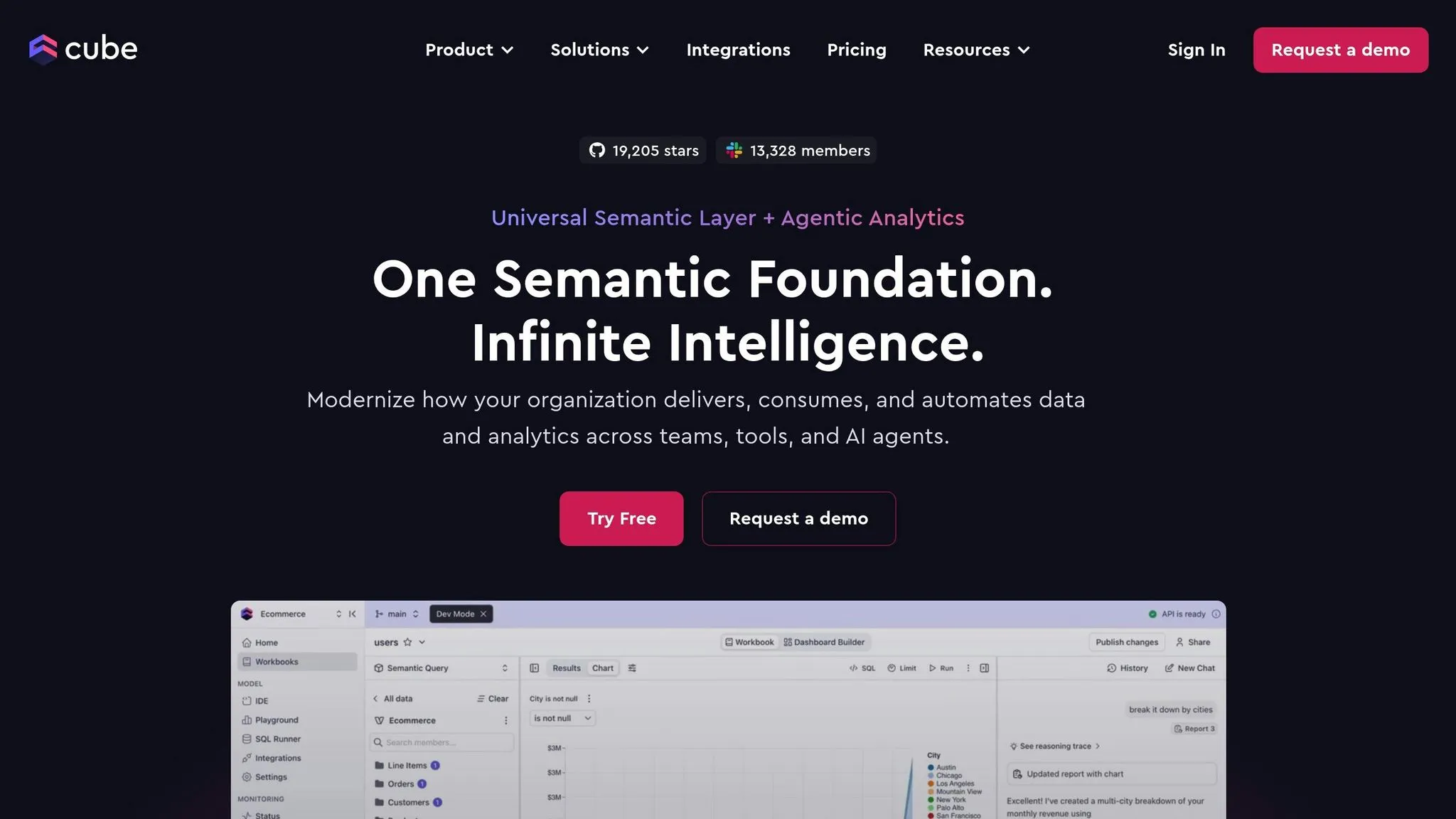
Cube's scalability is driven by its cloud infrastructure and the "Cube Store" engine. With Cube Store workers managing data workloads, the Enterprise tier supports up to 32 workers per deployment, while other tiers max out at 16. This makes Cube a solid choice for startups and small-to-medium businesses (SMBs) with fewer than 500 employees.
That said, Cube has limits when it comes to custom dimensions (typically 4–8), which can restrict more complex multi-entity reporting. Drivetrain AI highlights that Cube's Excel-based architecture introduces inherent constraints. This spreadsheet-centric design may pose challenges for rapidly growing companies, especially when handling large datasets or complex models, where performance might start to lag.
Next, let’s look at how Cube leverages AI to streamline data management.
AI-Driven Analytics
Cube's Universal Semantic Layer ensures consistent metrics for Generative AI and large language model (LLM) tools, simplifying data interpretation. It also provides REST, GraphQL, and SQL APIs, enabling SaaS companies to integrate governed data into custom AI models without repeatedly redefining business logic.
In 2023, RamSoft used Cube to deploy native embedded analytics in just two weeks by centralizing modeling, caching, and access controls, significantly reducing engineering time. Cube's Kinetic Data Engine is reported to operate up to 30× faster than many popular business intelligence (BI) systems, allowing AI-driven forecasting tools to access real-time data without straining the primary data warehouse.
These AI features make Cube's integration capabilities even more appealing.
Ease of Integration
Cube supports over 22 native integrations and offers API-first connectivity through REST, GraphQL, and SQL. This setup ensures centralized management of metrics, security, and performance across data sources like Snowflake and Databricks, while also connecting seamlessly to presentation layers. Developers can build custom user interfaces using frameworks like React or Vue, sidestepping the limitations of iframe embeddings.
However, integration still requires significant developer effort, as manual steps are needed to transfer data between models. Additionally, Cube’s standard API quota allows 100 requests per second per deployment across all plans, which could become a bottleneck for high-demand use cases.
Cost-Effectiveness
Cube's pricing starts at approximately $1,250 per month, with annual costs ranging from $15,000 to over $45,000, depending on factors like data complexity, integrations, and team size. The platform offers Free, Starter, Premium, and Enterprise tiers, with custom pricing in 2025 tailored to integration needs, reporting requirements, and contract duration.
For small finance teams (typically fewer than five users), Cube can cut planning preparation time by 50%. However, companies with over 500 employees often find they need more advanced solutions. While users appreciate Cube's spreadsheet-like interface and strong support, they also note difficulties with complex data mapping and uploading large models.
Cube's technical capabilities lay the groundwork for further comparisons in integration and cost efficiency.
2. Omni
Scalability
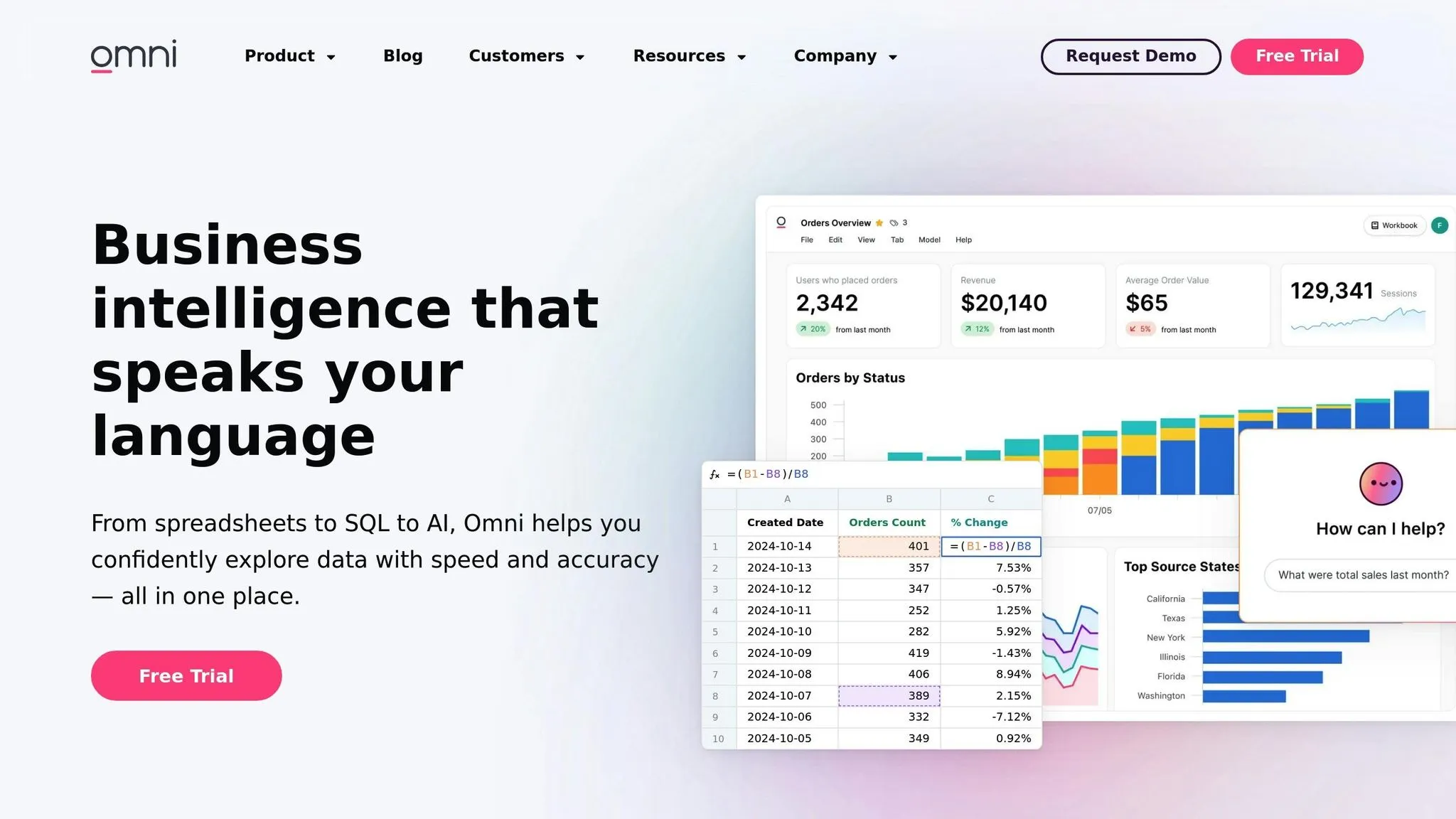
Omni is built on a cloud-native architecture that’s designed to handle increasing data loads without slowing down. It directly queries data warehouses like Snowflake, BigQuery, and Databricks, meaning its scalability depends more on the strength of your infrastructure than on Omni’s own limits. This direct-query method ensures your data stays in the warehouse, delivering real-time accuracy as your SaaS business grows.
The platform’s scalability is evident in its 100% adoption within just six weeks. It also boasts a 4.8/5 rating on the AWS Marketplace, backed by glowing reviews from users.
These capabilities provide a solid foundation for Omni’s advanced AI features.
AI-Driven Analytics
Omni’s AI Assistant leverages large language models to help users create complex SQL queries simply by typing in natural language. Non-technical users can ask questions in plain English, and the platform translates them into visualizations.
It also offers AI-assisted data modeling, which automatically suggests joins and defines relationships. DJ V. from Dayton Freight Lines highlighted how Omni’s modeling layer created a single source of truth for all reporting metrics. By automating much of the data preparation process, Omni allows analysts to spend more time uncovering insights rather than wrestling with manual tasks.
Ease of Integration
Omni excels with its two-way dbt integration, enabling users to bring dbt model updates into the BI layer and even create dbt models directly from Omni definitions. This feature has been praised as "best-in-class" by multiple reviewers. Additionally, Omni supports Git workflows via GitHub, GitLab, and Azure DevOps, making version control for BI development seamless.
For SaaS embedding architecture, Omni offers iframe integration with platforms like Salesforce and Notion, along with report delivery through Slack and Microsoft Teams. One verified user in marketing and advertising shared:
The integrations with the modern analytics stack are seamless... Omni SQL is extremely powerful in handling my data tasks.
That said, new users may face a learning curve with Omni’s "Topics" concept, a modeling layer that several reviewers found challenging at first.
Cost-Effectiveness
Omni’s pricing isn’t publicly available and requires a custom quote from their sales team. One user mentioned a cost of around $15 per user per month, though they noted this could be expensive for high-volume B2B2C models with thousands of occasional users. Annual costs will depend on factors like team size, data complexity, and integration needs.
Lizzy Bradford shared that Omni helped reduce redundant queries and streamline report consolidation, saving time and enabling stakeholders to act faster. While complex dashboards can occasionally experience delays, the overall time savings and efficiency gains tend to outweigh these minor issues.
3. Sisense
Scalability
Sisense operates on a microservices architecture powered by Kubernetes in Linux-based cloud environments. This setup enables you to scale individual components independently rather than overhauling the entire system. With its proprietary ElastiCube technology, Sisense leverages in-memory data storage and in-chip processing to handle large, complex datasets efficiently, delivering fast query performance.
The platform supports multi-node deployment, ensuring high availability and effective load balancing by distributing workloads across multiple nodes. This design enhances dashboard performance and accommodates concurrent users seamlessly. For SaaS providers, Sisense offers built-in multi-tenancy, which allows you to serve multiple customers from a single instance while maintaining strict data isolation and security.
However, scaling can come with challenges, such as unexpected cost increases and the complexity of setting up ElastiCube, which may slow down rapid growth.
AI-Driven Analytics
Sisense's Intelligence Suite delivers advanced AI tools designed to simplify data analysis. Key offerings include:
- Assistant: A conversational tool for building dashboards.
- Narrative: Automated summaries that make data insights more accessible.
- Forecast: Machine learning capabilities for predictive analytics.
The platform supports natural language data querying tools, enabling users to ask questions like, "What is our churn this month?" in plain English. It also uses Natural Language Generation to provide written explanations of the results, making data insights clearer.
Tanya du Plessis, Chief Data Strategist and Solutions Officer at Bioforum, shared her experience:
Sisense's AI capabilities allow us to quickly translate complex data into clear insights, identify trends and gaps, and make decisions faster during clinical trials - all while managing risk.
Developers can embed generative AI components using the Compose SDK, which works with popular frameworks. Sisense's focus on embedded analytics earned it the "Embedded Analytics Solution of the Year" award at the Data Breakthrough Awards. Independent software vendors report that embedding analytics increases application value by 43% and lets them charge, on average, 25% more.
Ease of Integration
Sisense simplifies integration with its robust backend, offering pre-built connectors and flexible APIs. These connectors support major cloud data warehouses like Snowflake, Redshift, and BigQuery, as well as SaaS platforms such as Salesforce, Google Analytics, and Zendesk. Its API-first approach provides granular control for managing data models, security, and user permissions. Additionally, Git integration supports version control, aligning with DevOps workflows.
While the platform offers powerful integration tools, advanced features may require a learning curve. For embedded analytics, typical implementation timelines range from 8 to 14 weeks of development work.
Cost-Effectiveness
Sisense's technical capabilities are impressive, but cost considerations are crucial for SaaS providers. Pricing is quote-based and varies depending on the deployment model and user requirements. Here’s a breakdown of typical costs:
- Entry-level cloud: Around $21,000/year for 5 users.
- Self-hosted: Around $10,000/year for 5 users.
- Licenses: Creator licenses start at $1,200+/year per user, while Viewer licenses cost $240+/year per user.
- OEM rights: Begin at $60,000+/year.
AWS Marketplace offers enterprise packages with tiered pricing: Essential ($40,000), Advanced ($69,000), and Pro ($109,000+). Annual costs can range from $20,000 to over $100,000, depending on the number of users, data sources, and business needs.
Users often mention concerns about opaque pricing and unexpected renewal price increases. To avoid surprises, it's wise to request a detailed, multi-year cost projection before signing any agreements.
Pros and Cons
When evaluating platforms for SaaS businesses, understanding their strengths and weaknesses is crucial for making an informed choice.
Cube stands out with its developer-first approach. It offers a LookML-like semantic layer and supports modern DevOps practices like CI testing and branch development. This makes it a great fit for engineering teams that want complete control over data modeling. However, its technical focus can be a hurdle for non-technical users, and it relies on external tools for data visualization.
Omni takes a different route, offering a workbook-style interface that turns queries into reusable model views, making it easier to explore data in a governed way. Features like Git integration and "Branch Mode" ensure safe, versioned development, while AI-assisted table calculations and dashboard AI simplify analytics workflows. On the downside, its customization options for styling are quite basic, it lacks detailed public documentation on audit logs or compliance, and pricing details are not openly disclosed.
Sisense is well-known for its embedded analytics tools. Its Compose SDK gives developers the freedom to create highly customizable, white-labeled dashboards. For example, Orion, a portfolio accounting SaaS provider, achieved a 98% adoption rate among clients by embedding Sisense for investment tracking. Moreover, its ElastiCube engine can handle massive datasets, managing tables of over 100 million rows without performance issues. That said, Sisense comes with a hefty price tag, ranging from $40,000 to over $327,000 annually, and requires significant RAM and CPU resources.
Here’s a quick comparison of these platforms:
| Platform | Key Strengths | Main Weaknesses |
|---|---|---|
| Cube | Developer-friendly; LookML-like semantic layer; DevOps-ready | Non-technical users may struggle; external visualization tools required |
| Omni | Reusable model views; AI-assisted analytics; Git integration | Limited styling options; sparse compliance documentation; no public pricing |
| Sisense | Powerful embedded analytics; handles 100M+ rows; customizable SDK | Expensive ($40K–$327K+); resource-heavy infrastructure |
Each platform aligns with different needs. Cube is ideal for teams seeking developer control, Omni fits those prioritizing governed self-service analytics, and Sisense excels in embedded analytics - your choice depends on your technical resources and budget.
Conclusion
The best platform for your needs depends heavily on where your organization stands today and your plans for the future. Omni is ideal for smaller data teams looking to empower business users with a balance of governance and self-service. On the other hand, Sisense shines in embedded analytics but demands a larger investment in infrastructure and technical expertise.
For early-stage SaaS companies, Omni offers a streamlined solution. For example, Rose Rocket saw an 80% drop in data team inquiries after switching to Omni, and Aviatrix transitioned its entire Looker setup in just three weeks while doubling user adoption[1].
Mid-sized SaaS companies using dbt can benefit from Omni's seamless integration, which simplifies metric management and testing. However, for businesses dealing with rapid scaling and massive datasets, Sisense's ElastiCube engine delivers top-tier performance - though enterprise plans can cost up to $327,000 annually[2].
For larger enterprises with complex needs, Sisense is a strong contender, especially for those building white-labeled analytics solutions. With licensing costs ranging from $40,600 to over $327,000 per year and the need for robust hardware, Sisense works best for teams with dedicated front-end developers and JavaScript expertise. Its Compose SDK provides the flexibility required for custom embedded analytics.
While Sisense requires close collaboration between data and engineering teams, Omni simplifies decision-making with its user-friendly interface and spreadsheet-like formulas. Ascend, for example, reduced dashboard load times by 50% after adopting Omni[1]. Ultimately, your choice will depend on your team's technical capabilities, budget, and priorities - whether you value Omni's simplicity and speed or Sisense's advanced embedded analytics. Key factors like scalability, AI features, integration ease, and overall costs will help guide your decision.
FAQs
What should SaaS companies consider when choosing between Cube, Omni, and Sisense?
When choosing a platform like Cube, Omni, or Sisense for your SaaS business, it's important to zero in on factors that truly matter. Look for scalability, AI-driven analytics, and how seamlessly the platform integrates with your current tools. These elements play a big role in supporting your growth, managing complex data, and fitting into your workflows without disruption.
You’ll also want to weigh cost, data security, and the level of customer support provided. Platforms that offer customizable dashboards and workflows can be a game-changer, allowing you to tailor the system to your business's specific needs. Ultimately, focus on solutions that align with your long-term vision and deliver insights that help you make smarter decisions.
How do the AI features of Cube, Omni, and Sisense compare, and how do they affect usability for SaaS businesses?
Cube’s AI tools shine when it comes to data exploration. With features like natural language queries, advanced calculations, and AI-driven insights, it simplifies the analytics process. This makes it a great fit for teams looking to automate tasks and access intuitive data analysis.
Omni distinguishes itself through conversational AI that delivers dashboard insights and report summaries. Its semantic models help users extract actionable information effortlessly, eliminating the need for deep technical expertise and fostering confidence in the data.
Sisense includes basic AI features, such as natural language queries, but struggles with large datasets and lacks flexibility in visualizations. These limitations can pose challenges for SaaS companies dealing with complex or extensive data requirements.
What are the costs of using Cube, Omni, or Sisense for teams of different sizes?
The pricing for Cube, Omni, and Sisense varies significantly based on the size of your team and your specific needs. For smaller teams, entry-level plans generally start at around $800 per month, which totals approximately $9,600 per year. However, if you're looking at solutions for larger teams or enterprise-level setups, costs can climb beyond $150,000 annually, particularly if you need advanced features, handle large data volumes, or require additional user licenses.
These platforms typically use tiered pricing models, meaning costs will rise as your team grows or as you add more features. To make the most of your investment, it's crucial to thoroughly assess your needs and ensure the platform fits both your budget and long-term goals.