Business Intelligence
Affordable Alternatives to Cube Cloud
Compare five cost-effective Cube Cloud alternatives—Querio, Power BI, GoodData, Sigma, and Looker—to find AI-driven BI that fits your budget.

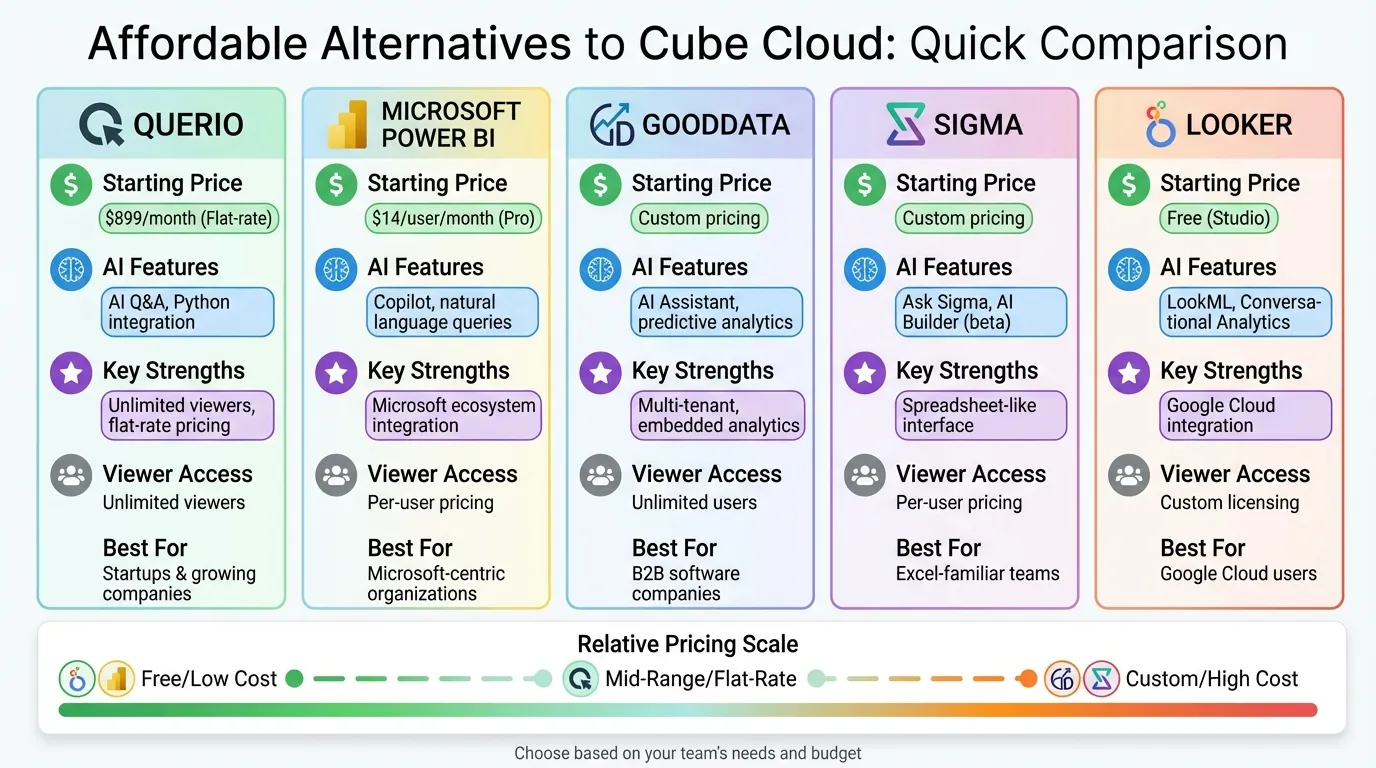
Cube Cloud is a powerful analytics platform, but its pricing can be steep for startups and smaller businesses. If you're looking for cost-effective options that still deliver strong AI-driven business intelligence, here are five alternatives:
- Querio: Free plan; Core is $2,499/month. No per-seat pricing (unlimited users on every plan), plus natural language AI queries. Ideal for scaling analytics access without per-user fees.
- Microsoft Power BI: From $14/user/month (Pro plan). Integrates well with Microsoft tools, offering AI-powered features like Copilot.
- GoodData: Custom pricing with multi-tenant architecture and embedded analytics tools. Great for managing multiple customer environments.
- Sigma: Spreadsheet-like interface connecting directly to cloud data warehouses. Pricing available upon request.
- Looker: Flexible pricing, starting with free Looker Studio. Advanced governance and integration with Google Cloud.
Each platform caters to different needs, from startups needing simple, scalable tools to enterprises requiring advanced analytics and governance.
Quick Comparison
| Platform | Starting Price | AI Features | Key Strengths | Viewer Access Model |
|---|---|---|---|---|
| Querio | Free plan; Core $2,499/mo | AI Q&A, Python integration | No per-seat pricing | Unlimited users on every plan |
| Microsoft Power BI | $14/user/month (Pro) | Copilot, natural language queries | Microsoft ecosystem integration | Per-user pricing |
| GoodData | Custom pricing | AI Assistant, predictive analytics | Multi-tenant, embedded analytics | Unlimited users |
| Sigma | Custom pricing | Ask Sigma, AI Builder (beta) | Spreadsheet-like interface | Per-user pricing |
| Looker | Free (Studio) | LookML, Conversational Analytics | Google Cloud integration | Custom licensing |
Each option balances features, cost, and scalability differently, so choose based on your team's needs and budget. Trial periods can help you test which platform works best with your workflows.
1. Querio
Querio is an AI-powered business intelligence workspace designed to simplify data access for everyone on your team. It connects directly to data warehouses like Snowflake, BigQuery, and Postgres, allowing users to ask questions in plain English. With no per-seat pricing, the entire team can explore data.
Pricing
Querio has a free plan with unlimited users, unlimited data connections and 500 AI credits a month. The Core plan is priced at $2,499/month ($25,000/year billed annually) and adds 10,000 AI credits a month, SSO, API access and unlimited automations. Enterprise pricing is custom, for organizations requiring single-tenant hosting or on-prem deployment.
These plans provide flexibility for businesses of all sizes while delivering advanced analytics and AI tools.
AI and Analytics Features
Querio's AI Q&A feature transforms natural language questions into detailed charts in seconds, removing the need for SQL expertise. The platform also includes an automatic AI data catalog that organizes and simplifies data, making it easy to search and understand. The Metric Layer ensures consistent definitions of key business metrics across the organization. Additionally, an integrated Python notebook is available for advanced analysis on governed data.
These features make data exploration and analysis accessible to everyone, regardless of technical skill.
Integration and Scalability
Querio meets SOC 2 Type II compliance standards and supports row-level security for sensitive data. SaaS companies can use Querio's SDK to embed AI dashboards directly into their applications, enabling in-app data queries. For organizations with strict infrastructure needs, the Enterprise plan includes single-tenant hosting, with on-prem deployment as an add-on.
This flexibility ensures Querio adapts to a wide range of business requirements.
Use Cases
Querio is ideal for startups and growing companies aiming to make data accessible across their teams without adding more analysts. Product teams can track feature adoption, finance teams can monitor revenue trends, and customer success teams can analyze user behavior - all without needing SQL skills. Having no per-seat pricing makes it a cost-effective solution for businesses that want to give their entire workforce data access, not just a select few.
2. Microsoft Power BI
Microsoft Power BI is designed to work seamlessly within the Microsoft ecosystem, making it a natural choice for businesses already using tools like Microsoft 365 or Azure. Its pricing structure is tiered, starting with a free version for individual users, which is ideal for businesses dipping their toes into analytics. The Power BI Pro plan costs $14.00 per user/month (billed annually) and adds features like report publishing and sharing. For teams requiring more advanced capabilities, the Power BI Premium Per User (PPU) plan, priced at $24.00 per user/month, offers larger data model sizes (up to 100 GB) and up to 48 daily data refreshes. Notably, organizations using Microsoft 365 E5 or Office 365 E5 already have Power BI Pro included, which can help cut costs.
Pricing
Power BI offers flexibility in its pricing to cater to different organizational needs. The free version allows users to create reports with Power BI Desktop for personal use, while the Pro plan supports collaboration and sharing across teams. For enterprises with broader requirements, Fabric Capacity provides scalable pricing options, including pay-as-you-go or reservation-based plans. Higher capacities, such as F64 and above, let users consume content without needing individual paid licenses, making it an economical choice for organizations with large audiences. A Forrester Consulting study has highlighted the strong ROI that Power BI Pro users can achieve.
Next, let’s look at how Power BI’s modern business intelligence features simplify data exploration and decision-making.
AI and Analytics Features
Power BI is equipped with Copilot, an AI assistant that simplifies report creation, generates DAX calculations, and summarizes data through natural language BI queries. The Q&A feature allows users to ask questions about their data in plain English and instantly receive visual answers, breaking down technical barriers. For more advanced users, Power BI Desktop includes Power Query for data transformation and DAX for complex calculations, offering robust tools for data modeling. Additionally, its Direct Lake mode enables direct querying of data in OneLake without the need for importing, which helps streamline workflows.
Lars Hesse, Data Analyst at E.ON Energie Deutschland GmbH, shared: "Power BI had a clear advantage over other tools in terms of interoperability with the Microsoft 365 platform. We face no obstacles in getting data to the right place."
These features ensure that Power BI integrates smoothly with Microsoft’s broader cloud ecosystem.
Integration and Scalability
Power BI’s tight integration with Microsoft 365 apps like Teams, Excel, and PowerPoint allows users to incorporate data insights directly into their daily tasks. It also connects effortlessly with Azure services such as Azure Synapse Analytics, Azure Data Lake Storage, and Azure Cosmos DB. The platform is designed to scale, supporting everything from individual Pro licenses to enterprise-level Premium or Fabric Capacity plans capable of handling petabytes of data and thousands of users. Microsoft’s consistent leadership in the Gartner Magic Quadrant for Analytics and Business Intelligence further underscores its reliability. For businesses needing on-premises reporting, Power BI Report Server provides that option while maintaining the flexibility to transition to the cloud when needed.
Use Cases
Power BI is particularly well-suited for businesses already invested in Microsoft tools. Finance teams can use it to create dynamic budget dashboards, operations teams can monitor real-time metrics, and executives can access analytics directly through Microsoft apps. Prebuilt templates for Azure services help speed up development and lower costs, making it a practical choice for organizations of all sizes.
Jurriaan Amesz, Lead Product Owner at ABN AMRO Bank, noted: "Power BI and Azure … provided us with the performance for hundreds of concurrent users handling tens of billions of records."
3. GoodData
GoodData stands out as a budget-friendly option for businesses looking to leverage AI-driven analytics. Designed with scalability in mind, it caters to organizations needing embedded analytics tools and the ability to manage multiple customer environments. The platform offers two pricing tiers: Professional and Enterprise, each tailored to different business needs. Let’s break down what you get with each.
Pricing
The Professional plan uses a combination of a platform fee and per-workspace pricing. It allows unlimited users and data, making it a solid choice for businesses aiming to grow. On the other hand, the Enterprise plan offers custom pricing based on specific use cases and includes advanced features like dedicated clusters, self-hosted deployment options, and round-the-clock prioritized support with a 99.5% SLA.
Here’s a quick comparison:
- Professional Plan: Includes one environment, standard support, and compliance with SOC 2, GDPR, and ISO 27001 standards.
- Enterprise Plan: Offers three environments, a dedicated customer success manager, and optional HIPAA and FedRAMP certifications for industries with stricter compliance needs.
Deployment options vary too. Professional users can rely on managed SaaS hosted on AWS or Azure, while Enterprise customers gain access to dedicated clusters or self-hosted setups for greater control.
AI and Analytics Features
GoodData’s AI capabilities are a major draw. The platform includes an AI Assistant that allows users to explore data using natural language queries. While Professional users have limited access under fair usage policies, Enterprise customers can make up to 50 queries per workspace each month, giving them more flexibility.
The platform also features a semantic layer to centralize metrics, ensuring consistent and accurate data across the board. Developers can take advantage of declarative SDKs for React and Python to programmatically manage deployments through Analytics-as-Code. For advanced needs, the Enterprise plan includes AI Hub and AI Lake, which open up even more possibilities for complex analytics.
Integration and Scalability
GoodData is built to work seamlessly with major data warehouses like Snowflake, BigQuery, and Databricks, thanks to its pre-built connectors. For unique data sources, the FlexConnect tool enables custom integrations.
The platform’s multi-tenant architecture is another standout feature. Using a workspace hierarchy, child workspaces inherit logical data models and metrics from a root workspace. This setup allows updates to cascade across thousands of tenants, making it a perfect fit for B2B software companies that need to deliver tailored analytics to multiple customers simultaneously. Additionally, analytics can be embedded directly into third-party applications using iFrames, Web Components, or the React SDK, with full support for white-labeling and custom branding. The unlimited user model ensures businesses can provide analytics to large teams without worrying about additional licensing costs.
Use Cases
GoodData shines for software companies embedding analytics into their products or businesses managing analytics environments for different customer segments. Its hierarchical structure ensures secure data isolation while serving thousands of tenants. Designed for companies relying on modern cloud-based data warehouses, its open APIs and SDKs streamline deployment and maintain consistency across the board.
4. Sigma
Sigma offers an intuitive, Excel-like interface that connects directly to your cloud data warehouse. Instead of requiring users to learn complex tools or programming languages, it provides a familiar spreadsheet experience that integrates seamlessly with platforms like Snowflake, Databricks, BigQuery, and Amazon Redshift. This setup ensures live data connections, eliminating the need for extracts, outdated information, or delays caused by IT-built reports.
Pricing
Sigma provides a free trial for new users, along with free viewer licenses, to help reduce the overall cost of ownership. By removing the need for data extracts, cubes, or specialized IT upkeep, Sigma positions itself as a cost-efficient solution. For enterprise-level pricing, details are available upon request.
AI and Analytics Features
Sigma's AI features revolve around Ask Sigma, a tool that allows users to explore data using natural language queries. It transparently shows the steps behind its analysis, ensuring clarity. Additionally, users can integrate large language models (LLMs) from platforms like Snowflake, Databricks, or BigQuery into their workbooks for tasks such as data summarization and classification.
Another standout feature is the Formula Assistant, which aids in debugging formulas, and the AI Builder, an AI-powered co-pilot currently in private beta. With AI Builder, users can describe the workflows they need, and the system automatically generates the required logic and elements. Together, these tools simplify data exploration and streamline analytics processes.
"Sigma has changed the way we are able to consume large amounts of data in IT and how business users can consume data without code." - VP of Data Engineering in the banking industry
Integration and Scalability
Sigma’s warehouse-native architecture, powered by its proprietary Alpha Query Engine, delivers real-time insights from massive datasets while keeping compute costs low. The platform integrates smoothly with the modern analytics stack, including tools like dbt for metric definitions and semantic layers and various identity providers for secure OAuth access. Features like Input Tables and Writeback allow users to update data directly within the warehouse, enabling interactive data applications beyond static dashboards. With over 40 registered patents, Sigma’s cloud-native analytics technology helps analysts save an average of 10 hours per week, driving measurable ROI.
Use Cases
Sigma is particularly well-suited for organizations aiming to make data accessible to large teams while maintaining governance. It shines in scenarios like:
- Finance teams handling billion-row datasets.
- Healthcare organizations processing millions of monthly transactions.
- Companies replacing outdated BI systems with modern, cloud-native solutions.
Its intuitive spreadsheet interface empowers non-technical users, while the live connection to cloud warehouses ensures data teams retain control over security and compliance. This balance of ease of use and robust capabilities makes Sigma an appealing choice for organizations seeking efficient, cloud-native analytics solutions.
5. Looker
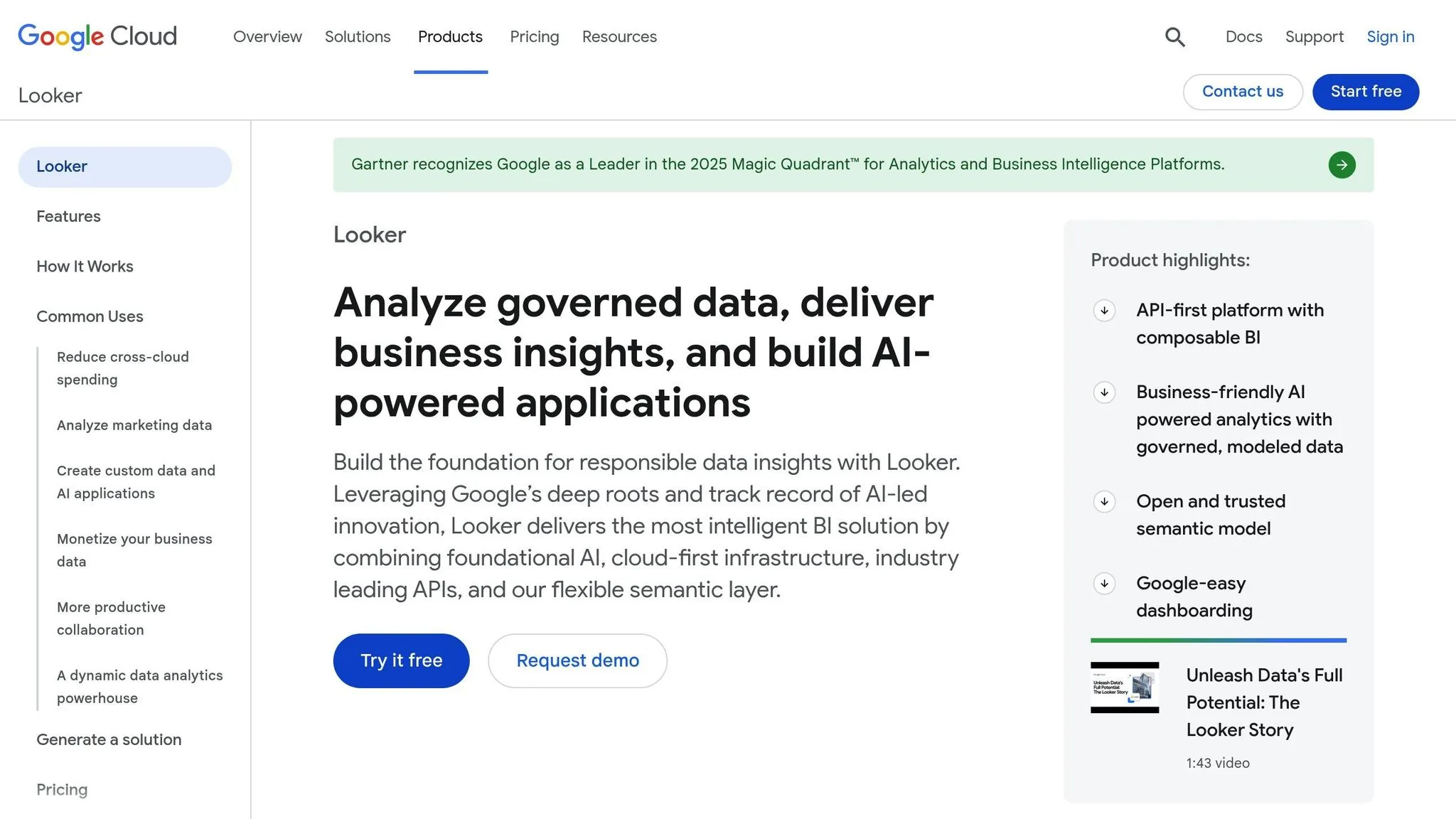
Looker, now part of Google Cloud, offers flexible pricing tailored to different organizational needs. Looker Studio provides a free option with connections to over 800 data sources, making it ideal for small teams and individuals. For those needing more advanced features like enhanced governance and team workspaces, Looker Studio Pro is available at $9 per user per project per month. Meanwhile, the enterprise-grade Looker (Google Cloud core) operates on a custom pricing model, which combines platform fees with user licensing. This option typically requires an annual commitment and a consultation with the sales team.
Pricing
Looker's pricing reflects its versatility. For organizations focused on governance and scalability, Looker (Google Cloud core) offers three editions:
- Standard: Designed for teams with fewer than 50 users.
- Enterprise: Includes advanced security features and higher API limits.
- Embed: Geared toward large-scale external analytics needs.
User licenses allow for varying levels of access, from full modeling and dashboard creation to view-only options.
AI capabilities are measured using "Data Tokens." Developer users receive 4 million input tokens and 80,000 output tokens per month. Until September 30, 2026, Conversational Analytics is included without extra fees. After that, token costs are $3.00 per 1 million input tokens and $20.00 per 1 million output tokens. These pricing tiers cater to everything from small teams experimenting with basic features to enterprises requiring comprehensive, governed analytics.
Beyond its pricing structure, Looker stands out for its AI-powered tools, delivering intuitive and actionable data insights.
AI and Analytics Features
At the heart of Looker's analytics is LookML, a SQL-based modeling language that centralizes business metrics for AI-driven insights. With Conversational Analytics, powered by Gemini for Google Cloud, users can ask questions in plain language without needing advanced BI skills.
"Looker's secret sauce is LookML, a powerful SQL-based modeling language... The model can remove technical skills as a potential barrier and frees up the data team to focus on innovation." – Google Cloud
Real-world examples highlight Looker's impact. Major League Baseball (MLB) revamped its business intelligence processes, achieving data insights 2 to 3 times faster than before, which greatly improved decision-making speed. Similarly, Sky Group saved millions in cloud costs while improving operational efficiency through Looker's advanced reporting and dashboards.
Integration and Scalability
Looker’s in-database architecture ensures data remains in its original location, enhancing security and enabling real-time access. The platform supports multi-cloud and hybrid environments, integrating seamlessly with databases like BigQuery, Snowflake, Redshift, Oracle, and MySQL. Its API-first architecture allows analytics to be embedded directly into custom applications and workflows.
The platform’s open semantic layer makes metrics defined in LookML accessible in other BI tools like Microsoft Power BI, Tableau, and ThoughtSpot. For large-scale external applications, the Embed edition supports up to 500,000 query-based API calls per month, while the Standard edition includes 1,000 calls per month for smaller teams.
Use Cases
Looker serves a wide range of industries, including sports, e-commerce, and healthcare. For instance, MLB and Wayfair have leveraged Looker for faster insights and improved decision-making. Smaller teams can start with Looker Studio’s free tier, exploring connections to hundreds of data sources before upgrading to the full platform. Enterprises looking for governed analytics benefit from LookML’s ability to centralize business rules in a version-controlled environment, enabling non-technical users to access insights without compromising data integrity. This versatility makes Looker suitable for both internal analytics and large-scale, customer-facing applications.
Advantages and Disadvantages
Each platform brings its own set of strengths and challenges, making it essential to weigh your options based on specific business needs.
Querio is notable for its AI-driven design and for letting more people self-serve (no per-seat pricing), which helps reduce the workload for analysts.
Microsoft Power BI integrates seamlessly with the Microsoft ecosystem and offers real-time insights. However, the recent price increase from $10 to $14 per user per month for the Pro plan adds to the cost, especially for growing teams.
GoodData shines with its flexible embedded analytics and white-label capabilities. That said, its custom pricing model can make budgeting a bit tricky.
Sigma appeals to users familiar with Excel, thanks to its spreadsheet-like interface. On the downside, its AI features are somewhat limited.
Looker excels with its LookML modeling and smooth integration with Google Cloud. However, its pricing structure, which combines platform fees and user licensing, can be challenging for smaller teams to navigate.
Here’s a quick comparison of the key features for each platform:
| Platform | Starting Price | AI Capabilities | Key Integrations | Scalability Model |
|---|---|---|---|---|
| Querio | Free plan; Core $2,499/mo | Natural language AI querying and Python | Snowflake, BigQuery, Postgres | No per-seat pricing (unlimited users on every plan) |
| Microsoft Power BI | $14/user/month (Pro) | Copilot assistant; AI visuals | Microsoft 365, Azure, 500+ connectors | Per-user or Premium at $4,995/month |
| GoodData | Custom pricing | AI insights; predictive analytics | Cloud warehouses; custom APIs | Usage-based embedding |
| Sigma | Custom pricing | Basic AI features | Snowflake, BigQuery, Redshift | Per-user with spreadsheet interface |
| Looker | Platform fee + user licensing | Gemini-powered analytics; LookML | BigQuery, Snowflake, Redshift, Oracle, MySQL | Standard, Enterprise, and Embed editions |
This comparison provides a clear overview to help businesses make informed decisions based on their goals and budget.
Conclusion
Choosing a platform that strikes the right balance between cost and functionality is key. Querio stands out by delivering AI-driven insights without additional per-seat fees for viewers, making it a strong contender for organizations looking to scale analytics access across teams. However, each platform comes with its own pricing model and feature set, so careful evaluation is essential.
If your organization is already tied to the Microsoft ecosystem, Microsoft Power BI might be a natural fit. That said, costs can escalate as your team grows. On the other hand, Looker shines with its LookML framework, offering robust data governance and deep insights, though its combined licensing costs may challenge smaller budgets.
Before making a decision, consider the complexity of your data and the skill level of your team. Platforms with advanced semantic layers provide strong governance but often require more upfront investment in setup and training. Meanwhile, natural language data querying tools can simplify data exploration for non-technical users, reducing the burden on your data team. Querio’s lack of per-seat pricing and AI-first design make it a compelling option for scalable, user-friendly analytics.
Ultimately, your choice should align with both your organization’s immediate needs and long-term goals. To ensure the best fit, take advantage of trial periods offered by vendors. Testing each platform with your actual data and workflows will help you determine how well it integrates with your data warehouse and supports your team’s processes.
FAQs
What should startups consider when choosing an affordable analytics platform?
Startups face the challenge of finding an analytics platform that balances affordability with the ability to grow alongside their business. Since budgets are often tight, it’s smart to explore platforms offering flexible pricing models, such as free tiers or pay-as-you-go plans that align with startup needs.
Another key factor is ease of use. Most startups don’t have large IT teams, so tools with simple, user-friendly interfaces are a must. Features like drag-and-drop functionality or natural-language querying can enable team members - regardless of technical expertise - to quickly generate insights and make data-driven decisions.
It’s equally important to choose a platform that integrates smoothly with your existing tools and data sources, like cloud databases or SaaS applications, without requiring a complicated setup. Platforms with AI-powered features - such as automated insights or predictive analytics - can also give startups an edge by simplifying complex analysis.
Lastly, don’t overlook deployment options and data security. Whether you prefer a cloud-based solution for convenience or need on-premise control to meet compliance requirements, make sure the platform aligns with your security and regulatory needs. By keeping these considerations in mind, startups can select an analytics platform that drives growth without stretching their resources too thin.
How does Querio make data exploration easier for non-technical users?
Querio’s AI Q&A feature makes it easy for anyone to get clear, data-driven answers by simply asking questions in plain English - no need for SQL knowledge or grappling with complex data models. The platform takes your natural-language query, transforms it into a database call, fetches live data, and delivers the results as a chart, table, or straightforward explanation. This means business users can effortlessly spot trends, compare metrics, or dig into specifics without needing technical skills.
Since this feature operates within a governed workspace, all answers come from your organization’s single source of truth, respecting established security and permission settings. Teams like marketing, sales, and operations can use it as a self-service tool to uncover insights quickly. For example, they might ask, "What were our top-selling products last month?" or "How does churn vary by region?" - allowing them to make faster, smarter decisions without having to rely on an analyst.
What are the advantages of Querio’s lack of per-seat pricing compared to per-user pricing models?
Querio has no per-seat pricing: unlimited users on every plan, meaning every team member can explore dashboards and insights without piling on extra license fees. With a free plan and Core at $2,499/month, your organization can budget with confidence.
This pricing model takes the hassle out of managing user licenses. You won’t need to monitor user seats or scramble to update licenses when your headcount changes. Plus, sharing reports across departments, with partners, or even external stakeholders becomes effortless - no additional charges to worry about. The result? Predictable costs, easy scalability, and better collaboration, all without the restrictions that come with traditional per-user pricing models.