Business Intelligence
Build vs Buy: Embedded Analytics for SaaS in 2026
Compare build, buy, and hybrid approaches for SaaS embedded analytics—covering 3-year TCO, security, timelines, and pilot testing.
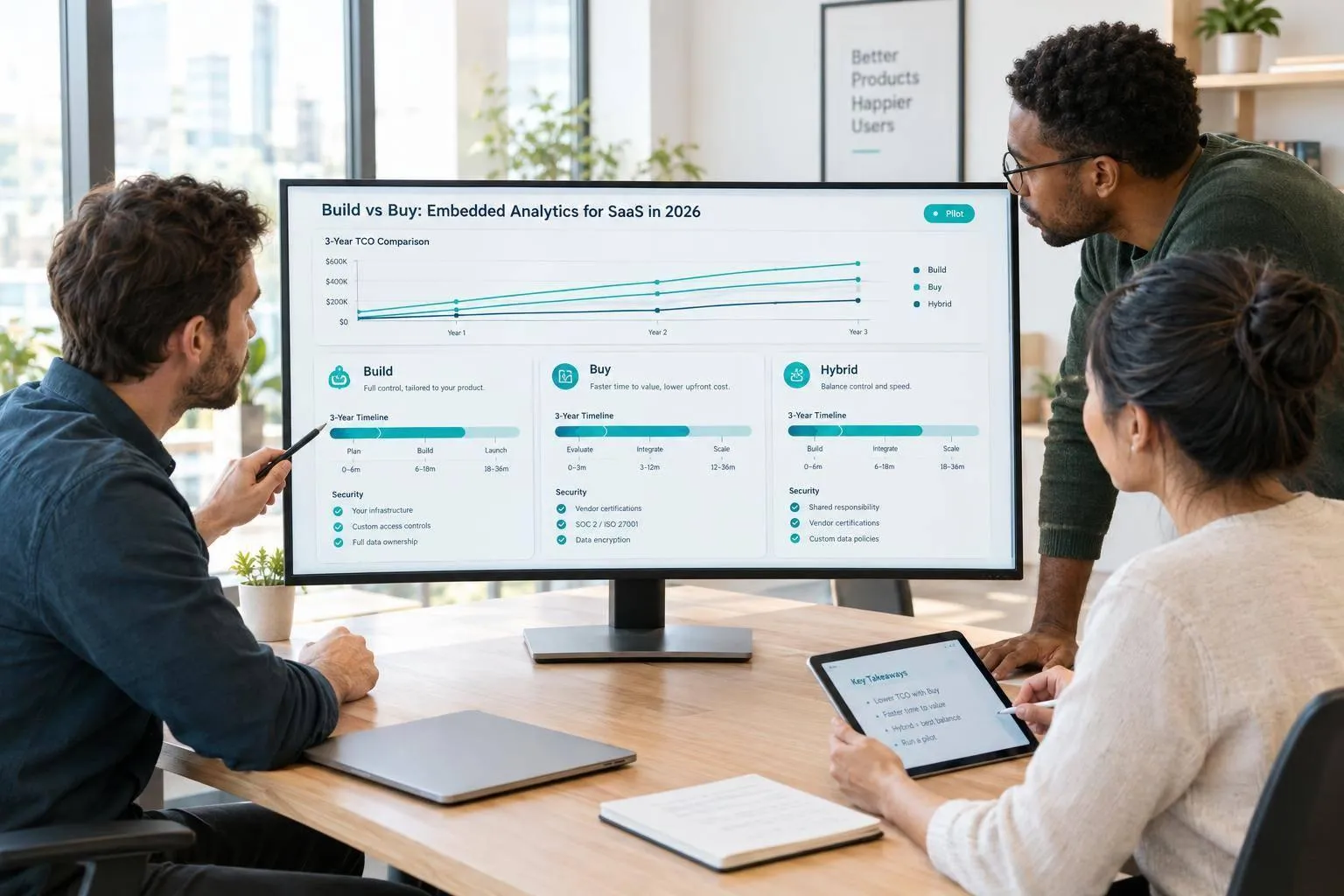
I’d buy for standard SaaS reporting, build when analytics defines the product, and choose hybrid when I need control without owning the whole stack. For planning, the article estimates 8–18 months to build versus weeks to 3 months to buy - not guaranteed delivery dates.
Here’s what I’d check before choosing:
- Cost: Compare 3-year totals, not just setup fees. At a hypothetical $2,500–$3,500 per month, platform fees alone total $90,000–$126,000, before growth, integration, and warehouse costs.
- Control: Check custom workflows, APIs, SDKs, branding, and embedding options. Custom charts alone don’t justify building.
- Security: Test tenant isolation and architecture, permissions, revoked access, audit logs, and data residency. For healthcare, review the BAA; certifications don’t replace application tests.
- Team capacity: Account for maintenance, support, query performance, concurrency, and warehouse integration.
- Exit risk: Check which metrics, dashboards, SQL, and access rules can move - and what you’d need to rebuild.
Quick Comparison
| Criterion | Build | Buy | Hybrid |
|---|---|---|---|
| Launch | Estimated 8–18 months | Estimated weeks to 3 months | Depends on integration and custom scope |
| 3-year cost | Development, upkeep, infrastructure | Fees, integration, warehouse use, exit | Platform costs plus custom work |
| Customization | Control the stack | Use supported extension points | Keep product logic; buy the reporting layer |
| Tenants and permissions | Build and test all controls | Configure and test vendor controls | Keep access rules; validate both layers |
| Embedding | Build the experience | Integrate SDKs or iframes | Combine purchased embeds with custom workflows |
| Performance | Own tuning and scaling | Test platform and warehouse limits | Test both purchased and custom components |
| Maintenance | Own every layer | Vendor maintains its platform | Split responsibility |
| Dependence | Internal staff and infrastructure | Vendor interfaces and terms | Both internal and vendor dependencies |
My final check: test one tenant-scoped workflow before committing. Set decision weights totaling 100%, compare costs, and run a pilot with zero leaked records and an agreed latency target. Querio is one hybrid option discussed here, but I’d apply the same security and workload tests to any platform.
::: @figure 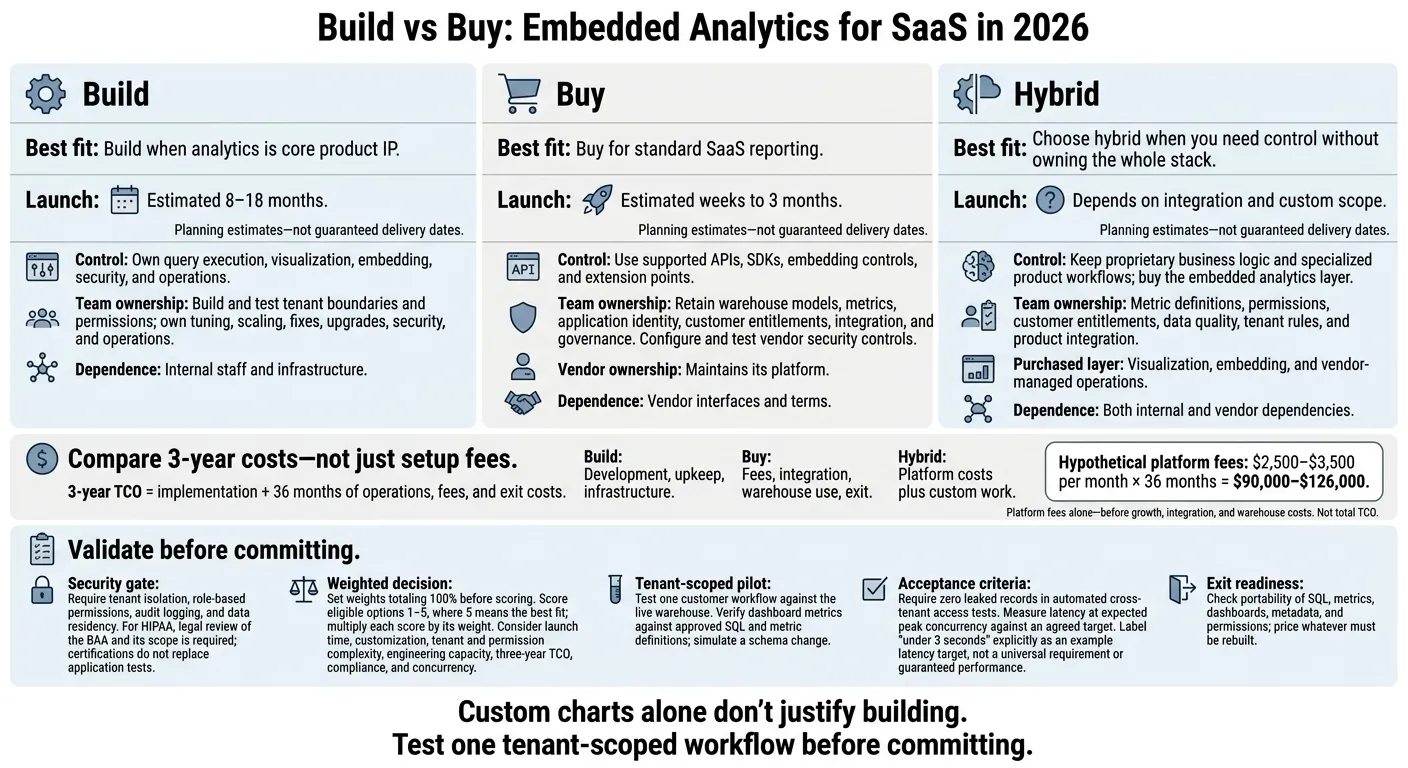 {Build vs Buy vs Hybrid: SaaS Embedded Analytics}
:::
{Build vs Buy vs Hybrid: SaaS Embedded Analytics}
:::
Build vs Buy Embedded BI: The Hidden Costs of AI Prototypes
::: @iframe https://www.youtube.com/embed/R_FSFWlJJtw :::
Build vs. Buy: A Side-by-Side Comparison
Use this table to see what the platform handles and what your team still owns.
| Decision criterion | Build in-house | Buy a platform |
|---|---|---|
| Launch time | Build the full delivery stack before launch. | Buy existing capabilities and integrate authentication. |
| 3-year TCO | Development, infrastructure, and maintenance. | Platform fees, warehouse usage, integration, and exit costs. |
| Customization | Control the implementation and specialized behavior. | Work within supported APIs, SDKs, embedding controls, and extension points. |
| Tenant isolation | Design and maintain tenant boundaries yourself. | Assess available isolation controls; your team still owns configuration. |
| Permissions | Build and maintain role and data-access rules. | Map application identity and customer entitlements to platform controls. |
| Embedding | Build the integration and customer-facing experience. | Integrate supported SDKs or iframes into your application. |
| Performance | Own query optimization, concurrency, and scaling. | Assess platform scaling alongside warehouse performance and tenant workloads. |
| Maintenance | Own fixes, upgrades, security, and operations. | The vendor maintains the platform; you maintain integration and governance. |
| Vendor dependence | Keep implementation control and long-term internal ownership. | Depend on supported interfaces and vendor platform behavior; plan for migration. |
Define that boundary before comparing costs.
What Build, Buy, and Hybrid Mean
Build means owning query execution, visualization, embedding, security, and operations. Buy means integrating those capabilities while your team still owns warehouse models, metrics, application identity, and customer entitlements. Using Snowflake, BigQuery, Redshift, or Postgres doesn't remove the integration work. [1][2]
Hybrid means buying the embedded analytics layer while keeping proprietary business logic and specialized product workflows. Your team owns metric definitions, permissions, and customer entitlements. The purchased layer handles visualization, embedding, and vendor-managed operations. A governed semantic layer helps keep business definitions consistent. [1][2]
Separate Standard Customization From Product IP
Branding, filters, and layouts are standard customization - not reasons to build the stack yourself.
Build only when supported APIs and extension points can't support your core product workflows.
Next, test these trade-offs against a 3-year cost model.
Calculate 3-Year Costs and Maintenance
3-year TCO = implementation + 36 months of operations, fees, and exit costs. Use USD and mark every estimate hypothetical until you validate staffing and vendor terms. Keep one-time delivery costs separate from recurring operating costs.
| Cost category | Build estimate inputs | Buy estimate inputs |
|---|---|---|
| Initial implementation | Role-specific person-months × fully loaded monthly cost for product, frontend, backend, data, and security work | Integration person-months × fully loaded monthly cost, plus setup and training fees |
| Tenant security and permissions | Labor for tenant boundaries, permissions, and authorization testing | Labor to configure and validate platform controls |
| Dashboard delivery | Rendering, embedding, filters, drill-downs, and exports | Integration and customization work for each required capability |
| Recurring operations | Monthly maintenance, monitoring, incident response, support, and infrastructure × 36 | Monthly integration maintenance and support labor, plus platform fees × 36 |
| Warehouse performance | 36 months of compute, caching, concurrency management, and query optimization | Warehouse compute plus any platform usage or deployment charges over 36 months |
| Expected migration costs | Probability of replacement × estimated rebuild, transfer, and validation costs | Probability of exit × estimated export, rebuild, integration, and validation costs |
Estimate Engineering and Integration Work
Estimate effort by role rather than applying one blended developer salary to the entire project. Include warehouse connections to Snowflake, BigQuery, Amazon Redshift, or PostgreSQL, along with the dashboard-delivery work in the table.
Buying still requires data modeling and application integration. Separate one-time delivery from monthly maintenance instead of folding both into a broad engineering allowance.
Track slipped releases separately so TCO doesn't hide launch delays. Don't count the same engineering labor again as opportunity cost.
Next, give tenant isolation and workload performance their own line items.
Budget for Tenant Security and Performance
Set separate budgets for cross-tenant access tests, revoked-access checks, and peak-concurrency load tests. Test tenant isolation across queries, dashboards, exports, and APIs - not just frontend filters. Authorization tests should cover both role changes and revoked access.
These checks matter most when customer-facing reporting involves customer data or regulated data access, rather than internal reporting alone. Query-result caching, metric pre-aggregation, and index optimization also require continuing engineering work [1].
Keep embedded analytics vendor fees and migration risk separate from security and performance costs.
Estimate Platform Fees and Exit Costs
Separate subscription, tenant, user, usage, and deployment fees from integration labor. Model low, expected, and high tenant counts and query volumes over 36 months.
For exit planning, test whether SQL, metrics, dashboards, metadata, and permissions can move. Then price whatever must be rebuilt. Apply the same test to an internal build: dependence on key staff and infrastructure still creates replacement risk.
Match the Approach to Your SaaS Requirements
Standard Reporting vs. Proprietary Analytics
Buy or use a hybrid approach for standard reporting. Build only when analytics is core product IP.
These scenarios connect the earlier trade-offs to specific product needs.
Hypothetical requirement Recommended approach Deciding factor Account-level revenue dashboards needed for a 90-day launch Buy Standard revenue metrics work well with reusable reporting components. Analytics with custom calculations and interactions that define the product’s value Build Core product IP calls for custom behavior. High-volume multi-tenant usage reporting Hybrid Complex tenant needs and limited engineering capacity favor hybrid.
Start with the use case, then validate security, then assess platform fit.
Security Gates for Healthcare and Finance
Treat security as a launch gate, not a trade-off. Before comparing costs, require proof of tenant isolation, role-based permissions, audit logging, and data residency. For HIPAA, your legal team must review the BAA and its scope. A SOC 2 Type II report helps with that review, but it doesn’t replace application-level testing.
Test that access is denied when a user tries to view data outside their tenant scope.
Once the workload passes these checks, decide how much of the analytics layer you want to own.
How Querio Supports a Hybrid Approach
For teams taking a hybrid approach, Querio keeps analytics warehouse-native while retaining your governance model.
Querio connects live to Snowflake, BigQuery, Redshift, or Postgres. Its governed context layer stores joins and metrics in versioned files synced to GitHub with dbt. Your team keeps ownership of those definitions[1].
Inspectable SQL and Python let you review the logic, while reactive notebooks keep charts linked as SQL changes. You can embed dashboards through APIs or iframes, with row-level security.
Keep user permissions separate from customer authorization. Querio’s MCP OAuth flow lets agent queries inherit the user’s data permissions. For customer-facing embeds, you still need to validate tenant scope and row-level access separately. Your team remains responsible for data quality, tenant rules, and product integration.
Conclusion: Score Your Options and Test Before Launch
Buy for speed and less maintenance. Build when analytics is core product IP. Choose hybrid when you need control over metrics and workflows without owning the full stack.
Weight and Score Your Requirements
Start with the cost model, then rule out any option that fails your security or compliance gates. Score the remaining build, buy, and hybrid options from 1–5, where 5 means the best fit. Assess launch time, customization, tenant and permission complexity, engineering capacity, three-year TCO, compliance, and concurrency.
Set weights that total 100% before scoring to avoid bias. Multiply each score by its weight. For supporting reports, give more weight to launch time and maintenance capacity. When analytics defines the product, put customization and control over the analytics workflow first. Use the highest-scoring option for your pilot.
Run a Tenant-Scoped Pilot
Test one customer workflow against your live warehouse. Check dashboard metrics against approved SQL and approved metric definitions, and review the analytical logic. Simulate a schema change to confirm that the semantic layer updates metrics consistently.
Automate cross-tenant access tests and require zero leaked records[1]. Measure query latency at expected peak concurrency against an agreed target.
Example latency target: under 3 seconds[1].
Verify controls within the embedded workflow - not just through platform certifications.
FAQs
::: faq
When should we switch from buying to building?
Switch from buying to building only if analytics is your core product, you have unlimited engineering resources, or no existing platform meets your specific requirements.
For most B2B SaaS companies, buying means faster launches, predictable costs, and maintenance handled by the vendor. Your team can stay focused on its primary product.
Building isn’t a one-time project. It means maintaining tenant isolation, time zone handling, and security compliance over the long term - often with a dedicated engineering team. :::
::: faq
How can we prevent stale permissions in embedded dashboards?
Replace static, manual configurations with dynamic, identity-aware access controls. Use signed embedding or SSO to pass current user attributes through short-lived tokens. This keeps permissions aligned with the user’s current context.
Enforce Row-Level Security (RLS) at the database or semantic layer to block cross-tenant access without permission. Store semantic-layer and dashboard logic in version-controlled code, such as GitHub, so you can audit, review, and automate permission updates alongside application changes. :::
::: faq
How should we split ownership in a hybrid setup?
Split ownership based on what each team does best. Your internal team manages the data warehouse, semantic definitions, and application integration. The vendor handles analytics infrastructure, multi-tenant security, performance scaling, maintenance, and uptime.
Your team keeps control of business logic and metrics through a governed semantic layer, so they stay consistent across the product. The vendor manages row-level security and tenant isolation, giving your engineers more time to focus on core product features. :::