Business Intelligence
Best Text-to-SQL Tools for Production Warehouses (2026)
Production text-to-SQL works when semantic layers, permissions, and SQL review are kept in one loop—not just better models.

If you want text-to-SQL that works in production, don’t start with the model. Start with a semantic layer, permissions, and SQL review.
I’d sum the market up like this: the top tools in 2026 fall into 8 groups - Querio, Snowflake Cortex Analyst, BigQuery natural-language SQL, Amazon Redshift generative SQL, Looker AI, ThoughtSpot Sage, Hex Magic, and custom stacks with LangChain or LlamaIndex. The pattern is simple: tools with a maintained business context do far better than tools that only read raw schemas. The article points to a sharp example: GPT-4o hits just 10.1% on Spider 2.0-Snow without grounded context, while semantic routing can cut data errors by up to 66%.
If I were choosing, I’d look at four things first:
- Does it query live warehouse data?
- Can I inspect and edit the SQL?
- Does it use my current RBAC, RLS, and governance setup?
- Can it map questions to business metrics, not just table names?
Here’s the short version of where each tool fits:
- Querio: best for governed self-serve across multiple warehouses
- Snowflake Cortex Analyst: best for Snowflake-only teams
- BigQuery NL SQL: best for GCP teams, mainly with Looker or dbt context
- Redshift generative SQL: best for AWS teams already centered on Redshift
- Looker AI: best when LookML is mature
- ThoughtSpot Sage: best for search-led BI teams with modeled Worksheets
- Hex Magic: best for analysts who work in notebooks
- Custom stacks: best for engineering-heavy teams that want full control
Quick Comparison
| Tool | Best Fit | SQL Review | Business Context | Main Limitation |
|---|---|---|---|---|
| Querio | Multi-warehouse governed self-serve | Full SQL + Python | Shared context layer | Needs setup and upkeep |
| Snowflake Cortex Analyst | Snowflake-native teams | Partial | Semantic Views / YAML model | Snowflake-only |
| BigQuery NL SQL | GCP teams | SQL is visible and editable | Best with LookML or dbt | BigQuery-only |
| Amazon Redshift Generative SQL | AWS teams on Redshift | More limited | Better with dbt metadata | Redshift-only |
| Looker AI | Teams with mature LookML | More limited | LookML | Only as good as model coverage |
| ThoughtSpot Sage | Search-first BI | Query Inspector | Worksheets | Needs pre-modeled data |
| Hex Magic | Code-first analysts | Full SQL + Python | dbt metadata helps | Not built for broad business-user self-serve |
| Custom Stack | Engineering teams | Depends on build | Manual | High upkeep |
The bottom line: production text-to-SQL is less about writing SQL and more about keeping business meaning, access control, and review in one loop. That’s what this article compares.
sbb-itb-284a532
1. Querio
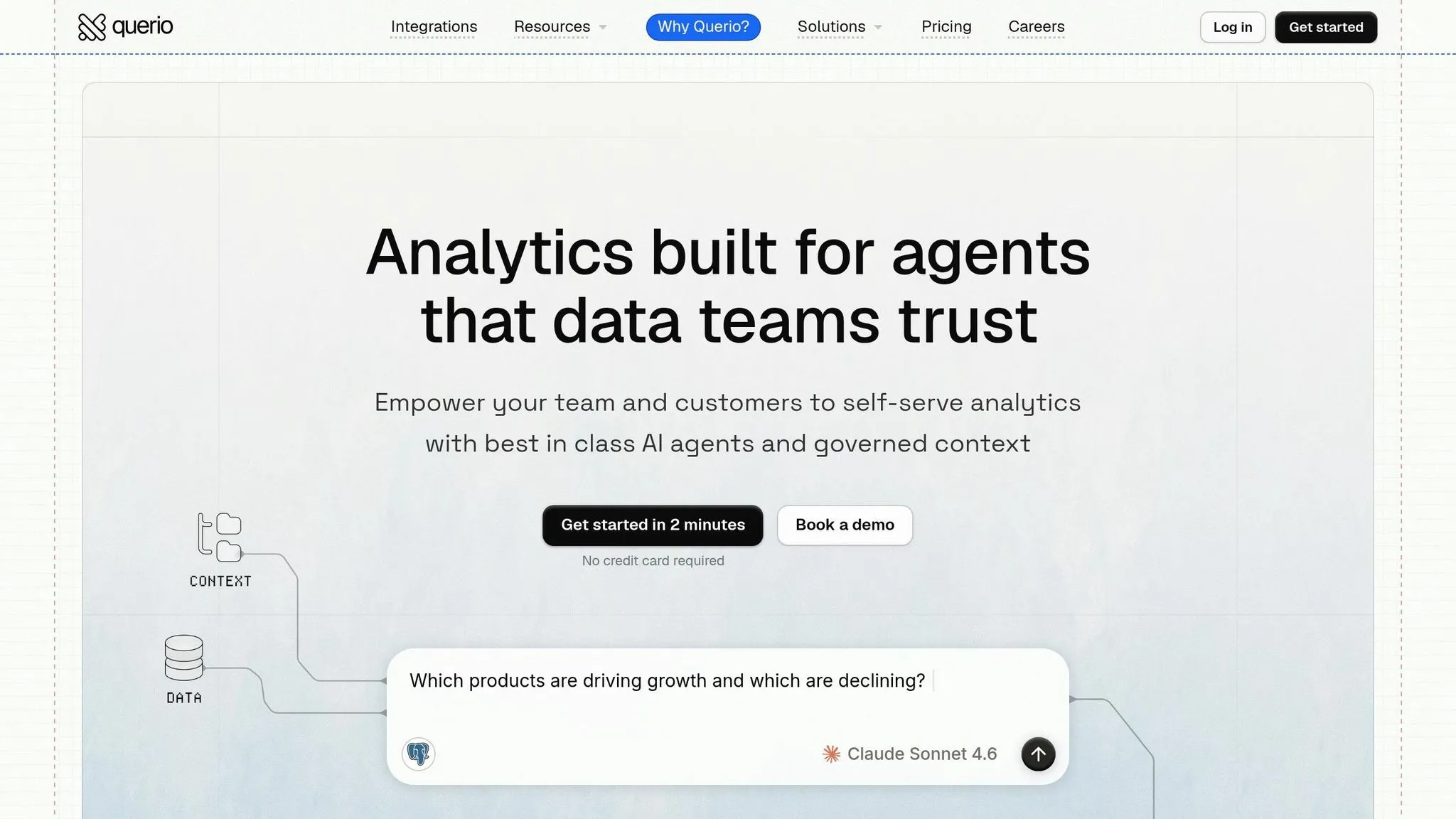
Querio is an AI-native analytics workspace built for governed self-serve analytics on live warehouse data. It connects straight to Snowflake, BigQuery, Amazon Redshift, ClickHouse, and PostgreSQL, and it generates inspectable SQL and Python. For production warehouses, that’s a big deal. Teams don’t just need fluent SQL - they need answers they can check and trust.
SQL Accuracy
Querio’s Context Layer lets teams define business terms, metric logic, and allowed joins before queries run. That setup helps keep answers aligned with how the business already thinks about its data. And it only works if the semantic layer stays current, which is why the context system matters far beyond plain query generation.
Schema Context
Querio goes past basic table descriptions. Its context system also includes Skills, which are reusable instruction files for common analysis patterns, and Macros, which are parameterized filters for things like date ranges or product categories. It also keeps workspace memory across sessions, so business context carries forward and recurring analysis stays more consistent.
Governance Controls
Querio uses warehouse-level permissions, RBAC, and SSO, so users only see data they’re already allowed to access in Snowflake or BigQuery. The platform is SOC 2 Type II certified. That means review and publishing happen inside the same workflow instead of becoming a separate control step.
Review and Observability
Every query Querio generates is visible and editable in a notebook-style interface. Analysts can inspect the SQL and Python, make changes, and then publish results to Boards.
There is a tradeoff here. The UI follows its own workflow, so teams need time to get used to it. And if the Context Layer goes stale, the AI can return wrong results based on out-of-date metadata. In practice, regular audits of the Context Layer are part of the cost of running Querio well.
The end result is a governed workflow for teams that want self-serve analytics without giving up warehouse controls.
2. Snowflake Cortex Analyst
Snowflake Cortex Analyst is the best fit for teams that already run on Snowflake and want text-to-SQL without moving data out of the warehouse. Everything runs inside Snowflake, so the data stays put. In practice, that means one thing matters more than anything else: the semantic model. If that layer is weak, results will be shaky. If it’s well built, the system gets much more dependable.
SQL Accuracy
SQL accuracy depends heavily on the semantic model. Teams with a complete semantic layer can reach 90%+ SQL accuracy, while complex enterprise queries without that layer can drop to around 50%. Building that base usually takes 3 to 6 months[1][4].
Schema Context
Cortex Analyst uses Semantic Views to store business definitions, synonyms, sample values, and question-SQL examples. These views inherit Snowflake RBAC and sharing. That helps keep access rules tied to the same structure that guides query generation.
There’s a catch, though. Complex dbt models need explicit joins. If those joins aren’t set up clearly, teams may have to rely on flattened views instead. And because business language shifts over time, the model needs regular updates as dbt logic and business terms change[13][14][15].
That matters for another reason: the same model shapes both query behavior and user access.
Governance Controls
Cortex Analyst inherits Snowflake RBAC and data policies, including row-level and column-level security applied at query time. Strict RLS is the default, and native audit logs record activity. So from a governance angle, it fits neatly into the Snowflake stack.
The main tradeoff is lock-in. Cross-platform queries aren’t supported natively, so this setup works best for teams that are all-in on Snowflake[1][4]. For production use, the next step is simple: watch what the model is actually returning.
Review and Observability
Teams can track usage in CORTEX_ANALYST_USAGE_HISTORY and send edge-case queries to analyst review[13]. Snowflake also recommends using verified SQL for production workflows, especially when a query falls outside the semantic model[12].
3. Google BigQuery Natural-Language SQL Tools
BigQuery's natural-language SQL tools fit best for GCP-native teams that already manage data through Looker or dbt semantic layers. The sweet spot is simple: business definitions need to exist before the model starts writing SQL.
In day-to-day use, that tends to be the dealbreaker. If the semantic layer already maps business terms, metrics, and joins, the model has a much better shot at producing SQL that matches how the company thinks about its data.
SQL Accuracy
On the BIRD benchmark, Google Cloud scored 76.13 for text-to-SQL accuracy [11]. That's useful, but the score means a lot more when it's paired with a semantic layer. Without that layer, production results can slip fast because queries start leaning on business rules known only to the team, cross-system logic, or org-specific definitions [1]. For standard queries, reasoning models on BigQuery process 44.5% fewer bytes than standard models while keeping correctness rates between 96.7% and 100% [1].
So the main driver of accuracy isn't just raw table access. It's how well the team has modeled metadata and business definitions.
Schema Context
Teams using Looker have a clear edge because Gemini can generate LookML-based queries. That gives the model a governed semantic layer to work from instead of dumping it straight onto raw tables. And that matters a lot.
For teams without Looker, or for teams with partial semantic coverage, the gap between what the model sees and what the business means can grow fast. That's the heart of the issue: production text-to-SQL works better when business meaning is defined before SQL generation.
Governance Controls
BigQuery inherits row-level security, CLS, and SOC 1/2/3 compliance, but teams should still check Assured Workloads coverage and Gemini's processing region before deployment [11].
After access is locked down, the next problem usually isn't security. It's whether the generated query is correct, efficient, and cheap enough to run.
Review and Observability
Users can inspect and manually edit AI-generated SQL inside the BigQuery interface, and a query explanation feature helps validate logic before execution [11]. That manual review step matters. Sometimes a query looks fine at a glance, then runs like a shopping cart with a bad wheel.
Cost control matters just as much. LLM-generated queries on BigQuery can show up to a 3.4x cost variance, with some inefficient queries exceeding 36 GB per execution [1]. Teams should pair these tools with:
- Cloud Billing reports
- Budget alerts
- FinOps practices from day one
4. Amazon Redshift Generative SQL Assistants
Amazon Redshift's generative SQL assistants make the most sense for AWS-native teams that already keep their data in Redshift. If your warehouse is already there, the fit is pretty natural because the generative SQL features tie closely into the rest of the AWS stack [1]. That said, the main issue isn't access. It's whether the assistant can read your warehouse the way your team reads it.
SQL Accuracy
The first limit is accuracy. In practice, accuracy usually lands between 50% and 89%, and it can fall close to 50% for multi-table analytics when semantic context is missing [4]. That's the heart of the problem: large Redshift schemas often don't carry enough business meaning on their own.
Schema Context
Redshift tends to do better when dbt models include clear descriptions, metrics, and joins for the assistant to use. If your team already uses dbt to manage Redshift transformations, that helps a lot. The assistant gets more than raw warehouse tables, which gives it a better shot at producing SQL that matches how people in the business think.
Governance Controls
Redshift enforces row-level and column-level security at query time, so existing warehouse permissions also apply to AI-generated queries [1]. That means the final guardrail is logging and review before anything reaches production use.
Review and Observability
Planning and SQL generation are logged, which gives data teams an audit trail [1]. Even with that in place, a human review step still matters before execution, especially for complex joins and business-defined metrics.
For teams that want governed text-to-SQL closer to the BI layer, the next section shifts to Looker AI.
5. Looker AI for Governed Text-to-SQL
Looker AI, built into Gemini, is designed for governed text-to-SQL on top of LookML. It works best when the semantic model is already mature and up to date.
SQL Accuracy
Accuracy is strong when the LookML model is mature and current. In setups driven by a semantic layer, text-to-SQL accuracy can reach 85–95% [4]. But there’s a catch: coverage sets the ceiling. If a metric or join isn’t defined in LookML, Looker AI becomes less reliable.
Schema Context
Looker AI maps natural-language questions to LookML instead of raw tables. That matters because it keeps business logic consistent across queries by relying on LookML definitions [1]. In production, semantic governance tends to matter more than prompt quality.
Governance Controls
Looker inherits row-level security and access controls, which helps keep users inside approved data boundaries [4][5]. That makes it a practical choice for regulated teams and for organizations already deep in the Google Cloud ecosystem [7].
Review and Observability
Looker logs unmapped prompts, so teams can spot semantic gaps and fill them over time [16]. If your team wants analysts to inspect, validate, and edit generated SQL before it runs, check that SQL review is turned on in the Looker workflow [9]. In day-to-day use, the main risk is LookML maintenance, not user satisfaction.
Teams that need a more notebook-first workflow should look at Hex next.
6. ThoughtSpot Sage
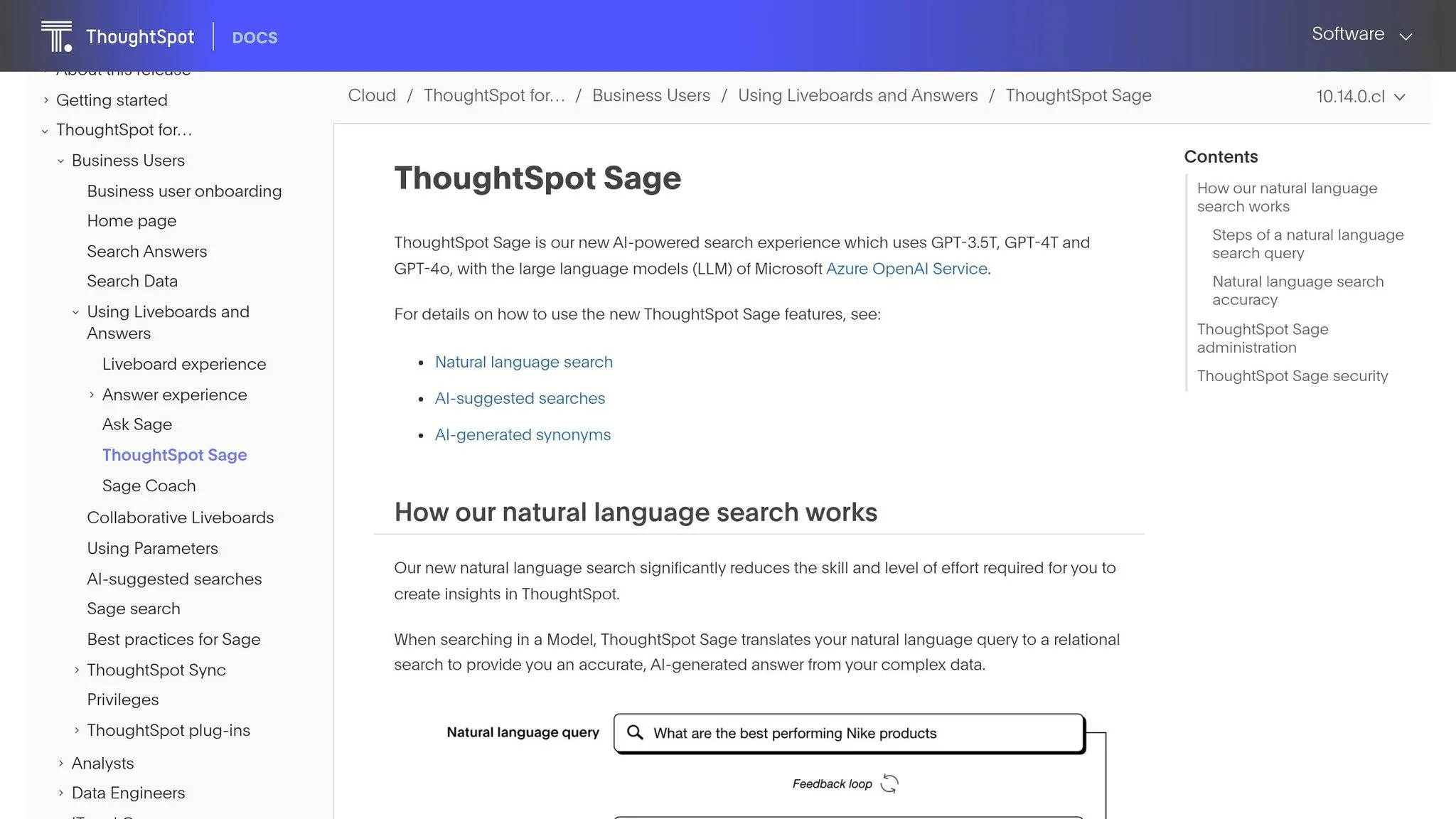
For teams that want natural-language analytics inside a governed BI layer, ThoughtSpot Sage sits in the middle ground between raw warehouse query tools and full self-serve notebooks. It’s a search-first LLM assistant built on top of ThoughtSpot's data model. In practice, its output depends heavily on how complete the Worksheets are, not just how well someone writes a prompt.
SQL Accuracy
Sage does well with routine metric checks and simple descriptive questions. But once you get into complex multi-table analysis, it still needs strong data warehouse data modeling to stay on track. Funnel and retention questions, in particular, often need a lot of pre-modeling before Sage can answer them in a dependable way [3].
Schema Context
Sage maps questions to Worksheets, ThoughtSpot's semantic layer, instead of relying only on raw warehouse tables [4]. That setup helps keep answers steady when Worksheets match business definitions. But if those Worksheets are incomplete or out of date, things can get messy fast, especially around ambiguous business logic. The main job here is keeping Worksheets in sync with changing business definitions.
Governance Controls
Sage inherits warehouse permissions and supports row-level security policies that can work across large group structures [4]. It also runs queries on the live warehouse, so data doesn’t need to be copied into a vendor silo [3].
Review and Observability
Analysts can inspect generated SQL in Query Inspector, though the default experience still leans toward answer-first use [2]. For high-stakes questions with complex joins or nested aggregates, teams still need a review step before business users act on the results. Without a strong semantic model, Sage can return answers that sound sure of themselves but are still wrong [2].
7. Hex Magic
For teams that prefer code-first work over chat-first BI, Hex moves analysis into notebooks. Hex Magic plays in a different lane from most tools on this list. It’s built for data analysts and analytics engineers who want to get through ad hoc work with less friction, not business users looking for a chat-only setup.
Think of it as a notebook-native AI assistant that helps draft analysis, not an autonomous query engine.
SQL Accuracy
Hex Magic generates editable SQL and Python cells right inside the notebook. That means analysts can inspect joins, spot issues, and fix logic before anything gets published.
It tends to work well when drafting complex queries across large warehouse schemas if it has the right context. If that context is thin, accuracy slips on large or unclear schemas, and manual cleanup becomes part of the process.
Schema Context
Hex infers relationships from table names, foreign keys, and metadata. It also gets better input from dbt models, which help supply business logic and metric definitions.
That makes Hex a stronger fit for teams already using dbt with their warehouse. Cleaner model definitions give the assistant more to work with in production, which usually leads to better drafts.
Governance Controls
Governance is handled at the project level and inherited from the connected warehouse - Snowflake, BigQuery, Redshift, or Postgres.
If your team already keeps tight access control in the warehouse, this setup can work well. The rules are close to the data, which keeps things simple.
Review and Observability
Because the analysis stays in notebooks, review stays close to the SQL and Python that produced the output. That’s useful when you need to trace how a result was built instead of treating it like a black box.
Hex also supports scheduled runs and embedded analyses, so notebooks can move from ad hoc work into repeatable reporting. The tradeoff is pretty clear: non-technical users usually need help from the data team.
8. Custom Text-to-SQL Stacks with LangChain or LlamaIndex
Building your own text-to-SQL stack with LangChain or LlamaIndex gives your team more control. It also puts reliability, upkeep, and day-to-day fixes squarely on your side.
SQL Accuracy
In practice, the retrieval layer matters just as much as the model itself. Vanna AI showed 84% first-attempt accuracy in 2026 testing, but that dropped to 70% on multi-join queries with three or more tables [7]. On the BIRD benchmark, GPT-4 fell from 54.89% to 34.88% when manual domain hints were removed [17].
The big danger here is silent hallucination. The SQL runs, the output looks plausible, and nobody gets an obvious error message. That makes bad results much harder to spot than a broken query.
Schema Context
Most custom stacks index DDL, internal docs, and past question-to-query pairs in a vector store. That helps, but it doesn't get you all the way there.
For production use, teams still need to feed in things like:
- metric definitions
- hierarchies
- fiscal calendars
- data-quality exceptions
- dbt metadata for grounding
Schema lookup by itself isn't enough for business metrics [5][10][3].
Governance Controls
Governance is mostly manual. In plain English, your team has to set it up and keep it working. That usually means connecting through read-only, SELECT-only credentials and wiring warehouse RLS into the app.
Some frameworks add identity, RLS, and audit logging. Even then, your team still owns the setup and upkeep [6][9]. That's a big reason custom stacks tend to fit engineering-heavy teams more than general BI teams.
Once access is wired, the next issue is simpler to state and harder to solve: how do teams check what the system is doing over time?
Review and Observability
Generated SQL should be visible and editable so analysts can inspect joins before they trust the output. If that sounds basic, it is. But it matters.
On top of that, teams need to track execution logs, audit trails, retrieval quality, embedding freshness, and accuracy drift over time. With a custom stack, that usually means manual instrumentation [8].
There’s also a speed and cost angle. Multi-hop agentic pipelines can add 3–5 seconds of latency per query, and a self-evaluation pass can roughly double token spend [17].
| Dimension | Custom Stack (e.g., LangChain or LlamaIndex) |
|---|---|
| Setup time | 30–60 minutes to prototype; weeks to harden for production [7] |
| First-shot accuracy | ~84% (drops to ~70% on complex joins) [7] |
| Governance | Manual - inherit from the warehouse or build separately [9][17] |
| Observability | Requires custom instrumentation [8] |
| Engineering ownership | High - Python and infrastructure skills required [7][10] |
That flexibility is powerful, but it comes with a clear tradeoff: more operating burden, more moving parts, and more work for the team that owns it.
Head-to-Head Tradeoffs
::: @figure 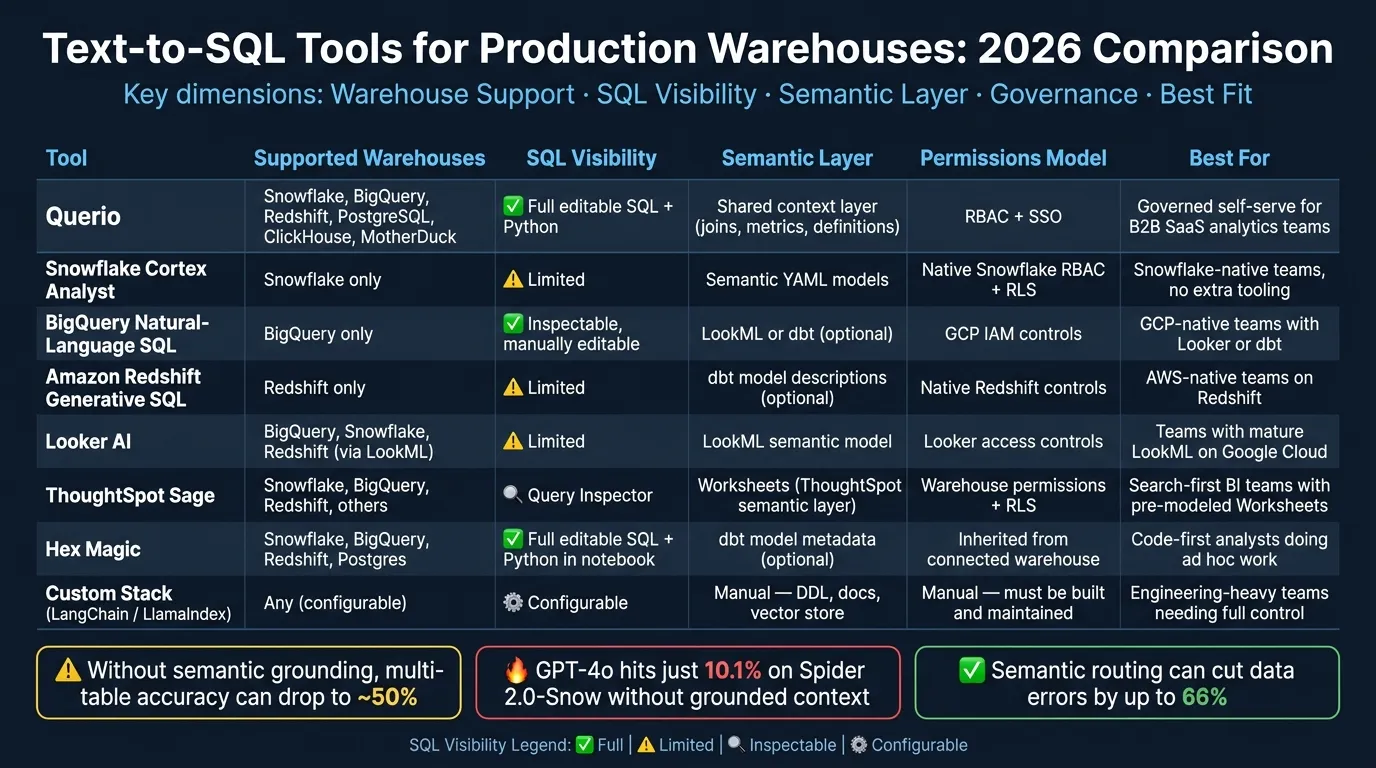 {Best Text-to-SQL Tools for Production Warehouses 2026: Side-by-Side Comparison}
:::
{Best Text-to-SQL Tools for Production Warehouses 2026: Side-by-Side Comparison}
:::
The big production decision comes down to this: governed semantic context or warehouse-native copilots. That choice shapes how much control your team has over query logic, permissions, and review before results reach the business.
Here’s how the main tools in this article stack up:
| Tool | Supported Warehouses | SQL Visibility | Semantic Layer | Permissions Model | Auditability | Ideal Deployment |
|---|---|---|---|---|---|---|
| Querio | Snowflake, BigQuery, Amazon Redshift, PostgreSQL, ClickHouse, MotherDuck | Full, editable SQL + Python | Shared context layer (joins, metrics, definitions) | RBAC + SSO | Inspectable SQL/Python | Governed self-serve for B2B SaaS analytics teams |
| Snowflake Cortex Analyst | Snowflake only | Limited | Semantic YAML models | Inherits Snowflake native controls | Native Snowflake query history | Snowflake-native teams wanting no additional tooling |
| BigQuery Natural-Language SQL | BigQuery only | Inspectable, manual edit | LookML or dbt semantic layer (optional) | Inherits GCP IAM controls | BigQuery audit logs | GCP-native teams with existing Looker or dbt semantic layer |
| Amazon Redshift Generative SQL | Redshift only | Limited | dbt model descriptions (optional) | Inherits Redshift native controls | Planning and SQL generation logs | AWS-native teams already running Redshift |
| Looker AI | BigQuery, Snowflake, Redshift (via LookML) | Limited | LookML semantic model | Inherits Looker access controls | Unmapped prompt logs | Teams with mature LookML models on Google Cloud |
| ThoughtSpot Sage | Snowflake, BigQuery, Redshift, others | Query Inspector | Worksheets (ThoughtSpot semantic layer) | Inherits warehouse permissions + RLS | Worksheet-level query logs | Search-first BI teams with pre-modeled Worksheets |
| Hex Magic | Snowflake, BigQuery, Redshift, Postgres | Full, editable SQL + Python in notebook | dbt model metadata (optional) | Inherited from connected warehouse | Notebook cell history | Code-first analysts doing ad hoc work |
| Custom Stack (LangChain / LlamaIndex) | Any (configurable) | Configurable | Manual - DDL, docs, vector store | Manual - must be built and maintained | Requires custom instrumentation | Engineering-heavy teams needing full control |
SQL Accuracy
SQL accuracy depends less on the model itself and more on how well the tool is grounded in business logic through semantic parsing. If a tool has a maintained semantic layer for SaaS, your team defines business meaning once and reuses it across every query. That’s a big deal.
By contrast, tools that lean on DDL inference can handle simple lookups, but they often miss the mark on complex metrics. Without semantic grounding, multi-table enterprise analytics can drop to around 50% accuracy [4].
Schema Context
Querio uses a shared context layer so data teams can define joins, metric logic, and terminology once. Then every query uses those same definitions. That helps keep answers steady across teams and use cases.
Tools that infer schema from table names and foreign keys alone tend to work well only when the question maps neatly to a single table. Once the request spans several tables or uses business-specific metric logic, things can go sideways fast.
Governance Controls
After accuracy, the next production test is governance: who can access what, and how clearly you can track what happened.
Snowflake Cortex Analyst inherits Snowflake-native RBAC and row-level security directly. For Snowflake-only teams, that’s a strong point. Querio adds RBAC and SSO on top of live, read-only warehouse connections across multiple warehouses, so data stays where it is instead of being copied into a third-party silo.
Custom stacks can support either approach, but there’s no free lunch there. The team has to build it, wire it up, and keep it running.
Review and Observability
The last checkpoint is simple: can analysts inspect, edit, and audit the generated SQL before users act on it?
Tools that show full, editable SQL give analysts a real shot at catching a bad join before the wrong number ends up in a board deck. That review step matters for cost too, not just accuracy. LLM-generated queries on BigQuery can exhibit up to a 3.4x cost variance, with some inefficient queries exceeding 36 GB per execution [1]. In practice, that makes query-level observability a budget control as much as a correctness check.
Pros and Cons by Tool
This table helps map each tool to your warehouse setup, governance needs, and how much semantic modeling your team can realistically keep up with. In production, three things tend to shape results more than anything else: semantic context, governance, and observability. The table below trims those tradeoffs down to what matters most when these tools move from demo to day-to-day use.
| Product | Pros | Cons | Best For |
|---|---|---|---|
| Querio | Governed context layer; full editable SQL + Python; live connections across Snowflake, BigQuery, Redshift, PostgreSQL, ClickHouse, and MotherDuck; RBAC + SSO; SOC 2 Type II | Requires upfront semantic modeling; too heavy for solo ad hoc use | Governed self-serve analytics for B2B SaaS teams |
| Snowflake Cortex Analyst | High accuracy with a complete semantic model; native Snowflake RBAC and row-level security | Locked to Snowflake only; semantic YAML models can take months to build out [1] | Snowflake-native teams that don't need cross-warehouse reach |
| Google BigQuery Natural-Language SQL | BigQuery-native integration; inspectable SQL; best with a LookML or dbt semantic layer | Locked to BigQuery; accuracy is weaker without semantic grounding | GCP-native teams already using Looker or dbt |
| Amazon Redshift Generative SQL | Best for AWS-native teams already standardized on Redshift | No cross-warehouse support; governance depends on Redshift native controls | AWS-native teams already running Redshift |
| Looker AI | Strong LookML governance; inherits Looker access controls | Limited to LookML-modeled data | Teams with mature LookML models on Google Cloud |
| ThoughtSpot Sage | Intuitive search-driven interface; strong for search-driven BI, but depends on complete Worksheets | Requires significant pre-modeling via Worksheets; better suited to enterprise BI teams | Large organizations with dedicated BI teams and pre-modeled data |
| Hex Magic | Notebook-based SQL and Python for analyst iteration | Not built for non-technical business-user self-service | Code-first analysts doing exploratory or ad hoc work |
| Custom Stack | Works with any warehouse; highest control, highest maintenance | Security, schema indexing, and LLM infrastructure must be built and maintained by your team [10] | Engineering-heavy teams that need full control over the NL-to-SQL loop |
Conclusion
Pick the tool that fits the way your team works: warehouse-native for single-platform teams, BI-embedded for teams with a mature semantic layer, and notebook-based for analyst-led workflows. In practice, workflow fit matters more than a polished demo.
For B2B SaaS teams with 100 to 500 employees that run on live warehouses and need metrics to stay consistent with output they can inspect, Querio is the best fit. Its governed context layer keeps business logic in line, and every answer shows the SQL and Python behind it, so teams can check the work instead of taking it on faith.
Before rollout, three controls matter most:
- Require human review for sensitive queries, such as financial reporting, compliance work, or anything that feeds an executive dashboard.
- Route answers through a semantic layer so the tool checks against trusted metric definitions instead of guessing business logic.
- Set warehouse spend controls before opening access broadly, because AI-generated queries can swing costs and trigger heavy scans.
Text-to-SQL has real value in 2026, but it works best when semantic grounding, review, and spend controls are in place.
FAQs
::: faq
How much semantic modeling do we need before rollout?
It depends on what you care about most: accuracy, governance, or ease of use.
If you need high reliability, you’ll want a clear semantic layer backed by business glossaries, metrics, and metadata. For mid-sized organizations, that often takes 3–6 months plus steady input from both data and business teams.
If speed is the main goal, you can start with the schema alone and add light metric definitions over time. That approach can get you moving faster. But without a semantic layer, the risk of ambiguous or incorrect answers goes up, especially in complex or high-stakes production settings. :::
::: faq
When should analysts manually review generated SQL?
Analysts should manually review generated SQL when accuracy and governance matter, especially in production. That matters most for complex or ambiguous queries, where mistakes like incorrect joins or schema mix-ups are more likely to slip in.
A manual check also helps confirm permissions, access controls, audit trails, and whether the query lines up with business logic in high-stakes or multi-source cases. :::
::: faq
How can we control warehouse costs from AI-generated queries?
Keep costs in check by managing compute use and query execution. A solid way to do that is with warehouse-native AI analytics tools that run right inside Snowflake, BigQuery, or Redshift, without moving or duplicating data. That means compute spend stays in your hands instead of drifting out of sight.
Governance controls, permissions, and observability matter too. Teams can set access rules and query limits to stop runaway queries before they rack up a big bill. And when you can see query performance and cost attribution clearly, it becomes much easier to review usage over time and trim waste. :::