Business Intelligence
What Is an AI Data Analyst? Capabilities & Limitations
How AI data analysts draft SQL, analyze live warehouse data, speed insights — and why governance plus human review remain essential.
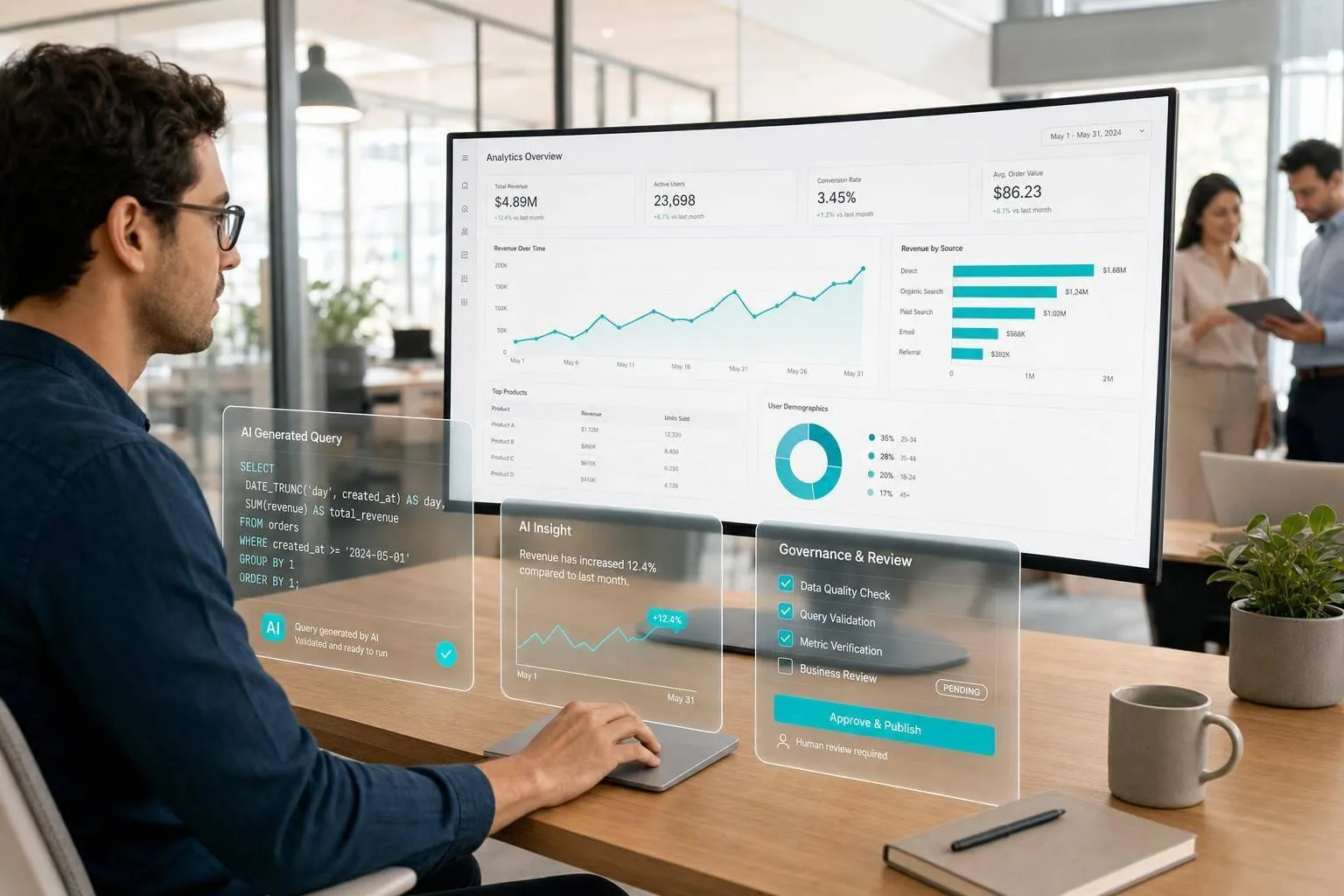
An AI data analyst can answer plain-English questions, write SQL on live warehouse data, and return a fast first draft. But it should not make high-stakes calls on its own.
If I had to sum it up in a few lines, it would be this:
- I’d use it for ad hoc questions, routine metric checks, and first-pass analysis as part of a data analytics strategy
- I would not use it alone for board reporting, finance decisions, or anything that needs business judgment
- Its output is only as good as the metric definitions, table mapping, and review process behind it
- The safest setup includes a live warehouse connection, a governed semantic layer, and visible SQL or Python
- In one cited example, AI cut query authoring time from 10 minutes to 3 minutes, and 78% of users said writing queries got faster
- But AI can still fail in costly ways, such as bad joins, wrong metric logic, stale tables, or made-up numbers in roughly 5%–10% of cases
Here’s the plain version: an AI data analyst sits between a BI dashboard and a human analyst.
A dashboard answers fixed questions. A human analyst handles messy business logic and judgment. An AI data analyst helps with new questions by turning prompts into queries against tools like Snowflake, BigQuery, Redshift, or Postgres.
That sounds useful. And it is.
But there’s a hard limit: speed is not the same as trust. If the system can’t show the SQL, explain the logic, or follow set metric rules, the answer may look clean while still being wrong.
Quick comparison
| Tool | Best use | Main strength | Main limit |
|---|---|---|---|
| AI data analyst | Ad hoc analysis and self-service analytics questions | Writes SQL and works on live data | Can be confidently wrong |
| Human analyst | Judgment-heavy business work | Context, reasoning, review | Slower and often backlogged |
| BI tool | Repeat reporting and dashboards | Stable metric definitions | Weak for new questions |
| Chatbot | Drafting text or sample SQL | General help | No live warehouse access by default |
So when does an AI data analyst matter most?
Usually when a small SaaS data team is buried in requests from product, sales, support, and finance, and people need answers now, not next week. In that setup, I see AI as a work accelerator, not a replacement for analysts.
The short rule is simple: use AI to get to a draft, then let a person verify the logic before the number travels.
Core capabilities of an AI data analyst
Answering questions in plain English and generating SQL
An AI data analyst lets users ask a business question in plain English, then turns that into SQL, runs it against the live warehouse, and returns an answer. It works with Snowflake, BigQuery, Redshift, and Postgres.
Under the hood, the system reads your schema, figures out which tables matter, and builds the query. That table-mapping step is where things often get tricky:
"Identifying the correct tables was the hard part, not writing the SQL once the tables were known." [1]
That’s also what separates a useful tool from a risky one. If the SQL stays hidden, you have no way to spot a bad join, a missing filter, or a metric that got counted the wrong way. But when the SQL is visible and editable, the output becomes something your team can review and audit.
The same setup can also help with broader analysis and reporting.
Exploring datasets, summarizing trends, and flagging anomalies
AI can also speed up exploratory work. It can segment pipeline by acquisition channel, break down activation rates by plan tier, or compare support ticket volume across regions.
Anomaly detection is one of the clearest use cases. If DAU drops fast or conversion shifts out of nowhere, the AI can flag it and draft a first-pass explanation. Here’s how that maps to common SaaS workflows:
| SaaS Metric Category | AI Capability | Practical Example |
|---|---|---|
| Revenue | Trend summarization | Net revenue by plan, month over month |
| Activation | Funnel analysis | Identifying the onboarding step with the highest drop-off |
| Product Usage | Anomaly detection | Flagging a sudden drop in feature engagement |
| Support | Pattern recognition | Categorizing top complaint themes across support tickets |
| Pipeline | Segmented exploration | Which campaigns drove signups that converted to paid |
There’s a catch: these outputs are only as good as the metric definitions behind them. Without a governed semantic layer - often built in dbt - the AI may guess what a metric means and return an answer that sounds right but isn’t.
That matters most when the output feeds repeatable reporting instead of one-off questions.
Building dashboards, reports, and notebook-based analysis
Questions that come up again and again can turn into reusable dashboards or reports. Instead of asking an analyst to rebuild the same revenue breakdown every Monday, the AI can generate it on demand. No CSV exports. No stale snapshots.
For deeper analysis, notebook-based environments give analysts room to pair AI-generated SQL with Python. That’s useful when the work goes beyond a simple query and needs custom analysis or modeling. And when those notebooks sit on top of dbt models, the metric logic stays consistent and reproducible.
In that setup, the AI handles the data pull and formatting. The analyst handles the part that still needs judgment: interpretation.
The main thing is simple: the workflow has to stay inspectable and reproducible.
How an AI data analyst differs from analysts, BI tools, and chatbots
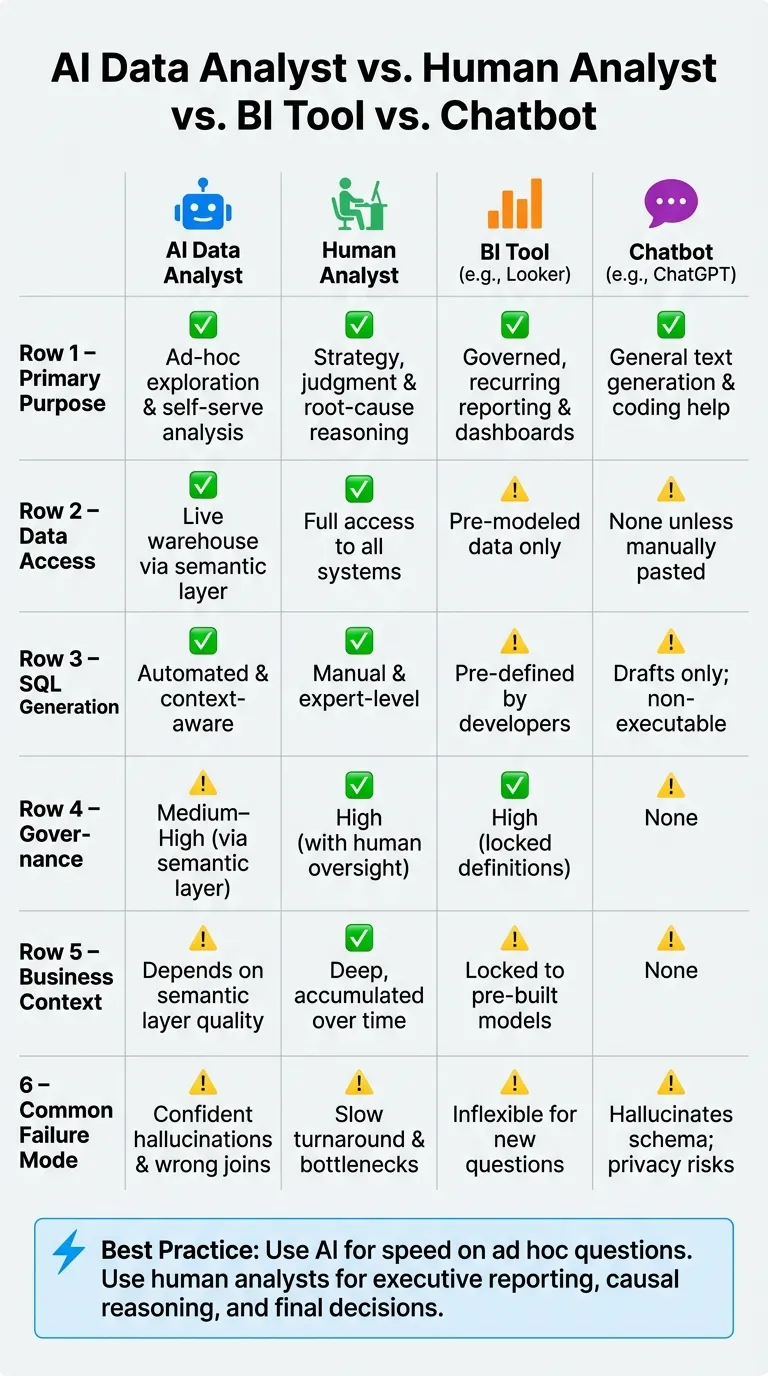
AI data analysts, BI tools, human analysts, and chatbots do different jobs. Mix them up, and you end up with the wrong tool, shaky trust in the output, and decisions based on bad data.
The easiest way to see the gap is to compare them side by side.
Comparison table: AI data analyst vs. human analyst vs. Looker vs. ChatGPT
| Feature | AI Data Analyst | Human Analyst | BI Tool (e.g., Looker) | Chatbot (e.g., ChatGPT) |
|---|---|---|---|---|
| Primary Purpose | Ad-hoc exploration and self-serve analysis | Strategy, judgment, and root-cause reasoning | Governed, recurring reporting and dashboards | General text generation and coding help |
| Data Access | Live warehouse via semantic layer | Full access to all systems | Pre-modeled data only | None unless manually pasted |
| SQL Generation | Automated and context-aware | Manual and expert-level | Pre-defined by developers | Drafts only; non-executable |
| Governance | Medium–high via semantic layer | High with human oversight | High with locked definitions | None |
| Business Context | Depends on semantic layer quality | Deep, accumulated over time | Locked to pre-built models | None |
| Common Failure Mode | Confident hallucinations and wrong joins | Slow turnaround and bottlenecks | Inflexible for new questions | Hallucinates schema and logic; privacy risks |
The failure mode is where this gets serious. BI tools are great for governed reporting. Chatbots can draft text, but they don't work with live data on their own. Human analysts bring judgment. AI data analysts sit in the middle.
A human analyst brings judgment, context, hypothesis design, stakeholder management, and root-cause reasoning. An AI data analyst can generate executable SQL against your live Snowflake, BigQuery, or Redshift warehouse and return answers fast. But speed isn't the same as trust. A person still needs to check the logic before anything important goes out.
This gap shows up most clearly on small data teams dealing with a flood of ad hoc requests.
Why the distinction matters for growing SaaS teams
In a growing B2B SaaS company, the data team is usually small, and the queue keeps growing. Product wants one answer. Sales wants another. Finance needed theirs yesterday.
At that point, it's easy to think, "Let's just give everyone a chatbot and call it self-serve analytics." On paper, that sounds fine. In live warehouse analysis, it falls apart fast.
A better split looks like this:
- Use AI for breadth and speed on high-volume ad hoc questions
- Use human analysts for executive reporting, causal reasoning, stakeholder management, and final decisions
If a system can't show its work, it turns into a black box. And black boxes are a bad bet for high-stakes decisions. That's why governed, inspectable analysis matters more than polished answers.
Strengths, limitations, and where human review is required
Where AI data analysts work well for self-serve analysis
AI data analysts do their best work on routine tasks where the question is clear and the metric is already set. Think: "How many trials converted last week?" or "What's ARR by segment this quarter?" These questions pile up in analyst queues, but they usually don't need much judgment.
The biggest time savings show up when product and go-to-market teams can get a first-pass answer on their own instead of filing a ticket. Uber's QueryGPT cut query authoring time from about 10 minutes to 3 minutes, and 78% of users said query authoring got faster [1]. But there's a catch: if your metric definitions aren't consistent, AI will spread that mess at scale.
Common failure modes and practical limitations
The risky part of AI-assisted analysis isn't just that it can be wrong. It's that it can be confidently wrong. And once a number looks clean enough, people tend to repeat it before anyone checks the SQL.
A few failure patterns come up again and again:
- Wrong joins: In one documented case, an AI joined
orderstocustomersonemailinstead ofcustomer_id, which double-counted users who had changed their email addresses. The output showed 14% revenue growth. The actual number was 3% [3]. - Metric mismatch: AI doesn't automatically know whether
status = 'completed'includes refunds in your Snowflake or BigQuery schema. It infers from column names, and that guess can miss the mark [3][2]. - Fabricated metrics: AI models may make up factual data in about 5–10% of queries, especially when a metric isn't clearly exposed in the schema [4].
- Stale or deprecated tables: AI doesn't know your dbt refresh rules. It may hit a legacy table that hasn't been refreshed [3].
"A human analyst looks at a number and thinks 'that can't be right' based on years of domain intuition. AI doesn't have that reflex." - Ibby Syed, Founder, Cotera [4]
That's the heart of the issue. AI can spot a trend, but it can't dependably tell whether that change comes from seasonality, a product outage, or a broken pipeline unless that context is already built in. In plain English: governance and inspectability aren't nice extras. They're the guardrails that stop AI output from turning into a problem.
Comparison table: AI-assisted analysis vs. human-led analysis
| Dimension | AI-Assisted Analysis | Human-Led Analysis |
|---|---|---|
| Complexity | Low to medium; routine, ad hoc | High; multi-step, causal, or strategic |
| Business Risk | Low; internal analysis | High; board, finance, or compliance use |
| Need for Judgment | Minimal; execution-focused | Critical; context-heavy interpretation |
| Ambiguity | Struggles; needs clear prompts | Strong; can clarify business intent |
| Governance | Follows pre-defined rules | Sets and maintains the rules |
For data leaders, the takeaway is simple: AI is a strong first draft, not the final word. A human analyst should still verify the SQL logic, check for row-count spikes after joins, and confirm that date filters match your warehouse rules [3][5][2]. That's the minimum before any AI-generated number ends up in a board deck. From there, the next issue is trust: what makes an AI answer safe enough to use in production?
What reliable AI analytics looks like in practice
Why a governed semantic layer and live warehouse connections matter
The fix isn’t a better prompt. It’s governed metric logic and a live warehouse connection.
Reliable AI analytics starts with governed metric logic, not better guessing. A governed layer of metric definitions stores shared metric definitions in SQL - exactly what "churn", "MRR", or "active user" means in your warehouse. When the AI generates a query, it reads those definitions instead of trying to infer meaning from column names. That’s what stops the hallucinated and inconsistent outputs described in the previous section.
Live connections to Snowflake, BigQuery, Redshift, or Postgres keep answers current and respect existing permissions.
Why inspectable workflows beat uninspectable answers
Once metric logic is governed, the next step is inspectable execution. A number in chat isn’t enough. Every answer should trace back to code your team can read, edit, and rerun. That’s how AI shifts from a black box to a usable draft.
Querio surfaces AI-generated answers alongside inspectable SQL and Python in reactive notebooks connected live to your warehouse, with a governed context layer that keeps metric definitions consistent.
Key takeaways for data leaders
For data leaders, the rule is simple: define metrics first, connect live to the warehouse, keep code inspectable, and treat AI output as a draft a human signs off on.
FAQs
How accurate is an AI data analyst in practice?
In day-to-day use, an AI data analyst can speed things up a lot. But it still needs a human in the loop.
It can hallucinate insights, misread vague questions, or write the wrong query if it doesn't have enough context.
Accuracy comes down to clear visibility, governance, and good judgment. You should be able to inspect and edit the SQL, rely on consistent metric definitions, and treat the output as a draft instead of the final answer.
What setup do we need before using one safely?
Start with strong data governance and security. Set up read-only database credentials so the AI can view data but can't change anything.
Next, define a semantic layer for terms like MRR or churn. That gives everyone the same meaning for the same metric, which cuts down on mix-ups.
It also helps to pick systems with SQL transparency. That way, analysts can inspect and validate the generated code before they share any insight.
Which questions still need a human analyst?
Human analysts still matter most when the job calls for judgment, business context, or decision-making.
AI can spot patterns and handle repeatable analysis at scale. But it can't reliably explain why something happened when the answer depends on company-specific events, internal changes, or messy context that lives outside the data.
People are still needed for a few core parts of the work:
- causal reasoning
- spotting data quality issues
- resolving ambiguous metric definitions
- making final strategic recommendations
That’s the line in the sand. AI can do a lot of the heavy lifting, but when the stakes are high and the context is messy, human judgment still makes the call.