Business Intelligence
ThoughtSpot Sage vs Power BI Copilot: AI BI Showdown
Pick a warehouse-search AI for live, open-ended analysis or a platform-tied assistant for report drafting and edits.

If I had to sum it up in one line: I’d pick ThoughtSpot Sage for asking live warehouse questions, and I’d pick Power BI Copilot for building and editing reports inside Microsoft.
Here’s the short version:
- ThoughtSpot Sage is built for search-first analytics on live data in tools like Snowflake, BigQuery, and Redshift
- Power BI Copilot is built for Power BI, Fabric, DAX, and report workflows
- Sage leans on SQL, Worksheets, and governed metric definitions
- Copilot leans on semantic models, DAX, and report context
- Sage is usually stronger for multi-step analysis
- Copilot is usually stronger for report drafting, summaries, and in-product help
- Copilot also comes with a higher Microsoft stack commitment, including about $9,000/year for Fabric F2 capacity, plus $14/user/month for Pro
- In the source article, Copilot is also linked to a 4.4/10 score on financial modeling benchmarks and a stated risk of made-up values when data is missing
- ThoughtSpot’s setup can take more data-model work up front, but that prep is what helps keep answers lined up with shared KPI definitions
- One case study cited in the article says WEX hit 65% AI adoption in 90 days and cut report waits from 5 minutes to under 3 seconds
If you’re comparing AI BI tools, I’d look at four things first:
- Where your data lives
- Whether your team works in SQL or DAX
- How much you trust your semantic layer
- Whether you need open-ended analysis or report help
::: @figure 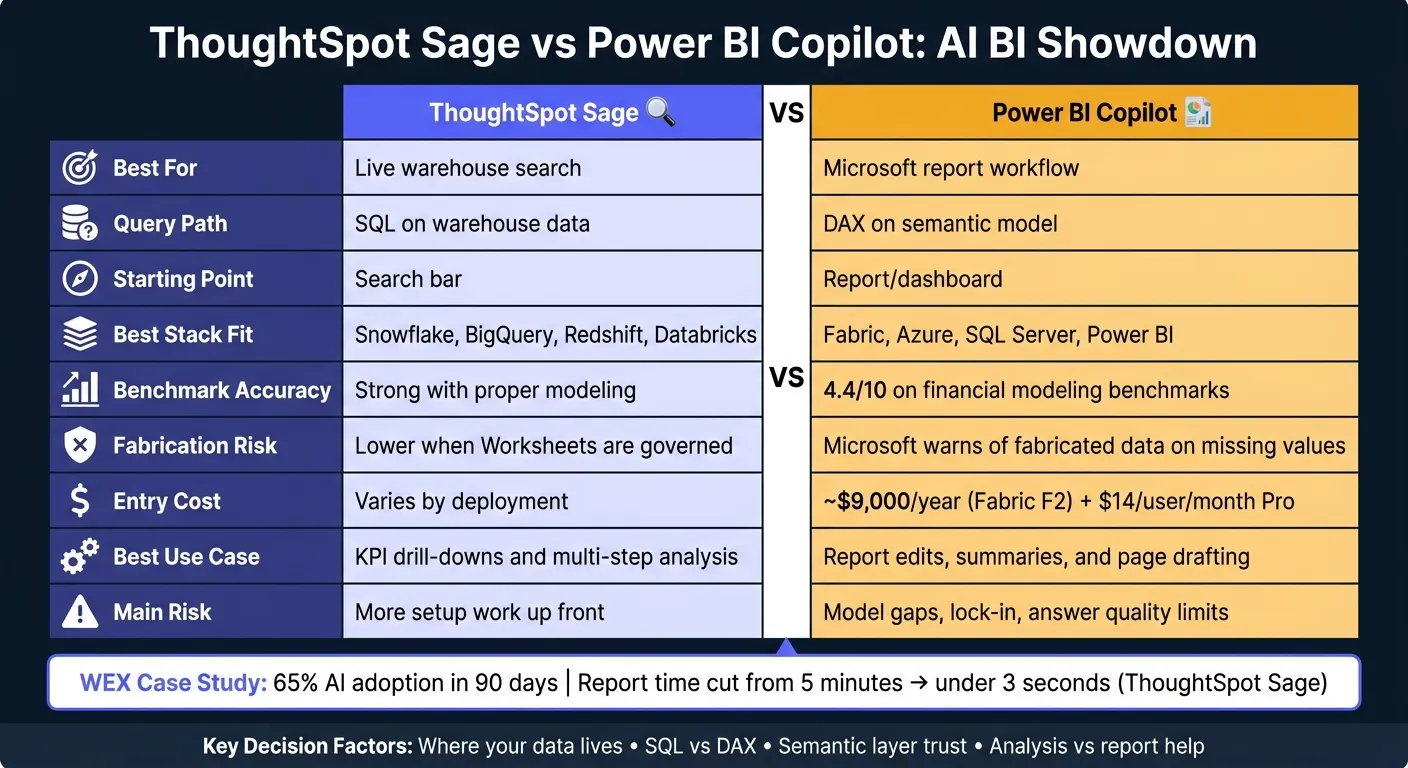 {ThoughtSpot Sage vs Power BI Copilot: AI BI Tool Comparison}
:::
{ThoughtSpot Sage vs Power BI Copilot: AI BI Tool Comparison}
:::
Quick Comparison
| Criteria | ThoughtSpot Sage | Power BI Copilot |
|---|---|---|
| Best for | Live warehouse search | Microsoft report workflow |
| Query path | SQL on warehouse data | DAX on semantic model |
| Main starting point | Search bar | Report/dashboard |
| Best stack fit | Snowflake, BigQuery, Redshift, Databricks | Fabric, Azure, SQL Server, Power BI |
| Context source | Worksheets and synonyms | Semantic models and measures |
| Best use case | KPI drill-downs and follow-up questions | Report edits, summaries, and page drafting |
| Main risk | More setup work up front | Model gaps, lock-in, and answer quality limits |
My take: if you want self-serve answers on live warehouse data, Sage is the better fit. If your team already lives in Microsoft and spends most of its time inside Power BI reports, Copilot makes more sense.
That’s the core decision this article explains.
sbb-itb-284a532
How ThoughtSpot Sage and Power BI Copilot work differently day to day
The day-to-day difference is pretty simple: Sage begins with a question on live warehouse data, while Copilot begins inside a report.
ThoughtSpot Sage: search-first analytics over governed data
With Sage, the starting point is a search bar. A business user can type something like "revenue by region Q2 2026", and Sage turns that prompt into SQL against a live warehouse connection.
That setup works best when worksheets and synonyms are curated ahead of time. Why? Because that governed layer keeps metric definitions in line across the business. Without that prep work, search can get messy fast.
WEX Field Service Management rolled out conversational analytics tools like ThoughtSpot in early 2026 and reached a 65% AI adoption rate within 90 days. It also cut report generation times from five-minute timeouts to under three seconds [1]. That kind of jump depends on the data team doing the modeling work up front.
Copilot supports a different flow. It’s built more for editing, summarizing, and digging into content that already lives inside Microsoft reports.
Power BI Copilot: report assistance inside the Microsoft stack
If Sage is search-first, Copilot is report-first. Copilot runs inside Power BI and Microsoft Fabric, and its responses depend on the governed Power BI semantic model and the DAX behind the report content.
For analysts who already manage that model, this can make report changes and summaries much faster. Instead of starting from a blank search box, they’re working from assets that already exist in the Microsoft setup.
| Dimension | ThoughtSpot Sage | Power BI Copilot |
|---|---|---|
| Starting point | Search bar / Spotter agent | Report-and-dashboard assistant |
| Dependency | Worksheets and synonyms | Semantic models and DAX |
| Ecosystem fit | Warehouse-native (Snowflake, Databricks, etc.) | Microsoft-native (Fabric, Teams, Office 365) |
| SQL transparency | Query inspector available | DAX shown; limited SQL visibility |
Those day-to-day workflow differences get easier to evaluate when you look at governance, speed, and warehouse fit.
Head-to-head: how the two tools compare across key buying criteria
Comparison table: natural-language analytics, governance, speed, and warehouse fit
Use this comparison to weigh accuracy, governance, cost, and warehouse access in production.
At a practical level, the buying call is about where each tool helps most in day-to-day analytics.
| Criteria | ThoughtSpot Sage | Power BI Copilot |
|---|---|---|
| Natural-language interface | Search bar + Spotter AI agent | Report builder assistant + Q&A visual |
| Text-to-SQL behavior | Generates SQL directly against the warehouse | Generates DAX against the Fabric semantic model |
| Context handling | TML Worksheets and governed metric definitions | DAX measures and Fabric semantic models |
| Metric consistency | High when Worksheets are maintained | High when the semantic model is maintained |
| Warehouse connectivity | Live connections to Snowflake, Databricks, and other warehouses | Requires data in Microsoft Fabric |
| Benchmark accuracy | Strong with proper modeling in place | 4.4/10 on financial modeling benchmarks [2] |
| Fabrication risk | Lower when Worksheets are governed | Microsoft warns that Copilot can fabricate data on missing values [2] |
| Entry cost | Varies by deployment | About $9,000/year for Fabric F2 capacity, plus $14/user/month Pro licenses [2] |
| Implementation effort | High - Worksheets and governed metric definitions | Moderate - Fabric modeling and DAX maintenance |
| Best-fit team | Warehouse-native self-serve analytics | Microsoft-native report authoring |
Power BI Copilot's financial modeling score matters most for finance and healthcare teams that need answer quality, not just speed. If the model has gaps, Copilot can fabricate values, so teams need to check missing data with care.
Where the tradeoffs show up in real workflows
Sage works best for open-ended analysis when Worksheets are well curated. That setup work helps keep natural-language questions tied to the same business definitions across the team.
Power BI Copilot has more pull when the goal is faster report work inside a Microsoft stack. If your team already keeps a mature DAX semantic model in Fabric, Copilot can help speed up page drafting and measure authoring.
Cost and lock-in matter too. Power BI Copilot needs a minimum Fabric F2 capacity - about $9,000/year before user licenses - and it produces proprietary DAX logic that doesn't move cleanly to other platforms [2]. Microsoft is also retiring the legacy Power BI Q&A feature in December 2026, so teams that use it now will need to shift to Copilot for natural-language querying [2].
The gap gets easier to see in the next section's workflow scenarios: revenue breakdowns, anomaly follow-up, and dashboard edits.
Workflow scenarios: which tool handles common analytics tasks better
You see these tradeoffs most clearly in three day-to-day workflows.
Revenue breakdowns and KPI exploration without writing SQL
Take a SaaS finance analyst who needs August revenue by product line and region, then wants to drill into enterprise accounts over $50,000 - all without writing SQL.
In ThoughtSpot Sage, that request goes into a search bar tied to a live warehouse connection. If the Worksheet is modeled well, Sage can map phrases like "enterprise accounts over $50,000" to the business logic already set in the model. From there, the analyst can drill into segment, rep, or cohort without rephrasing the whole question.
In Power BI Copilot, the same kind of exploration depends on data that has already been modeled inside Microsoft Fabric. If a needed field or filter is missing from the semantic model, the answer can be off.
That difference shows up most when analysts need one question to pull across multiple sources without breaking their flow. Copilot works best when the data is already clean, merged, and fully modeled in Fabric.
The same divide shows up when a metric suddenly moves.
Following up on an unexpected metric change
This is where the two tools start to feel far apart. Say your MRR drops 12% week over week. The next step is usually a string of follow-up questions: Which segment drove it? Which region? Did it start mid-month or at the end?
ThoughtSpot supports that kind of multi-turn exploration well. Each follow-up builds on the last answer, so the analyst can stay inside one continuous investigation - on live data, in the same governed context - instead of restarting with every new question.
Power BI Copilot works more like a report assistant than an exploration engine. It's good at summarizing a report page or writing a DAX measure, but it doesn't carry an investigation across segments as smoothly. That same split shows up when analysts need to revise or draft reports.
Editing dashboards and generating reports for analysts
For analysts who spend most of their day building and updating reports, the two tools do different jobs.
Power BI Copilot fits neatly into the Microsoft workflow. It can draft a report page, write a DAX measure, and generate a narrative summary of a visual without leaving the Power BI interface. For teams with a mature Fabric semantic model - and DAX skills on hand to check the output - that's a solid time-saver.
ThoughtSpot Sage takes another path. Analysts move through a search-to-Liveboard workflow: ask a question, pin the answer, build the board. It's less centered on reports and more centered on exploration. That makes it a good fit for teams that want business users to self-serve answers instead of waiting on a new report. Governed Worksheets and synonyms help keep metrics consistent across teams.
Decision guide: which tool fits your stack and where Querio fits
Best fit by stack: Microsoft BI, warehouse-first, or governed self-serve
The choice here comes down to a simple point: where your data lives and how your team works with it day to day. Those two things shape the stack fast.
Use this table to line up each tool with your warehouse, modeling setup, and mix of users.
| Stack | Best fit | Why |
|---|---|---|
| Microsoft 365 / Azure / Fabric | Power BI Copilot | Best when your team is standardized on Fabric and DAX, with Copilot inside the Power BI workflow |
| Snowflake, BigQuery, Redshift, Postgres | ThoughtSpot Sage | Live warehouse queries, search-first exploration, and governed Worksheets for analysis |
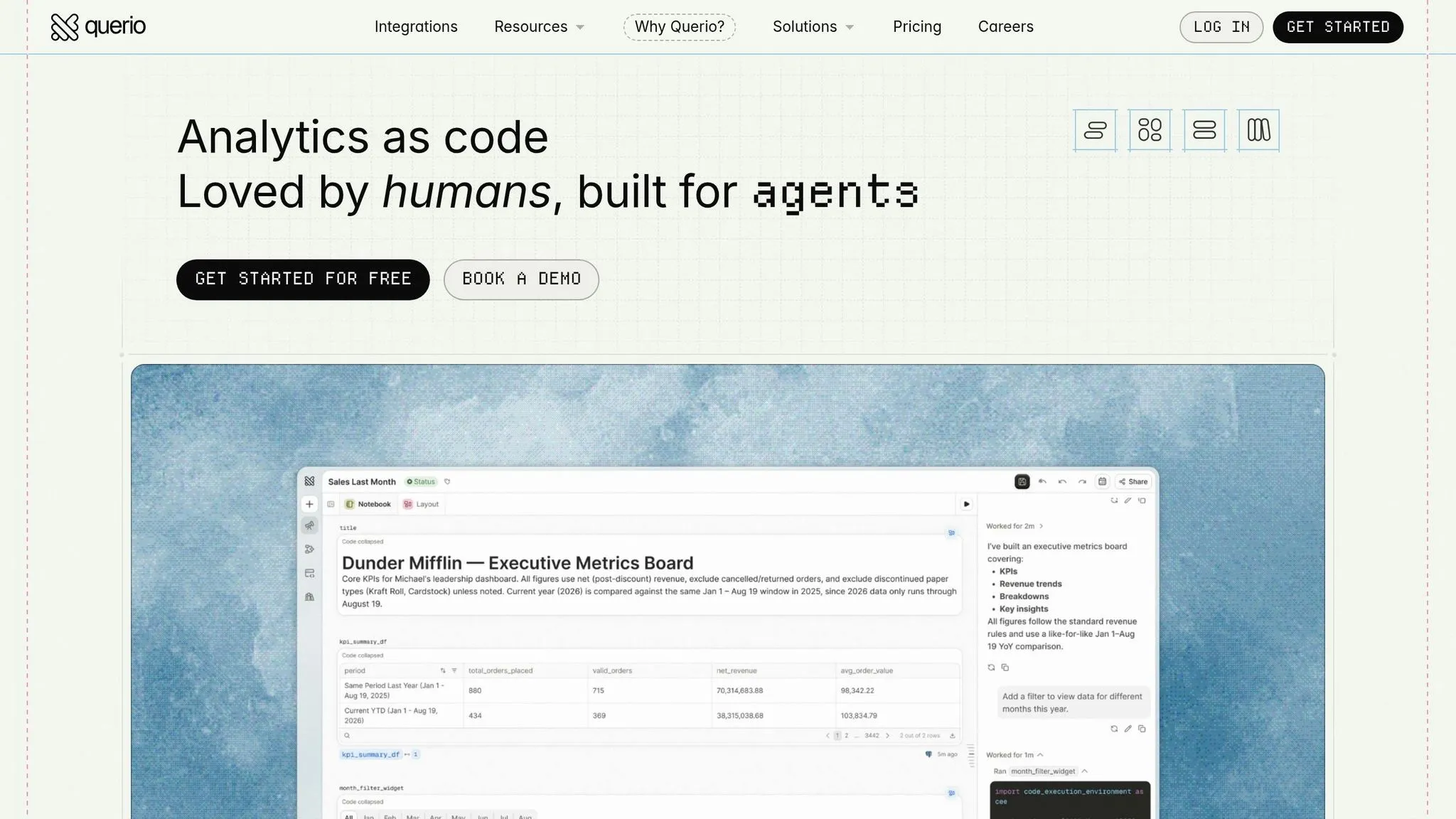
| Warehouse-native + dbt + governed self-serve | Querio | Governed context layer, inspectable SQL and Python, and live read-only warehouse connections |
Power BI Copilot makes sense if your team already runs on Microsoft Fabric and your analysts are comfortable with DAX.
ThoughtSpot Sage works best when governed Worksheets are already part of how your team does analysis.
Querio fits lean, warehouse-native teams that want governed self-serve analytics without boxing themselves into one platform. Its context layer lives in plain SQL, Markdown, and Python, synced to GitHub with dbt. Every result stays inspectable and editable in SQL or Python inside a reactive notebook, so nothing gets trapped inside the app.
What to check before you buy
Before you decide, run each tool through the same four checks.
-
On metrics trust: Can it tie each KPI to one versioned definition? Semantic layers can reduce data errors in natural-language queries by as much as 66% compared with direct text-to-SQL approaches [3]. If definitions live in a few different places, that problem doesn’t disappear. It just becomes harder to track down.
-
On transparency: Can analysts inspect and edit the generated logic? Power BI Copilot surfaces DAX. ThoughtSpot shows the underlying query. Querio shows full SQL and Python, and every notebook cell is editable. If your team has to audit or fix AI output, especially in finance or healthcare, black-box generation can become a serious problem.
-
On connection model: Does it query the warehouse live? Querio connects live and read-only, with no extracts or CSV round-trips.
-
On lock-in: ThoughtSpot uses proprietary TML and Worksheets. Power BI ties you to Fabric, Azure, and DAX. Querio keeps its context files as plain text in your own Git repo, which means the context stays portable and can also work with Claude Code or other agents.
FAQs
::: faq
Which tool is better for business-user self-service?
For business-user self-service, ThoughtSpot Sage is usually the better pick. It puts a search-first natural language experience at the center, so non-technical users can explore live data right inside the platform. That makes it feel more direct and less like you have to know the system before you can ask good questions. It also has strong governance, which helps keep answers trustworthy.
Power BI Copilot makes more sense if your company already runs heavily on Microsoft and Fabric, and if your questions map well to existing, well-governed semantic models. :::
::: faq
How much setup does each tool need before answers are reliable?
Reliable answers mostly come down to one thing: how much setup work happens before anyone asks a question.
ThoughtSpot Sage usually needs a lot of prep. Teams often have to spend weeks or even months on data modeling and indexing, because answer quality depends on a well-structured warehouse.
Power BI Copilot works in a similar way. It depends on a properly built semantic model and comes with platform prerequisites, so most teams need to put in upfront work before the answers start feeling consistent and dependable. :::
::: faq
What matters most if my team uses both a warehouse and Microsoft BI?
What matters most is ecosystem fit and model readiness.
Power BI Copilot tends to work best when you already have strong Power BI semantic models and use Microsoft Fabric/OneLake. That’s because it generates DAX inside that setup, and it may also require Fabric or Premium capacity.
If your goal is faster, warehouse-native natural language access without extra dashboarding, ThoughtSpot is built for live querying of cloud warehouses like Snowflake, BigQuery, and Redshift through a governed semantic layer. :::